

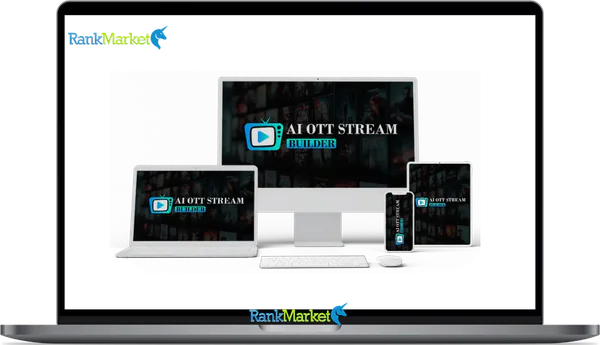
Buy AI OTT Stream Builder + OTOs full account + Bonus
$15.00
AI OTT Stream Builder - Overview
AI OTT Stream Builder is a cloud-based SaaS platform that lets creators, small media brands, agencies, and educators launch their own branded streaming service, similar to Netflix or Hulu, without writing a single line of code.
Its core purpose is to remove the technical and financial barriers that have traditionally made owning a private streaming platform the exclusive territory of large media companies. With AI OTT Stream Builder, you can create a video-on-demand library, set up subscription or pay-per-view monetization, and go live with a branded streaming site that you control.
What you can do with AI OTT Stream Builder:
- Launch a fully branded streaming website with your own domain and design
- Build a video-on-demand library organized into categories, series, and playlists
- Create subscription tiers, pay-per-view access, and free-with-upsell content models
- Automate repetitive tasks like content tagging, scheduling, and recommendations using built-in AI tools
This guide is an independent informational review. It covers what the product actually is, how it works, who it suits, where its limitations are, how it compares to alternatives, and how to decide whether it is the right tool for your streaming project. It is not a sales page.
What Is AI OTT Stream Builder?
AI OTT Stream Builder is a hosted, no-code OTT (over-the-top) platform builder. “OTT” refers to video content delivered directly over the internet to viewers, bypassing traditional cable or broadcast distribution. Think of Netflix, Disney Plus, and Coursesplus-style educator platforms: all of these are OTT services. AI OTT Stream Builder allows individuals and small teams to launch their own version of this model.
The platform operates on a cloud-hosted model, meaning you do not need to manage servers, set up video encoding infrastructure, or configure content delivery networks. Those elements are handled by the platform, allowing you to focus on content and business decisions rather than technical operations.
The product is positioned for the creator economy and small media market, built for people who have video content worth monetizing but do not have the budget or team size to commission a custom streaming platform build, which can cost tens of thousands of dollars.
Trust signals and brand positioning: The vendor behind AI OTT Stream Builder has over a decade of experience in the software and digital tools space, which provides some reassurance about product longevity and support continuity compared to brand-new launches with no track record.
Core Value Proposition: Why Would Anyone Use It?
The central argument for using AI OTT Stream Builder over alternatives is the combination of speed, affordability, and built-in AI automation for tasks that would otherwise require technical skill or additional software.
Top reasons people choose AI OTT Stream Builder:
- Launch speed: You can have a functional streaming platform live in days or a weekend rather than months of custom development
- No-code workflow: Templates, drag-and-drop design tools, and guided configuration make the platform accessible without developer support
- Built-in monetization: Subscription management, payment gateways, and pay-per-view are included rather than requiring third-party integrations from the start
- AI automation: Content tagging, scheduling suggestions, and recommendation features reduce the manual workload of managing a growing content library
- Designed for solo creators and small teams: The interface and pricing tiers are oriented toward individual operators rather than enterprise IT teams
Mini scenario: A fitness coach with fifty workout videos and a growing Instagram following wants to offer a premium subscription experience off social media. Using AI OTT Stream Builder, she configures a branded streaming site with tiered memberships, organizes her videos into beginner, intermediate, and advanced series, and launches within a weekend. No developer, no custom coding, and no separate video hosting bill.
Features and Capabilities of AI OTT Stream Builder (In Depth)

Platform Creation and Design Tools
The site and platform builder in AI OTT Stream Builder is based on a theme and template system with drag-and-drop or configuration-based customization. You choose a starting template appropriate for your content type (entertainment, education, fitness, lifestyle) and then apply your branding.
Design customization options include:
- Logo upload and placement across header, footer, and loading screens
- Color palette configuration for primary, secondary, and accent colors
- Typography selection for headings and body text
- Homepage layout arrangement including hero banner, featured content, category rows, and promotional sections
- Navigation menu configuration with custom labels and category links
Device responsiveness: All templates are built to render correctly on desktop browsers, tablet screens, and mobile web. This is a default behavior rather than an optional setting, which matters because a significant portion of video streaming consumption happens on mobile devices.
The level of customization ranges from basic brand color and logo application (achievable in under an hour) to more detailed layout adjustments that may take a day or two to configure precisely to your vision.
Video and Content Management
Managing your video library is the operational core of running an OTT platform. AI OTT Stream Builder provides tools for uploading, organizing, and presenting video content without requiring a separate hosting service.
Video import and management capabilities:
- Direct video upload from your computer or cloud storage
- Support for standard video formats (MP4 and similar formats are standard; confirm specific format support with the vendor for your use case)
- Library organization through categories, series structures, seasonal groupings, and playlists
- Thumbnail upload and management for each piece of content
- Title, description, and metadata fields for each video to support discoverability
Hosting and bandwidth: For most SaaS OTT builders in this category, video hosting and delivery are included in the subscription. Confirm any fair use policies or content volume limits that apply to your chosen plan before uploading a large catalog, as these limits vary between plan tiers.
Content management questions to test during any trial period:
- How long does video processing take after upload?
- Can you bulk upload or import from YouTube or external storage?
- How easy is it to reorganize content after initial setup?
- Does the search function work effectively for viewers browsing a large catalog?
AI-Powered Features: What Is Really “AI” Here?
The “AI” label in the product name warrants specific examination, because the term is used loosely across many software products in 2026. AI OTT Stream Builder includes a combination of genuinely AI-powered capabilities and standard rule-based automation, both of which provide real value.
|
Likely AI-Powered |
Likely Rule-Based Automation |
|
Content recommendations for viewers |
Scheduled content publishing |
|
Smart tagging and metadata suggestions |
Template-based page layouts |
|
Personalized browsing experiences |
Automated email notifications |
|
Viewing pattern analysis |
Predefined pricing tier logic |
What AI handles well in this context:
- Suggesting relevant content to viewers based on watch history, reducing manual curation work
- Proposing tags and categories for newly uploaded videos, which you then review and confirm
- Analyzing content performance patterns to surface insights about what your audience watches most
What still requires human judgment:
- All content creation and editorial decisions
- Pricing strategy and monetization model design
- Brand voice in any copywriting or description text
- Promotional and marketing decisions
Users should trust AI automation for workflow efficiency tasks (tagging, scheduling suggestions) while personally overseeing any output that directly represents their brand or business decisions.
Streaming and Channel Options
AI OTT Stream Builder supports multiple streaming formats to accommodate different content delivery models.
Streaming modes available:
- Video on demand (VOD): Your standard library of content available for subscribers to watch at any time, the most common model for educator and creator platforms
- Linear or 24/7 channels: Pre-programmed schedules that loop content in a broadcast-style format, suitable for brands wanting a “always on” channel experience
- Scheduled live events: Webinar-style or live broadcast sessions for premieres, Q&As, or real-time classes (verify current live streaming capabilities with the vendor as these vary by plan)
Example use cases by mode:
- A meditation teacher uses the VOD library for their course archive and sets up a 24/7 linear channel featuring short daily practices on a rotating schedule
- A film school uses scheduled events for monthly faculty Q&A sessions and the VOD library for archived student projects and course materials
AI assistance with channel scheduling can include suggesting content sequencing based on viewer engagement patterns or automatically filling schedule gaps with related content from your library.
Monetization Options and Payment Flows
Built-in monetization is one of AI OTT Stream Builder's most practically important capabilities. Managing subscriptions and payments through the same platform that hosts your content simplifies operations significantly.
Monetization models supported:
- Subscription memberships: Recurring monthly or annual plans with access to defined content tiers
- Pay-per-view and rentals: One-time purchase access to specific videos or events
- Content bundles: Packaged access to multiple series or categories at a defined price point
- Freemium model: Free access to selected content with paid upgrades for premium tiers
Pricing flexibility features:
- Coupon and promotional code support for marketing campaigns
- Free trial periods for subscription plans to reduce sign-up friction
- Regional pricing support (verify availability for your target markets)
Payment gateways and compliance: Stripe and PayPal are the most commonly supported processors in platforms of this type. Tax handling for VAT, GST, and sales tax obligations varies by platform and geography, and should be explicitly confirmed before launching to international audiences.
Audience and User Management
Managing subscribers and controlling content access is handled through the audience and user management system.
User account features:
- Standard sign-up and sign-in flows for subscriber accounts
- Profile management allowing viewers to track their watch history and preferences
- Role-based access control distinguishing between free members, paid subscribers, and different subscription tiers
Access control logic:
- Content can be designated as publicly visible, free-with-registration, or paid-tier-only
- Multiple subscription tiers (Basic, Pro, VIP style) can each unlock different content subsets
- Individual videos or series can be restricted to specific tiers independently of the broader catalog
Subscriber communication:
- Automated transactional emails for sign-up confirmation, payment receipts, and subscription renewal reminders
- Welcome sequences introducing new subscribers to the platform and content library
Analytics and Performance Tracking
Data visibility is essential for growing an OTT platform. AI OTT Stream Builder includes an analytics dashboard covering the key metrics relevant to video publishing and subscription businesses.
Available metrics typically include:
- Total views and unique viewers per video and per time period
- Watch time and average completion rate (identifying where viewers drop off)
- Revenue, active subscriber count, and average revenue per user
- Top-performing content by views and engagement
- Subscriber growth, churn rate, and renewal patterns
How to apply analytics to platform decisions:
- Completion rate data reveals which videos hold attention and which lose viewers early, informing future content production priorities
- Top content metrics guide decisions about what to promote prominently on your homepage
- Churn rate analysis combined with content consumption data can reveal whether subscribers are leaving due to content gaps or pricing misalignment
Integrations and Ecosystem
AI OTT Stream Builder connects to external tools to extend its capabilities beyond the built-in feature set.
Integration categories to expect or verify:
- Email service providers for subscriber communication beyond basic transactional emails
- CRM and marketing funnel tools for managing the subscriber acquisition journey
- Payment and billing tools beyond the native gateway options
- Zapier or webhook connections for custom automations between AI OTT Stream Builder and other tools in your stack
Practical limitation to note: SaaS platforms in this category typically offer strong native integrations for the most common tools (major ESPs, Stripe, Zapier) and more limited connectivity for less common or proprietary systems. If you have specific existing tools that must connect to your OTT platform, verify integration compatibility before committing to a plan.
Pricing Plans and OTOs detailed
Front-End – AI OTT Stream Builder ($14.97 one-time)
- One-time payment with lifetime access
- AI-powered OTT website and streaming platform builder
- Create OTT sites for movies, TV shows, live channels, sports, kids content, podcasts, and more
- Built-in streaming management and channel creation tools
- Membership and subscriber management included
- Monetization and branding options supported
- Multi-device streaming support
- No recurring monthly software fees
- 30-day money-back guarantee included
- Early-bird pricing expected to increase later
OTO 1 – AI OTT Stream Builder Unlimited Mode
- Removes platform usage restrictions
- Create unlimited OTT platforms and channels
- Unlimited streaming and content scaling
- Run multiple OTT projects without daily limits
- Supports 24/7 live streaming workflows
- Manage movies, sports, news, education, music, and niche channels
- Advanced monetization and scaling support
- Built for agencies, marketers, creators, and streaming businesses
OTO 2 – AI OTT Stream Builder DFY OTT Platform
- Done-for-you OTT streaming platform setup
- Prebuilt streaming niches and channel layouts included
- Ready-made movie, entertainment, sports, news, and kids channels
- Professional OTT design structure included
- Subscription monetization setup included
- Multi-device support preconfigured
- Launch faster without manual setup work
- Built for beginners and users wanting faster deployment
OTO 3 – AI OTT Stream Builder Full Automation Mode
- Hands-free OTT platform automation system
- Automates scheduling and content management
- Keeps playlists and live streams active automatically
- Reduces manual platform maintenance
- Supports multiple streaming projects simultaneously
- Helps maintain active viewer experience around the clock
- Built for users wanting passive streaming workflows
OTO 4 – AI OTT Stream Builder AI Content Studio
- AI-powered OTT content creation suite
- Generate videos, shows, clips, and streaming content using AI
- Create movie-style and TV-style content from prompts
- Supports short-form videos and social clips
- Useful for users without existing video libraries
- Centralized dashboard for content production
- Built for creators, marketers, educators, and streaming businesses
OTO 5 – AI OTT Stream Builder Traffic & Monetization
- Traffic generation and OTT monetization toolkit
- Helps attract viewers and subscribers
- Supports social media promotion and content distribution
- Includes search optimization features
- Designed to improve platform growth and engagement
- Works across multiple OTT content categories
- Built for users wanting more traffic and revenue opportunities
OTO 6 – AI OTT Stream Builder Agency License
- Agency-style client management license
- Create unlimited client accounts
- Sell or rent OTT platform access to clients
- Keep 100% of client payments and profits
- Manage client access from one dashboard
- Built for agencies, freelancers, and OTT service providers
OTO 7 – AI OTT Stream Builder Agency Reseller
- Reseller-focused business opportunity
- Promote and sell AI OTT Stream Builder through your own link
- Keep 100% of profits on front-end and upgrades
- No need to create your own OTT platform
- Vendor handles product delivery and support
- Built for affiliates, marketers, and online entrepreneurs
OTO 8 – AI OTT Stream Builder Franchise License
- Official franchise-style promotion license
- Use vendor sales pages and marketing funnels
- Vendor handles product delivery and customer support
- Promote through email, ads, YouTube, blogs, or social media
- Hands-free monetization opportunity
- Built for marketers, influencers, bloggers, and affiliates
OTO 9 – AI OTT Stream Builder Whitelabel License
- Full whitelabel software ownership upgrade
- Rebrand the software with your own name and logo
- Use your own domain and business identity
- Create unlimited client accounts
- Sell the software as your own product
- Keep 100% of profits and customer ownership
- Suitable for launching a software business on WarriorPlus or JVZoo
How AI OTT Stream Builder Works: Step by Step
Getting Started: Setup and Onboarding
- Create your account and select a plan or begin a free trial
- Complete initial platform configuration: platform name, primary time zone, and brand color
- Upload your logo and set basic typography preferences
- Navigate the main dashboard to orient yourself: the primary sections cover content library, channel manager, audience, monetization, design, and analytics
- Connect your custom domain if available at your plan level
The dashboard is designed to minimize setup friction, with guided prompts for first-time users walking through each configuration area in a logical sequence.
Building Your OTT Platform (Design and Structure)
- Select a theme or template from the available library
- Configure your homepage layout: hero banner, featured content rows, category sections, and promotional blocks
- Set up your primary navigation with links to your content catalog, pricing page, and account section
- Create your core pages: home, browse or catalog, pricing and membership, and about or FAQ
- Test the navigation flow from a visitor's perspective before adding content
Adding and Organizing Content
- Upload your first batch of videos and add titles, descriptions, and thumbnail images to each
- Create your top-level categories and organize videos into them
- Set up series or season structures for episodic or course-style content
- Use AI tagging suggestions if available to assign metadata and improve discoverability
- Connect episodes into series so related content is grouped for sequential viewing
Best practices for content organization:
- Use consistent, descriptive naming conventions across all videos
- Write descriptions that include relevant keywords naturally for internal search
- Create a logical category structure that matches how your audience thinks about your content, not just how you think about it internally
Setting Up Channels and Schedules
- Navigate to the channel or schedule manager section of the dashboard
- Create a 24/7 linear channel by selecting the content you want to loop and arranging the broadcast order
- Create thematic channels grouped by topic, difficulty level, or content format
- Configure daily or weekly programming schedules for any time-sensitive or featured content
- Use AI scheduling suggestions if available to fill gaps or optimize content sequencing
Example one-day schedule for a small fitness platform:
- Morning slot: beginner morning routines (30-minute block)
- Midday slot: strength training sessions (45-minute block)
- Afternoon slot: yoga and flexibility content (30-minute block)
- Evening slot: nutrition and recovery guides (20-minute block)
Configuring Pricing and Monetization
- Create your subscription tiers and define the name, price, billing frequency, and content access for each
- Designate which content categories or individual videos belong to each tier
- Configure pay-per-view pricing for any premium events or standalone content
- Connect payment gateway credentials and enable your chosen processors
- Set up coupon codes or free trial periods if using promotional pricing at launch
Pre-launch payment testing checklist:
- Complete a test sign-up through the free trial or lowest tier
- Test coupon code application and verify the discount applies correctly
- Simulate a cancellation to confirm the process works as expected for subscribers
- Verify payment receipt emails send correctly with accurate transaction details
Launching and Testing Your Platform
Pre-launch checklist:
- Test video playback on desktop browser, mobile browser, and tablet
- Complete the entire sign-up flow as a new subscriber from beginning to end
- Verify that paid content is correctly locked behind the appropriate tier
- Confirm all email notifications send with correct formatting and content
- Check that the analytics dashboard begins recording data from day one
- Verify that the custom domain is connected and SSL is active
Conduct a soft launch with a small group of trusted subscribers before promoting broadly. Their feedback on navigation, video quality, and sign-up flow will reveal issues that internal testing missed.
Who AI OTT Stream Builder Is For (And Who It Is Not For)
Ideal Users and Use Cases
- Creators with existing video libraries who want to monetize their content directly rather than relying on YouTube ad revenue or platform algorithm changes. Having thirty or more videos provides enough content for a viable subscription library at launch.
- Educators and course creators who want the UX of a streaming platform rather than a traditional LMS interface. Students browse and stream lessons the way they watch Netflix series, which reduces friction compared to course portals with download-and-view models.
- Fitness, wellness, and coaching brands that produce regular video content and want a dedicated platform separate from social media to build a recurring revenue stream.
- Agencies assembling OTT platforms for clients who need to deliver a functional streaming site quickly without custom development work. The template-based approach makes replication across client projects significantly faster.
Situations Where It May Not Be the Best Fit
- Large enterprises needing deep custom integrations with existing enterprise software stacks, dedicated account management, and SLA-backed uptime guarantees will find the platform insufficiently enterprise-grade for their requirements.
- Platforms requiring native mobile or TV device apps on iOS, Android, Roku, Apple TV, or Amazon Fire TV will need to verify native app support carefully, as many platforms in this category are web-first with limited or no native TV app support.
- Highly regulated verticals including healthcare streaming services, financial education platforms with compliance requirements, or children's education services subject to COPPA obligations may need compliance features that go beyond what AI OTT Stream Builder provides.
- Projects where interactive experiences dominate: If your platform needs complex user-generated content features, live social interaction, branching video paths, or gamification beyond what a streaming platform typically provides, a more specialized application platform may be more appropriate.
Strengths, Limitations, and Common Considerations
Key Advantages
- Fast setup for non-technical users: The guided workflow and template library get a functional streaming platform live in days rather than weeks or months
- All-in-one architecture: Hosting, monetization, design, content management, and AI tools are consolidated in one subscription rather than requiring five separate tools
- AI automation reduces repetitive workload: Automated tagging, scheduling assistance, and content recommendations save meaningful time for solo operators managing growing libraries
- Affordable compared to custom OTT development: Custom streaming platforms built from scratch cost tens of thousands of dollars. SaaS platforms like this one make the model accessible to individual creators and small teams
- Particularly strong for focused niche platforms: A single-topic creator with a cohesive audience and consistent content format gets excellent value from the platform's structure
Limitations and Trade-Offs
- Design flexibility ceiling: While templates provide professional results, users who need truly unique visual experiences beyond template customization will find the constraints limiting compared to custom development
- Integration limits: Enterprise-grade integrations with complex existing tech stacks are limited. The platform is optimized for common tools, not proprietary or highly specific enterprise systems
- Platform lock-in risk: Migrating your subscriber database and content library to another platform after building on AI OTT Stream Builder requires planning. Content export capabilities and subscriber data portability should be verified before committing if long-term flexibility is important
- Performance ceilings for very large catalogs: Platforms with thousands of videos and millions of subscribers may encounter performance or feature limitations that enterprise-grade OTT providers are built to handle at scale
Comparison: AI OTT Stream Builder vs Alternatives
AI OTT Stream Builder vs Other No-Code OTT Builders
|
Criteria |
AI OTT Stream Builder |
Basic No-Code OTT Builder |
Advanced OTT SaaS |
Custom Development |
|
Ease of use |
High |
High |
Medium |
Low |
|
Pricing |
Affordable |
Affordable |
Mid to High |
High to Very High |
|
AI features |
Built-in |
Minimal |
Varies |
Custom |
|
Monetization |
Built-in |
Basic |
Advanced |
Custom |
|
Native mobile apps |
Web-focused |
Web-focused |
Often available |
Fully custom |
|
Scalability |
Small to medium |
Small |
Medium to large |
Unlimited |
|
Setup time |
Days |
Days |
Weeks |
Months |
AI OTT Stream Builder stands out in this comparison primarily on the AI automation features and the integrated monetization system. Where it falls behind more advanced SaaS competitors is in native mobile app support and enterprise-grade scalability. Where it compares favorably to custom development is in cost, speed, and the ongoing maintenance burden.
When You Might Choose a Different OTT Platform
- If you need native iOS, Android, Roku, or Fire TV apps: Look for OTT platforms that explicitly offer native app builds as part of the service, which AI OTT Stream Builder may not provide depending on your plan
- If uptime SLAs and 24/7 enterprise support are contractual requirements: Enterprise OTT providers offer guaranteed service levels that consumer-grade SaaS platforms do not
- If compliance certification is required: Healthcare, financial services, or children's education contexts may require specific data handling, privacy, or content compliance features that you must verify explicitly
- If you need advanced user-generated content, community features, or complex interactive experiences: A platform combining streaming with social or interactive elements may be better served by a more specialized application framework
Frequently Asked Questions About AI OTT Stream Builder
Is AI OTT Stream Builder Beginner-Friendly?
Yes, with realistic expectations. The platform is designed for non-technical users and includes guided setup, templates, and a logical dashboard structure. A complete beginner who follows the onboarding process can get a functional streaming site live within a weekend. More advanced configuration such as custom integrations, regional pricing, and analytics setup will require additional learning time but does not require coding skills.
Do I Need My Own Hosting or Servers?
No. AI OTT Stream Builder is a cloud-hosted SaaS platform, meaning video hosting, content delivery, and server management are handled by the platform as part of your subscription. You do not need to separately purchase a video hosting service or manage server infrastructure. Check the specific plan tier for any content volume, bandwidth, or storage limits that apply to your subscription level.
Can I Migrate Away Later if I Outgrow It?
Partial migration is typically possible but requires planning. Your video content files can generally be exported or re-uploaded to another platform. Subscriber data portability (email list and payment history) depends on the data export options available and how payment information is managed through connected gateways. Platform-specific configurations, custom pages, and design elements will not transfer and must be rebuilt on a new platform. Verify data export capabilities before committing if you anticipate outgrowing the platform within your planning horizon.
Does It Support Mobile Apps or Only Web?
AI OTT Stream Builder is primarily a web-based platform with mobile-responsive design for browser-based access on phones and tablets. Dedicated native apps for iOS, Android, Roku, Apple TV, or Amazon Fire TV are a separate consideration and may not be included in standard plans. If native app availability is essential for your audience's viewing behavior, verify explicitly what app support is offered at your plan tier before purchasing.
How Secure Is My Content?
Standard content security features for SaaS OTT platforms in this category include access control tied to subscription tiers, SSL encryption for all data in transit, and basic measures to prevent unauthorized embedding of your videos. More advanced DRM (Digital Rights Management) for high-value licensed content or strict anti-piracy requirements should be evaluated against the vendor's current security documentation. No platform eliminates all piracy risk, but reasonable protections are standard.
How Does It Handle Global Audiences (Languages, Currencies, Regions)?
Multilingual and multi-currency support varies by plan. The platform may support multiple languages for the interface and content descriptions, and multiple currencies for pricing display. Regional pricing that adjusts subscription costs for purchasing power parity across markets is an advanced feature that should be verified for your specific plan if it is important to your audience reach strategy.
Are There Any Content Restrictions?
Like all SaaS platforms, AI OTT Stream Builder operates under an acceptable use policy that prohibits certain content categories. These typically include adult content, hate speech, illegal material, and infringing content. Review the vendor's current terms of service for the complete acceptable use policy before uploading content in any potentially sensitive category, and ensure your content strategy aligns with those terms long-term.
How Long Does It Realistically Take to Launch a Platform?
A minimum viable platform (basic branding, core content library, one subscription tier, and functional payment processing) can be launched in a weekend if you have content ready to upload. A polished launch-ready platform with complete branding, full content organization, multiple subscription tiers, test-verified payment flows, and a pre-launch subscriber communication sequence realistically takes one to two weeks of focused part-time work. A full catalog migration from another platform or a large content library setup may take longer.
AI OTT Stream Builder is a genuinely useful tool for the right use case. If you are a creator, educator, fitness brand, or small media operator with an existing video library, a subscription-oriented business model, and a preference for getting to market quickly without technical overhead, it delivers on its core promise. If your requirements include native TV device apps, enterprise compliance, or unlimited design customization, you will need to either supplement it with additional services or consider a more advanced OTT platform that matches your scale. Use the questions and comparisons in this guide to make that determination with confidence in 2026.
Some Questions Before Join US
Group buying, also known as collective buying, offers products and services at significantly reduced prices on the condition that a minimum number of buyers would make the purchase.
- First, we will list product Here as people request & Collect Money From other peoples.
- Sec, Once enough moneys from customer, we will buy products From Developer.
- Then, we deliver to all Joiners.
- You can join directly by Purchase at our site and Reach Support about that to confirm.
- You can join via our Community : https://bit.ly/RMKDiscord
- How to Buy
We have 2 Product Status
- Instant-Deliver : Avaible and Deliver within 24-48hs (not on Sat-Sun, Holiday)
- Group Buy/Pre-Order : Not avaible, Still collect more people to join, need to wait.
OTO mean that One-Time-Offer/Upsell/Upgrade of Product For limited time only
Cancelled mean that order is not pay/process within 24hs. Please reach us with Order ID to check.
You will get Products by Download via Email .Once you finish payment to us and get confirm. You will get download Links inside your Account
- SAAS : You will get Individual account via Mail or On your Order List
- Shared Tool : via our chrome (WIN/MAC/Linux)
- WP : We will active key for your site.
- Course/Book/GraphicKit : Download link will send via mail or On your Order List.
- ETA Time : Fast maybe 3-4 days or 1 Week , Always be 3-4 Weeks or some times as Member Request it can be up to 3 Months to Group Buy WIN.
- GB Fail : You will get refund or exchange other.
– If Products problem, Capture screenshot/Video to us. We will forward to developer to fix it.
– If impossible sloved, we will exchange to other product. With Annual Product, we will refund or exchange by subtract times that you used.
– If used product for 1 or few years then not work. we will try to contact developer to fix it. But if some bad Vendors keep money and run, we just can give you some discount for future orders.
Warranty Time :
- Monthly Product : 30 days
- Annual/One Time Product : 1 year.
Our Store Credit mean credit can use to redeem on Your orders. 25 Credit = 1$.
Earn by some way :
- Place Orders. Each 1$ spend you will earn 1$
- Exchange some not work/not-fullfill orders by your agreed.
- By Reffer Your Friends to buy at our store.
How to redeem
- At Checkout page have redeem button to use it. Maxium is 250/orders.
- If you need redeem more. Reach our Support
We support only via 2 channel :
- Email : support@rankmarket.org
- Messenger : m.me/rankmarkenet (Live chat on Site)
TIme : From 9AM - 6PM Monday - Friday (GTM+8).
All Order/Ticket on Sat-Sun/Holiday will be supported on next Monday.
WE ARE TRY TO WORK HARD AND SUPPORT ALL PEOPLE BUT WE CAN NOT MAKE ALL HAPPY 100%
Thanks For You are here and belive US for longtime.
While working,we meet someone like & we will not support :
– People buy 1 but want to exchange to 10 Products.
– People who steal our products then ask refund.
– People fake payment to get our products.
– People always ask refund,can not wait for waiting product. Dont Pay. Wasted our Time.
Best Regards
David Green – RankMarket
Related products


SAAS Tools


SAAS Tools
SAAS Tools


SAAS Tools
