

Buy AI Talker + OTOs full account + Bonus
$27.00
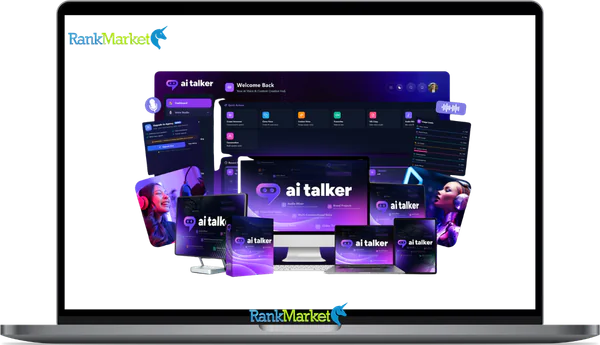
AI Talker is a platform that generates custom, human-like voices from text using simple descriptions.
AI Talker - Overview
AI Talker is a cloud-based text-to-speech engine that converts written scripts into natural-sounding audio, without recording equipment, voice actors, or a studio. You type your content, choose a voice (or describe one), and the platform generates a finished voiceover file in seconds.
The AI voiceover market has grown at a consistent pace over the past few years. Content production costs and turnaround time pressure are pushing creators, marketers, and agencies toward AI-generated speech as a practical solution rather than a novelty. If you've ever spent three days waiting on a voice actor for a two-minute explainer, or if you need voiceovers across five languages by next Tuesday, AI Talker is exactly the kind of tool you're likely evaluating.
This guide is written for people who want a clear, unbiased assessment, not a feature dump. It covers what AI Talker does, how the workflow actually runs day to day, what the features mean in practice, where it performs well, and where it falls short.
This guide is for you if you are:
- A content creator running YouTube channels, TikTok accounts, or podcasts
- A video or marketing agency handling voiceovers for multiple clients
- A course creator, e-learning developer, or HR professional building training content
- An audiobook publisher needing consistent narration at scale
- A SaaS team or product marketer producing localized content across regions
Before deciding if AI Talker is right for you, it helps to understand exactly what it does and how it works day-to-day.
What Is AI Talker? Clear Definition, Core Concept & 2026 Relevance

Simple Definition of AI Talker (Non-Technical)
AI Talker is a cloud-based text-to-speech (TTS) generator. It takes written text, a script, an article, a product description, and converts it into audio that sounds like a human voice. No microphone required. No recording session. No post-production editing. The AI model handles the entire synthesis process in the background.
What makes AI Talker different from a basic browser TTS reader is the layer of control on top. You're not stuck with one robotic default voice. You can choose from a library of preset voices, describe a voice you want through a prompt, adjust emotional tone, control pacing, and manage pronunciation, all through a browser interface.
To be specific about what it is and what it isn't: AI Talker is a voice and audio generation engine. It is not a chatbot. It is not a video editor. It doesn't write your script for you. Its core job is taking text and producing usable audio output, the kind of output you'd drop into a video timeline, a podcast episode, an online course module, or a marketing campaign.
The core promise behind the product is simple: studio-quality voiceovers in seconds, without hiring a voice actor or recording yourself. Take a 500-word ad script, paste it in, and you walk away with a finished MP3 file in under a minute.
To see whether that promise fits your workflow, we need to unpack how AI Talker actually works step by step.
How AI Talker Works: Step-by-Step From Script to Final Audio
Overview of the AI Talker Workflow
The full process from first login to exported audio file follows a clean sequence. No special hardware is required, just a browser and an internet connection.
Step 1: Prepare your script. Start by drafting or gathering the text you want converted. This could be a YouTube intro, a product walkthrough script, or a full course module. Paste it directly into the script editor or type it in.
Step 2: Choose or describe a voice. Browse the preset voice library filtered by gender, age, language, or accent, or type a descriptive prompt to generate a voice that matches your needs. For example: “relaxed American male podcast host.”
Step 3: Adjust settings. Set the playback speed, tone (calm, excited, authoritative), and any other delivery parameters. This is where you shape the character of the audio.
Step 4: Generate a preview. Click generate for a section or the full script. Listen to the preview and note any lines that need adjustment.
Step 5: Fine-tune specific segments. Regenerate only the lines that need fixing rather than re-processing the entire script. This saves time on longer projects.
Step 6: Export or integrate. Download the audio in your chosen format (MP3 or WAV), or push it directly to connected tools via the API.
Here's what that looks like in practice. Say you're producing a YouTube intro, about 60 words, a confident upbeat tone. You paste the script, describe a “clear, energetic female narrator,” preview it, adjust the pace slightly, and export. The full process takes about three to five minutes. That's the core loop AI Talker is built around.
The following sections unpack each stage with practical guidance and the places where users typically run into friction.
Inputting Text and Using Voice Prompts Effectively
Getting good output from any TTS system starts with clean input. AI Talker accepts text through direct typing, paste-in, or file import (depending on the plan). The quality of what you put in directly shapes the quality of what comes out.
There are three methods for feeding text into the system. You can type directly into the script editor for short content. For longer projects, paste the full text from a document. Some plans support file import, which is useful when processing bulk scripts across multiple projects.
The voice prompt feature is where AI Talker moves past standard TTS tools. Instead of picking “Voice #14 Female,” you describe what you want. The prompt drives the AI toward a matching vocal persona.
Here are three concrete prompts with their expected output style:
- “Confident British female narrator” → Produces a measured, slightly formal delivery with a UK accent. Works well for documentary-style content or product explainers targeting UK audiences.
- “Relaxed American male podcast host” → Produces a casual, unhurried tone. Closer to a one-on-one conversation than a presentation.
- “Clear, neutral Indian English tech instructor” → Produces a measured, accent-aware delivery suited for tutorials or technical walkthroughs.
Two practical notes before you start. Break long scripts into scenes or chapters rather than feeding one large block of text. The system handles segments better, and editing becomes much faster when you're working in smaller chunks. Also, typos and formatting errors matter more than you'd expect, a misspelled name or missing punctuation can cause the voice to pause in the wrong place or mispronounce a key term. Clean your script before you generate.
Once your text is ready, the real shaping comes from choosing and configuring the voice itself.
Selecting Voices, Languages, and Accents
AI Talker's voice library is the broadest dimension of the platform. The library covers 100+ languages and regional accents, from broad categories like US English, UK English, and Australian English, down to regional variants within Spanish (LatAm vs. Castilian), French, German, Vietnamese, and beyond.
There are two ways to select a voice. Basic selection uses the library filters, gender, age range, language, accent. You pick from available options and test them with a sample phrase. Advanced selection uses a descriptive prompt to generate a voice that matches a more specific profile. The table below shows how these two approaches differ in practice:
|
Approach |
How It Works |
Best For |
Trade-Off |
|
Basic Library Selection |
Filter by gender, language, accent, pick from preset voices |
Speed, quick comparison across options |
Limited to available presets |
|
Advanced Prompt Selection |
Describe vocal characteristics in natural language |
Matching a specific brand voice or character style |
Requires testing and iteration to get right |
Choosing the right voice depends on the audience and the channel. A localized ad for the Vietnamese market needs a different accent and delivery than a product demo for a US SaaS audience. A compliance training module for multinational staff needs clarity above expressiveness.
One practical use case: a US-based brand entering Latin American markets can use AI Talker to produce LatAm Spanish voiceovers for the same campaign creative, without hiring separate voice talent in each region. The output consistency across markets is one of the clearer production advantages.
One honest limitation: some rare languages and regional accents still have fewer options in the library, and the output for those may carry a slightly synthetic feel compared to the platform's primary language sets. Always run a test phrase before committing to a voice for a full project.
After picking a base voice, AI Talker lets you fine-tune emotion, speed, and other delivery nuances.
Fine-Tuning Emotion, Pace, and Pronunciation
Selecting a voice is the starting point. Getting it to sound like the right delivery for your content requires a second layer of adjustment, and this is where most users spend the majority of their time.
AI Talker provides controls for speed (how fast the voice speaks), pitch (the register of the voice), and emotional tone (calm, excited, serious, empathetic, urgent, playful). These settings interact with each other, and the impact depends heavily on the content type.
Consider the same sentence delivered two ways. “This product removes guesswork from your workflow” delivered in a neutral, measured tone reads like documentation. The same sentence in an excited tone sounds like a product launch moment. Neither is wrong, the right choice depends on whether you're speaking to a first-time buyer or a returning user looking for a how-to explanation.
For practical purposes: use calm and authoritative combinations for B2B SaaS demos, explainer videos, and compliance training. Use playful and energetic settings for consumer-facing TikTok content, short-form ads, and social campaigns. Always preview the opening line and the CTA, those two spots tend to expose delivery mismatches faster than any other part of the script.
Pronunciation is a separate control worth paying attention to. Product names, brand names, acronyms, and technical terms often get mispronounced by default. Most TTS platforms, including AI Talker, support phonetic workarounds or custom pronunciation entries. Use these for any term that the default model gets wrong, especially for Vietnamese brand names or technical jargon that doesn't follow standard English phonetics.
A caution worth flagging: pushing speed too high or dropping pitch too low degrades intelligibility fast. Change one variable at a time. Generate, listen, adjust. Save a settings preset once you land on the right combination for your brand voice, you'll use it repeatedly.
Once settings feel right, you're ready to generate full audio and make final edits.
Generating, Editing, and Exporting Audio Files
The generation step is where the text-to-speech engine processes your full script and produces the audio file. How you handle this step affects both quality and efficiency.
The process runs in three sub-steps. First, click generate for the full script or a specific section. The platform processes the input and returns a playable audio preview. Second, listen through the output and mark any lines that need re-generation, a mispronounced word, an awkward pause, a tone that doesn't fit. Third, regenerate only the flagged segments. You don't need to re-process the entire script to fix one line.
Basic editing within the platform lets you trim silence at the start or end, replace individual lines, and in some configurations, split longer audio into chapters or scenes. For most users, the edited output gets exported and then further processed in a video editor (CapCut, Premiere, DaVinci Resolve) or podcast software.
Export formats typically include MP3 and WAV. For podcast distribution and social content, MP3 at standard bitrate works fine. For video post-production work or content destined for broadcast, WAV is the cleaner choice because it preserves full audio quality through the editing process.
A practical scenario to anchor this: say you're producing a 3-minute product explainer voiceover. You generate the full script, identify two lines where the pronunciation is off, regenerate those segments, and export the final WAV. You drag it onto your video editor timeline, sync it to the visuals, and the voiceover is done. Total time with script prep: roughly 15 to 20 minutes, compared to a 2-to-3-day cycle with a freelance voice actor.
Now that you've seen the workflow, let's look at what AI Talker actually offers under the hood, its key features and advantages.
Key Features of AI Talker: What Sets It Apart
Feature Overview Table: AI Talker at a Glance
AI Talker's value comes from the combination of voice variety, customization depth, and integration capability, not from any single feature in isolation. The table below gives a structured look at what each core feature does and why it matters compared to standard alternatives.
|
Feature |
What It Does |
Why It Matters |
Typical Alternative |
|
Custom Voice from Prompts |
Generates voices based on descriptive text input |
Produces specific personas without being locked into preset options |
Fixed voice libraries with no customization |
|
Emotion & Personality Controls |
Adjusts delivery tone (calm, excited, urgent, etc.) |
Matches the voice delivery to audience and channel context |
Static, single-tone TTS output |
|
100+ Languages & Accents |
Voices across languages with regional accent variants |
Enables localized content without separate voice talent per market |
English-only or limited language TTS tools |
|
Voice Cloning |
Creates a synthetic voice from a sample recording |
Maintains a consistent personal or brand voice at scale |
Repeated studio recording sessions |
|
API & Integrations |
Connects AI Talker to external workflows and platforms |
Automates voiceover generation at volume |
Manual file generation per project |
|
Commercial License |
Rights to use generated audio in client-facing work |
Agencies and brands can sell or distribute the output legally |
Restrictive personal-use-only licenses |
The breadth and depth of these features combined is what separates AI Talker from a basic browser TTS reader or a single-language voiceover tool. The transition from feature awareness to real-world value happens when you see these capabilities applied inside specific workflows, which the following sections cover in detail.
Custom Voice Creation from Text Prompts
Standard TTS platforms give you a list of preset voices, pick one and use it. AI Talker adds a different input method: describe the voice you want, and the system generates a matching persona.
The prompt approach works by combining voice attributes into a single descriptor. Gender, age feel, energy level, formality, and accent can all be specified at once. This means you can create a “friendly middle-aged American female customer support rep” without manually stitching together audio from separate voice samples.
Here are three prompt examples with real-world applications:
- “Dramatic baritone movie-trailer style voice” → Used for product launch videos, promotional campaigns, or content designed to build anticipation.
- “Clear, neutral Indian English tech instructor” → Suited for software tutorials, technical documentation narration, or educational platforms serving South Asian audiences.
- “Friendly middle-aged American female customer support rep” → Fits onboarding flows, helpdesk videos, or IVR messaging that needs a warm but professional tone.
One practical limit to keep in mind: prompts are constrained by the underlying model and the available language set. A prompt can guide the output, but it can't produce something the model wasn't trained on. If a specific regional accent is rare in the training data, the prompt will approximate rather than replicate. Test before committing to a full project.
Emotion and Personality Controls
Emotion controls let you shift how the same voice delivers the same text. This is not a minor detail, delivery tone changes how information lands with the audience.
The common tones available on platforms like AI Talker include excited, calm, authoritative, empathetic, urgent, and playful. These can be applied individually or stacked to shape a more specific delivery character.
The pairing matters as much as the individual setting. Calm and authoritative together produce the kind of delivery that works for B2B SaaS demos, compliance walkthroughs, and investor presentations. Playful and energetic together suit consumer TikTok ads, YouTube shorts, or brand campaigns targeting younger demographics. IVR systems, phone menus and automated call flows, work best with empathetic and measured settings, where the listener is often already in a friction state.
A practical before-and-after example: take a product launch script. Read in neutral tone, the line “The new version ships April 15th” lands as an announcement. Read in an excited tone, the same line reads like a moment worth paying attention to. Neither is objectively better, it depends on whether the campaign intent is informational or promotional.
One caution: avoid setting a jokey or playful tone for serious topics. A compliance training module delivered in a casual, cheerful voice undermines the content's authority. Always preview the CTA and the intro, mismatches there tend to erode listener trust faster than anywhere else in the script.
Multi-Language and Accent Support for Global Content
AI Talker covers over 100 languages with regional accent variants within key language groups. Within English alone, you get US, UK, and Australian accents as distinct options. Within Spanish, you get LatAm and Castilian variants. Vietnamese, French, German, and Japanese are part of the language set.
This matters for brands and agencies that operate across multiple markets. The alternative, hiring local voice talent for each market, adds cost, coordination time, and inconsistency between versions of the same campaign.
A typical localization workflow using AI Talker runs like this: start with the master script in English, have it translated (by a human or AI translation service), then voice each translated version using the appropriate regional voice in AI Talker. The output across markets carries a consistent production quality, even if the voices themselves are different.
Here's a concrete use case: turning one English explainer into Spanish, French, and German versions. With AI Talker, the voiceover portion of that process takes hours rather than days. The writing and translation work still requires human input, but the voice production step shrinks to a fraction of its usual timeline.
One important note: AI voices don't replace human localization expertise. For content with regulatory language, cultural nuance, or audience-specific idioms, a native reviewer should check the translated script before voiceover generation. The AI voice will deliver what it's given, if the translation is awkward, the audio will be too.
Voice Cloning and Ethical Use (If Supported)
Voice cloning is the process of creating a synthetic vocal replica from a short audio sample, typically 30 seconds or more of clean speech. Once created, that cloned voice can narrate any text the system receives.
For creators and business owners, this addresses a real production problem. A founder who records one clean audio sample can have AI Talker narrate product updates, course modules, and onboarding videos in their own voice, without sitting in front of a microphone for each new piece of content. A course creator can maintain a consistent narrator voice across a 40-module library without re-recording if they update the content.
A practical scenario: a busy startup founder records a two-minute sample in a quiet room, uploads it to AI Talker, and uses the resulting cloned voice to narrate their weekly product update emails in audio format. The audience hears a consistent voice tied to the brand without the founder spending time on each recording.
Ethical use of voice cloning is not optional, it's the functional boundary the technology depends on. Only clone voices you own outright, or have documented consent to use. Do not use cloning to impersonate another person, create fake statements attributed to someone, or mislead an audience about the source of audio content. Platforms have terms of service governing this, and violations carry real legal and reputational consequences. The technology is sound, the risk is in misuse.
Best practice for recording a clone sample: use a quiet room, a decent microphone, and a neutral delivery pace. Avoid heavy emotion or exaggerated inflections in the sample. A neutral base recording gives the model more flexibility when applying different emotional settings later.
API, Integrations, and Automating Repetitive Voiceover Work
For agencies and technical teams, the API is where AI Talker stops being a production tool and becomes a production system. The REST API allows programmatic voiceover generation, triggered by external events, scripts, or workflow automation tools.
Common integration patterns include connecting AI Talker to content management systems so that new help documentation automatically generates an audio version. Another pattern: linking it to an LMS so that when a course module is updated, the system re-generates the voiceover without manual intervention. Bulk production workflows, rendering 50 localized product video voiceovers from a batch of scripts, become a background process rather than a day-long manual task.
A word-by-word workflow example for an agency context: a client submits a script via a form. The form submission triggers a script template in Zapier (or a similar no-code tool). The template sends the script to the AI Talker API. The API returns a rendered audio file. The file drops into a shared folder or watch directory. The agency producer reviews, approves, and delivers to the client. The manual steps shrink to review and approval, the production steps are automated.
The business case for agencies is straightforward. Voiceover production used to mean sourcing talent, scheduling sessions, reviewing recordings, requesting revisions, and managing files. With API automation, that cycle compresses from 2 to 3 weeks to 2 to 3 days for most standard projects.
With the full feature picture now in view, the logical next step is seeing how different user types put these capabilities to work in real production environments.
Pricing Plans and OTOs detailed
Front-End – AI Talker ($27 – $37 one-time)
- AI-powered voice creation and content generation platform in one dashboard
- Create custom voices with emotion, tone, and personality control
- Generate scripts for ads, videos, podcasts, and marketing content
- Produce high-quality voiceovers instantly without recording
- Includes content optimization tools for better engagement
- No monthly fees, pay once for lifetime access to core features
- Beginner-friendly system for creators, marketers, and agencies
- Includes a 30-day money-back guarantee for risk-free testing
OTO 1 – AI Talker Unlimited ($67 one-time)
- Removes all usage limits and restrictions from the base version
- Unlocks full voice library including all styles, emotions, and languages
- Unlimited voice generation across all tools
- Access to premium voice categories and advanced features
- Ideal for scaling content production and heavy usage
OTO 2 – Voice Cloner ($57 one-time)
- Clone any voice from a short audio sample
- Generate voiceovers that sound like the original speaker
- Full control over tone, emotion, and delivery
- Useful for branding, personalization, and unique voice assets
OTO 3 – VSL Creator ($77 one-time)
- Generates high-converting scripts using proven frameworks (AIDA, PAS, etc.)
- Creates video sales letters, ads, and content scripts in seconds
- Optimized for conversions without copywriting skills
- Ideal for marketers and sales-focused users
OTO 4 – Ad Copy Creator ($57 one-time)
- Generates ad copy from any product URL automatically
- Creates multiple variations for Facebook, Google, YouTube, and more
- Extracts key selling points and turns them into ads instantly
- Saves time on copywriting and campaign setup
OTO 5 – Transcriber ($57 one-time)
- Converts audio and video into clean, editable text
- Supports multiple languages and speaker detection
- Exports into TXT, DOCX, or PDF formats
- Helps repurpose content into blogs, emails, and more
OTO 6 – DFY Agency Kit ($197 one-time)
- Complete done-for-you agency setup
- Includes website, proposals, contracts, and client assets
- Pre-built email sequences and outreach materials
- Comes with client management system and training
- Ideal for launching an AI voice or content agency quickly
OTO 7 – Clever AI Studio ($37 one-time)
- All-in-one AI marketing toolkit with 300+ tools
- Creates content, ads, emails, SEO assets, and more
- Generates brand-matched content from a single input
- Includes commercial license for selling services
OTO 8 – Viral Influencer AI ($37 one-time)
- Creates AI influencers for social media content
- Generates videos, captions, and hashtags automatically
- Supports automated posting and scheduling
- Designed for traffic generation and audience growth
OTO 9 – AI Logo Suite ($37 one-time)
- Creates and animates logos with AI
- Exports high-quality branding assets for videos and ads
- Includes templates and customization tools
- Suitable for freelancers and branding services
Real-World Use Cases: How Different Users Get Results with AI Talker
Content Creators: YouTube, Podcasts, TikTok & Short-Form
For individual creators, AI Talker solves a specific friction point, recording time. Whether you're running a faceless YouTube channel, producing scripted TikTok content, or putting out weekly podcast episodes, the time spent recording and editing your own voice adds up fast.
The common workflows for creators include scripted YouTube explainers with a consistent narrator across all videos, TikTok and Reels content with punchy voiceovers added post-production, and podcast intros, outros, and ad reads that maintain brand consistency regardless of episode format.
The production benefit is direct: faster turnaround and the ability to test multiple versions of the same content. A creator can generate three different intro scripts with three different delivery tones, publish whichever performs better, and archive the others, all without scheduling separate recording sessions.
A realistic example: a creator who previously published one video per week because of recording and editing constraints moves to two per week after adopting AI Talker for voiceover. The script-writing and editing work remains the same, the bottleneck was the recording step.
One consideration worth flagging: if your audience follows you specifically for your personal voice and style, switching to AI voiceover can create a disconnect. Transparency helps. Some creators use AI voices for specific content types (tutorials, explainers) while keeping their own voice for commentary and opinion content.
For agencies handling dozens of clients, the impact compounds even more.
Video & Marketing Agencies: Scaling Client Voiceovers
Agencies deal with a volume problem that individual creators don't. Multiple clients, overlapping deadlines, varied language requirements, and constant revision cycles make traditional voiceover production a bottleneck across the entire pipeline.
AI Talker changes the math. Explainer videos, ad creatives, and landing page video narrations can be turned around in hours instead of days. Localized campaigns for global brands, needing the same creative in English, Vietnamese, Spanish, and French, no longer require separate talent sourcing per language.
The operational impact is measurable. An agency that previously ran a 2 to 3-week voiceover cycle, from brief to delivered file, can compress that to 2 to 3 days for most standard deliverables. The writer still crafts the script, the production step between script and file is the part that accelerates.
One genuine before-and-after case: an agency team spending one business day on voice actor coordination and two days on revisions per project reduces that to an afternoon for production and a morning for internal review. The client still gets a human-reviewed, production-quality output, just faster.
A practical note for agencies: establish internal QA standards for AI voice output before rolling it out across client deliverables. Build a review checklist, check pronunciation of brand names, verify tone consistency across scenes, confirm the emotional delivery matches the campaign brief. The speed gain disappears if every file needs to be redone before delivery.
E-Learning, Courses, and Internal Training
Consistency is the defining requirement for e-learning voiceover. A 40-module course narrated by different voice actors in different sessions sounds fragmented. A course narrated in a single consistent voice, the same pace, the same tone, holds the learner's attention across the entire program.
AI Talker addresses this directly. Whether you're building an online course on a self-hosted platform, producing SCORM packages for corporate LMS deployment, or creating onboarding microlearning modules for a distributed workforce, the same voice profile applies across every piece of content.
The workflow advantage shows up most clearly during updates. When regulatory requirements change and a compliance module needs to be re-recorded, the traditional approach means scheduling a voice actor, waiting for availability, processing the new session, and re-editing. With AI Talker, you update the script and re-generate the audio. The update cycle shrinks from days to minutes.
A practical case: an HR team maintaining annual compliance training across five languages, English, Vietnamese, Spanish, French, and German, uses AI Talker to re-voice updated content each year. What previously took two weeks of coordination per language now takes an afternoon per language.
One delivery consideration for training content: use a slower pace and a measured, calm tone. Instructional content benefits from giving learners time to process. Avoid heavy emotional delivery on technical or procedural topics, clarity carries more weight than enthusiasm in this context.
Marketing, Ads, and Localization Campaigns
Performance marketers need iteration speed. Testing different angles, different CTAs, and different emotional tones across ad creatives requires producing multiple audio versions quickly. Waiting weeks for each voiceover iteration limits the number of tests you can run per campaign cycle.
AI Talker shortens that production loop. You can generate five versions of the same 30-second ad script, each with a different delivery tone, in under an hour. Test them. Double down on the one that converts.
The localization workflow has already been covered above, but the performance angle adds a specific consideration: different emotional tones convert differently by audience segment. A retargeting audience that already knows the product responds better to a calm, rational appeal than a high-energy push. A cold audience seeing the product for the first time needs something that stops the scroll, which typically means a faster pace and a more energetic delivery.
A concrete test example: a brand runs two versions of the same product video ad, one narrated in an urgent tone, one in a calmly persuasive tone, against the same audience. The urgent version drives higher CTR on cold traffic. The calm version drives higher conversion rate among retargeting segments. This kind of test was impractical when each version required a separate voice actor booking. With AI Talker, it becomes a standard part of the campaign setup process.
One important note: voiceover tone is one input among many in ad performance. Copy quality, visuals, targeting, and offer clarity all influence results. AI Talker accelerates the production side of testing, the strategic side still requires a marketer who understands the audience.
Pros and Cons of AI Talker: Honest Expert Assessment
Key Advantages: Where AI Talker Strongly Delivers
Here are the areas where AI Talker performs well in practice, based on the kind of use cases covered throughout this guide.
- Speed. A finished voiceover file from a clean script takes minutes, not days. For content teams running on tight publication schedules, this alone changes the production calendar.
- Cost against traditional voice talent. A single freelance voice actor booking for a 3-minute script can run anywhere from $50 to $300 depending on the talent and the platform. AI Talker's subscription model makes high-volume production economically viable at a fraction of that per-file cost.
- Voice and language range. Over 100 languages with regional accent variants means one platform can cover most localization requirements without bringing in additional tools.
- Emotional control and delivery consistency. The ability to set and save voice profiles means your brand's narrator sounds the same on video 1 and video 500. That consistency is hard to achieve with human talent across a large content catalog.
- Scalability. Agencies and enterprises can produce hundreds of voiceovers per week using the API without adding headcount to the production team.
- Browser-based access. No software installation, no specialized hardware. Any team member with access credentials can run a production session from any location.
- Commercial rights. Generated audio can be used in client deliverables, ad campaigns, and distributed content, which is a foundational requirement for agencies that need to resell outputs.
For a comparison point: producing a 10-video course narration through a freelance voice actor takes 2-to-3 weeks from brief to delivery. The same output through AI Talker takes 1-to-2 days of production time with human review.
Limitations and Trade-Offs You Should Be Aware Of
No production tool is a complete substitute for human judgment or craft. AI Talker has specific constraints that are worth knowing before you build it into a production pipeline.
- Learning curve for advanced features. The basic workflow, paste, generate, export, is straightforward. The API, voice cloning setup, and pronunciation dictionary configuration require more technical familiarity. Teams without a technical lead will need time to get these right.
- Credit and usage limits on lower tiers. Depending on which plan you're on, the number of characters or audio minutes you can generate per month may hit a ceiling before your project volume does. Check the limits before committing the platform to a high-volume campaign.
- Synthetic feel on some voices. Most voices in the primary language set sound natural. Some regional accents and rare language options still carry a slightly processed quality that attentive listeners may notice. Test your target voice on the actual content type before locking it in.
- Emotional nuance has a ceiling. AI Talker handles a wide range of tonal delivery. For high-stakes narrative content, a brand story campaign, an audio documentary, a prestige product launch, a trained human voice actor brings a layer of nuanced emotional texture that the current generation of TTS models doesn't fully replicate.
- Internet and platform dependency. Cloud-based means you need a stable connection and an available platform. If either goes down during a production session, the work stops. Keep a local backup of your scripts and exported audio.
Mitigation strategies: start with lower-stakes projects to calibrate the platform's output against your standards. Keep human review as part of the final QA step for client-facing content. For high-visibility campaigns, consider a hybrid approach, AI voice for volume content, human voice for flagship pieces.
AI Talker vs Competitors: How It Compares in 2026
Choosing a TTS platform in 2026 means picking the tool that fits your specific production requirements, not the one with the longest feature list. The comparison below covers AI Talker alongside two common competitor categories: a premium quality-focused TTS platform (similar to ElevenLabs in capability profile) and a simpler, consumer-friendly TTS option.
|
Tool |
Voice, Language Range |
Customization |
Pricing Tier |
Strengths |
Best For |
|
AI Talker |
100+ languages, regional accents |
Prompt-based voice generation, emotion controls, cloning |
Mid-tier subscription, OTO options |
Agency-scale production, localization workflows, API access |
Agencies, course creators, multilingual campaigns |
|
Premium Quality TTS |
Focused on English and major languages |
High realism, voice cloning, strong emotional range |
Higher per-character pricing |
Voice quality ceiling, best single-voice output in class |
Prestige content, audiobooks, high-stakes brand audio |
|
Consumer TTS |
Variable, often English-primary |
Limited, preset voices only |
Free or low-cost entry |
Accessible, minimal setup |
Individual bloggers, simple personal use |
Where AI Talker stands out against the premium-quality tier: pricing structure and language breadth. The premium tools tend to charge per character or per minute at rates that make high-volume production expensive. AI Talker's model is more workable for agencies running dozens of projects per month.
Where the premium tools hold an edge: raw voice quality on primary languages. If the project is an English-language audiobook or a prestige brand story campaign, the quality ceiling of a premium TTS platform is worth the price difference.
Against the simpler consumer tools: AI Talker operates at a different scale and purpose. Consumer TTS is fine for personal use or occasional low-stakes content. It doesn't support the workflow integrations, language coverage, or commercial licensing that agencies and professional content teams need.
The honest framing is this: AI Talker is built for teams and production workflows, not individual occasional use. If you're running volume, handling multiple languages, or building voiceover into a client service offering, it fits. If you need one occasional voiceover file with no technical integration requirements, simpler tools may be the more sensible starting point.
Supplemental FAQs About AI Talker
What are AI “voice prompts” and how do they work?
A voice prompt is a text description of the voice character you want. Instead of picking from a numbered list, you write something like “calm, authoritative British male narrator,” and the AI model produces a voice matching that description. The quality of the output depends on the specificity of the prompt and the language coverage of the underlying model.
What are “credits” and how is usage measured?
Credits are the unit AI Talker uses to track how much audio you generate per billing period. They're typically measured in characters (the number of text characters processed) or audio minutes (the length of audio output). Different plans come with different monthly credit limits. Understanding your project volume against plan limits before committing to a tier prevents production interruptions mid-campaign.
Can I use AI Talker voiceovers commercially for client projects?
Yes, commercial usage rights are included in the product, which is a foundational requirement for agencies and freelancers. The specific terms depend on the plan tier. Review the licensing details for your plan before using AI-generated audio in paid media or client deliverables, particularly for broadcast or high-visibility placements.
Can AI Talker completely replace human voice actors?
For most standard production work, course narration, product explainers, ad reads, localized content, it can handle the output. For prestige content, high-stakes brand storytelling, and creative work that depends on deep emotional range, a trained human voice actor still brings something the current technology doesn't replicate. The practical answer is: AI Talker handles volume and consistency, human talent handles nuance and craft.
Does AI Talker work without any technical skills?
The core workflow, input text, choose voice, generate audio, export, requires no technical background. The browser interface is the primary interaction layer. Advanced features like API integration, webhook setup, and voice cloning configuration require some technical familiarity. Most non-technical users work entirely within the dashboard without ever needing the API.
Can I use AI Talker offline?
No. AI Talker is a cloud-based platform. Processing happens on the platform's servers, which means an internet connection is required for all generation steps. Download your exported audio files locally after each session so you're not dependent on platform access to retrieve finished work.
Is it legal to clone someone else's voice in AI Talker?
No, cloning someone else's voice without their documented, explicit consent is both a violation of the platform's terms of service and, depending on your jurisdiction, potentially a legal liability. Voice cloning is designed for voices you own or have clear rights to use. Using it to impersonate another person or fabricate statements attributed to someone creates reputational and legal risk that the platform cannot protect you from.
What types of projects is AI Talker best suited for?
AI Talker fits production work that involves volume, language variety, or repeatable format. The strongest project categories include: e-learning and course narration (consistent voice across many modules), localized marketing campaigns (same content in multiple languages), video ad production (multiple script variations at speed), podcast bumpers and intros (consistent brand audio), and onboarding and training content (regular updates without re-recording).
What kinds of users typically get the most value from AI Talker?
Four user groups see the clearest return. Agencies that handle voiceover as part of a broader video or content production service benefit from the speed and volume capability. Course creators and L&D professionals benefit from the consistency across long-form content. Performance marketers benefit from the ability to test multiple creative variations quickly. Multilingual brands benefit from the localization coverage without sourcing separate talent per market.
What categories of voices does AI Talker offer?
The voice library spans several functional categories: narration voices (measured, clear delivery suited for explainers and courses), conversational voices (natural, informal tone suited for social content and podcasts), character voices (distinct personas for storytelling or branded content), and instructional voices (deliberate pacing for technical or educational content). Custom voices built through prompts can blend characteristics across these categories.
What stages of a content production workflow can AI Talker plug into?
AI Talker fits into the audio production stage, after the script is written and before the audio is edited into the final content piece. For automated workflows using the API, it can plug in between script approval and file delivery, running in the background while the rest of the production pipeline continues. It doesn't replace script writing, video editing, or content strategy, it replaces the voice recording and audio production steps.
How does AI Talker compare to hiring freelance voice actors?
Freelance voice talent offers a quality ceiling and emotional depth that AI models don't yet match. But the trade-off is time, cost, and availability. A freelance booking for a 3-minute script costs roughly $50 to $300 USD (1,2 triệu, 7,5 triệu VNĐ) and typically takes 2-to-7 days from brief to delivery. For one-off prestige projects, freelance talent is often the right call. For recurring, high-volume, or multilingual production, AI Talker closes the gap on quality while reducing cost and turnaround time by a measurable margin.
How is AI Talker different from other AI voice tools like generic competitors?
The key distinctions come down to voice customization flexibility, language breadth, and workflow integration depth. Some competitors prioritize single-language voice quality. Others prioritize simplicity at the cost of customization. AI Talker's positioning is around production workflow fit, prompt-based voice selection, emotion control, multi-language output, commercial rights, and API access together make it suited for teams running structured production pipelines rather than occasional individual use.
Is AI Talker better for agencies than basic TTS solutions?
For agencies, the gap is wide enough to matter. Basic TTS tools don't offer commercial licensing, multilingual coverage, voice customization, or API access at the level an agency production workflow requires. They're built for personal use, reading a blog post aloud, adding captions, accessibility features. Agency use means client deliverables, brand consistency requirements, and volume. AI Talker is built for that context, basic TTS tools aren't.
Should I invest in AI Talker or start with free tools first?
Starting with free tools is a sensible step if your volume is low and your requirements are simple. Free TTS tools let you understand whether AI voiceover fits your workflow before committing to a paid platform. When you hit the limits of free tools, restricted language options, no commercial rights, fixed voice quality, no API, that's the signal that a platform like AI Talker becomes the practical next step. The decision comes down to whether you need a production tool or an occasional utility.
The question this entire guide has been building toward is whether AI Talker fits your specific workflow and production requirements. The answer depends on volume, language needs, and how much of your production value comes from voiceover consistency and speed. For agencies, course creators, and content teams producing at scale, the case is clear. For individuals with occasional, low-stakes needs, the simpler free options are worth testing first before stepping up. Either way, the framework in this guide gives you the criteria to make that call with your eyes open.
Some Questions Before Join US
Group buying, also known as collective buying, offers products and services at significantly reduced prices on the condition that a minimum number of buyers would make the purchase.
- First, we will list product Here as people request & Collect Money From other peoples.
- Sec, Once enough moneys from customer, we will buy products From Developer.
- Then, we deliver to all Joiners.
- You can join directly by Purchase at our site and Reach Support about that to confirm.
- You can join via our Community : https://bit.ly/RMKDiscord
- How to Buy
We have 2 Product Status
- Instant-Deliver : Avaible and Deliver within 24-48hs (not on Sat-Sun, Holiday)
- Group Buy/Pre-Order : Not avaible, Still collect more people to join, need to wait.
OTO mean that One-Time-Offer/Upsell/Upgrade of Product For limited time only
Cancelled mean that order is not pay/process within 24hs. Please reach us with Order ID to check.
You will get Products by Download via Email .Once you finish payment to us and get confirm. You will get download Links inside your Account
- SAAS : You will get Individual account via Mail or On your Order List
- Shared Tool : via our chrome (WIN/MAC/Linux)
- WP : We will active key for your site.
- Course/Book/GraphicKit : Download link will send via mail or On your Order List.
- ETA Time : Fast maybe 3-4 days or 1 Week , Always be 3-4 Weeks or some times as Member Request it can be up to 3 Months to Group Buy WIN.
- GB Fail : You will get refund or exchange other.
– If Products problem, Capture screenshot/Video to us. We will forward to developer to fix it.
– If impossible sloved, we will exchange to other product. With Annual Product, we will refund or exchange by subtract times that you used.
– If used product for 1 or few years then not work. we will try to contact developer to fix it. But if some bad Vendors keep money and run, we just can give you some discount for future orders.
Warranty Time :
- Monthly Product : 30 days
- Annual/One Time Product : 1 year.
Our Store Credit mean credit can use to redeem on Your orders. 25 Credit = 1$.
Earn by some way :
- Place Orders. Each 1$ spend you will earn 1$
- Exchange some not work/not-fullfill orders by your agreed.
- By Reffer Your Friends to buy at our store.
How to redeem
- At Checkout page have redeem button to use it. Maxium is 250/orders.
- If you need redeem more. Reach our Support
We support only via 2 channel :
- Email : support@rankmarket.org
- Messenger : m.me/rankmarkenet (Live chat on Site)
TIme : From 9AM - 6PM Monday - Friday (GTM+8).
All Order/Ticket on Sat-Sun/Holiday will be supported on next Monday.
WE ARE TRY TO WORK HARD AND SUPPORT ALL PEOPLE BUT WE CAN NOT MAKE ALL HAPPY 100%
Thanks For You are here and belive US for longtime.
While working,we meet someone like & we will not support :
– People buy 1 but want to exchange to 10 Products.
– People who steal our products then ask refund.
– People fake payment to get our products.
– People always ask refund,can not wait for waiting product. Dont Pay. Wasted our Time.
Best Regards
David Green – RankMarket
Related products


SAAS Tools

SAAS Tools



SAAS Tools

SAAS Tools