

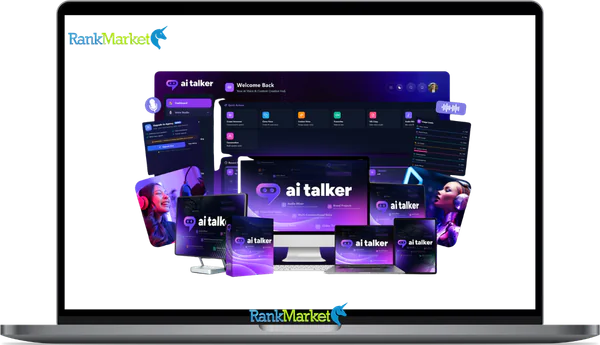
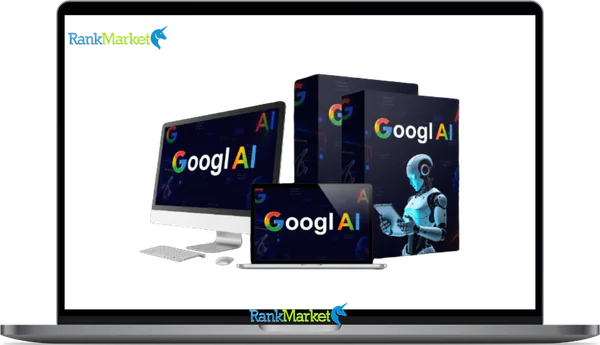
Buy GooglAI + OTOs full account + Bonus
$17.00
GooglAI is a cloud-based platform that combines Google AI models for text, video, vision, and audio generation into one easy-to-use dashboard.
GooglAI - Overview
GooglAI is a third-party, cloud-based AI workspace that aggregates multiple Google AI models, including Gemini, Veo, and Google's image and audio generation tools, into a single unified dashboard. It is not an official Google product. It is independently built to give content creators, marketers, agencies, and small businesses a cleaner, simpler path to Google's powerful AI capabilities without juggling separate interfaces or managing API keys.
Where Google's own tools are powerful but scattered across different products and portals, GooglAI brings them together into one centralized workspace for generating text, images, video, audio, and document analysis.
|
Type |
What It Does |
Who It Helps |
|
Text generation |
Blog posts, ad copy, scripts, emails |
Bloggers, marketers, copywriters |
|
Image generation |
Thumbnails, graphics, social visuals |
Designers, creators, advertisers |
|
Video creation |
B-roll, explainers, short-form clips |
YouTubers, social media teams |
|
Audio and music |
Background music, voiceovers, intros |
Podcasters, video producers |
|
Multimodal analysis |
Summarize files, extract insights |
Analysts, consultants, agencies |
This guide breaks down GooglAI's features, how it compares with official Google tools, honest pros and cons, a step by step workflow, and a full FAQ to help you decide whether it belongs in your 2026 content stack.
GooglAI in 2026: Definition, Origin, and Core Purpose

What Exactly Is GooglAI?
GooglAI is a cloud-based “all-in-one Google AI dashboard” built by a third-party team to simplify access to Google's suite of AI models. The platform connects to Google's underlying technology, including Gemini for text and reasoning, Veo for video generation, and Google's vision and audio models, and surfaces all of them through a single, consumer-friendly interface. No API configuration. No separate accounts per modality. One dashboard, many models.
It is important to be clear about what GooglAI is not. It is not a standalone AI model. It is not built, owned, or endorsed by Google. It is an independently developed platform that uses Google's AI infrastructure as its engine.
Core capabilities in one place:
- Unified text, image, video, audio, and document workflows inside a single logged-in environment
- A model selector for switching between Gemini versions such as Pro and Flash depending on task requirements
- Prompt templates and presets for common use cases like SEO writing, ad copy, and social content
- Project organization including history, folders, and saved outputs
- File upload and multimodal analysis for summarizing PDFs, images, and spreadsheets
Whether you are looking up “GooglAI meaning,” searching for the “GooglAI dashboard,” or evaluating the “GooglAI platform” for your team, the core idea is the same: a faster, simpler path to Google's AI without the complexity of developer-facing tools.
Who Is GooglAI For? Ideal Users at a Glance
GooglAI is designed to be beginner-friendly on the surface while scaling well for advanced users who want repeatable workflows. The user segments that extract the most value break down naturally across four groups.
|
User Type |
Key Benefits of GooglAI |
|
Solo creators, YouTubers, bloggers, podcasters |
One place for script, thumbnail, and audio generation |
|
Marketers in social, PPC, and content roles |
Fast creative production across multiple formats |
|
Agencies managing SEO, creative, and performance |
Multi-client project organization, team-friendly exports |
|
SMB owners and non-technical founders |
AI-powered content without developer knowledge |
- Solo creators often struggle with tool fragmentation. A blogger writes in one tool, edits images in another, and tries to stitch video in a third. GooglAI consolidates those steps. A freelancer replacing three separate subscriptions with one dashboard saves both money and context-switching time, which adds up quickly across a content-heavy month.
- Marketers care about production speed. Templates for ad copy, landing page headlines, social captions, and email sequences dramatically cut the time from brief to finished draft. Generating matching visuals inside the same session is a secondary advantage most marketers quickly learn to rely on.
- Agencies benefit from the project organization layer. Keeping outputs separated by client, campaign, and content type is a basic requirement, and GooglAI's workspace structure supports it without requiring custom development.
- SMB owners get the highest leverage. They often lack dedicated content teams, which means AI tools either help enormously or confuse quickly. GooglAI's preset-driven interface is designed for exactly that constraint.
GooglAI Features and Capabilities: What Can It Actually Do?
Overview of the GooglAI Dashboard
The dashboard is organized into modality-specific sections: text and chat, image generation, video creation, audio and music, file analysis, and automation workflows. A persistent left sidebar handles navigation. A central canvas manages input and output. A right-hand parameters panel controls model selection, tone, length, language, and generation settings.
Key elements you see on first login include a model selector showing available Gemini versions, a prompt input area with template suggestions, a history panel showing recent sessions, and a projects and folders view for organizing saved work. The experience is closer to a well-designed productivity app than a raw developer console. The platform is fully browser-based, which means no installation, no download, and no OS restrictions.
Text and Chat: Gemini-Powered Content Creation
The text and chat module is where most users spend the majority of their time. It connects to Google's Gemini models, with options to switch between versions depending on the speed and depth required. Common tasks include blog posts, landing page copy, ad scripts, email sequences, product descriptions, social captions, brainstorming, outlines, keyword research, coding help, and data explanation.
Template presets such as “SEO blog writer,” “Google Ads headline generator,” and “email subject line optimizer” give non-technical users a strong starting point. Controls for tone, output length, and target language are available in the right panel. A quick example of the practical value: a vague ad headline like “Great products at good prices” becomes “Get 30% off your first order, free shipping, no minimum” after running it through a GooglAI ad copy template with the right context.
Image Generation and Editing with Google's Vision Models
The image module uses Google's vision generation models to produce visuals from text prompts. Common use cases include YouTube thumbnails, blog hero images, Instagram and Pinterest graphics, product concept mockups, presentation visuals, podcast cover art, and ad creative backgrounds. Style presets cover realistic photography, 3D rendering, flat design, watercolor, and sketch.
Aspect ratios and resolution presets match common platform requirements, so exports are ready to upload without resizing. Where image editing is supported, features like background removal and inpainting allow refinements without switching to a separate tool.
Video Creation with Veo
The video module uses Google's Veo model to generate short clips from text prompts. Primary use cases are B-roll footage, explainer openers, short-form social content for Reels and YouTube Shorts, and product visualization sequences. Users write a scene description including location, subject, camera style, lighting, and mood, and Veo renders a clip.
A realistic example prompt: “30-second B-roll of a small business owner at a desk in a sunlit home office, handheld camera style, warm color grading.” The expected output is a rendered 1080p MP4 ready for a video editor or direct social upload. Render times vary with resolution and complexity; current limits per clip typically fall in the 30 to 60 second range. Confirm specific limits on the official platform documentation before subscribing.
Audio, Music, and Voice
The audio module handles background music generation, podcast intro and outro music, voiceover scripts, and text-to-speech output, drawing on Google's generative sound models to produce original audio rather than licensed clips.
|
Music Use Case |
Prompt Approach |
Output |
|
Podcast intro |
Style, mood, tempo, instruments |
MP3, 30-60 seconds |
|
Background track |
Genre, energy level |
MP3, loopable |
|
Promo music |
Brand tone, emotion |
MP3, custom length |
|
Voice Use Case |
Input |
Output |
|
Voiceover narration |
Written script |
MP3, selectable voice |
|
TTS explainer |
Article text |
Audio file |
|
Ad narration |
Ad copy |
Broadcast-ready audio |
Always review current terms of service for both GooglAI and Google's underlying models before using generated audio in paid campaigns or broadcast contexts.
Multimodal Analysis: Files, Images, and Data Understanding
GooglAI's file upload and analysis module uses Gemini's multimodal capabilities to process PDFs, documents, spreadsheets, images, and screenshots. Users upload a file and interact with it through natural language queries.
A typical workflow: upload a 30-page industry report, then ask “Summarize the key findings, identify the top three trends, and list five action items.” The model reads the entire document and returns a structured, readable response in seconds. Another example: upload a screenshot of a Google Analytics dashboard and request a plain-English explanation of the traffic patterns shown. For content teams and agencies, this turns long research phases into fast synthesis sessions.
Automation and Workflows
GooglAI's workflow module lets users build and run multi-step content pipelines without writing code. Pre-built flows handle common sequences, and user-defined sequences can chain multiple modalities together.
Three practical workflow examples:
- SEO pipeline: Blog topic to keyword-informed outline to full draft to social caption variants to email newsletter summary
- Video pipeline: Video script to B-roll prompt to thumbnail image to YouTube description to short-form cut script
- Ad pipeline: Product description to five ad copy variants to three headline tests to a matching image for each variant
The SEO pipeline above typically takes three or more hours when done manually across multiple tools. Inside a GooglAI workflow, the same sequence often compresses to 20 minutes or less. This is an estimate based on typical AI-assisted production; actual time depends on topic complexity and how much editing the output requires.
Pricing Plans and OTOs detailed
Front-End – GooglAI ($17.22 one-time)
- One-time payment with lifetime access
- Access to Google AI models past, present, and future
- No monthly fees, renewals, or hidden upgrades
- Includes commercial license for selling AI-generated assets
- Create designs, videos, websites, apps, funnels, and content
- Built for marketers, creators, freelancers, agencies, and businesses
- Includes 30-day money-back guarantee
- Coupon code “GAI35OFF” gives 35% off funnel items
OTO 1 – GooglAI Unlimited ($67 – $167 one-time)
- Removes all major platform restrictions
- Unlimited AI content generations
- Unlimited Veo 3.1 videos, AI images, and voiceovers
- Unlimited funnels, websites, and sales pages
- Faster cloud server performance
- Priority access to future Google AI models
- Premium 24/7 support included
- Commercial license included
- Designed for agencies, creators, ecommerce sellers, and marketers
OTO 2 – Done-For-You Edition ($197 – $297 one-time)
- Fully optimized DFY setup and campaigns
- Includes ready-made funnels and AI workflows
- Preloaded prompts, templates, and monetization systems
- Traffic and niche setup included
- Built-in automation and AI sales systems
- Premium support and optimization
- Ideal for beginners and busy marketers
OTO 3 – Automation Edition ($47 one-time)
- Automates AI content creation and marketing workflows
- Hands-free traffic and sales systems
- Automated campaign execution
- Supports passive income workflows
- Saves time with 24/7 background automation
- Suitable for affiliate marketers and ecommerce sellers
OTO 4 – Profit Booster Edition ($47 one-time)
- Improves campaign speed and AI workflow performance
- Faster AI content production
- Optimized monetization systems
- Helps scale campaigns more efficiently
- Designed to increase productivity and profits
- Great for aggressive business scaling
OTO 5 – Limitless Buyer Traffic Edition ($97 one-time)
- Provides targeted buyer traffic systems
- Drives traffic to funnels, stores, offers, and websites
- Helps increase leads, clicks, and conversions
- Supports affiliate promotions and ecommerce campaigns
- Simplifies traffic generation for beginners
- Built for scaling visibility and sales
OTO 6 – DFY Money Sites Edition ($67 one-time)
- Launch AI-powered affiliate review sites instantly
- Includes built-in monetization and buyer traffic systems
- Auto-generates content, visuals, and videos
- Supports affiliate links and passive commissions
- No coding or technical setup required
- Designed for affiliate marketers and bloggers
OTO 7 – AI Income Site Edition ($47 one-time)
- Launch fully monetized AI directory websites
- Includes 7,000+ AI tool listings
- Earn through affiliate commissions and ads
- AI-generated reviews, comparisons, and blog content
- Built-in traffic optimization included
- Commercial license included
- Suitable for passive income and niche site businesses
OTO 8 – Reseller License Edition ($197 one-time)
- Resell GooglAI and keep 100% commissions
- Access official sales pages and VSLs
- Hosting and payment systems included
- No software development required
- Customer support handled by the GooglAI team
- Designed for SaaS resellers and online entrepreneurs
OTO 9 – AI Traffic Machine Edition ($47 one-time)
- Optimizes visibility in AI search engines
- Supports ChatGPT, Gemini, Claude, Perplexity, and Google AI
- Tracks AI mentions and recommendations
- Discovers AI traffic opportunities automatically
- Includes AI-focused competitor analysis
- Helps generate buyer-focused traffic without paid ads
How GooglAI Works Step by Step
Signing Up and Accessing the Dashboard
GooglAI is cloud-based, which means there is nothing to download or install. The process runs entirely in a browser.
- Visit the official GooglAI website
- Choose a plan based on expected usage volume
- Complete payment through a supported payment method
- Confirm your email address
- Log in and access the main dashboard
The whole process takes less than five minutes. Always access GooglAI through its verified official domain to avoid unofficial lookalike sites.
Navigating the Interface
The left sidebar holds the core navigation: Chat and text, Image, Video, Audio, Files, Workflows, Project history, and Account and billing. The top bar holds the model selector for switching between Gemini versions or other available models. The right panel surfaces generation parameters relevant to the active module.
Projects and workspaces allow content to be organized by client, campaign, or content type. Language and accessibility options sit in account settings. The overall design prioritizes immediate usability over deep configuration, which is intentional for the non-technical audience GooglAI is built to serve.
Creating Your First Project
A full example: creating an SEO blog post with a matching header image.
- Select the Text or Chat module from the sidebar
- Choose the “SEO blog post” template from the presets panel
- Enter your topic, target keyword, word count, and audience description
- Generate a structured outline, review it, and request a full draft
- Refine with follow-up prompts such as “Make the introduction more conversational” or “Add a FAQ section”
- Switch to the Image module and use the blog topic as the basis for a header image prompt
- Export the draft as a text file or copy it directly, and export the image as PNG
Key tip: specific context in prompts produces better outputs than vague requests. Include audience, purpose, and tone in the initial input, and use follow-up questions to iterate rather than starting over.
Collaboration, Sharing, and Version Control
For teams and agencies, GooglAI supports shared project access on higher-tier plans. Team members with workspace access can view project history, pick up drafts, and continue sessions without redundant setup. Output sharing works through shareable project links or direct file exports in formats compatible with standard tools.
Session history keeps past outputs accessible, and project duplication allows a previous successful prompt structure to serve as the starting point for a new campaign. An agency managing 15 clients can keep each account's outputs, prompts, and workflows in separate folders with clearly named project histories, which is the organizational layer that makes GooglAI workable at the agency level.
GooglAI vs Official Google AI Tools
GooglAI vs Google Gemini, Veo, and Other Google Interfaces
|
Aspect |
GooglAI |
Official Google AI |
|
Ownership |
Third-party platform |
Google LLC |
|
UI design |
Consumer-friendly, unified |
Varies by tool and audience |
|
Multi-modality |
All in one dashboard |
Separate tools per modality |
|
Target user |
Non-technical creators and marketers |
Developers, enterprises, general |
|
API required |
No |
Often yes for advanced use |
|
Pricing |
Aggregated single subscription |
Varies by product |
The practical difference is immediate. Building a blog post with a matching image inside GooglAI takes a few minutes in one interface. Doing the same with official Google tools means opening Gemini for the text, navigating to a separate image generation interface, and managing outputs across two sessions.
Advantages of Using a Third-Party Dashboard
- A unified subscription replaces the need to navigate multiple Google products and separate pricing structures
- Pre-built templates save setup time for repeated content types like blog posts, ads, and social captions
- No API key management or developer configuration for teams that just want to produce content
- Consistent, predictable UX across modalities rather than adapting to each Google product's individual interface
- Project organization built for content workflows rather than developer research sessions
For developers, data scientists, or enterprises needing fine-grained model control, compliance audit trails, or custom infrastructure, the official Google AI tools and Vertex AI remain the better choice.
When to Use GooglAI vs Going Directly to Google
|
Use GooglAI If |
Use Google Directly If |
|
You are a non-technical creator or marketer |
You are a developer or engineer |
|
You want all modalities in one place |
You need custom model configuration |
|
You prefer templates and workflows |
You require enterprise compliance controls |
|
You work in an agency with multiple clients |
You need fine-tuned or custom-trained models |
GooglAI Pros and Cons
Key Benefits of GooglAI
- Unified access to multiple Google AI modalities. Text, image, video, audio, and file analysis in one login removes the fragmentation that slows creative teams.
- Time savings over managing separate tools. What previously required three or four tabs and separate subscriptions now fits inside a single session.
- Beginner-friendly interface. Preset templates and simple navigation mean a first-time AI user can produce usable output without reading documentation.
- Ready-made workflows for common content types. SEO blog posts, ad copy sequences, video pipelines, and email campaigns run through pre-built flows.
- Potentially cost-effective vs multiple subscriptions. One GooglAI plan may replace several smaller tool subscriptions depending on current pricing.
- Full multimedia content from a single environment. Script, images, and audio for a video can all originate from the same dashboard session.
- Project organization for content teams and agencies. Folders, history, and project naming keep GooglAI workable for multi-client setups.
- Faster creative experimentation. Switching between Gemini versions or adjusting generation parameters happens inside one UI rather than across multiple tools.
- Consistent brand voice across content types. Using the same prompt context and templates across text, image, and video keeps output tonally consistent.
- Central dashboard for agencies. Client projects stay organized, and junior team members can produce solid drafts from templates without constant senior oversight.
An agency using GooglAI for proposal generation and creative briefs reported cutting average production time per brief from three hours to under 40 minutes, which is the kind of leverage that shows up directly on a service business's margin.
Limitations and Drawbacks
- GooglAI is not an official Google product, which creates a layer of dependency risk. If Google changes API terms, access, or model pricing, the downstream effects on GooglAI could be significant.
- Cost may be higher than accessing Google Gemini directly for users who already pay for Google Workspace or have API access.
- Rate limits on generation, particularly for video rendering, may constrain heavy users on lower-tier plans.
- Browser-only access means offline workflows are not possible, which matters for users in regions with unstable internet.
- As with most AI platforms in 2026, the product is actively evolving, and early-stage bugs or feature gaps are part of the experience.
- Enterprise compliance requirements such as audit trails and custom data residency controls may not be available, making direct Google Vertex AI a better choice for regulated industries.
GooglAI FAQ
Is GooglAI free?
GooglAI is not a free product. It operates on a paid subscription or one-time license model. Some plans may include a trial period or limited free access to explore core features, but full access to text, image, video, audio, and workflow capabilities requires a paid plan. Check the official GooglAI site for current pricing, as plans and promotional offers change regularly.
Is GooglAI an official Google product?
No. GooglAI is a third-party platform that accesses Google's AI models, including Gemini and Veo, through Google's official APIs. It is independently built and not affiliated with, endorsed by, or owned by Google LLC. This distinction matters for trust, compliance, and support expectations.
Can I use GooglAI commercially?
For most use cases, yes, but always review the current terms of service for both GooglAI and the underlying Google AI models before using generated content in commercial campaigns. Commercial licensing terms for AI-generated content continue to evolve, especially for audio, music, and video outputs.
Does GooglAI work on mobile?
GooglAI is browser-based and accessible from mobile browsers. The full dashboard experience is optimized for desktop screen sizes, so mobile access works well for quick generation tasks while detailed workflows and parameter management are more comfortable on a larger screen.
What types of content can GooglAI create?
GooglAI supports text content such as blog posts, ad copy, and emails; images including thumbnails, social graphics, and product visuals; short video clips for B-roll and social formats; audio including music and voiceovers; and multimodal analysis of uploaded files like PDFs and spreadsheets. Together, these cover most of a content team's day-to-day production needs.
Which user types benefit most from GooglAI?
Content creators, performance marketers, agency teams, and small business owners with limited technical staff get the most from GooglAI. It is especially valuable for anyone currently juggling multiple AI tools who wants a single, organized workflow. Enterprise users with strict compliance needs or developers requiring raw API access will find official Google tools a better fit.
GooglAI vs ChatGPT: which is better?
The two tools serve similar purposes but draw on different underlying models. GooglAI runs on Google's AI ecosystem including Gemini and Veo, which gives it a native advantage for video generation and deep integration with Google's modalities. ChatGPT runs on OpenAI's models, with its own strengths in reasoning, coding, and plugin ecosystems. The better choice depends on which output types you prioritize. Testing both on your real use cases is the fastest way to decide.
GooglAI vs using Google Gemini directly: what is the difference?
Using Google Gemini directly gives you the text model through Google's own interface or API. GooglAI gives you Gemini plus image, video, audio, and file analysis through a unified third-party dashboard with added templates and workflow tools. The trade-off is control versus convenience. Direct Gemini access is more flexible for developers. GooglAI is faster for non-technical teams who want everything in one place and are willing to pay for that consolidation.
Some Questions Before Join US
Group buying, also known as collective buying, offers products and services at significantly reduced prices on the condition that a minimum number of buyers would make the purchase.
- First, we will list product Here as people request & Collect Money From other peoples.
- Sec, Once enough moneys from customer, we will buy products From Developer.
- Then, we deliver to all Joiners.
- You can join directly by Purchase at our site and Reach Support about that to confirm.
- You can join via our Community : https://bit.ly/RMKDiscord
- How to Buy
We have 2 Product Status
- Instant-Deliver : Avaible and Deliver within 24-48hs (not on Sat-Sun, Holiday)
- Group Buy/Pre-Order : Not avaible, Still collect more people to join, need to wait.
OTO mean that One-Time-Offer/Upsell/Upgrade of Product For limited time only
Cancelled mean that order is not pay/process within 24hs. Please reach us with Order ID to check.
You will get Products by Download via Email .Once you finish payment to us and get confirm. You will get download Links inside your Account
- SAAS : You will get Individual account via Mail or On your Order List
- Shared Tool : via our chrome (WIN/MAC/Linux)
- WP : We will active key for your site.
- Course/Book/GraphicKit : Download link will send via mail or On your Order List.
- ETA Time : Fast maybe 3-4 days or 1 Week , Always be 3-4 Weeks or some times as Member Request it can be up to 3 Months to Group Buy WIN.
- GB Fail : You will get refund or exchange other.
– If Products problem, Capture screenshot/Video to us. We will forward to developer to fix it.
– If impossible sloved, we will exchange to other product. With Annual Product, we will refund or exchange by subtract times that you used.
– If used product for 1 or few years then not work. we will try to contact developer to fix it. But if some bad Vendors keep money and run, we just can give you some discount for future orders.
Warranty Time :
- Monthly Product : 30 days
- Annual/One Time Product : 1 year.
Our Store Credit mean credit can use to redeem on Your orders. 25 Credit = 1$.
Earn by some way :
- Place Orders. Each 1$ spend you will earn 1$
- Exchange some not work/not-fullfill orders by your agreed.
- By Reffer Your Friends to buy at our store.
How to redeem
- At Checkout page have redeem button to use it. Maxium is 250/orders.
- If you need redeem more. Reach our Support
We support only via 2 channel :
- Email : support@rankmarket.org
- Messenger : m.me/rankmarkenet (Live chat on Site)
TIme : From 9AM - 6PM Monday - Friday (GTM+8).
All Order/Ticket on Sat-Sun/Holiday will be supported on next Monday.
WE ARE TRY TO WORK HARD AND SUPPORT ALL PEOPLE BUT WE CAN NOT MAKE ALL HAPPY 100%
Thanks For You are here and belive US for longtime.
While working,we meet someone like & we will not support :
– People buy 1 but want to exchange to 10 Products.
– People who steal our products then ask refund.
– People fake payment to get our products.
– People always ask refund,can not wait for waiting product. Dont Pay. Wasted our Time.
Best Regards
David Green – RankMarket
Related products


SAAS Tools

SAAS Tools
SAAS Tools
