
Buy Infinity AI Video Lab 2.0 + OTOs full account + Bonus
$27.00
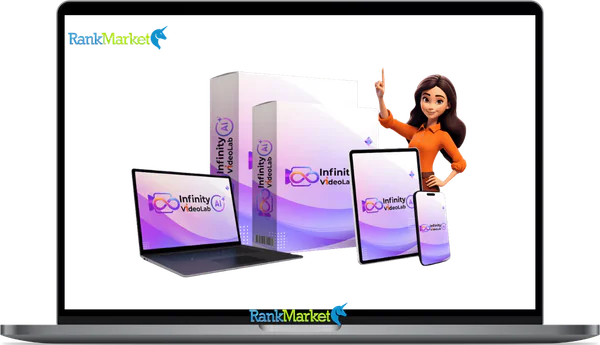
Infinity AI Video Lab is a cloud-based AI platform that combines multiple advanced video generation models into one dashboard, allowing creators to produce cinematic, avatar, and commercial videos from a single login
Infinity AI Video Lab 2.0 - Overview
Capturing consumer attention across the crowded digital landscape requires a consistent, high-impact video strategy. Whether you are scaling an agency, building automated affiliate income streams, or pushing out daily short-form content across social networks, high-quality video is no longer a luxury, it is an absolute necessity. However, modern content creators face a massive operational hurdle. Infinity AI Video Lab 2.0 addresses this exact operational bottleneck by acting as a single, centralized, cloud-based media command center.
Instead of serving as another single-purpose engine that confines you to one specific rendering style or format, this comprehensive platform aggregates the world's most powerful, elite generative video architectures into one unified, web-accessible dashboard. This comprehensive, exhaustive review provides an unvarnished analysis of everything this platform offers, deep-diving into its underlying engines, feature sets, operational workflows, funnel upgrades, and monetization strategies to help you decide if it is the right technical leverage for your business in 2026.
What is Infinity AI Video Lab?

Infinity AI Video Lab 2.0 is a comprehensive, web-based multi-engine video generation and editing ecosystem designed to aggregate premium artificial intelligence models into a single, intuitive workspace. At its core, Infinity AI Video Lab functions as a sophisticated application programming interface framework that bridges the gap between everyday marketers and complex machine-learning neural networks. Instead of forcing you to choose between the cinematic depth of one tool, the blistering processing speed of another, or the realistic lip-syncing capabilities of a third, Infinity AI Video Lab 2.0 gives you on-demand access to all of them within a single tab.
This multi-engine structure means you no longer have to sacrifice quality based on your software budget. If a project requires ultra-high-definition environmental consistency for a multi-scene brand advertisement, you can deploy the integrated OpenAI Sora or Google Veo pipelines. If your immediate goal is blasting out hundreds of hyper-kinetic, high-engagement vertical shorts for TikTok, you can pivot to the Pika or PixVerse engines instantly. This architectural flexibility makes Infinity AI Video Lab 2.0 a future-proof asset. As machine learning models advance throughout 2026, the cloud-based dashboard automatically updates to provide immediate access to the latest iterations, variations, and model weights without requiring technical updates, driver installations, or additional hardware expenses on your part.
Beyond raw generation, Infinity AI Video Lab serves as a complete multi-modal asset converter. It effortlessly accommodates text-to-video prompt engineering, static image animation, script-to-video document parsing, and digital human avatar rendering. It bridges the gap between raw data and audience engagement, enabling small teams and solo entrepreneurs to produce the volume and quality of creative assets that typically require a full-scale professional production agency and an astronomical budget.
Key features of Infinity AI Video Lab
The true technological marvel of Infinity AI Video Lab 2.0 lies within its comprehensive matrix of integrated core neural engines. Understanding how these distinct models operate allows creators to mix and match individual rendering paths to achieve the absolute best visual output for any given marketing campaign.
Google Veo (Versions 2, 3, and 3.1)
Google’s premier video generation architecture is deeply integrated into Infinity AI Video Lab, giving users unparalleled control over photorealistic commercial production. Veo excels at understanding complex prompt syntax, interpreting cinematic language (such as specifying lenses, camera rigs, and lighting styles), and maintaining high spatial resolution. When you need a video that boasts deep depth perception, realistic ambient ray-tracing, and natural physics, switching to the Google Veo engine ensures your final export looks like it was captured on a high-end Hollywood camera package rather than rendered on a computer.
OpenAI Sora (Versions 1 and 2)
Renowned for its revolutionary world-modeling capabilities, the Sora integration provides incredible environmental and character consistency across extended runtimes. Sora understands how objects exist in three-dimensional space, allowing for complex tracking shots, dramatic panning motions, and multi-angle scene configurations without causing background warping or character morphing. This engine is your go-to option for deep storytelling, high-end real estate walkthroughs, and intricate narrative advertisements where visual consistency across multiple shots is non-negotiable.
Pika Labs (Versions 2.0 and 2.2)
When the name of the game is speed, trend-responsiveness, and high-energy pacing, the Pika engine shines. Tailor-made for the creator economy, this architecture specializes in generating short, high-impact video assets optimized for modern social algorithms. It features exceptional motion-control tracking, snappy kinetic transitions, and native physics manipulation, making it ideal for creating viral Instagram Reels, YouTube Shorts, and high-converting video ad creatives that hook viewers within the first three seconds of exposure.
Specialized Rendering Powerhouses: Runway, Kling, Luma, and PixVerse
To guarantee you never hit a creative dead-end, Infinity AI Video Lab 2.0 includes direct pipelines to other world-class models:
- Runway: Provides excellent fine-tuning controls over specific directional camera motions and brush-based regional animations.
- Kling AI: Noted for its hyper-realistic human biomechanics, allowing for lifelike limb movements, facial expressions, and complex organic interactions.
- Luma Dream Machine & PixVerse: Deliver rapid text-to-video interpretations with beautiful artistic styling options, perfect for fantasy, surrealism, or stylized animation graphics.
Photorealistic Presenters: HeyGen and Synthesia Style Avatars
For businesses that require a human touch without the associated overhead of hiring actors or setting up recording studios, the built-in talking avatar modules are invaluable. Utilizing architectures modeled after industry leaders like HeyGen and Synthesia, Infinity AI Video Lab allows you to select a digital spokesperson across diverse demographics, age groups, and corporate styles. By pairing these avatars with advanced multi-language lip-syncing nodes, you can transform plain text documents into professional corporate training videos, product explainers, and high-converting direct-response sales presentations in a matter of clicks.
Comprehensive Feature Breakdown
Infinity AI Video Lab 2.0 is packed with robust, enterprise-grade capabilities that transform it from a basic prompt generator into a fully fledged, automated production ecosystem. Below is an exhaustive deep dive into the primary features driving this architecture.
Multi-Model On-Demand Switching Dashboard
The crowning jewel of Infinity AI Video Lab is the creative freedom engineered into its interface. Users are no longer locked into a single AI model's worldview. Because different AI engines excel at different creative tasks, one might render flawless metallic reflections while another handles liquid dynamics or human hair perfectly, the dashboard lets you swap between underlying models on a project-by-project or scene-by-scene basis. This optimization matrix ensures every second of your final output leverages the absolute strongest machine-learning model available.
Hyper-Realistic Talking Head Avatar Engine
The digital presenter node leverages cutting-edge speech-to-intent and lip-sync models. When you supply a text script, the AI doesn't simply overlay a generic mouth movement onto a static picture. It maps facial micro-expressions, blinks, head tilts, and hand gestures that sync naturally with the underlying vocal cadence. The output is a highly convincing, human-like presentation that completely eliminates camera shyness, expensive microphone setups, acoustical room conditioning, and multi-take editing frustrations.
Multi-Format Aspect Ratio Optimization
Modern cross-platform omni-channel marketing requires varied spatial orientations. Infinity AI Video Lab 2.0 handles this natively by offering one-click conversion across three core industry aspect ratios:
- Vertical (9:16): Engineered for full-screen smartphone experiences across TikTok, Shorts, and Reels.
- Square (1:1): Highly optimized for maximum engagement space within Facebook, Instagram, and LinkedIn desktop and mobile newsfeeds.
- Horizontal (16:9): The standard widescreen blueprint built for native YouTube uploads, VSLs (Video Sales Letters), corporate landing pages, and webinar presentations.
Integrated Post-Production Audio & Timeline Suite
You do not need to export your generated clips into expensive third-party video editing suites like Adobe Premiere or Final Cut Pro to finalize your projects. Infinity AI Video Lab 2.0 includes an in-dashboard editing bay that allows you to easily stitch together multiple AI-generated scenes, trim clip lengths down to the millisecond, apply cinematic transitions, and upscale low-resolution drafts up to pristine, crisp 4K or Full HD formats. Furthermore, the audio layer supports multi-track overlays, allowing you to blend AI-generated text-to-speech voiceovers with atmospheric background music and contextual sound effects simultaneously.
Dynamic Multi-Modal Input Modalities
The system adapts seamlessly to your existing creative workflows, offering multiple entry points for asset creation:
- Text-to-Video: Write descriptive prompts outlining the characters, setting, lighting, and action to watch the machine build it from scratch.
- Image-to-Video: Upload any static photograph, logo, or concept art, and use directional prompts to instruct the AI on how to animate the elements dynamically.
- Script/URL-to-Video: Drop a comprehensive text script, a blog post URL, or an official document directly into the built-in AI assistant. The app reads the raw data, extracts the core contextual meaning, structures it into logical scenes, and builds a complete multi-clip video draft automatically.
Step-by-Step Workflow: How It Works Inside Infinity AI Video Lab
Step 1: Establish Your Creative Production Vector
Log into the secure, cloud-based dashboard from any modern web browser (Mac, Windows, Chromebook, or Linux, no heavy GPU processing required on your local machine). Choose your primary operational mode from the clean launchpad screen. Decide whether your immediate goal is generating a scene from a raw text prompt, animating an existing image asset, rendering a human talking head video from a script, or feeding a URL to the document ingestion engine.
Step 2: Deploy Your Target Neural Engine
Once your input type is set, select the underlying artificial intelligence architecture that will handle the rendering processing. If you want a deeply cinematic feel with realistic lens flares, select Google Veo or Runway. If you need flawless tracking of a main character across a complex environment, select OpenAI Sora. If you are unsure which specific engine fits your prompt best, you can check the “Auto-AI Mode” checkbox, which prompts the system's core router to evaluate your input and automatically assign it to the most capable rendering path.
Step 3: Configure Spatial Parameters and Assets
Paste your written script into the text area, refine your voiceover language and vocal tone settings, or upload your baseline images. Next, pick your target aspect ratio (Horizontal for classic video sites, Vertical for mobile feeds, or Square for social networks) and specify your target output duration. You can also inject specific negative prompts to ensure the AI avoids rendering unwanted elements, artifacts, or specific stylistic choices.
Step 4: Render, Refine, and Export
Click the “Generate” button to send the instruction packet to Infinity AI Video Lab’s high-speed cloud servers. The remote infrastructure handles the heavy computational processing effortlessly, freeing up your local computer's RAM. Within minutes, a high-definition draft appears in your dashboard gallery. From there, you can pass it to the internal timeline editor to stitch scenes, overlay background audio tracks, upscale the output to ultra-clear 4K resolution, and instantly download the final master file with absolutely zero watermarks or restrictive branding overlays.
Pricing Plans and OTOs detailed
FE – Infinity AI Video Lab 2.0 ($14.95 one-time)
- One-time payment during launch period
- AI-powered video creation platform
- Access to multiple AI video models and generation tools
- Supports text-to-video and image-to-video workflows
- Creates short-form and long-form video content
- Cloud-based dashboard
- Suitable for creators, freelancers, marketers, and agencies
- Commercial usage included
- Beginner-friendly interface
- Alternative to multiple separate AI video subscriptions
- 30-day money-back guarantee
- Launch pricing expected to increase later
OTO 1 – Unlimited ($47 one-time)
- Removes usage limits and credit restrictions
- Unlimited AI video creation across supported models
- Unlimited text-to-video generation
- Unlimited image-to-video creation
- Unlimited multi-scene and long-form videos
- Unlimited HD, Full HD, and 4K exports (where supported)
- Unlimited re-renders and refinements
- Unlimited commercial usage
- Multi-language video creation
- Priority rendering queue
- Access to future AI models and updates
- Exclusive Unlimited-only features and perks
OTO 2 – Movie Edition ($37 one-time)
- AI-powered movie creation suite
- Create full-length cinematic videos
- Supports 8K movie production
- AI-generated scripts, actors, voiceovers, and music
- Multi-language dubbing capabilities
- AI-generated thumbnails and movie titles
- Built-in movie editing tools
- Interactive video elements
- Social media publishing support
- Commercial license included
- Beginner-friendly dashboard
- 30-day money-back guarantee
OTO 3 – Autopilot ($45 one-time)
- Automated AI video creation system
- Done-for-you video campaigns
- Automatic script, scene, voiceover, and caption generation
- Auto-publishing to multiple platforms
- Built-in monetization strategies
- Trending topic and keyword discovery
- Evergreen content automation
- Automatic branding and watermarking
- Lead generation features
- Hands-free content workflow
OTO 4 – DFY ($67 one-time)
- Done-for-you AI agent infrastructure
- Pre-built automation systems
- Ready-made AI workflows and missions
- Industry-specific execution templates
- Automated triggers and task execution
- Self-correcting workflow logic
- Always-on background automation
- Pre-connected software integrations
- No setup or configuration required
- Centralized deployment dashboard
- Commercial-use permissions included
OTO 5 – Profit Kits ($27 one-time)
- Monetization-focused business kits
- YouTube automation business templates
- Shorts and Reels profit strategies
- Local business video service kits
- AI movie channel blueprints
- AI video SaaS business models
- Affiliate review video systems
- Kids and educational video business kits
- Includes scripts, prompts, outreach templates, and funnels
OTO 6 – Agency ($97 one-time)
- Agency license included
- Create unlimited client accounts
- Sell AI video services to clients
- Keep 100% of profits
- Charge recurring or one-time fees
- Client account management tools
- DFY support for customers
- Suitable for freelancers and agencies
- Recurring income opportunities
OTO 7 – Unlimited Traffic ($27 one-time)
- Traffic generation system
- AI-powered traffic automation engine
- Promotion across multiple platforms
- Niche audience targeting
- Viral content distribution tools
- Automated content posting
- DFY promotional materials included
- Traffic analytics dashboard
- Lead and client acquisition features
OTO 8 – Reseller ($57 one-time)
- Reseller rights included
- Earn 100% commissions on front-end sales
- Earn commissions on OTO sales
- Ready-made sales pages and funnels
- Marketing materials included
- Customer support handled by vendor
- No technical setup required
- Business-in-a-box opportunity
OTO 9 – Whitelabel ($197 one-time)
- Full white-label license
- Rebrand Infinity AI Video Lab as your own
- Create unlimited customer accounts
- Sell software under your own brand
- Keep 100% of revenue
- Set your own pricing structure
- Recurring SaaS business opportunity
- DFY support and infrastructure included
- Suitable for agencies and software entrepreneurs
Comparative Analysis: How Infinity AI Video Lab 2.0 Stacks Up
To provide a clear understanding of where Infinity AI Video Lab 2.0 stands in the broader digital marketplace, the following comprehensive table evaluates its capabilities directly against the industry's leading standalone video generation applications.
|
Product / Feature Matrix |
Infinity AI Video Lab 2.0 |
Runway AI |
Pika Labs |
Synthesia |
Kling AI |
|
Pricing Structure |
One-Time Investment |
Monthly Subscription |
Monthly Subscription |
Monthly Subscription |
Monthly Subscription |
|
Core AI Model Architecture |
Multi-Engine Aggregate |
Single Proprietary |
Single Proprietary |
Single Proprietary |
Single Proprietary |
|
Text-To-Video Engine |
Yes (Full Suite) |
Yes (Excellent) |
Yes (Good) |
Limited (Script-Led) |
Yes (Excellent) |
|
Image-To-Video Animation |
Yes (Full Suite) |
Yes (Advanced) |
Yes (Good) |
No |
Yes (Good) |
|
Human Talking Head Avatars |
Yes (Built-In) |
Limited Integration |
No |
Yes (Industry Leader) |
No |
|
Social Short-Form Optimization |
Yes (Native 9:16/1:1) |
Yes |
Yes (Excellent) |
Limited |
Yes |
|
Cinematic Camera Control |
Yes (Across All Models) |
Yes (Advanced) |
Moderate |
No |
Yes (Advanced) |
|
Built-In Post-Editor & Audio |
Yes (Full Bay) |
Yes |
Partial |
Yes |
Partial |
|
4K Output Upscaling |
Yes (Included) |
Yes (Paid Tiers) |
Limited |
Limited |
Yes (Paid Tiers) |
|
Multi-Language Lip-Syncing |
Yes (Built-In) |
No |
No |
Yes |
No |
|
Commercial Rights Included |
Yes (Front-End) |
High Plans Only |
High Plans Only |
Yes |
Limited |
|
Future Model Auto-Updates |
Yes (Guaranteed) |
Subscription Tied |
Subscription Tied |
Subscription Tied |
Subscription Tied |
|
SaaS / Reseller Capabilities |
Yes (Funnel Option) |
No |
No |
No |
No |
|
Workflow Learning Curve |
Beginner-Friendly |
Moderate |
Easy |
Easy |
Moderate |
Target Audience: Who It Is and Is Not For
While Infinity AI Video Lab 2.0 is an incredibly versatile platform, it is critical to evaluate its alignment with your specific business goals, technical competencies, and day-to-day operational needs.
Who It Is Perfectly Tailored For
- Freelancers and Agency Owners: This group represents one of the strongest use cases for Infinity AI Video Lab. If your business monetizes video editing services, local business commercial production, social media management, or direct-response ad creative curation, having an array of top-tier AI models inside one dashboard accelerates your delivery speed, drastically drops overhead costs, and lets you scale client acquisition without adding massive headcount.
- Affiliate Marketers and Product Reviewers: If you generate revenue by driving traffic to affiliate offers, digital products, or e-commerce storefronts, this tool enables you to produce high-volume product explainers, faceless promotional reviews, and engaging social ads that capture clicks and boost conversions across multiple channels.
- YouTube Automation Creators: For entrepreneurs running faceless channels, this suite serves as an automated production factory. It handles B-roll generation, historical scene recreations, complex animations, and localized vocal narration, making it easy to keep your publishing schedule perfectly filled.
- Social Media Influencers and Content Solopreneurs: If you must consistently feed the algorithms of TikTok, Instagram, and YouTube Shorts to maintain organic reach, Infinity AI Video Lab’s high-speed multi-format rendering lets you build and batch content weeks in advance.
Who It Is Not For
- Purist Hollywood Cinematographers: If your goal is to shoot traditional, live-action indie films that require traditional physical camera setups, nuanced human typecasting on physical sets, and manually operated mechanical lighting rigs, no AI generator will fit that hyper-specific hands-on filmmaking philosophy.
- Absolute Off-Grid Offline Creators: Because the system aggregates multi-billion-dollar cloud computing architectures to run complex machine-learning inference pipelines, Infinity AI Video Lab requires a stable internet connection to function. If you intend to create media completely offline in remote environments without connectivity, a local desktop editing application is required.
Detailed Evaluation of Advantages and Disadvantages
Primary Advantages (The Pros)
- Substantial Capital and Resource Savings: By replacing multiple standalone subscription plans with a single interface, it completely halts monthly cash drain. It provides a long-term software solution for creators trying to optimize their operational software stacks.
- Unparalleled Model Variety and Diversity: The sheer creative breath of jumping from Google Veo to OpenAI Sora or switching to a photorealistic HeyGen-style talking avatar inside the same session provides a degree of artistic flexibility that single-engine apps simply cannot compete with.
- Zero Local System Resource Footprint: Because all complex AI video generation and 4K upscaling tasks are offloaded to industrial-grade remote cloud servers, Infinity AI Video Lab runs flawlessly on budget laptops, older computers, and mobile tablets without causing overheating or system crashes.
- Full Commercial Licensing Standardized: The core front-end software tier includes standard commercial licensing rights, providing legal security to sell your video exports to local business clients, utilize them in premium paid advertisements, or monetize them across YouTube channels without worrying about copyright flags.
Potential Drawbacks (The Cons)
- Ambitious Model Infrastructure Claims: Because Infinity AI Video Lab bridges and aggregates access to an incredibly expansive array of high-demand external AI models, real-world rendering times can fluctuate depending on global network load, API response rates, and concurrent server demand during peak launch windows.
- Model Selection Learning Curve: Although the core user interface is exceptionally clean and beginner-friendly, understanding the nuanced differences between the models, knowing exactly when to use Kling versus Veo or Sora for a specific prompt style, still requires a degree of active experimentation to maximize output quality.
- Requires Initial Quality Fine-Tuning: While text prompts yield impressive immediate drafts, creating hyper-specific scenes requires a basic understanding of cinematic terminology, lighting adjectives, and camera angles to guide the AI away from generic outputs and toward professional-grade realism.
Frequently Asked Questions (FAQs)
1. Does Infinity AI Video Lab 2.0 require any technical video editing experience or heavy hardware installation?
No, Infinity AI Video Lab is entirely cloud-based, meaning it operates completely on remote high-speed servers. You can access the interface from any standard modern web browser running on a basic laptop, desktop computer, Chromebook, or mobile tablet. There are no heavy software installation files, system drivers, or expensive graphics card dependencies required. The user workflow is designed around an intuitive point-and-click layout, making it completely accessible to beginners who have never edited a video before.
2. Is there a recurring monthly subscription fee associated with this software during the 2026 launch phase?
During the current introductory launch phase, the standard monthly recurring subscription model has been completely waived in favor of a highly accessible one-time payment architecture. This means you can secure lifetime operational access to the multi-engine dashboard, core models, and standard cloud rendering pipelines for a single upfront investment. However, this special structural framework is tied strictly to the initial promotional launch window, after which Infinity AI Video Lab may revert back to a standard monthly subscription format.
3. How does the multi-engine model switching capability work in real-world creative scenarios?
Instead of forcing you to stick to one single AI rendering path, Infinity AI Video Lab places an array of distinct model networks right inside your production settings. When setting up a new project, you can simply click a dropdown menu to select the specific architecture that matches your artistic goals—such as Google Veo for ultra-realistic lighting depth, OpenAI Sora for unmatched world consistency across complex shots, or Pika for snappy social animations. This gives you unparalleled flexibility to optimize every clip.
4. What exactly are the video aspect ratios supported natively by the rendering engine?
Infinity AI Video Lab 2.0 provides native, one-click optimization across the three primary digital media layout standards. You can export videos in Vertical (9:16) format, which is fully optimized for mobile-first platforms like TikTok, Instagram Reels, and YouTube Shorts. It also supports Square (1:1) layouts built for maximum engagement within standard Facebook, Instagram, and LinkedIn newsfeeds, as well as classic Horizontal (16:9) formats engineered for widescreen YouTube channels, website landing pages, and professional presentations.
5. Can I use the videos generated within the dashboard to fulfill paid commercial client projects?
Yes, your front-end software purchase automatically includes standard commercial licensing rights. This gives you full legal authorization to use Infinity AI Video Lab to produce corporate marketing advertisements, high-converting product explainers, social media content, and promotional videos for your own business or sell them directly to local business clients and online brands. You retain 100% of all profits generated from your video creation services without owing any backend royalties or licensing fees.
6. How do the built-in AI talking head avatars compare to standalone avatar platforms?
Infinity AI Video Lab integrates advanced generative avatar nodes modeled directly after top-tier systems like HeyGen and Synthesia. When you feed a text script into the engine, it maps realistic mouth movements, micro-expressions, head positioning, and natural blinks to align seamlessly with the pacing of the underlying digital voiceover track. The result is an incredibly convincing, professional spokesperson video that completely removes the need to hire actors, buy cameras, or struggle with on-camera stage fright.
7. What happens when new AI video models or updated engine variations are released later on?
Infinity AI Video Lab 2.0 is designed from the ground up as a future-proof media asset. Because the entire infrastructure is managed centrally on high-speed cloud servers, the development team handles all API integrations, engine maintenance, and model weight upgrades on the backend. When advanced updates like new iterations of Google Veo or OpenAI Sora roll out, they are integrated directly into your dashboard workspace automatically, requiring zero manual updates or extra charges.
8. Is there an ironclad money-back guarantee protecting my purchase of Infinity AI Video Lab?
Yes, your software investment is fully protected by an official, risk-free, 30-day ironclad money-back guarantee. If you decide at any point during the first thirty days following your initial purchase that the multi-engine dashboard, rendering quality, or creation workflows do not align perfectly with your business goals, you can simply contact the official customer support helpdesk to request a prompt, polite refund of your entire purchase price, no questions asked.
9. Does Infinity AI Video Lab include native text-to-speech voiceovers and audio post-production editing?
Yes, Infinity AI Video Lab features a comprehensive, built-in timeline editor and audio generation suite. You can convert your written script into high-quality, human-sounding AI voiceovers across multiple languages and distinct vocal tones directly inside the dashboard. The timeline editor also allows you to trim clips, merge separate AI-generated scenes together, and blend your voiceover seamlessly with atmospheric background music tracks and realistic sound effects without needing external editing programs.
Infinity AI Video Lab 2.0 represents a major evolutionary leap forward for the digital content economy. By successfully consolidating the world's most advanced AI video models under one cohesive, affordable, and beginner-friendly dashboard, it completely removes the financial and technical barriers that have kept independent creators and small businesses away from high-end video production. Whether your goal is to dominate short-form mobile feeds, build highly profitable faceless automated content channels, or launch a modern video marketing agency from scratch, this ecosystem gives you the exact competitive leverage you need.
Some Questions Before Join US
Group buying, also known as collective buying, offers products and services at significantly reduced prices on the condition that a minimum number of buyers would make the purchase.
- First, we will list product Here as people request & Collect Money From other peoples.
- Sec, Once enough moneys from customer, we will buy products From Developer.
- Then, we deliver to all Joiners.
- You can join directly by Purchase at our site and Reach Support about that to confirm.
- You can join via our Community : https://bit.ly/RMKDiscord
- How to Buy
We have 2 Product Status
- Instant-Deliver : Avaible and Deliver within 24-48hs (not on Sat-Sun, Holiday)
- Group Buy/Pre-Order : Not avaible, Still collect more people to join, need to wait.
OTO mean that One-Time-Offer/Upsell/Upgrade of Product For limited time only
Cancelled mean that order is not pay/process within 24hs. Please reach us with Order ID to check.
You will get Products by Download via Email .Once you finish payment to us and get confirm. You will get download Links inside your Account
- SAAS : You will get Individual account via Mail or On your Order List
- Shared Tool : via our chrome (WIN/MAC/Linux)
- WP : We will active key for your site.
- Course/Book/GraphicKit : Download link will send via mail or On your Order List.
- ETA Time : Fast maybe 3-4 days or 1 Week , Always be 3-4 Weeks or some times as Member Request it can be up to 3 Months to Group Buy WIN.
- GB Fail : You will get refund or exchange other.
– If Products problem, Capture screenshot/Video to us. We will forward to developer to fix it.
– If impossible sloved, we will exchange to other product. With Annual Product, we will refund or exchange by subtract times that you used.
– If used product for 1 or few years then not work. we will try to contact developer to fix it. But if some bad Vendors keep money and run, we just can give you some discount for future orders.
Warranty Time :
- Monthly Product : 30 days
- Annual/One Time Product : 1 year.
Our Store Credit mean credit can use to redeem on Your orders. 25 Credit = 1$.
Earn by some way :
- Place Orders. Each 1$ spend you will earn 1$
- Exchange some not work/not-fullfill orders by your agreed.
- By Reffer Your Friends to buy at our store.
How to redeem
- At Checkout page have redeem button to use it. Maxium is 250/orders.
- If you need redeem more. Reach our Support
We support only via 2 channel :
- Email : [email protected]
- Messenger : m.me/rankmarkenet (Live chat on Site)
TIme : From 9AM - 6PM Monday - Friday (GTM+8).
All Order/Ticket on Sat-Sun/Holiday will be supported on next Monday.
WE ARE TRY TO WORK HARD AND SUPPORT ALL PEOPLE BUT WE CAN NOT MAKE ALL HAPPY 100%
Thanks For You are here and belive US for longtime.
While working,we meet someone like & we will not support :
– People buy 1 but want to exchange to 10 Products.
– People who steal our products then ask refund.
– People fake payment to get our products.
– People always ask refund,can not wait for waiting product. Dont Pay. Wasted our Time.
Best Regards
David Green – RankMarket
Related products
SAAS Tools


SAAS Tools

SAAS Tools