

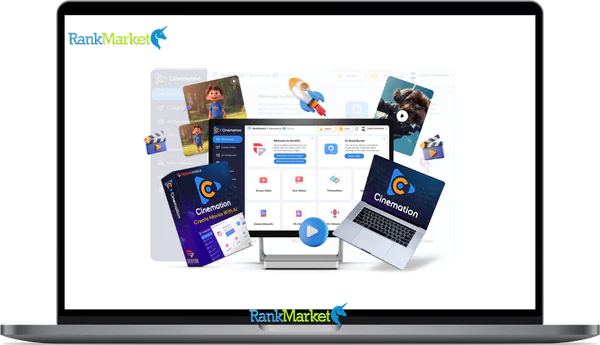
Buy Cinemation AI + OTOs full account + Bonus
$37.00
Cinemation AI (5k Credits then buy addional) - Overview
Cinemation AI is a desktop AI video tool that turns written stories into long form, cinematic videos with consistent characters and locations, without requiring a camera, actors, or a film crew. The platform sits in a different category from most AI video tools in 2026, which still focus on short 5 to 20 second social clips. Cinemation AI is built for multi minute story driven content where narrative structure, recurring characters, and location continuity matter.
The core promises:
- Create videos without filming, lighting, or hiring on screen talent
- Keep the same characters and locations consistent across scenes and episodes
- Support structured narratives and longer runtimes that traditional AI clip tools cannot handle
This guide covers what Cinemation AI is and how it works, who it serves best, the main features, real pros and cons, pricing context, and a complete FAQ. Based on more than 10 years of experience reviewing software, tools, and technology, this is an independent, non sponsored breakdown.
What Is Cinemation AI?
Cinemation AI is an AI powered desktop application for creating cinematic videos from scripts and prompts. The product addresses a real gap in the 2026 AI video landscape. Traditional video production remains expensive and slow, requiring camera gear, actors, locations, and post production editing skill. Existing AI tools mostly produce short, unstructured clips for social media. Neither option serves creators who want narrative content like episodes, story driven explainers, animated lessons, or promotional pieces that need more than a viral hook.
Cinemation AI fills the gap by combining script handling, character creation, location libraries, shot planning, and rendering into a unified workflow built for long form output. Its positioning emphasizes story over spectacle, and the focus on continuity across scenes is what sets it apart from clip generators that produce visually striking but disconnected outputs.
Core capabilities include turning scripts into storyboarded scenes automatically, creating and storing characters for reuse, building and reusing locations to maintain world continuity, planning shots and transitions for cinematic pacing, and rendering output in multiple visual styles ranging from 2D animation to cinematic realism.
A simple example: turning a 10 page script about a sci fi adventure into a 10 to 20 minute animated episode with recurring characters and consistent spaceships. The same characters appear in every scene with stable visual identity, and the same spaceships reappear across episodes.
How Cinemation AI Works: Step by Step Workflow
Step 1: Write or Generate a Script
The first step centers on getting your story into the system. Input methods include pasting a finished script from a writing tool, writing directly inside the application's editor, or using the built in AI to generate or expand a story outline from a basic premise.
Script structure follows familiar narrative conventions. Scenes mark distinct story beats. Dialogue captures what characters say. Stage directions and descriptions specify what happens visually, including time of day, mood, and key actions. Cinemation AI uses the script to identify characters mentioned across scenes, recognize location requirements, and split content into shots or sequences for the production pipeline.
Tips for better outputs: write clear scene descriptions including time of day and mood, use short direct sentences rather than long flowing prose, and include explicit visual hints like “wide shot of city at night” where the platform supports them. A tiny script snippet shows the format: “INT. DETECTIVE OFFICE, NIGHT. Detective Sarah sits at her desk, papers scattered. Officer Davis enters with a folder.”
Step 2: Create Characters
Character creation defines the recurring cast that will appear throughout your video or series. Options include text based description prompts that capture appearance and style, style presets ranging from cartoon to 3D to realistic, and customization fields for hair, clothing, age, and other attributes where supported.
The character bank or library is the critical structural feature. Saved characters can be reused across multiple scenes within a project and across multiple projects entirely. Visual consistency is maintained automatically by reusing the same character identity each time the character is invoked. AI handles consistency by applying styles evenly across scenes that share the same character.
Best practices for serious work: create your main cast first with detailed descriptions, then build outside characters as needed, name characters clearly and use consistent names in your scripts so the platform tracks them correctly. A sample character prompt: “A middle aged detective in a trench coat, noir style, 2D animation, weary expression, dark hair with gray temples.”
Step 3: Build Locations and Scenes

The distinction between location and scene matters in Cinemation AI's structure. A location is the environment itself (a classroom, a city street, a spaceship bridge), while a scene is what happens at a specific time and place using that location. The separation lets you reuse a single location across many scenes without rebuilding it each time.
Location creation works through text prompts describing the environment, style choices matching your project's visual direction, and saving locations to a project specific library for reuse. Scene setup combines locations with characters by assigning specific characters to a specific location, adding the key actions or beats that happen there, and setting time of day, lighting, and mood overrides if the base location should appear different in this scene.
The benefits of reusable locations compound across long projects. World continuity matters for series content where viewers expect to see the same places reappearing. Faster production happens because subsequent episodes do not require rebuilding locations from scratch. A typical example: creating a modern office with glass walls at sunset in 3D style, then reusing that office across 12 episodes of a workplace drama series.
Step 4: Plan Shots and Transitions
Shots and transitions are filmmaking concepts that Cinemation AI exposes to non filmmakers in accessible ways. A shot is one continuous camera setup. A transition is how you move from one shot or scene to the next.
Cinemation AI helps through auto suggested shot angles based on scene content (close up, wide, over the shoulder, reaction shots), default transitions that fit the pacing, and a timeline or storyboard layout that visualizes the full sequence. Users maintain control through rearranging shot order, modifying pacing, and overriding AI suggestions where automatic choices do not match the intended feel.
Better shot planning produces dramatically more cinematic results. A scene with thoughtful shot variety feels professional. The same scene rendered as a static slideshow feels amateur. A micro example: 5 shots covering an establishing city shot, an office wide shot, a close up on the hero, an over the shoulder shot, and a reaction shot.
Step 5: Render the Final Video
The rendering process compiles your shots, characters, locations, and transitions into a finished video file. Users typically choose visual style and resolution (720p or 1080p depending on plan), length and output format (MP4 being the default), and let the platform handle the actual rendering work.
Long form capability is the key differentiator. While most AI clip tools cap at under a minute, Cinemation AI is designed for multi minute output that can extend to full episodes or detailed explainers. Render times depend on length, complexity, style, and hardware or plan tier. Export and use options include downloading the finished file, importing into Adobe Premiere or Final Cut for further polish, or publishing directly to YouTube, social media, and learning management systems.
Key Features of Cinemation AI in 2026
The full feature set centers on enabling long form, narrative driven video production that other AI tools cannot match. Headline features include long form video generation, character consistency, location consistency, multi style visual output, script and story support, desktop app workflow, and beginner friendly creation tools. These features distinguish Cinemation AI specifically for narrative creators rather than marketers making quick promotional clips.
Long Form Video Generation
Long form in this context means videos ranging from several minutes up to tens of minutes per project. The technical approach combines scene and shot stitching, character and location reuse for continuity, and pacing logic that maintains viewer engagement across extended runtimes. Why this matters: creators can produce educational courses, episodic series content, and deep explainer videos that go beyond the clip culture dominating short form social platforms. A single 15 minute educational episode delivers significantly more value than five disconnected 3 minute shorts on the same topic.
Character Consistency
Each character saved to your library has a profile capturing visual and stylistic parameters that the AI reuses across every scene. The benefits include professional TV like continuity across episodes, recognizable cast members for series, and stable brand mascots for businesses producing recurring content. The honest limitation worth noting: extreme changes to style prompts or major rendering settings may still cause slight character variations. Setting realistic expectations matters; the platform handles consistency dramatically better than clip generators that produce a different character every time, but it is not perfect across every possible variation.
Location Consistency
Location libraries work the same way as character libraries, saving environments for reuse across scenes and projects. Benefits include world building for stories where viewers need to recognize recurring places, visual continuity across episodes of a series, and faster production for educators or marketers who need consistent settings across many videos. A practical example: the same classroom appears across an entire educational course covering 20 lessons, giving the course a unified visual identity that builds student familiarity.
Multi Style Visual Output
Supported style categories typically include 2D animation suited to cartoons and children's content, 3D animation appropriate for product demos and sci fi narratives, cinematic realism for promotional content and ads, and stylized looks like comic book or watercolor for creative projects. Use cases map cleanly to styles. 2D for explainer videos and family content. 3D for product visualization and detailed worlds. Realistic for high end promotional work. Stylized for unique brand identities. Switching styles may impact render time and consistency, so most serious projects commit to one style early rather than mixing across scenes.
Script and Story Support
The AI assistance layer includes story idea generation from a basic premise, outline to script expansion that turns 5 bullet points into full scenes, dialogue polishing that refines awkward exchanges, and scene description suggestions that fill in environmental details. Non writers benefit enormously since the platform helps create usable scripts even without prior writing experience. Speed matters too. Pre production typically consumes 50 to 70 percent of traditional video timeline, and AI assistance compresses this dramatically.
Desktop App Workflow
The desktop client runs on Windows and Mac with local file management and optional cloud rendering for complex outputs. Workflow benefits versus browser only tools include better performance for long projects, stability that does not depend on browser tabs staying open, and easier file management for projects spanning hundreds of scenes and assets. Possible hardware dependence matters. A modern GPU and adequate RAM produce dramatically faster local previews than minimum spec machines.
Beginner Friendly Video Creation
Simplifications for newcomers include templates and presets for common video types, guided wizards that walk users through their first project, and built in AI assistance for script, character, and scene creation. The reduced skill requirement is real. No filmmaking expertise, animation knowledge, or advanced editing skills are necessary to produce solid first projects. The honest caveat: some planning and iteration remain required. Cinemation AI is not a “one click perfect movie” generator. Users still need to think through their story, define their characters clearly, and iterate on outputs to reach professional quality.
Pricing Plans and OTOs detailed
Front-End – Cinemation Elite ($47 one-time)
- One-time payment with no recurring subscriptions
- Includes 10,000 welcome credits
- Generate up to 3 videos daily
- Supports up to 10 characters and 10 locations
- Self-business use license included
- 1 year of free upgrades included
- 24/6 chat support access
- Built for personal creators and beginner users
- Includes 30-day money-back guarantee
OTO 1 – Cinemation Pro ($67 one-time)
- Includes 30,000 welcome credits
- Unlimited daily video generation
- No limits on video length
- Shot-level video editing tools
- Team collaboration access included
- Full commercial license included
- 2 years of free upgrades included
- Built for advanced creators and marketers
OTO 2 – Cinemation Reseller ($197 one-time)
- Includes 70 Pro licenses for resale
- Can be used for agency services or client sales
- Keep profits from sold licenses
- Built for agencies and reseller businesses
OTO 3 – TubeRank Jeet Pro ($67 one-time)
- AI-powered YouTube ranking toolkit
- Unlimited keyword research included
- Hashtag generation tools included
- Video optimization features supported
- Designed for YouTube growth and SEO
OTO 4 – Freezur Pro ($67 one-time)
- Includes 50,000 additional credits
- Unlimited video generation access
- All AI models unlocked
- Image-to-video generation included
- Advanced AI creation features included
- Built for high-volume creators and agencies
Who Is Cinemation AI For?
Five main personas extract genuine value from Cinemation AI, each with different motivations and use patterns.
Content Creators and YouTubers
Story focused YouTubers and creators use Cinemation AI for animated story content, channel intros and promos, and concept testing for larger film or series ideas that might eventually warrant traditional production. The benefits include faster content turnaround compared with hiring animators, elimination of filming studio costs, and the ability to test multiple storylines cheaply before committing to expensive production.
Marketers and Brands
Brand marketing teams use the platform for product story videos, animated brand explainers, and previsualization for ad concepts before committing to expensive shoots. Benefits include consistent brand characters across campaigns, full control over brand worlds and recurring settings, and the ability to test multiple creative directions before approving final productions.
Educators and Course Creators
Educators and course creators use Cinemation AI for narrative based lessons that explain concepts through story, scenario training covering sales, safety, soft skills, and complex behavioral topics, and animated explainers for difficult subjects that benefit from visual storytelling. The benefits include keeping learners engaged longer than text or static slides, reusing characters as recurring “teachers” across a full course, and eliminating the need to film actual classrooms or instructors.
Storytellers and Indie Creators
Indie storytellers, novelists, and filmmakers use the platform for short films, pilot episodes for proposed web series, and animated adaptations of novels or comics. The benefits include dramatically lower barriers to storytelling for creators without film school training or production budgets, and visualizing scripts for festival submissions or investor pitches without committing to full traditional production costs.
Beginners With No Editing Experience
First time creators use Cinemation AI because the guided UI, templates, and AI assistance compensate for missing technical skills. The platform helps with the writing, the visuals, and the editing simultaneously. Important note: beginners still need to understand basic storytelling fundamentals like beginning, middle, and end. Cinemation AI handles technical production but cannot invent compelling narrative structure. First time creators testing channel ideas or course concepts find the platform especially valuable for low risk experimentation.
Benefits of Using Cinemation AI
No Camera or Film Crew Needed
The complete elimination of traditional production requirements is the headline benefit. Cameras, lights, microphones, sets, physical locations, actors, and crews all become unnecessary for many use cases. Solo creators produce content from a laptop instead of coordinating production teams, which fundamentally changes the economics of video creation.
Faster Content Production
The accelerated pipeline runs from idea to script to scenes to finished video in days or hours, rather than the weeks traditional production typically requires. This speed enables rapid experimentation with multiple story directions, frequent uploads for creators and educators who need consistent output, and timely course updates when material changes.
Consistent Visual Storytelling
Character and location banks support recognizable, recurring visuals across long projects. Brand mascots stay consistent across every video. Educational characters serve as recurring “guides” across entire courses. The same fictional world appears unchanged across episodes of a series. This continuity matters enormously for serious narrative work where viewer recognition and immersion depend on visual stability.
More Control Than Simple AI Clip Tools
Control points include scripted dialogue (versus generic AI hallucination), explicit shot sequences (versus random clip generation), scene order and transitions (versus disconnected outputs), and character and location continuity (versus random new visuals each time). The contrast with short form tools is significant. Most AI clip tools operate as “input prompt, get clip” with limited story control. Cinemation AI gives serious narrative creators the structural control they need.
Good for Experimentation and Prototyping
The platform functions as a creative sandbox where users can test different story ideas at low cost, try multiple visual styles for the same script, and previsualize larger productions before committing a budget. Use cases include investor and client pitches that benefit from visual demonstration, festival submission test reels, and storyboarding for projects that may eventually move to traditional production with higher budgets.
Limitations and Drawbacks of Cinemation AI
Not Ideal for Every Video Type
Poor fits for Cinemation AI include live events that require real time capture, real person testimonials where authentic human presence matters, and ultra high end commercial work demanding real world footage and cinematic production values. The platform can still complement these projects through storyboarding or previsualization, but it cannot replace the final delivery in these specific scenarios.
Learning Curve Still Exists
Users still need to learn basic story structure, how to prompt character and location styles for desired output, and how to iterate on results when initial outputs do not match the vision. Mitigation comes through tutorials, templates, and community examples that accelerate the learning process. Beginners should plan for 5 to 10 hours of learning investment before producing professional grade output rather than expecting masterpiece results on the first attempt.
Output Quality Depends on Inputs
The garbage in, garbage out principle applies strongly. Weak scripts produce weak videos regardless of how sophisticated the rendering technology is. Vague prompts produce generic visuals. Best practices include writing clear, structured scripts with specific scene descriptions, defining moods and visual details explicitly, and iterating on prompts until the output matches the intended quality. The platform amplifies good creative input rather than fixing poor creative input.
Hardware and Plan Tier Constraints
Practical constraints include longer render times on low end hardware, maximum video length caps that vary by subscription tier, and resolution caps that scale with plan level. Lower tier plans may limit total monthly minutes of output, project complexity, or available styles. Higher tier plans unlock the full range of capabilities. Always check current official requirements and plan specifications for 2026 since pricing structures and capability tiers evolve.
Frequently Asked Questions About Cinemation AI
What Is Cinemation AI?
Cinemation AI is a desktop AI video creation tool that turns scripts and stories into long form cinematic videos with consistent characters and locations across scenes. The platform serves narrative focused creators including educators, indie filmmakers, brand marketers, and content creators who need structured story driven video rather than short social clips.
Is Cinemation AI Good for Beginners?
Yes, the platform is designed with non experts in mind. Beginner friendly aspects include guided wizards that walk through your first project, templates and presets for common video types, and built-in AI assistance for script writing, character design, and scene creation. The honest qualification: you still benefit from basic storytelling skills since the AI cannot invent compelling narrative structure on its own. If a free trial is available, it offers the lowest risk way to evaluate fit.
Can Cinemation AI Make Long Videos?
Yes. The platform is specifically built for long form content extending from several minutes to tens of minutes per project, depending on your plan tier. This contrasts sharply with most AI video tools that cap output at under a minute. Confirm current plan limits on the official Cinemation AI site since maximum lengths vary by subscription level and may evolve over time.
Does Cinemation AI Keep Characters Consistent?
Yes. Character profiles save to your library and persist across scenes and projects, maintaining visual identity automatically as you build longer narratives. The honest caveat: extreme style changes or major rendering setting shifts may cause slight character variations. For most use cases the consistency is dramatically better than what clip generators offer, but it is not perfect across every possible scenario.
Is Cinemation AI Free?
Cinemation AI may offer a free trial or limited free tier for evaluation, with paid plans required for serious ongoing use. Pricing structures change over time, so always check the official Cinemation AI pricing page before committing to confirm current free options, trial duration, and paid plan capabilities. Plan tiers typically scale by output length limits, available styles, and rendering quality.
What Devices Does Cinemation AI Work On?
Cinemation AI operates as a desktop application supporting Windows and Mac in current versions, with potential additional platforms over time. Minimum specifications typically include modern CPU, adequate RAM (usually 16 GB or more for complex projects), and ideally a dedicated GPU for faster local previews and rendering. Check current system requirements on the official site before committing, especially if you plan to run the platform on older or budget hardware.
Is Cinemation AI Better Than Other AI Video Tools?
It depends on your specific needs. Cinemation AI shines for long form, story driven content with character and location continuity across scenes and episodes, where most clip generators cannot compete. Other tools may be better choices for quick short clips for social media, purely web based editing without desktop installation, or specific artistic styles that Cinemation AI does not prioritize. The honest answer: Cinemation AI is the right tool for narrative video work in 2026, but it is not universally better than every alternative for every use case.
If you want to produce long form, story driven video content without the cost and complexity of traditional production, download or sign up for Cinemation AI this week, work through one complete project from script through final render using the five step workflow, and let your first finished video decide whether the platform earns a permanent place in your creative stack for 2026 and beyond.
Some Questions Before Join US
Group buying, also known as collective buying, offers products and services at significantly reduced prices on the condition that a minimum number of buyers would make the purchase.
- First, we will list product Here as people request & Collect Money From other peoples.
- Sec, Once enough moneys from customer, we will buy products From Developer.
- Then, we deliver to all Joiners.
- You can join directly by Purchase at our site and Reach Support about that to confirm.
- You can join via our Community : https://bit.ly/RMKDiscord
- How to Buy
We have 2 Product Status
- Instant-Deliver : Avaible and Deliver within 24-48hs (not on Sat-Sun, Holiday)
- Group Buy/Pre-Order : Not avaible, Still collect more people to join, need to wait.
OTO mean that One-Time-Offer/Upsell/Upgrade of Product For limited time only
Cancelled mean that order is not pay/process within 24hs. Please reach us with Order ID to check.
You will get Products by Download via Email .Once you finish payment to us and get confirm. You will get download Links inside your Account
- SAAS : You will get Individual account via Mail or On your Order List
- Shared Tool : via our chrome (WIN/MAC/Linux)
- WP : We will active key for your site.
- Course/Book/GraphicKit : Download link will send via mail or On your Order List.
- ETA Time : Fast maybe 3-4 days or 1 Week , Always be 3-4 Weeks or some times as Member Request it can be up to 3 Months to Group Buy WIN.
- GB Fail : You will get refund or exchange other.
– If Products problem, Capture screenshot/Video to us. We will forward to developer to fix it.
– If impossible sloved, we will exchange to other product. With Annual Product, we will refund or exchange by subtract times that you used.
– If used product for 1 or few years then not work. we will try to contact developer to fix it. But if some bad Vendors keep money and run, we just can give you some discount for future orders.
Warranty Time :
- Monthly Product : 30 days
- Annual/One Time Product : 1 year.
Our Store Credit mean credit can use to redeem on Your orders. 25 Credit = 1$.
Earn by some way :
- Place Orders. Each 1$ spend you will earn 1$
- Exchange some not work/not-fullfill orders by your agreed.
- By Reffer Your Friends to buy at our store.
How to redeem
- At Checkout page have redeem button to use it. Maxium is 250/orders.
- If you need redeem more. Reach our Support
We support only via 2 channel :
- Email : support@rankmarket.org
- Messenger : m.me/rankmarkenet (Live chat on Site)
TIme : From 9AM - 6PM Monday - Friday (GTM+8).
All Order/Ticket on Sat-Sun/Holiday will be supported on next Monday.
WE ARE TRY TO WORK HARD AND SUPPORT ALL PEOPLE BUT WE CAN NOT MAKE ALL HAPPY 100%
Thanks For You are here and belive US for longtime.
While working,we meet someone like & we will not support :
– People buy 1 but want to exchange to 10 Products.
– People who steal our products then ask refund.
– People fake payment to get our products.
– People always ask refund,can not wait for waiting product. Dont Pay. Wasted our Time.
Best Regards
David Green – RankMarket
Related products

SAAS Tools

SAAS Tools



SAAS Tools


SAAS Tools