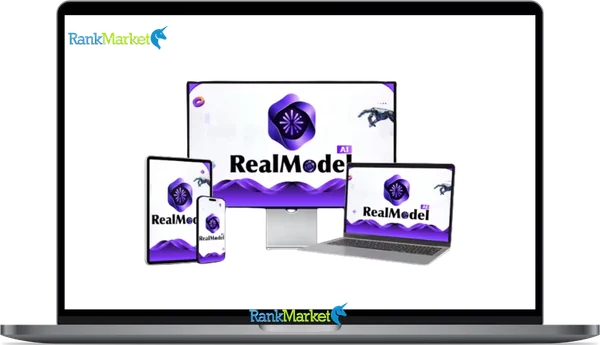
Buy RealModel AI + OTOs full account + Bonus
$15.00
RealModel AI is a cloud-based AI platform that combines advanced text generation with hyper-realistic AI human image creation for marketing and creative content.
| Deliver | RealModel AI + OTOs |
|---|---|
| Access | Shared |
| Type | AI human generator |
| Plan | FE + OTOs |
| Details | GB Details |
RealModel AI + OTOs - Overview
If you've been searching for “RealModel AI” lately, you're not alone — and you may have run into some confusion along the way. Is it a home design app? A generic phrase for AI models? A deepfake tool? None of the above.
RealModel AI is a cloud-based SaaS platform that centralizes access to premium AI language models and a specialized generator for photorealistic AI human imagery — all from a single, browser-based dashboard. No GPU setup. No juggling five different subscriptions. No design degree required.
This guide was written for anyone trying to understand what RealModel AI actually does in 2025: content creators, marketers, ecommerce brands, agencies, solo entrepreneurs, and curious tech users who want a straight answer before committing time or money to a new tool.
Here's what we'll cover:
- What RealModel AI is (and what it isn't)
- Who it's built for and what problems it solves
- How to use it, step by step
- A deep dive into its core features
- An honest look at pros, cons, and ROI
- How it compares to other AI tools on the market
- Answers to the most frequently asked questions
What Is RealModel AI? (Clear Definition and Core Concept)

RealModel AI is not a home remodeling app (that would be “Remodel AI”). It is not a research paper. It is not a general term for artificial intelligence systems.
RealModel AI is a cloud-based SaaS platform — meaning it runs entirely in your browser — that gives users access to advanced AI language models for text generation and a specialized image generation engine focused on creating hyper-realistic AI human visuals. Think of it as a centralized command center for AI-powered content creation, with a particular strength in generating lifelike people for marketing, fashion, and creative content.
At a glance, RealModel AI enables:
- Text generation — draft blog posts, ad copy, product descriptions, scripts, and social captions using top-tier language models
- AI human image generation — create photorealistic virtual models in varied outfits, poses, environments, and styles
- General image creation — product mockups, thumbnails, banners, and lifestyle scenes
- Workflow automation — pre-built templates, batch processing, and campaign-level organization
- Asset management — save, reuse, and export your creative assets
Because it's entirely hosted, there's no need to manage your own API keys, configure GPU environments, or install software. You log in, and you create.
To make this concrete: a small fashion brand can generate a full lookbook of model photos for a new seasonal collection — without booking a photographer, renting a studio, or casting models. A solo creator can draft a YouTube script, create matching thumbnail concepts, and export them, all from the same interface. These aren't futuristic possibilities; they're the core use cases RealModel AI is built around.
Who Is RealModel AI For? (Use Cases and Ideal Users)
One of the most important questions when evaluating any tool is: “Is this built for someone like me?” RealModel AI is purpose-built for creative and marketing use cases, not deep technical research or enterprise-level ML development. Here's how it maps to specific types of users:
|
User Type |
Primary Benefit |
Example Use Case |
|
Content creators & influencers |
Fast, varied visual and written content |
Generate thumbnail images and video scripts in one session |
|
Ecommerce & fashion brands |
Photorealistic product and model imagery |
Create lifestyle photos for a new collection without a photoshoot |
|
Agencies & marketers |
Scalable ad creative production |
Produce multiple ad variants for A/B testing across campaigns |
|
Solo entrepreneurs & small businesses |
Affordable professional-looking content |
Build a website with polished hero images and copy |
|
Designers & creative teams |
Rapid concept visualization |
Produce mood boards and storyboards before committing to production |
A few concrete scenarios to illustrate:
- A DTC apparel brand launches a new product line on a tight budget. Instead of a $3,000 half-day photoshoot, they use RealModel AI to generate lifestyle model shots in multiple colorways — done in an afternoon.
- A social media manager at a boutique agency needs 20 ad creatives for a client by end of week. They use batch templates to generate image-and-caption pairs at scale.
- A solo Etsy seller wants product mockup photos that look polished and professional. They describe the product, setting, and style — and get studio-quality visuals without a studio.
- A YouTube creator needs a fresh thumbnail every week. They use RealModel AI's text engine to draft the hook copy and the image engine to visualize it.
- A freelance designer wants to explore concept directions quickly before pitching a client. They generate five different visual directions in under an hour.
Where RealModel AI may not be the best fit: enterprises needing strict on-premises deployment, machine learning researchers who require low-level model access and fine-tuning, or developers seeking raw API infrastructure rather than a creative workflow tool.
The important distinction is that RealModel AI is fundamentally a creative and marketing tool, not a data science platform. Its strength is removing friction from content production — not replacing the infrastructure needs of technical teams.
How RealModel AI Works (Step-by-Step Walkthrough)
RealModel AI is designed so that a first-time user can go from sign-up to finished asset quickly. Here's the standard workflow:
Step 1: Sign Up and Onboard
- Create your account with an email and password, or use single sign-on (SSO) if supported.
- After logging in, you'll land on the main dashboard, which surfaces the model selector, project panes, your generation history, and any active templates.
- The interface is browser-based — no installs, no plugins. Open it on any device with a modern browser.
Step 2: Text Generation
- Navigate to the text generation module and select a language model from the available options. Different models may be better suited for creative writing versus structured copy versus factual drafting.
- Either write a free-form prompt (“Write a 150-word product description for a minimalist leather wallet, targeting men aged 25–40”) or choose from pre-built templates for common formats like ad copy, blog outlines, or email campaigns.
- Generate your first draft, then refine it with follow-up prompts. You can iterate within the same project without losing your history.
Step 3: AI Human Model / Image Generation
- Start a new image job or “model shoot” from the image generation module.
- Describe the person, outfit, setting, and mood in natural language — or select from template prompts. For example: “Create six lifestyle photos of a 30-year-old Black female model wearing athleisure in a city park at golden hour.”
- Adjust key parameters: lighting style, camera angle, aspect ratio, and realism level.
- Generate multiple variants, review them, select the best, and upscale or tweak as needed.
- (Note: Add screenshots or a short GIF walkthrough here for visual reference.)
Step 4: Asset Management and Export
- Save your outputs to named projects, organized by client, campaign, or content type.
- Export assets in standard image formats (JPEG, PNG) at HD or higher resolutions.
- Depending on available integrations, assets may be shareable directly to tools like Canva or downloadable in bulk.
- Because all generation happens on RealModel AI's servers, your local device doesn't need high-end hardware. A basic laptop or even a tablet works fine.
Core Features of RealModel AI (Deep Dive)
Here's a high-level map of what RealModel AI includes:
|
Feature Group |
What It Does |
Typical Use Case |
|
Text Generation Hub |
Access to several top-tier language models |
Blog drafts, scripts, captions, product copy |
|
Human Model Generator |
Create realistic people in varied poses and styles |
Fashion catalog, influencer-style posts |
|
Scene & Outfit Controls |
Control clothing, backgrounds, lighting, props |
Product lifestyle imagery |
|
Project Templates |
Pre-built flows for ads, social, and ecommerce |
Faster campaign setup |
|
Integrations & Exports |
Send assets to design tools or download |
Collaboration and final polish |
Let's look more closely at the features most users rely on day to day.
Premium AI Model Access (Text and Multimodal)
One of RealModel AI's core conveniences is the model hub concept: rather than maintaining separate subscriptions with individual AI providers and managing your own API keys, you get access to multiple large language models (LLMs) through a single interface and billing relationship.
This matters more than it might initially seem. In 2025, the AI tool ecosystem is fragmented. Getting serious work done often means switching between platforms, re-entering context, and reconciling different pricing structures. RealModel AI collapses that into one consistent workspace.
Key benefits of the text model hub:
- Switch between models based on the task (e.g., one model for creative storytelling, another for structured copywriting or factual accuracy)
- Access a shared prompt history and project context across sessions
- Basic controls for output style: tone, length, creativity level
A practical example: you can draft a product landing page with one model, then immediately instruct a different model to rewrite it in a warmer, more conversational tone — all without leaving the dashboard.
Lifelike AI Human Models and Virtual Photoshoots
This is where RealModel AI earns its name. The human model generator allows you to create photorealistic images of people — styled, posed, and placed in environments of your choosing — without involving real models, photographers, or production budgets.
Customization dimensions include:
- Age range, gender expression, and body type
- Ethnicity and specific appearance details
- Outfit and styling (streetwear, formal, athletic, seasonal, branded)
- Poses and body language
- Camera framing (close-up, three-quarter, full-body)
- Background and environment (studio, outdoor, urban, domestic, abstract)
The platform supports generating consistent-looking characters across multiple images, enabling a cohesive “virtual model” that can carry through an entire campaign or catalog.
Example prompts you might use:
- “A 25-year-old South Asian woman in a white linen summer dress, standing in a bright Mediterranean courtyard, shot at eye level with soft natural light.”
- “A male model in his 30s wearing a structured navy blazer and chinos, neutral studio background, commercial fashion photography style.”
- “A group of three young adults in casual streetwear, laughing on a rooftop at dusk, golden hour lighting.”
Before vs. after: Where you might previously have had a flat product-on-white-background image, RealModel AI lets you build a full lifestyle scene — a model wearing your product in a relatable setting — which typically performs significantly better in ecommerce and social contexts.
The platform includes content safety filters, and responsible use guidelines restrict generating explicit content or impersonating real individuals without consent. More on ethics below.
General Image and Visual Generation
RealModel AI isn't exclusively about people. Its image generation engine can produce a wide range of visual content for marketing and creative production:
- Product mockups — place your product in a styled scene without a physical shoot
- Social media banners and thumbnails — create platform-optimized visuals quickly
- Blog headers and website hero images — generate on-brand visuals for editorial content
- Mood boards and storyboards — visualize campaign directions before production begins
Resolution options and aspect ratios are configurable, so you can generate content sized for Instagram Stories, YouTube thumbnails, landscape web banners, or square product cards in the same session.
A simple example prompt: “Minimalist product shot of a matte black smartwatch on a white marble surface, soft overhead light, 16:9 aspect ratio.” This can be generated in seconds and iterated upon without a product sample, a studio, or post-production software.
Workflows, Templates, and Automation
Generating one image or one piece of copy is useful. Generating a hundred content assets for a product launch — consistently, quickly, and without burning out your team — requires something more. RealModel AI addresses this through templates and batch operations.
Common templates include:
- Ad creative packages (Facebook, Instagram, TikTok formats)
- Ecommerce product page content (title, description, image concepts)
- Social media post suites (image + caption, multiple formats)
- Campaign brief-to-asset workflows
Batch capabilities:
- Upload a product catalog and auto-generate draft descriptions and image concepts for each SKU
- Spin out multiple variants of a text asset (e.g., five different ad headlines) without re-prompting manually
- Maintain brand kit elements (color preferences, tone of voice notes) across projects for consistency
A detailed example workflow: an ecommerce team uploads a list of 10 new SKUs with basic product info. RealModel AI generates a draft product description and three image concept variants for each — ready for human review and refinement by the next morning.
Pricing Plans and OTOs detailed
Front-End – RealModel AI ($14.95 one-time)
- One-time payment with no recurring subscription fees
- Access multiple AI models from a unified dashboard
- Includes content tools and commercial usage rights
- Designed to replace multiple separate AI subscriptions
- Simplifies workflow and AI management in one platform
- Includes a 30-day money-back guarantee
- Launch pricing may increase later
OTO 1 – RealModel AI Unlimited Edition ($97 – $147 one-time)
- Removes standard account limitations
- Higher output capacity and expanded AI access
- Silver and Gold upgrade options available
- Designed for serious AI users and larger workloads
- Better scalability and smoother workflow management
OTO 2 – RealModel AI DFY Suite ($97 one-time)
- Done-for-you content creation system
- Includes structured prompts and ready-made workflows
- Helps users create faster without starting from scratch
- Simplifies AI content production and organization
- Built for speed, convenience, and easier execution
OTO 3 – Creative Studio ($67 one-time)
- Expands the platform beyond text generation
- Create voiceovers, images, files, and creative assets
- All-in-one creative production workflow
- Reduces the need for multiple external creative tools
- Focused on convenience and faster content production
OTO 4 – Agent Mode ($97 one-time)
- Advanced automation and AI workflow system
- Lets users delegate tasks and processes to AI agents
- Reduces manual prompting and repetitive work
- Designed for faster task completion and scaling
- Focused on goal-based AI execution
OTO 5 – Profit Machine ($47 one-time)
- Monetization-focused business system
- Helps users turn AI tools into income opportunities
- Includes offer positioning and monetization guidance
- Designed for freelancers, marketers, and entrepreneurs
- Focused on building AI-powered service businesses
OTO 6 – RealModel Enterprise Edition ($67 one-time)
- Unlocks the highest-tier system access
- Enhanced speed, performance, and platform capabilities
- Designed for agencies, creators, and business users
- Complete access version of the platform
- Built for advanced professional workflows
OTO 7 – AutoFlow Engine ($47 one-time)
- Continuous workflow automation system
- Reduces manual task management and monitoring
- Keeps AI processes running with less hands-on work
- Faster automation and smoother execution
- Designed for users wanting ongoing AI workflows
OTO 8 – RealModel AI Agency ($197 one-time)
- Agency license for selling AI services to clients
- Create and manage client accounts
- Set custom pricing and keep profits
- Launch an AI service business without building software
- Designed for agencies, freelancers, and consultants
OTO 9 – Franchise License ($77 one-time)
- Promote RealModel AI as an official partner
- Earn commissions from platform sales
- No software management or customer support required
- Designed for affiliates and marketers
- Business opportunity focused upgrade
OTO 10 – Whitelabel License ($297 one-time)
- Rebrand and sell the platform under your own name
- Full branding control with custom software identity
- No coding, hosting, or development required
- Launch your own AI software business
- Keep profits while using the existing platform infrastructure
Is RealModel AI Worth It? (Pros, Cons, and ROI Considerations)
No tool review is complete without an honest look at tradeoffs. Here's how RealModel AI holds up:
Pros:
- Single interface for multiple AI text and image models — no more juggling subscriptions
- No technical setup required; works in any modern browser
- Strong for realistic human imagery and polished marketing content
- Accessible to non-technical and non-design users without a steep learning curve
- Templates and batch tools meaningfully reduce content production time
Cons / Limitations:
- Hosted only — requires a reliable internet connection; no on-premises deployment
- Output quality is still heavily dependent on prompt quality and human curation; it's a tool, not an autonomous creative
- Ethical and reputational risks if AI-generated imagery is used without appropriate disclosure or care
- May offer less low-level control than specialized standalone tools for users who need deep customization
ROI framing:
The ROI question is best answered by comparing RealModel AI's cost against the alternatives it replaces or reduces. Consider:
- A single half-day product photoshoot with a model, photographer, and studio can cost $1,500 to $5,000 or more. Even if RealModel AI covers a fraction of those needs, the math shifts quickly.
- A freelance copywriter for ongoing content production may cost $50–$150 per hour. If RealModel AI generates usable first drafts that reduce editing time, the time savings compound over months.
- For agencies, faster creative iteration means more campaigns tested, more clients served, and more competitive proposals.
The realistic framing: RealModel AI augments professional creativity — it doesn't fully replace it. The best results come from users who treat it as a powerful collaborator: one that handles execution quickly so human judgment can focus on strategy, selection, and refinement.
Before investing, most people also ask whether this platform is actually legitimate and safe to use.
RealModel AI vs. Other AI Tools (How It Compares)
RealModel AI occupies a specific niche in a crowded market. To understand where it fits, it helps to compare it against the main categories of alternatives:
|
Tool Type |
Strengths |
Weaknesses |
Best For |
|
RealModel AI |
All-in-one; specialized human model generation |
Hosted-only; less low-level control |
Creators, marketers, small teams |
|
General chat / LLM tools |
Deep text reasoning; conversational workflows |
No or limited image generation |
Writers, researchers, developers |
|
Image-only tools |
Artistic, stylized, or highly customizable imagery |
No text workflows; separate billing |
Artists, concept designers |
|
Niche avatar / virtual influencer apps |
Hyper-specific character consistency |
Narrow use case; limited flexibility |
Social media niches |
When to choose RealModel AI: You need a combination of text and image generation for marketing or creative content, you want a single workspace rather than multiple tools, and human model imagery is relevant to your work.
When a specialized tool might be better: You need deep artistic control and stylization (image-only tools), you primarily need sophisticated text reasoning without visuals (LLM chat tools), or your workflow requires a narrow avatar-specific use case.
The honest answer for many small teams and solo creators is that the all-in-one convenience of RealModel AI outweighs the marginal performance advantages of mixing best-in-breed specialized tools — especially once you factor in the time cost of managing multiple platforms.
RealModel AI FAQs
What is RealModel AI in simple terms?
RealModel AI is a web-based platform where you can generate AI-written text (like blog posts, ad copy, and product descriptions) and AI-generated images of realistic human models and scenes — all from a single dashboard, without any technical setup. It's designed for creators, marketers, and businesses that need professional-looking content without large production budgets.
Is RealModel AI free to use?
RealModel AI typically offers a free trial or limited-access tier so you can explore the platform before committing to a paid plan. Paid plans unlock higher generation limits, premium models, and advanced features like batch processing. For current pricing tiers and what's included in each, check the official RealModel AI website directly.
Can I use RealModel AI images and text commercially?
In most cases, content generated on paid plans can be used for commercial purposes, including advertising, product listings, and client work. However, licensing terms vary by plan and may have specific conditions. Always review the current Terms of Service on the RealModel AI website before using generated content in commercial contexts — especially for advertising campaigns or client deliverables.
Does RealModel AI work on mobile devices?
RealModel AI is browser-based, which means it should be accessible on most modern mobile browsers without requiring a separate app download. For the best experience — particularly when reviewing image outputs or managing complex projects — a tablet or desktop is recommended. Core generation and review functions should work on mobile for on-the-go use.
Does RealModel AI replace the need for real models and photographers?
For some specific use cases — particularly ecommerce product mockups, social media content, and initial campaign concepting — RealModel AI can meaningfully reduce or eliminate the need for traditional photoshoots. However, for high-end editorial photography, video content, or situations where authentic human storytelling is the core of the brand, professional production remains important. Think of RealModel AI as expanding your capacity, not replacing every scenario where real photography adds unique value.
Can RealModel AI copy the face or body of a real person?
This is an area where responsible use matters significantly. RealModel AI's content policies restrict generating imagery that impersonates real, identifiable individuals without their consent. Using AI tools to create misleading representations of real people — whether celebrities, public figures, or private individuals — is both an ethical violation and a potential legal liability. The platform's safety filters provide some protection, but users bear responsibility for how they use generated content.
What file formats and resolutions can I export?
RealModel AI typically supports exporting in standard image formats including JPEG and PNG, with resolution options ranging from standard HD to higher outputs suitable for print and large-format use. Specific export options may vary by plan. Check the current documentation for format support and maximum resolution by tier.
Is my data used to train RealModel AI's models?
Data usage practices vary across AI platforms, and policies in this area are evolving. Some platforms use user-generated prompts and outputs for model improvement; others offer opt-out options or guarantee data separation on higher-tier plans. For an accurate, up-to-date answer specific to RealModel AI, review their current Privacy Policy on the official website. This is an important question to verify before uploading any sensitive brand assets or proprietary information.
Can teams collaborate inside RealModel AI?
RealModel AI is designed to support team-based workflows, particularly on higher-tier plans. This typically includes shared project spaces, per-client folder organization, and role-based access (e.g., who can generate vs. review vs. export). For agencies managing multiple clients, these features are essential for keeping work organized and accountable. Specific collaboration features by plan are best confirmed on the official site.
How does RealModel AI differ from a generic AI chat app?
A general AI chat app is primarily optimized for conversational text — answering questions, writing drafts, explaining concepts. RealModel AI combines text generation with specialized human model image generation, a campaign and project organization layer, and batch/automation capabilities built for content production workflows. It's purpose-built for creators and marketers who need to produce polished visual and written content, not just have a text conversation.
Do I need technical skills or coding to use RealModel AI?
No. RealModel AI is designed specifically for non-technical users. Everything is done through a visual, browser-based interface. You describe what you want in plain language — no code, no API configuration, no design software expertise required. If you can write a clear sentence describing what you want to create, you can use RealModel AI effectively.
What happens if RealModel AI goes down or I lose access?
As with any cloud-based SaaS tool, access depends on your subscription status and the platform's availability. Best practice is to regularly export and save your generated assets locally — don't treat the platform as your only copy of important creative files. For business-critical content, maintain local backups of finished exports. RealModel AI, like most established SaaS platforms, maintains infrastructure uptime commitments, but building a habit of regular exports protects you regardless of any platform.
By now you have a comprehensive picture: what RealModel AI is, how it works, what it's genuinely good at, and where its limits lie. The core value proposition is clear — a single, accessible platform for generating both high-quality text content and photorealistic AI human imagery, purpose-built for the creators, marketers, and small teams who need professional-grade content without professional-grade production budgets.
The most practical next step isn't to fully commit — it's to define a small pilot project. Pick one real content need (a product launch, a social campaign, a batch of ad creatives) and test whether RealModel AI delivers sufficient quality and time savings for your specific use case. That's a faster path to a real answer than any guide can provide.
If AI-powered content creation is relevant to your work in 2025, RealModel AI is one of the more coherent answers to the question: “How do I do more with less?”
Some Questions Before Join US
Group buying, also known as collective buying, offers products and services at significantly reduced prices on the condition that a minimum number of buyers would make the purchase.
- First, we will list product Here as people request & Collect Money From other peoples.
- Sec, Once enough moneys from customer, we will buy products From Developer.
- Then, we deliver to all Joiners.
- You can join directly by Purchase at our site and Reach Support about that to confirm.
- You can join via our Community : https://bit.ly/RMKDiscord
- How to Buy
We have 2 Product Status
- Instant-Deliver : Avaible and Deliver within 24-48hs (not on Sat-Sun, Holiday)
- Group Buy/Pre-Order : Not avaible, Still collect more people to join, need to wait.
OTO mean that One-Time-Offer/Upsell/Upgrade of Product For limited time only
Cancelled mean that order is not pay/process within 24hs. Please reach us with Order ID to check.
You will get Products by Download via Email .Once you finish payment to us and get confirm. You will get download Links inside your Account
- SAAS : You will get Individual account via Mail or On your Order List
- Shared Tool : via our chrome (WIN/MAC/Linux)
- WP : We will active key for your site.
- Course/Book/GraphicKit : Download link will send via mail or On your Order List.
- ETA Time : Fast maybe 3-4 days or 1 Week , Always be 3-4 Weeks or some times as Member Request it can be up to 3 Months to Group Buy WIN.
- GB Fail : You will get refund or exchange other.
– If Products problem, Capture screenshot/Video to us. We will forward to developer to fix it.
– If impossible sloved, we will exchange to other product. With Annual Product, we will refund or exchange by subtract times that you used.
– If used product for 1 or few years then not work. we will try to contact developer to fix it. But if some bad Vendors keep money and run, we just can give you some discount for future orders.
Warranty Time :
- Monthly Product : 30 days
- Annual/One Time Product : 1 year.
Our Store Credit mean credit can use to redeem on Your orders. 25 Credit = 1$.
Earn by some way :
- Place Orders. Each 1$ spend you will earn 1$
- Exchange some not work/not-fullfill orders by your agreed.
- By Reffer Your Friends to buy at our store.
How to redeem
- At Checkout page have redeem button to use it. Maxium is 250/orders.
- If you need redeem more. Reach our Support
We support only via 2 channel :
- Email : support@rankmarket.org
- Messenger : m.me/rankmarkenet (Live chat on Site)
TIme : From 9AM - 6PM Monday - Friday (GTM+8).
All Order/Ticket on Sat-Sun/Holiday will be supported on next Monday.
WE ARE TRY TO WORK HARD AND SUPPORT ALL PEOPLE BUT WE CAN NOT MAKE ALL HAPPY 100%
Thanks For You are here and belive US for longtime.
While working,we meet someone like & we will not support :
– People buy 1 but want to exchange to 10 Products.
– People who steal our products then ask refund.
– People fake payment to get our products.
– People always ask refund,can not wait for waiting product. Dont Pay. Wasted our Time.
Best Regards
David Green – RankMarket
Related products

SAAS Tools

SAAS Tools