

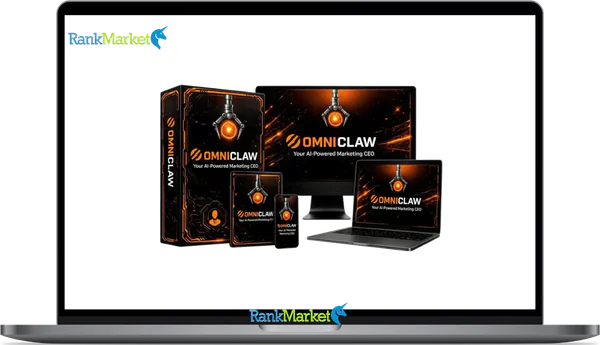
Buy OmniClaw + OTOs full account + Bonus
$15.00
OmniClaw is a cloud-based AI marketing platform where coordinated AI agents automatically create campaigns, emails, funnels, and content from a single plain-language instruction.
| Deliver | OmniClaw + OTOs |
|---|---|
| Access | Shared |
| Type | Autonomous AI marketing |
| Plan | FE + OTOs |
| Details | GB Details |
OmniClaw + OTOs - Overview
If you've been piecing together your marketing workflow across ChatGPT, Canva, Mailchimp, a funnel builder, and a social scheduler, you already know the problem. Each tool does one thing well, but you spend more time connecting the parts than actually running campaigns. OmniClaw is a cloud,based AI marketing platform that collapses that entire stack into a single instruction.
Type something like “Launch my online course to cold audiences on Instagram and email” , and OmniClaw's AI CEO coordinates a team of autonomous agents to produce the emails, captions, landing page copy, and video scripts in one coordinated output. The same applies to prompts like “Promote my ebook to my existing list over 7 days.” No switching between tabs. No assembling separate outputs by hand.
The platform is built on a multi,agent architecture, drawing from an open,source foundation called OpenClaw, which gives it a layer of credibility that single,purpose AI tools don't carry. It's also positioned around lifetime pricing, which makes it accessible to solopreneurs and small teams who don't want another monthly subscription piling up.
This guide covers everything that matters: how OmniClaw works, what its 12+ agents actually do, which use cases it fits well, how the pricing stacks up, how it compares to tools like Jasper, Canva, and Mailchimp, and when you're better off using something else. Let's get into it.
To really understand OmniClaw, you first need a clear, one,sentence definition and the core benefits it brings compared to your current tool stack.
OmniClaw in One Glance: Definition, Core Benefits, and Who It's For

OmniClaw is a cloud,based autonomous AI marketing platform where an “AI CEO” coordinates a swarm of 12+ specialized agents to produce full campaign assets from a single plain,English instruction. You don't write code. You don't configure integrations. You describe what you want in plain language, and the system distributes the work across agents built for specific tasks, writing, design direction, email sequences, video scripts, funnel copy, lead generation, and social content.
To make it concrete: a user types “Create a 5,day email sequence to sell my fitness coaching package to women aged 28–45 interested in weight loss” , and OmniClaw outputs the subject lines, body copy for each email, and a landing page outline. No prompt engineering required. No tool,switching between a copywriter, designer brief, and email platform.
OmniClaw runs entirely in the cloud, so there's no software to install, no server to manage, and no technical background required. The dashboard is the only interface between you and the agent team. Now that you know what OmniClaw is, let's look at why people find it worth switching to.
Key Benefits: What Problems OmniClaw Actually Solves
OmniClaw addresses one specific, recurring problem: the cost of assembling a marketing campaign from multiple disconnected tools. Before OmniClaw, a typical campaign for a solopreneur or small business owner might look like this:
Before OmniClaw: Jasper for copy → Canva for graphics → Mailchimp for emails → ClickFunnels for the funnel → Buffer for scheduling. Each tool carries its own monthly fee ($20–$80/month per tool), and each requires separate setup time. A full launch cycle might take 3–5 days of execution work.
After OmniClaw: One prompt triggers parallel agent outputs across all those functions. Assets are ready to review in minutes, not days. The combined SaaS cost drops from $100–$200/month to a single one,time fee.
The key benefits this produces are:
- Tool consolidation: OmniClaw replaces or reduces reliance on standalone AI writers, design brief tools, email copy tools, funnel builders, and schedulers, all in one workflow.
- End,to,end campaign speed: From idea to draft assets in minutes, not days.
- Cost efficiency: One,time lifetime pricing versus stacking monthly subscriptions that add up to $1,200–$2,400 per year.
- Parallel processing: Agents work at the same time, not in sequence. No waiting on one tool before starting the next.
- Beginner accessibility: No technical skills needed. Guided prompts, templates, and a no,code dashboard lower the barrier for first,time users.
- Campaign flexibility: Works for single product launches, evergreen funnels, weekly content calendars, and lead generation sequences.
- Asset consistency: Because all outputs come from the same coordinated instruction, the messaging, tone, and offer alignment stay consistent across channels.
Of course, not everyone will benefit equally, here's who OmniClaw is actually built for.
Who OmniClaw Is (and Is Not) Best For
OmniClaw fits a specific type of user well. If you're a solopreneur, online coach, course creator, affiliate marketer, or a small agency founder who handles your own marketing, OmniClaw is built around your workflow. Consider Linh, a Vietnamese business owner selling handmade skincare online, she needs Instagram captions, email sequences, and landing page copy, but has no team. OmniClaw gives her a coordinated output from one instruction, instead of three separate tools and three different days of work.
Similarly, a founder like Marcus who runs a consulting practice and creates weekly content would use OmniClaw to batch a month's worth of posts and a lead magnet sequence in a single session. Non,technical users who feel overwhelmed by prompt engineering or API integrations are exactly who this platform is designed for.
Where OmniClaw is less useful: enterprise marketing teams with strict brand governance workflows, organizations that need deep API integrations with proprietary systems, or teams that require legal review on every output before deployment. OmniClaw is built for fast creation and light assembly, it still requires a human review layer for quality, accuracy, and compliance. It accelerates first drafts; it doesn't eliminate editorial judgment.
Pricing Plans and OTOs detailed
Front-End – OmniClaw ($14.95 one-time)
- AI-powered marketing and automation platform with lifetime access
- Includes AI CEO Agent and multiple specialist AI agents
- Supports content creation, funnels, emails, lead generation, and automation
- Includes video tools, image tools, local marketing features, and cloud access
- Comes with Commercial Rights for client and agency use
- Designed for affiliates, freelancers, marketers, agencies, and small businesses
- Includes a 30-day money-back guarantee for risk-free testing
OTO 1 – OmniClaw Unlimited ($67 – $167 one-time)
- Removes restrictions and expands platform capabilities
- Supports larger campaigns, heavier workflows, and more client projects
- Provides a more scalable environment for long-term use
- Designed for marketers and agencies using OmniClaw regularly
- Helps users create and manage more campaigns without limitations
OTO 2 – DFY Money Campaigns ($67 one-time)
- Provides ready-made affiliate-style marketing campaigns
- Includes prebuilt promotional assets and campaign structures
- Helps users avoid starting campaigns from scratch
- Reduces research, planning, and setup time
- Best for beginners and users wanting faster campaign launches
OTO 3 – Chatbot Profit Automation ($37 one-time)
- Adds automated AI chatbot functionality for websites and Telegram
- Helps convert visitors into leads and buyers automatically
- Supports visitor engagement, follow-ups, and lead collection
- Acts as an AI sales and support assistant for offers and pages
- Useful for marketers generating traffic and leads
OTO 4 – Email Profit Automation ($47 one-time)
- Adds automated email-marketing and follow-up systems
- Helps users generate leads and nurture prospects through email
- Supports prospect discovery, campaigns, and automated sequences
- Designed for affiliates, agencies, coaches, eCom sellers, and marketers
- Focuses on long-term buyer relationships and repeat traffic
OTO 5 – Local Profit Automation ($47 one-time)
- Focused on local-business marketing and lead generation
- Helps users find local businesses and identify marketing opportunities
- Supports audits, outreach, proposals, and follow-up automation
- Useful for freelancers, consultants, and local-marketing agencies
- Helps position services around SEO, visibility, and lead generation
OTO 6 – OmniClaw Agency Reseller ($197 one-time)
- Allows users to sell OmniClaw-powered services to clients
- Includes client-account creation and agency-style management
- Lets users charge for AI marketing and automation services
- Supports branding services under your own business name
- Designed for agencies, freelancers, and service providers
OTO 7 – OmniClaw Whitelabel ($297 one-time)
- Lets users fully rebrand OmniClaw as their own software business
- Includes custom branding, logo, colors, and platform positioning
- Allows selling software access under your own brand
- Hosting, updates, and technical support are handled for you
- Designed for entrepreneurs wanting a SaaS-style AI business
- Provides full control over branding, pricing, and customer management
Is OmniClaw Worth It? Pros, Cons, and When It Pays for Itself
The value of any tool comes down to a straightforward question: does what it saves, time, money, cognitive load, exceed what it costs? For OmniClaw, that calculation depends on how actively you use it and what you're currently spending on your marketing stack.
|
Pros |
Cons |
|
All,in,one AI marketing environment, no separate tools |
Learning curve for advanced prompt customization |
|
Strong leverage for non,writers and non,designers |
Cloud,only, no self,hosted option or deep control |
|
Lifetime pricing eliminates ongoing SaaS costs |
Quality varies by prompt, human editing required |
|
Fast campaign iteration, test ideas in minutes |
Some functions may have caps vs. dedicated tools |
|
Beginner,friendly dashboard with templates |
Not suitable for enterprise workflow integrations |
The break,even point is straightforward to calculate. If you currently spend $50–$150/month on tools like Jasper ($49/mo), Canva Pro ($13/mo), and an email copywriting tool, you're at $600–$1,800 per year. If OmniClaw's lifetime deal falls within that range, or below it, the tool pays for itself before the first year is out, provided you use it at least weekly.
The pattern among users who report the most satisfaction, those who describe saving $400–$600+ per month in tool costs or freelancer fees, consistently comes back to regular use and clear prompts. The tool doesn't deliver value passively. It rewards active, structured use.
OmniClaw vs Other AI and Marketing Tools
OmniClaw vs Single,Tool Alternatives (Jasper, Canva, Mailchimp, etc.)
Each tool in the standard marketing stack does one job well. Jasper writes copy. Canva handles design. Mailchimp manages email sending infrastructure. None of them orchestrate across all three at once. OmniClaw's core position is that it operates at the campaign level, not the asset level, one instruction produces outputs across all those functions at the same time.
Here's how OmniClaw stacks up against each alternative on the dimensions that matter for a typical campaign:
|
Feature / Criterion |
OmniClaw |
Jasper |
Canva |
Mailchimp |
Self,Stack |
|
AI CEO,style orchestration |
✅ Yes |
❌ No |
❌ No |
❌ No |
❌ No |
|
Specialized agent modules |
12+ agents |
1 (copy only) |
1 (design only) |
1 (email only) |
Multiple apps |
|
Multi,channel campaign |
✅ Yes |
❌ No |
❌ No |
❌ No |
❌ Manual |
|
Email infrastructure |
❌ Copy only |
❌ Copy only |
❌ No |
✅ Yes |
Depends |
|
Visual design depth |
Brief only |
❌ No |
✅ Full |
❌ No |
✅ Full |
|
Pricing model (2025) |
Lifetime deal |
$49–$125/mo |
$13–$55/mo |
$13–$350/mo |
$100–$300+/mo |
The important nuance: OmniClaw doesn't replace Canva for visual production or Mailchimp for actual email delivery infrastructure. What it replaces is the planning, brief,writing, copy,drafting, and sequencing work that happens before those platforms get involved. Think of it as the campaign director, not the execution platform for every single output type.
Building a full campaign with OmniClaw versus stitching together Jasper + Canva + Mailchimp manually is the difference between one 20,minute session and three separate tools across two to three days.
Beyond popular single,purpose tools, you might also wonder how OmniClaw compares to open,source multi,agent systems, the kind developers build themselves.
OmniClaw Cloud vs Open,Source / Self,Hosted Multi,Agent Setups
The open,source multi,agent space has grown fast. Projects like OpenClaw, the foundation OmniClaw draws from, and various Termux,deployable agent frameworks are available on GitHub for developers who want to build their own setup. These options give you control over model selection, data handling, and custom integrations that a cloud product can't match.
The trade,off is real, though. Setting up a self,hosted multi,agent system for marketing workflows, configuring LLM connections, defining agent roles, building a usable interface, takes anywhere from 20 to 80 hours for a developer who knows what they're doing. OmniClaw's onboarding takes about 15 minutes.
The decision comes down to your profile:
- If you're non,technical or time,constrained, OmniClaw gives you the marketing,focused agent layer without setup, hosting costs, or maintenance overhead.
- If you're a developer who wants full data control, custom model routing, or specific compliance requirements, a self,hosted open,source setup gives you that, at the cost of significant configuration time.
Either way, review the official documentation for privacy and security specifics before committing. Regardless of which path you take, your results will depend heavily on how you actually use OmniClaw day,to,day, starting with setup and your first session.
Getting Started: How to Use OmniClaw Effectively (Without Getting Overwhelmed)
Setup and First 30 Minutes: Quick,Start Plan
The fastest way to get value from OmniClaw is to start small and specific. Don't plan a 90,day campaign on day one. A good first project is something like: “Generate 10 Instagram posts introducing my brand to first,time visitors.” That's scoped, clear, and produces something you can evaluate immediately.
Here's the step,by,step path for your first session:
- Sign up and log in to the OmniClaw dashboard.
- Fill in your brand profile, niche, tone of voice, target audience. This context shapes every agent output.
- Browse or load a template, try “basic launch” or “7,day promotional sequence” if you're unsure where to start.
- Write your first instruction using a specific prompt. Example: “Create 10 Instagram captions for a handmade jewelry brand targeting women aged 25–40 in Vietnam, tone: warm and personal.”
- Review the agent plan preview if OmniClaw shows one before running, confirm the task breakdown makes sense.
- Let agents run and review outputs inside the dashboard. Read through each piece with fresh eyes.
- Edit for specificity, adjust headlines, CTAs, and any details that don't match your actual offer or brand voice.
- Export or copy into your existing tools, paste into Mailchimp, schedule via Buffer, upload to Canva for visual treatment.
- Save the prompts and structures that worked. Build your own prompt library over time.
The key at this stage is avoiding scope creep. One focused output session gives you more usable material than a sprawling 10,agent launch brief you're not ready to review. Once you're familiar with the basics, the real output quality comes from stronger prompts.
Prompting Best Practices for the OmniClaw AI CEO
The quality of OmniClaw's output is directly proportional to the quality of your instruction. The AI CEO doesn't guess what you want, it works with what you give it. A vague prompt produces a generic output. A structured prompt produces a usable one.
Here's a concrete example:
Weak prompt: “Promote my product.”
Structured prompt: “Create a 3,email welcome sequence for new subscribers to my online business coaching program. Target audience: Vietnamese entrepreneurs aged 28–45 who are transitioning from employment to self,employment. Tone: direct, no jargon. Goal: book a free 30,minute discovery call. Include a subject line for each email and a clear CTA.”
The difference in output quality between those two is the difference between something you'd delete and something you'd send. Here are 10 practices that consistently produce better outputs:
- State your niche and audience at the start of every prompt.
- Specify output channels, email, Instagram, YouTube, landing page.
- Include brand voice descriptors, warm, direct, technical, conversational.
- Give examples of content you like, “tone similar to [reference].”
- Mention must,include elements, offer details, bonuses, deadlines.
- Define format constraints, word count, number of posts, email length.
- Ask for variations where needed, “give me 3 subject line options per email.”
- Indicate your audience's knowledge level, beginner, intermediate, advanced.
- State your primary goal, lead capture, direct sale, brand awareness.
- Reuse prompt structures that worked, save your best templates for next time.
Even with strong prompts, you still need a review process before any content goes live.
Reviewing, Editing, and Implementing OmniClaw Output
OmniClaw produces first drafts, not final copy. The agents accelerate the creation process, they don't replace editorial judgment. Every output needs a human pass before it reaches your audience.
Here's a practical review framework you can run through for each piece of content:
- Check factual accuracy, prices, dates, policy details, and product claims need to match your actual business.
- Confirm brand voice, does the tone match how you actually communicate?
- Adjust offers and guarantees, if the AI mentions a bonus or guarantee that doesn't exist, fix it before it goes out.
- Check platform compliance, ad copy, email subject lines, and landing pages all carry platform,specific rules. Review them against official guidelines.
- Remove overpromises, any claim that could attract a complaint or legal question should be toned down or removed.
- Test all links and CTAs, especially if OmniClaw generated placeholder URLs or calls,to,action.
- A/B test key elements, run two subject line variants or two headline versions before scaling.
A useful habit: when OmniClaw generates a phrase like “Guaranteed to double your income in 30 days,” treat that as a draft flag. Replace it with something measurable and accurate to your offer, for example, “Designed for business owners who want their first paying client within 30 days.”
Over time, as you refine your brand profile and prompt templates inside OmniClaw, the gap between first draft and publishable output gets smaller. The review process gets faster. If you're careful about what you publish, you're probably also thinking about whether OmniClaw itself is a safe and reliable platform to depend on.
OmniClaw FAQs
Is OmniClaw suitable for complete beginners?
Yes, provided they're willing to invest 30–60 minutes in the setup process. OmniClaw is built for non,technical users, with a no,code interface and guided prompt templates. The main learning curve is writing better instructions over time, which comes naturally with practice. See the prompting section above for a starting framework.
Can OmniClaw replace my email service provider?
No, not directly. OmniClaw generates email copy, subject lines, body text, and sequence structure, but it doesn't send emails or manage subscriber lists. You still need a sending platform like Mailchimp, ConvertKit, or ActiveCampaign to deploy that copy. OmniClaw handles the creative side; your ESP handles the infrastructure.
Can I use OmniClaw if I'm not a native English speaker?
Yes. OmniClaw works with plain,language instructions in English, and outputs can be prompted to match specific regional tones or translated into Vietnamese or other languages within your workflow. Prompts don't need to be grammatically perfect, clear intent matters more than polished phrasing.
Does OmniClaw work for non,marketing content?
It depends. OmniClaw's agent architecture is designed around marketing tasks, campaigns, funnels, social content, emails, video scripts. It's not optimized for legal documents, academic writing, or technical documentation. If your content need fits the marketing and campaign creation category, it's a strong fit.
Is there a refund policy?
OmniClaw's official refund terms are listed on their website. Review those directly before purchasing, especially if you're on a lifetime deal. This guide doesn't substitute for official policy documentation.
Can I use OmniClaw for client work as an agency?
It depends on your plan tier. Some OmniClaw plans are designed for individual use, while others may accommodate agency workflows. Check the current plan details on the official site to confirm usage rights for client deliverables.
Is OmniClaw safe for sensitive or confidential data?
Read OmniClaw's official privacy policy before entering client data, proprietary product details, or sensitive business information into the platform. As a cloud,based system, data handling policies vary. For high,sensitivity projects, review what is stored, processed, and retained by the platform before use.
Where a human expert is always worth the investment: brand positioning strategy, complex audience research, legal compliance review, and high,stakes long,form content where a factual error has real consequences. OmniClaw doesn't replace that layer, it frees up the time and budget to focus on it.
Ultimately, OmniClaw is about giving you an always,on AI marketing team in one place. The tool is only as useful as the clarity of your goals and the quality of your oversight. Used with a structured prompt habit and a consistent review process, it compresses weeks of production work into hours, without requiring a team, a large budget, or a technical background. That's the real case for it. Use it for what it does well, keep a human in the loop for what it doesn't, and you'll get consistent, usable output from day one.
Some Questions Before Join US
Group buying, also known as collective buying, offers products and services at significantly reduced prices on the condition that a minimum number of buyers would make the purchase.
- First, we will list product Here as people request & Collect Money From other peoples.
- Sec, Once enough moneys from customer, we will buy products From Developer.
- Then, we deliver to all Joiners.
- You can join directly by Purchase at our site and Reach Support about that to confirm.
- You can join via our Community : https://bit.ly/RMKDiscord
- How to Buy
We have 2 Product Status
- Instant-Deliver : Avaible and Deliver within 24-48hs (not on Sat-Sun, Holiday)
- Group Buy/Pre-Order : Not avaible, Still collect more people to join, need to wait.
OTO mean that One-Time-Offer/Upsell/Upgrade of Product For limited time only
Cancelled mean that order is not pay/process within 24hs. Please reach us with Order ID to check.
You will get Products by Download via Email .Once you finish payment to us and get confirm. You will get download Links inside your Account
- SAAS : You will get Individual account via Mail or On your Order List
- Shared Tool : via our chrome (WIN/MAC/Linux)
- WP : We will active key for your site.
- Course/Book/GraphicKit : Download link will send via mail or On your Order List.
- ETA Time : Fast maybe 3-4 days or 1 Week , Always be 3-4 Weeks or some times as Member Request it can be up to 3 Months to Group Buy WIN.
- GB Fail : You will get refund or exchange other.
– If Products problem, Capture screenshot/Video to us. We will forward to developer to fix it.
– If impossible sloved, we will exchange to other product. With Annual Product, we will refund or exchange by subtract times that you used.
– If used product for 1 or few years then not work. we will try to contact developer to fix it. But if some bad Vendors keep money and run, we just can give you some discount for future orders.
Warranty Time :
- Monthly Product : 30 days
- Annual/One Time Product : 1 year.
Our Store Credit mean credit can use to redeem on Your orders. 25 Credit = 1$.
Earn by some way :
- Place Orders. Each 1$ spend you will earn 1$
- Exchange some not work/not-fullfill orders by your agreed.
- By Reffer Your Friends to buy at our store.
How to redeem
- At Checkout page have redeem button to use it. Maxium is 250/orders.
- If you need redeem more. Reach our Support
We support only via 2 channel :
- Email : support@rankmarket.org
- Messenger : m.me/rankmarkenet (Live chat on Site)
TIme : From 9AM - 6PM Monday - Friday (GTM+8).
All Order/Ticket on Sat-Sun/Holiday will be supported on next Monday.
WE ARE TRY TO WORK HARD AND SUPPORT ALL PEOPLE BUT WE CAN NOT MAKE ALL HAPPY 100%
Thanks For You are here and belive US for longtime.
While working,we meet someone like & we will not support :
– People buy 1 but want to exchange to 10 Products.
– People who steal our products then ask refund.
– People fake payment to get our products.
– People always ask refund,can not wait for waiting product. Dont Pay. Wasted our Time.
Best Regards
David Green – RankMarket
Related products

SAAS Tools


SAAS Tools


SAAS Tools
