

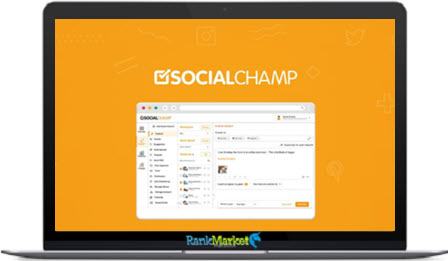
Buy Social Champ “Publish” Business Plan LTD V.2.0 full account + Bonus
Original price was: $400.00.$79.00Current price is: $79.00.
Social Champ is an all-in-one social media automation platform that helps businesses and creators schedule, manage, and analyze content across multiple networks from a single dashboard.
| Deliver | Social Champ |
|---|---|
| Access | Individual |
| Type | Social manage tool |
| Plan | Agency |
| Details | GB Details |
Social Champ “Publish” Business Plan LTD V.2.0 - Overview
Managing multiple social media accounts at once can be difficult, especially when you’re trying to plan content, respond to messages, maintain consistency, and track results all at the same time. Whether you’re looking to simplify things or keep things organized without having to invest hours in manual posting each day, you’ve come to the right place.
In this review, we’ll take a closer look at Social Champ, a social media automation platform designed to help you create better content in less time. We’ll break down the tool’s core features, show you how it works, find out who it’s best for, and why you should add Social Champ to your digital marketing toolkit.
What is Social Champ?

Social Champ is an intuitive social media automation tool that makes it much easier to schedule, post, and manage content across multiple social networks from one simple dashboard. It supports major platforms like Facebook, Twitter, LinkedIn, Instagram, Pinterest, and Google My Business, allowing you to organize all your social media posting activities in just a few clicks.
Social Champ makes managing multiple accounts incredibly efficient: you can schedule posts in advance, upload content in bulk, analyze performance, and collaborate with team members without having to switch between apps or browser tabs. Built-in analytics give you a clear view of what’s working and what needs improvement, including how your target audience is engaging over time.
Designed for small businesses, startups, marketers, influencers, and agencies, Social Champ takes the burden of daily manual posting away. It makes it easy to maintain a consistent online presence, increase productivity, and manage multi-channel marketing campaigns with just a few clicks, saving time and increasing content visibility.
Social Champ's outstanding features
- All-in-One Social Media Scheduling Dashboard: Control all your social media accounts from one interface: Social Champ supports Facebook Pages and Groups, Instagram Business accounts, LinkedIn profiles and company pages, Twitter/X, Pinterest, YouTube, TikTok, and Google My Business. No need to constantly log in and out, switch devices, or use different tools; everything is in one coordinated hub.
- Bulk Upload & Bulk Publish: Perfect for campaigns, agency workloads, and seasonal promotions. Upload hundreds of posts at once via CSV files, spreadsheets, or bulk import tools. Social Champ automatically allocates scheduling time and allows for editing, previewing, and customizing before publishing. This saves a lot of manual work.
- Evergreen Automation & Auto Reposting: Turn your best content into recurring traffic. Evergreen posts are automatically reposted at pre-set intervals to keep your feed active, especially during busy times. You can set rules like “repost monthly,” “repeat on weekends,” or “repost until engagement goal is met.”
- Smart Drag-and-Drop Content Calendar: An intuitive planning tool that lets you quickly move posts around, view your strategy by day, week, or month, and spot empty posting windows. Color coding, filtering by platform, scheduled time previews, and quick editing options make planning easy and intuitive.
- AI-Powered Analytics & Reporting: See which posts drive clicks, comments, reach, and engagement. Track audience behavior, peak posting times, top performing content types, and follower growth over time. Create downloadable PDF and Excel reports for clients, team presentations, or campaign audits.
- Client Team Access & Collaboration: Invite team members with custom roles like admin, editor, content writer, or viewer. Built-in approval workflows help prevent errors before publishing. Add comments, tag colleagues, and keep a clear, documented record of your content production process for everyone to follow.
- URL Shorteners & Integrated Tracking Parameters: Social Champ also includes link tracking tools so you can add UTM parameters, shorten URLs, and measure website conversions directly from campaigns. No need for any third-party tracking services, as everything is done right in the platform.
- Content Curation, RSS Feeds & Automation: Discover trending topics, news, blog posts, quotes, and niche content from multiple sources. RSS feed integration to pull posts directly from your favorite sites and schedule them instantly. Great for maintaining a feed without having to constantly create one.
- Branded Media Library & Asset Management: Store logos, brand kits, campaign graphics, templates, video clips, and other frequently used files in your own media library. Everything stays organized so you never have to waste time searching for content on multiple computers or shared drives.
- Browser Extensions & Quick Sharing Tools: Social Champ's Chrome extension lets you post directly from any website. See something interesting? Click once, choose a channel, schedule, and go. This is incredibly useful for curating industry news, category updates, and audience-relevant content in seconds.
- Customize posts by platform: Create once, customize many times. Add hashtags for Instagram, adjust character limits for Twitter/X, optimize image formats for Pinterest, and add CTAs for LinkedIn all in one workflow. Each platform has its own version, without having to do everything separately.
- Manage Saved Hashtags & Templates: Save your best performing hashtags, caption styles, and content formats. Reuse proven templates to maintain brand consistency and improve engagement over time.
Why you should use Social Champ

- Manage all your social media platforms in one place: Instead of constantly switching between different apps, dashboards, and mobile interfaces, Social Champ lets you manage everything in a single workspace. Now you can create, edit, schedule, monitor, and respond to comments across multiple platforms without wasting time or missing messages.
- Save time every week with automation: Schedule posts in advance, upload multiple posts in bulk, and reuse evergreen content to reduce the time spent manually posting daily. Social Champ works even while you sleep, so your accounts are always active and consistent 24/7.
- Smart analytics to boost performance: Insights into clicks, engagement rates, user behavior, best times to post, and sentiment help you understand what types of content work and what doesn’t. These insights allow you to make data-driven decisions to improve results, rather than guesswork.
- Collaboration without chaos: If you work in teams, with Social Champ you can avoid miscommunication due to multiple roles and approval processes. You can assign tasks, track who did what to avoid overlapping posts or mistakenly deleting them.
- Scale campaigns and handle multiple clients: Perfect for freelancers, agencies and business owners running multiple brands, you can manage dozens of accounts from one dashboard and generate PDF reports for each client without using additional software.
- Boost engagement with the help of AI: AI features help you optimize hashtags, identify negative or positive sentiment and choose the best time to publish for maximum visibility. This will lead to higher organic reach and increased viral performance.
- Never run out of content ideas: With built-in RSS feeds, content management, trending topic suggestions, and evergreen recycling, you always have something ready to post. This eliminates creative blocks and keeps your pages active.
- Affordable, professional-grade solution: You get high-level features typically only offered by expensive enterprise tools at a much lower price. No need to hire a full-time social media manager or subscribe to multiple apps because Social Champ does it all.
- Full mobile control anytime, anywhere: Mobile apps on Android and iOS let you schedule, edit, and monitor campaigns from anywhere, so your social media strategy stays consistent on the go, during meetings, and events.
- Ideal for beginners and experts alike: The balance of automation and analytics is powerful enough for professional companies to use, but simple enough for small businesses, local shops, and even content creators learning social media management for the first time.
Social Champ Plan Comparison
| Feature | Free | Starter | Growth | Enterprise |
|---|---|---|---|---|
| Scheduled posts per account | 15 | Unlimited | Unlimited | Unlimited |
| User accounts | 1 | 1 | Unlimited | Unlimited |
| Workspaces / clients | 1 | 1 | Unlimited | Unlimited |
| Bulk scheduling | 15 | 300 | 300 | Unlimited |
| Media storage | None | 10 GB | 50 GB | Unlimited |
| AI content & images | Limited | Moderate | Advanced | Unlimited |
| Analytics retention | 2 weeks | 6 months | 1 year | 2 years |
| Advanced analytics & reports | No | Yes | Yes | Yes |
| White-label reports | No | No | Yes | Yes |
| Competitor analysis | No | No | Yes | Custom |
| Social inbox & engagement | Basic | Full | Full | Full |
| Automation & RSS posting | Limited | Yes | Yes | Advanced |
| Team & approval workflows | No | No | Yes | Yes |
| Integrations & apps | Basic | Most | Most | All + API |
| Support level | Standard | Standard | Priority | Dedicated manager |
How to Use Social Champ
Step 1: Add Social Accounts
- Log into your Social Champ dashboard and connect all your social media accounts. You can link your Facebook Page, Instagram Business account, LinkedIn profile, Twitter/X account, Pinterest board, TikTok, YouTube, and Google My Business.
- Once connected, Social Champ will sync everything so you can start posting.
Step 2: Create Content
Create posts using text, images, videos, GIFs, or curated links. You can
- Upload Media directly from your computer
- Select images from the built-in library
- Insert saved hashtag groups
- Edit images to adjust filters, crop, and branding.
This makes your content more professional and engaging.
Step 3: Customize Posts by Platform
Before scheduling, tailor each post to the platform:
- Tag relevant Twitter/X accounts
- Add hashtags for Instagram.
- Insert Links for LinkedIn
- Edit Image Sizes for Pinterest
Social Champ automatically saves your platform preferences, so each network gets optimized content without having to rewrite everything.
Step 4: Schedule Posts
Choose a date, time, and frequency. You can:
- Schedule once
- Set a daily/weekly/monthly posting frequency
- Use an evergreen content loop
- RSS automation allows for automatic posting from your blog or news feed.
This ensures consistency in posting, even when you're offline or busy.
Step 5: Monitor & Test Results
- View, drag-and-drop, or edit scheduled posts using the Calendar.
- After publishing, see performance analytics with insights like clicks, reach, engagement, best times to post, and sentiment.
- You can export reports as PDF or Excel to share with clients or team members and continuously improve your strategy.
Advantages of Social Champ:
- Ease of Use: Social Champ has a clean, user-friendly interface that makes it easy to manage multiple social media accounts, even if you’ve never used a social media scheduling platform before.
- Multi-Platform Support: Social Champ supports all major platforms, including Facebook, Instagram, Twitter/XP, LinkedIn, Pinterest, and Google My Business, allowing you to run all your campaigns without having to switch tools.
- Rich Feature Set: Social Champ supports post scheduling, bulk uploads, analytics, engagement management, content recycling, RSS auto-posting, and finally, mobile app support to streamline daily social media tasks and maximize productivity.
- Detailed Analytics & Reporting: Social Champ provides easy-to-read metrics on engagement, reach, sentiment, posting frequency, and platform performance, and can export reports as PDFs for presentations or client updates.
- Team Collaboration Features: Assign different roles to team members: admin, editor, author. Collaborate on drafts. Approve content. Manage accounts without sharing login credentials. This is ideal for businesses.
- AI-powered automation: Built-in AI supports content suggestions, sentiment analysis, suggested posting times, and hashtag optimization for more discoverable and engaging posts.
- Lower Costs Than Competitors: Social Champ is more affordable than alternatives like Hootsuite and Buffer, but still offers premium scheduling, analytics, and team collaboration tools, making it a worthy option
Disadvantages of Social Champ:
- User learning curve when switching from other tools: If you’ve been using tools like Hootsuite or Buffer for a while, getting used to Social Champ’s layout and feature set can take some time.
- Limited creative templates: While Social Champ is great for scheduling and analytics, it lacks the extensive design template library of Canva. You may still need to rely on some third-party design tools if you want to create high-end graphics and visual content.
Who should use Social Champ?
- Small Business Owners & Startups: Real estate agents, retail store owners, F&B businesses, beauty salons and local service providers can all stay active on their social media pages without necessarily hiring a full-time social media manager. Consistent posting helps build brand awareness, attract potential customers and demonstrate online credibility.
- Social Marketing & Management Teams: With this feature, professionals handling multiple campaigns across multiple channels can schedule, manage approvals and track analytics in one place. This reduces manual effort, avoids missed posting times and improves campaign performance.
- Agencies & Freelancers: Content creators working with multiple clients can manage dozens of accounts on one dashboard, assign roles to team members, and generate brand performance reports, allowing them to update clients professionally and efficiently.
- Large Enterprises & Educational Institutions: Banks, real estate corporations, hospitals, restaurant chains, universities, and internal corporate communications teams all benefit from centralized content management. Social Champ also supports multi-level collaboration, making it easy to post updates, announcements, and campaigns across departments.
- Influencers & Content Creators: YouTubers, TikTokers, Instagram creators, and bloggers can plan content weekly or monthly, building consistency and engaging with their communities in less time. Regular posting ensures your best content continues to be seen without manual reposting.
- Nonprofits & Communities: Charities, youth groups, church organizations, volunteer projects, and event organizers can schedule outreach content, fundraisers, event announcements, and storytelling posts to drive engagement and visibility.
- Ecommerce Merchants & Online Service Providers: Shopify sellers, Etsy stores, dropshippers, coaches, and online course creators can automatically share promotions, testimonials, product updates, and seasonal campaigns, leading to more conversions.
What You Get (Compared to Buying at RankMarket)
- Exclusive Discounts & Best Prices: We offer the most competitive prices and special offers that cannot be found on the official website. If you are planning to save money on premium packages, buying through us will be a wise decision.
- Instant Access & Easy Setup: This means that when you place your order, you will receive detailed step-by-step instructions and quick activation. No delays, no waiting time, use Social Champ right away.
- Verified & Secure Purchases: Secure payments and verified access mean that every order is processed. We guarantee 100% active accounts with official access and no hidden fees.
- Dedicated Customer Support: If you need help with installation, user manuals or specific features, our support team is always ready to help you directly, which you will not get if you buy from random resellers.
- Free Bonuses for Marketing Success: When you make a purchase on our site, you can sometimes receive exclusive bonuses, including ready-to-use content templates, social media strategy guides, and posting schedules to help you grow faster.
- Lifetime Updates for Some Offers: Some offers offer lifetime updates, meaning your tool will continue to be useful and stable for long-term use without any additional monthly fees.
FAQs
- Is Social Champ suitable for beginners?
The simple, intuitive, and easy-to-learn interface allows beginners to schedule posts, track analytics, and automate social media tasks without having to go through a complicated training process. - Can I manage multiple social media accounts?
Sure, Social Champ supports multiple accounts on Facebook, Instagram, LinkedIn, Pinterest, Twitter/X, Google My Business, and YouTube, among others. - Do I need a separate analytics tool?
No, detailed analytics and reporting features are built into Social Champ. You can download reports in PDF format to review performance or present to clients or teams. - Does Social Champ support team collaboration?
Yes, you can assign roles such as admin, editor, or author, allowing different team members to create, edit, or approve posts without sharing passwords. - Does the system support batch scheduling?
Yes, bulk upload posts via CSV, and you can schedule weeks or even months in advance. - Does Social Champ have mobile apps?
Yes. There are mobile apps for iOS and Android, dedicated to managing content and tracking performance on the go.
Conclusion
Social Champ is a great solution for those who want to optimize their social media management work effectively and save time.
With features such as automatic posting, performance analysis, and multi-platform integration, Social Champ helps businesses and content creators easily manage their marketing campaigns.
To experience these outstanding features, try this tool at RankMarket. We are ready to support you in developing and optimizing your social media strategy. Thank you for your trust!
References:
Social Champ Reviews 2025: Verified Ratings, Pros & Cons | AppSumo
Some Questions Before Join US
Group buying, also known as collective buying, offers products and services at significantly reduced prices on the condition that a minimum number of buyers would make the purchase.
- First, we will list product Here as people request & Collect Money From other peoples.
- Sec, Once enough moneys from customer, we will buy products From Developer.
- Then, we deliver to all Joiners.
- You can join directly by Purchase at our site and Reach Support about that to confirm.
- You can join via our Community : https://bit.ly/RMKDiscord
- How to Buy
We have 2 Product Status
- Instant-Deliver : Avaible and Deliver within 24-48hs (not on Sat-Sun, Holiday)
- Group Buy/Pre-Order : Not avaible, Still collect more people to join, need to wait.
OTO mean that One-Time-Offer/Upsell/Upgrade of Product For limited time only
Cancelled mean that order is not pay/process within 24hs. Please reach us with Order ID to check.
You will get Products by Download via Email .Once you finish payment to us and get confirm. You will get download Links inside your Account
- SAAS : You will get Individual account via Mail or On your Order List
- Shared Tool : via our chrome (WIN/MAC/Linux)
- WP : We will active key for your site.
- Course/Book/GraphicKit : Download link will send via mail or On your Order List.
- ETA Time : Fast maybe 3-4 days or 1 Week , Always be 3-4 Weeks or some times as Member Request it can be up to 3 Months to Group Buy WIN.
- GB Fail : You will get refund or exchange other.
– If Products problem, Capture screenshot/Video to us. We will forward to developer to fix it.
– If impossible sloved, we will exchange to other product. With Annual Product, we will refund or exchange by subtract times that you used.
– If used product for 1 or few years then not work. we will try to contact developer to fix it. But if some bad Vendors keep money and run, we just can give you some discount for future orders.
Warranty Time :
- Monthly Product : 30 days
- Annual/One Time Product : 1 year.
Our Store Credit mean credit can use to redeem on Your orders. 25 Credit = 1$.
Earn by some way :
- Place Orders. Each 1$ spend you will earn 1$
- Exchange some not work/not-fullfill orders by your agreed.
- By Reffer Your Friends to buy at our store.
How to redeem
- At Checkout page have redeem button to use it. Maxium is 250/orders.
- If you need redeem more. Reach our Support
We support only via 2 channel :
- Email : [email protected]
- Messenger : m.me/rankmarkenet (Live chat on Site)
TIme : From 9AM - 6PM Monday - Friday (GTM+8).
All Order/Ticket on Sat-Sun/Holiday will be supported on next Monday.
WE ARE TRY TO WORK HARD AND SUPPORT ALL PEOPLE BUT WE CAN NOT MAKE ALL HAPPY 100%
Thanks For You are here and belive US for longtime.
While working,we meet someone like & we will not support :
– People buy 1 but want to exchange to 10 Products.
– People who steal our products then ask refund.
– People fake payment to get our products.
– People always ask refund,can not wait for waiting product. Dont Pay. Wasted our Time.
Best Regards
David Green – RankMarket
Related products
SAAS Tools

SAAS Tools
SAAS Tools
SAAS Tools

SAAS Tools