



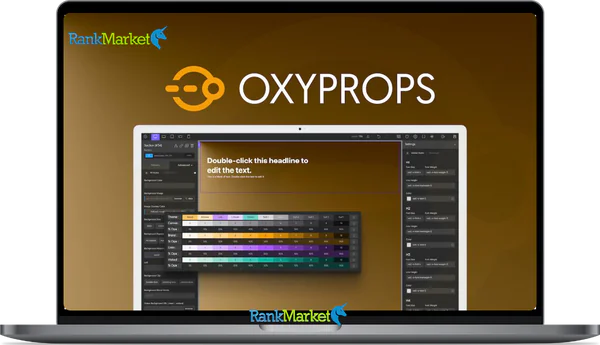
Cheap OxyProps Agency LTD – Brickprops license key activation service
Price range: $10.00 through $23.00
OxyProps – The Ultimate Tool for Oxygen & Bricks Builder
| Deliver | Product FE (5 Sites) |
|---|---|
| Access | Install Service |
| Type | Bricks Builder Addons, Oxygen Addons |
| License | No License |
| Details | GB Salespage |
OxyProps Agency LTD – Brickprops - Overview
If you have ever worked with Oxygen Builder or Bricks Builder, you must have experienced the feeling of being “overwhelmed” when having to control a series of classes, adjust every detail from color, font to layout, and then have to deal with dark mode and responsiveness.
These repetitive tasks not only take hours but also make you stressed when the deadline is always approaching. Fortunately, the WordPress community has brought a solution that is almost a “savior” – OxyProps. This is not simply a plugin, but a powerful, streamlined optimization toolkit, specifically designed to help Pro Builders speed up the process, save effort while still maintaining creativity and aesthetics in every detail.
In this article, RankMarket will learn what OxyProps is, who developed it, its outstanding features and why it can turn your website building process into a faster, more enjoyable and more effective experience than ever.
What is OxyProps?

OxyProps is an innovative WordPress plugin, considered the “ultimate companion” for the process of building websites with Oxygen Builder and Bricks Builder. What makes OxyProps special is that it integrates a powerful CSS framework, adds advanced custom elements and smart context menus.
Simply put, if you have ever spent hours manually adjusting colors, fonts, and layouts, it will help you shorten it to just a few clicks. You can manage light mode, dark mode, logical color systems, quickly assign classes, and even preview live before applying.
It is worth mentioning that OxyProps is not a pre-made design set. You will not find a library of hundreds of “boxed” headers or landing pages. Instead, it provides a flexible platform system, allowing you to build websites your own way – faster, more standard, and of course, more beautiful.
Who is behind OxyProps?
The creator of OxyProps is Cédric Bontems – a passionate programmer and developer who always puts the user experience first. He not only develops tools, but also directly supports the community, listening to every feedback to improve the product.
It is now trusted by hundreds of developers, agencies and freelancers around the world. They not only find convenience, but also feel the sophistication and professionalism in every detail that this tool brings.
Main features of OxyProps
Smart color system
One of the most powerful “weapons” of OxyProps is the color system. With it, you can define logical colors (brand, link, text, surface …) and the system will automatically respond to both light mode and dark mode. Instead of having to manually select each color, now you just need to set it up once and let OxyProps take care of the rest.
The great thing is that you can use three different ways to assign colors:
- Use global colors registered by the plugin.
- Assign CSS variables directly via the context menu.
- Or simply use a utility class like text-indigo-5.
Smart context menu
Instead of having to remember a bunch of class names or type each line of CSS, OxyProps provides a context menu right in the builder. Just right-click, you will see a list of props related to that field, making assigning values faster and more accurate.
Build Light & Dark mode simultaneously
You no longer have to make two separate versions of the website. With OxyProps, you can design light mode and dark mode at the same time, ensuring every detail is displayed beautifully with just a simple toggle.
Flexible typography
It offers a fluid typography solution, allowing fonts to automatically adapt to screen size. Combined with leading, tracking, and orientation, you can create a smooth and professional reading experience without worrying about breaking the layout.
Rich utility classes
From shadows, gradients, aspect ratios, z-index, animations to buttons and cards, it has prepared a warehouse of utility classes that will save you hours of work. In particular, everything is optimized to be naturally responsive.
No more “fighting” with frameworks
Many CSS frameworks often give users headaches because of their specificity or because the rules are labeled !important. But with OxyProps, everything is built according to the zero specificity philosophy, which means you have complete control over your style without having to “fight” with the default code.
Optimized workflow for developers and agencies
In addition to saving time, OxyProps also helps you increase productivity and profits. On the homepage, they have an ROI Calculator so you can see how many thousands of euros you can save each year by reducing manual operations and increasing billable hours.
How to use OxyProps
Step 1: Installation and Initial Setup
After purchasing the plugin from RankMarket , you just need to visit https://oxyprops.com/ and install it like a regular WordPress plugin. When activated, OxyProps will automatically change the global settings in Oxygen or Bricks using its own custom properties system.
For example, fonts, colors, spacing, typography will be synchronized immediately, giving you a complete responsive blueprint from the start.
Step 2: Get familiar with the color system
In the dashboard, you can choose a predefined color set or create a custom color. Each color has a full range of shades (0–10) and transparency levels, ensuring you can implement everything from backgrounds, text to gradients.
Three basic ways to assign colors:
- Choose from Global Colors (available in the builder).
- Use the context menu to select logical colors.
- Enter a utility class like o-bg-indigo-10.
Step 3: Use utility classes
Let's say you want to make a glassmorphism card: just combine the card class, gradient and shadow available to create a shimmering effect without manual CSS.
Step 4: Build Light & Dark mode
In the builder, it adds a Light/Dark Toggle button. Thanks to that, you can switch back and forth between the 2 modes and ensure all details are synchronized, instead of having to make 2 separate CSS files.
OxyProps Package and Pricing Comparison Table
| Features / Plan | OxyProps Personal | OxyProps Pro | OxyProps Agency |
| Price (Lifetime, one-time) | 79 € ( ~99 € ) | 119 € ( ~149 € ) | 199 € ( ~249 € ) |
| Number of Websites | 1 Website | 5 Websites | Unlimited Websites |
| For Oxygen Builder | ✔️ | ✔️ | ✔️ |
| For Bricks Builder | ✔️ | ✔️ | ✔️ |
| Lifetime Updates | ✔️ | ✔️ | ✔️ |
| Lifetime Support | ✔️ | ✔️ | ✔️ |
| Payment Type | One-time | One-time | One-time |
Where to buy cheap OxyProps accounts?
If you are looking for a reputable place to buy OxyProps at a good price,RankMarket is the address you cannot ignore. Currently, we are providing extremely “cheap” OxyProps account packages, suitable for both individuals and agencies:
- 10$/site – for those who only have a personal website or small project.
- 23$/10 sites (LTD) – very reasonable for freelancers, agencies or teams that need to implement many projects at the same time.
The biggest plus point when buying at RankMarket is that you not only receive a fully licensed OxyProps account with full features, but are also guaranteed regular updates, absolute safety and dedicated support. Both cost-saving and long-term peace of mind – that is the reason why more and more people choose RankMarket instead of buying directly at a much higher price.
Why should you choose to upgrade your OxyProps account at RankMarket?
First, it must be said that the price at RankMarket is much cheaper than buying directly. Instead of spending tens to hundreds of dollars, you only need to invest a very small fee to have this powerful tool in your hand.
Second, we commit to the owner's copyright account, fully updated. That means you will always have the latest features, timely bug fixes and good compatibility with Oxygen Builder updates.
Third, the RankMarket team is always there. Whenever you have difficulty in the installation or usage process, just send us a message, you will receive specific and quick instructions. This is really different from having to deal with it yourself when buying from an unknown source.
Finally, when upgrading at RankMarket, you also receive community support. Many brothers in the group have been using OxyProps, sharing optimization experiences, good tricks that sometimes cannot be found on Google.
Instructions for purchasing OxyProps accounts at RankMarket
The purchasing process is extremely simple, just a few steps to complete:
- Visit RankMarket: where we are providing licensed packages.
- Choose the right package: If you only make 1-2 websites, the $10/site (LTD) package is enough. But if you make a lot or want to save in the long run, then $23/10 sites (LTD) is definitely more profitable.
- Fast payment: RankMarket supports many methods such as bank transfer, e-wallet, extremely flexible.
- Receive an account and installation instructions: after just a few minutes, you can start using it.
- Start experiencing: try creating a few pages with OxyProps, you will immediately see the difference in speed and neatness in design.
Pros and cons
Advantages of OxyProps
- Save time: The utility classes system and the built-in design system help you not have to rewrite CSS from scratch.
- Easy management: Just adjust once in global settings, the entire website is synchronized.
- Powerful integration: Smooth support for both Oxygen Builder and Bricks Builder.
- Smart dark mode: Built-in, no need to install additional plugins.
- Fast and responsive: Classes are optimized for every breakpoint, helping the website display beautifully on every device.
- High performance: Clean, lightweight code, does not weigh down the website, SEO friendly.
- Regular updates: Always have new features, trusted by the international community.
Disadvantages of OxyProps
- Requires time to get used to: Newbies will need a little time to understand the class system and conventions.
- Depends on the builder: Only supports Oxygen and Bricks Builder, not yet available for Elementor or other builders.
- Not free: Although cheaper than buying directly, you still need to invest to use the copyright.
Who should use OxyProps?
- Freelance web designer: Want to save time, increase efficiency to receive more projects.
- Agency: Need to standardize workflow for the team, deploy multiple sites while still ensuring quality.
- Small business owner: Want to make your own website quickly, beautifully and easily managed.
- Newbie to web design: Use OxyProps to learn modern design standards, avoid messy CSS.
- Pro Builder: Those who like to optimize details, want comprehensive control while still maintaining deployment speed.
Some frequently asked questions about OxyProps accounts at RankMarket
- Will the purchase at RankMarket be fully updated?
Yes. RankMarketprovides licensed accounts so you will always receive the latest updates from the developer. - Can the account be used for multiple websites?
There are 2 packages: $10/site and $23/10 sites (LTD). You choose which package to use accordingly. - Are you worried about having your license locked?
Absolutely assured. RankMarket is committed to providing safe, genuine licenses. - What if you don't know how to install?
We will send detailed instructions with direct support when needed. - What are the benefits of buying at RankMarket compared to buying directly?
Much cheaper, super fast support, community sharing experiences and still ensuring copyright.
Conclusion
After experiencing, we can confirm that OxyProps is a tool worth investing in if you are serious about Oxygen Builder. It makes the website lighter, cleaner and much easier to manage. In particular, with a price of only $10/site or $23/10 sites (LTD) when buying at RankMarket , you can save a significant amount of money while still enjoying full copyright features.
If you want to upgrade your website, work faster and more professionally, don't hesitate.
Experience OxyProps today with RankMarket – a reliable companion in every web design project.
Reference:
Homepage: https://oxyprops.com/
| License | 1 Site, 5 Sites |
|---|
Some Questions Before Join US
Group buying, also known as collective buying, offers products and services at significantly reduced prices on the condition that a minimum number of buyers would make the purchase.
- First, we will list product Here as people request & Collect Money From other peoples.
- Sec, Once enough moneys from customer, we will buy products From Developer.
- Then, we deliver to all Joiners.
- You can join directly by Purchase at our site and Reach Support about that to confirm.
- You can join via our Community : https://bit.ly/RMKDiscord
- How to Buy
We have 2 Product Status
- Instant-Deliver : Avaible and Deliver within 24-48hs (not on Sat-Sun, Holiday)
- Group Buy/Pre-Order : Not avaible, Still collect more people to join, need to wait.
OTO mean that One-Time-Offer/Upsell/Upgrade of Product For limited time only
Cancelled mean that order is not pay/process within 24hs. Please reach us with Order ID to check.
You will get Products by Download via Email .Once you finish payment to us and get confirm. You will get download Links inside your Account
- SAAS : You will get Individual account via Mail or On your Order List
- Shared Tool : via our chrome (WIN/MAC/Linux)
- WP : We will active key for your site.
- Course/Book/GraphicKit : Download link will send via mail or On your Order List.
- ETA Time : Fast maybe 3-4 days or 1 Week , Always be 3-4 Weeks or some times as Member Request it can be up to 3 Months to Group Buy WIN.
- GB Fail : You will get refund or exchange other.
– If Products problem, Capture screenshot/Video to us. We will forward to developer to fix it.
– If impossible sloved, we will exchange to other product. With Annual Product, we will refund or exchange by subtract times that you used.
– If used product for 1 or few years then not work. we will try to contact developer to fix it. But if some bad Vendors keep money and run, we just can give you some discount for future orders.
Warranty Time :
- Monthly Product : 30 days
- Annual/One Time Product : 1 year.
Our Store Credit mean credit can use to redeem on Your orders. 25 Credit = 1$.
Earn by some way :
- Place Orders. Each 1$ spend you will earn 1$
- Exchange some not work/not-fullfill orders by your agreed.
- By Reffer Your Friends to buy at our store.
How to redeem
- At Checkout page have redeem button to use it. Maxium is 250/orders.
- If you need redeem more. Reach our Support
We support only via 2 channel :
- Email : [email protected]
- Messenger : m.me/rankmarkenet (Live chat on Site)
TIme : From 9AM - 6PM Monday - Friday (GTM+8).
All Order/Ticket on Sat-Sun/Holiday will be supported on next Monday.
WE ARE TRY TO WORK HARD AND SUPPORT ALL PEOPLE BUT WE CAN NOT MAKE ALL HAPPY 100%
Thanks For You are here and belive US for longtime.
While working,we meet someone like & we will not support :
– People buy 1 but want to exchange to 10 Products.
– People who steal our products then ask refund.
– People fake payment to get our products.
– People always ask refund,can not wait for waiting product. Dont Pay. Wasted our Time.
Best Regards
David Green – RankMarket
Related products

WordPress
WordPress
WordPress

WordPress

WordPress
WordPress