
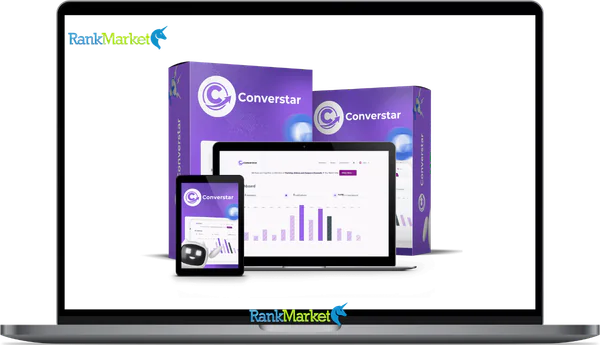
Buy Converstar AI + OTOs full account + Bonus
$17.00
Converstar AI is a tool that boosts website conversions by triggering targeted popups and messages based on visitor behavior.
| Deliver | Converstar AI + OTOs |
|---|---|
| Access | Shared |
| Type | Conversion optimization tool |
| Plan | FE + OTOs |
| Details | GB Details |
Converstar AI + OTOs - Overview
If you've been running a website, an online store, or a sales funnel for any length of time, you've probably felt the pain of paying for traffic that simply doesn't convert. Converstar AI is a cloud-based, AI-powered conversion optimization platform built to fix exactly that, turning your existing visitors into leads and customers without touching your site's design or writing a single line of code.
What sets it apart from generic popup plugins is the way it operates. It analyzes visitor behavior in real time and then deploys the right conversion element, a smart popup, a social proof notification, a countdown timer, or an abandoned cart prompt, at the moment when each visitor is most likely to respond. This isn't a tool that fires a random overlay at the 15-second mark. It reads intent.
Converstar AI works on WordPress, Shopify, WooCommerce, ClickFunnels, custom HTML sites, landing pages, and most content management systems. And it's built on over 10 years of hands-on experience in software, tools, and technology, so this isn't a hastily assembled SaaS product with shallow roots.
Here's what this review covers, from start to finish:
- What Converstar AI is and how it's defined in the CRO (conversion rate optimization) space
- How it installs and what happens after you go live
- The full feature set, including behavioral triggers, social proof, cart recovery, personalization, and A/B testing
- Real-world use cases and who gets the most measurable value from it
- An honest comparison against basic popup tools
- Pricing, pros, cons, and FAQs to help you decide
Users across different markets have reported outcomes ranging from 2x to 5x lead growth, with some case examples showing a 40% uplift within the first 10 days. These figures reflect specific campaign results, not guaranteed averages. The following section defines exactly what Converstar AI is and what it's designed to do.
What Is Converstar AI? (Clear Definition & Core Promise)

Converstar AI is a cloud-based AI conversion optimization platform that automatically increases website leads, sales, and engagement from existing traffic. It uses smart popups, behavioral triggers, and real-time personalization, and it requires no coding or site redesign to operate.
The platform installs via a single JavaScript snippet. Once that snippet is placed in the section of your site, it runs across all pages automatically. It's compatible with WordPress, Shopify, WooCommerce, ClickFunnels, custom HTML pages, blogs, and most other site types. The technical barrier to entry is low by design.
What Converstar AI actually does in the background is monitor visitor behavior continuously, 24 hours a day, 7 days a week. It tracks signals like scroll depth, exit intent (mouse movement toward the browser bar), time spent on a page, device type, geographic location, referral source, and cart activity. When a specific behavioral pattern matches a trigger condition, the platform fires the right conversion element at the right moment.
Think about the difference in context here. A basic popup plugin shows an overlay because you set it to appear after 30 seconds. Converstar AI shows an overlay because the user has scrolled 80% of a product page, spent 2 minutes on it, and is showing exit intent. The targeting logic is grounded in session data, not arbitrary timers.
Two common examples: if a visitor moves their cursor toward the browser's close button on a product page, Converstar AI can display a discount popup before they leave. If someone adds items to their cart but doesn't complete checkout, the platform can trigger a cart recovery sequence, on-site or via email, timed to their behavior.
The core premise is straightforward: more revenue from the traffic you already have, without buying more ads. The next section walks through how the platform actually delivers on that premise, step by step.
How Converstar AI Works (Step-by-Step From Install to Optimization)
Step 1: One-Line Installation on Any Site
Getting Converstar AI onto your site takes under 10 minutes for most users. There's no plugin required for the installation to work, though optional helper modules exist for platforms like WordPress.
The process follows four steps:
- Sign up and log into the Converstar AI dashboard. Your account is created immediately, and the dashboard is accessible from any browser.
- Copy the auto-generated JavaScript snippet. The code is unique to your account and pre-configured, nothing needs to be edited manually.
- Paste the snippet into your site's global section. This can be done through your theme editor, Google Tag Manager, or your platform's custom code settings (Shopify, ClickFunnels, etc.).
- Save and publish. The snippet propagates across all pages immediately.
Here's what the snippet looks like structurally (not a live production key):
HTML
The platform is compatible with WordPress (no plugin strictly required), Shopify, WooCommerce, ClickFunnels, static HTML sites, and most CMSs. Once installed, the AI starts watching real-time visitor behavior and building the data it needs to make conversion decisions.
Step 2: Real-Time Visitor Behavior Analysis
Converstar AI doesn't just show popups on a timer. It reacts to behavioral signals that indicate where a visitor is in their decision-making process.
The platform tracks the following data points within each session:
- Scroll depth — how far down the page a visitor has read
- Time on page — how long they've stayed on a given URL
- Pages viewed per session — the depth of their browsing pattern
- Referrer source — whether they came from Google, a social ad, an email, or direct traffic
- Device type — mobile, tablet, or desktop
- Geographic location — country and region-level data
- Entry and exit pages — where they started and where they're heading
- Cart contents — what's in the cart, and at what value
- Exit intent — mouse movement toward the browser bar or back button
- Inactivity — periods of no scrolling or clicking
AI models use these signals to predict two things: the risk that a visitor will leave without converting, and the best moment to show a conversion element. A visitor who has scrolled 75% of a blog post but hasn't clicked any CTA might receive a content upgrade offer. A cart abandoner on their second visit might see a targeted discount based on cart value.
One caveat worth stating directly: the accuracy of these predictions improves with traffic volume. Sites with fewer than a few hundred monthly visitors will see less precise AI optimization compared to higher-traffic properties. The performance depends on the quality and quantity of session data available. That behavioral intelligence then feeds into Converstar AI's suite of over 20 on-site conversion tools.
Step 3: Automatic Deployment of 20+ AI-Powered Conversion Tools
Once the behavioral analysis identifies the right moment, Converstar AI selects and deploys the conversion element most likely to perform in that context. The platform manages more than 20 tools across two primary categories:
Lead generation and engagement tools include: smart popups triggered by exit intent, scroll percentage, or time on page; slide-ins and ribbon bars; content upgrades and lead magnets; surveys and poll-style prompts; and animated CTAs with floating buttons.
Revenue recovery and monetization tools include: countdown timers and urgency banners; social proof notifications (“18 people viewed this page today,” “Minh from Hà Nội just purchased this item”); abandoned cart recovery flows via email or SMS; personalized discount and coupon delivery; and cross-sell or upsell offers triggered after an add-to-cart event or a completed purchase.
Here's how multiple tools fire across a single user journey: a new visitor arrives from a Facebook ad, reads a product page for 90 seconds (scroll 70%), and triggers a lead magnet popup. They return the next day, add to cart, and abandon. They receive a cart recovery email 2 hours later with a 10% discount. On their third visit, they see a social proof banner showing recent purchases. Each step is triggered by behavioral data, not a manual rule built for that specific user. The analytics dashboard is where all of this activity is measured and refined over time.
Step 4: Continuous Optimization — A/B Testing, Analytics & Reporting
The Converstar AI dashboard serves as the central measurement hub for everything the platform is doing on your site. The primary views include: total conversions by campaign, opt-in rates, revenue attributed to Converstar AI activity, device and traffic source breakdowns, and trend charts over rolling time windows.
At the campaign level, you can see impressions, clicks, conversion rates, and performance by trigger type. Heatmap-style insights show which pages and which trigger conditions generate the most interactions. If exit-intent popups on your product pages are outperforming scroll-based triggers on your blog, the data surfaces that clearly.
A/B testing in Converstar AI runs without manual coding. You create multiple variants of a headline, offer, or design, and the platform tracks performance against each variant. When one variant reaches statistical significance, the system identifies the better-performing option. Moving from a 3% opt-in rate to 7% after a round of AI-guided variant testing is the kind of outcome the tool is built to produce, not a one-time event, but a repeatable cycle of test, learn, and adjust.
Typically, you'll see a meaningful trend emerge within 7 to 14 days of running a campaign. Shorter windows can produce data, but the statistical confidence is lower. Now that you understand the full mechanism, the practical question becomes: who actually benefits most from using Converstar AI?
Who Is Converstar AI Best For? (Use Cases by Business Type)
Converstar AI fits a range of business models, but the value isn't uniform across all of them. Here is a breakdown of how the platform helps different users:
|
User Type |
Core Pain Point |
How Converstar AI Addresses It |
Example Outcome |
|
Bloggers & Affiliates |
Low email list growth, high bounce rates |
Exit-intent popups, scroll-triggered lead magnets |
Build an email list 2–3x faster |
|
E-commerce Owners |
Cart abandonment, low order value |
Abandoned cart recovery, social proof, upsells |
Recover 20–30% of abandoned carts |
|
Freelancers & SMBs |
Visitors browse but don't book |
Lead capture forms, follow-up flows |
Capture qualified leads from service pages |
|
Course Creators |
Low webinar registration |
Gated content, webinar popups |
Drive higher registration rates |
One pattern that shows up across user types is this: the platform works best when there's already a consistent flow of visitors. One user feedback case study put it clearly, “Doubled leads in 7 days, no devs needed.” That kind of result reflects a site with regular traffic, a clear offer, and Converstar AI placed at the right conversion point.
The deeper question is about features, what specifically makes Converstar AI different from the popup tools most site owners have already tried? That's the next area to examine.
Key Features of Converstar AI (And How They Compare to Basic Popup Tools)
Smart Popups & Behavioral Triggers
A smart popup is not the same as a timed overlay. The distinction matters because timing is where most popup tools lose the user.
A standard popup plugin fires when a fixed condition is met, page load, 30-second timer, or exit. It has no awareness of whether the visitor has read anything, what device they're on, where they came from, or what they've viewed before. Converstar AI's popups fire based on a combination of behavioral signals: scroll percentage, time on page, exit intent, inactivity detection, device type, cart events, and referral source. The result is a popup that appears when the visitor is actually primed to respond, not just when a clock runs out.
The practical difference: a static 15-second popup interrupts someone who may still be scanning the headline. A Converstar AI popup that fires when the same visitor has scrolled 80% and is showing exit intent targets someone who has already demonstrated intent to engage. Case-based data suggests AI-timed popups drive up to ~47% higher opt-ins compared to static timing, a figure from typical observed campaign ranges, not a guaranteed benchmark. The reduced interruption rate also means less popup fatigue and fewer site exits caused by the tool itself. From there, social proof adds a second, distinct conversion layer.
Social Proof & Live Notifications
Social proof notifications are small overlays that display real-time or recent activity on your site, things like “3 people are viewing this product right now”
The mechanism behind them matters. Converstar AI is designed to pull data from real sources where possible, actual orders from your e-commerce platform, live visitor counts, recent signups or downloads. This is a meaningful difference from tools that generate random or fabricated notification data. Fake purchase feeds erode trust the moment a visitor notices something doesn't add up.
The conversion effect works through two channels. First, it signals popularity, if others are buying, the product has social validation. Second, it creates a mild urgency (often called FOMO, or fear of missing out) without hard-sell tactics. The overlay appears and disappears passively, leaving the visitor's primary reading experience intact. An example notification: “Sarah from Hà Nội just purchased [Product X] 3 minutes ago”, specific, timestamped, location-aware. When cart abandonment is the specific problem to address, a different set of tools becomes the primary driver.
Abandoned Cart Recovery & Follow-Up Flows
When a visitor adds items to a cart and leaves before completing checkout, Converstar AI can trigger a structured recovery sequence. The platform identifies the abandonment event and initiates follow-up through on-site reminders (shown on return visits), email sequences, or SMS (where integrated and permitted).
A typical 3-step email recovery sequence looks like this:
- Email 1 (sent 1, 2 hours after abandonment): A plain reminder. No discount. Just a direct note that the cart is waiting. Subject line focus: the specific product left behind.
- Email 2 (sent 24 hours later): Introduce a light incentive, 5% to 10% off, or free shipping, based on cart value or customer type (first-time vs. returning).
- Email 3 (sent 48, 72 hours later): Urgency-based. Stock availability, offer expiry, or a final discount prompt.
The segmentation behind this matters. Converstar AI's cart recovery logic can distinguish between a first-time visitor and a returning customer, and between a high-value cart (say, ~$40 USD) and a low-value one. Different recovery messages fire for different segments. A typical benchmark for structured cart recovery is recovering 20, 30% of abandoned carts, a range based on observed case data, not a guaranteed return. Personalization is what ties all of these recovery touchpoints together into a coherent experience.
Personalization & Targeted Offers
Personalization in Converstar AI means showing different messages, offers, or conversion elements based on who the visitor is and what they've done on your site. The platform uses a range of variables to determine which version of a campaign a specific visitor sees.
Those variables include: geographic location or country, device type (mobile vs. desktop), new versus returning visitor status, past pages or product categories viewed, and UTM or campaign source parameters. The AI layer analyzes which combinations of these variables produce the highest conversion rates and surfaces those segments for targeting.
Two scenarios show how this works in practice. A mobile visitor from Đà Nẵng landing on a product page for the first time sees a welcome popup with local shipping details. A returning desktop visitor who previously browsed but didn't buy sees a “back in stock” or “here's what you left” reminder instead. On a blog, a reader finishing an article about email marketing sees a content upgrade offer tied specifically to that topic, not a generic newsletter form. This kind of context-aware targeting is what separates behavioral personalization from the basic “show this popup to everyone” logic that most standard tools rely on. The analytics layer is what makes these personalization decisions measurable and improvable over time.
Analytics Dashboard, Heatmaps & ROI Tracking
The Converstar AI analytics dashboard gives you a centralized view of what every campaign is doing, broken down to the level where you can make decisions.
The overview panel shows total conversions, revenue influenced by Converstar AI campaigns, and the top-performing campaigns by click and conversion rate. Drill into any campaign and you see impressions, clicks, conversion rate, device breakdown, and traffic source breakdown. Trend charts display performance over time, so you can see whether opt-in rates are climbing, holding, or falling after a change.
The heatmap-style insight layer shows which pages and trigger conditions generate the most interactions. This matters for optimization because the same popup that converts at 8% on a product page might convert at 2% on a blog post, and the data makes that visible. ROI tracking ties campaign revenue back to subscription cost, so you can run a straightforward calculation: additional monthly revenue generated versus the platform's monthly fee.
A real-use example: one site found that exit-intent popups on product pages contributed to 18% of monthly revenue, a figure surfaced directly from the dashboard. Filtering by device type or traffic source is done without code, through the dashboard's no-code filter interface. With the feature picture now complete, the natural next step is to compare Converstar AI against the tools that most site owners are currently using.
Pricing Plans and OTOs detailed
Pricing Plans and OTOs detailed
Front-End – Converstar AI ($17 one-time)
- All-in-one AI conversion optimization platform for websites
- Capture leads, boost engagement, and increase conversions automatically
- Includes tools for popups, notifications, social proof, and user interaction
- Designed to turn visitors into subscribers and buyers in real time
- No monthly fees, pay once for lifetime access to core features
- Beginner-friendly system suitable for marketers, businesses, and affiliates
- Includes a 30-day money-back guarantee for risk-free testing
OTO 1 – Converstar Unlimited ($47 one-time)
- Removes all usage limits and unlocks full platform capabilities
- Unlimited campaigns, lead collection, and automation features
- Run campaigns across unlimited websites
- Access to advanced campaign types like video and countdown collectors
- Ideal for scaling conversions and offering services to clients
OTO 2 – WhatsApp Chat Automation ($67 one-time)
- Adds AI-powered WhatsApp automation for real-time customer engagement
- Capture leads, send messages, and follow up automatically
- Recover abandoned carts and send personalized offers
- High open-rate communication compared to email marketing
- Ideal for boosting engagement and closing more sales on autopilot
OTO 3 – Done-For-You Express ($197 one-time)
- Complete done-for-you setup handled by experts
- Includes campaign creation, optimization, and launch within 24 hours
- Pre-built high-converting funnels and sales copy
- Priority support and hands-free implementation
- Ideal for beginners or users who want fast results without setup
OTO 4 – Traffic Masterclass ($67 one-time)
- Step-by-step training on driving targeted traffic
- Covers multiple traffic sources and proven strategies
- Helps increase clicks, engagement, and conversions
- Focuses on turning traffic into real sales
- Ideal for users who need consistent visitors to scale results
OTO 5 – Agency License ($147 one-time)
- Unlocks full agency dashboard and client management system
- Create and manage unlimited client accounts
- Offer conversion services and charge recurring fees
- Keep 100% of profits from client work
- Ideal for building a scalable digital marketing agency
OTO 6 – Reseller License ($97 one-time)
- Resell Converstar AI and keep 100% of profits
- Includes done-for-you sales materials and marketing assets
- Ready-made funnels, email swipes, and promo tools
- No need to handle product delivery or support
- Ideal for affiliates and marketers building an online income stream
Converstar AI vs Basic Popup & CRO Tools (Comparative Review)
Side-by-Side Feature Comparison
The core distinction between Converstar AI and basic popup tools isn't the number of templates, it's the logic layer underneath. Standard popup tools (including some well-known platforms like OptinMonster at their basic tier) rely on manual rule-building. You set a condition, choose a widget, and publish. If traffic behavior changes, you rebuild the rule. Converstar AI's automation layer adjusts based on what the data shows, rather than waiting for you to notice a drop and intervene.
Here is how the two approaches compare across key capability areas:
|
Feature |
Converstar AI |
Typical Basic Popup Tool |
|
Trigger Logic |
AI-timed, behavior-based |
Fixed timer, page load, or simple rule-based |
|
Personalization |
Dynamic, multi-criteria |
Limited or manual rule-based segmentation |
|
Automation |
Auto-optimizing campaigns |
Manual campaigns |
|
Analytics Depth |
ROI tracking, heatmap insights |
Basic impression and click counts |
|
Cart Recovery |
On-site, email, and SMS flows |
Not included or basic email only |
|
Social Proof |
Real data-sourced notifications |
Often absent or static |
|
A/B Testing |
Automated variant testing |
Manual split test setup |
|
Setup |
Single code snippet |
Often requires plugin install |
|
Mobile Opt. |
Cross-device behavior detection |
Responsive display only |
The honest nuance here: if your site needs only one or two basic popups and you have no interest in cart recovery, behavioral segmentation, or ROI tracking, a lighter tool at a lower price point might be the more practical choice. Converstar AI's value is concentrated in the behavioral intelligence and automation layers, and those layers matter most when traffic volume is sufficient for the AI to learn from.
Honest Pros & Cons of Converstar AI
No tool fits every situation. Here's what the platform does well and where it has real limitations:
Pros:
- No coding or redesign required. Installation is a single snippet. Campaign creation uses a visual builder. Non-technical users can operate the full platform.
- 20+ tools in one platform. Smart popups, countdown timers, cart recovery flows, social proof notifications, personalization rules, and A/B testing, all under one dashboard instead of multiple subscriptions.
- Revenue from existing traffic. Converstar AI is built on the premise that traffic you already paid for can convert better. Users who get the most from it are those treating CRO as part of their ongoing growth strategy, not an afterthought.
- GDPR-compliant, mobile-optimized. The platform operates within anonymized data handling constraints and targets mobile users with device-specific trigger logic.
- Scales across traffic levels. Suitable for a growing blog with a few thousand monthly visitors and for a high-traffic e-commerce store with hundreds of thousands of sessions.
- Central dashboard with A/B testing. All campaign data lives in one place, and testing variants requires no developer involvement.
Cons:
- AI performance depends on traffic volume. The behavioral models need data to learn. A site with under 1,000 monthly sessions will see less precise optimization than one with 10,000+. This isn't unique to Converstar AI, it's a fundamental constraint of behavior-based AI systems.
- Advanced features are tier-gated. Deeper integrations, more granular automation rules, and certain off-site follow-up capabilities are available at higher plan levels. Users on the starter plan may find some features unavailable without upgrading.
- Analytics learning curve. The dashboard is accessible, but getting value from experiment tracking, ROI attribution, and segment analysis requires some familiarity with CRO concepts. First-time users may need a few weeks to build that fluency.
- Not the right fit for very low-traffic or one-page sites. If your site is a single-page landing page with under 500 monthly visitors and no email strategy, a simpler, cheaper tool is a more practical starting point. Converstar AI's full capability set doesn't have enough data to operate on sites that thin.
The clearest decision rule: if you have consistent traffic (ideally 2,000+ monthly sessions), an offer worth capturing, and you're currently leaving leads or sales on the table, Converstar AI is worth testing. If your traffic is just getting started, build volume first, then bring in the behavioral layer.
FAQs & Decision Support
Does Converstar AI work on WordPress without a plugin?
Yes, Converstar AI can run on WordPress through a JavaScript snippet alone. You paste the code into your theme's section (via Appearance > Theme Editor or a header/footer plugin) and it operates site-wide. An optional WordPress helper plugin may exist to simplify the integration, but it's not a requirement. The code-only approach works cleanly on most WordPress setups.
Is Converstar AI better than OptinMonster or other popup tools?
For sites that need AI-driven behavioral targeting, cart recovery, social proof, and automated A/B testing in one platform, Converstar AI covers ground that OptinMonster's standard tiers don't reach natively. OptinMonster is a capable tool for manual list-building campaigns with a wide template library. Converstar AI's edge is in automation depth, the AI selects timing, segments visitors, and optimizes variants without requiring you to rebuild campaigns manually. The better choice depends on whether behavioral automation or manual rule precision matters more for your setup.
Is Converstar AI suitable for small websites with low traffic?
For basic popup and lead capture functions, yes. For the full behavioral AI layer to produce accurate results, you need consistent session volume. In many observed cases, sites with fewer than 1,000 monthly sessions see slower optimization cycles because the AI has less data to work with. If you're below that threshold, the platform will still function, just don't expect rapid AI-led variant testing. Build traffic first, then lean into optimization.
How long does it take to see results with Converstar AI?
Typically, users see initial engagement changes within the first few days of launching a campaign. Meaningful conversion trend data appears within 7 to 14 days. For A/B test results to reach statistical confidence, the window depends on traffic volume, higher-traffic sites produce reliable data faster. A reasonable expectation is to run a test for at least two weeks before drawing conclusions.
Can I use Converstar AI for multiple websites or clients?
The Starter plan advertises unlimited site coverage, which would make it viable for agencies managing client accounts or businesses running multiple domains. Plan specifics and any site limits are subject to change, check the official Converstar AI pricing page for current terms before committing to multi-site use.
Is there a free trial or money-back guarantee?
Based on available information, Converstar AI offers a 14-day free trial and a 30-day money-back policy. Verify both on the official site before purchasing, as trial terms can change between plan updates.
Will Converstar AI slow down my website?
The tracking script uses asynchronous loading, meaning it loads in the background after your main content renders. This limits impact on page load time. For best results, place the snippet near the bottom of the section or use a tag manager that supports async deployment. Extremely heavy conversion stacks (many simultaneous campaigns with large assets) can add some weight, but standard configurations have minimal page speed impact.
Can I use Converstar AI without technical skills or a developer?
Yes. The visual campaign builder handles popup creation, trigger configuration, and variant setup without code. Template libraries cover most use cases, lead capture, cart recovery, content upgrades, and social proof, so most users can go from install to first live campaign in under an hour. No developer is required for standard operations.
Does Converstar AI comply with GDPR and privacy regulations?
The platform is designed to operate within GDPR and CCPA constraints, using anonymized behavioral data and cookie-consent-aligned tracking. That said, your specific implementation, what data you collect, how it's stored, and whether consent flows are properly configured, falls within your legal responsibility. Align your Converstar AI setup with your privacy policy and consult legal counsel if your audience spans regulated regions.
Is Converstar AI only for e-commerce, or can blogs and service sites benefit too?
The platform covers both. E-commerce stores get the most direct revenue attribution through cart recovery and social proof. Blogs and affiliate sites benefit from list-building tools, email capture, content upgrades, and exit-intent lead magnets. Service businesses and freelancers use it to capture leads from service pages and reduce form abandonment. The core mechanism, showing the right offer to the right visitor at the right moment, applies across site types.
Advanced Tips: Getting the Most From Converstar AI
Most sites that underperform with conversion tools make the same mistake: they activate everything at once, don't test systematically, and don't revisit what's working. Here's a more productive approach, based on patterns that tend to produce measurable gains:
1. Start with one high-impact campaign per funnel stage.
Don't launch eight popups on day one. Pick the most valuable moment in your funnel, exit intent on your product pages, or a lead magnet on your highest-traffic blog post, and get that right before expanding.
2. Test your copy and offer, not just your design.
A headline that leads with a benefit (“Get 20% off your first order”) consistently outperforms one that leads with a generic call to action (“Subscribe”). Variant testing on value propositions tends to produce larger conversion lifts than changing button colors.
3. Segment new visitors separately from returning ones.
A first-time visitor needs a different message than someone who has already browsed your site twice. Returning visitors are closer to a decision, they respond better to reminders, specific product callouts, and incentives tied to what they previously viewed.
4. Stack social proof with urgency when appropriate.
A notification showing that 5 other people are viewing a product right now, combined with a “Only 3 left in stock” banner, creates a layered persuasion effect, one that doesn't feel manufactured if it's backed by real data.
5. Align Converstar AI campaigns with your email sequences and retargeting ads.
If someone sees a 10% discount in a cart recovery popup and later receives a retargeting ad with a different offer, the mixed signals reduce trust. Keep the messaging consistent across channels.
6. Audit your active campaigns every 30 days.
Popup fatigue is real. Campaigns that worked three months ago may now be generating exits rather than conversions. Review performance data regularly and retire what's no longer contributing.
7. Use Converstar AI data to improve your core site copy.
When a specific headline variant consistently outperforms others in split tests, that's signal about what your audience actually responds to. Feed those learnings back into your product pages and main CTAs, not just the popup layer.
A store that applied tips 1, 3, and 5 over a 30-day period, launching a single exit-intent popup for new visitors on product pages, a tailored recovery flow for returning visitors with high-value carts, and consistent discount messaging across email and retargeting, saw a 34% increase in conversion rate from existing traffic. That outcome ties directly back to Converstar AI's core function: making the traffic you already have work harder, more precisely, and more consistently across every touchpoint.
Some Questions Before Join US
Group buying, also known as collective buying, offers products and services at significantly reduced prices on the condition that a minimum number of buyers would make the purchase.
- First, we will list product Here as people request & Collect Money From other peoples.
- Sec, Once enough moneys from customer, we will buy products From Developer.
- Then, we deliver to all Joiners.
- You can join directly by Purchase at our site and Reach Support about that to confirm.
- You can join via our Community : https://bit.ly/RMKDiscord
- How to Buy
We have 2 Product Status
- Instant-Deliver : Avaible and Deliver within 24-48hs (not on Sat-Sun, Holiday)
- Group Buy/Pre-Order : Not avaible, Still collect more people to join, need to wait.
OTO mean that One-Time-Offer/Upsell/Upgrade of Product For limited time only
Cancelled mean that order is not pay/process within 24hs. Please reach us with Order ID to check.
You will get Products by Download via Email .Once you finish payment to us and get confirm. You will get download Links inside your Account
- SAAS : You will get Individual account via Mail or On your Order List
- Shared Tool : via our chrome (WIN/MAC/Linux)
- WP : We will active key for your site.
- Course/Book/GraphicKit : Download link will send via mail or On your Order List.
- ETA Time : Fast maybe 3-4 days or 1 Week , Always be 3-4 Weeks or some times as Member Request it can be up to 3 Months to Group Buy WIN.
- GB Fail : You will get refund or exchange other.
– If Products problem, Capture screenshot/Video to us. We will forward to developer to fix it.
– If impossible sloved, we will exchange to other product. With Annual Product, we will refund or exchange by subtract times that you used.
– If used product for 1 or few years then not work. we will try to contact developer to fix it. But if some bad Vendors keep money and run, we just can give you some discount for future orders.
Warranty Time :
- Monthly Product : 30 days
- Annual/One Time Product : 1 year.
Our Store Credit mean credit can use to redeem on Your orders. 25 Credit = 1$.
Earn by some way :
- Place Orders. Each 1$ spend you will earn 1$
- Exchange some not work/not-fullfill orders by your agreed.
- By Reffer Your Friends to buy at our store.
How to redeem
- At Checkout page have redeem button to use it. Maxium is 250/orders.
- If you need redeem more. Reach our Support
We support only via 2 channel :
- Email : support@rankmarket.org
- Messenger : m.me/rankmarkenet (Live chat on Site)
TIme : From 9AM - 6PM Monday - Friday (GTM+8).
All Order/Ticket on Sat-Sun/Holiday will be supported on next Monday.
WE ARE TRY TO WORK HARD AND SUPPORT ALL PEOPLE BUT WE CAN NOT MAKE ALL HAPPY 100%
Thanks For You are here and belive US for longtime.
While working,we meet someone like & we will not support :
– People buy 1 but want to exchange to 10 Products.
– People who steal our products then ask refund.
– People fake payment to get our products.
– People always ask refund,can not wait for waiting product. Dont Pay. Wasted our Time.
Best Regards
David Green – RankMarket
Related products


SAAS Tools

SAAS Tools