

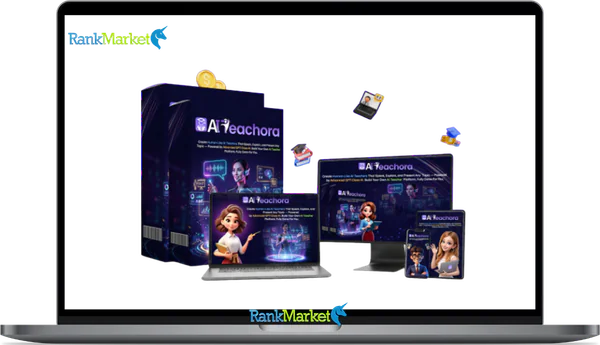
Buy AI Teachora + OTOs full account + Bonus
$16.00
AI Teachora is a platform that creates AI-powered teachers to deliver lessons, answer questions, and sell courses automatically.
| Deliver | AI Teachora + OTOs |
|---|---|
| Access | Shared |
| Type | AI teaching platform |
| Plan | FE + OTOs |
| Details | GB Details |
AI Teachora + OTOs - Overview
If you landed here after seeing an ad, a JVZoo/WarriorPlus launch email, or a YouTube review, you already know the basic pitch: build a full AI-powered teaching business without recording yourself. That promise catches attention fast, and so does the skepticism that follows.
AI Teachora is a cloud-based platform that lets coaches, content creators, and side-hustlers create AI teachers, auto-generated courses, and ready-to-sell training websites. Think of a fitness coach who wants to turn her 1-on-1 knowledge into a scalable course, or a language tutor who needs lesson videos in three languages but has zero production budget. This tool was built for that gap.
With over 10 years of experience in software, tools, and technology, the team behind AI Teachora has positioned this as an all-in-one course automation system, not a chatbot, not a video generator, but a structured teaching platform.
This guide covers exactly what you need to know:
- What AI Teachora actually is and who it targets
- How it works, feature by feature
- Honest strengths and trade-offs
- Pricing and what the upsells look like
- Whether it holds up compared to tools like Teachable, Thinkific, or Synthesia-type platforms
- A direct legit check, no hype, no filler
The next section gives you a plain one-sentence definition, plus a quick snapshot of whether AI Teachora delivers on its core claim.
What Is AI Teachora? (Clear Definition + One-Minute Summary)

AI Teachora is a cloud-based AI platform that generates course content, AI presenter avatars, sales pages, and student delivery flows, all from a single dashboard.
It is not a generic AI writing tool. The platform is built around a teaching structure, you input a topic, and it produces a sequenced curriculum with lesson scripts, explainer-style videos via AI avatars, quizzes, and a sales-ready course website. Type “beginner guitar” and AI Teachora proposes a full multi-lesson course, then wraps it in a sales-ready site, no camera, no recording studio, no video editor needed.
The platform combines what used to require three separate tools: an AI content engine (similar in function to GPT-based generators), an AI avatar video creator (like Synthesia-type tools), and a course and funnel builder (like Teachable or Thinkific). That combination is what makes it distinct from any single tool in each category.
The target audience is clearly defined: beginners, solopreneurs, freelance coaches, offline trainers moving online, and agencies building AI training portals for clients. It does not require design skills, coding knowledge, or prior course-building experience.
At a glance, the core modules are:
- AI Teaching Brain, curriculum generation and lesson scripting
- AI Avatars & Voiceovers, presenter-style videos without a camera
- Student Experience Layer, dashboards, adaptive paths, AI Q&A
- Business Stack, websites, funnels, payments, and reporting
Now that you know what it is, the next section walks through exactly how AI Teachora works, feature by feature, from topic idea to live course.
AI Teachora Key Features (Beginner-Friendly Breakdown)
1. AI Teaching Brain: Automatic Course & Lesson Generation
The AI Teaching Brain is the content engine inside AI Teachora. Feed it a topic, say, “Beginner Crypto,” and it builds out the full curriculum: blockchain basics, wallets, security, and first trades, each as its own structured lesson with scripts, examples, and summaries. It can adjust the scope from introductory to intermediate, and you can regenerate or refine any section that doesn't fit your audience.
The speed advantage is real: what might take days of planning gets drafted in minutes. That said, users should edit and verify the AI output, particularly in complex or regulated fields. Finance, health, and legal content carries responsibility, the AI drafts, you confirm accuracy.
Once the lessons exist in text form, they get turned into human-like AI teachers via the avatar system.
2. Human-Like AI Avatars & Voiceovers
AI Teachora generates presenter-style videos using AI avatars, no camera, no recording setup, no on-screen appearance required. The avatars render with lip-sync and facial movement, and the platform offers multiple voice styles, accents, and language options for the text-to-speech layer.
The practical upside for camera-shy creators is clear: you can build and scale a course library without ever filming yourself. Updating content is also faster, revise the script, regenerate the video, done.
The trade-off worth knowing: audiences in some niches, personal coaching, therapy, or high-trust professional fields, may respond better to a real human face. AI avatars can feel templated if you rely on default settings without customization.
|
Format |
Authenticity |
Production Speed |
Updateability |
|
Real video (self-recorded) |
Higher personal connection |
Slower, reshooting required |
Harder to update |
|
AI avatar video |
Less personal, more uniform |
Fast, script-driven |
Easy to revise and regenerate |
The teacher is only part of the story. AI Teachora also handles how students interact with your content.
3. Smart Student Experience: Dashboards, Adaptive Paths & Q&A
AI Teachora includes a student-facing layer, not just a content creation engine. Enrolled students get a progress dashboard showing completed lessons, quiz scores, and where they left off. The platform can suggest different learning paths based on quiz performance or engagement behavior.
The AI-powered Q&A feature lets students ask questions directly within the course environment. The AI responds using the course content as its knowledge base, reducing the volume of direct support messages that land in the creator's inbox.
A practical scenario: a busy parent logs in after dinner, sees exactly which lesson to complete next, and asks “What's the difference between X and Y?” without waiting for a live call or email reply. That self-service loop is what separates a basic video host from a functioning learning platform.
The next layer covers the business side, websites, funnels, and how payments actually flow.
4. Done-for-You Business Stack: Websites, Funnels, and Commerce
Beyond course creation, AI Teachora includes the marketing and commerce infrastructure most creators normally have to stitch together from separate tools. The platform covers:
- Website builder, branded course pages with custom sections
- Sales funnel builder, landing pages, opt-in forms, offer pages
- Payment processing, Stripe and PayPal integrations for direct checkout
- Email integration, built-in flows or connections to external email tools
- Reporting, sales data, enrollments, and completion tracking
The user journey looks like this in practice: a prospect clicks your ad, lands on a page built inside AI Teachora, pays via Stripe, and gets automatic course access, no third-party platform required.
The more tools you can consolidate into one dashboard, the fewer handoff points break the buyer experience. That consolidation is the core business case for using AI Teachora over assembling a separate tech stack.
Let's look at how beginner-friendly this platform actually is in day-to-day use.
5. Ease of Use & Technical Requirements (Beginner Perspective)
AI Teachora runs entirely in a browser, no software download, no server setup. The platform is designed for no-code operation.
What you don't need:
- Coding or development skills
- Video editing software
- Graphic design experience
- Recording equipment
What you still need:
- Basic computer and browser literacy
- Knowledge of the subject you're teaching (the AI drafts, you validate)
- Willingness to work through templates and onboarding steps
A teacher who has never edited a video before can still launch a course in a weekend, if they know their subject and can follow the platform's template structure. The AI handles the production layer, the human handles subject authority.
One practical note: a stable internet connection matters. Cloud-based tools with video rendering require consistent bandwidth, especially during avatar generation.
With ease of use covered, the next step is weighing the genuine benefits against the limitations, so you can decide if AI Teachora fits your situation.
Pricing Plans and OTOs detailed
Front-End – AI Teachora ($15.99 one-time)
- All-in-one AI teaching and course creation platform
- Create AI-powered teachers, lessons, and educational content
- Generate videos and interactive Q&A learning experiences
- Includes website builder for hosting and delivering content
- Built-in monetization tools for selling courses and access
- Commercial license included for client work and income generation
- No monthly fees, pay once for lifetime access to core features
- Beginner-friendly system for creators, educators, and marketers
- Includes a 30-day money-back guarantee for risk-free testing
OTO 1 – AI Teachora Unlimited ($27 – $37 one-time)
- Removes all platform limitations and usage caps
- Create unlimited teachers, content, and lessons
- Scale across multiple niches without restrictions
- Focus on growth, testing, and higher output
- Ideal for users who want to build and expand
OTO 2 – AI Teachora DFY ($47 – $67 one-time)
- Done-for-you setup with pre-built teaching system
- Includes structured content, niches, and optimized configuration
- Eliminates trial and error and speeds up launch
- Start with a ready-to-run, monetized system
- Ideal for beginners or fast-track results
OTO 3 – AI Teachora Automation ($26 – $30 one-time)
- Adds full automation to your teaching platform
- Generates content, lessons, and updates automatically
- Runs your system 24/7 without manual input
- Keeps your platform active and growing continuously
- Ideal for hands-free scaling
OTO 4 – AI Teachora Traffic ($37 – $67 one-time)
- Drives targeted traffic to your teaching platform
- Promotes videos, pages, and funnels automatically
- Increases visibility, engagement, and conversions
- Removes the need to find traffic manually
- Ideal for consistent growth and audience building
OTO 5 – AI Teachora Agency ($87 – $127 one-time)
- Create and manage client accounts
- Offer AI teaching services and charge fees
- Build a scalable service-based business model
- Keep 100% of profits from client work
- Ideal for freelancers and agencies
OTO 6 – AI Teachora Whitelabel ($247 – $497 one-time)
- Rebrand the platform as your own software
- Use your own domain, logo, and brand identity
- Sell as your own SaaS product and keep full profits
- Includes setup, automation, and ready-to-launch system
- Ideal for building a long-term software business
AI Teachora Pros and Cons (Honest Comparison)
Where AI Teachora Stands Out
The platform earns its strongest case with creators who have knowledge to share but limited production resources. Here are the real advantages, tied to the user scenarios where they actually matter:
- No camera required. A shy expert can build and sell a course without ever appearing on screen. The AI avatar handles the presenter role entirely.
- All-in-one setup. Course content, avatar video, sales page, checkout, and student delivery live in one platform. You avoid managing five separate subscriptions.
- Speed of production. A multi-module course that would take weeks to script, film, and edit can be drafted and published within days. The time compression is the primary productivity argument.
- Commercial and agency rights. The license typically includes the right to create AI courses for client businesses, opening a freelance service model alongside your own content.
- One-time pricing at launch. Early buyers access the platform for a single payment rather than a recurring monthly fee. This matters for cost control, particularly for new creators testing the market.
- Multi-language support. AI voices and course content can be generated in languages beyond English, giving creators access to non-English-speaking audiences without separate localization costs.
- No technical debt. The platform handles hosting, delivery, and video rendering. Users do not manage servers, CDNs, or video storage.
These benefits come with trade-offs you should weigh before buying.
What AI Teachora Does Not Solve
AI Teachora builds the course. It does not build the audience.
Traffic is entirely the creator's responsibility. The platform has no built-in traffic generation, SEO automation, or ad management. If you do not already have an audience or a plan to reach one, you will have a polished course that nobody finds. That is the most common gap between the tool's promise and the user's reality.
The platform's other limitations are worth knowing before purchase:
- AI content quality varies. On straightforward topics (fitness basics, productivity skills, language learning), the AI output is usable with light editing. On complex or specialized subjects, the scripts often need heavy reworking by a subject-matter expert.
- Early-stage platform risks. AI Teachora is a relatively young product. Expect some UI friction, occasional bugs, and features that are still being refined. This is standard for early-access SaaS tools, but it is worth factoring into your expectations.
- Generic look if uncustomized. Default avatars and templates produce a recognizable “AI course” aesthetic. Differentiation requires time spent on customization, which is not a no-effort process.
- Learning curve. “No-code” does not mean “no learning.” Understanding how the funnel builder connects to the course delivery layer, for example, takes a few hours of hands-on work.
- Ongoing content responsibility. Course content needs periodic review. AI-generated scripts can include outdated data, subtle inaccuracies, or context gaps that only a human expert would catch.
No tool guarantees income. Understanding the pros and cons helps you evaluate whether the pricing structure makes practical sense for where you are right now.
Who Is AI Teachora Best For? (Use Cases & Fit)
Ideal Users and Real Scenarios
AI Teachora fits best when someone has subject knowledge but limited production capacity. These are the user profiles where the platform delivers the clearest return:
- Coaches and subject-matter experts. A nutritionist with years of client work can turn her recurring advice into a structured, self-paced course. The platform handles the production layer she would otherwise outsource.
- Offline teachers and corporate trainers. A classroom instructor moving to digital delivery does not need to build a YouTube channel. AI Teachora generates the video content and hosts the course without requiring on-camera filming.
- Content creators seeking passive income. A YouTube educator can create an evergreen mini-school covering their core topic. The AI teacher handles student questions 24/7, reducing the creator's live support load.
- Agencies and freelancers. A digital agency can build AI-powered training portals for clients, employee onboarding, product knowledge courses, compliance training. This is a repeatable service model with commercial license rights.
- Side-hustlers with domain knowledge. A local language tutor, a personal finance practitioner, or a home-cook instructor each has teachable knowledge. AI Teachora gives them a production and delivery system without requiring technical setup.
On the other hand, some people are better served by different tools.
Who Should Not Use AI Teachora (or Use with Caution)
If you are expecting the platform to generate income automatically, pause here. No course builder (AI-powered or otherwise) produces revenue without marketing effort and a defined audience.
These user profiles are a poor fit or should proceed with clear-eyed caution:
- People expecting passive income with no traffic plan. The tool builds the course, you build the audience.
- Professionals in regulated fields who need peer-reviewed, legally compliant training content. AI Teachora can help support training, but it cannot replace expert-reviewed, compliance-grade material in medicine, law, or financial advice.
- Creators with existing, well-functioning tech stacks who do not want the overhead of migrating to a new platform.
- Creators who strongly prefer appearing on camera. If personal brand visibility and authentic human presence are central to your positioning, a real-video setup combined with a traditional course platform may serve you better.
- Anyone launching one simple mini-course this year. If the scope is small and you do not need AI avatars or a built-in funnel, a simpler tool (even a basic course platform with Loom-style videos) is cheaper and faster to set up.
Now let us position AI Teachora against the other tools it competes with, so you can see where it actually fits in the broader landscape.
AI Teachora vs Other AI Course & Teacher Tools
AI Teachora vs Traditional Course Platforms (Teachable, Thinkific, Kajabi)
Traditional course platforms like Teachable, Thinkific, and Kajabi are built to host and sell courses, but they do not create the course content or the videos for you. That is the structural difference.
|
Criteria |
AI Teachora |
Traditional Platforms (Teachable, Thinkific, Kajabi) |
|
Setup speed |
Fast, AI generates content and pages |
Slower, creator produces all content manually |
|
AI content creation |
Built-in |
Not included |
|
AI avatar video |
Included |
Not included |
|
Pricing model |
One-time (at launch) |
Monthly subscription ($29–$399+/mo depending on plan) |
|
Learning curve |
Moderate for full stack |
Moderate, depends on plan complexity |
|
LMS depth |
Basic to moderate |
Deeper on higher-tier plans |
|
Integrations |
Growing ecosystem |
Established third-party integrations |
Traditional platforms have a longer track record, broader integration support, and more mature LMS features for advanced course structures. AI Teachora's advantage is speed of creation for users who do not have existing video content or production workflows.
For someone launching their first course with limited resources, AI Teachora reduces the time from idea to live product. For someone scaling an established course business with existing content, a traditional platform may give more control and stability.
AI Teachora vs AI Avatar Video Tools (Synthesia-Type Platforms)
Standalone AI avatar tools, Synthesia being the most well-known category reference, focus on one thing: generating presenter-style videos from a script. They do it well, but the scope ends there.
To build a course using a pure AI video tool, you would still need a separate LMS to host and organize lessons, a course platform for student management, a funnel builder for the sales page, and a payment processor for checkout. That is four tools working together, with four separate subscription fees and four potential failure points.
AI Teachora wraps all of that into one platform. The avatar video generation is one component of a larger course delivery and sales system.
When a standalone AI video tool makes more sense: a corporate training team that already has an internal LMS and simply needs AI-generated video content to populate it. They do not need the funnel builder or sales infrastructure, just the video output.
When AI Teachora makes more sense: a solo creator or small agency that wants to launch and sell courses without stitching together a multi-tool stack. The consolidation is the value.
Supplemental FAQs About AI Teachora
Is AI Teachora suitable for complete beginners with no tech or teaching experience?
Yes, from a technical standpoint, no coding, design tools, or video software is needed. The platform runs in a browser with template-based onboarding. That said, you still need a subject you know well enough to teach, and you will need to review and refine what the AI generates. Starting with a small, focused pilot course, one topic, five to seven lessons, is the most practical entry point.
Can I use AI Teachora without showing my face or using my own voice?
Yes. The platform is designed specifically for this use case. AI avatars handle the presenter role, and the text-to-speech engine generates the voiceover. You never need to appear on camera or record your own voice. If you later choose to add personal intro videos or record custom audio, that option may exist depending on your license tier, but it is not required.
Does AI Teachora work in languages other than English?
The AI voice and content generation supports multiple languages, making it possible to create course material for non-English audiences without manual translation work. The platform interface is English-first, but the course content layer can be produced in your target language. Before fully committing, test a sample lesson in your specific language during the refund or trial window to confirm output quality meets your standard.
How does AI Teachora handle data privacy and student information?
As a cloud-based SaaS platform, student data, including email addresses and progress records, is stored on AI Teachora's servers. This is standard for all hosted course platforms. Read the official privacy policy and terms of service before collecting student data, particularly if your audience is in a regulated region (e.g., EU under GDPR). For sensitive training content in corporate or regulated industries, verify data handling terms directly with the vendor.
What happens if AI Teachora shuts down or changes pricing later?
This is a real risk with any lifetime-deal SaaS tool. The platform's long-term operation depends on the company's financial health, which you cannot fully control as a user. Two practical steps reduce your exposure:
- Export and save all course scripts, outlines, and lesson text to your own storage. The content you create is yours to reuse.
- Avoid building your entire business continuity on any single platform. Run email list management and core content storage in tools you control independently.
Can I migrate my courses from AI Teachora to other platforms later?
The core intellectual content, scripts, lesson outlines, quiz questions, can be reused on any platform. The video files and site designs may require recreation if you move to a new tool, since those are generated and hosted within AI Teachora's system. Design your courses so the knowledge structure is documented outside the platform. That way, the content survives any future migration without starting from scratch.
Is AI Teachora allowed for YMYL topics (finance, health, legal)?
The platform can technically generate course content on any topic, including finance, health, and legal subjects. The responsibility for accuracy, compliance, and appropriate disclaimers falls entirely on you as the course creator. For YMYL content, have a qualified expert review every lesson before publication. AI-generated scripts in these fields are a starting draft, not a finished, trustworthy product on their own. AI Teachora works best here as a structural scaffold, not as the source of truth.
How does AI Teachora compare in price to “Thinkific AI” and similar tools?
Thinkific's plans range from free (limited features) to $199–$399/month (USD) for growth and business tiers. Kajabi runs $119–$319/month. AI Teachora's launch pricing is a one-time fee, typically lower than one year of a mid-tier Thinkific subscription at the time of launch. The trade-off, Thinkific and Kajabi have longer track records and deeper integration ecosystems. Calculate the total 12-month cost of any platform before deciding, and factor in whether you actually need the LMS depth those platforms offer.
Can I use AI Teachora to build courses for clients and charge them?
Yes, if your license includes commercial or agency rights, which many AI Teachora plans do. The typical service model involves charging clients a setup fee for building their AI training portal, plus an optional monthly retainer for content updates and student support. Read the license terms carefully for any restrictions on white-labeling, resale, or the number of client projects per license. Some tiers cap client use, others are open-ended.
What are the first three things I should do after buying AI Teachora?
- Pick a narrow, proven topic. Do not try to build a large course library on day one. Choose one subject where you already have real knowledge, a skill you have taught others, a problem you have solved repeatedly, and outline a five-to-seven lesson course around it.
- Use AI Teachora to generate the course, avatar lessons, and a basic sales page. Work through the platform's onboarding sequence. Let the AI produce a first draft of everything, then spend time reviewing and editing the scripts for accuracy and your own voice.
- Share it with a small test audience before scaling. Send it to ten to twenty people, past clients, email subscribers, a relevant community, and ask for direct feedback. Use their responses to refine the course structure, fix any content gaps, and validate whether the topic and price point actually land. That feedback loop is what separates a course that sells from one that does not.
This is the same path that turns AI Teachora's production speed into a live, student-tested teaching business, which is exactly what the platform was built to make possible.
Some Questions Before Join US
Group buying, also known as collective buying, offers products and services at significantly reduced prices on the condition that a minimum number of buyers would make the purchase.
- First, we will list product Here as people request & Collect Money From other peoples.
- Sec, Once enough moneys from customer, we will buy products From Developer.
- Then, we deliver to all Joiners.
- You can join directly by Purchase at our site and Reach Support about that to confirm.
- You can join via our Community : https://bit.ly/RMKDiscord
- How to Buy
We have 2 Product Status
- Instant-Deliver : Avaible and Deliver within 24-48hs (not on Sat-Sun, Holiday)
- Group Buy/Pre-Order : Not avaible, Still collect more people to join, need to wait.
OTO mean that One-Time-Offer/Upsell/Upgrade of Product For limited time only
Cancelled mean that order is not pay/process within 24hs. Please reach us with Order ID to check.
You will get Products by Download via Email .Once you finish payment to us and get confirm. You will get download Links inside your Account
- SAAS : You will get Individual account via Mail or On your Order List
- Shared Tool : via our chrome (WIN/MAC/Linux)
- WP : We will active key for your site.
- Course/Book/GraphicKit : Download link will send via mail or On your Order List.
- ETA Time : Fast maybe 3-4 days or 1 Week , Always be 3-4 Weeks or some times as Member Request it can be up to 3 Months to Group Buy WIN.
- GB Fail : You will get refund or exchange other.
– If Products problem, Capture screenshot/Video to us. We will forward to developer to fix it.
– If impossible sloved, we will exchange to other product. With Annual Product, we will refund or exchange by subtract times that you used.
– If used product for 1 or few years then not work. we will try to contact developer to fix it. But if some bad Vendors keep money and run, we just can give you some discount for future orders.
Warranty Time :
- Monthly Product : 30 days
- Annual/One Time Product : 1 year.
Our Store Credit mean credit can use to redeem on Your orders. 25 Credit = 1$.
Earn by some way :
- Place Orders. Each 1$ spend you will earn 1$
- Exchange some not work/not-fullfill orders by your agreed.
- By Reffer Your Friends to buy at our store.
How to redeem
- At Checkout page have redeem button to use it. Maxium is 250/orders.
- If you need redeem more. Reach our Support
We support only via 2 channel :
- Email : support@rankmarket.org
- Messenger : m.me/rankmarkenet (Live chat on Site)
TIme : From 9AM - 6PM Monday - Friday (GTM+8).
All Order/Ticket on Sat-Sun/Holiday will be supported on next Monday.
WE ARE TRY TO WORK HARD AND SUPPORT ALL PEOPLE BUT WE CAN NOT MAKE ALL HAPPY 100%
Thanks For You are here and belive US for longtime.
While working,we meet someone like & we will not support :
– People buy 1 but want to exchange to 10 Products.
– People who steal our products then ask refund.
– People fake payment to get our products.
– People always ask refund,can not wait for waiting product. Dont Pay. Wasted our Time.
Best Regards
David Green – RankMarket
Related products

SAAS Tools


SAAS Tools

SAAS Tools

SAAS Tools

