

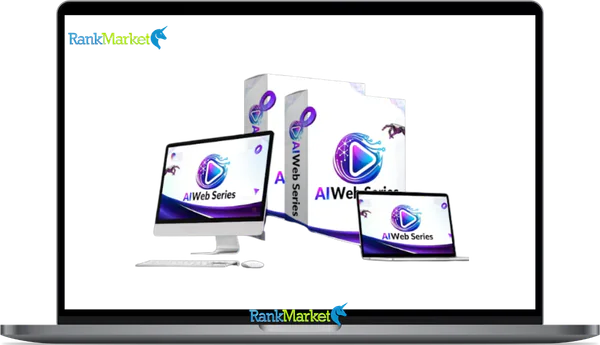
Buy AI Web Series + OTOs full account + Bonus
$15.00
AI Web Series is a cloud-based AI platform that turns a simple idea into a complete, ready-to-watch web episode with scripts, visuals, voiceovers, and editing—no filming skills needed.
| Deliver | AI Web Series + OTOs |
|---|---|
| Access | Shared |
| Type | AI video generator |
| Plan | FE + OTOs |
| Details | GB Details |
AI Web Series + OTOs - Overview
When you search “AI web series,” two distinct meanings come up, and confusing them will send you in the wrong direction. The first is a broad concept: episodic video content made using AI tools instead of film crews. The second is a specific cloud-based platform called AI Web Series, which is the main focus of this guide.
The platform works simply: you type an idea, and the software handles script, visuals, voice, music, and subtitles, no cameras, no editing, no technical background needed. If you have a story or a subject, you have a series.
This guide is written for YouTubers, TikTok creators, marketers, agencies, educators, and indie storytellers who want to know what the platform actually does, whether it's legitimate, and how to use it. With over 10 years of experience tracking software tools and production technologies, the picture here is grounded, not promotional.
Here's what this guide covers:
- What AI Web Series is (platform definition and broader concept)
- Why it matters in 2026 for budget-aware creators
- The full idea-to-episode workflow, step by step
- Feature map and technical specs
- A balanced review, strengths, trade-offs, and legitimacy check
- Use cases by creator type
- Comparisons against traditional production and other AI tools
- FAQ answers for common concerns
The first thing to get straight is a clear, working definition, so let's start there.
What Is AI Web Series? Clear Definition, Core Concept & Key Benefits

One-Sentence Definition of AI Web Series (Platform & Concept)
AI Web Series is a cloud-based platform that takes a one-line idea and converts it into a fully produced episodic video, script, visuals, voices, music, and subtitles, without requiring any filming or editing.
That's the platform. The broader concept, “AI web series,” refers to any episodic show made primarily with AI tools, generative video, automated scriptwriting, text-to-speech narration, instead of a physical production crew.
The distinction matters because the two often get discussed as if they're the same. The platform is a specific product. The concept is a production method. AI Web Series sits inside the growing category of AI video generation and AI storytelling tools, tools that close the gap between having an idea and putting that idea on screen.
To make this concrete: you type “sci-fi detective in a neon city” and tell the platform you want five episodes, each around eight minutes. The system builds the character, plots the arc, writes the dialogue, generates the visuals, and renders the result, ready to publish. That's what AI Web Series does as a tool.
Once you understand what the platform produces, the more useful question becomes: how much does it actually save you, and what does the workflow look like? The next section addresses both.
Why AI Web Series Matters in 2026 (Time, Cost & Creative Freedom)
Traditional web series production carries a predictable set of costs that haven't come down much. A single episode, factoring in camera equipment, a small crew, location access, talent, and post-production editing, runs between $1,000 and $5,000 at the indie level. That's before any distribution or promotion budget.
The time constraint is equally real. A solo creator or small team typically needs weeks to script, shoot, and edit one episode. For anyone trying to publish weekly, that math doesn't work.
|
Comparison Factor |
Traditional Production |
AI Web Series Platform |
|
Requirements |
Crew, gear, actors, physical locations |
None (Browser-based) |
|
Development Time |
Weeks per episode |
Hours per episode |
|
Necessary Skills |
Screenwriting, directing, editing, VFX |
None required |
|
Localization |
Requires reshooting |
Automated |
|
Concept Testing |
Slow/High cost |
Fast (Multiple pilots at once) |
The strategic value here goes beyond cost. An educator producing weekly microlearning episodes, or a marketer building a brand story series, can now operate at a publishing pace that traditional production simply can't match. A niche audience that would never justify hiring a crew can now have an episodic series built around exactly their interests.
That cost-and-time gap is why the platform matters. What actually happens inside it, the workflow from idea to finished episode, is the natural next question.
How AI Web Series Works: Idea-to-Episode Workflow (Step-by-Step)
Step 1 – Input Your Idea & Series Settings
The input stage is where the quality of what you type determines the quality of what comes out. A vague prompt gives the AI more room to guess. A specific prompt gives it clearer parameters.
What you typically enter at this stage:
- One-line premise or episode concept
- Genre and tone (thriller, educational, comedy, documentary style)
- Target audience (teenagers, working professionals, children)
- Preferred episode length
- Language and voice style
Prompt examples, from vague to detailed:
- “Comedy series about startup founders.” — functional, but loose
- “Short educational series about AI ethics for teenagers, 5 episodes, 4 minutes each, calm and clear tone.” — tighter output
- “Dark cyberpunk thriller, 5 episodes × 8 minutes, set in a flooded megacity, following a data smuggler.” — strong visual and narrative direction
Specificity helps the system produce tighter pacing and more coherent scene visuals. A detailed prompt is not harder to write, it's just more deliberate.
Once your input is confirmed, the platform moves into story and script generation.
Step 2 – AI Story & Script Generation
The script stage is where the platform turns your premise into a structured episodic narrative. The AI doesn't just write a single script, it builds a story framework across the series.
What gets generated in this stage:
- Series overview with episode-by-episode breakdown
- Detailed scripts per episode, scene descriptions, character dialogue, scene notes
- Character profiles with consistent traits across episodes
- Episode hooks and cliffhangers to maintain viewer continuity
Here's a short example of what generated dialogue might look like:
[Scene: Underground server vault. Low light. Sound of cooling fans.]
Mira: “If they trace this packet back to us, we're done.”
Kael: “They already know. That's why we're still alive, they want to see where we go.”
[Mira's eyes shift to the door.]
A short episode typically runs 800 to 1,500 words of script. You can regenerate individual scenes, adjust the pacing or emotional tone, or manually edit the text before moving forward.
The one limitation to name directly: very complex emotional nuance or domain-specific factual accuracy may need human review. The quality sits at a level comparable to a well-produced indie YouTube series, not Hollywood screenwriters, but solid enough for most publishing platforms.
With the script confirmed, the platform turns those scenes into images and video clips.
Step 3 – Visuals, Characters & Scenes (AI Text-to-Video / Animation)
The visual generation stage converts each scripted scene into a matching image or video clip. The platform supports several distinct visual styles, and the one you choose shapes the entire look of the series.
Visual style options typically available:
- 2D animation (flat or illustrated look)
- 3D-rendered animation
- Anime-style visuals
- Comic-book panel sequences
- Stylized clips that approximate live-action aesthetics (where supported)
Character design stays consistent across episodes, same face, outfit, and environment palette throughout a season. You can adjust individual character appearances, swap backgrounds, or replace specific scenes without regenerating the whole episode.
The text-to-video mechanism works by matching each scene description in the script to a generated visual. For example, “Mira stands at the entrance of a flooded tunnel, rain falling on her jacket” becomes a visual clip matching those descriptors.
Two constraints worth naming clearly. First, specific facial expression acting or precise choreography can be less accurate than broader scene compositions. Second, fully photorealistic long-form video still carries visual artifacts in 2026, diffusion model generation at this scale has real strengths, but hyper-realistic output is not yet consistent.
With scenes rendered, the system layers on the audio side of the production.
Step 4 – Voiceovers, Music & Subtitles
- Voiceovers. The platform carries a library of neural TTS (text-to-speech) voices, male, female, and gender-neutral, spanning regional accents and speaking styles. Multi-character dialogues get assigned distinct voices so each character sounds different throughout the episode. Emotion presets (calm, tense, dramatic, upbeat) let you match the voice delivery to the mood of each scene.
- Music & Sound. Background music is either auto-generated or drawn from a curated royalty-free library. You set a mood per scene, tense, cheerful, melancholic, action-driven, and the system applies scoring accordingly. Basic ambient sound effects layer in where the scene warrants them.
- Subtitles. Auto-sync subtitles generate in the original script language. One-click translation options cover approximately 40 to 50 languages, making localization straightforward. If character names or technical terms are mis-transcribed, you can correct them directly in the subtitle editor.
A practical scenario: you produce an English-language AI ethics series for a brand campaign. Using the subtitle and dubbing tools, the same episode reaches Spanish-speaking audiences in Latin America, Hindi-speaking viewers in India, and Arabic-speaking users in the Middle East, without recording any additional voice sessions or reshooting anything.
The audio layer closes the production side of the pipeline. What's left is packaging the episode for publishing.
Step 5 – Export, Thumbnails & Publishing Workflow
At export, the rendered episode comes out as an MP4 file. The platform supports three aspect ratios: 16:9 for standard YouTube or web viewing, 9:16 for vertical mobile and TikTok, and 1:1 for square social formats. Resolution starts at 1080p HD as the standard baseline.
Thumbnail generation is automated, the system pulls candidate frames from key moments in the episode and presents them for selection. You can add text overlays or a brand logo before exporting the thumbnail separately.
For publishing workflow, the platform connects to major social platforms. You can schedule weekly episode releases on YouTube, export 9:16 clips for TikTok, and pull square versions for Instagram, all from the same rendered source files. Downloaded MP4 files are yours to host or distribute wherever you choose, consistent with standard SaaS terms of use.
A realistic workflow example: produce five episodes from a single series outline over a weekend. Schedule them for weekly release on YouTube. Clip 60-second vertical shorts from each episode for TikTok. All of this comes from one initial input session.
That closes the full workflow. Now that the pipeline is clear, the next natural question is what the platform's feature set actually looks like from the inside.
Full Features & Capabilities of AI Web Series (2026 Feature Map)
Core Creation Features (Script, Visuals, Audio, Subtitles)
The platform's core output rests on four pillars: scriptwriting, visual generation, audio production, and subtitle management. Each pillar has specific functional capabilities that define what the tool can produce without external resources.
|
Pillar |
Key Capabilities |
Example Use Case |
|
Script |
Genre presets, multi-episode arcs, character sheets, revision loop |
5-part mystery series outline with recurring cast |
|
Visuals |
Style presets, scene swaps, character design locking across episodes |
Consistent anime-style characters across a 10-episode season |
|
Audio |
100+ neural voices, emotion presets, multi-speaker dialogue casting |
4-character detective cast with distinct voice profiles |
|
Subtitles |
Auto-sync, 40+ languages, manual name/term correction |
English original to Spanish and Hindi localization in one session |
“Style locking,” keeping visual consistency across a season, is one of the more practical capabilities for creators who want a recognizable series aesthetic. Without it, episodic AI video tends to drift in character appearance and scene palette between episodes.
The core layer handles most creator needs end-to-end. For agencies, content studios, or heavy-volume creators, the platform also offers a set of advanced features designed around scale.
Advanced & Time-Saving Features (Bulk Mode, Templates, Collaboration)
Power users and content agencies operate differently than solo creators. The advanced feature layer addresses that gap.
- Bulk episode generation lets you input a single series outline and generate multiple episodes in one queued session, rather than producing them one by one. For agencies building client content calendars, this changes the output rate considerably, a 10-episode season that might take a quarter in traditional production can be produced over a weekend.
- Episode templates give you reusable structural components: intro sequences, recurring segment formats, consistent outro flows. Once built, these carry forward across every new episode without rebuilding from scratch.
- Brand and asset libraries store your logos, color palettes, and font styles so visual branding stays consistent across a client's series, useful when producing for multiple accounts at once.
- Collaboration features (where supported) allow shared project access, comment threads, and approval stages, which matters when a creative director and a client need to sign off before publishing.
- Versioning and rollback lets you return to an earlier version of a script or visual edit if a revision takes the episode in the wrong direction.
A working scenario: an agency produces localized explainer series for five clients, each needing content in ten languages. Using bulk mode and templates, the same core episode structure scales across clients and markets without rebuilding each version manually.
Beyond workflow features, the next practical question is what level of production quality the output actually reaches.
Technical Specs & Quality: What Level of Production Can You Expect?
AI Web Series outputs at 1080p HD as the standard resolution, with approximate render times in the range of 5 to 15 minutes per short episode, depending on episode length and current server load. The platform runs entirely in a modern browser, no GPU, no dedicated hardware, and no local installation required. A stable internet connection is the only consistent requirement.
The quality sits firmly within the range needed for YouTube publishing, TikTok content, educational platforms, and marketing campaigns. It does not yet replace big-budget live-action productions or cinema-grade storytelling, that distinction matters for setting realistic expectations.
With the feature set and quality range now clear, the question most readers bring to this point is the one nobody answers directly: is AI Web Series actually legitimate?
Pricing Plans and OTOs detailed
Front-End – AI Web Series ($14.95 one-time)
- Complete AI-powered web series creation system in one platform
- Generate story ideas, scripts, characters, voiceovers, visuals, music, and subtitles
- Build, edit, and export full episodes ready for publishing
- Replaces multiple tools like writers, editors, and voice artists
- No monthly fees, pay once for lifetime access
- Beginner-friendly with end-to-end workflow from idea to video
- Includes a 30-day money-back guarantee for risk-free testing
OTO 1 – AI Web Series Unlimited ($67 – $167 one-time)
- Removes all creation limits and usage restrictions
- Unlimited projects, scenes, episodes, and content generation
- No daily caps, throttling, or production limits
- Faster and smoother workflow for consistent publishing
- Ideal for scaling multiple series or client work
OTO 2 – AI Web Series Done-For-You ($97 one-time)
- Provides ready-made scripts, ideas, and proven content frameworks
- Eliminates brainstorming and planning
- Plug-and-play system for instant content creation
- Perfect for beginners or users who want faster execution
OTO 3 – AI Web Series Automation ($67 one-time)
- Unlocks full autopilot AI Agent Engine
- Automatically generates ideas, scripts, scenes, and full episodes
- Runs 24/7 content production without manual input
- Includes trend-based generation and batch creation
- Ideal for building a hands-free content system
OTO 4 – AI Web Series Monetization Kit ($47 one-time)
- Complete system to turn content into revenue streams
- Monetize via ads, affiliate offers, brand deals, and licensing
- Includes proven storytelling frameworks for higher conversions
- Comes with client-selling model and outreach scripts
- Helps turn content into a real business
OTO 5 – AI Web Series Movie Models Upgrade ($67 one-time)
- Access to advanced AI models and future upgrades
- Improves visual quality, lighting, and cinematic effects
- Faster rendering and higher-quality outputs
- Keeps your system updated with new AI technology
OTO 6 – AI Web Series Publishing Accelerator ($37 one-time)
- One-click publishing to multiple platforms
- Automatically distributes content to YouTube, Facebook, Instagram, and more
- Supports HD exports for courses and external platforms
- Eliminates manual uploading and formatting work
OTO 7 – AI Web Series Agency License ($197 one-time)
- Create and manage unlimited client accounts
- Sell AI Web Series services and keep 100% profits
- Charge recurring or one-time fees
- Includes support system for managing clients
- Ideal for building an AI video agency
OTO 8 – AI Web Series Franchise License ($147 one-time)
- Keep 100% front-end profits and 50% on OTOs
- Done-for-you sales pages and funnels included
- No product creation or support handling required
- System manages delivery, updates, and payments
- Perfect for affiliate-style income model
OTO 9 – AI Web Series Whitelabel License ($297 one-time)
- Rebrand and sell the platform as your own software
- Full control over branding, pricing, and business model
- Create unlimited client accounts under your brand
- Includes setup, hosting, and support handled for you
- Ideal for launching a SaaS-style AI business
AI Web Series Review (2026), Pros, Cons & Legitimacy Check
Is AI Web Series Legit or a Scam? Trust Signals & Red Flags to Check
AI Web Series is a commercial SaaS product. It is not a passive income scheme, and it makes no guarantees about revenue or viewership outcomes. That framing matters, because tools in the AI video space attract both genuine products and poorly built platforms that overpromise.
Trust signals to verify before subscribing:
- A transparent, public pricing page with clear tier breakdowns
- Identifiable company or brand information
- Independent user reviews across platforms like Trustpilot, G2, or Capterra (check multiple sources, not just the homepage)
- Active product updates and documented feature history
Red flags to watch for with any AI video SaaS:
- Income promises framed as outcomes from using the tool (e.g., “earn $10K per month”)
- Pricing hidden behind multiple steps or aggressive forced annual upsells
- No accessible support channel, no terms of use, or no clear refund policy
With over a decade in software and tools evaluation, the pattern for a reliable SaaS product is consistent: it shows its pricing, stands behind a refund or cancellation window, and has a support path that actually works.
A due diligence checklist before committing to a subscription:
- Use the free trial to test the core workflow end to end
- Read cancellation terms, confirm monthly options exist
- Search the platform name alongside “review” on two or three independent sites
- Verify that exported files belong to you under the platform's terms
That's how you evaluate the platform on your own terms. Now for the harder question, what does the tool actually feel like to use?
Hands-On Pros & Cons, Where AI Web Series Shines vs Where It Falls Short
Where AI Web Series performs well:
- Production speed, A creator who previously published one video per month can move to one episode per week with the same effort level. The pipeline compression is real.
- Low entry barrier, No filming skills, no editing software, no technical background required. If you can describe a scene in a sentence, you can produce it.
- Visual consistency, Style locking across episodes keeps characters and environments recognizable, a common failure point in AI-generated series that don't use this feature.
- Multilingual reach, Localization without reshooting gives smaller creators access to global audiences that would otherwise require a full dubbing and subtitle production budget.
- Bulk generation, Content agencies and high-output creators can generate episode batches from a single outline session, making weekly publishing schedules viable.
- Platform compatibility, The output quality, 1080p, clean audio, accurate subtitles, meets the standards for YouTube monetization review and standard social platform distribution.
Where the tool has clear trade-offs:
- Photorealistic or cinema-level video is outside what the platform produces in 2026. Complex motion, detailed facial acting, and full live-action visual fidelity still require human-led production.
- Prompting takes practice, A vague input produces a generic output. New users often need several iterations before their prompts produce the pacing and visual style they actually want.
- Scene-level control is more limited than manual editing in a dedicated video editor. Specific frame-level adjustments are not yet the strength of this workflow.
- Server dependency, Render times fluctuate based on platform load. High-demand periods slow production.
- Free tier restrictions, Watermarks and export limits on free plans are standard practice in this category, plan-level features matter if distribution is the goal.
Two short scenarios that illustrate both sides: A solo creator moved from one polished video per month to one rough-but-published episode per week using AI Web Series, imperfect visuals, but a much larger content library built over three months. A separate brand campaign required specific on-camera talent and precise product shot framing, that project still needed a human crew, the AI tool handled the social cut-downs afterward.
Given these trade-offs, the practical question shifts to whether the price is justified for your situation, and that depends heavily on who you are and how you plan to use it.
Use Cases & Strategies, Who Benefits Most from AI Web Series?
Key User Profiles & Best-Fit Scenarios
Different creator types use AI Web Series for different reasons. Knowing which profile matches yours helps you decide how much of the platform's output fits your actual publishing needs.
- YouTube storytellers and animators use the platform to produce stylized episodic content, anime-style shorts, animated fiction, narrated history series, at a publishing pace that hand-drawn or studio animation cannot match. The goal is regular episode output, the platform handles the render workload.
- TikTok and Reels creators use episodic hooks to build return audiences. A 90-second vertical-format cliffhanger series, published daily, keeps viewers coming back for the next episode. The 9:16 export format and fast render cycle make this feasible as a solo creator workflow.
- Marketers and brands use AI Web Series to build product explainers and brand story content as episodic series rather than standalone videos. A 5-part series on how a software product solves a specific problem performs differently in content algorithms than five individual unconnected videos.
- Agencies produce pitch visualizations and campaign content at volume. The bulk generation and brand kit features let one team service multiple clients without rebuilding each series from scratch. A working example: an agency pitching a fintech client produces a three-episode concept series from the pitch deck in a single afternoon session.
- Educators and trainers produce microlearning series, short episodic content designed for online courses, onboarding programs, or subject-specific channels. The localization tools let a single course reach students in multiple languages without additional recording sessions.
Each of these use cases sits in a different publishing cadence: weekly for YouTube storytelling, daily or every few days for social-first series, seasonal or campaign-based for marketing and agency work. The platform's bulk and scheduling features are built with all of these patterns in mind.
That range of use cases raises a natural comparison question, when does AI Web Series make more sense than other options?
AI Web Series vs Traditional Video Production & Other AI Tools
The comparison framework matters here. These four options don't all compete for the same jobs, each one fits a different production scenario.
|
Option |
Automation Level |
Typical Cost per Episode |
Time per Episode |
Best For |
|
AI Web Series |
High (idea-to-episode) |
Low–medium |
Minutes–hours |
Scalable episodic content, multilingual output |
|
Traditional Production |
Low (manual everything) |
High ($1K–$5K / 25M–125M VNĐ) |
Weeks–months |
Premium live-action storytelling, brand ambassador content |
|
Avatar Tools |
Medium (speech + avatar) |
Low–medium |
30–90 minutes |
Presenter-style explainers, training content |
|
Template Editors |
Medium (template-based) |
Low–medium |
1–3 hours |
Social clips, promos, short-form content |
The decision rule is straightforward. If you need a real person on camera, a brand ambassador, a customer testimonial, a demonstrable product in use, you need a human crew. AI Web Series does not replace that. If you need scalable, stylized episodic content at a consistent publishing pace, across multiple languages, without camera access or editing expertise, the platform addresses that job directly.
Avatar tools handle the talking-head presenter format well, but they produce a single person speaking to camera, not a full narrative series with scenes, characters, and story arc. Template editors work for promotional clips and social content, but don't produce episodic narrative at volume.
The honest answer is that AI Web Series occupies a specific position: high-volume episodic AI video, from idea to full episode, at a production cost and time that traditional methods can't match at that scale. That's the use case it's built for.
Supplemental FAQs & Clarifying Questions About AI Web Series
Can you create a full web series using only AI Web Series without any other tools?
Yes, for most use cases. The platform handles script, visuals, audio, and subtitles end-to-end. External tools may be useful for advanced thumbnail design or platform-specific scheduling, but they're not required to produce and publish a complete series.
Is AI Web Series suitable for complete beginners with no video experience?
Yes. The platform is designed around text input, no editing interface, no timeline management, no rendering configuration. If you can write a sentence describing an idea, you can produce an episode.
Can videos made with AI Web Series be monetized on platforms like YouTube?
Generally yes, at 1080p with clean audio and clear visuals, the output meets YouTube‘s technical upload standards. Monetization eligibility depends on YouTube‘s channel requirements (subscriber count, watch hours, content policies), those criteria are set by YouTube, not by the platform.
Does AI Web Series work on a standard laptop without a dedicated GPU?
Yes. The platform is browser-based and runs all rendering on cloud servers. Your device only needs a modern browser and a reliable internet connection, no local GPU or processing power required.
Can I cancel my subscription at any time?
Cancellation terms vary by plan and are subject to change. Check the platform's current terms of service directly before subscribing, specifically the cancellation window and refund policy for paid plans.
When should I choose AI Web Series instead of hiring a video editor or studio?
When your need is episodic volume at a consistent publishing pace, and the visual style can be animated or stylized rather than live-action. If you need more than two or three episodes per month, and your story doesn't require real people on camera, the platform's cost and time advantage over a hired editor becomes clear quickly.
When is a simple avatar-based tool (talking-head AI) enough instead of AI Web Series?
When your content is a single presenter explaining a topic, no multi-character scenes, no narrative arc, no visual storytelling. A talking-head tool handles that format at lower cost and with less setup. AI Web Series is built for content that has characters, scenes, and episodic structure.
Is AI Web Series better for long-term channel strategy or one-off campaigns?
Both, but for different reasons. Long-term channel strategy benefits from the bulk generation, style locking, and multilingual output, these features compound in value over a publishing period of months. One-off campaigns benefit from the fast turnaround: a concept series for a product launch can go from brief to published episodes in days rather than weeks.
How does AI Web Series fit into a hybrid workflow with human editors and designers?
It handles the base production, script, scene generation, audio, initial edit. Human editors then refine specific scenes, replace generated thumbnails with custom designs, or add brand-specific motion graphics. The split works well: AI produces the volume, human review ensures the quality standard for client-facing output.
The decision rule that holds across all of these comparisons, if your content needs real people, real locations, or precise brand visuals on camera, a human crew is still the right call. If you need scalable, stylized episodic AI-driven content, published consistently, across languages, without a production department, AI Web Series is built for exactly that job, and in 2026, it does it better than any single-component tool approach.
Some Questions Before Join US
Group buying, also known as collective buying, offers products and services at significantly reduced prices on the condition that a minimum number of buyers would make the purchase.
- First, we will list product Here as people request & Collect Money From other peoples.
- Sec, Once enough moneys from customer, we will buy products From Developer.
- Then, we deliver to all Joiners.
- You can join directly by Purchase at our site and Reach Support about that to confirm.
- You can join via our Community : https://bit.ly/RMKDiscord
- How to Buy
We have 2 Product Status
- Instant-Deliver : Avaible and Deliver within 24-48hs (not on Sat-Sun, Holiday)
- Group Buy/Pre-Order : Not avaible, Still collect more people to join, need to wait.
OTO mean that One-Time-Offer/Upsell/Upgrade of Product For limited time only
Cancelled mean that order is not pay/process within 24hs. Please reach us with Order ID to check.
You will get Products by Download via Email .Once you finish payment to us and get confirm. You will get download Links inside your Account
- SAAS : You will get Individual account via Mail or On your Order List
- Shared Tool : via our chrome (WIN/MAC/Linux)
- WP : We will active key for your site.
- Course/Book/GraphicKit : Download link will send via mail or On your Order List.
- ETA Time : Fast maybe 3-4 days or 1 Week , Always be 3-4 Weeks or some times as Member Request it can be up to 3 Months to Group Buy WIN.
- GB Fail : You will get refund or exchange other.
– If Products problem, Capture screenshot/Video to us. We will forward to developer to fix it.
– If impossible sloved, we will exchange to other product. With Annual Product, we will refund or exchange by subtract times that you used.
– If used product for 1 or few years then not work. we will try to contact developer to fix it. But if some bad Vendors keep money and run, we just can give you some discount for future orders.
Warranty Time :
- Monthly Product : 30 days
- Annual/One Time Product : 1 year.
Our Store Credit mean credit can use to redeem on Your orders. 25 Credit = 1$.
Earn by some way :
- Place Orders. Each 1$ spend you will earn 1$
- Exchange some not work/not-fullfill orders by your agreed.
- By Reffer Your Friends to buy at our store.
How to redeem
- At Checkout page have redeem button to use it. Maxium is 250/orders.
- If you need redeem more. Reach our Support
We support only via 2 channel :
- Email : support@rankmarket.org
- Messenger : m.me/rankmarkenet (Live chat on Site)
TIme : From 9AM - 6PM Monday - Friday (GTM+8).
All Order/Ticket on Sat-Sun/Holiday will be supported on next Monday.
WE ARE TRY TO WORK HARD AND SUPPORT ALL PEOPLE BUT WE CAN NOT MAKE ALL HAPPY 100%
Thanks For You are here and belive US for longtime.
While working,we meet someone like & we will not support :
– People buy 1 but want to exchange to 10 Products.
– People who steal our products then ask refund.
– People fake payment to get our products.
– People always ask refund,can not wait for waiting product. Dont Pay. Wasted our Time.
Best Regards
David Green – RankMarket
Related products

SAAS Tools





SAAS Tools