

Cheap Paddle checkout for WooCommerce LTD license key activation service
$70.00
| Deliver | Product Paddle checkout for WooCommerce – 1 site |
|---|---|
| Access | Install Service |
| Type | Woo Payment Plugin |
| License | GPL License |
| Details | GB Details |
Paddle checkout for WooCommerce LTD - Overview
When you own a digital product such as a plugin, software, or graphic template and want to reach a global audience, choosing a sales method becomes an important decision. Online marketplaces may be a popular choice, but they come with many challenges in terms of customer management, advertising, and complex regulations.
Moreover, commissions are often very high, leaving you with only a small portion of the product's value. Therefore, selling through your own website, combined with a powerful checkout system like Paddle checkout for WooCommerce, is the optimal solution to help you increase control and maximize profits.

What is Paddle Checkout for WooCommerce?
Paddle Checkout for WooCommerce is a plugin that helps integrate the Paddle payment platform into the WooCommerce system on your WordPress website. Instead of having to worry about setting up complicated payment gateways, Paddle provides a comprehensive payment solution for digital products, such as software, plugins, or design templates.
This makes it easy for merchants to handle recurring payments, subscriptions, and one-time purchases without the need for complicated coding. Paddle also supports multiple payment methods like credit cards, PayPal, Apple Pay, and more, providing a seamless checkout experience for customers without leaving your site.
Paddle Checkout for WooCommerce Features:

-
Recurring Payments and Subscriptions Support: Paddle seamlessly integrates with WooCommerce plugins for recurring payments and subscriptions. Easy installation, no complicated configuration, just “plug and play”!
-
Convenient payment gateway: Paddle helps create a seamless checkout experience, optimize conversion rates with a simple process. Simply integrate Paddle with WooCommerce, no additional tools required.
-
Automatic license generation: After successful payment, the plugin will automatically generate a license for the product, making it easy for sellers to manage.
-
Discount support: You can apply discount codes directly during the checkout process via Paddle, helping to stimulate faster purchases.
-
Synchronized refunds: Managing refunds is easy! You can initiate a refund request from either WooCommerce or Paddle, and the two platforms sync automatically.
-
Smooth checkout process: Customers can pay by credit card, recurring, or usage-based via Paddle without leaving your site.
-
Invoice support: Paddle will automatically generate and send invoices to customers, taking care of all your billing and payment issues, saving you time on administration.
-
Accept multiple payment methods: Paddle integration allows you to accept a wide range of international payment methods such as PayPal, Apple Pay, credit cards, and bank transfers.
-
Fraud protection: Paddle uses smart to prevent fraudulent activity and invalid refund requests, protect your revenue with 4 layers of protection.
How to Use Paddle Checkout for WooCommerce
Setting up Paddle Checkout for WooCommerce is really easy and quick! Here is a step-by-step guide to integrate this payment gateway into your store:
-
Step 1: Install the Plugin
First, you need to install the Paddle Checkout for WooCommerce plugin. Go to your WordPress admin, find and install this plugin like a normal plugin. -
Step 2: Activate the Plugin
Once installed, don't forget to activate the plugin! You will need to enter your license key to complete this step. -
Step 3: Configure Paddle Settings
Once activated, head to Paddle's configuration section. You will need some information like Seller ID, API Key, and Client Side Token to get started. Don't worry, detailed instructions will be available to help you set everything up! -
Step 4: Enable Payments
In the configuration section, you can enable or disable Paddle's payment gateway. To test it out, you can enable test mode and use Paddle's new API. -
Step 5: Set up Payment Methods
At this point, you just need to set up information like title and description for the payment gateway. Everything will be easily configured from Paddle's settings screen. -
Step 6: Complete the installation
Once you're done setting things up, save your changes and head back to your store's checkout screen. You're now ready to use Paddle Checkout for your WooCommerce store! -
Step 7: Test the Checkout Flow
Try adding a product to your cart and checking out. You'll see a pop-up with your payment information, making it easy for your customers to complete their transaction without leaving your site!
With just a few simple steps, you can easily integrate Paddle Checkout into WooCommerce!
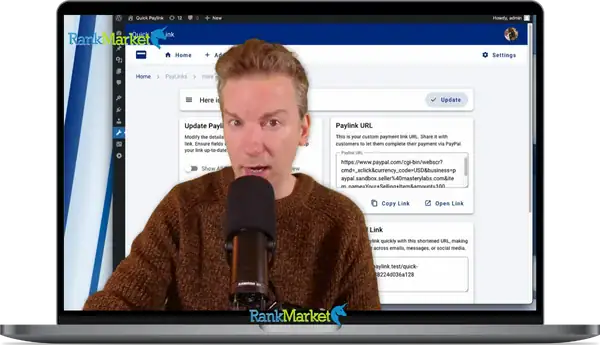
For more details, you can watch the video below:
Advantages and Disadvantages of Paddle Checkout for WooCommerce
Advantages
-
Easy Integration: Paddle Checkout for WooCommerce allows you to set up quickly without complicated coding. Just install the plugin, activate it, and configure it, and you're ready to go!
-
Automatic VAT Management: Paddle handles VAT completely for you, helping you comply with tax requirements in the countries where you do business. You don't need to worry about calculating and filing taxes, Paddle does it all.
-
Recurring Payments Support: With support for WooCommerce recurring payment add-ons, you can easily sell subscription products and automatically recur transactions, saving you and your customers time.
-
Risk-Free Refund Policy: With a 100% refund policy within 14 days if the plugin doesn't work as advertised, you can experience it with peace of mind without worrying.
-
Accept Multiple Payment Methods: Paddle allows you to accept a variety of payment methods, including credit cards, PayPal, and other money transfer methods, making it convenient for your customers.
-
Fraud Protection: Paddle offers intelligent fraud protection tools, which help reduce the risk of fraudulent payments and chargebacks.
Cons
-
Country Restrictions: Paddle does not support vendors from certain countries, including Afghanistan, Belarus, Iran, and Russia. This may limit your market reach if you operate in these regions.
-
Transaction Costs: While Paddle offers a well-integrated solution, you need to consider the transaction fees associated with using the service, which can impact your profits.
Who Should Use Paddle Checkout for WooCommerce
-
Digital Product Developers: If you are a developer of software, plugins, or any digital products (like music, graphics, or designs), Paddle Checkout makes it easy to set up an online store with a seamless checkout process.
-
Subscription Businesses: Businesses that offer services or products on a subscription basis Subscription models will benefit from Paddle's recurring billing feature, which allows you to automate the collection process.
-
Global Marketplace Vendors: If you want to reach customers around the world, Paddle offers multiple payment methods and automatic VAT management, making it easy to expand your market without the hassle of local regulations.
-
WooCommerce Store Managers: If you already have a WooCommerce store and are looking for an efficient payment solution, Paddle Checkout offers seamless integration and ease of use, helping you optimize the shopping experience for your customers.
-
Online Sellers New to Online Selling: If you are new to online selling and don't have much experience with technology, Paddle Checkout is easy to set up and Encryption is a great option for you.
-
Businesses looking to cut costs: Paddle offers low transaction fees, which can save you money compared to other payment methods, and offers a variety of tax and invoice management support services.
Conclusion
Paddle Checkout for WooCommerce is the ideal solution to help you optimize the checkout process on your website. With many outstanding features such as recurring payment support, automatic VAT processing, and transaction security, you will save time and effort in managing payments. Don't miss your chance to experience Paddle Checkout at a low price at RankMarket!
Hopefully this article has given you an insight into Paddle Checkout and how it can help grow your business.
| License | 1 Site |
|---|
Some Questions Before Join US
Group buying, also known as collective buying, offers products and services at significantly reduced prices on the condition that a minimum number of buyers would make the purchase.
- First, we will list product Here as people request & Collect Money From other peoples.
- Sec, Once enough moneys from customer, we will buy products From Developer.
- Then, we deliver to all Joiners.
- You can join directly by Purchase at our site and Reach Support about that to confirm.
- You can join via our Community : https://bit.ly/RMKDiscord
- How to Buy
We have 2 Product Status
- Instant-Deliver : Avaible and Deliver within 24-48hs (not on Sat-Sun, Holiday)
- Group Buy/Pre-Order : Not avaible, Still collect more people to join, need to wait.
OTO mean that One-Time-Offer/Upsell/Upgrade of Product For limited time only
Cancelled mean that order is not pay/process within 24hs. Please reach us with Order ID to check.
You will get Products by Download via Email .Once you finish payment to us and get confirm. You will get download Links inside your Account
- SAAS : You will get Individual account via Mail or On your Order List
- Shared Tool : via our chrome (WIN/MAC/Linux)
- WP : We will active key for your site.
- Course/Book/GraphicKit : Download link will send via mail or On your Order List.
- ETA Time : Fast maybe 3-4 days or 1 Week , Always be 3-4 Weeks or some times as Member Request it can be up to 3 Months to Group Buy WIN.
- GB Fail : You will get refund or exchange other.
– If Products problem, Capture screenshot/Video to us. We will forward to developer to fix it.
– If impossible sloved, we will exchange to other product. With Annual Product, we will refund or exchange by subtract times that you used.
– If used product for 1 or few years then not work. we will try to contact developer to fix it. But if some bad Vendors keep money and run, we just can give you some discount for future orders.
Warranty Time :
- Monthly Product : 30 days
- Annual/One Time Product : 1 year.
Our Store Credit mean credit can use to redeem on Your orders. 25 Credit = 1$.
Earn by some way :
- Place Orders. Each 1$ spend you will earn 1$
- Exchange some not work/not-fullfill orders by your agreed.
- By Reffer Your Friends to buy at our store.
How to redeem
- At Checkout page have redeem button to use it. Maxium is 250/orders.
- If you need redeem more. Reach our Support
We support only via 2 channel :
- Email : [email protected]
- Messenger : m.me/rankmarkenet (Live chat on Site)
TIme : From 9AM - 6PM Monday - Friday (GTM+8).
All Order/Ticket on Sat-Sun/Holiday will be supported on next Monday.
WE ARE TRY TO WORK HARD AND SUPPORT ALL PEOPLE BUT WE CAN NOT MAKE ALL HAPPY 100%
Thanks For You are here and belive US for longtime.
While working,we meet someone like & we will not support :
– People buy 1 but want to exchange to 10 Products.
– People who steal our products then ask refund.
– People fake payment to get our products.
– People always ask refund,can not wait for waiting product. Dont Pay. Wasted our Time.
Best Regards
David Green – RankMarket
Related products


WordPress

WordPress


WordPress
WordPress