


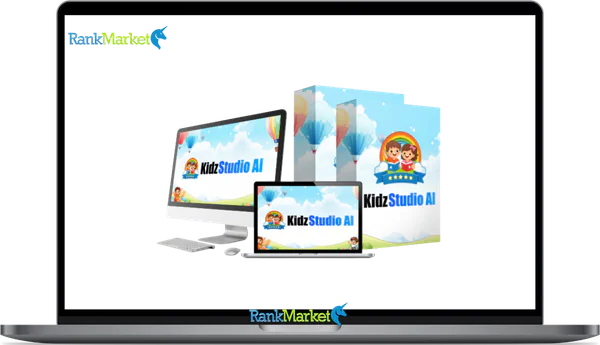
Buy KidzStudio AI + OTOs full account + Bonus
$15.00
KidzStudio AI is a visual page builder and content creation platform designed to help users create children-focused websites and digital media assets with a fast, user-friendly workflow.
KidzStudio AI - Overview
Are you looking to build stunning, professional children’s content platforms and publish profit-ready digital assets effortlessly in 2026 without touching a single line of code? Creating an engaging online presence in the children’s media niche is vital for digital success, and KidzStudio AI has emerged as a revolutionary solution. Whether you are launching a personal storytelling blog, a massive corporate educational portfolio, or an interactive digital storefront for kids, this visual cloud powerhouse provides unparalleled creative freedom. Let us dive deep into how KidzStudio AI can completely transform your website development and children’s publishing workflow today.
What is KidzStudio AI?
KidzStudio AI is an incredibly intuitive, highly sophisticated visual page builder and content generation platform explicitly designed to dominate the children’s digital media ecosystem. Created by a team of dedicated developers who understood the growing frustration with overly complex, bloated site builders and fragmented creation tools, KidzStudio AI fundamentally shifts the paradigm of web design and low-content publishing.
In 2026, the demand for blazing fast, highly responsive, parent-approved websites and engaging media assets is at an all time high. KidzStudio AI directly answers this demand by offering a completely streamlined, user-friendly interface that democratizes high-end web development and digital asset production. Instead of hiding critical design settings behind dozens of confusing sidebars and endless dropdown menus, it brings the tools directly to your cursor, ensuring an uninterrupted creative flow.
At its core, KidzStudio AI functions as a comprehensive design powerhouse engineered to facilitate rapid website deployment while maintaining absolute visual control. When you upgrade to the premium ecosystem, you unlock a massive toolkit filled with premium design elements, dynamic content capabilities, and sophisticated marketing integrations specifically tailored for children's books, videos, and interactive media. Unlike traditional systems that lock you into rigid column structures, KidzStudio AI offers a blank canvas where you can visually map out your entire digital strategy.
The underlying philosophy driving KidzStudio AI is the elimination of technical friction. It allows marketers, freelance designers, and business owners to bypass the costly phase of hiring expensive frontend developers, illustrators, or voice actors. With its robust collection of beautifully crafted starter templates and automated generation engines, you are equipped to build a professional brand presence in a fraction of the time it traditionally takes.
Main Features of KidzStudio AI

Intuitive Drag and Drop Visual Editor
The hallmark of KidzStudio AI is its remarkably clean, highly responsive visual editor. Unlike older page builders that rely on massive, screen-hogging sidebars, KidzStudio AI utilizes an inline editing approach. When you click on any element, such as a text box or an image, a small, floating toolbar appears immediately next to your cursor. This provides instant access to typography controls, color palettes, and margin spacing without ever distracting you from the overall page layout. This fluid, real-time editing experience drastically accelerates the design process, allowing you to build highly complex column structures and overlapping elements visually, making it the most user-friendly builder available in 2026.
Unified Multi-Format Creation Engine
Staring at a blank screen can severely hinder creative momentum. KidzStudio AI completely eliminates this obstacle by providing an incredibly expansive multi-format production module. With a single keyword, topic input, or voice note, the system can simultaneously generate a complete product suite. This means you can create a children's eBook, a corresponding coloring book, an educational puzzle pack, an automated audiobook, and an animated video all at once. This incredible feature dramatically reduces your production timeline from several weeks of manual multi-tasking down to just a few minutes of automated computing.
Advanced Global Styling System
Maintaining strict brand consistency across a massive website with hundreds of pages or across a collection of dozens of digital books is absolutely critical for corporate identity. KidzStudio AI features a highly sophisticated Global Styling system that allows you to establish a centralized design foundation. You can define your primary, secondary, and accent colors, as well as your global typography hierarchy for headings and body text, in one central location. When you update a specific global color or font style, that change instantly propagates across absolutely every single page, book asset, and widget on your entire setup. This incredible functionality completely eliminates the tedious necessity of manually editing individual elements, saving countless hours of administrative design work.
Dynamic Content and Custom Fields Integration
For developers and publishers building complex, data-driven websites, displaying dynamic content is completely non-negotiable. KidzStudio AI excels in this area by offering flawless integration with custom fields and dynamic children’s data sources. You can easily connect the builder to popular database systems and custom field architectures. This allows you to design a single, beautiful template for a storybook chapter, a product listing, or a lesson plan, and dynamically populate it with the specific data from your central database. The software intelligently pulls in custom images, text fields, and ages automatically, ensuring your directory or portfolio remains perfectly formatted regardless of how much content you actively publish.
Comprehensive Header and Footer Builder
Relying on the default navigation menus provided by rigid, generic themes is completely obsolete in 2026. KidzStudio AI empowers you with fully functional, highly advanced header and footer building capabilities integrated directly into the core system. You can visually design incredibly complex navigation structures, sticky headers that follow the user down the page, and interactive mega menus without writing a single line of backend code. Furthermore, you can apply complex display conditions, assigning completely unique headers to specific promotional landing pages or membership areas while maintaining a standard navigation bar for your informational blog, granting you unparalleled control over the user navigation experience.
Integrated Popup and Alert Builder
Lead generation and capturing user attention at the exact perfect moment is essential for digital marketing success. KidzStudio AI completely eliminates the need for expensive third-party popup software by including a highly advanced, native popup builder. You can visually design beautiful modal windows, exit-intent popups, and notification bars using the exact same drag-and-drop interface used for standard web pages. You can trigger these popups based on specific user actions, such as scrolling down a certain percentage of the page, clicking a specific button, or attempting to close the browser tab. KidzStudio AI significantly increases your overall conversion rates and email subscriber growth.
Mobile-First Responsive Design Controls
With mobile traffic dominating global internet usage, ensuring flawless performance on smartphones and tablets is an absolute requirement for modern kids' brands. KidzStudio AI utilizes highly advanced mobile-first and adaptive design techniques. The visual builder provides dedicated breakpoints for desktop, tablet, and mobile devices. You can easily adjust typography sizes, modify spatial padding, hide specific columns, and reverse flexbox layouts exclusively for smaller screens. This incredible flexibility ensures that your website provides a completely flawless, highly trustworthy viewing experience for absolutely all users globally, directly satisfying the strict mobile usability metrics evaluated by major search engines.
Deep Marketing and CRM Integrations
A truly professional web design toolkit must integrate perfectly with the software your business relies on. KidzStudio AI offers highly specialized connections to the most popular email marketing platforms and Customer Relationship Management databases on the market. You can effortlessly connect your native contact and lead forms directly to external automated software systems. When a parent or client submits their information, the data is instantly and securely routed to your preferred marketing application, triggering automated follow-up sequences and drastically accelerating your sales pipeline without any manual data entry or technical maintenance.
Role Management and Client Hiding Features
For digital agencies building children's educational portals for clients, protecting the design architecture from accidental deletion is paramount. KidzStudio AI includes a highly sophisticated Role Management system that allows you to strictly define exactly what specific backend users can do. You can easily restrict your clients to only editing textual content, downloading ready-made packs, or uploading images, completely hiding the complex structural layout controls and global styling menus. This granular level of administrative control ensures your meticulously crafted designs remain perfectly intact while still allowing your clients the freedom to update their content independently.
Cutting-Edge AI Media Builder
Pushing the boundaries of modern technology, KidzStudio AI has integrated a powerful Artificial Intelligence builder capable of generating entire asset drafts in seconds. By providing the AI with a few targeted prompts regarding your target age group and brand identity, the system autonomously crafts relevant layouts, selects appropriate color palettes, and writes preliminary copy. While this generated content can benefit from human review and refinement for optimal search engine performance, it serves as an incredibly powerful brainstorming tool that completely eradicates the initial friction of starting a new project from absolute scratch.
Pricing Plans and OTOs detailed
FE – KidzStudio AI ($14.94 one-time)
- One-time payment during launch period
- AI-powered kids content creation platform
- Create kids books, coloring books, puzzle books, audiobooks, and video books
- No monthly fees or subscriptions
- Cloud-based access included
- Replaces writers, designers, and voice actors
- Beginner-friendly workflow
- Commercial usage supported
- 30-day money-back guarantee
- Launch pricing expected to increase later
OTO 1 – Premium Edition ($47 one-time)
- Removes platform limitations
- Advanced coloring-book and puzzle creators
- Bulk content generation features
- Premium audio and video tools
- Multilingual kids content creation
- Higher-resolution downloads
- Ready-to-publish formats
- Watermark removal included
- Commercial license included
- Designed for scalability and faster production
OTO 2 – Unlimited Edition ($67 one-time)
- Unlimited kids product creation
- Unlimited eBooks, audiobooks, puzzle books, and video books
- No usage caps or credit limits
- Built for large-scale content production
- Supports multiple niches and product bundles
- Designed for long-term scalability
- No recurring subscription fees
OTO 3 – Done-For-You Edition ($97 one-time)
- Full done-for-you setup service
- Experts create complete kids packs for you
- Includes books, audiobooks, puzzle books, and video books
- Payment setup and branding included
- Hands-free business setup
- Commercial license included
- Built for beginners and non-technical users
- Fastest launch option available
OTO 4 – Video & Animation Studio ($67 one-time)
- Transforms kids content into animated videos
- Create YouTube Shorts, Reels, and social videos
- AI voiceovers and background music included
- Built-in sound effects and animation tools
- Multi-platform export support
- YouTube optimization tools included
- Designed for video traffic and audience growth
- Supports additional monetization channels
OTO 5 – Traffic & Profit Automation Suite ($67 one-time)
- AI-powered keyword research tools
- SEO listing optimization system
- Traffic-generation tools included
- Pricing strategy guidance
- Built for Amazon KDP, Etsy, Shopify, and marketplaces
- Profit-focused bundle systems
- Evergreen passive income frameworks
- Designed for higher rankings and conversions
OTO 6 – Virtual Academy Edition ($37 one-time)
- AI-powered online school platform
- 20+ AI professors included
- Teaches subjects like math, science, and coding
- Ready-made academy website and student dashboard
- Course content and payment setup included
- 24/7 automated learning system
- Commercial license included
- Subscription-style education business model
OTO 7 – Agency Edition ($197 one-time)
- Full agency rights included
- Create and manage unlimited client accounts
- Sell your own branded version of KidzStudio AI
- Charge monthly, yearly, or one-time pricing
- Keep 100% of profits
- Centralized agency dashboard
- Built for freelancers, agencies, and educators
- Recurring income business model
OTO 8 – Reseller Edition ($77 one-time)
- Full reseller rights included
- Sell KidzStudio AI and its upgrades
- Keep 100% of sales profits
- Vendor handles hosting, updates, and support
- Hands-free software business opportunity
- No content creation required
- Built for affiliates and marketers
OTO 9 – Whitelabel Edition ($397 one-time)
- Full white-label ownership rights
- Rebrand software with your own name, logo, and domain
- Vendor handles setup and hosting
- Complete SaaS-style business model
- Control your own pricing and branding
- Keep 100% of profits
- Customers only see your brand
- Built for long-term software business ownership
How to Use KidzStudio AI
- Step 1: System Access and Premium Activation: Navigate securely to your administrative dashboard, access the workspace section, and launch the platform environment. Next, ensure your premium license credentials are input securely to permanently unlock all advanced generation features, premium multi-format templates, and unrestricted asset exporting capabilities.
- Step 2: Configuring Global Settings and Styling: Before designing individual pages or generating assets, establish your global design system. Open the editing console and navigate to the master styling panel to meticulously define your brand color palette and select your primary typography fonts for headings and paragraph text, maintaining perfect visual consistency.
- Step 3: Utilizing Prebuilt Templates or Starting Fresh: Create a new project and launch the visual editing space. You are immediately presented with the option to build from a blank canvas or access the cloud library to browse hundreds of premium blocks and full children’s pack structures that align with your creative vision.
- Step 4: Visual Customization and Content Injection: With your structural foundation in place, begin refining the layout by clicking directly on any element to rewrite placeholder copy. Swap generic graphics with your authentic brand imagery and utilize the floating toolbar to adjust spatial margins, apply engaging animations, and implement visual depth.
- Step 5: Establishing Dynamic Content and Menus: Navigate to the structural builder section to construct your global headers and footers. Design your navigation menu and apply display conditions to ensure it appears across your entire asset network while utilizing dynamic content tags to automatically map images, titles, and structural layers onto your layouts.
- Step 6: Mobile Optimization and Final Publishing: The final step before launching involves a rigorous responsive design audit. Switch the visual builder into mobile viewing mode to verify that your layout collapses elegantly, adjust typography sizing specifically for smartphone screens, and then confidently publish your high-resolution assets to the live internet.
Advantages and Disadvantages
Pros
- Unparalleled Intuitive Interface: The uncluttered, inline editing experience is widely considered an excellent approach in the creative generation industry. By removing massive fixed sidebars, users can focus entirely on the design, making it incredibly beginner-friendly and drastically accelerating the production timeline for busy content creators.
- Exceptional Value Proposition: The premium subscription provides phenomenal financial utility for digital entrepreneurs. By including a native popup builder, advanced header tools, and multi-format content generators under one roof, it completely eliminates the urgent need to purchase dozens of separate software tools, lowering your overall operational costs.
- Massive Asset Library: The inclusion of hundreds of fully designed website blocks, book layouts, and educational templates is a massive time saver. Users can deploy a complete, fully functioning asset structure in mere seconds, allowing busy entrepreneurs to focus their valuable time on marketing strategy rather than structural wireframing.
- Global Styling Integration: The centralized control over colors and typography ensures absolute brand consistency across multiple channels. Modifying a single global color instantly updates every corresponding element across your entire ecosystem, completely removing the tedious process of manually editing hundreds of individual pages or pages within documents.
- Cloud Auto Save Functionality: The software features an incredibly reliable automated background saving system. Your active work is securely synced to the cloud frequently, guaranteeing that you never lose hours of complex design progress due to a sudden internet outage or accidental browser closure during heavy generation tasks.
Cons
- Multi-Step Generation Process: Because the advanced generation features require processing text, audio, and video elements simultaneously, users must navigate through a structured dashboard workflow. This specific technical framework can sometimes cause slight initial confusion for absolute beginners during their first content production run.
- Fewer Advanced Developer Settings: While the interface is incredibly clean, highly advanced programmatic developers might find the raw CSS styling options slightly limited compared to incredibly complex, developer-focused software environments that offer granular control over every single coding property and custom code transition matrix.
- AI Output Requires Refinement: The cutting-edge artificial intelligence asset generator is highly innovative but occasionally produces generic text layouts that do not perfectly align with highly specific, localized educational niches, requiring human review and editorial refinement before publication for optimal real-world results.
- Ticket-Based Support Channels: Unlike massive conglomerate platforms that offer instantaneous automated live chat for every tier, this platform relies primarily on a queue-based email support framework. Response times can occasionally experience brief delays during major global system updates or high-volume product launch windows.
- Limited Obscure Integrations: While it natively supports major email marketing platforms and standard content publishing channels, highly obscure, extremely niche third-party software databases may lack native API hooks, requiring the use of intermediate webhooks or external transfer tools to connect data successfully.
Who It Is For and Who It Is Not For
Best Suited For:
- Freelance Content Creators and Agencies: Professionals who actively build dozens of highly customized children's educational sites, books, or portfolios for diverse clients every single year will find immense value here. The clean interface, massive template library, and role management features allow developers to rapidly produce high-end client sites while protecting the core system backend from accidental client interference.
- Beginners and Non-Technical Users: Individuals who absolutely despise learning complex programming languages or fighting with confusing backend site structures will absolutely thrive using KidzStudio AI. The inline editing experience is so incredibly intuitive that anyone who has used a basic word processor can master the design controls within a few hours.
- Marketing Professionals and Entrepreneurs: Business owners heavily focused on lead generation, children's publishing, and digital sales will benefit massively from the native popup builder and deep automated marketing integrations. The ability to seamlessly deploy highly converting landing pages and instantly capture customer addresses ensures the infrastructure actively supports rapid revenue growth.
- Digital Educators and Bloggers: Publishers who require clean, beautifully styled children's learning layouts will appreciate the global styling and dynamic content features. The ability to design a single educational layout template and have it automatically apply to every future asset saved countless hours of repetitive manual formatting.
Not Recommended For:
- Hardcore Software Programmers: If your digital strategy relies entirely on writing thousands of lines of completely custom programmatic script, utilizing advanced database coding, and building proprietary backend configurations from scratch, a visual drag-and-drop builder will likely feel too restrictive for your highly specific development requirements.
- Users Building Enterprise Marketplaces: If your massive international corporation is actively building a highly complex, heavily regulated multi-vendor eCommerce marketplace with tens of thousands of simultaneous daily transactions and extremely complex transactional database queries, a visual engine may introduce unnecessary structural overhead.
- Individuals Seeking Absolute Automation: If you are expecting the artificial intelligence feature to magically build a completely perfect, highly nuanced, fully optimized digital asset network that requires absolutely zero human intervention, oversight, or copywriting refinement, you will be disappointed by the baseline limitations of modern automated engines.
- Minimalists Seeking Zero Functional Features: If your ultimate digital goal is to publish a highly simple, text-only personal online diary with absolutely zero complex user interactions, no advanced imagery, and no need for dynamic layouts, purchasing a premium dynamic creation ecosystem is entirely redundant and financially inefficient.
Comparison: KidzStudio AI vs. KidsNinja AI
Choosing the right digital production architecture requires analyzing how different tools handle formatting, assets, and delivery options. The comparison table below highlights the distinct technological paths taken by KidzStudio AI and KidsNinja AI to help you determine which system best fits your commercial strategy in 2026.
|
Functional Category |
KidzStudio AI Ecosystem |
KidsNinja AI System |
|
Primary Production Goal |
Multi-Format Digital Asset Packs |
High-Engagement Visual Video Media |
|
Interface Architecture |
Clean Inline Floating Toolbars |
Fixed Modular Sidebar Navigation |
|
Target Distribution Channels |
Amazon KDP, Etsy, Independent Sites |
YouTube, Social Platforms, Client Portals |
|
Design Library Assets |
250+ Site Layouts / 500+ Section Blocks |
Specialized Theme Templates / Story Frameworks |
|
Audio Processing Tech |
Integrated Standard Audiobook Narration |
High-Emotion Voice Inflection Modeling |
|
Styling Foundation |
Centralized One-Click Global Styling |
Project-by-Project Custom Editing |
|
Data Integration |
Custom Fields / Database Connections |
Native API Post Schedulers / Webhooks |
|
Security Controls |
Granular Client Role Management |
Standard Account Access Permissions |
Frequently Asked Questions
What exactly is KidzStudio AI and how does it function?
KidzStudio AI is a highly advanced, remarkably intuitive visual page builder and content generation platform designed exclusively for creators entering the children's digital media market. It functions by completely replacing traditional, fragmented development methods with a seamless drag-and-drop interface. You can visually design complex column structures, apply beautiful typography, and insert highly interactive widgets directly onto your live workspace without ever needing to write or understand complex coding languages in 2026.
Do I need any technical skills to use KidzStudio AI?
No, you absolutely do not need any coding or advanced technical programming skills to operate KidzStudio AI. The developers have created an incredibly user-friendly interface that utilizes inline editing toolbars. From establishing your color palettes to scheduling your popups, the entire system is designed for absolute beginners to manage beautifully styled, complex digital layouts without ever looking at a single line of computer code during your daily production work.
What is the difference between the Free and Pro versions?
The free version available in basic repositories provides the foundational drag-and-drop builder and basic elements, which is excellent for testing simple pages. However, the premium Pro upgrade permanently unlocks the absolute most powerful features, including the native theme builder, the comprehensive popup creator, advanced dynamic content integration, multi-format children's asset generators, and access to the entire premium cloud template library, which is required for professional operations.
Does KidzStudio AI slow down my website loading speeds?
The software is meticulously engineered with performance optimization as an absolute primary focus. Unlike legacy systems that output massive amounts of bloated code and heavy scripts, KidzStudio AI generates incredibly clean, optimized data structures. By keeping the document object model relatively flat and utilizing modern performance technology, it ensures your platform loads layout elements rapidly, providing a vastly superior experience that directly boosts your performance scores on modern search engines.
Can I build an online WooCommerce store using KidzStudio AI?
Absolutely. KidzStudio AI features deep and completely seamless integration with major digital commerce systems. The massive toolkit includes completely specialized digital store elements, allowing you to visually redesign standard product pages, dynamic shopping carts, and archive layouts directly from the builder interface, helping you maximize conversions and build a highly trustworthy brand aesthetic for your children's retail or digital download business.
What is the Global Styling feature and how does it help?
Global Styling is an incredibly powerful feature for maintaining strict brand consistency across multiple assets. It allows you to define your primary corporate colors and official typography fonts in one central dashboard. When you apply a global color to an element, changing that color in the master settings instantly updates every single element sharing that global property across your entire network, completely eliminating the need for tedious manual formatting.
Does KidzStudio AI include prebuilt templates so I do not have to start from scratch?
Yes, the inclusion of premium design assets is a massive priority for KidzStudio AI. The software includes complete access to a meticulously organized cloud library featuring over 250 fully designed website layouts and more than 500 individual section blocks. You can instantly import beautiful hero sections, pricing tables, and content forms directly into your page with a single click, drastically accelerating your project launch timeline.
How does the integrated Popup Builder work?
The native popup builder completely eliminates the need for expensive external software plugins. You can visually design highly engaging modal windows using the exact same drag-and-drop interface used for standard pages. You have absolute control over the trigger conditions, meaning you can configure the popup to display automatically after a specific time delay, when the user scrolls down, or when they attempt to exit your website entirely.
Can I use KidzStudio AI on multiple client websites if I am an agency?
Yes, you can absolutely use these tools across multiple different websites, depending entirely on the specific premium licensing tier you actively select during the initial checkout process. While the basic entry-level plans strictly limit usage to a smaller number of domains, the higher-tier agency and lifetime packages offer extended commercial licenses, permitting you to install the premium software on unlimited client projects simultaneously.
Selecting the ideal page builder and content development architecture is the most crucial decision in your web development journey. KidzStudio AI delivers an unparalleled balance of highly intuitive visual editing, sophisticated dynamic content capabilities, and incredibly clean code architecture, completely revolutionizing how you construct WordPress websites and publish digital media assets in 2026.
By removing the friction of complex backend interfaces and heavy asset bloat, it serves as a vital creative asset for your enterprise. Take absolute control of your digital design process and unlock your full creative potential by utilizing KidzStudio AI today.
Some Questions Before Join US
Group buying, also known as collective buying, offers products and services at significantly reduced prices on the condition that a minimum number of buyers would make the purchase.
- First, we will list product Here as people request & Collect Money From other peoples.
- Sec, Once enough moneys from customer, we will buy products From Developer.
- Then, we deliver to all Joiners.
- You can join directly by Purchase at our site and Reach Support about that to confirm.
- You can join via our Community : https://bit.ly/RMKDiscord
- How to Buy
We have 2 Product Status
- Instant-Deliver : Avaible and Deliver within 24-48hs (not on Sat-Sun, Holiday)
- Group Buy/Pre-Order : Not avaible, Still collect more people to join, need to wait.
OTO mean that One-Time-Offer/Upsell/Upgrade of Product For limited time only
Cancelled mean that order is not pay/process within 24hs. Please reach us with Order ID to check.
You will get Products by Download via Email .Once you finish payment to us and get confirm. You will get download Links inside your Account
- SAAS : You will get Individual account via Mail or On your Order List
- Shared Tool : via our chrome (WIN/MAC/Linux)
- WP : We will active key for your site.
- Course/Book/GraphicKit : Download link will send via mail or On your Order List.
- ETA Time : Fast maybe 3-4 days or 1 Week , Always be 3-4 Weeks or some times as Member Request it can be up to 3 Months to Group Buy WIN.
- GB Fail : You will get refund or exchange other.
– If Products problem, Capture screenshot/Video to us. We will forward to developer to fix it.
– If impossible sloved, we will exchange to other product. With Annual Product, we will refund or exchange by subtract times that you used.
– If used product for 1 or few years then not work. we will try to contact developer to fix it. But if some bad Vendors keep money and run, we just can give you some discount for future orders.
Warranty Time :
- Monthly Product : 30 days
- Annual/One Time Product : 1 year.
Our Store Credit mean credit can use to redeem on Your orders. 25 Credit = 1$.
Earn by some way :
- Place Orders. Each 1$ spend you will earn 1$
- Exchange some not work/not-fullfill orders by your agreed.
- By Reffer Your Friends to buy at our store.
How to redeem
- At Checkout page have redeem button to use it. Maxium is 250/orders.
- If you need redeem more. Reach our Support
We support only via 2 channel :
- Email : [email protected]
- Messenger : m.me/rankmarkenet (Live chat on Site)
TIme : From 9AM - 6PM Monday - Friday (GTM+8).
All Order/Ticket on Sat-Sun/Holiday will be supported on next Monday.
WE ARE TRY TO WORK HARD AND SUPPORT ALL PEOPLE BUT WE CAN NOT MAKE ALL HAPPY 100%
Thanks For You are here and belive US for longtime.
While working,we meet someone like & we will not support :
– People buy 1 but want to exchange to 10 Products.
– People who steal our products then ask refund.
– People fake payment to get our products.
– People always ask refund,can not wait for waiting product. Dont Pay. Wasted our Time.
Best Regards
David Green – RankMarket
Related products

SAAS Tools

SAAS Tools



SAAS Tools
SAAS Tools