

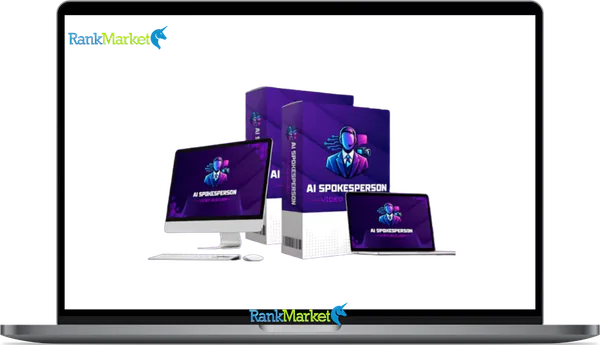
Buy AI Spokesperson Video Builder + OTOs full account + Bonus
$15.00
AI Spokesperson Video Builder is a cloud-based AI video platform that turns written scripts into lip-synced spokesperson videos using realistic digital avatars and automated voice generation.
AI Spokesperson Video Builder - Overview
Video marketing is no longer optional for businesses aiming to stay competitive. However, the traditional video production pipeline remains incredibly demanding, expensive, and time-consuming. AI Spokesperson Video Builder addresses this massive bottleneck by offering a comprehensive, cloud-based platform that automates the generation of hyper-realistic presenter videos from raw text scripts. This detailed review explores how this advanced, subscription-free automation engine helps marketers, creators, and agencies build studio-grade video assets in seconds without ever stepping in front of a camera.
What is AI Spokesperson Video Builder?
AI Spokesperson Video Builder is an all-in-one, cloud-hosted video generation software designed to replace expensive actors, studio spaces, cameras, and audio setups with highly intelligent, automated digital human avatars. Developed by seasoned software innovators Anirudh Baavra and Amit Gaikwad, the application translates any written script into a fully animated, perfectly lip-synced talking-head video.
AI Spokesperson Video Builder eliminates the steep learning curves associated with professional editing applications like Adobe Premiere or Final Cut Pro. Instead, it consolidates scriptwriting, voiceover generation, motion synchronization, and post-production formatting into a single browser-based user interface. Whether you need a widescreen sales video for a landing page, a square post for social feeds, or a vertical short-form video for mobile audiences, this system computes and delivers a polished, production-ready HD export without any watermarks.
The entire operating methodology of this application is engineered around efficiency and follows a streamlined three-step workflow:
- Select Your Digital Presenter: Choose a high-definition human avatar from a vast, diverse library encompassing various ethnicities, age demographics, styles, and attire options.
- Input and Customize Your Script: Paste your written copy directly into the interface or utilize the integrated artificial intelligence script engine to write one. Select an ultra-realistic voice profile, choose a specific language or regional accent, and pick a professional digital backdrop.
- Render and Export: Initiate the rendering engine. The artificial intelligence automatically tracks and maps the mouth movements to the audio track, overlays styled subtitles, mixes background melodies, and renders a clean HD video file.
Main Features of AI Spokesperson Video Builder

Realistic AI Spokesperson Generator
The core engine contains an expansive, highly diverse library of lifelike human avatars. These digital presenters are modeled from actual human actors, capturing subtle facial expressions, micro-movements, eye blinks, and natural posture adjustments. This meticulous attention to human detail prevents the rigid, synthetic appearance commonly found in older animation platforms, providing a highly convincing presentation that builds trust and authority with viewers.
Ultra-Realistic AI Voice Engine
Forget monotone, robotic text-to-speech tools. The integrated voice synthesis system features advanced tonal variations, emotional intelligence, context-aware pacing, and natural breathing intervals. This ensures that every generated voiceover sounds authentically human, with appropriate emphasis on critical sales hooks and transitional phrases to keep audiences engaged.
Perfect Lip-Sync Technology
AI Spokesperson Video Builder utilizes real-time phoneme mapping to dynamically synchronize the avatar’s lip, mouth, and jaw movements with the underlying audio waveforms. Regardless of the words used or the speed of delivery, the visual synchronization remains incredibly precise across all supported languages, preventing the disorienting, poorly timed lip movements that instantly ruin video credibility.
Built-In AI Script Writer
Writer's block is completely eliminated with the built-in copy generation assistant. By simply inputting a primary keyword, product description, or core marketing objective, AI Spokesperson Video Builder analyzes high-converting copywriting frameworks to write polished scripts for video sales letters (VSLs), local advertisements, or educational courses in seconds.
Multi-Language and Accent Support
Expanding your business globally is incredibly simple with AI Spokesperson Video Builder's extensive multilingual architecture. It supports dozens of languages alongside localized regional accents, allowing you to easily adapt a single marketing message for diverse global audiences without needing to hire international voice talent or translation services.
Custom Backgrounds and Scenes
Users can instantly place their selected avatar into a variety of high-definition environments, including corporate offices, modern production studios, clean minimalist backdrops, or solid green screens. Additionally, you can upload your own custom image or video backgrounds to ensure complete visual alignment with your brand's unique corporate style.
Auto Captions and Subtitles
Because a massive percentage of social media users scroll through their feeds with the audio muted, AI Spokesperson Video Builder automatically transcribes your spoken script into highly engaging, stylized on-screen captions. These burned-in subtitles ensure your core message is fully understood even on silent feeds, significantly increasing viewer retention and watch time.
One-Click Multi-Format Aspect Ratios
Adapting content across multiple channels can often take hours of tedious manual resizing. This utility solves that issue by allowing you to output the exact same presenter asset into widescreen (16:9) for YouTube, vertical (9:16) for TikTok, Reels, and Shorts, or square (1:1) for standard feed posts with a single click.
Voice Cloning Engine
This premium feature allows you to upload a brief audio sample of your own voice for the artificial intelligence to securely analyze and replicate. Once cloned, your custom digital avatar can read any new script using your exact vocal blueprint, allowing you to scale your personal brand's content output infinitely without ever stepping into a recording booth.
Talking Photo Mode
This creative tool allows you to transform any standard, flat 2D photograph or portrait into an active, animated presenter. The algorithm analyzes the facial structure of the static image and applies realistic mouth, eye, and head movements, making it an excellent option for creating unique brand mascots or dynamic customer testimonial videos.
Done-For-You Marketing Templates
AI Spokesperson Video Builder features an extensive library of pre-configured video layouts tailored for specific industries, ecommerce promotions, corporate explanations, and product advertisements. Users can simply pick a template, drop in their text, and instantly generate a professionally structured video asset.
Smart Auto-Editing and Asset Integration
The processing dashboard automatically manages technical post-production details, such as smooth scene transitions, branding lower-thirds, custom logo watermarks, and audio-balanced background music tracks. This allows you to produce a polished, professional final product without ever opening a manual timeline editor.
Comprehensive Visual Studio and Graphics Engine
Beyond its core video functionalities, AI Spokesperson Video Builder features an integrated artificial intelligence graphics suite. By typing a simple image prompt, users can instantly generate high-quality supporting graphics, video thumbnails, social media banners, and decorative marketing assets directly within the unified dashboard.
Integrated AI Conversational Chat Box
The user dashboard features a built-in conversational assistant powered by cutting-edge language models. This allows you to brainstorm content angles, research trending topics, outline video campaigns, and refine script positioning right alongside your active video production workspace.
Commercial Rights and White-Label Capabilities
Every license includes full commercial distribution rights, empowering you to sell these high-quality spokesperson videos directly to local businesses, ecommerce stores, or corporate clients. Because the final exports are 100% watermark-free, you can position yourself as a full-service digital agency and retain all generated profits.
Pricing Plans and OTOs detailed
FE – AI Spokesperson Video Builder ($14.95 one-time)
- One-time payment during launch period
- AI spokesperson video creation platform
- AI spokesperson generator included
- AI voice engine with lip-sync technology
- AI scriptwriter
- Talking photo mode
- Multiple video formats supported
- HD video exports
- Auto-caption generation
- Done-for-you video templates
- Commercial usage rights included
- Cloud-based platform
- Lifetime access to core features
- 30-day money-back guarantee
OTO 1 – Unlimited Mode ($67–$147 one-time)
- Removes platform usage restrictions
- Unlimited spokesperson videos
- Unlimited AI voices
- Unlimited lip-sync rendering
- Unlimited script generation
- Unlimited video projects
- Longer video creation support
- High-volume content production
- Voice cloning (Gold plan)
- Multi-language automation
- Priority rendering
- Advanced scaling tools
- Commercial rights included
- Suitable for agencies and power users
OTO 2 – DFY Edition ($67–$147 one-time)
- Done-for-you video assets
- Ready-made spokesperson videos
- Proven marketing scripts
- Niche-specific templates
- AI voice presets
- Ready-to-use ad campaigns
- Done-for-you sales funnels
- Client acquisition materials
- Faster campaign deployment
- Commercial and agency rights (Pro version)
- Designed to reduce setup time
OTO 3 – Creative Studio ($67 one-time)
- Advanced AI creative suite
- Custom AI voice generation
- Branded avatar creation
- Custom background design
- Professional caption tools
- Multi-format video production
- Voice cloning capabilities
- Automated creative workflows
- Centralized production dashboard
- Commercial rights included
- All-in-one content creation environment
OTO 4 – Agent Builder ($97–$197 one-time)
- AI-powered video automation system
- Automated topic research
- Automatic script creation
- Presenter and voice selection
- Complete video generation workflows
- Automated scheduling and publishing
- Bulk video creation (Pro version)
- Multi-language automation
- Custom workflow builder
- Client management tools
- 24/7 automated publishing
- Commercial rights included
OTO 5 – Channel Builder ($97–$197 one-time)
- Automated faceless channel creation
- YouTube channel automation
- TikTok channel automation
- Instagram Reels management
- YouTube Shorts automation
- AI-powered channel branding
- Content planning system
- Auto-upload scheduling
- Viral title generation
- Growth optimization tools
- Multi-channel management
- Unlimited channels (Pro version)
- Multilingual support
- Agency rights included
OTO 6 – Agency Gold ($197 one-time)
- Agency business license
- Create unlimited client accounts
- Sell AI spokesperson video services
- White-labeled client services
- Keep 100% of client revenue
- Multi-device access
- Commercial rights included
- Client account management tools
- Done-for-you customer support
- Recurring income business model
- Suitable for freelancers and agencies
OTO 7 – Franchise ($147 one-time)
- Franchise partner license
- Keep 100% of front-end sales profits
- Earn 50% commissions on upsells
- Done-for-you sales funnels
- Proven sales pages included
- Product delivery handled by vendor
- Customer support managed by vendor
- Software updates included
- No product creation required
- Built for affiliates and marketers
- Recurring AI business opportunity
OTO 8 – WhiteLabel ($297 one-time)
- Fully hosted white-label software business
- Custom branding and logo
- Custom domain support
- Sell unlimited software accounts
- Keep 100% of software revenue
- Technical setup handled by vendor
- Hosting included
- Platform updates included
- Customer support handled by vendor
- SaaS business training included
- Traffic and affiliate recruitment training
- Suitable for software entrepreneurs
OTO 9 – Enterprise ($197–$297 one-time)
- Complete enterprise package
- Full white-label rights
- Reseller license included
- Custom platform branding
- Team management tools
- Unlimited client accounts
- Access to all upgrades
- Rebrand entire dashboard
- Custom pricing control
- Team collaboration features
- 100% profit retention
- Build a fully branded AI SaaS business
- Designed for agencies and large-scale operations
How to Use AI Spokesperson Video Builder
The application is completely cloud-hosted, meaning it operates entirely within your web browser. There are no heavy software installations, hardware upgrades, or complex configurations required.
Step 1: Initialize Your Workspace
Open the application on any internet-connected device, whether running Windows, macOS, Linux, or mobile operating systems. The main user dashboard presents an organized layout where all essential creation modules are clearly arranged on the left-side navigation menu. Click on the video creation tab to start a new project.
Step 2: Configure Your Presenter Persona
Navigate through the avatar directory and select the digital presenter that best matches your target audience's demographics. Once selected, paste your script into the primary text container. If you need a script, simply click the copywriting assistant button, enter your core topic, and let the AI generate a high-converting script for you. Next, use the customization menus to fine-tune your voice options, select your target language, adjust the emotional delivery, set individual speaking speeds, and pick your background environment.
Step 3: Select Output Formatting and Render
Choose your desired video dimensions based on where you plan to post it. For example, select widescreen for websites, or vertical for mobile social apps. Once your settings are configured, click the generate button. The cloud servers will handle all heavy data processing, rendering your finished, high-definition video file in just a few minutes, ready for immediate download and publishing.
Advantages and Disadvantages
Advantages
- Exceptional Ease of Use: The entire production ecosystem is designed to be highly accessible, allowing complete beginners with absolutely no previous editing experience to generate professional videos from day one.
- Massive Production Cost Savings: By replacing the need for professional actors, expensive camera equipment, studio rentals, and freelance editors, businesses can save thousands of dollars on content production.
- Incredible Content Production Speed: Traditional video creation processes that typically take days or weeks are condensed into a few simple clicks, allowing you to scale your content output effortlessly.
- High-Quality Multilingual Reach: AI Spokesperson Video Builder's seamless support for dozens of foreign languages and regional accents makes it incredibly simple to create localized, international marketing campaigns.
- Profitable Commercial Licensing: The included commercial rights allow agencies and freelancers to easily offer video creation as a premium service, opening up an immediate, lucrative revenue stream.
- No Recurring Subscription Fees: Unlike most competing artificial intelligence platforms that charge costly monthly fees, this software is available for a single, highly affordable one-time payment.
Disadvantages
- Occasional Micro-Expressions Feel Synthetic: While the digital presenters are highly realistic, very long, uninterrupted video scripts can occasionally reveal minor, subtle patterns that feel slightly mechanical compared to a real human.
- Strict Dependency on Internet Connectivity: Because the rendering engine is fully cloud-based, you must have a stable, reliable internet connection to access the dashboard and process your video assets.
- Simplified Customization for Advanced Editors: Professional video editors looking for granular control over intricate manual animations, custom keyframes, or deep timeline modifications may find the simplified, automated interface a bit restrictive.
- Optional Upgrade Offers within the Funnel: The initial front-end software purchase is highly capable, but users will encounter several optional upsell opportunities (OTOs) for advanced features during the checkout process.
Who It Is and Is Not For
Who It Is For
- Affiliate Marketers: Excellent for quickly building product reviews, high-converting video sales letters, and targeted social media ads to maximize affiliate click-through rates.
- Small Business Owners: Ideal for local business owners looking to produce professional promotional videos and social content without breaking the budget on expensive marketing production teams.
- Digital Agencies and Freelancers: Perfect for modern service providers who want to scale their operations, fulfill client video orders in minutes, and maintain high profit margins.
- Content Creators and YouTubers: Highly beneficial for running automated, faceless channels, producing rapid-fire short-form content, or generating structured educational videos at scale.
- Online Educators and Course Creators: Great for developing clear, professional introductory modules, section summaries, and structured educational explainers without having to film each lesson manually.
Who It Is Not For
- Hollywood-Style Production Houses: Cinematic filmmakers or creative directors who require highly complex, multi-angle camera movements, intricate practical effects, and deep human dramatic depth.
- Off-Grid Offline Professionals: Creators who operate in remote areas without consistent, high-speed internet connections, as AI Spokesperson Video Builder relies entirely on cloud-based processing.
- Hyper-Advanced Manual Motion Animators: Technical video specialists who prefer to manually edit every single frame, keyframe animation, and custom visual effect inside complex timeline software.
Product Comparison Matrix
|
Operational Capabilities |
AI Spokesperson Video Builder |
Standard SaaS Competitors |
Traditional Manual Production |
|
Pricing Blueprint |
Affordable one-time fee |
Costly monthly subscriptions |
High ongoing per-video costs |
|
Human Avatars |
Expansive built-in HD library |
Limited or locked behind tiers |
Requires hiring real actors |
|
Lip-Sync Accuracy |
Advanced phoneme matching |
Basic or unnatural tracking |
Natural human delivery |
|
Voice Over Synthesis |
Integrated emotional engine |
Extra charge or external app |
Requires recording equipment |
|
Copywriting Module |
Built-in marketing script writer |
Not included |
Manual script writing required |
|
Global Translation |
Dozens of languages & accents |
Restricted on starter plans |
Requires expensive translators |
|
Subtitle Automation |
Instant stylized captions |
Manual formatting needed |
Hours of manual transcription |
|
Multi-Format Formats |
Widescreen, square, and vertical |
Rigid format layouts |
Tedious manual resizing |
|
Voice Cloning Feature |
Included in AI Spokesperson Video Builder |
Expensive premium add-on |
Not applicable |
|
Static Photo Animation |
Integrated talking photo mode |
Rarely supported |
Not possible |
|
Commercial Rights |
Fully included at no extra cost |
Restricted on lower tiers |
Included by default |
|
Required Expertise |
100% beginner-friendly |
Moderate learning curve |
Steep professional learning curve |
|
Turnaround Time |
A few minutes |
Plan-dependent throttling |
Days or weeks of production |
Frequently Asked Questions
Are there any hidden monthly fees or recurring costs when purchasing AI Spokesperson Video Builder?
No, the primary benefit of securing your license today is that AI Spokesperson Video Builder is offered for a highly affordable, single one-time payment. Unlike competing automated video generation applications that enforce costly monthly subscription models, this special offer grants you full access to the core cloud dashboard, standard presenters, and voice engines permanently without any ongoing billing surprises.
Do I need to possess high-end computer hardware or graphics cards to use AI Spokesperson Video Builder?
Not at all. Because AI Spokesperson Video Builder is built on an advanced, entirely cloud-hosted software architecture, all intensive video rendering and data calculations are processed directly on their powerful remote servers. You can easily create, customize, and export professional high-definition videos using any basic desktop computer, laptop, tablet, or mobile smartphone with a standard internet browser.
How realistic are the digital spokespersons, and will viewers know they are artificial intelligence?
The avatars are engineered using real-life high-definition human footage, which captures authentic micro-movements, eye blinks, and subtle expressions. While an incredibly sharp tech expert might notice a slight synthetic pattern in long videos, the vast majority of standard consumers find them completely natural, making them highly effective for everyday marketing campaigns and advertisements.
Can I use the generated spokesperson videos for commercial client projects or paid advertisements?
Yes, full commercial distribution rights are completely included with your standard purchase license. This allows you to generate unlimited watermark-free promotional assets, distribute them across any public ad network, publish them to client social channels, or sell completed spokesperson video packages directly to local businesses and online brands while retaining 100% of the profits.
How long does it take to render a finished high-definition video asset?
The advanced processing servers are designed for maximum speed and efficiency. Once you finish organizing your script, choosing your presenter, and selecting your background environment, a standard promotional or social media video clip typically takes just a few minutes to fully render, compile, and format for immediate high-definition download.
What happens if I am not completely satisfied with the video creation platform?
Your investment is fully protected by an official, unconditional 30-day money-back satisfaction guarantee. If you encounter any technical issues that cannot be resolved, find that AI Spokesperson Video Builder does not align with your specific marketing workflow, or simply change your mind, you can contact the support desk within 30 days for a prompt refund.
Is the integrated automated voice cloning engine safe and secure to use?
Yes, the voice cloning module uses strict security protocols to safeguard your personal biometric data. The audio samples you upload to train the voice model are completely encrypted and restricted exclusively to your private account, ensuring that you maintain sole ownership and control over your digital voice likeness at all times.
How many languages and regional accents are currently supported within the dashboard?
AI Spokesperson Video Builder features a powerful, globally integrated translation engine that seamlessly supports dozens of major international languages alongside various regional accents. This allows you to instantly transform a single English script into accurate Spanish, French, German, or Japanese video variations, helping you scale your business and reach international markets with ease.
Can I add my own corporate branding elements like logos and lower-thirds automatically?
Yes, the automated post-production engine allows you to easily overlay custom brand logos, lower-third graphics, specific promotional banners, and custom color accents directly into your video projects. This ensures that every video asset you export remains completely aligned with your company's official corporate identity and professional aesthetic standards.
How does the Talking Photo feature function within the application workspace?
The Talking Photo tool uses advanced mapping algorithms to analyze any standard, flat 2D portrait or character image you upload. It dynamically maps facial landmarks to apply realistic mouth movements, eye blinking, and natural head tilts that match your script's audio track, instantly transforming a static picture into an active presenter.
Some Questions Before Join US
Group buying, also known as collective buying, offers products and services at significantly reduced prices on the condition that a minimum number of buyers would make the purchase.
- First, we will list product Here as people request & Collect Money From other peoples.
- Sec, Once enough moneys from customer, we will buy products From Developer.
- Then, we deliver to all Joiners.
- You can join directly by Purchase at our site and Reach Support about that to confirm.
- You can join via our Community : https://bit.ly/RMKDiscord
- How to Buy
We have 2 Product Status
- Instant-Deliver : Avaible and Deliver within 24-48hs (not on Sat-Sun, Holiday)
- Group Buy/Pre-Order : Not avaible, Still collect more people to join, need to wait.
OTO mean that One-Time-Offer/Upsell/Upgrade of Product For limited time only
Cancelled mean that order is not pay/process within 24hs. Please reach us with Order ID to check.
You will get Products by Download via Email .Once you finish payment to us and get confirm. You will get download Links inside your Account
- SAAS : You will get Individual account via Mail or On your Order List
- Shared Tool : via our chrome (WIN/MAC/Linux)
- WP : We will active key for your site.
- Course/Book/GraphicKit : Download link will send via mail or On your Order List.
- ETA Time : Fast maybe 3-4 days or 1 Week , Always be 3-4 Weeks or some times as Member Request it can be up to 3 Months to Group Buy WIN.
- GB Fail : You will get refund or exchange other.
– If Products problem, Capture screenshot/Video to us. We will forward to developer to fix it.
– If impossible sloved, we will exchange to other product. With Annual Product, we will refund or exchange by subtract times that you used.
– If used product for 1 or few years then not work. we will try to contact developer to fix it. But if some bad Vendors keep money and run, we just can give you some discount for future orders.
Warranty Time :
- Monthly Product : 30 days
- Annual/One Time Product : 1 year.
Our Store Credit mean credit can use to redeem on Your orders. 25 Credit = 1$.
Earn by some way :
- Place Orders. Each 1$ spend you will earn 1$
- Exchange some not work/not-fullfill orders by your agreed.
- By Reffer Your Friends to buy at our store.
How to redeem
- At Checkout page have redeem button to use it. Maxium is 250/orders.
- If you need redeem more. Reach our Support
We support only via 2 channel :
- Email : [email protected]
- Messenger : m.me/rankmarkenet (Live chat on Site)
TIme : From 9AM - 6PM Monday - Friday (GTM+8).
All Order/Ticket on Sat-Sun/Holiday will be supported on next Monday.
WE ARE TRY TO WORK HARD AND SUPPORT ALL PEOPLE BUT WE CAN NOT MAKE ALL HAPPY 100%
Thanks For You are here and belive US for longtime.
While working,we meet someone like & we will not support :
– People buy 1 but want to exchange to 10 Products.
– People who steal our products then ask refund.
– People fake payment to get our products.
– People always ask refund,can not wait for waiting product. Dont Pay. Wasted our Time.
Best Regards
David Green – RankMarket
Related products

SAAS Tools

SAAS Tools
SAAS Tools
SAAS Tools
SAAS Tools