
Cheap VisualSitemaps Freelancer Plan LTD group buy account
$57.00
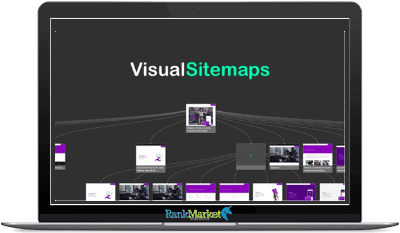
VisualSitemaps is a web planning tool that helps you create and collaborate on optimal sitemaps that are easy to understand.
VisualSitemaps Freelancer Plan LTD - Overview

What is VisualSitemaps?
VisualSitemaps VisualSitemaps is a refined automatic website sitemap generator that creates visual sitemaps, enabling quick and comprehensive website audits for SEO, UI/UX and marketing research. By entering a URL alone, users can view and analyze website structures with high-resolution screenshots and incorporate SEO data guiding them to improve their site performance.
The tool has automated sitemap generation, responsive design compatibility, ability to crawl websites behind login and visual QA with AI-driven scheduled crawls.
It also supports screenshot annotations and provides an export feature that includes PDF, CSV, and JSON exports which is a must-have utility by web developers, UX/UI designers, and digital marketers.
Author/Company Info of VisualSitemaps
VisualSitemaps was created by Artur Maklyarevsky – a product designer of over 20 years experience. It was founded in San Francisco, and they have been responsible for some great ideas for visual sitemap generation.
The aim of Artur is to build a tool that helps to quickly create visual sitemaps in order to save time and add efficiency in the workflow. This has since made VisualSitemaps a go-to for website developers, UI/UX designers, and digital marketers across the years with tons of tools meant to enhance your website analysis and design.
VisualSitemaps has become quickly adopted by experienced professionals in the web development and digital marketing industries due to the company's dedication to elegance and ease of use.
After all, with its focus on automation and high-res images while optimizing multiple different SEO tools into your workflow, VisualSitemaps endures as one of the top options for effective site mapping today.
Key Features of VisualSitemaps
100% Fast-Cloud Automated Crawling & HD Screenshots
The service is great for crawling your sites in the cloud quickly and automatically, providing HD screenshots to create detailed visual sitemaps. For solutions requiring a sitemap for websites over 1,000 pages, insert any other public or private URL, and let the tool do the rest.
What this feature means is that users can attend to other tasks while letting VisualSitemaps run in the background without any coding necessary. With the help of an automated crawling process, web developers and designers can easily ensure accuracy at speed-a crucial combination for the fast turnaround times necessary to a high quality project.
Free User Flow Canvas
User Flow Canvas from VisualSitemaps for creating user flows, funnels, mind maps and low-res wireframes sitemaps. This is a free alternative to premium tools like Miro, Figjam, Lucid and Whimsical that comes with over 30 beautiful templates.
We use a versatile canvas that allows users to easily design and visualize their site map structures. Above all, templates cover a wide array of categories so that users can select the most suitable ones according to their requirements (be it a basic flowchart or intricate user journey map).
It is a point-and-click feature that increases the productivity and creative skill of workers which really should be at home in all developers' toolkits.
Sitemap Editing
It helps users to create a sitemap that is optimized on the original one. Other sections can be resculpted via drag-and-drop functionality by adding new subpages etc. This editing feature we have made intuitive so our sitemap stays organized and up to date.
The quick changes that can be made without the need to start all over again saves time and effort, giving users more time to think about how they want their site structure to look. This feature is also geared towards cooperation for teams who are working on changes or enhancements to sitemaps.
Visual QA+ Scheduled Crawls
By using Visual QA+ you can easily track visual changes in any website with automatically scheduled crawls, AI powered. The ability of flagging, resolving, and sharing changes quickly ensures design consistency release by release.
This will help teams who want their visual design to be consistent from one update to another. As it is an automatic feature, once this is set up, users can simply forget about it and have peace of mind that any changes will be captured and reported.
By doing this, we of course ensure the quality but more importantly, we prevent issues before they become faulty, hence providing an uninterrupted and smooth setup.
Screenshot Annotations
VisualSitemaps allows you to annotate any page and collect feedback from your team and clients, hassle-free. It is the feature that enables one to easily manage feedback processes over his screenshots with clear, easy-to-set statuses for each of your screenshots, and ultimately, this status helps streamline the review & approval process.
This facility increases the efficiency in communication and revision cycle, thus reducing the time needed to reflect the changes with a clear visual feedback. Organize and categorize annotations, teams can prioritize features to get immediate feedback to action on this feedback and optimized workflows.
Plan & Pricing of VisualSitemaps

FREE Plan
There is always a forever FREE plan on VisualSitemaps, go and check here. This is the basic plan that allows up to 25 pages per month and upto 25 pages in a sitemap. All users have an unlimited number of flow boards and three user accounts.
The plan allows you to crawl an unlimited number of domains which have a maximum depth of 2 levels. It also allows export of data as PDF, CSV or JSON as well as Screenshot Annotations & Sitemap Edit. And is free of cost, suits individuals and small projects used in basic level sitemap creation and visualization.
MINI Plan
The long version is the MINI plan, which at $19 per month is not expensive. It lets you do up to 1,000 pages per month with a maximum sitemap size of 500 pages.
The only exception is that users will continue to have unlimited flow boards and the option for up to three user accounts. It still allows unlimited domain crawls, however the crawl depth is extended to 4 levels for more in-depth findings.
This plan is also coming with all the features from the FREE plan which contains export (pdf, csv, txt,…), screenshot annotations,sitemap editing,… The best sitemap plan for those that need a bit more with our standalone product or as an add-on to the CMS.
FREELANCER Plan
If you are a freelancer juggling multiple projects, the FREELANCER plan for only $59 pm is perfect for you. This is the ideal plan if you have a monthly search volume of up to 3,000 pages and a maximum sitemap size of 1,500 pages.
What is unlimited flow boards and up to three user accounts per month There are no limits to domain crawls, and you can crawl as in depth all the pages on a website. Power User – Contains all features from the upper plans and is aimed at freelancers that require more advanced tools, as well as more room on their projects.
TEAM Plan
TEAM $299 per month Great for larger teams and enterprises It supports a maximum of 20.000 pages per month, a max sitemap size of 3.000 pages Its plan consists of unlimited flow boards and allows five user accounts.
The PROFESSIONAL plan is also unlimited domain crawls, and unrestricted crawl depth. Plus, there are all features of some other plans so teams can use it to create an unlimited no. The TEAM plan is a good fit for very large projects, needing extensive sitemaps, and collaboration features.
Who is VisualSitemaps used for?

- Web Developers:VisualSitemaps is great for web developers to create & optimize website structures for their clients. It simplifies the task of producing and editing sitemaps, making it possible to handle more complex projects quickly.
- UX/UI Designers: For both UX and UI designers, VisualSitemaps is an excellent site mapping tool that can help with the analysis of the UI designs of different competitors. High-resolution screenshots and drag-and-drop editors provide an easy way to view and edit site layouts without challenging the competition or frustrating your users.
- SEO Strategists: SEO strategists use VisualSitemaps to monitor and optimize website content for optimal search engine result positioning. SEO data in sitemaps: the site will have a better structure for search rankings;
- Digital Marketers: Digital marketers can use VisualSitemaps to track and audit competitor websites. The platform leads automated crawls to monitor changes in visual aspects and content, as well which dictates market and competition analyses. This allows them to be ahead of their competitors by having access to prior knowledgevisibility and control on visual/ content changes into making educated decisions.
Pros & Cons of VisualSitemaps
Pros
- Automated Sitemap Generation: VisualSitemaps is known for its ease-of-use it takes the process of creating sitemaps to new levels due to its automation. It is more useful when a big website needs to be updated frequently.
- High-Resolution Screenshots: This tool gives you screenshots at a higher resolution than what digital cameras take of the same sites. That helps in easily spotting the parts that should be improved and also maintaining a cohesive design.
- SEO Data Integration: One of the important features that you will love about VisualSitemaps is its ability to integrate SEO data to sitemap. This will enable users to make changes to their websites from the tool itself in order to improve the search engine performance of them.
- Comprehensive Export Options: Users can export their sitemaps in several formats like a PDF, CSV, JSON which make it easier to share and adapt in other tools such as Sketch or Figma.
Cons
- Limited Customization: While VisualSitemaps offers a range of useful features, some users may find the customization options limited compared to other tools. This can be a drawback for those needing highly tailored sitemap functionalities
How does VisualSitemaps work?
Getting Started
- VisualSitemaps makes generating your first sitemap very easy. Here is how to do it in a few simple steps:
Step 1: Watch the Basics Video
- Watch The Basics video first for the complete run through on what the tool can do.
Step 2: Perform a Pre-Crawl Sample
- Critical: Perform a sample pre-crawl for example where only 10 pages are crawled. This test guarantees that your website is reachable and prevents you using up all your credits every month.
- Just to limit the number of pages you crawl, set the ‘Max Pages' field to 10.
Step 3: Run a Full Crawl via URL
- Type in a URL: Put the base URL (ex. “site. net), a directory URL (e. com/products/food/). ServiceUrl – This is the BASE CRAWL starting point URL.
- Max Pages (Optional): Enter the maximum number of pages allowed to crawl into. Leave blank to crawl as high as your plan allows (up to 500 for Mini, 1500 for Freelancer, and 3000 for Team).
- Page Depth (Optional): Set the crawl depth. Leave blank to crawl all levels up to your plan's limits.
- This is an optional tab where you can use advanced settings to exclude directories or categories, Ignore modal windows or cookie notices, and capture a delayed screenshot if needed.
Step 4: Select a URL to CrawlNow that you have the settings configured, click “Crawl Now” to initiate the crawl.
Crawling Statuses in the Crawl:
- Pending: Your crawl is queued. If it stays on for more than 5 minutes, let support know.
- Validity: Pages are indeed being crawled and sitemaps generated. Click on “View” and this is how the map will show as it progresses.
- Failed Crawl: This means something was wrong with the crawl, some site was not loading. Get help from the Support.
Conclusion
To sum-up, VisualSitemaps is a must-have for anyone in the web development and digital marketing field. The ease of website analysis and optimization using automated sitemap generation, high-resolution screenshots, SEO data integration.
VisualSitemaps is the way to go if you want to get more done faster, smarter and with top-notch results on your web projects. If you want to avoid wasting this opportunity, all you have to do is audit your site and make it more performant.
Click here to visit RankMarket to get yourself VisualSitemaps today and supercharge your web design & marketing strategies.
References:
Read Customer Service Reviews of visualsitemaps.com
https://www.trustpilot.com/review/visualsitemaps.com
VisualSitemaps Review: Great Product
https://appsumo.com/products/visualsitemaps/reviews/great-product-236416/
| Time | 1 Month, 1 Year, 2 Months, 3 Months, 6 Months, LifeTime, Trial |
|---|
Some Questions Before Join US
Group buying, also known as collective buying, offers products and services at significantly reduced prices on the condition that a minimum number of buyers would make the purchase.
- First, we will list product Here as people request & Collect Money From other peoples.
- Sec, Once enough moneys from customer, we will buy products From Developer.
- Then, we deliver to all Joiners.
- You can join directly by Purchase at our site and Reach Support about that to confirm.
- You can join via our Community : https://bit.ly/RMKDiscord
- How to Buy
We have 2 Product Status
- Instant-Deliver : Avaible and Deliver within 24-48hs (not on Sat-Sun, Holiday)
- Group Buy/Pre-Order : Not avaible, Still collect more people to join, need to wait.
OTO mean that One-Time-Offer/Upsell/Upgrade of Product For limited time only
Cancelled mean that order is not pay/process within 24hs. Please reach us with Order ID to check.
You will get Products by Download via Email .Once you finish payment to us and get confirm. You will get download Links inside your Account
- SAAS : You will get Individual account via Mail or On your Order List
- Shared Tool : via our chrome (WIN/MAC/Linux)
- WP : We will active key for your site.
- Course/Book/GraphicKit : Download link will send via mail or On your Order List.
- ETA Time : Fast maybe 3-4 days or 1 Week , Always be 3-4 Weeks or some times as Member Request it can be up to 3 Months to Group Buy WIN.
- GB Fail : You will get refund or exchange other.
– If Products problem, Capture screenshot/Video to us. We will forward to developer to fix it.
– If impossible sloved, we will exchange to other product. With Annual Product, we will refund or exchange by subtract times that you used.
– If used product for 1 or few years then not work. we will try to contact developer to fix it. But if some bad Vendors keep money and run, we just can give you some discount for future orders.
Warranty Time :
- Monthly Product : 30 days
- Annual/One Time Product : 1 year.
Our Store Credit mean credit can use to redeem on Your orders. 25 Credit = 1$.
Earn by some way :
- Place Orders. Each 1$ spend you will earn 1$
- Exchange some not work/not-fullfill orders by your agreed.
- By Reffer Your Friends to buy at our store.
How to redeem
- At Checkout page have redeem button to use it. Maxium is 250/orders.
- If you need redeem more. Reach our Support
We support only via 2 channel :
- Email : [email protected]
- Messenger : m.me/rankmarkenet (Live chat on Site)
TIme : From 9AM - 6PM Monday - Friday (GTM+8).
All Order/Ticket on Sat-Sun/Holiday will be supported on next Monday.
WE ARE TRY TO WORK HARD AND SUPPORT ALL PEOPLE BUT WE CAN NOT MAKE ALL HAPPY 100%
Thanks For You are here and belive US for longtime.
While working,we meet someone like & we will not support :
– People buy 1 but want to exchange to 10 Products.
– People who steal our products then ask refund.
– People fake payment to get our products.
– People always ask refund,can not wait for waiting product. Dont Pay. Wasted our Time.
Best Regards
David Green – RankMarket
Related products