


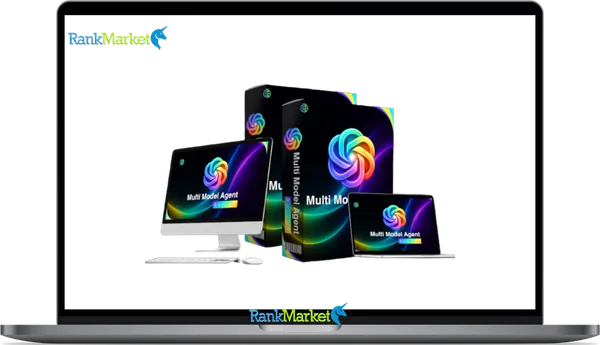
Buy Multi Models Agent Builder + OTOs full account + Bonus
$15.00
Multi Models Agent Builder - Overview
Multi Models Agent Builder is a cloud-based, no-code platform that lets you build AI agents powered by multiple large language models, including GPT-4, Claude, Gemini, and others, all managed from a single dashboard without writing code.
In 2026, the AI tools landscape has become genuinely crowded. Businesses are no longer asking whether to use AI but which tools to use, how to connect them, and how to avoid paying for five overlapping subscriptions while still getting the models that work best for each specific task. Multi Models Agent Builder positions itself as the answer to that fragmentation: one platform, multiple AI models, multiple deployment channels, no technical team required.
This guide is written for small business owners, marketers, agencies, and AI-curious professionals who have encountered this product and want a thorough, independent evaluation before committing. It has no affiliation with the vendor.
This guide answers five key questions:
- What exactly does Multi Models Agent Builder do, and what category of tool is it?
- How does its multi-model engine work in practice?
- What are real-world use cases and where are the genuine limitations?
- How does the pricing model, including any lifetime deal options, actually work?
- How does it compare to alternatives and DIY approaches?
What Is an AI Agent Builder? (Compared to Simple Chatbots)
Before evaluating any specific platform, it helps to understand what separates an AI agent builder from the basic chatbot tools that have been around for years.
A simple chatbot builder creates rule-based conversation flows. You map out a decision tree: if the user says X, show response Y; if they click button A, route to flow B. These tools are useful for FAQ handling and scripted navigation, but they have no ability to reason, understand intent from natural language, or handle questions outside their predefined paths.
An AI agent builder is fundamentally different. It uses large language models (LLMs) as the reasoning engine, which means the agent understands language contextually rather than matching keywords to predefined rules. You configure the agent with instructions, a knowledge base, and defined goals, and the LLM handles the actual understanding and response generation.
Key components that define an AI agent versus a basic chatbot:
- Instructions and system prompt: Defines the agent's role, tone, scope, and behavioral boundaries
- Memory and context: The ability to maintain conversation continuity within a session, and sometimes across sessions
- Knowledge sources: Connected documents, URLs, and databases the agent can reference for accurate answers
- Tools and actions: Integrations that allow the agent to perform tasks beyond conversation (search, booking, form submission, CRM updates)
- Deployment channels: Where the agent operates (website widget, WhatsApp, Telegram, email, internal tools)
The distinction matters because platforms like Manychat, Landbot, and older Intercom bot builders sit in the chatbot camp: powerful for scripted flows, limited for open-ended reasoning. Newer AI agent builder platforms, including Multi Models Agent Builder, sit in the LLM-powered camp: better for natural language, context-dependent interactions, and knowledge-intensive responses.
Product Overview: What Multi Models Agent Builder Actually Promises

Core Pitch and Positioning (Vendor Claims vs. Reality)
Multi Models Agent Builder's marketing centers on several core promises. Evaluating each of them honestly is more useful than accepting or dismissing them wholesale.
- Replace multiple separate AI tools with one dashboard. In principle, this is achievable for many users. If you are currently switching between a Claude subscription for writing, a GPT-4 interface for customer-facing bots, and a separate chatbot builder for your website, consolidating into one platform is genuinely valuable. The nuance: it does not eliminate every other SaaS tool in your stack. It replaces tools specifically for building and deploying LLM-powered agents and conversations. Your CRM, email platform, and project management tools remain separate.
- Access leading AI models from one place. This is the product's most distinctive capability and its strongest genuine differentiator. The ability to configure different agents to use different underlying models, or to compare model outputs, is a real and practical advantage for teams that have specific performance requirements per task.
- Build agents without coding. Accurate for the core use cases the platform is designed for. Setting up a customer support agent, a lead qualification bot, or an internal knowledge assistant requires no programming. Advanced customizations, custom integrations beyond what is natively supported, or complex multi-agent workflows may hit the limits of the no-code interface.
- Upload your business data once and reuse across channels. This is accurate and is one of the platform's most practically useful features. A single knowledge base powering a website widget, a WhatsApp bot, and an internal staff assistant saves meaningful configuration time.
- Lifetime access for a one-time payment. If a lifetime deal is available at time of purchase, this requires careful scrutiny. The economics of lifetime software deals favor buyers when the vendor sustains and grows the product, and they favor vendors when buyers never use the product deeply enough to justify ongoing server and API costs. Evaluate this claim in the context of the vendor's track record and the operational costs involved in running a multi-model AI platform.
Key Features at a Glance
Agent building and configuration:
- No-code interface for defining agent role, persona, tone, and behavioral goals
- System instruction and prompt workspace for configuring how the agent reasons and responds
- Guardrail settings to restrict topics, require escalation for sensitive queries, and limit the agent's scope
- Multi-agent creation: build separate agents for different departments, brands, or use cases
Knowledge and data management:
- Document upload support for PDF, DOCX, CSV, and plain text files
- URL ingestion for scraping and indexing web pages into the agent's knowledge base
- Knowledge base organization allowing multiple document sets to be assigned to specific agents
- Update and refresh capabilities for keeping knowledge current as products, policies, or information changes
Multi-model engine:
- Model selection per agent: assign ChatGPT/GPT-4, Claude, Gemini, or other supported models as the reasoning engine for each agent
- Optional model comparison for evaluating how different LLMs respond to the same prompt
- Model switching flexibility to update an agent's underlying model without rebuilding the entire configuration
Deployment options:
- Website embed widget for landing pages, sales pages, and product pages
- WhatsApp Business integration for messaging-channel customer interactions
- Telegram bot deployment for communities and support channels
- Embed codes compatible with funnel builders, CRM portals, and custom web pages
Monitoring and control:
- Conversation logs for reviewing all agent interactions
- Analytics dashboards showing conversation volume, common queries, and engagement metrics
- Feedback and rating collection from users within conversations
- Escalation routing for handing off to human agents when the AI cannot resolve a query
Is Multi Models Agent Builder Any Good for Your Use Case?
Who Gets the Most Value vs. Who Probably Won't
Best fit for:
- Small and medium businesses that need a functional customer support or lead qualification bot quickly without a developer and without building from scratch
- Marketing agencies managing multiple client accounts that benefit from a centralized platform where each client gets their own agent, knowledge base, and deployment without separate subscriptions per client
- Non-technical teams who want the capabilities of LLM-powered AI without needing to understand APIs, tokens, embedding pipelines, or code
- Content-rich businesses with large knowledge bases (e-commerce stores, SaaS with complex documentation, professional services firms with detailed FAQ libraries) that benefit most from the knowledge base ingestion features
Not ideal for:
- Enterprise organizations with SOC 2 Type II, HIPAA, or regional data residency requirements that go beyond what a smaller SaaS vendor can certify
- Development teams that want full programmatic control over LLM calls, custom prompt pipelines, fine-tuned models, or self-hosted infrastructure
- Highly regulated YMYL applications at scale, including medical triage assistants, legal advice bots, or investment recommendation systems where AI accuracy, liability, and compliance requirements exceed what a general-purpose agent builder can safely support
Strengths and Unique Advantages
- Centralized multi-model control: The ability to manage multiple AI models across multiple agents in one dashboard is genuinely uncommon in the no-code market and provides practical flexibility for teams experimenting with different models for different tasks
- Unified knowledge base powering multiple deployments: Building one knowledge base and deploying it simultaneously across a website widget, a WhatsApp bot, and an internal tool is a significant time-saver compared to configuring each deployment separately
- Cost-efficiency for non-developers: Building a comparable multi-model, multi-channel AI agent system from scratch using API calls, custom code, and separate platforms costs significantly more in developer time than a consolidated no-code platform
- Speed to first working agent: A functional agent serving real users can be configured and deployed in a day by a non-technical user with organized source material, which is a meaningful advantage over building from first principles
Limitations, Risks, and Gotchas
- Vendor longevity and lifetime deal economics: Multi-model AI platforms carry significant ongoing infrastructure costs through API usage fees. Lifetime deals are financially sustainable only if the vendor has a sound business model beyond the initial sale. Verify the vendor's track record before making a lifetime purchase decision.
- Dependency on third-party model APIs: The platform's core functionality relies on continued access to OpenAI, Anthropic, Google, and other model providers. Changes to these providers' pricing, availability, or API terms directly affect what you can build on this platform.
- Limited support for genuinely complex workflows: Multi-step reasoning chains, multi-agent collaboration, and long-horizon task automation are significantly more capable in developer-grade frameworks. The no-code approach is a strength for standard use cases and a constraint for advanced ones.
- Documentation and support response quality: Smaller SaaS vendors in the AI tools category frequently lag on documentation depth and support response times compared to established enterprise software. Factor this into your evaluation if your team will need frequent technical support.
- User responsibility for output quality: No AI platform eliminates the risk of hallucinations, inaccurate responses, or inappropriate outputs. Running agents in production requires ongoing human review of conversation logs, regular knowledge base updates, and explicit escalation paths for scenarios the agent cannot handle safely.
Pricing Plans and OTOs detailed
Front-End – Multi Models Agent Builder ($14.95 one-time)
- One-time payment with lifetime access
- Multi-model AI agent creation platform
- Access to ChatGPT, Claude, Gemini, Grok, and DeepSeek models
- Create and deploy AI agents for business automation
- Includes workflow automation and AI training tools
- Commercial license included
- Built for marketers, freelancers, agencies, and business owners
- No monthly subscriptions required
- 30-day money-back guarantee
OTO 1 – Multi Models Agent Builder Unlimited Edition ($67 – $147 one-time)
- Removes all platform restrictions
- Unlimited AI agents, workflows, and deployments
- Unlimited conversations and automation usage
- Access to premium AI models with faster processing
- Advanced automation and scaling features included
- Commercial rights and agency tools included
- Future updates included
- Designed for agencies, marketers, freelancers, and businesses
OTO 2 – DFY AI Agent Pack ($97 one-time)
- Done-for-you AI agent templates and workflows
- Prebuilt sales, support, and marketing automations
- Ready-made conversation prompts included
- Deployment-ready AI systems
- Skip manual setup and workflow planning
- Built for beginners, freelancers, and agencies
OTO 3 – Automation Suite ($97 one-time)
- Advanced AI business automation system
- Automates support, sales, lead generation, and workflows
- Reduces repetitive manual tasks
- 24/7 automation capabilities included
- Designed for marketers, agencies, and business owners
OTO 4 – ChatGPT, Gemini, Grok Creative Studio ($67 one-time)
- All-in-one AI creative workspace
- Generate voiceovers, visuals, scripts, and summaries
- Create multi-format content from one dashboard
- Analyze files and documents with AI
- Built for creators, marketers, freelancers, and agencies
OTO 5 – Profit Machine ($47 one-time)
- AI monetization and client acquisition system
- Learn how to sell AI-powered services
- Includes pricing, delivery, and income strategies
- Built for freelancers, consultants, marketers, and agency owners
- Focuses on building recurring AI income streams
OTO 6 – Multi Models Agent Builder Agency ($197 one-time)
- Create unlimited client accounts
- Sell platform access under your own pricing
- Keep 100% of client payments
- Recurring income business model included
- DFY support for customer management
- Built for agencies and SaaS-style businesses
OTO 7 – AutoFlow Engine ($47 one-time)
- Hands-free AI workflow automation
- Trigger workflows using schedules, events, and conditions
- Run continuous AI automations in the background
- Multi-workflow execution included
- Built for scaling AI-powered productivity systems
OTO 8 – Multi Models Agent Builder Franchise License ($67 one-time)
- Promote the platform as a franchise partner
- Keep 100% of front-end profits
- Earn 50% commissions on OTO sales
- Vendor handles support, delivery, and maintenance
- Built for affiliates, marketers, and entrepreneurs
OTO 9 – Multi Models Agent Builder Whitelabel ($297 one-time)
- Launch your own branded AI software business
- Full white-label and rebranding rights included
- Custom branding and software naming
- Vendor handles hosting, updates, and support
- Sell access under your own brand
- Built for agencies, SaaS entrepreneurs, and marketers
Multi Models Agent Builder vs Alternatives and DIY Options
Versus Generic Chatbot Builders
|
Feature |
Multi Models Agent Builder |
Typical Chatbot Builder |
|
Reasoning engine |
LLM-powered (GPT-4, Claude, Gemini) |
Rule-based / keyword matching |
|
Natural language understanding |
Yes |
Limited |
|
Knowledge base depth |
Full document and URL ingestion |
FAQ import or manual flow |
|
Multi-model support |
Yes |
No |
|
No-code accessibility |
Yes |
Yes |
|
Ideal for |
Open-ended conversations, complex Q&A |
Scripted flows, simple navigation |
The comparison resolves to a simple decision framework: if your use case requires scripted, predictable flows with limited scope (a restaurant menu bot, a simple appointment booking flow, a basic FAQ widget), a traditional chatbot builder is cheaper and more reliable. If your use case requires understanding natural language, handling questions outside a predefined scope, or reasoning from a large document knowledge base, an LLM-powered agent builder like Multi Models Agent Builder is the appropriate tool.
Versus Other AI Agent Builders and Multi-Agent Platforms
Enterprise AI platforms (think large workflow automation vendors with AI agent modules) offer deep integrations, enterprise security certifications, and scalability at the cost of complexity, high pricing, and lengthy implementation cycles. They are not relevant for small teams or individual users.
Developer frameworks like LangChain, LlamaIndex, and AutoGen provide maximum flexibility and control at the cost of requiring programming expertise. For a team that can write Python and wants to build custom multi-agent pipelines, these frameworks will outperform any no-code platform for advanced use cases. For teams without that capacity, they are not a practical option.
Other no-code AI agent tools in this space vary on the specific models supported, the knowledge base handling quality, deployment channel breadth, and pricing. Multi Models Agent Builder's distinctive position is its explicit multi-model architecture: the ability to run different agents on different underlying LLMs from the same dashboard is less common than it might appear in the market.
The trade-offs in plain terms:
- More control requires more code
- More scalability requires more cost
- More flexibility requires more technical investment
- More speed and accessibility require accepting the ceiling that no-code platforms impose
Step-by-Step Implementation Blueprint (From Zero to Live Agent)
Step 1: Clarify Your Goal, Audience, and Channels
Before opening the platform, answer these questions in writing:
- Who will the agent serve? (external customers, inbound leads, internal staff, or a specific audience segment)
- What are the primary tasks the agent needs to handle? (customer support Q&A, lead qualification, internal knowledge lookup, product recommendations, booking assistance)
- Which channels need to be covered? (website widget, WhatsApp, Telegram, or a combination)
- How will you measure success? (support tickets deflected, leads qualified, time saved, bookings completed, customer satisfaction scores)
Completing this step before building prevents the most common failure mode in AI agent deployment: building a general-purpose bot that is not optimized for any specific outcome and therefore delivers mediocre results across all of them.
Step 2: Prepare and Structure Your Knowledge Sources
The quality of your knowledge base directly determines the quality of your agent's responses. A well-prepared knowledge base produces accurate, useful answers. A disorganized one produces vague, inconsistent, or hallucinated responses.
Content preparation checklist:
- Gather all relevant FAQs, product documentation, service policies, and support materials
- Remove outdated information and resolve contradictions between documents
- Split large PDFs into logical topic-focused sections rather than uploading monolithic files
- Add clear descriptive headings and question-format section titles to improve retrieval accuracy
- Label which documents are customer-facing versus internal-only if the agent may access both
- Remove any sensitive personal, financial, or confidential information not intended for the agent's scope
- Verify that all source URLs being ingested resolve correctly and contain current information
- Format tabular data as clearly labeled CSV files rather than complex nested tables in documents
Step 3: Build, Configure, and Test Your Agent
Implementation flow:
- Create a new agent and define its role, name, and persona description
- Select the default underlying model based on your priority (GPT-4 for broad capability, Claude for longer context, Gemini for specific Google integrations, etc.)
- Write the system instructions: role definition, scope boundaries, tone, escalation triggers, and any topics the agent must never address
- Connect your prepared knowledge sources to the agent's knowledge base
- Configure the deployment channel (web widget, WhatsApp integration, or embed code)
- Test the agent thoroughly with real-world question scenarios before going live
Configuration checklist:
- Define explicit escalation triggers for queries the agent cannot answer accurately
- Set language and locale settings matching your primary audience
- Configure the fallback response for when the agent has no relevant knowledge
- Enable conversation logging before deployment
- Test with at least ten to fifteen representative real queries from your target audience
- Verify that the agent stays within its defined scope and does not answer outside its knowledge base
- Confirm mobile display and interaction quality for any web-facing deployments
- Test the escalation path to confirm handoffs to human agents work correctly
Step 4: Deploy, Measure, and Iterate
Gradual rollout approach: Deploy the agent on a single low-risk page or channel first. Monitor the initial interactions closely before expanding to high-traffic areas where errors have greater impact.
Key metrics to track from day one:
- Resolution rate: percentage of conversations resolved by the agent without human handoff
- Handoff rate: percentage of conversations escalated to a human
- Customer satisfaction score from post-chat surveys if configured
- Lead conversion or booking completion rate for revenue-focused agents
- Most common unanswered questions, which reveal knowledge base gaps
Monthly improvement cycle: Review conversation logs to identify recurring failure patterns, update the knowledge base with missing information, refine system instructions based on observed edge cases, and retest the agent after each significant update. AI agents that are treated as products requiring ongoing development consistently outperform those deployed once and left unattended.
Step 5: Scaling to Multiple Agents, Brands, or Clients
Reusing knowledge bases: A shared product knowledge base can power multiple agents simultaneously: one customer-facing support agent, one internal staff agent, and one pre-sales qualification agent, each with different instructions and tone but drawing from the same underlying content.
Creating niche agents: Separate agents for specific departments (billing questions, technical support, sales qualification) produce more accurate and relevant responses than a single agent attempting to cover all topics.
Agency client onboarding: Standardize a template configuration covering system instructions, knowledge base structure, escalation paths, and channel setup. Apply this template to each new client project and customize from that baseline rather than rebuilding from scratch each time. Document the configuration decisions made for each client for version control and client approval purposes.
Supplemental Q&A: Common Questions About Multi Models Agent Builder
Is Multi Models Agent Builder legit or a scam?
It is a real software product with genuine functionality. As with any AI tool marketed through affiliate and product launch channels, the promotional materials from third-party reviewers sometimes exaggerate capabilities or income potential. Evaluate the product itself rather than affiliate review claims, and verify the current state of the platform through trial access or current user feedback.
Do I need coding skills to use Multi Models Agent Builder?
No coding skills are required for the core agent-building and deployment workflows. The platform is designed for non-technical users. Advanced customizations involving custom integrations, webhook configurations, or complex conditional logic may benefit from basic technical understanding but are not required for standard use cases.
Can Multi Models Agent Builder handle sensitive customer data safely?
For standard business data (product information, policies, FAQs), the platform is appropriate for most small and medium business use cases. For regulated sensitive data including personal health information, financial account data, or legal case records, you need to verify the vendor's current data handling certifications, storage practices, and compliance documentation before deployment.
Can I use it for medical, legal, or financial advice bots?
With strict limitations. Agents built for YMYL topics should be explicitly restricted to general informational responses and lead routing, never to individualized advice, diagnosis, or guidance. Include explicit disclaimers within the agent configuration and in the UI near the agent widget. For any professional services context, consult legal counsel about appropriate AI tool use and disclaimer requirements.
Can I switch models for an agent after it is deployed?
Yes. One of the platform's core capabilities is model flexibility, including updating the underlying model for a deployed agent without rebuilding the configuration from scratch.
Which AI models does Multi Models Agent Builder support in 2026?
Support typically includes models from the three major providers: OpenAI (GPT-4 and GPT-4o variants), Anthropic (Claude 3 family), and Google (Gemini Pro and Ultra). Additional model integrations and updates to supported model versions should be verified against the vendor's current documentation, as model availability evolves rapidly.
How many agents can I create on typical plans?
Agent and workspace limits vary by plan tier. Entry-level plans typically support a limited number of active agents, while business and agency tiers support larger numbers. Verify current plan limits on the vendor's pricing page rather than relying on potentially outdated third-party summaries.
How many conversations per month can it realistically handle?
Conversation volume capacity depends on both plan limits and the underlying API rate limits from model providers. High-traffic deployments need to account for both the platform's plan restrictions and the API costs of the underlying model.
What happens if one of the supported models is discontinued or its pricing changes?
This is a genuine operational risk for any multi-model platform. If a model provider discontinues a model version, you would need to update your agent configurations to a current model. If provider pricing increases significantly, the economics of your platform subscription may shift. A platform that supports multiple model providers reduces but does not eliminate this risk by ensuring alternatives are available.
How does Multi Models Agent Builder compare to building directly with AI APIs?
Direct API development with OpenAI, Anthropic, or Google APIs provides maximum flexibility, full control over every aspect of the agent's behavior, and no platform dependency. It requires programming skills, ongoing development maintenance, and the cost of developer time. For teams without those resources, Multi Models Agent Builder provides 80 percent of the practical capability at a fraction of the setup cost and time.
When is a lifetime deal worth it and when is a subscription safer?
A lifetime deal is worth considering when the vendor has a clear and sustainable revenue model beyond the initial sale, a track record of product updates, and a realistic plan for covering ongoing API costs. It is risky when the product is very new, the vendor is unknown, and the lifetime pricing is below what the ongoing operational costs would suggest is sustainable. If you plan to use the platform heavily and the vendor demonstrates stability, a lifetime deal represents good long-term value. If you are uncertain, a monthly subscription lets you exit without a sunk cost.
How does Multi Models Agent Builder compare to generic chatbot builders?
Generic chatbot builders excel at scripted, predictable flows with defined outcomes. Multi Models Agent Builder excels at natural language understanding, knowledge-intensive responses, and handling questions outside predefined scopes. The right choice depends entirely on your use case. If your bot needs to handle open-ended questions from a large content library, a generic chatbot builder will consistently disappoint.
Does Multi Models Agent Builder support future new models automatically?
Platform updates that add support for newly released models depend on the vendor's development roadmap and the integration work required to connect new model APIs. The ability to add new models without completely rebuilding your agent configurations is a practical advantage of the platform approach over building directly against a single model's API. Verify the vendor's stated update policy and historical track record for adding new model support as part of your evaluation.
Multi Models Agent Builder represents a genuinely useful category of tool for the right user in 2026. The no-code, multi-model approach fills a real gap between simple chatbot builders and developer-grade AI frameworks, making LLM-powered agent deployment accessible to non-technical teams without requiring a six-month development project. Its value is clearest for small businesses, agencies, and non-technical marketing teams that need functional AI agents across multiple channels from a single manageable platform. Its limitations are real for enterprises with compliance requirements, developers who need granular control, and teams that need complex multi-agent reasoning beyond what a no-code interface can currently support. Use this guide as your framework for evaluating whether those strengths align with your specific requirements before committing.
Some Questions Before Join US
Group buying, also known as collective buying, offers products and services at significantly reduced prices on the condition that a minimum number of buyers would make the purchase.
- First, we will list product Here as people request & Collect Money From other peoples.
- Sec, Once enough moneys from customer, we will buy products From Developer.
- Then, we deliver to all Joiners.
- You can join directly by Purchase at our site and Reach Support about that to confirm.
- You can join via our Community : https://bit.ly/RMKDiscord
- How to Buy
We have 2 Product Status
- Instant-Deliver : Avaible and Deliver within 24-48hs (not on Sat-Sun, Holiday)
- Group Buy/Pre-Order : Not avaible, Still collect more people to join, need to wait.
OTO mean that One-Time-Offer/Upsell/Upgrade of Product For limited time only
Cancelled mean that order is not pay/process within 24hs. Please reach us with Order ID to check.
You will get Products by Download via Email .Once you finish payment to us and get confirm. You will get download Links inside your Account
- SAAS : You will get Individual account via Mail or On your Order List
- Shared Tool : via our chrome (WIN/MAC/Linux)
- WP : We will active key for your site.
- Course/Book/GraphicKit : Download link will send via mail or On your Order List.
- ETA Time : Fast maybe 3-4 days or 1 Week , Always be 3-4 Weeks or some times as Member Request it can be up to 3 Months to Group Buy WIN.
- GB Fail : You will get refund or exchange other.
– If Products problem, Capture screenshot/Video to us. We will forward to developer to fix it.
– If impossible sloved, we will exchange to other product. With Annual Product, we will refund or exchange by subtract times that you used.
– If used product for 1 or few years then not work. we will try to contact developer to fix it. But if some bad Vendors keep money and run, we just can give you some discount for future orders.
Warranty Time :
- Monthly Product : 30 days
- Annual/One Time Product : 1 year.
Our Store Credit mean credit can use to redeem on Your orders. 25 Credit = 1$.
Earn by some way :
- Place Orders. Each 1$ spend you will earn 1$
- Exchange some not work/not-fullfill orders by your agreed.
- By Reffer Your Friends to buy at our store.
How to redeem
- At Checkout page have redeem button to use it. Maxium is 250/orders.
- If you need redeem more. Reach our Support
We support only via 2 channel :
- Email : [email protected]
- Messenger : m.me/rankmarkenet (Live chat on Site)
TIme : From 9AM - 6PM Monday - Friday (GTM+8).
All Order/Ticket on Sat-Sun/Holiday will be supported on next Monday.
WE ARE TRY TO WORK HARD AND SUPPORT ALL PEOPLE BUT WE CAN NOT MAKE ALL HAPPY 100%
Thanks For You are here and belive US for longtime.
While working,we meet someone like & we will not support :
– People buy 1 but want to exchange to 10 Products.
– People who steal our products then ask refund.
– People fake payment to get our products.
– People always ask refund,can not wait for waiting product. Dont Pay. Wasted our Time.
Best Regards
David Green – RankMarket
Related products



SAAS Tools
SAAS Tools

SAAS Tools


SAAS Tools