Cheap Katalist AI Unlimited group buy account
$177.00
AI platform that supports content creation, brand planning & automated marketing strategies.
| Deliver | Katalist AI Unlimited |
|---|---|
| Access | Shared |
| Type | Ai Reel Creator |
| Plan | Unlimited |
| Details | GB Details |
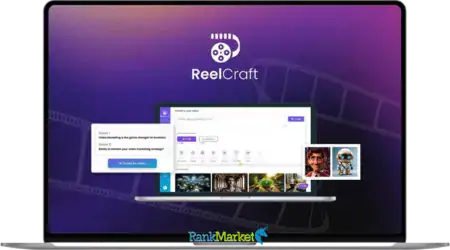
Katalist AI Unlimited - Overview
What is Katalist AI?

Katalist AI is a platform that applies Storyboard AI technology – a form of artificial intelligence that supports visual storytelling. From a simple script, with just a few clicks, Katalist can “magically” turn it into a vivid, consistent storyboard with characters, scenes, motion – even with background music and voiceover like a complete video.
Unlike conventional AI video creation tools, Katalist doesn't stop at “illustrating ideas” but also helps shape the emotional flow, scene layout, character expressions and atmosphere of each segment.
Key features of Katalist AI
- Convert dialogue to images with just 1 click
You just need to upload your script in CSV, Word or PowerPoint format – let AI take care of the rest. Katalist automatically analyzes every dialogue, action, scene description… and turns them into a visually stunning storyboard. - Storyboards are no longer just images – they're videos!
Katalist Video Studio turns static storyboards into full-fledged videos with voice-over, background music, and sound effects. This is an extremely useful feature for those who do YouTube, produce short documentaries, or create advertising content. In just a few hours, you can own a “baked” image product, ready to publish.
- Control character poses like a professional director
With the Character Posing Tool, you can easily adjust your posture and gestures of the character – from “raising hand”, “sitting down” to “jumping up”. No more AI-generated images that are out of sync or lacking emotion, you have complete control over each frame according to the original idea.
- Full control over the scene
Katalist doesn’t force you into a mold. With Dynamic Scene Generation, you can completely adjust each frame to suit your artistic intent. From composition, camera angles, lighting, to character expressions – it’s all at your fingertips. - Optimized for the day of shooting
A storyboard created with Katalist is more than just a creative tool – it’s also a detailed map for the day of shooting. It helps you plan every camera angle, shot, lighting, and wardrobe – thereby minimizing errors, saving costs, and shortening shooting time. The production team will know exactly what they need to do, where, and how – even without reading a line of the script.
How does Katalist AI work?
If you’ve ever struggled with piecing together ideas from ChatGPT, animations from Midjourney, and videos from Runway, Katalist AI will be a relief. From now on, all the creative processes – from scripting to animation, voiceover, and video output – are all in one place.
Step 1: Start with an idea
Go to Katalist.ai, click “Get Started”, and select AI Script Assistant. Just type in a line of your idea, like: “A memorable family trip”, and click “Generate Script”. Less than 10 seconds later, a complete script with pre-made segments, along with a timeline and suggestions for each scene.
Here, you can edit the content, add or remove scenes, or delete parts that are not satisfactory. Intuitive editing interface with simple tools like pencil (edit), tick (uncheck), allowing you to easily control each script segment.
Step 2: Choose an image style
Next, you choose an image style for the entire project. Katalist offers more than 10 available styles such as: sketch, cinematic, pixel art, comic book, animation, graphic novel, etc. If you want to personalize, you can upload 3–5 sample images for Katalist to learn your own style.
For example, if you choose the cinematic style, the entire storyboard will be created with cinematic quality – professional lighting, colors, camera angles.
Step 3: Customize characters, voices, and costumes
In the next step, you will see all the characters Katalist has assigned to your storyboard – for example, John, Jane, Tom, and Emma. You can:
- Customize the appearance of your character (change face, hair, expression)
- Choose a voice from dozens of available voices (natural, emotional, multi-regional)
- Change your outfit to match each story context
And the great thing is: every change takes just a few seconds and is applied automatically across the entire frame, keeping the character consistent throughout the video.
Step 4: Katalist creates storyboards and scenes automatically
After clicking “Create Project”, Katalist will automatically:
- Analyze the entire script
- Assign each character to a scene
- Create a frame-by-frame visual layout
- Generate a prompt for each scene, making sure everything matches
You can adjust any detail: change the location, add characters, or re-cue the image with a different prompt. If you're not satisfied – just edit, and Katalist will update immediately.
Step 5: Customize the frame with super detailed tools
When accessing each frame, Katalist really shines with its extremely flexible control system:
- Character Posing Tool: You can adjust the character's posture, movement, hand direction, gaze – for example, the character points towards the frame or bends down, all of which are customizable in 1–2 clicks.
- Image Crop Tool: If there is any part of the frame that you don't like, you can cut it out or replace it.
- Generative Fill Tool: Want to change the background, like changing a building to a blue sky? Just highlight the image area and type a description, Katalist will recreate it as requested.
- Add Image: You can insert any personal image or graphic from your computer to enrich the frame.
- Camera angle and frame: Choose the type of shot like close-up, wide shot, POV from behind,… to adjust the viewer's visual experience like a real director.
Step 6: Convert storyboard to video
Once you're happy with the frames, switch to video mode. Here you have two options:
- Action – you describe the action you want to see (e.g. “the little girl runs to hug her dad”) and Katalist will create a 5–10 second clip accordingly.
- Dialogue – you write the dialogue (e.g. “Dad, look at this!”), choose the appropriate voice, and Katalist will create a video with lip movements to match the words.
After completing each frame, you just need to press “Generate” for Katalist to output the video. Each short clip is stitched together into a full movie – ready to download or share instantly.
Here's the full process:
Katalist AI Account Plans Comparison Table
| Features | Essential ($29/month) | Pro ($59/month) | Unlimited ($139/month) |
| Video Credits Per month | 700 | 1500 | 3000 |
| Image Credits Per Month | 200 | 700 | Unlimited |
| Maximum Projects | 5 | 20 | Unlimited |
| Custom Type | 1 | 2 | Unlimited limited |
| Custom Characters | 1 | 10 | Unlimited |
| AI Voiceover | ✔️ | ✔️ | ✔️ |
| AI Script Assistant | ✔️ | ✔️ | ✔️ |
| Lip-sync | ✔️ | ✔️ | ✔️ |
| Consistent Characters | ✔️ | ✔️ | ✔️ |
| Photo editor AI | ❌ | ✔️ | ✔️ |
| Adobe Premiere Pro Integration | ❌ | ✔️ | ✔️ |
| Real-time Team Collaboration | ❌ | ❌ | ✔️ |
| 200+ frames/project judge | ❌ | ❌ | ✔️ |
| Export ZIP & PowerPoint | ❌ | ❌ | ✔️ |
Where to buy Katalist AI Unlimited accounts at cheap prices?
Currently, RankMarket shop – a reputable provider of copyrighted software account services, is implementing a program to buy Katalist AI Unlimited accounts at extremely attractive prices.
With the criteria of “cheap – quality – transparency”, our shop is committed to bringing you the experience of using all the advanced features of Katalist AI without having to spend tens or hundreds of dollars per month like when buying separately from the official website.
What's included in the Katalist AI Unlimited account package at RankMarket?
Here are the outstanding features that you will receive when using the Unlimited account package at RankMarket – completely unlimited:
- All creative features
- Integrated Runway Gen-4 & Google Veo 2 – the most modern AI video support today
- Lip-sync feature: characters in the video talk smoothly like real life
- Create unlimited images (Unlimited image credits)
- Unlimited number of projects (Unlimited projects)
- Unlimited custom styles (Unlimited custom characters)
- AI Script Assistant: smart script writing assistant
- Characters remain consistent throughout video
- AI voiceover: voiceover with human-like voice
- AI Image Editor: edit images right in the platform
- Integrated with Adobe Premiere Pro
- Real-time team collaboration
- Export files as ZIP & .PPT professional
With these features, whether you are a Youtuber, content creator, freelancer, designer or production team, this is truly an extremely powerful “all-in-one” solution to break through creative content.
Why should you upgrade to Katalist AI Unlimited account at RankMarket?
We don't just provide accounts – we accompany you. These are the reasons why many customers trust and choose RankMarket:
- Cheap – reasonable – competitive price
Compared to buying the Unlimited package individually on the Katalist homepage (which can cost up to tens of dollars/month), RankMarket offers shared packages that save up to 90% of the cost but still ensure full functionality. - Quality – Safety – Warranty secret
Our shop uses the form of standard account sharing – no editing intervention so it is completely safe for you to use. Guaranteed not to worry about being logged out, suspended or losing data in the middle. - Fast – enthusiastic – dedicated support
The customer care team operates 24/7 on Telegram/Facebook/Zalo, ready to guide, support activation and answer any questions during use. - Continuous feature updates according to the genuine version
Katalist releases any update – RankMarket account updates that feature. Not “outdated” like cracked versions or poor quality trial versions. - Community resources – detailed instructions
We have a Discord channel, Google Drive documentation, full video tutorials… so you don’t get “lost” when you first get to know Katalist.
Who is Katalist AI Unlimited suitable for?
Are you wondering if you really need this account? We believe that if you belong to one of the following groups, it is worth investing right away:
- Youtuber & TikToker: Want to produce videos quickly, beautifully, on trend and save editing time.
- Content Creator – Influencer: You need to create professional image – video – voice content but don’t know how to code or design.
- Freelancer – Agency: AI video making service for customers – you need to produce a series of projects quickly, easy to customize.
- Students – Students – Newcomers to video making: Easy to do, easy to understand, easy to make money from creating content.
- Idea developers, marketers, startups: Use Katalist to build storyboards – prototype ideas many times faster than manually.
Some frequently asked questions about Katalist AI Unlimited account at RankMarket
❓ Do I need to install software?
No! Katalist AI is a web-based platform. You only need a browser and an account provided by RankMarket to start creating right away.
❓ Are there any feature limitations?
We provide the genuine Unlimited version, so you can use all the features, including new technologies such as Runway Gen-4, Google Veo 2, or export .ZIP/.PPT.
❓ How many users can share an account?
Depending on the sale period, RankMarket always limits the number of shared users to ensure smooth speed and no out when using.
❓ Is there a warranty or refund?
Definitely! If the account has a system error, we will support a replacement or a 100% refund depending on the situation. Commitment to transparency – no “false advertising”.
Conclusion
Yes, hopefully with the cheap Katalist AI Unlimited account sharing service provided by RankMarket, you will easily own this valuable tool without having to “hurt your wallet”. With an extremely reasonable investment, you can completely start producing professional AI videos, creating viral content, telling stories with animations, without needing advanced techniques or complicated software.
If you want to create million-view videos, turn small ideas into big content, create trends and earn a lot of money from TikTok, YouTube or AI video making services for hire, Katalist AI is a great choice to start today!
👉 Contact RankMarket for advice and buy Katalist AI Unlimited account at the best price on the market today!
References:
| Time | 1 Year |
|---|
Some Questions Before Join US
Group buying, also known as collective buying, offers products and services at significantly reduced prices on the condition that a minimum number of buyers would make the purchase.
- First, we will list product Here as people request & Collect Money From other peoples.
- Sec, Once enough moneys from customer, we will buy products From Developer.
- Then, we deliver to all Joiners.
- You can join directly by Purchase at our site and Reach Support about that to confirm.
- You can join via our Community : https://bit.ly/RMKDiscord
- How to Buy
We have 2 Product Status
- Instant-Deliver : Avaible and Deliver within 24-48hs (not on Sat-Sun, Holiday)
- Group Buy/Pre-Order : Not avaible, Still collect more people to join, need to wait.
OTO mean that One-Time-Offer/Upsell/Upgrade of Product For limited time only
Cancelled mean that order is not pay/process within 24hs. Please reach us with Order ID to check.
You will get Products by Download via Email .Once you finish payment to us and get confirm. You will get download Links inside your Account
- SAAS : You will get Individual account via Mail or On your Order List
- Shared Tool : via our chrome (WIN/MAC/Linux)
- WP : We will active key for your site.
- Course/Book/GraphicKit : Download link will send via mail or On your Order List.
- ETA Time : Fast maybe 3-4 days or 1 Week , Always be 3-4 Weeks or some times as Member Request it can be up to 3 Months to Group Buy WIN.
- GB Fail : You will get refund or exchange other.
– If Products problem, Capture screenshot/Video to us. We will forward to developer to fix it.
– If impossible sloved, we will exchange to other product. With Annual Product, we will refund or exchange by subtract times that you used.
– If used product for 1 or few years then not work. we will try to contact developer to fix it. But if some bad Vendors keep money and run, we just can give you some discount for future orders.
Warranty Time :
- Monthly Product : 30 days
- Annual/One Time Product : 1 year.
Our Store Credit mean credit can use to redeem on Your orders. 25 Credit = 1$.
Earn by some way :
- Place Orders. Each 1$ spend you will earn 1$
- Exchange some not work/not-fullfill orders by your agreed.
- By Reffer Your Friends to buy at our store.
How to redeem
- At Checkout page have redeem button to use it. Maxium is 250/orders.
- If you need redeem more. Reach our Support
We support only via 2 channel :
- Email : [email protected]
- Messenger : m.me/rankmarkenet (Live chat on Site)
TIme : From 9AM - 6PM Monday - Friday (GTM+8).
All Order/Ticket on Sat-Sun/Holiday will be supported on next Monday.
WE ARE TRY TO WORK HARD AND SUPPORT ALL PEOPLE BUT WE CAN NOT MAKE ALL HAPPY 100%
Thanks For You are here and belive US for longtime.
While working,we meet someone like & we will not support :
– People buy 1 but want to exchange to 10 Products.
– People who steal our products then ask refund.
– People fake payment to get our products.
– People always ask refund,can not wait for waiting product. Dont Pay. Wasted our Time.
Best Regards
David Green – RankMarket
Related products