

WordAi is an automatic article spinning tool to write articles that that helps users to create fresh articles quickly, naturally, and more quality. WordAi, one of the best article rephrase tool allows you to rewrite the content using artificial intelligence so that rewritten content will be human readable and not have plagiarism so it is an important tool for SEO and content marketing.
RankMarket also has a group buy for those of you who want to save a few bucks on WordAi, which is a great way to take advantage of this amazing tool at a cheaper price.
What is WordAi?
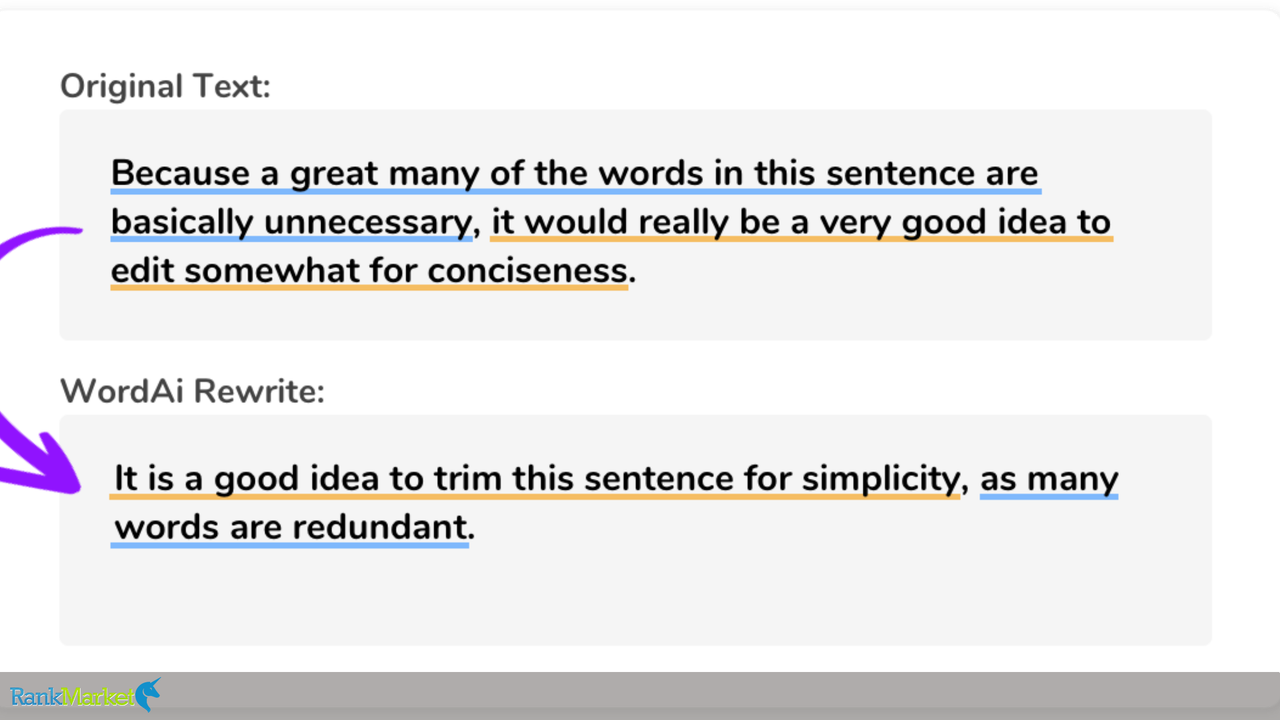
WordAi is an AI-powered text rewriter that can turn existing content into new and unique high-quality versions. It uses advanced machine learning algorithms to understand the context and meaning of the text, ensuring that rewrites are unique and convey the same message.
This feature allows incomparably high-value for content creators, marketers, and SEO specialists who are trying to improve content quality and reduce the time spent on writing the content. Users can control the creativity levels that can even create several original versions of the same article. Apart from that, WordAi also adds LSI (Latent Semantic Indexing) keywords to enhance search engines recognizability.
With bulk rewriting, an API, and HTML compatibility, the platform allows for integration into any workflow. Subscriptions are available on a monthly basis starting at $57 each month (the annual plans provide substantial cost savings) In summary, WordAi is an incredibly helpful tool for finding good quality content and writing it with ease whilst maintaining originality.
Benefits of Using WordAi in SEO Strategy and Content Marketing
WordAi provides several unique advantages that can make a difference to your content marketing and SEO strategies:
- Accelerated Content Production: Nowadays, everyone simply wants quick results in terms of whatever they are publishing, by creating unique content quickly, WordAi allows marketers to publish regularly which in turn boosts the authority & helps the site get better rankings in search engines.
- Enhanced Content Quality: Restructure your sentences and enrich your text, creating human-quality content for readers and search engines.
- Cost Efficiency: By facilitating the automated generation of the content process with WordAi, it decreases the dependence on large writing personnel, thus enhancing your marketing budget.
- Improved SEO Performance: Incorporating LSI keywords, WordAi guarantees that the content is search engine-friendly, which may result in high rankings.
- Content Freshness: WordAi prevents existing copies from growing old by constantly recycling existing content, meaning it hits the mark with search engines who want newer material.
Key Features of WordAi
AI-Powered Content Rewriting
The unique aspect of WordAi is that this is an artificial intelligence-based tool that allows you to rewrite content rather than just spin it. Rather than replacing words with thesaurus words, deep insight into sentence structure context and intent leads to generation of content that seems realistic and humanlike.
- How It Works: WordAi uses advanced natural language processing (NLP) to break down sentences, understand how they work, and then reconstruct them with optimal clarity while still conveying the same meaning.
- Pros:
- Delivers readable, high-quality content that resembles human writing almost as closely as that of a real human.
- Saves you from hours of manually editing and rewriting.
- Helps in SEO by getting rid of duplicate content.
- Cons:
- Could still need manual review for content related to specific industries or highly technical subjects.
- While this might be a little slower than some basic word-swapping tools, it will take advanced AI processing.
Bulk Article Rewriting
With WordAi, one of its coolest features is its ability to rewrite several articles at once. This feature is especially beneficial for businesses and agencies that require a higher quantity of content but want to maintain quality.
- How It Works: Users can load multiple articles at once and WordAI processes them in batches and produces various unique variations of each text within minutes.
- Pros:
- Spends less time working on content for the marketing, blog and SEO professionals.
- Provides a consistent tone and quality of content across several pieces.
- Great for recycling existing content for new audiences or new platforms.
- Cons:
- Though in-house bulk processing might still necessitate proofreading individually for the old-time cut quality.
- Online, needs internet access, and demands more resources for larger works.
AI Detection Avoidance
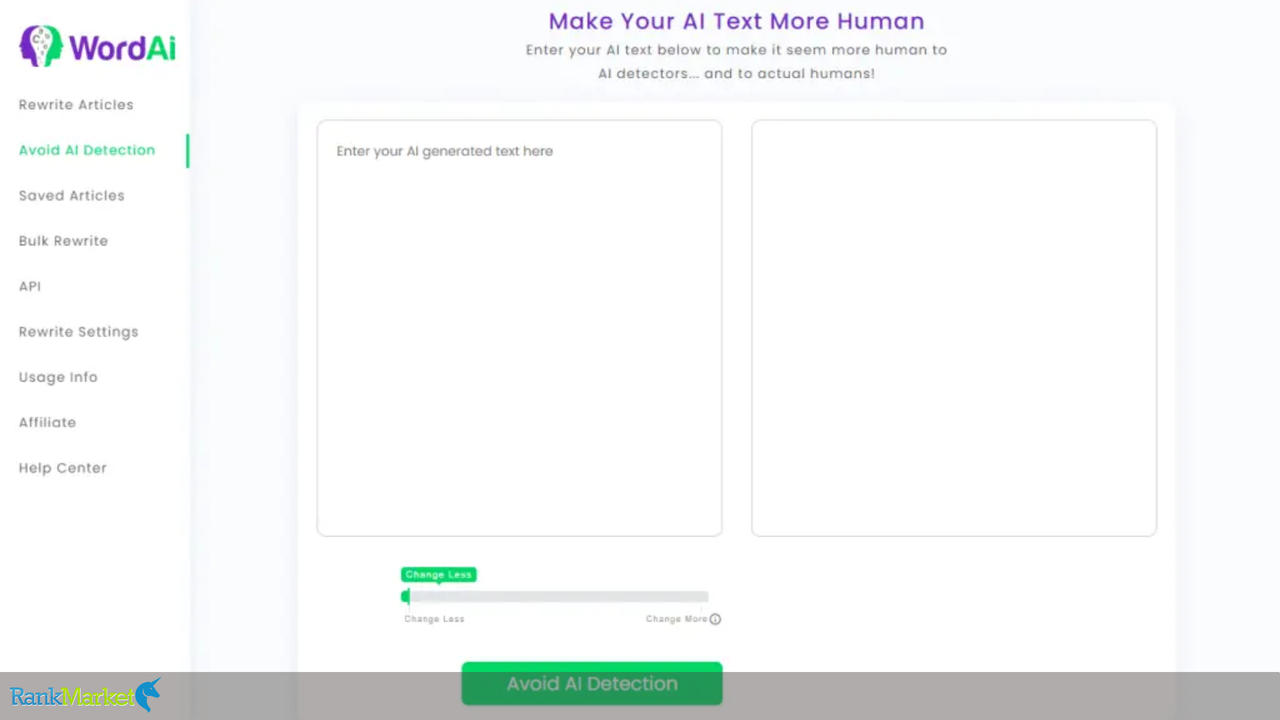
Many platforms are implementing tighter rules against auto-generated text, as machine generated content detection tools grow in number. This is where WordAi comes into play, by generating content that is rewritten to match human writing patterns, thus making it difficult for AI detectors to flag them.
- How It Works: WordAi guarantees that every single rephrased version of an article has different sentence structures, smooth transitions and different terms. This reduces the chances of the output being identified as AI-produced content, while still adhering to the principles of naturalness and fluency.
- Pros:
- Prevent AI detection penalty on search engines and publishing platforms
- Yields more human-friendly output than traditional spinning tools.
- Keeps quality content as natural to the human readers as possible.
- Cons:
- Rewritten text may still be identifiable through patterns found in more advanced AI detection tools.
- A not-so-perfect way but for content that is always on the line, a little manual adjustment may be required.
Step-by-Step Guide on How to Use WordAi
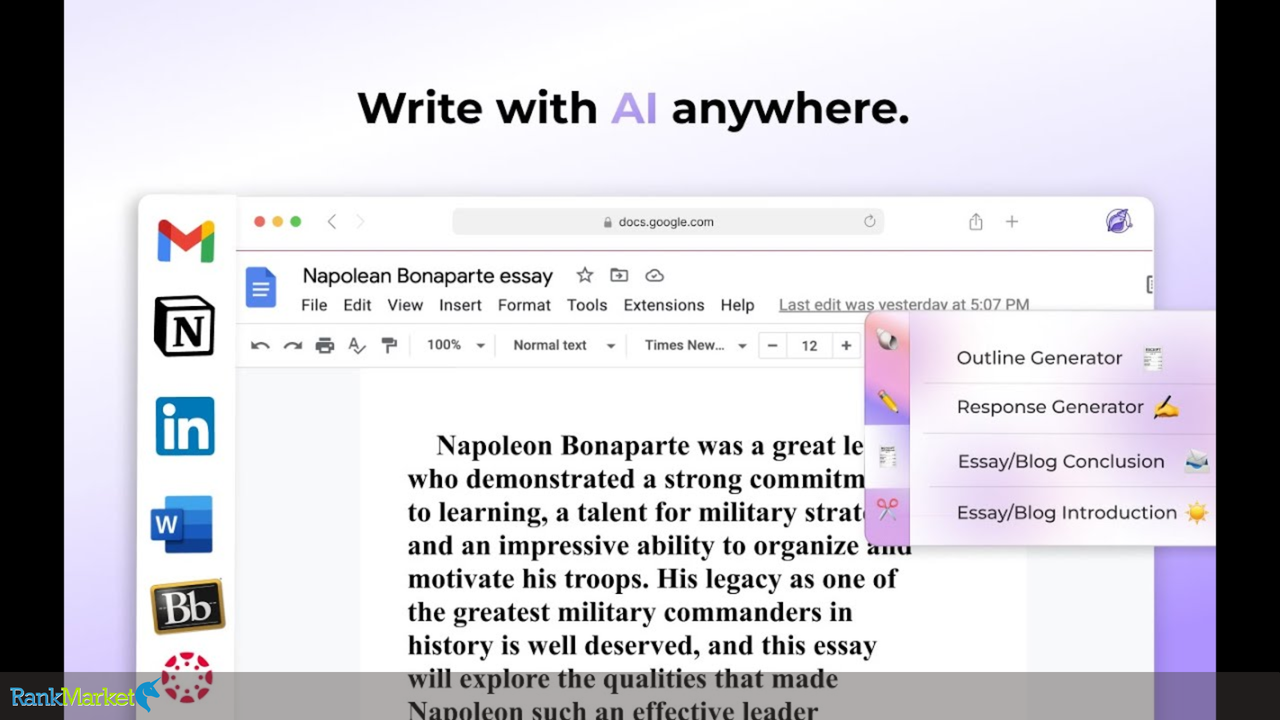
Letting you rewrite existing content and repurpose it helps you a lot in your content creation process using WordAi. Follow this step-by-step guide to use WordAi correctly:
Step 1: Sign Up for WordAi
- Go to the WordAi website Go have a account Because WordAi has its own plans subscribe you may choose the plan that is best for you.
Step 2: Log In to Your Account
- Once they have signed up, they can use their account to log in to WordAi.
Step 3: Access the Dashboard
- After logging in, you will land on the WordAi dashboard. Here is where you manage the content rewriting tasks.
Step 4: Input Your Content
- On this dashboard, there is a text box in which you need to paste the content you want to paraphrase. It allows you to type articles, blog reviews and any content that needs rephrasing.
Step 5: Choose Your Settings
- You can adjust the settings before rewriting the content:
- Rewrite Level: Choose how much to rewrite the rewrite (light, standard or deep). This is the level of change it will make to the original text.
- Uniqueness: WordAi allows you to check the uniqueness of the rewritten content, ensuring it meets SEO standards.
Step 6: Generate the Rewrite
- Press the “Rewrite” button to get the rewriting done. WordAi will read the provided text, then write a new version with the settings that you selected.
Step 7: Review the Output
- After done rewriting, simply examine the output produced by WordAi. You can get by checking whether the text is clear, coherent, or if you would want other improvements.
Step 8: Download or Copy the Rewritten Content
- You can either download the rewritten content, or you can also copy it directly to your clipboard to use it in your projects after reviewing them.
Important Notes for Using WordAi Effectively
Here are some practices that can help you get the most out of WordAi, your AI writing content rewriting tool.
- Understand the Tool's Capabilities: WordAi uses advanced natural language processing to interpret and rewrite content accurately while keeping the same meaning.
- Use High-Quality Source Material: The quality of the output is based on the content written, so it must be good with no mistakes or errors in it.
- Customize Rewrite Settings: In WordAi adjust the settings for creativity and readability to suit your specific content goal, maximizing uniqueness but still balanced with respect to readability.
- Review and Edit Outputs: Read through the rewritten copy to ensure it fits your standards and carries the same message.
- Integrate with Other Tools: Using WordAi in conjunction with other content creation tools can help you automate more of your workflow and be more productive.
- Avoid Over-Reliance on Automation: WordAi is quite powerful but it is good to complement it with human perception so that even WordAi produced content does not lose its interest and contextual relevance.
Comparison of WordAi with Other Content Rewriting Tools

WordAi
WordAi - Automatically create human quality content.Deliver Product FEAccess SharedType Article SpinnerPlan PowerDetails GB SalespageNote : No API - No Bulk Spin
View ProductWhen evaluating content rewriting tools, it's essential to consider their features, pricing, and overall effectiveness. Below is a comparison of WordAi with other popular content rewriting tools:
| Feature/Tool | WordAi | QuillBot | Spin Rewriter | Jasper |
| AI Technology | Utilizes advanced Natural Language Processing (NLP) to understand and rewrite content while preserving original meaning. | Employs AI to paraphrase sentences and paragraphs, offering various modes like Standard, Fluency, and Creative. | Uses AI to analyze content and generate unique versions by restructuring sentences and using synonyms. | Leverages AI to assist in content creation, including rewriting and generating new content based on prompts. |
| Bulk Rewriting | Supports rewriting multiple articles simultaneously, enhancing efficiency for large projects. | Does not natively support bulk rewriting; primarily designed for individual sentence or paragraph paraphrasing. | Allows users to rewrite multiple articles at once, facilitating large-scale content projects. | Capable of generating long-form content but does not focus specifically on bulk rewriting. |
| Customization | Offers adjustable settings for creativity and tone, allowing users to tailor the output to specific needs. | Provides different modes to control the level of paraphrasing and synonym usage. | Features options to reorder paragraphs, use bullet points, and add headings for enriched content. | Offers various templates and tones for content creation, catering to diverse writing needs. |
| Pricing | Starts at $17 per month, with a 3-day free trial available. | Offers both free and premium plans, with premium starting at $9.95 per month. | Monthly subscription at $47, with a lifetime purchase option for $497. | Subscription-based pricing, starting at $29 per month. |
| User Feedback | Praised for producing human-like, readable content; however, it is relatively expensive compared to some alternatives. | Known for its simplicity and ease of use; may require manual editing for complex sentences. | Recognized for fast processing speeds and the ability to generate multiple unique articles; some users note the need for manual review. | Valued for its versatility in content creation; may not be specifically tailored for content rewriting tasks. |
Introduction to the WordAi Group Buy Service at RankMarket
Overview of RankMarket and Its Group Buy Service
Collective purchasing is on the market for all of the localized seo tools and services at RankMarket. It gives freelancers, small businesses and digital marketers access to better SEO resources. RankMarket can offer this without losing quality (and without having to share), as they will spread the costs between participants.
Benefits of Purchasing WordAi via RankMarket Group Buy
- Cost Savings: The group buy model means you can still access WordAi and its advanced capabilities without having to pay a premium.
- Customer Support: Users in RankMarket help get in touch with their dedicated customer support if they face any problems or issues in using the tools.
- Service Quality Assurance: In its mission to provide scales of services, RankMarket promises that the available tools within the application will not be only functional but also supplement the user experience of integrity.
WordAi Plans Available at RankMarket and Registration Guide
The RankMarket group buy service allows you to access WordAi for a lower price. Users just have to choose a plan from among the existing ones and register on the platform of RankMarket. Users can refer to RankMarket’s official website for all plans and registration details.
To get started with WordAi, you can visit WordAi’s official website here and sign up to explore its features.
Conclusion
With WordAi, you can master your content creation process so that anyone can create perfect articles (manually rewriting already made content) in no time. If you need the content for SEO, digital marketing, or niche website management, then WordAi's quality AI techno automatically makes sure that your content remains engaging and optimized for search engine. That said, the price of individual subs is beyond the means of a lot of users.
This is where RankMarket comes into play — offering a cheap WordAi group buy option so that you can get WordAi at a significantly lower cost. Check out RankMarket now to start using this affordable option and boost your content strategy with WordAi.