

QuillBot is an advanced AI writing application to help everyone improve their writing, paraphrase content as well as check grammar or plagiarism errors. Students, writers, professionals; it smoothens the process and provides quality output. If you want to get QuillBot Premium but at a more affordable price, then RankMarket comes with a low-cost group buy service with the same benefits of premium member features without the full price.
Let's explore How to Use QuillBot now!
What is QuillBot?
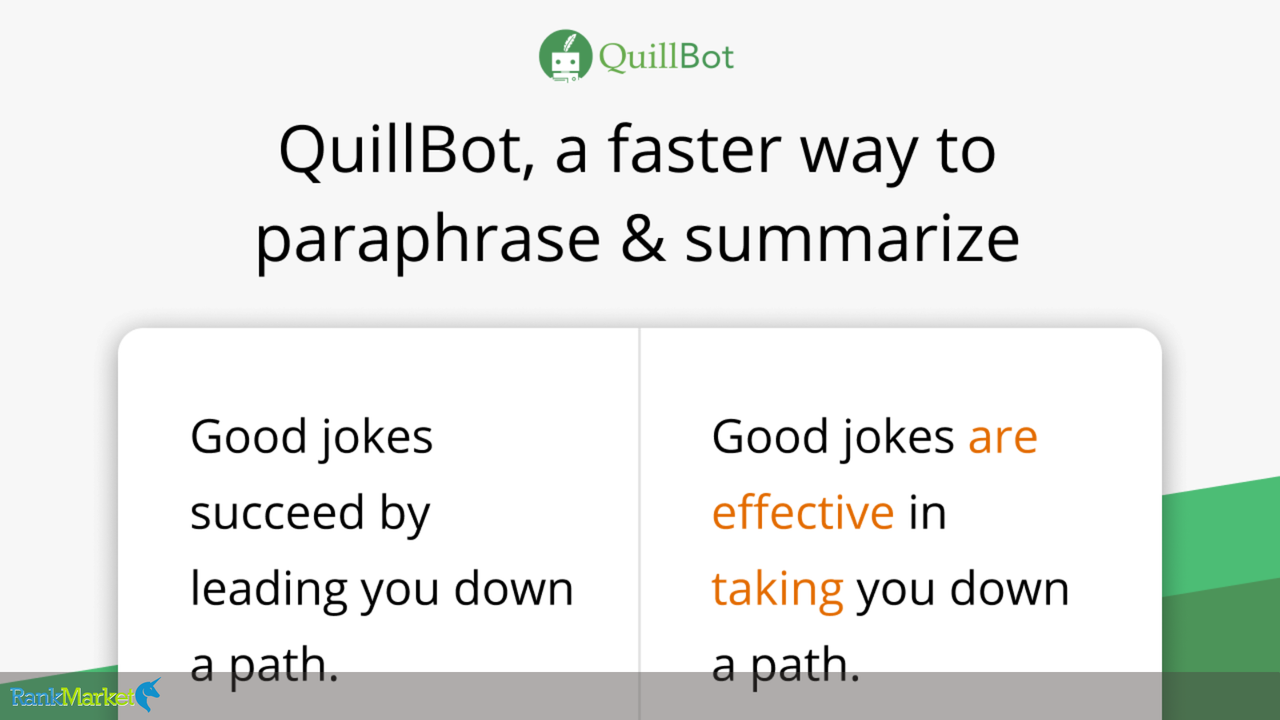
QuillBot is writing service that utilizes artificial intelligence to improve your writing
Founded in 2017, QuillBot provides a set of writing tools that work together to help improve the clarity, coherence, and correctness of written communication.
Key Features of QuillBot:
- Paraphraser: Paraphrase tool that lets you paraphrase a sentence or even a paragraph of any length.
- Grammar Checker: QuillBot uses AI to highlight and fix grammar mistakes which allows the text to flow without any grammatical errors.
- Summarizer: The summarizer quickly summarizes a long article or paper so you can get the main points without reading it.
- Plagiarism Checker: Scans documents to identify any potential plagiarism, allowing users to ensure originality in their work.
- Citation Generator: QuillBot helps to generate correct citations in different formatting styles, making the referencing process very easy.
- Translator: With support for over 45 languages, allows visitors from all over the world to read your text in a language they can understand.
Subscription Options:
QuillBot comes with free and premium subscription plans. Basic features are only available on the free version with the limitation, for instance, being unable to paraphrase more than a certain number of words on the free version. The subscription will allow the user to access all the features in full, providing unlimited paraphrasing and faster processing, as well as priority support.
With these well-integrated tools, QuillBot is an all-in-one writing assistant for students, professionals, or anyone aiming to write better and more efficiently.
Benefits of Using QuillBot
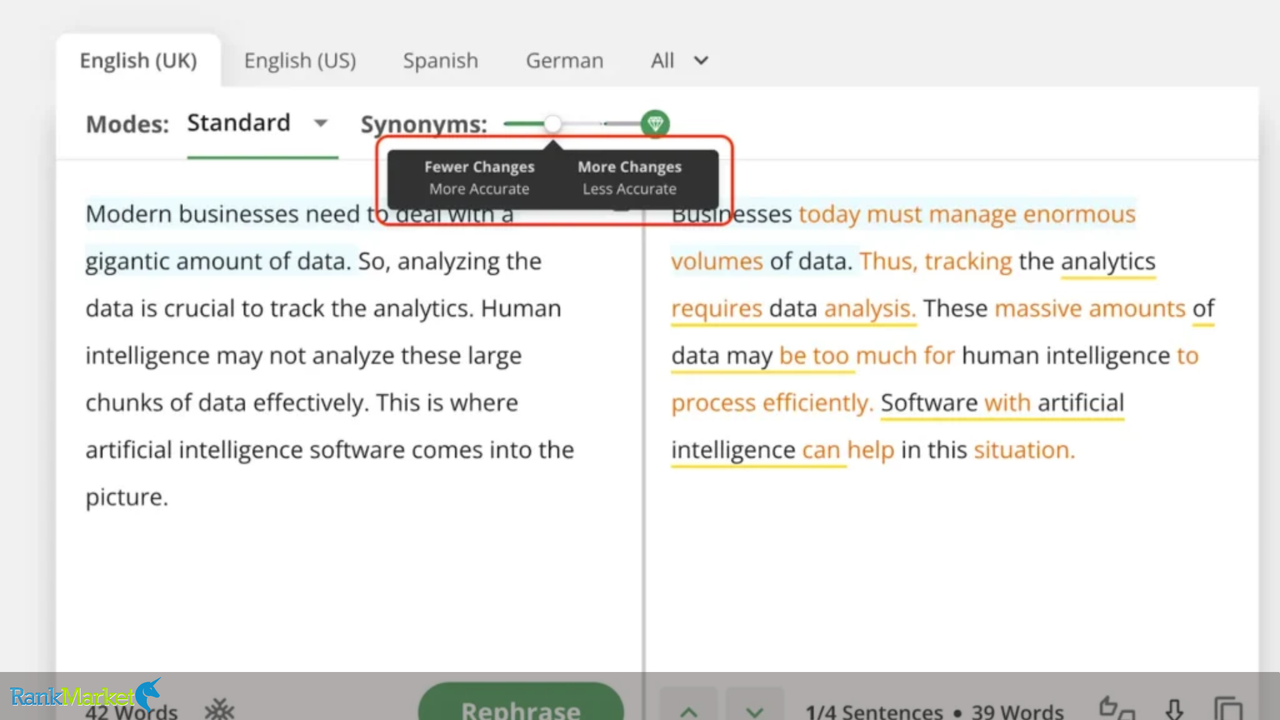
- Improved Clarity and Readability: Sentence clarity and readability improved: QuillBot considers restructuring sentences to improve clarity and flow making sentences more appealing to readers.
- Time Efficiency: QuillBot minimizes the need for you to spend excessive time on editing and proofreading work because it automates tasks like paraphrasing, checking grammar, Summarizing, etc.
- Enhanced Vocabulary: A built-in thesaurus enables users to avail various synonyms and phrases to replace them and improve vocabulary.
- Plagiarism Prevention: QuillBot has a plagiarism checker tool that compares your writing with existing sources to guarantee originality and help prevent accidental plagiarism.
- Accurate Citations: The citation machine makes the generation of correct references in any style easier and thus simplifies academic and professional writing.
- Seamless Integration: QuillBot integrates free with platforms, such as Microsoft Word and Google Chrome, which allows users to develop their writing directly with these papers.
How to Use QuillBot: Paraphrasing Tool
QuillBot tool paraphrase to rewrite the text without changing the meaning. It helps with clarity, readability, and uniqueness. Here's a comprehensive guide to get you started leveraging this feature.
Step1: Input the Text
- You can now go to the QuillBot website itself, and head over to the Paraphraser.
- Paste/type the text that needs to be rewritten in the input box on the left side of the screen.
- Its multi-sentence input feature makes the tool applicable for different content formats including academic papers, articles, and emails.
Step 2: Select a Paraphrasing Mode
- QuillBot has different modes to use, depending on your writing needs:
- Standard: Altered but keeps most of the meaning intact
- Fluency: Pays attention to readability and correctness of grammar.
- Formal: Rewrites the text in a formal or academic register.
- Simple: Simplifies the content.
- Creative: Makes it more unique and different than the original text.
- In-depth: Provides further elaboration on the existing text.
- Reduced: A scale down of the content but generally, retains some of the important points.
- Users can switch between modes according to their particular needs.
Step 3: Adjust Synonym Settings
- With the Synonym Slider, users have the ability to determine how much we modify the text:
- The left side of the slider applies fewer changes.
- If you move the slider to the right, more words are replaced with synonyms.
- This option helps customize the extent to which the output is paraphrased in a specific tone or style.
Step 4: Initiate Paraphrasing
- Click the “Paraphrase” button to generate the rewritten version of the text.
- Once the input is in, QuillBot runs through it and shows you the rewritten material in a boxed-up amount to the correct.
Step 5: Review and Edit
- Read the paraphrase and ensure it makes sense.
- Sometimes you might need to adjust some words or phrases manually to improve the output.
- Hovering over the highlighted words will provide the users with alternative synonyms to select from.
Step 6: Incorporate the Rephrased Text
- When you are done and happy with the results please click “Copy All” to copy the paraphrased content.
- Insert the useful an important content into an document or mail or some other platform
- To take search to the next level, you can even connect QuillBot for Google Docs or Microsoft Word to make your writing process simple.
How to Use QuillBot: QuillBot's Grammar Checker
Step 1: Open the Grammar Checker
- Go to QuillBot Grammar Checker.
Step 2: Enter Your Text
- Copy and paste or just type the text you want to check in the input box.
Step 3: Start the Grammar Check
- Press the check button to run the inputted text through a grammar, spelling, and punctuation scanner.
Step 4: Review Suggestions
- QuillBot highlights incorrectly written words or phrases and suggests corrections.
Step 5: Apply Corrections
- By clicking the suggestions, it applies the changes or you can also change it manually.
Step 6: Finalize Your Content
- After making you all the needed corrections, copy your revised text and work on your content.
How to Use QuillBot: QuillBot's Plagiarism Checker
Step 1: Open the Plagiarism Checker
- Go to QuillBot Plagiarism Checker
Step 2: Upload or Paste Your Text
- You have the option to either paste the content directly into the checker or upload a document.
Step 3: Start the Plagiarism Scan
- Hit the Scan button to discover duplicate content within other content sources.
Step 4: Analyze the Plagiarism Report
- Go through the search results, which show any part of the content that is detected as duplicate content.
Step 5: Make Necessary Adjustments
- If you spot the plagiarism, restate or properly cite the authentic resources for originality.
Step 6: Save and Use Your Checked Document
- After applying the needed adjustment your content is good to go.
Step-by-Step Guide to Using QuillBot’s Summarizer
Step 1: Open the Summarizer Tool
- Bring Your QuillBot Summarizer.
Step 2: Input Your Text
- Insert the content you want to summarize in the input box or upload a document.
Step 3: Choose the Summary Type
- You can choose Key Sentences (to extract the most crucial sentences) or Paragraph Mode (a summary content).
Step 4: Adjust the Summary Length
- Use this slider to specify how brief or detailed you want the summary to be.
Step 5: Generate the Summary
- Click on the Summarize button present below and in response, QuillBot will throw a summary of the content.
Step 6: Review and Copy the Summary
- Check the output for accuracy, then copy and use the summarized content as needed.
Step-by-Step Guide to Using QuillBot’s Citation Generator
Step 1: Open the Citation Generator
- Go to QuillBot Citation Generator
Step 2: Select Citation Type
- Depending on your needs, elect MLA, APA, or Chicago citation styles.
Step 3: Input the Source Information
- Fill in the information such as the author, title, date published and URL (if it is an online source).
Step 4: Generate the Citation
- Press the “Generate” button, and QuillBot will format a citation for you.
Step 5: Copy or Export the Citation
- Either directly copy the citation or download it for later use.
Comparison Between QuillBot Free and Premium Versions
The table below highlights the key differences between QuillBot’s Free and Premium versions, helping users choose the best option based on their needs.
| Feature | Free Version | Premium Version |
| Paraphrasing Limit | 125 words per paraphrase | Unlimited words |
| Writing Modes | 2 modes (Standard, Fluency) | 7 modes (Creative, Formal, Shorten, Expand, etc.) |
| Grammar Checker | Basic grammar and spelling checks | Advanced grammar, punctuation, and sentence structure suggestions |
| Plagiarism Checker | ❌ Not available | ✅ Available |
| Summarizer Limit | 1,200 words | 6,000 words |
| Citation Generator | ✅ Available | ✅ Available |
| Processing Speed | Slower, may include ads | Faster, ad-free experience |
Purchase QuillBot Premium Through RankMarket’s Group Buy Service
And for users who want to experience QuillBot Premium without dropping a full price, we can say RankMarket is return your money for affordable and reliable Quillbot premium account group buy service. On RankMarket, however, users can experience all these premium features by spending a fraction of its original price together with the best support and a hassle-free buying experience.
Benefits of Buying Through RankMarket
- Cost Savings – With RankMarket pricing is always competitive, which means you can get QuillBot Premium more cheaply than purchasing directly.
- Full Access to Premium Features – Users have unrestricted access to various tools that enable advanced grammar check, plagiarism detection, and AI-based paraphrasing for a lower price.
Why Choose RankMarket?
- Trusted & Reliable – Group buy services of RankMarket are efficient, thus ensure a smooth experience.
- 24/7 Customer Support – Users get support whenever they face an issue or have a query.
- Simple & Fast Process – Easing purchase process facilitates users to get QuillBot Premium in almost no time.
How to Join the Group Buy at RankMarket
- Visit RankMarket’s Website: Go to the official website of RankMarket and search for QuillBot Premium
- Register for the Group Buy – Register and choose Group buy QuillBot premium.
- Make the Payment – Complete the secure payment page to guarantee attendance.
- Receive Account Details – You will receive QuillBot Premium within a few minutes and start using the premium feature.
To get started with QuillBot, you can visit QuillBot’s official website here. There, you will find its paraphrasing tool, grammar checker, citation generator, and other features to improve your writing.
Quillbot Premium
QuillBot's paraphrasing tool helps millions of people rewrite and enhance any sentence, paragraph, or article using state-of-the-art AI.
View ProductConclusion
Overall, if you want an efficient and high-quality writing experience, QuillBot is a must-have. It has everything that makes content creation seamless like paraphrasing, grammar check, citation generator etc Yet, the premium version even requires access to more capabilities like limitless paraphrasing, plagiarism detection, and better ai writing tools.
Through RankMarket's group buy service, buyers can purchase QuillBot Premium for less than the full price. This plan gives unlimited access to paid features for a small fraction of the original price, which makes it a perfect option for thrifty users. Check out RankMarket and let them start working on your content while you enjoy the benefits of QuillBot Premium!