


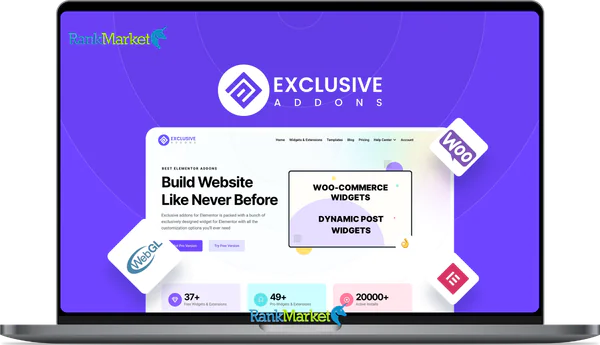
Cheap Exclusive Addons for Elementor LTD license key activation service
Price range: $10.00 through $50.00
| Deliver | Product FE |
|---|---|
| Access | Install Service |
| Type | Elementor Addons |
| License | No License |
| Details | GB Salespage |
If you are searching for a powerful Elementor addon that expands your design capabilities without slowing your website down, Exclusive Addons is absolutely worth your attention. This is not just another widget collection thrown into the mix. It is a thoughtfully built extension ecosystem that helps you create professional, optimized, and highly flexible WordPress websites with confidence. Let’s explore it together with RankMarket.
What Is Exclusive Addons ?

Exclusive Addons is an extension plugin built specifically for Elementor. It adds a wide range of advanced widgets and smart extensions that elevate your website design experience on WordPress.
In simple terms, Exclusive Addons:
- Is fully compatible with Elementor Free and Elementor Pro
- Provides more than 100 widgets and extensions
- Offers both a free version and a Pro version
- Integrates smoothly with WooCommerce and includes a Header Footer Builder
- Optimizes performance by loading assets only when a specific widget is actually used
That last point matters more than people think. A lot of Elementor addons promise features, but they quietly overload your site with unnecessary scripts. Exclusive Addons takes a more disciplined approach.
Who Created Exclusive Addons ?
Exclusive Addons is developed by a team focused on building practical solutions for WordPress and Elementor users. After hands-on testing and real world usage, it is clear that this is not a rushed product. The team behind it treats development seriously. They release updates consistently, respond to feedback quickly, and continue adding meaningful improvements over time.
According to data available on the WordPress Repository, along with user feedback from platforms such as AppSumo and Trustpilot, the plugin has surpassed 60000 active installations. That is not a small number. It reflects real trust from the community.
What stands out the most is not simply the number of widgets. It is the way the plugin is optimized. Many Elementor addons suffer from performance bloat. Install them and you immediately notice slower loading speeds. Exclusive Addons allows you to disable any widget you do not use. That is smart product thinking.
For freelancers and agencies building websites for clients, performance is not optional. It is part of your reputation. A slow website costs money, rankings, and credibility. With Exclusive Addons, you stay in control.
If you are serious about building WordPress websites that are both visually impressive and technically optimized, this plugin deserves a spot on your shortlist.
Key Features of Exclusive Addons
Exclusive Addons is a powerful extension plugin for Elementor, providing a system of widgets and extensions that enhance WordPress website design capabilities while maintaining performance.
- 108+ Widgets & Extensions: Exclusive Addons offers over 108 widgets and extensions optimized for Elementor, including advanced content, marketing, WooCommerce, and modern effects, helping you build landing pages, blogs, or e-commerce sites without installing many additional plugins.
- Header & Footer Builder: This plugin allows you to create and manage custom headers and footers directly within Elementor, using them across the entire site or setting them individually for each page with flexible display conditions.
- WebGL Plugin (Free for Pro version): Upgrading to Pro includes the WebGL Plugin, which helps create professional 3D effects and background animations, increasing visual depth while maintaining stable performance.
- Lottie Animation Widget: Lottie integration allows you to add lightweight vector animations, import them via URL or local file, and adjust speed, activation method, and display style without writing code.
- Cross-Site Copy Paste: This feature lets you copy widgets, sections, or columns from one WordPress website to another in just a few clicks, working seamlessly with the original Elementor interface.
- Demo Previewer: An advanced demo viewer lets you showcase your products or projects with flexible filters, eye-catching cover images, adjustable scroll speed, and full content customization.
- Sticky Anything: You can fix any element on the page, such as the header, sidebar, or CTA, to always be visible when users scroll, increasing interaction.
- Mega Menu Builder: Exclusive addons provide horizontal and vertical mega menus, supporting comprehensive customization, setting breakpoints for small devices, and using widgets as submenus.
- WooCommerce Widgets: A dedicated WooCommerce widget pack that allows you to design product grids, carousels, related products, and sales page layouts without needing to modify the code.
- Glassmorphism Effect: A plugin that supports a modern frosted glass effect, making your website interface more sophisticated and professional.
- Gradient Animation: This feature allows you to create eye-catching dynamic gradient backgrounds, increasing the vibrancy of hero sections or landing pages.
- Dynamic Post Widgets: Exclusive Addons provide many dynamic post widgets to display content by category, tag, or specific condition with various layouts.
- Section Particles: You can add moving particle effects as a background for sections, creating a sense of interaction and attracting users.
- 3000+ Free Icons: A library of over 3000 pixel-perfect icons makes content more visually appealing without needing to install external icon sources.
- Exclusive Templates & Blocks: This plugin includes over 64 templates and more than 900 pre-built blocks, helping you speed up your website design and deployment process.
- Modular Control & Performance Optimization: Exclusive Addons allow you to enable/disable individual widgets to load resources only when needed, making your website lighter, faster, and more SEO-friendly.
Instructions for Installing and Using Exclusive Addons
Step 1: Install the Free Version
- Access your website's WordPress Dashboard.
- From the left-hand menu, select Plugins → Add New.
- In the search box, enter the keyword “Exclusive Addons”.
- When the plugin appears in the results list, click Install Now to install it.
- After installation, click Activate to activate the plugin and start using it.
- After activation, you will see the Exclusive Addons section appear in the sidebar.
Step 2: Manage Widgets
- Go to Exclusive Addons → Elements
- View the list of widgets
- Disable unused widgets
- Click Save Settings
- I usually disable all widgets first, then enable the widgets I need. This makes the site lighter.
Step 3: Use in Elementor
- Open the page you want to edit using Elementor.
- In the widget panel on the left, find the Exclusive Addons group.
- Select the appropriate widget and drag and drop it directly to the desired location on the page. After adding it, go to the Style and Advanced sections to customize the interface, animation effects, and display settings as desired.
- Usage is exactly the same as Elementor's default widgets.
Step 4: Install the Pro Version
- Visit the plugin's official website and purchase the Pro version that suits your needs.
- After successful payment, download the plugin file (.zip) to your computer.
- Log in to your WordPress Dashboard, go to Plugins → Add New → Upload Plugin.
- Select the uploaded .zip file and click Install Now to install.
After installation, click Activate to activate the plugin.
Finally, go to the plugin's settings and enter the license key to activate the full version and access all features.
Exclusive Addons Pricing Comparison
| Features / Plan | Starter — $39 | Popular — $99 | Business — $189 |
| Site Activation | 1 Site | 15 Sites | 1000 Sites |
| License Duration | 1 Year | 1 Year | 1 Year |
| Premium Support | 1 Year | 1 Year | 1 Year |
| Regular Updates | 1 Year | 1 Year | 1 Year |
| Widgets & Extensions | 108+ | 108+ | 108+ |
| Templates | 64+ | 64+ | 64+ |
| Section Blocks | 900+ | 900+ | 900+ |
| Exclusive WebGL Plugin | Included | Included | Included |
Quick Insight
All three plans offer the exact same features and benefits.
The only difference is the number of websites you can activate.
- Starter → Ideal for personal or single-site users.
- Popular → Best for freelancers or small agencies managing multiple sites.
- Business → Built for agencies or developers handling large-scale deployments.
Where to Buy Affordable and Reliable Exclusive Addons?
If you're looking for a place to buy Exclusive Addons at a reasonable price while ensuring safety and full support, RankMarket is a worthwhile option. They specialize in providing licensed accounts and plugins in a cost-effective way, suitable for freelancers, small agencies, or individuals building websites.
Why buy Exclusive Addons from RankMarket ?
- Lower prices compared to buying directly from international retailers
- Fast installation and activation support
- Thorough consultation before purchase to avoid choosing the wrong package
- Experienced in providing many WordPress and SEO tools
- Suitable for both beginners and web service providers
How to buy Exclusive Addons from RankMarket ?
- Step 1: Visit the RankMarket website and find the Exclusive Addons product.
- Step 2: Choose the package that suits your needs.
- Step 3: Make payment according to the instructions.
- Step 4: Receive information and installation support.
- Step 5: Activate and start using.
The process is quite simple and does not require complicated steps.
Advantages and Disadvantages of Exclusive Addons
Advantages
- Optimized performance with intelligent resource loading system
My highest praise for Exclusive Addons is their performance management. The plugin only loads CSS and JS when the widget is actually used on the page. This helps limit resource overload – a common problem with large addon packages.
- Over 108 widgets to meet diverse design needs
Not only are there many widgets, but Exclusive Addons' widgets are also highly practical. From marketing widgets like countdowns, call-to-actions, and promo boxes to advanced content widgets like timelines, testimonials, and dynamic posts. When building a service website, I rarely need to install additional plugins because most of my needs are already met.
- Over 900 pre-built templates and blocks
For professional web developers, time is money. Over 900 blocks and dozens of complete templates help you deploy projects much faster. Instead of starting from a blank page, you simply import, edit the content, and optimize it to your own brand. This is especially useful when working on multiple projects simultaneously.
- Powerful WooCommerce Integration
Exclusive Addons not only serve website introductions but also provide excellent e-commerce support. Widgets like product grid, product carousel, and related products allow for flexible product layout customization. I once used it to redesign the category page for an online shop, and the page retention rate increased significantly thanks to the more intuitive interface.
- A Free Version Sufficient for Many Small Websites
Not everyone is ready to invest upfront. The free version of Exclusive Addons is powerful enough to build a personal blog, a small company introduction website, or a simple landing page. This is a big plus because you can try it out before deciding to upgrade.
- Easy to Use, No Coding Skills Required
The entire system operates based on the familiar Elementor interface. You don't need to know HTML, CSS, or PHP for in-depth customization. This helps newcomers get started quickly without feeling overwhelmed.
Disadvantages
- Many advanced features require the Pro version
The truth is that the most beautiful widgets and templates are usually in the paid version. If you want to exploit the full power, upgrading is almost mandatory.
- Enabling too many unused widgets can slow down the page
Even with an optimized system, if you don't manage it well and enable all widgets, the website can still be affected. This is a common problem with all large add-on packages. The solution is to only activate the components that are truly necessary.
- Sometimes compatibility issues occur during major Elementor updates
In some major Elementor updates, minor responsiveness or style errors may appear. While not common, it's still important to be aware of this and always test on staging before updating the main website.
Who should use Exclusive Addons?
- Freelancers who design websites for clients
If you are building a service website, Exclusive Addons help expand design capabilities without relying on many other plugins. The ability to copy content between websites also saves a lot of time.
- Small agencies need to optimize costs
Instead of buying many separate plugins for headers, mega menus, or WooCommerce, you can combine them into a single solution. This significantly reduces operating costs.
- WooCommerce shop owners who want to customize their interface
Not everyone knows how to code. Exclusive Addons allow shop owners to customize product layouts, category pages, or marketing banners without hiring developers.
- Bloggers who want a more professional website
With dynamic post widgets and modern effects, your blog will look more professional and unique compared to the default interface.
- Beginners with Elementor but want to expand features
Exclusive Addons are beginner-friendly because they use a familiar control system. You don't need to learn from scratch; just explore new widgets.
💡 Frequently Asked Questions about Exclusive Addons (FAQs)
- 1. What are Exclusive Addons and how do they benefit Elementor?
Exclusive Addons are a premium extension library for Elementor. They provide over 100 widgets and dozens of unique extensions that Elementor doesn't have by default. Their goal is to help users create highly aesthetic websites that keep up with the latest design trends like Glassmorphism or Neumorphism.
- 2. Do I need to buy Elementor Pro to use Exclusive Addons?
Not required. Exclusive Addons work perfectly on the Elementor Free version. In fact, many of its features, such as Header Footer Builder, Mega Menu, and Sticky Effects, can replace most of the more expensive features of Elementor Pro, saving you significant costs.
- 3. Will Exclusive Addons slow down my website?
Absolutely not. Exclusive Addons are equipped with Modular Control. You have full control over enabling or disabling specific widgets. If you don't use WebGL effects or complex charts, you can disable them to prevent unnecessary code loading, ensuring optimal page load speed.
- 4. How does the “Cross-Domain Copy Paste” feature work?
This is a favorite feature of web agencies. It allows you to copy a section or an entire page from one website and paste it directly into another website (different domain) with just a few clicks. You no longer need to manually export/import JSON files as before.
- 5. What is the Glassmorphism Extension?
This is a “specialty” of Exclusive Addons. Glassmorphism is a frosted glass effect (similar to that on iOS or Windows 11). Instead of writing complex CSS code, Exclusive Addons provides an intuitive control panel to create this effect for any widget, making your website look more modern and elegant.
- 6. Is the Exclusive Addons Template Library diverse?
Very diverse. With the Pro version, you have access to over 900+ pre-designed blocks and dozens of original website templates (Full Page Templates). All are designed in a modern style; just “Insert” and you'll have a ready-made interface.
- 7. Does Exclusive Addons support WooCommerce e-commerce page design?
Yes. This plugin provides a set of widgets specifically for WooCommerce, such as: Product Grid, Category List, Wishlist, and Quick View. You can freely customize your store's interface to your own style without being restricted by the theme's default interfaces.
Conclusion
Exclusive Addons are more than just a set of extension widgets. They are a comprehensive solution that helps you upgrade Elementor's power, optimize performance, and expand design capabilities without touching the code.
If you are serious about building a professional website, this is a worthwhile investment. And if you want to optimize costs while ensuring stable usage, RankMarket is a place to consider.
Don't let your website look like thousands of other templates out there. Good tools in the hands of those who know how to use them will make a real difference.
Reference: https://exclusiveaddons.com/
| License | 1 Site, 10 Sites |
|---|
Some Questions Before Join US
Group buying, also known as collective buying, offers products and services at significantly reduced prices on the condition that a minimum number of buyers would make the purchase.
- First, we will list product Here as people request & Collect Money From other peoples.
- Sec, Once enough moneys from customer, we will buy products From Developer.
- Then, we deliver to all Joiners.
- You can join directly by Purchase at our site and Reach Support about that to confirm.
- You can join via our Community : https://bit.ly/RMKDiscord
- How to Buy
We have 2 Product Status
- Instant-Deliver : Avaible and Deliver within 24-48hs (not on Sat-Sun, Holiday)
- Group Buy/Pre-Order : Not avaible, Still collect more people to join, need to wait.
OTO mean that One-Time-Offer/Upsell/Upgrade of Product For limited time only
Cancelled mean that order is not pay/process within 24hs. Please reach us with Order ID to check.
You will get Products by Download via Email .Once you finish payment to us and get confirm. You will get download Links inside your Account
- SAAS : You will get Individual account via Mail or On your Order List
- Shared Tool : via our chrome (WIN/MAC/Linux)
- WP : We will active key for your site.
- Course/Book/GraphicKit : Download link will send via mail or On your Order List.
- ETA Time : Fast maybe 3-4 days or 1 Week , Always be 3-4 Weeks or some times as Member Request it can be up to 3 Months to Group Buy WIN.
- GB Fail : You will get refund or exchange other.
– If Products problem, Capture screenshot/Video to us. We will forward to developer to fix it.
– If impossible sloved, we will exchange to other product. With Annual Product, we will refund or exchange by subtract times that you used.
– If used product for 1 or few years then not work. we will try to contact developer to fix it. But if some bad Vendors keep money and run, we just can give you some discount for future orders.
Warranty Time :
- Monthly Product : 30 days
- Annual/One Time Product : 1 year.
Our Store Credit mean credit can use to redeem on Your orders. 25 Credit = 1$.
Earn by some way :
- Place Orders. Each 1$ spend you will earn 1$
- Exchange some not work/not-fullfill orders by your agreed.
- By Reffer Your Friends to buy at our store.
How to redeem
- At Checkout page have redeem button to use it. Maxium is 250/orders.
- If you need redeem more. Reach our Support
We support only via 2 channel :
- Email : [email protected]
- Messenger : m.me/rankmarkenet (Live chat on Site)
TIme : From 9AM - 6PM Monday - Friday (GTM+8).
All Order/Ticket on Sat-Sun/Holiday will be supported on next Monday.
WE ARE TRY TO WORK HARD AND SUPPORT ALL PEOPLE BUT WE CAN NOT MAKE ALL HAPPY 100%
Thanks For You are here and belive US for longtime.
While working,we meet someone like & we will not support :
– People buy 1 but want to exchange to 10 Products.
– People who steal our products then ask refund.
– People fake payment to get our products.
– People always ask refund,can not wait for waiting product. Dont Pay. Wasted our Time.
Best Regards
David Green – RankMarket
Related products
WordPress

WordPress


WordPress
WordPress
WordPress

WordPress
WordPress