

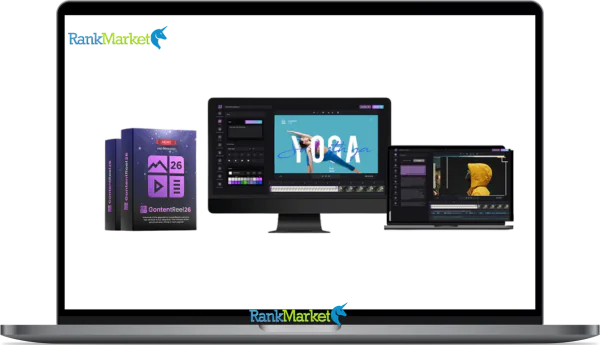
Buy ContentReel26 + OTOs full account + Bonus
$60.00
ContentReel26 is an AI video automation platform that turns a single keyword into multiple ready-to-post videos with scripts, animations, avatars, and scheduling done automatically.
| Deliver | ContentReel26 + OTOs |
|---|---|
| Access | Individual |
| Type | Keyword-to-Video Automation |
| Plan | FE + OTO123 |
| Details | GB Details |
Video is no longer an option; it's the fastest way to grab attention, build trust, and increase traffic across all major platforms. The problem is, traditional video creation is slow, expensive, and too complicated for most people. That's where ContentReel26 comes in. It's designed to remove all the common barriers in video marketing. Instead of manually filming, editing, scripting, and uploading, you simply input keywords and let the AI do the rest. Below is a review that will help you understand why ContentReel26 stands out, which audience it's best suited for, and why now is the smartest time to own it.
What is ContentReel26?

ContentReel26 is a sophisticated, all-inclusive AI-powered video production platform that can quickly produce several excellent videos from a single keyword. ContentReel26 generates content entirely automatically, in contrast to other programs that need modification and coding. ContentReel26 will find popular video subjects after you enter your keyword, create interesting scripts, and turn these scripts into animated videos using expert templates. Additionally, it can make videos using AI avatars that mimic your voice and face while lip-syncing.
With its one-click editing and scheduling tools, this program gives you the freedom to create and share your films from a single interface on all platforms, including Facebook, Instagram, YouTube, TikTok, and others. With ContentReel26, even novices can produce high-quality material in large quantities without worrying about the technical parts of video production.
Key features of ContentReel26
- AI Scene Director: This tool has the ability to turn unfinished concepts into finished films. It manages speech, background shots, transitions, and scripting, making sure every film is cohesive and polished without haphazard editing.
- Smart Image Merging 2.0: Just typing keywords will get you started with Smart Image Merging 2.0. Without requiring any creative or design expertise, ContentReel26 can determine the theme, narrative, and video format to produce a full video in a matter of seconds.
- Replay Tool: This function lets you apply the same concept to several distinct videos. The same script is used by ContentReel26, which replays it in a variety of tones, including intimate, professional, instructional, and captivating, among many others.
- Animated AI Avatars: These avatars have realistic motions and facial expressions. These are excellent resources for use in training materials, presentations, and instructional videos where a realistic presentation fosters trust.
- Creating AI clones: You may make a “AI clone” that looks and sounds just like you by using a selfie video and a brief audio clip. This eliminates the need for re-recording and enables instructors and content producers to mass-produce their own videos while maintaining brand consistency.
- AI content upload scheduling: This feature allows content to be automatically uploaded to YouTube, Instagram, and TikTok. You may make sure your accounts are constantly active and upload your own stuff.
- Reusing content from URLs: With the help of this program, expert writers may automatically turn textual information into video. ContentReel26 can automatically extract highlights and produce several short films if you just paste the URL.
- Produce a wide variety of videos for all platforms: ContentReel26 enables you to produce videos for all platforms. It will transform your content into a version that is optimized for any platform you wish to post to, including sales videos, explanation videos, Facebook videos, TikTok videos, YouTube Shorts videos, and even Stories videos for Instagram, LinkedIn, Snapchat, Pinterest, and all other platforms.
- Make videos based on keywords: To get started, you don't need technical or artistic skills. Simply write a word, and ContentReel26 will take care of the rest—writing the script, constructing the structure, and producing a finished movie in a matter of seconds.
- Include speaker face animation in videos: Using a selfie as the picture source, you can quickly add lifelike speaker face animation to your videos. The voice, lip motions, facial expressions, and head movements will all be smoothly integrated by artificial intelligence (AI).
- Copy your voice: ContentReel26 lets you record a little audio clip of yourself speaking. Because you don't have to re-record every video, you can utilize your own voice in all of your videos once they are created, which is a great way to add authenticity.
- Video Topic Suggestions: Based on your keywords, the AI assistant finds popular and in-demand videos using machine learning and real-world data. Once authorized, it may produce optimal scripts and videos to draw viewers right away.
- AI-powered video templates: By lowering the need for design expertise, the system lets you choose specific templates for automatic usage, improving production productivity.
- Simple drag-and-drop and click actions can be used to make adjustments in this user-friendly video editor. Changes can be made by anyone without any specific training or expertise.
- In-app recording: Using ContentReel26, users can record sound effects or audio content from any location. Sound effects can be produced without the use of any additional equipment.
- With multilingual support, you may produce videos in Hindi, Spanish, French, English, and many other languages, reaching a wider audience without requiring the viewer to know those languages.
- Select from thousands of background music tracks: You can embed background music with just one click thanks to this package's extensive music library, which includes songs appropriate for a wide range of moods and styles.
- Completely royalty-free usage rights: You can post any multimedia content on ContentReel26 to any website without fear of it being taken down for utilizing copyrighted content because it is entirely royalty-free.
How to use ContentReel26
Step 1: Create Campaigns and Video Sets
The process starts with creating a campaign, which acts as the operational environment for all videos, after logging into the system successfully. Entering keywords, video titles, content tone, quantity of videos, language, country, and target platform is the first step in producing video sets for this campaign. This guarantees that everything is ready for the AI system to produce a number of videos.
Step 2: Configure Avatars, Links, and Voice Settings
The next step is to customize your videos' sound and graphic elements. In addition to adding URLs like affiliate marketing links and web addresses to the video itself, you can submit pictures that will act as the speaker's avatar and specify when to use them. After that, you may choose the voice, kind, and even look for voices to narrate your videos automatically.
Step 3: Review, Edit & Approve the AI Script
Following upload, ContentReel26 uses setup parameters and keywords to start writing a video script. The script can be modified, reused, or improved as needed because it is created directly within the campaign. You may produce material while keeping total control over the message, which is an advantage.
Step 4: Convert the Script into a Complete Video
Once the script has been approved, you can click to start making the video. The AI Scene Director will then generate organized, comprehensive videos by combining the footage, animation, voiceovers, B-roller, transition effects, and avatars. Everything will look as though it was planned in advance rather than being videos with haphazard bits of information.
Step 5: Customize, Schedule & Publish
Before uploading, you may also alter your movie using the integrated editor to change the text, colors, fonts, photos, videos, and voiceovers. Once the video has been customized, you may either publish it straight to the platforms you're utilizing or schedule its release.
Why you should use ContentReel26
- All-inclusive video production solution: ContentReel26 is not merely a tool for making videos. The program controls concepts, scripts, images, characters, video editing, and publishing all in one place with ContentReel26, which is actually a full-featured content management system.
- The story flows more naturally thanks to artificial intelligence (AI). AI Scene Director lets you prepare each movie like a professional filmmaker by organizing scenes, voiceovers, transitions, and sub-scenes. This addresses the issue of AI-generated videos, which frequently appear to be a collection of disparate pieces of content.
- Without requiring manual setup, Smart Image Matching 2.0 instantly connects keywords to images, scripts, and layouts. Even when creating material in large quantities, this guarantees excellent video quality and encourages brand consistency.
- Script reuse is made simple by AI-powered auto-rewriting. AI can reword the same content in a variety of styles and tones, eliminating the need for human rewriting. This facilitates the publication of many versions on various platforms.
- AI clones and dynamic avatars: You will appear in the video either as a clone of yourself or as an expressive avatar created by AI technology. By doing this, you may preserve your personal brand without having to record numerous videos.
- Integrated content scheduling: ContentReel26 eliminates the need for daily manual content uploads by ensuring that all of your social media profiles are always active through its automatic scheduling and publishing features.
- Reuse existing material instantly: For instance, you may extract value from your existing content by converting URLs, articles, and written information into videos. Because of this, ContentReel26 is an ideal tool for bloggers or marketers.
- Designed for mass production: This technology is made to produce large quantities of high-quality products quickly. As a result, it is precisely what everyone looking for quality requires.
The Upgrade/OTO details
Front-End: ContentReel26 Premium – $35/$37
- Depending on your objectives, ContentReel26 offers two front-end choices and is available for a one-time charge.
- For personal use and creating content for your own brands, the $35 Starter plan is perfect.
- You can sell movies to customers and use them in sponsored campaigns if you purchase the Commercial plan ($37), which grants you complete commercial rights.
- The basic AI video technology, several video formats, publishing integrations, and royalty-free usage are all included in both options.
- You may test ContentReel26 risk-free and see whether it works with your workflow because your purchase is covered by a 14-day money-back guarantee.
Upgrade 01: ContentReel26 Ultimate – $97/year
- The Ultimate upgrade is intended for those that desire zero constraints, maximum performance, and size.
- eliminates all limitations on video production, renderer, AI topic identification, and AI scripting, enabling you to create an infinite number of movies.
- Get priority rendering and support, new animation styles, sophisticated transitions, and direct phone sharing for Instagram and TikTok.
- Ideal for power users that want the most sophisticated version of ContentReel26 and intend to publish in large quantities.
Upgrade 02: ContentReel26 Professional – $47 (One-Time)
- The Professional upgrade emphasizes better branding control and customisation.
- enables you to eliminate any ContentReel26 branding from your films and unlocks premium templates, TrimReel, and ReelMerge features.
- Get 50 additional vocal accents, multilingual voiceovers, and 1-click translation into more than 100 languages.
- Perfect for client work in particular, if you want your videos to look completely unique and stand out.
Upgrade 03: ContentReel26 Enterprise – $57 (One-Time)
- Agencies and team-based enterprises are the target audience for the Enterprise upgrade.
- adds client accounts, client preview tools, team member access, and lead generation tools for cold calling and outreach.
- Get long-term hosting, contracts, lead magnets, DFY enterprise websites, and promotional films.
- transforms ContentReel26 into a comprehensive system for managing clients and providing services.
Upgrade 04: ReelApps LIVE Academy – $97 (One-Time)
- offers ready-to-use scripts, replays, live instruction, niche research, and private community access.
- Obtain introductory training on YouTube, advertising, automation, social media growth, and debuts.
- Perfect if you want a tried-and-true plan rather than speculating about how to make money from your videos..
Upgrade 05: ContentReel26 DFY Setup – $197 (One-Time)
- Users that desire a fully developed, launch-ready system are eligible for the DFY upgrade.
- Your branding, AI graphics, voice cloning, and publication configuration are all set up by the vendor team.
- Your initial films, scripts, subtitles, priority support, and a live strategy session are all given to you.
- If you want speed and clarity right away, this solution is ideal as it saves weeks of setup.
Upgrade 06: PlayerNeos Advanced – $47/year
- Your films become interactive, conversion-focused assets with PlayerNeos.
- Purchase buttons, opt-in forms, call-to-actions, timers, pop-ups, and menus may all be included directly within your movies.
- Autoplay, unlimited players, unlimited embeds, and commercial rights are also included.
- If you want your films to produce more than simply views—leads and sales—this update is ideal.
Upgrade 07: Sonority Commercial + Unlimited – $47/year
- Sonority enhances your workflow with AI-powered music production and voiceovers.
- In a single dashboard, you may create mixed audio tracks, sound effects, background music, and human-sounding voices.
- Commercial rights are included, allowing voiceovers to be sold or used in podcasts, VSLs, advertisements, and educational materials.
- If you want professional audio without having to hire voice actors or worry about copyright, this update is perfect.
Advantages
- A versatile video creation platform: A package of tools that integrates brainstorming, scriptwriting, video production, editing, and publishing, ContentReel26 is a flexible platform for creating videos.
- Keyword-to-video: Users can produce a full video in a matter of minutes using just keywords. The website is therefore incredibly user-friendly for beginners.
- Advanced AI automation: AI is used in features like AI Scene Director, Smart Visual Matching 2.0, AI Auto-Rephrase, and Topic Recommendations to assist produce a professionally planned, well-organized, and captivating film.
- Personal branding appears to be a major theme: AI avatars, face copying, and voice copying enable users to make a powerful impression in front of the camera without filming themselves, saving time. This keeps the brand consistent.
- Batch Video Creation: Because of the system's scalability, you can quickly produce dozens or even hundreds of videos without sacrificing quality.
- Integrated Scheduling and posting: Without requiring daily manual uploads, features like direct posting to Facebook, Instagram, YouTube, and TikTok guarantee that material is consistently available and active every day.
- Multiple Video File Formats Are Supported: Videos can be in square, portrait, and landscape aspect ratios to ensure compatibility on all main platforms.
- Massive Integrated Media Library: There is no longer a need to subscribe to external image libraries thanks to the millions of images, videos, and background music that are available.
- Commercial Licensing Options: ContentReel26 is also excellent for freelancers and businesses because users may sell their movies to clients with a low-cost upgrade.
- Royalty-Free: Users can freely publish without worrying about copyright issues because all included assets are royalty-free.
Disadvantages
- Initial learning curve: Even after training, new users may need some time to get acquainted with Content Reel 26 due to its numerous intricate features.
- Basic strategy input is necessary: Although the AI handles a large portion of this, users must still choose relevant keywords and targets.
- slight edits may be necessary for AI output: Similar to other AI applications, some scenarios or visuals might just need slight tweaking before the tone or marketing message is finalized.
- Cinematic video cannot be replaced by material Reel26. While it can produce scalable and short-form material, it is not appropriate for manual video editing or high-budget video production projects.
Who is it for?
- Bloggers: Producing fresh material can be extremely difficult, particularly for those whose readership is static. Using keywords, articles, and ideas, ContentReel26's service assists bloggers in producing captivating short videos that drive free traffic to their monetized blogs via social media and online videos.
- Marketers: Short movies are a great way to establish credibility and trust. With the aid of ContentReel26, marketers can produce short, high-quality videos that establish credibility and foster brand confidence. For lead nurturing, product promotion, and lead creation, brief films can be highly successful.
- Affiliate marketers: Affiliate marketers can create short, product-focused videos to promote particular offers or create content channels for various networks with ContentReel26. Affiliate marketers may now readily draw in targeted traffic with video rather than just text or review advertising.
- E-commerce marketers: ContentReel26 assists online retailers in promoting their goods using captivating, brief movies that quickly grab visitors' attention and leave a lasting impression. To boost conversion rates, these movies can be shared on product pages, social media sites, and adverts.
- Authors: To promote books, tell stories, or simply highlight characters or topics, video producers might create a series of brief videos. These films assist turn viewers into customers when they are connected to online retailers. They also create a fan following that can help promote books in the future.
- Real estate agents: ContentReel26 can be used by real estate agents to create local content, virtual tours, and movies that highlight properties. These movies give brokers a major competitive edge over those who rely solely on property listings, increase lead generation, and speed up the sale of homes.
- Travel agencies: By using brief movies to promote destinations, travel businesses can also encourage people to take a trip. Additionally, these brief movies will contain links to exclusive travel deals, enabling travel firms to grow their clientele without spending money on marketing efforts.
What You Get (Compared to Buying at RankMarket)
- Get exclusive discounts and access to discount codes: The advantage of buying ContentReel26 through our website is that you can take advantage of special discounts and opportunities to get discount codes that aren't always available elsewhere. This will allow you to own the tool at a low cost before the price increases.
- Honest and reliable review support: We don't just promote products; we test them for clear analysis. Our reviews help you understand exactly what you're getting so you can make confident purchase decisions based on facts, not misinformation or hype.
- Additional guidance & updates: Buying through our link will keep you up-to-date on updates, feature improvements, and optimization tips to help you get better results from ContentReel26 faster.
- Risk-free purchase: Your purchase is guaranteed by our official money-back policy. If ContentReel26 doesn't fit your workflow, you can request a refund within the warranty period without asking any questions.
FAQs
- Do I need prior video editing experience to use ContentReel26?
ContentReel is meant for novices. AI automates the keyword-to-video process, removing the need for technical expertise, editing, or scripting. - Can I create videos for multiple platforms?
Indeed, you can use a single control panel to make movies in portrait, landscape, and square orientations for TikTok, YouTube, Instagram, and Facebook. - Does ContentReel26 include any available media?
Yes, it does. It comes with access to millions of royalty-free images, video clips, and background music, all for free. - Can I use my own face or voice?
Naturally, you may clone your voice, make a full AI clone to establish your personal brand, or add selfies for your speaker videos. - Does it support multiple languages?
Yes, you may reach a global audience with ContentReel26 since it supports Hindi, Spanish, French, and English. - How fast can I create videos?
The majority of videos are produced in a matter of minutes. Without automation, you could make dozens or even hundreds of videos in the time it used to take to make one by hand.
Conclusion
ContentReel26 is an obvious choice if you want to regularly produce high-quality video content without having to spend hours on each video's production, editing, or filming. ContentReel26 replaces several tools with a single, streamlined solution, including keyword-driven video production, AI-powered scene design, avatars, voiceovers, reuse tools, and even integrated scheduling.
It's one of the few programs that actually saves you time without adding needless complexity, thanks to its risk-free promise, robust AI automation, and entirely beginner-friendly design. Given its price point, ContentReel26 is definitely worth taking into consideration if you're serious about growing your video content in 2025 and beyond.
Some Questions Before Join US
Group buying, also known as collective buying, offers products and services at significantly reduced prices on the condition that a minimum number of buyers would make the purchase.
- First, we will list product Here as people request & Collect Money From other peoples.
- Sec, Once enough moneys from customer, we will buy products From Developer.
- Then, we deliver to all Joiners.
- You can join directly by Purchase at our site and Reach Support about that to confirm.
- You can join via our Community : https://bit.ly/RMKDiscord
- How to Buy
We have 2 Product Status
- Instant-Deliver : Avaible and Deliver within 24-48hs (not on Sat-Sun, Holiday)
- Group Buy/Pre-Order : Not avaible, Still collect more people to join, need to wait.
OTO mean that One-Time-Offer/Upsell/Upgrade of Product For limited time only
Cancelled mean that order is not pay/process within 24hs. Please reach us with Order ID to check.
You will get Products by Download via Email .Once you finish payment to us and get confirm. You will get download Links inside your Account
- SAAS : You will get Individual account via Mail or On your Order List
- Shared Tool : via our chrome (WIN/MAC/Linux)
- WP : We will active key for your site.
- Course/Book/GraphicKit : Download link will send via mail or On your Order List.
- ETA Time : Fast maybe 3-4 days or 1 Week , Always be 3-4 Weeks or some times as Member Request it can be up to 3 Months to Group Buy WIN.
- GB Fail : You will get refund or exchange other.
– If Products problem, Capture screenshot/Video to us. We will forward to developer to fix it.
– If impossible sloved, we will exchange to other product. With Annual Product, we will refund or exchange by subtract times that you used.
– If used product for 1 or few years then not work. we will try to contact developer to fix it. But if some bad Vendors keep money and run, we just can give you some discount for future orders.
Warranty Time :
- Monthly Product : 30 days
- Annual/One Time Product : 1 year.
Our Store Credit mean credit can use to redeem on Your orders. 25 Credit = 1$.
Earn by some way :
- Place Orders. Each 1$ spend you will earn 1$
- Exchange some not work/not-fullfill orders by your agreed.
- By Reffer Your Friends to buy at our store.
How to redeem
- At Checkout page have redeem button to use it. Maxium is 250/orders.
- If you need redeem more. Reach our Support
We support only via 2 channel :
- Email : [email protected]
- Messenger : m.me/rankmarkenet (Live chat on Site)
TIme : From 9AM - 6PM Monday - Friday (GTM+8).
All Order/Ticket on Sat-Sun/Holiday will be supported on next Monday.
WE ARE TRY TO WORK HARD AND SUPPORT ALL PEOPLE BUT WE CAN NOT MAKE ALL HAPPY 100%
Thanks For You are here and belive US for longtime.
While working,we meet someone like & we will not support :
– People buy 1 but want to exchange to 10 Products.
– People who steal our products then ask refund.
– People fake payment to get our products.
– People always ask refund,can not wait for waiting product. Dont Pay. Wasted our Time.
Best Regards
David Green – RankMarket
Related products


SAAS Tools

SAAS Tools

SAAS Tools

SAAS Tools

