

Buy AiVideoSuite + OTOs full account + Bonus
$57.00
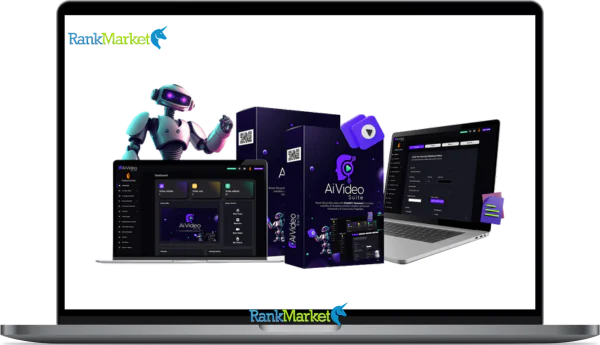
AiVideoSuite is an all-in-one AI video creation platform that lets you generate complete, professional videos—scripts, visuals, and voiceovers included—in minutes without filming or editing skills.
| Deliver | AiVideoSuite + OTOs |
|---|---|
| Access | Individual |
| Type | All-in-One Video Creator |
| Plan | FE |
| Details | GB Details |
Video is no longer a secondary element; instead, it has become a driving force behind online traffic, engagement, and sales. However, for most marketers, producing high-quality video seems expensive, technically demanding, and time-consuming. This is where AiVideoSuite comes in.
In this review, we'll guide you through how AiVideoSuite makes video production easier by leveraging artificial intelligence and provide you with insights into what it is, who it's for, its real strengths and weaknesses, and whether it's worth the investment. If you're looking for a way to produce high-quality marketing and voiceover videos without hiring freelancers or learning video production software, you'll find in this review whether AiVideoSuite is what you're looking for or if you should keep searching.
What is AiVideoSuite?

AiVideoSuite is a comprehensive AI-powered video creation solution. With the use of this video editing tools, anyone may produce publishable, high-quality video material without the need for sophisticated software knowledge or expertise in recording or editing. It makes multimedia creation quick, easy, and accessible even for novices by combining many video formats and creative tools into a single control panel.
using only a few clicks, customers can produce whiteboard videos, vertical and horizontal videos, short videos, marketing videos, AI voiceovers, graphics, and full video scripts using AiVideoSuite, which is powered by GPT-4. Because everything is contained within one system, there is no need to switch between several tools for formatting, voiceovers, visuals, and scripting. No editing deadlines, cameras, mics, or design expertise are required. After you select the kind of film you want and add your thoughts or recommendations, AiVideoSuite will immediately organize all of the content, including the presentation, narration, and photos.
Key features of AiVideoSuite
- Whiteboard Video Production Tool: Another feature of AiVideoSuite is a GPT-4-based whiteboard video production tool that lets you make Full HD instructional videos without having to record or draw anything. You can make whiteboard videos for Shorts, Stories, Instagram, Facebook, and YouTube using the whiteboard video software. You can also customize the screenplay based on the content produced by ChatGPT and adjust the video's size to make sure the message is effectively communicated on all platforms.
- AI Video Solution for Short and Vertical Videos: This solution uses AI technology to create short and vertical videos that can be used with YouTube Shorts, TikTok, and Reels. Additionally, you receive more than 100 editable vertical videos, including 11 popular categories that you may employ to your advantage without any prior knowledge.
- Horizontal to Vertical Video Conversion: By automatically converting horizontal films to vertical videos, AiVideoSuite makes it simple to reuse already-existing videos. As a result, you can utilize a lengthy video on platforms that support short videos.
- Make Videos from Images: Both uploaded images and image URLs can be used to make interesting videos. This makes it incredibly simple to turn still photos into interesting content. Users can produce engaging films with ease because to the platform's database of photos and slideshow videos.
- Integrated Vertical Video Editor: You may speed up, rotate, reverse, trim, and create thumbnails using AiVideoSuite's special vertical video editor. Watermarks, effects, animations, and background music can all be added with this program.
- Text Alignment & Visual Control: It provides options for exact text alignment, including unaligned, top, bottom, left, and right. This will keep overlays or subtitles tidy and prepared for viewing on specific platforms. Additionally, it will maintain the clarity of your video.
- AI voiceover production software: Even without recording, AiVideoSuite allows you to produce voiceovers that seem natural and have a variety of tones and translations. The program also offers ChatGPT, which allows users to write screenplays that may be immediately turned into voiceovers.
- Flexibility and voiceover editing: Each voiceover can record up to 6,000 characters. Additionally, voiceovers can be re-recorded or modified for future usage. Voiceovers are simple to incorporate into your own videos or those of other skilled video editors.
How to use AiVideoSuite
Step 1: Choose Video Type
Depending on whether you require a brief social media post or an instructional film, select AI Whiteboard film Maker or AI Shorts Maker from the GPT-4-powered AiVideoSuite interface. Next, decide what kind of video you want to make: instructional, landing page videos, product promos, business advertisements, sales videos, or instructive content.
Step 2: Enter Keywords or Specialty
Entering keywords, product names, or specializations is all that is required. Using GPT-4, AiVideoSuite will instantly produce a comprehensive video script and automatically produce the relevant scenes or slides. No need to start from scratch while creating slides or writing a script.
Step 3: Create Vertical or Short Video
Using one of the more than 100 modifiable vertical video templates available in 11 well-liked specialty areas, Shorts Maker allows you to produce brief content. Every template is made to assist you in producing films that are suitable for YouTube Shorts, Instagram Reels, TikTok, and Stories in a matter of minutes.
Step 4: Create a video from existing images or media
Additionally, you can use a variety of sources to easily generate slideshow videos. You can upload your own batch of photographs or slides, search for pre-existing images by keyword, import pre-existing movies and edit them right within the platform, or input image URLs from anywhere on the internet.
Step 5: Customize with the Built-in Editor
If you'd like, you can use the integrated editor to alter your video before exporting. Voiceovers can be changed, background music can be added, text or watermarks can be included, scenes can be trimmed, speed can be adjusted, images can be overlaid, and everything can be edited at the end without the need for additional software.
Step 6: Export and reuse anytime
When your video is ready, just click a button, and AiVideoSuite will convert it to an MP4 file. You can download videos from your account, upload them to any platform, send them to customers, or return to edit or recreate them later with more possibilities.
Why you should use AiVideoSuite
- GPT-4-powered content that engages viewers: AiVideoSuite uses GPT-4 to develop and produce material that is convincing, natural-sounding, and targeted for your target demographic. Compared to generic or template-based content, the outcome is videos that convey concepts more effectively, capture viewers' attention more quickly, and increase engagement and conversions.
- Versatility for all content goals: AiVideoSuite can be used to create tutorial videos, promotional films, whiteboard explanation videos, or brief social media material. It is appropriate for marketers, educators, and producers due to the combination of vertical and horizontal video formats and specific templates.
- Workflow for beginners that emphasizes creativity: This platform replaces technological complexity with straightforward, automated solutions. While AiVideoSuite takes care of the script, graphics, and formatting, you concentrate on the concept and message. Without having to deal with complicated editing tools, this promotes creativity.
- Video production studio all in one: AiVideoSuite offers more than just a single video tool; it's a collection of tools. You may save time and money by having a video maker, voiceover creator, AI graphics creator, and content writing system all in one location.
- Long-term value, one-time payment: AiVideoSuite may give all necessary services under one roof with a single purchase, eliminating the need for monthly costs for each instrument. From video production to voiceovers and graphics, it streamlines your process and makes producing movies of high quality simple and long-lasting.
- Professional videos are produced that are prepared for advertising, social media monetization, client work, school materials, and business development. You can grow your services or content without having to pay for more software, and you keep all of the earnings.
The Upgrade/OTO details
Front-End (FE): AiVideoSuite – $57 (Personal)/$67 (Agency)
- With only one purchase, gain lifetime access to the core AiVideoSuite platform.
- Four tools for creating videos, voiceovers, graphics, and content are all included in one dashboard.
- Without technological expertise, create instructional content, marketing videos, vertical shorts, and whiteboard videos.
- For quicker production, GPT-4 drives the flow of content, graphics, and scriptwriting.
- During the debut time, there are no monthly fees or subscriptions.
- Videos for Facebook, Instagram, TikTok, YouTube, and client projects can be produced by you.
- Automation and built-in templates significantly cut down on manufacturing time.
- For novices and small teams, this front-end version is perfect.
- The lowest pricing is locked in by securing access immediately.
OTO 1: AiVideoSuite PRO – $43.95 (Personal)/$47 (Agency)
- Unlock cutting-edge features made for producing more content.
- The PRO version allows you unlimited AI graphics, voiceovers, templates, and video assets and eliminates the majority of front-end limitations.
- You don't have to worry about caps, usage restrictions, or other limitations when creating.
- This update adds more slides, longer scripts, and multilingual capabilities to the whiteboard video generator.
- For quicker production, you also receive expertly designed do-it-yourself whiteboard frames.
- Get hundreds of pre-made movie templates in a variety of categories.
- Included are additional fonts, animations, fading effects, and sophisticated horizontal video editing features.
- Additionally, an infinite number of searchable stock photos and films are unlocked.
- PRO transforms AiVideoSuite into a full-featured video production studio for marketers, agencies, and content providers.
OTO 2: AiVideoSuite Content Writer – $33.95 (Personal)/$37 (Agency)
- Give AiVideoSuite a complete AI-powered writing engine.
- With this update, you can quickly write blogs, articles, emails, advertising, and sales text.
- Additionally, you may create social media messages, product descriptions, and SEO meta descriptions.
- Without switching tools, everything is created from a single dashboard.
- Your workflow becomes more efficient and well-organized as a result.
- It's perfect for business owners, marketers, and affiliates.
- The tone and messaging of your advertisements, funnels, and videos remain constant.
- This update closes a significant gap if your marketing relies on written content.
OTO 3: AiVideoSuite Reseller License – $127
- Sell AiVideoSuite as your own product and retain all earnings.
- You get a ready-made software business with this upgrade.
- The infrastructure, funnels, and sales pages have already been constructed.
- You don't have to manage updates or write software.
- You are in charge of customer service.
- Your sole responsibility is to increase traffic and sales.
- Online marketers and affiliates benefit most from this choice.
- It transforms AiVideoSuite into a plug-and-play revenue generator instead of just a utility.
Advantages
- Significant time savings with GPT-4 automation: ChatGPT-4 can save production time by up to 80%, which means that hours or days can be reduced to just minutes when used for scripting, content generation, and other tasks.
- Significantly cheaper than other software: AiVideoSuite can save more than 80% on the expenses related to programs like Adobe Premiere Pro, Camtasia, or any other professional video software. You don't need to buy any more plugins or software.
- Supports both vertical and horizontal video formats: AiVideoSuite's versatility stems from its capacity to create videos for short films, compilations, stories, YouTube, and websites in general. This adaptability boosts sales, leads, and engagement.
- Enhanced marketing efficacy beyond video: GPT-4 integration can be utilized to develop compelling scenarios that can lower unsubscribe rates and boost email click-through rates. In order to do this, whiteboard animation facilitates sales communication and presentations, which is particularly useful for increasing brand recognition and boosting sales.
- Boost traffic with video content: AiVideoSuite helps boost traffic and audience engagement by incorporating video into blog articles, social media updates, advertisements, and landing pages.
- Excellent customer service: A committed support team provides users with prompt, industry-level assistance, which is particularly beneficial for individuals who are new to the service or are utilizing it as part of their corporate content development process.
Disadvantages
- requires active human participation: Although AiVideoSuite can produce videos considerably more quickly, the user's ability to choose keywords, niches, or the message they wish to deliver still determines the overall efficacy.
- Even though they are beginner-friendly, some users might need some time to explore and make use of all the complex editing tools.
- It cannot take the place of professional film production: AiVideoSuite is unmatched for marketing videos and other content, but it may not be on par with professional studios for intricate animation and high-quality film creation.
Who is it for?
- Online marketers use video to develop their marketing strategy. AiVideoSuite is ideal for marketers who require brief films, sales, advertising, and explanations without the requirement for editing tools or hours of content creation. The program produces expert findings while streamlining the entire procedure.
- Bloggers, influencers, and video content makers: The tool's AI templates and scripting choices allow content creators to rapidly and effectively produce high-quality videos that they can post and share on Facebook, Instagram, TikTok, and YouTube.
- Advertising agencies looking to create impactful videos: This enables marketing and creative firms like AiVideoSuite to create videos for customers more quickly than ever before, which lowers outsourcing expenses. Another big benefit is that voiceovers, graphics, and scripts can all be produced in one product.
- Entrepreneurs building or improving their online presence: AiVideoSuite eliminates technical obstacles and makes professional video production simple, even without a production team, for entrepreneurs wishing to promote their services, increase credibility, and give concise explanations of their goods and services.
- AiVideoSuite is perfect for social media advertisements, promotional films, and product demos for online retailers. Online retailers can make eye-catching videos to highlight their products in both vertical and horizontal formats.
- Social media managers in charge of brand content: AiVideoSuite's speed and flexibility will be very helpful to those in charge of daily or weekly video uploads. This makes it possible to produce video consistently without the need for additional software.
- Professionals using video-based learning for instruction: Even if they are not skilled video editors, teachers who need to explain concepts can use AiVideoSuite's whiteboard and instructional films.
- Those in need of professional voiceovers: Voice actors are no longer required for easy tasks because anyone or any company may easily make and edit professional voiceovers for their videos, PowerPoint presentations, advertisements, or internet media.
What You Get (Compared to Buying at RankMarket)
- Personalized Step-by-Step Guide (Beginner-Friendly): When you purchase AiVideoSuite through our website, you won't be alone after the transaction. We provide you with precise step-by-step guidance on how you can use this product to its fullest potential, especially if you're new to using AI technology for your videos.
- Access to All Official Rewards and Updates: By using our link, you can be sure you're receiving all upcoming rewards, updates, and improvements offered by the AiVideoSuite developers. You won't miss any hidden upgrades that sometimes come as part of launch day rewards.
- Priority Support and Guidance: However, if you feel unable to use AiVideoSuite to achieve your desired goals after purchasing through us, we will provide further support and guidance.
- Completely risk-free with our official refund policy: Your purchase is completely safe thanks to our official refund policy. This allows you to try AiVideoSuite, experience its capabilities, and decide without any financial burden.
- Same price, superior value: You pay the same price as elsewhere but receive support, clear guidance, and superior value when purchasing from our website. And you don't pay any extra costs, only receive added benefits.
FAQs
- Is video editing knowledge required to use AiVideoSuite?
Indeed. AiVideoSuite is appropriate for novices. To make fantastic videos, you don't need any prior knowledge of technology, design, or video editing. - Can I use this product for client work, for example, for a business?
Yes. You can create videos for clients and businesses and keep all the profits earned. - Can AiVideoSuite handle short and long videos?
Yes. Vertical videos, horizontal videos, whiteboard videos, marketing ads, and more can all be created, all fully optimized. - Is voiceover included in the service, or do I need to hire additional resources?
Your software has voiceover built in. AI voiceovers can be made, edited, or used using AiVideoSuite without the need for extra software. - Can I get a refund if this software isn't right for me?
Indeed. With AiVideoSuite's money-back guarantee, you may test the program without taking any chances.
Conclusion
After further examining AiVideoSuite's capabilities, it is evident that this is a comprehensive AI-powered video production solution rather than simply another typical video solution available on the market. The three largest obstacles in video production—production time, expense, and technical expertise—have been eliminated by AiVideoSuite.
These days, creating whiteboard videos, short films, commercials, and marketing videos merely takes a few minutes thanks to GPT-4's scripting, narration, graphics, and layout features. It makes sense to get AiVideoSuite while this deal is still in effect because of its all-in-one capability, user-friendly design, and far reduced cost when compared to other comparable software.
Some Questions Before Join US
Group buying, also known as collective buying, offers products and services at significantly reduced prices on the condition that a minimum number of buyers would make the purchase.
- First, we will list product Here as people request & Collect Money From other peoples.
- Sec, Once enough moneys from customer, we will buy products From Developer.
- Then, we deliver to all Joiners.
- You can join directly by Purchase at our site and Reach Support about that to confirm.
- You can join via our Community : https://bit.ly/RMKDiscord
- How to Buy
We have 2 Product Status
- Instant-Deliver : Avaible and Deliver within 24-48hs (not on Sat-Sun, Holiday)
- Group Buy/Pre-Order : Not avaible, Still collect more people to join, need to wait.
OTO mean that One-Time-Offer/Upsell/Upgrade of Product For limited time only
Cancelled mean that order is not pay/process within 24hs. Please reach us with Order ID to check.
You will get Products by Download via Email .Once you finish payment to us and get confirm. You will get download Links inside your Account
- SAAS : You will get Individual account via Mail or On your Order List
- Shared Tool : via our chrome (WIN/MAC/Linux)
- WP : We will active key for your site.
- Course/Book/GraphicKit : Download link will send via mail or On your Order List.
- ETA Time : Fast maybe 3-4 days or 1 Week , Always be 3-4 Weeks or some times as Member Request it can be up to 3 Months to Group Buy WIN.
- GB Fail : You will get refund or exchange other.
– If Products problem, Capture screenshot/Video to us. We will forward to developer to fix it.
– If impossible sloved, we will exchange to other product. With Annual Product, we will refund or exchange by subtract times that you used.
– If used product for 1 or few years then not work. we will try to contact developer to fix it. But if some bad Vendors keep money and run, we just can give you some discount for future orders.
Warranty Time :
- Monthly Product : 30 days
- Annual/One Time Product : 1 year.
Our Store Credit mean credit can use to redeem on Your orders. 25 Credit = 1$.
Earn by some way :
- Place Orders. Each 1$ spend you will earn 1$
- Exchange some not work/not-fullfill orders by your agreed.
- By Reffer Your Friends to buy at our store.
How to redeem
- At Checkout page have redeem button to use it. Maxium is 250/orders.
- If you need redeem more. Reach our Support
We support only via 2 channel :
- Email : [email protected]
- Messenger : m.me/rankmarkenet (Live chat on Site)
TIme : From 9AM - 6PM Monday - Friday (GTM+8).
All Order/Ticket on Sat-Sun/Holiday will be supported on next Monday.
WE ARE TRY TO WORK HARD AND SUPPORT ALL PEOPLE BUT WE CAN NOT MAKE ALL HAPPY 100%
Thanks For You are here and belive US for longtime.
While working,we meet someone like & we will not support :
– People buy 1 but want to exchange to 10 Products.
– People who steal our products then ask refund.
– People fake payment to get our products.
– People always ask refund,can not wait for waiting product. Dont Pay. Wasted our Time.
Best Regards
David Green – RankMarket
Related products

SAAS Tools


SAAS Tools


SAAS Tools



SAAS Tools