

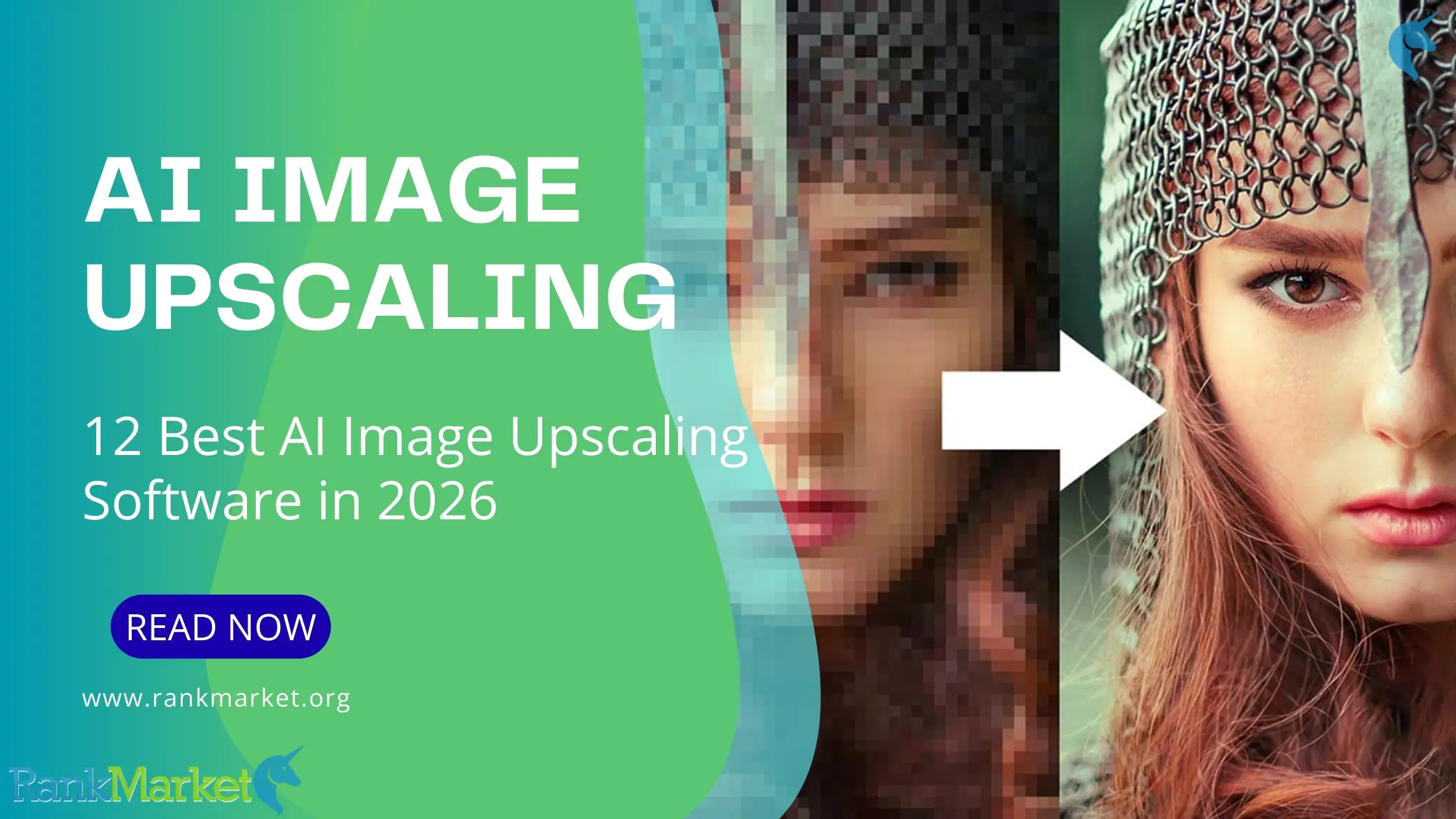
 In today's digital world, image quality is more important than ever for marketing, e-commerce, social media, and content creation. The problem is that not all images are captured in high resolution, but if you try to zoom in traditionally, you'll end up with a blurry image with grainy details. That's where AI-powered image enhancement software comes in.
Powered by sophisticated machine learning algorithms, AI-powered image enhancement software intelligently increases resolution while restoring sharpness, texture, and fine details that would otherwise be lost. In this guide, we'll introduce you to 12 of the best AI image upscaling software currently available, discuss their strengths, and help you decide which one is right for you.
What Is AI Image Upscaling Software?
AI image upscaling software is a utility that uses the power of artificial intelligence (AI) and machine learning models to upscale or enlarge images without reducing image quality, and may even improve it. AI image upscaling software don't simply extrapolate pixels like traditional image enhancement methods; they analyze individual image patterns, textures, and details to automatically fill in missing information.
These tools are trained on millions of images to recognize edges, colors, faces, and objects. When you upscale an image, for example from a low resolution to a higher resolution like HD, 4K, or even 8K, the AI predicts what smaller details will look like, resulting in a sharper image with less noise, blur, or pixelation.
Why Use AI Image Upscaling Software?

- Image enhancement without loss of quality: Unlike traditional zoom tools, AI image upscaling software creates a blurring effect by stretching individual pixels. Along with texture, edges, lighting, and textures, AI can upscale images to 4K HD or even 8K while maintaining sharpness and a natural look.
- Extracting details from low-quality or compressed images: AI image upscaling software are excellent for images taken from the internet, especially screenshots and compressed files. These applications can minimize image noise, restore resolution, and recover smaller details lost during compression or enhancement.
- Can be used to repair old, scanned, or damaged photos: Most AI image upscaling software also function as image recovery tools. They can brighten faded colors, sharpen faces, and enhance clarity in old family photos, historical photos, or blurry scans, all with a single click.
- Create professional-looking photos for print: This means creating a large image (if you want good quality to look good in print). With AI image upscaling software, photographers, designers, and businesses can enlarge images for posters, flyers, and banners without sacrificing quality, or create high-resolution close-up images of products on packaging and brochures.
- Improve e-commerce and product photography: Clear, high-resolution product images can make the difference between trust and conversion rates. AI image upscaling software allows online sellers to improve product photos for Amazon, Shopify, Etsy, and advertisements so they look more professional without costly reshoots.
- Save time and money on production and editing costs: Sharpening, noise reduction, and manual image editing takes hours, while AI image enhancement does it all automatically. This saves a lot of time, as developers don't always have high-level design or art skills, and production costs are allocated to individual teams/developers.
- Optimize images for the internet and social media: Social media platforms favor sharp, high-resolution images. If you want your images to look sharp in thumbnails or ads on Instagram, Facebook, and YouTube, AI image enhancement will help viewers focus on a visually appealing collage instead of seeing low-quality images in a crowded social media feed.
- Easily adjust image size for different devices: Whether you want to create content for the web, mobile apps, presentations, or digital signage, AI can enlarge images while maintaining high quality.
- Achieve professional results without extensive training: Many of the best AI image upscaling software are accessible to both amateurs and professionals. Simple interfaces and easy one-click operation allow anyone to achieve perfect studio-quality results, even those with no experience using photo editing tools.
12 Best AI Image Upscaling Software
Pixelbin
Pixelbin provides fast and reliable AI image upscaling software without the unpleasant noise often associated with services like Photoshop or Luminar. Pixelbin doesn't just enlarge pixels; it truly restores what the human eye expects to see, resulting in visually appealing and unprocessed images.
The system offers 2x, 4x, and even 8x upscaling capabilities, ideal for professional high-resolution use in advertising, printing, and large signage at venues like concerts and stage performances. It offers free credits upon signing up and works with JPG, PNG, and WebP formats, while providing batch processing capabilities and a full-featured API, useful for users, teams, or developers.
Upscale.media
Upscale.media is an easy-to-use, fast, and browser-based AI image upscaling software. It specializes in simple 2x and 4x image enhancement, perfect for times when you just want quick edits without anything too complicated or if you don't want to install software or learn advanced tools. It helps low-quality images become significantly sharper, less grainy, and have a softer texture, while still maintaining a natural look.
This tool is particularly useful for infrequent or quick image enhancement tasks. It offers face enhancement, background removal, and access to a developer-friendly API. With no user registration required for basic features and flexible, pay-as-you-use pricing, Upscale.media is a good option for infrequent users, small businesses, and companies wanting quick results.
DeepImage
DeepImage also stands out by giving users more control over AI image upscaling software compared to one-click tools. When tested on low-resolution JPEG images, the software's 4x upscaling feature produced beautiful, sharp results with even color and minimized background noise or preserved natural texture. The improvement wasn't overly noticeable, nor did it make the image excessively sharp.
The software offers face enhancement for portraits and also works with a variety of image formats. API access and a credit-based pricing model make DeepImage suitable for users who value flexibility, have high standards for consistent quality when processing various image types, and seek automation.
PhotoGrid
PhotoGrid is better known for its phone-friendly photo editing capabilities, but its AI-powered image enhancement feature works surprisingly well. Although the image is magnified 4x, it's slightly blurry, but you'll still see a sharper outline in the same detail test; the software really smooths out the color bands without making them look artificial or overly filtered.
While PhotoGrid doesn't currently offer 8x zoom, 4x resolution is sufficient for web design, social media graphics, and general printing tasks. Since no registration is required for basic use and the interface is very simple on both desktop and mobile devices, it's a great option for creators who want to quickly enlarge images without hassle.
Pixelcut
Pixelcut is the best AI image upscaling software for social media. The process is simple: upload your photo, increase its resolution (up to 4 times), and export it. In fact, with a grainy product photo taken in low light, Pixelcut significantly improved sharpness and clarity, removing background noise and sharpening object edges to a level usable for social media posts, thumbnails, or even light printing.
Designed for mobile creators, Pixelcut has an elegant, mobile-first interface that's easy to use on any device. It also features a magic eraser for removing objects and standard editing tools in addition to its photo enhancement functionality. Fast and easy to use, no registration required, yet with a truly useful free plan, Pixelcut is perfect for quick content creation workflows, although it doesn't offer the sophisticated adjustments of professional desktop image enhancement software.
Claid
Claid is an AI image upscaling software designed for e-commerce workflows, especially product photos, but with a much broader range of applications. It allows for seamless upscaling from 2x to 4x with background removal, background coloring, and resizing, helping you enhance your images and prepare them for e-commerce platforms in a single technology. This is especially useful when your supplier's images are inconsistent or you're updating your entire product catalog.
Part of what sets Claid apart is its focus on scalability and consistency. The enhancement tool is optimized for product photos, portraits, and photos with lots of text, and the platform provides an API for processing large volumes of images automatically. It might seem like a lot of features for infrequent personal photo editing, but Claid is a powerful option for e-commerce teams, e-commerce platforms, and brands looking to bring the power of AI image enhancement technology into professional product photography tools.
LetsEnhance
LetsEnhance is an AI image upscaling software that strikes a good balance between powerful and easy to use. It can enhance, sharpen, restore, and prepare your images for printing without technical complexity. Unlike easier one-click enhancement tools, LetsEnhance has several AI models you can experiment with to decide whether you want to retain original details or rebuild missing textures, meaning it works with everything from product images with text to raw AI-generated images still needing true 4K refinement.
Completely cloud-based, LetsEnhance offers high-resolution files (up to 512MP) and practical tools including noise reduction, noise cleaning, batch processing, and print presets for posters or image formats. It's a pretty good middle ground for creators who want better results than simple 2x zoom but don't want to run their own local AI models or professional desktop software.
Topaz Gigapixel
Topaz Gigapixel is a post-processing tool that lets you sharpen, denoise, and upscale images all in one software and is often considered one of the most realistic image enhancement tools available today, especially for portraits.
Topaz Gigapixel, now largely integrated into Topaz Photo AI, is a dedicated processor for users who want to capture every detail such as hair, skin texture, fabric, and fur on your coat, and micro-contrast. Topaz Lightroom Desktop uses your computer's GPU for processing, providing repeatable results for large prints, restorations, or professional workflows. While it may be a bit harder to get used to and more expensive, for professionals who care more about control, precision, and detail than speed or simplicity, Topaz is the best choice.
Nero AI
Nero AI is more of a convenient ecosystem than a dedicated enhancement tool. It's all based on AI-powered image enhancement capabilities, as well as other tools like photo restoration, face enhancement, and background removal, all operated through a shared credit system. This makes Nero attractive if you're looking for a single account to manage multiple “my photo editing” jobs without switching between platforms.
The downside is the unpredictable nature of the process: because different operations consume different amounts of credits, it's easy to accidentally spend more than expected when experimenting with different tools or settings. While Nero works perfectly if you just want to sharpen images or restore old photos, it's better suited for quick edits than for high-detail jobs like professional printing or large-scale e-commerce catalogs.
Upscayl
Upscayl is a completely free, open-source AI image upscaling software that works offline on Windows, macOS, and Linux. Based on models like Real-ESRGAN, it's particularly popular with privacy-conscious users and creators who don't want to upload their sensitive or unreleased images to an online tool. Because it runs on your own hardware, there are no credits, subscriptions, or upload limits to worry about.
There are some trade-offs that come with that freedom. Results can vary depending on the type of image, and users may have to experiment with different models to get the best results, especially for noisy or poorly compressed images. However, if you're looking for an effective and free desktop image enhancement software, Upscayl is one of the best offline AI image enhancement solutions available today.
Magnific AI
Magnific AI is a cloud-based image enhancement tool focused on enhancing bio-art, meaning it not only sharpens existing pixels but also actively generates new details. This is what makes it incredibly powerful for AI-generated art, 3D concepts, and illustrations, where absolute realism is less important than creative freedom. Poor-quality, small-sized images can be transformed into high-impact, print-ready graphics with stunning before-and-after effects.
On the other hand, this very strength can be a drawback for photography or client work where accuracy and resemblance are essential. Magnific AI is ideal if you embrace creative freedom and will cost significantly more than traditional enhancement tools. However, for creative professionals in the poster business or those creating AI artwork pushing the boundaries, Magnific AI is one of the most impressive tools we've ever seen.
VanceAI
VanceAI is a groundbreaking, cross-platform image enhancement tool that makes a strong impression. With its browser-based and desktop-based AI image enhancement service, VanceAI offers a user-friendly solution that caters to the needs of almost everyone. You'll also find 2x, 4x, and 8x enhancement options supported by specialized models for still images, animations, text, and comic book illustrations. Users needing higher magnification can utilize the desktop version, up to approximately 40x.
While the feature set is quite diverse, VanceAI's pricing structure can be confusing, especially for beginners managing credit balances across multiple tools. High resolution and high magnification: Performance at very high magnifications is also quite hardware-sensitive. But for small businesses in e-commerce, animators, or users who desire online convenience and offline power in a single platform, VanceAI delivers exceptional value and flexibility.
How to Choose the Right AI Image Upscaling Software
- Enhancement Quality and Authenticity: The final image looks natural. Good AI image enhancement software will maintain high levels of detail in edges and tones without creating halos, oversharpening, or artificial effects. Look for tools that offer preview capabilities and can show you what the results will look like before exporting.
- Supported Image Formats and Resolution Limits: Some software may not support all file types. Make sure the software you're considering supports your JPG, PNG, WebP, TIFF, and RAW files. You also need to consider the maximum enhancement size, as some tools limit resolution in their free plans.
- AI Models and Advanced Options: More sophisticated tools can provide access to a variety of AI models: for photos, drawings, anime, faces, or product images. When you have the ability to adjust noise levels, sharpening levels, face enhancement levels, and texture restoration, etc., you'll be able to make any image perfect to your professional standards.
- Ease of Use and Interface: If you're a beginner, you might want to invest in tools with a simple, one-click user interface; however, professionals might prefer software with advanced controls and batch processing features. A seamless user experience can save you considerable time during your workflow.
- Processing Speed and Batch Processing Capabilities: Batch processing is essential if you need to enlarge many images at once. Desktop software can be faster with large files, while cloud-based tools can be handy for edits that don't require powerful hardware.
- Online vs. Desktop Software: While online software, cloud-based image enhancement tools can be used anywhere and require no installation; desktop tools are generally more powerful in terms of processing capabilities and allow offline access. Choose based on your device's capabilities and what you're comfortable sharing.
- Pricing, Trials, and Credits: Compare subscription packages, perpetual licenses, and per-use credit systems. There are also many AI image enhancement software programs that offer free trials or a few free exports, so you can test the quality before making any decisions.
- Commercial Use Rights: If you plan to use images for commercial, marketing, or business purposes, ensure the software allows it. Some tools may restrict usage in free plans.
What You Get When You Buy Through RankMarket
- Exclusive Discounts and Special Offers: RankMarket partners with leading AI software companies to offer special sales deals such as discounts, promotional pricing, or bundled sales that you won't find on official websites.
- Access Verified and Reliable Software: Every tool featured on RankMarket is thoroughly analyzed and tested to ensure reliability, effectiveness, and most importantly, good value. You can purchase with confidence that you are receiving genuine, high-quality software.
- Additional Resources and User Guides: There are often additional guides, setup instructions, or tips that you can utilize to ensure you're using AI image upscaling software as effectively as possible, even if you're a complete beginner.
- Time-Saving Purchase Decisions: So, instead of figuring out dozens of tools yourself, RankMarket quickly analyzes features, advantages, disadvantages, and ideal suitability, helping you choose the right tool faster.
- Continuous Updates and Offer Notifications: RankMarket automatically updates its product listings and notifies you of the latest features, discounts, and AI models more quickly.
Conclusion
AI image upscaling software has revolutionized how we improve and preserve images, enabling users of all skill levels to achieve professional results. From simple, one-click web tools to powerful desktop applications for large projects, there's an AI image enhancement tool to suit your skill level and budget. Depending on your specific use case, you can confidently choose the best tool from the following list. And when you purchase through RankMarket, you'll receive even more benefits. Try the tools above, choose the one that fits your workflow, and start creating sharper, higher-quality images thanks to AI.