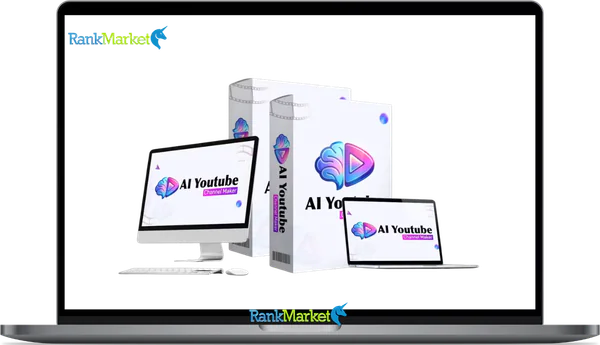
Buy AI YouTube Channel Maker + OTOs full account + Bonus
$27.00
AI YouTube Channel Maker is a platform that automates the entire YouTube workflow, from research and scripting to video creation and publishing.
| Deliver | AI YouTube Channel Maker + OTOs |
|---|---|
| Access | Shared |
| Type | AI YouTube automation |
| Plan | FE + OTO12 |
| Details | GB Details |
When most people search for “AI YouTube Channel Maker,” they're looking for one thing, a way to build and grow a YouTube channel without filming themselves, editing for hours, or decoding algorithm updates every week.
This guide covers two distinct angles at once. First, it examines AI YouTube Channel Maker as a specific platform, built by a team with over 10 years of experience in software, tools, and technology. Second, it addresses the broader category of AI-powered YouTube automation, systems that handle the full channel lifecycle, from niche research and scriptwriting all the way to video publishing and performance tracking.
Who is this for? Beginners targeting faceless channels, side-hustlers building passive income streams, agencies managing multiple clients, and creators who want consistent uploads without the burnout. If you've ever thought, “I have a niche idea but no time to produce videos,” this guide is written for you.
This is a practical, experience-based 2025 guide, no inflated claims. One concrete example before we go further, a creator can take a single niche idea like “daily motivational quotes” and generate a full month of YouTube Shorts in under an hour using an AI channel automation platform. This guide also benchmarks against current 2025 tools and YouTube's AI and automation policies.
Before you decide whether this kind of automation fits your situation, you need to understand exactly what an AI YouTube Channel Maker actually is, and what it is not.
What Is an AI YouTube Channel Maker? (Definition & Core Concepts)

AI YouTube Channel Maker is an AI-powered platform that automates most or all of the YouTube channel workflow, trend research, scriptwriting, voiceover generation, video assembly, SEO optimization, scheduling, and performance tracking, operating from a single dashboard.
The key distinction here is “end-to-end.” Most YouTube AI tools do one task well. Pictory converts text or scripts into video clips. A standalone script generator produces text. VidIQ suggests tags and titles. What separates a full-channel maker from these single-function tools is that it connects every stage of the production pipeline into one system, without requiring you to switch between platforms for each step.
There are three functional levels in the AI YouTube automation space, each targeting a different type of user:
|
Type of AI YouTube Tool |
What It Automates |
Typical Examples |
Best For |
|
Helper Tools |
SEO suggestions, keyword ideas, channel analytics |
VidIQ, TubeBuddy |
Creators who already film their own content |
|
Production Tools |
Text-to-video, AI video editing, voiceover generation |
Pictory, CapCut AI |
Bloggers or presenters converting existing content into video |
|
Full-Channel Makers |
Research, script, voice, video, SEO, publish, track |
AI YouTube Channel Maker |
Faceless channels, multi-channel operators |
AI YouTube Channel Maker (the brand) sits in the third category, the full-channel maker tier. It does not just produce individual videos. It manages the entire content engine that keeps a channel producing at volume and operating with consistency.
Who Is AI YouTube Channel Maker For
Not every creator belongs in an AI-automated workflow. Knowing whether the tool fits your situation prevents wasted time and subscription spend.
Ideal Users
- People building faceless channels, those who want video output without appearing on camera, recording their own voice, or handling post-production manually, are the primary target for a full AI channel maker.
- Beginners with limited editing skills also fit well here. The platform works best for those who understand YouTube's fundamentals, niche selection, content consistency, audience retention basics, but lack the technical skills to execute production manually.
- Side-hustlers targeting passive income represent another strong fit: creators building affiliate review channels, compilation channels, or educational short-form content where production volume and scheduling consistency matter more than cinematic quality.
- Agencies and solo operators managing multiple YouTube channels for clients can use the multi-channel dashboard to produce, schedule, and monitor content across accounts from one place, something that would otherwise require a full production team.
Practical scenarios for use:
- The Educator: An educator who has built a library of lesson notes can feed those documents into an AI channel maker and convert them into explainer Shorts within a single session. No camera, no microphone, no editing software. The platform handles the conversion from written content to published video automatically.
- The Digital Marketer: A digital marketer running affiliate review channels across three separate niches uses one AI channel maker account to produce and schedule content for all three channels simultaneously. Manually, that would require 12–24 giờ (hours) of production work per week.
Who This Tool Does Not Suit
Personal brand creators whose audience follows them specifically, their voice, face, and personality, will find that AI automation removes the exact element their channel depends on. High-production cinematic or documentary content is also outside the scope of what current automated systems handle at the quality level those formats require.
The most common misunderstanding is treating these platforms as “set and forget” income machines. YouTube's content policies penalize spam and low-value automated uploads. A human still needs to oversee strategy, quality-check outputs, and engage with the community. Tools amplify a strategy, they do not replace the thinking behind it.
If you fit one of the profiles above, here's how an AI channel maker removes the biggest production barriers between you and consistent weekly uploads.
How AI YouTube Channel Maker Works: End-to-End Workflow in 2026
The 5-Stage Automation Pipeline
The full AI YouTube Channel Maker workflow runs across five connected stages. Each stage accepts human input for quality control, but each can also run with minimal intervention once your initial settings are configured.
- Trend & Niche Research The platform scans YouTube search data, trending topics, and competitor content gaps to suggest video ideas aligned with your channel's niche. You confirm the direction or allow the system to auto-select based on predefined criteria, useful for channels running on a consistent publishing schedule.
- Script & Voiceover Generation Using the confirmed topic, the AI drafts a script structured for either a Short (under 60 seconds) or long-form video (5–15 minutes). It then generates a voiceover using your selected AI voice profile. Script editing before voiceover generation is where most experienced operators apply their quality-control time, particularly on the opening hook.
- Video Production & Editing The platform assembles the video using auto-selected or template-based visuals, background audio, text overlays, and captions. Branding elements, intro and outro sequences, channel color scheme, logo placement, are applied automatically from your configured brand kit.
- SEO Optimization & Scheduling The AI generates a title, description, and tag set calibrated for YouTube search visibility. The system schedules uploads based on the content calendar you set during initial configuration. You can override any element before publishing.
- Monetization & Analytics The dashboard tracks view counts, watch time, click-through rates, and revenue signals across all connected channels. In 2026, the YouTube Partner Program (YPP) eligibility includes:
- Fan Funding Tier: 500 subscribers, 3 public uploads in 90 days, and either 3,000 watch hours (12 months) or 3 million Shorts views (90 days).
- Full Ad Revenue: 1,000 subscribers and either 4,000 watch hours (12 months) or 10 million Shorts views (90 days).
A complete run from idea to scheduled upload, for a first-time user on a motivational quotes Shorts channel, typically takes under 10 minutes once account and brand settings are in place.
Initial setup and later scaling operate differently. Setup requires defining your niche, connecting your YouTube account via OAuth, selecting voice and brand settings, and building your first template. Scaling, once templates are set, means the system repeats the process with new topic inputs while you focus on performance review and strategy adjustments.
Prices and OTOs detailed
Front-End: AI YouTube Channel Maker – $14.95
- AI-powered system that researches video topics, generates scripts, creates videos, and publishes content automatically.
- Built-in YouTube SEO optimizer that generates titles, descriptions, tags, and keyword strategies.
- Automated video creation engine with visuals, voiceovers, captions, and background music.
- One-click publishing and scheduling directly to connected YouTube channels.
- Beginner-friendly dashboard designed to run a YouTube automation workflow without technical skills.
OTO 1: AI YouTube Channel Maker Unlimited – $67/$144
- Unlimited AI video creation with no daily or monthly limits on content production.
- AI topic research engine that discovers trending video ideas automatically.
- Automated video creation with visuals, voiceovers, captions, and music included.
- Multi-channel automation system to manage and grow several niche YouTube channels simultaneously.
- Built-in AI SEO optimizer that generates titles, descriptions, and tags for better rankings.
OTO 2: AI Shorts & Viral Reels Engine – $45
- AI viral hook generator that creates powerful opening lines to capture viewer attention instantly.
- Multi-platform short video creator for YouTube Shorts, TikTok, Instagram Reels, and Facebook Reels.
- Auto caption and subtitle engine that generates synchronized captions for better engagement.
- AI trend detection system that finds trending topics and viral formats automatically.
- Vertical video formatting engine that converts content into the 9:16 format for short-form platforms.
OTO 3: AI Thumbnail & Clickbait Studio – $37
- AI thumbnail generator that creates attention-grabbing YouTube thumbnails automatically.
- Clickbait title generator designed to increase curiosity and improve click-through rates.
- Emotion trigger engine that applies psychological elements such as curiosity and surprise.
- Viral thumbnail template library inspired by high-performing YouTube channels.
- A/B thumbnail testing system to compare multiple designs and identify the best-performing version.
OTO 4: DFY Channel Setup Pack – $197
- Access to 10 ready-to-launch YouTube niches designed for strong growth potential.
- Done-for-you channel branding including logos, banners, and visual identity assets.
- Pre-built video templates that speed up the video production process.
- Viral video idea library with proven content topics for higher engagement.
- Channel monetization and growth blueprint for building a profitable YouTube channel.
OTO 5: AI Traffic & Growth Booster – $45
- AI SEO optimization engine designed to improve video rankings and search visibility.
- Backlink generation toolkit that helps increase video authority and discoverability.
- Video ranking automation system that improves chances of appearing in search results and recommendations.
- AI engagement assistant that supports audience interaction and viewer retention strategies.
- Traffic amplification toolkit designed to increase video exposure and attract more viewers.
OTO 6: AI YouTube Channel Maker Agency License – $197
- Create and manage unlimited client accounts using the AI YouTube Channel Maker platform.
- Offer YouTube automation services to businesses, creators, and marketers.
- Keep 100% of the profits from services sold to clients without revenue sharing.
- Flexible pricing system allowing monthly, yearly, or one-time service packages.
- Build recurring income by managing and automating YouTube channels for clients.
OTO 7: AI Monetization Masterclass – $37
- Step-by-step training on maximizing YouTube ad revenue through optimized channel structure.
- Affiliate marketing strategies for promoting products and earning commissions through videos
- Digital product funnel training for converting viewers into paying customers.
- Sponsorship and brand partnership blueprint for negotiating deals with companies.
- Multi-income strategy for generating revenue from ads, affiliates, sponsorships, and digital products.
OTO 8: AI YouTube Channel Maker White Label License – $197
- Fully white-label software allowing you to rebrand the platform under your own company name.
- Complete software rebranding including custom logo, domain setup, and platform branding.
- Fully hosted system with infrastructure, bandwidth, and maintenance handled by the developers.
- Ability to create unlimited customer accounts and sell the platform as a SaaS product.
- Keep 100% of the profits while charging users monthly or yearly subscription fees.
Honest 2026 Review of AI YouTube Channel Maker: Pros, Cons
The accurate way to evaluate any automation tool is to examine what it removes from your workflow, and what new responsibilities it creates. AI YouTube Channel Maker handles a wide range of tasks well, but the trade-offs are real and vary by niche.
|
Aspect |
Pros |
Cons |
Who Benefits / Who's at Risk |
|
Automation Rate |
80–95% of tasks handled or accelerated |
Over-reliance produces generic content without human edits |
Agencies benefit; personal brand creators are at risk |
|
Management |
Single dashboard for multiple channels |
Scaling poorly-defined niches multiplies weak content |
Multi-channel operators benefit; beginners risk diluted focus |
|
Ease of Use |
Beginner-friendly presets; minimal editing |
Advanced customization requires a learning curve |
Beginners benefit; professional editors may feel restricted |
|
Language Support |
Multi-language profiles (50+) for global reach |
Quality varies; some AI voices sound unnatural in regional accents |
International creators benefit; niche markets carry quality risk |
|
Consistency |
Automated scheduling prevents publishing gaps |
Consistency without quality review can hurt retention |
Disciplined operators benefit; passive users risk performance decline |
|
Pricing |
One-time payment replaces multiple subscriptions |
Upgrades (OTOs) are needed for 4K and unlimited renders |
Committed creators benefit; experimental users may find OTOs high |
|
Policy Compliance |
Built around 2026 AI disclosure guidelines |
“AI Slop” (mass-produced slideshows) risks demonetization |
Careful operators benefit; spammers face account penalties |
Some users report producing 10 times the content volume compared to manual workflows, particularly for Shorts-focused channels. That productivity gain is documented and real. The caveat: volume without a quality filter tends to plateau or decline in watch time and audience retention metrics over time.
The net assessment is straightforward. AI YouTube Channel Maker functions as a strong leverage tool when paired with human judgment at three key checkpoints: the script hook, the thumbnail, and weekly performance review. Used as a pure black box with zero human input, output quality drops and YouTube policy exposure rises.
AI YouTube Channel Maker vs. Competitors (2026)
|
Tool |
Core Strength |
Workflow Type |
2026 Pricing |
|
AI YouTube Channel Maker |
End-to-end automation (Research to Publish) |
One-Stop Shop |
$17 – $27 (One-time) |
|
Pictory / HeyGen |
High-quality text-to-video / AI Avatars |
Production only |
$20 – $30/mo (Recurring) |
|
vidIQ / TubeBuddy |
SEO, keyword research, and A/B testing |
Optimization only |
$9 – $17/mo (Recurring) |
|
CapCut / Descript |
Text-based editing and viral captions |
Editing only |
Free – $24/mo (Recurring) |
The pattern across this table is clear: most tools handle one segment of the production chain. AI YouTube Channel Maker's differentiating factor is that it connects research, content creation, and publishing into one repeatable system. The practical trade-off is that each individual feature may not match the depth of a dedicated single-function tool.
10‑Minute Tutorial: Getting Your First AI YouTube Channel Maker Video Live
Getting your first video published is the fastest way to learn where the tool's automation genuinely reduces your workload, and where your own judgment still drives the outcome. Here is the standard quickstart path:
Step 1 — Sign Up, Choose a Plan, and Connect Your YouTube Account Create your account and select the plan that matches your expected publishing volume. Connect your YouTube channel using OAuth authorization. This grants the platform publishing access without exposing your Google account credentials directly.
Step 2 — Select Your Niche and Default Language Define your channel's niche, motivational content, finance breakdowns, language learning, cooking tips, and so on. Set your default language and AI voice profile. These settings apply automatically to every project you create in this account.
Step 3 — Create Your First Project: Choose a Template Format Select between a Shorts template (vertical format, under 60 giây/seconds) or a long-form template (horizontal format, 5–15 phút/minutes). Templates pre-configure pacing, text overlay style, and caption behavior.
Step 4 — Generate Script and Voiceover; Adjust the Hook The AI generates a script based on your niche and selected topic. Review the opening hook first, the initial 3–5 seconds of the script determines whether a viewer stays or leaves. Edit the hook if it reads as generic. Then generate the voiceover.
Step 5 — Auto-Generate Video; Adjust Key Visuals The platform assembles the full video. Review the primary visual at the 15-second mark, this is typically where attention drops if the imagery does not match the script content. Adjust any visuals that feel disconnected before proceeding.
Step 6 — Use AI to Create Title, Description, and Tags Generate the metadata set. Check the title for alignment with your niche's primary search term. Confirm the description leads with the topic phrase in the first two lines, this affects how YouTube indexes the video.
Step 7 — Schedule or Publish; Confirm Dashboard Status Set your preferred publish time or push the video live immediately. Confirm the upload status shows “published” or “scheduled” in your account dashboard. Check that the video is assigned to the correct playlist and video category.
Common setup pitfalls to avoid:
- Forgetting to set the correct YouTube video category before publishing (affects recommendation placement).
- Skipping thumbnail customization, auto-generated thumbnails consistently underperform custom-designed ones on click-through rate (CTR).
- Accidentally publishing to “unlisted” instead of “public” during the first few uploads.
A working example to anchor this: a motivational quotes Shorts channel, one of the most accessible starting formats, can have its first video live within 10 minutes of account setup when templates are preloaded and the niche is already defined.
Once your first video is live, the real task shifts to testing performance, refining opening hooks, and scaling output across additional channels or content formats.
Supplemental FAQ: Common Questions About AI YouTube Channel Maker
Is It Possible to Fully Automate a YouTube Channel with AI in 2026?
You can automate nearly every stage of the production pipeline, but “fully autonomous” (zero-human) operation is a significant risk in 2026. YouTube’s algorithm and monetization policies have evolved to detect and penalize “AI Slop”—content that is mass-produced, repetitive, or provides no unique value.
To stay monetized and grow, a human must still act as the “Creative Director” at these checkpoints:
- Niche Validation: Ensuring the AI isn't targeting an oversaturated or “demonitization-prone” topic (like sensitive medical or political news).
- Quality Filter: Reviewing AI-generated B-roll and scripts to ensure they don't contain factual errors or “uncanny valley” glitches.
- AI Disclosure: YouTube now requires creators to label “altered or synthetic content” if it looks realistic. Failing to use these labels can lead to strikes or channel termination.
- Community Engagement: Authentic replies to comments remain one of the strongest signals for algorithm growth.
What Are the Main Components of an AI YouTube Channel Maker Stack?
A professional 2026 automation stack is divided into four functional layers:
- Strategic Intelligence: Tools like OutlierKit or vidIQ that identify low-competition, high-CPM (Cost Per Mille) niches.
- Creative Core: The AI YouTube Channel Maker dashboard (by Uddhab Pramanik), which houses the AI scriptwriter, the ultra-realistic voiceover engine (50+ languages), and the video assembly engine.
- Visual Assets: Libraries of millions of HD stock clips, AI-generated images (via Midjourney or Adobe Firefly), and the AI Thumbnail Generator for high-CTR (Click-Through Rate) covers.
- Channel Operations: An Automation & Scheduling Suite that handles direct YouTube API uploads, auto-publishing, and cross-posting to TikTok or Instagram Reels.
How Does AI YouTube Channel Maker Compare to Doing Everything Manually?
|
Factor |
Manual Workflow |
AI-Assisted Workflow (2026) |
|
Production Time |
10–15 hours per video |
10–30 minutes per video |
|
Skill Level |
High (Premiere Pro, scriptwriting, voice) |
Low (Strategic prompting and editing) |
|
Cost per Video |
$50–$200 (if hiring freelancers) |
$0.50–$3.00 (using AI credits) |
|
Scalability |
1 video/week (solo) |
3–5 videos/week per channel |
|
Consistency |
Often interrupted by “creator burnout” |
24/7 automated scheduling |
The core trade-off: Manual work offers the highest authenticity and personal brand value. AI-assisted work offers volume and speed, making it the superior choice for faceless niche channels (e.g., “Top 10” lists, historical documentaries, or motivational quotes).
Which Is Better: AI YouTube Channel Maker vs Pictory vs invideo AI?
The “better” tool depends on your specific workflow needs:
|
Tool |
Best Scenario |
Avoid If… |
|
AI YouTube Channel Maker |
You want a one-time fee and a dashboard that handles everything from research to auto-publishing. |
You need cinematic, Hollywood-style 3D physics (better for Runway). |
|
Pictory |
You are a blogger or business owner wanting to turn existing articles into simple summary videos. |
You need complex AI scripting or a built-in SEO ranking engine. |
|
invideo AI |
You prefer a subscription-based mobile-first experience for making quick social media edits. |
You are on a budget; monthly costs can exceed $360/year. |
Is an “AI YouTube Channel Maker” the Same as an AI Video Editor or Script Writer?
No. It is a complete orchestration layer.
- AI Script Writers (like ChatGPT) only give you text.
- AI Video Editors (like Descript) only help you cut footage you already have.
- AI YouTube Channel Maker is a “Full-Channel Suite.” It acts as a single engine that takes a seed keyword, writes the script, generates the voice, finds the footage, adds the captions, designs the thumbnail, and publishes the video to YouTube for you.
Some platforms bundle two of these functions. A few bundle three. The label “AI YouTube Channel Maker” accurately applies only to platforms that handle the full research-to-publish pipeline. When a tool covers one stage only, calling it a channel maker overstates what it actually does.
The right tool for your situation is the one that addresses the specific stage of the workflow where you're blocked. If you already have scripts and footage, an AI editor may be all you need. If you're starting from zero — no content, no workflow, no production setup — a full-channel maker gives you the most direct path to your first published video.
Some Questions Before Join US
Group buying, also known as collective buying, offers products and services at significantly reduced prices on the condition that a minimum number of buyers would make the purchase.
- First, we will list product Here as people request & Collect Money From other peoples.
- Sec, Once enough moneys from customer, we will buy products From Developer.
- Then, we deliver to all Joiners.
- You can join directly by Purchase at our site and Reach Support about that to confirm.
- You can join via our Community : https://bit.ly/RMKDiscord
- How to Buy
We have 2 Product Status
- Instant-Deliver : Avaible and Deliver within 24-48hs (not on Sat-Sun, Holiday)
- Group Buy/Pre-Order : Not avaible, Still collect more people to join, need to wait.
OTO mean that One-Time-Offer/Upsell/Upgrade of Product For limited time only
Cancelled mean that order is not pay/process within 24hs. Please reach us with Order ID to check.
You will get Products by Download via Email .Once you finish payment to us and get confirm. You will get download Links inside your Account
- SAAS : You will get Individual account via Mail or On your Order List
- Shared Tool : via our chrome (WIN/MAC/Linux)
- WP : We will active key for your site.
- Course/Book/GraphicKit : Download link will send via mail or On your Order List.
- ETA Time : Fast maybe 3-4 days or 1 Week , Always be 3-4 Weeks or some times as Member Request it can be up to 3 Months to Group Buy WIN.
- GB Fail : You will get refund or exchange other.
– If Products problem, Capture screenshot/Video to us. We will forward to developer to fix it.
– If impossible sloved, we will exchange to other product. With Annual Product, we will refund or exchange by subtract times that you used.
– If used product for 1 or few years then not work. we will try to contact developer to fix it. But if some bad Vendors keep money and run, we just can give you some discount for future orders.
Warranty Time :
- Monthly Product : 30 days
- Annual/One Time Product : 1 year.
Our Store Credit mean credit can use to redeem on Your orders. 25 Credit = 1$.
Earn by some way :
- Place Orders. Each 1$ spend you will earn 1$
- Exchange some not work/not-fullfill orders by your agreed.
- By Reffer Your Friends to buy at our store.
How to redeem
- At Checkout page have redeem button to use it. Maxium is 250/orders.
- If you need redeem more. Reach our Support
We support only via 2 channel :
- Email : [email protected]
- Messenger : m.me/rankmarkenet (Live chat on Site)
TIme : From 9AM - 6PM Monday - Friday (GTM+8).
All Order/Ticket on Sat-Sun/Holiday will be supported on next Monday.
WE ARE TRY TO WORK HARD AND SUPPORT ALL PEOPLE BUT WE CAN NOT MAKE ALL HAPPY 100%
Thanks For You are here and belive US for longtime.
While working,we meet someone like & we will not support :
– People buy 1 but want to exchange to 10 Products.
– People who steal our products then ask refund.
– People fake payment to get our products.
– People always ask refund,can not wait for waiting product. Dont Pay. Wasted our Time.
Best Regards
David Green – RankMarket
Related products

SAAS Tools
SAAS Tools
SAAS Tools