

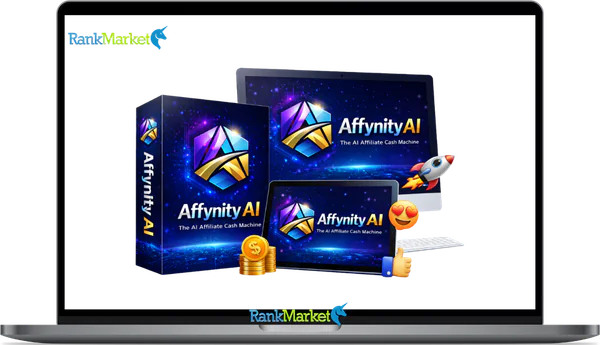
Buy Affynity AI + OTOs full account + Bonus
$15.00
Affynity AI is an AI platform that automates digital workflows, analyzes data, and provides intelligent recommendations to support business decisions.
| Deliver | Affynity AI + OTOs |
|---|---|
| Access | Shared |
| Type | Workflow automation platform |
| Plan | FE + OTOs |
| Details | GB Details |
Affynity AI is a software and technology platform built on over 10 years of hands-on experience in software, tools, and technology, designed to help businesses automate workflows, process data, and act on decisions faster. If you landed here searching for “Affynity AI,” you may have also come across similar-sounding names like Affinity CRM, Afiniti, or Affiniti AI. These are separate products with different purposes, and this guide will address each one clearly so you can make the right call.
This article is written for founders, consultants, and operators who need a straight read on what Affynity AI actually does, and for potential JV partners, affiliates, and technical users who want to see it in context before signing up or reaching out.
Here is what this guide covers:
- What Affynity AI is and the specific problems it addresses
- How its core AI pipeline works, without the hype
- Key features and functional categories, more than 10 in total
- Ideal user types and practical use cases
- JV and partnership opportunities, plus how to access live demos
- A step-by-step onboarding path from sign-up to first working workflow
- A disambiguation comparison with Affinity CRM, Afiniti, and Affiniti AI
- Supplemental FAQs for common decision-making questions
Before we get into demos, JV deals, or pricing, you first need a clear, unambiguous definition of what Affynity AI actually is, and is not.
What Is Affynity AI? Core Definition, Mission & Positioning

Affynity AI is an AI-powered software platform that draws on more than 10 years of experience in software, tools, and technology to help businesses automate repetitive digital tasks, apply intelligent scoring and recommendations, and make data-informed decisions at scale. It is not a CRM, not a general-purpose chatbot, and not a contact center optimization tool. Affynity AI occupies a distinct position in the broader AI software market, one focused on workflow automation and decision-support logic, with a strong lean toward JV-ready integration and real-world performance.
Think of it this way. A small agency using Affynity AI might start by connecting it to their lead pipeline. Within a few days, the platform begins classifying incoming leads, automating follow-up sequences, and surfacing reporting data, work that previously required manual review at every step. The value is not theoretical; it shows up in the time their team gets back and the consistency of their output.
Affynity AI's core value categories:
- Automation of repetitive digital tasks — reducing manual steps in workflows that run daily
- Intelligent recommendations and scoring — surfacing what to act on and in what order
- Data-driven decision support — giving teams the context they need before they act
As of 2026, Affynity AI operates as a growing platform with an active JV and partnership focus. Its positioning is performance-first: the brand's stated orientation is toward real results, not just process configuration.
To understand why Affynity AI was built the way it was, it helps to look at the operational problems its team set out to fix.
Key Features & Innovations of Affynity AI
Most articles covering AI platforms stop at four to six generic feature categories — things like “AI automation” and “analytics dashboard.” This section goes further, mapping more than ten functional categories with practical implications for each one.
Affynity AI's feature set is organized around what business teams actually need to get work done: data handling, decision logic, workflow execution, and reporting. The platform does not require a dedicated developer to operate. Each feature category below corresponds to a real workflow stage, not just a marketing label.
1. AI Content Generation Engine
One of the most powerful features of Affynity AI is its ability to generate high-quality content within seconds. Users can create blog posts, marketing copy, social media posts, and viral Shorts with minimal effort. Instead of spending hours writing manually, the AI produces optimized content quickly.
2. Smart Marketing Automation
Affynity AI includes automation tools that allow marketers to streamline their campaigns. From email marketing to promotional strategies, the system helps reduce manual work. It can auto-embed affiliate links inside every review and blog post, requiring zero coding.
3. Comparison Review Builder
A standout innovation is the Comparison Review Builder. This allows users to create detailed, high-converting product comparisons instantly, which is a major driver for affiliate marketing success.
4. 1-Click Viral Video Creator
Perfect for TikTok, YouTube, and Instagram growth, this feature creates viral Shorts and Reels instantly. It includes built-in SEO to help these videos rank higher on Google and YouTube.
5. SEO Auto-Optimization
The AI instantly optimizes titles, keywords, and meta descriptions for you. No SEO experience is needed to push your reviews and blogs to the top of search engine results.
6. Inbuilt Marketplace Listing
This unique feature allows you to publish and sell Review Bundles inside Affynity AI’s own marketplace, creating an additional stream of buyers and revenue.
7. Smart Data Ingestion and Cleaning
Before any AI logic can run, data needs to be structured. Affynity AI handles data intake from multiple sources and normalizes it before it enters the processing pipeline.
8. Recommendation and Prioritization Logic
Beyond classification, the platform suggests the next best action for each record or task. This is the layer that reduces decision fatigue for teams managing high-volume pipelines.
9. JV and Partner Co-Branded Setups
This is a feature set not common in standard AI platforms. Affynity AI supports joint venture configurations, allowing partners to deploy co-branded versions of the platform under their own offer structure.
10. Security, Logging, and Audit Trails
Every action within the platform is logged. This supports compliance review, error diagnosis, and accountability at the account level.
11. 1-Click Auto-Syndication
Blast your blogs and videos across 20+ platforms (YouTube, TikTok, Medium, Blogger, WordPress, etc.) with a single click to maximize reach and traffic.
12. Phased Rollout Controls
Teams can run workflows in test mode before pushing to production, which reduces risk when introducing automation to an existing process.
Pricing Plans and OTOs detailed
- All-in-One Affynity AI Review — Research, write, optimize, monetize, and publish reviews in one platform.
- Built-In SEO Optimizer — Auto-generate titles, keywords, meta tags, and on-page SEO.
- Scheduling & Automation — Run daily or weekly review campaigns automatically.
- Viral Shorts & Reels Creator — Turn content into TikTok, YouTube Shorts, and Instagram Reels.
- Auto Affiliate Embeds — Insert affiliate links, price boxes, and CTAs automatically.
- 1-Click Multi-Platform Publishing — Publish to YouTube, WordPress, Medium, and TikTok instantly.
- DFY Templates Library — Ready-made blogs, scripts, slides, and video layouts.
- Commercial License + 30-Day Guarantee — Sell reviews for clients with risk-free access.
Who Affynity AI Is For
Affynity AI is built for operators, people who manage real business processes and need those processes to run with less manual intervention. The platform is not a tool for passive users; it rewards teams that have a clear sense of what they want to automate and why. Five user profiles come up most often in practice.
Founders and Small-Business Owners
These users want the operating leverage that automation provides, but they do not have a development team to build custom solutions. Their main frustration is time, too much of it goes into repetitive tasks that should run on their own. Affynity AI addresses this by giving them workflow automation and data logic without requiring them to write or maintain code.
Agencies and Consultants
This group wants to package AI-driven services and include performance reporting in their client deliverables. They are often frustrated by the gap between what they promise clients and what manual processes can actually deliver at volume. Affynity AI lets them automate lead handling, client workflows, and reporting so they can operate at a higher volume without proportional staff increases.
Operations and RevOps Leaders
These users care about process reliability and measurement. They want to know that a workflow runs consistently, that exceptions are flagged, and that the numbers they report are accurate. Affynity AI's logging, audit trails, and reporting layers are built for this profile.
Product and Platform Teams
This persona wants to embed AI capability into an existing product or internal tool. They are looking for API access, configuration flexibility, and the ability to define custom scoring and routing logic. Affynity AI's rules configuration and integration layer addresses these needs.
JV Partners and Affiliates
This is a distinct group. They are not end-users of the platform in the traditional sense, they are deal-makers who want to bring Affynity AI into a joint offer, resell it under a white-label structure, or integrate it with their own platform as part of a commercial partnership. The JV-ready feature set, including co-branded configuration, is built specifically for this audience.
Going back to the small agency example from Section 1.1, that team maps to the Agencies and Consultants persona. Their initial workflow around lead classification and follow-up is a typical entry point for this group. The next step for them is usually tying that workflow into a client-facing report.
These five personas connect directly to the use cases where Affynity AI generates measurable results. The comparison section below helps you understand where Affynity AI fits against other platforms you may already be considering.
Competitor Landscape Overview: Where Affynity AI Fits
The AI software market in 2026 contains three distinct categories of tools that often get confused with one another. Understanding how they differ helps clarify where Affynity AI fits, and why searching for “Affinity AI” or similar names can lead you to very different products.
The first category is horizontal AI assistants, general-purpose tools like large language model copilots that respond to prompts but do not own or manage your business workflows. They are flexible but shallow in operational depth.
The second is vertical AI platforms, tools built for a specific industry or function. Affinity CRM is purpose-built for relationship intelligence in venture capital and deal-flow management. Afiniti is an enterprise-grade contact center routing system. Affiniti AI, a different product again, operates in the mental health and wellness space. Each of these is a vertical product with a narrow, defined scope.
The third category is general automation platforms, iPaaS tools, robotic process automation (RPA) systems, and low-code workflow builders. These handle process orchestration but typically lack the AI decision logic that makes Affynity AI distinct.
Affynity AI sits at the intersection of workflow automation and decision-support logic. It is not purely horizontal, not a single-vertical tool, and not a passive automation relay. It is built from 10-plus years of software and technology experience, with a deliberate focus on AI-driven output, integration depth, and JV-ready deployment.
This positioning matters when you are choosing between platforms. A contact center that needs call routing optimization should look at Afiniti. A VC firm managing deal flow should look at Affinity CRM. A founder or agency that needs cross-functional workflow automation with AI scoring and reporting should look at Affynity AI.
The table below makes these distinctions concrete.
|
Aspect |
Affynity AI |
Affinity CRM |
Afiniti |
Affiniti AI |
|
Core Focus |
AI-powered workflow automation and decision-support |
Relationship intelligence and deal-flow management |
Enterprise contact center routing optimization |
Mental health and digital wellness tools |
|
Primary Users |
Founders, agencies, RevOps teams, JV partners |
VC firms, private equity, investment professionals |
Large enterprise contact center teams |
Individuals and mental health practitioners |
|
Main Use Cases |
Lead classification, task automation, reporting, partner setups |
Network mapping, relationship tracking, deal pipeline |
Call routing, agent pairing, behavioral AI |
Mental wellness programs, practitioner tools |
|
AI Depth |
Workflow classification, scoring, NLU, recommendation logic |
Relationship signal analysis and network graph AI |
Behavioral pairing algorithms for call optimization |
Condition-based guidance and digital support |
|
Deployment |
SaaS with integration layer and JV co-brand option |
SaaS (Canva/Salesforce ecosystem integration) |
Enterprise on-premise and cloud hybrid |
SaaS, consumer and clinical-facing |
|
Typical Buyer |
SMB owners, agencies, platform builders, JV partners |
Investment professionals, deal teams |
Enterprise IT and CX leadership |
HR, clinical teams, individual consumers |
|
JV Focus |
Yes, co-branded setup, affiliate structure, partner integration |
Limited |
Limited |
Limited |
If your use case centers on relationship tracking within an investment context, Affinity CRM is the more direct fit. If you run a high-volume contact center and need call pairing logic, Afiniti addresses that specifically. If you are looking for an AI-backed workflow automation platform with JV-ready architecture and a foundation in software and technology experience, Affynity AI is the product this guide is about.
Getting Started With Affynity AI: From Sign-Up to First Workflow
The onboarding path for Affynity AI is designed to get you from account access to a working workflow without requiring a development team. The general principle is: start with one workflow, get it running, then expand from there.
Step 1: Create an account or request access. Depending on your entry point, direct sign-up or through a JV partner, you will receive account credentials and access to the platform dashboard. For enterprise or Canva premium users, you may need to authorize access via OAuth to link your accounts and enable the full AI toolset.
Step 2: Choose a starter template or use case. Affynity AI provides pre-built workflow templates organized by use case, lead handling, task routing, content classification, and others. Pick the one closest to your immediate operational need. In 2026, templates now include specialized AI Agent blueprints for roles like “Social Media Manager” or “Photography Pipeline.”
Step 3: Connect one or two core tools. Most teams start by connecting a CRM (like Affinity CRM), a ticketing system, or a data source. The integration layer handles the data handoff between your existing tools and the Affynity AI processing pipeline. You can seamlessly map CRM fields to AI agent inputs using a no-code field mapper.
Step 4: Configure basic rules and thresholds. Define the scoring criteria, routing conditions, and output actions that match your workflow. You do not need code to do this, the rules engine uses a visual agent builder interface. For instance, you can set a rule to trigger an automated AI response whenever a “new lead” enters a specific deal stage.
Step 5: Run a test workflow with sample data. Before touching live data, run the workflow against a controlled data set. This is where you validate that the classification and scoring logic behaves as expected. The platform recommends a “probationary period” for new AI deployments to ensure accuracy.
Step 6: Review output and adjust settings. Check the output against what you expected. Adjust scoring weights, routing conditions, or notification rules based on what you find. This step typically takes one to two rounds before the workflow stabilizes. Use the dashboard to track leads processed and time saved during this phase.
Step 7: Move to production gradually. Push the workflow to live data in a phased manner. Start with a small data volume, perhaps the last 30 days of records, before expanding to your full dataset. This reduces risk and allows you to monitor for any “model drift” in real-time.
A reasonable time expectation: most teams get a first test workflow running within one to two days of account access, depending on the complexity of the integration and how clearly the use case is defined before setup begins.
FAQs about Affynity AI
Is Affynity AI an all-in-one CRM?
No. Affynity AI is a workflow automation and decision-support platform. While it connects to CRM systems like Affinity CRM via integration, it does not function as a primary contact or relationship database. It is designed to sit on top of your data to provide scoring and automation logic.
Does Affynity AI replace my existing tools?
Typically, no. The platform is built to connect with tools you already use—not replace them. Its role is to add automation and scoring logic on top of your existing data flow from sources like email, calendars, or third-party apps. A few teams do consolidate tools over time, but that is a secondary outcome.
Is Affynity AI suitable for small businesses?
Yes. The platform's no-code configuration and template library make it accessible to small teams without dedicated technical staff. In 2026, Founders and Small Agencies represent some of the most active user profiles, utilizing the platform for lead classification and automated follow-ups.
Can I use Affynity AI without a developer?
Yes, for most standard configurations. The rules engine and visual agent builder use a no-code interface. Developer access is only necessary when you want to build highly custom API integrations or extend the platform's logic into proprietary internal tools.
Is Affynity AI a general chatbot like ChatGPT?
No. Affynity AI is not a simple prompt-response interface. While it may use large language models (LLMs) for NLU (Natural Language Understanding), it is a workflow platform designed for classification, scoring, and recommendation within defined operational processes. It acts on data rather than just talking about it.
How does the AI handle data privacy?
Affynity AI prioritizes security and privacy. In the latest 2026 updates, the platform ensures that your proprietary business data is used solely for your own workflows and is not used to train global AI models. Full audit trails and audit logs are maintained for every action taken by the AI.
What is the “Affinity Agent” mentioned in recent updates?
The Affinity Agent is a real-time scoring engine. It evaluates incoming moments or opportunities against your defined “AI Personas” to determine “who should see this right now.” This allows for hyper-personalized marketing without manual segment building.
How long does it take to see results? Most users report seeing measurable time savings within the first week of deployment. For instance, teams using the Document Analyzer or Meeting Notetaker features see an immediate 50–60% reduction in manual data entry and summary tasks.
What types of teams get the most value from Affynity AI?
Teams that manage high-volume, repeatable workflows — lead handling, client onboarding, task routing, and data reporting — get the clearest return. Based on our persona profiles, Agencies and RevOps teams tend to see results fastest because their workflows are already defined; they just need automation and scoring layered on top.
What categories of workflows are best to automate first?
Start with workflows that are high-frequency, rule-based, and currently done by hand. Lead classification and follow-up sequencing are the most common entry points. Data normalization and report generation are the next layer.
Should I choose Affynity AI or Affinity CRM?
These tools address different problems. Affinity CRM is built for relationship intelligence, specifically for deal teams in VC and private equity tracking networks, warm intros, and investment pipelines. Affynity AI is built for workflow automation, content creation, and lead scoring across a wider range of operational use cases. If you need to manage an investment network, choose Affinity CRM. If you need AI-driven content and automation logic for marketing, choose Affynity AI.
When is a vertical solution like Afiniti better than Affynity AI?
When your problem is very specific and Afiniti solves it directly. Afiniti's behavioral pairing algorithms are built for high-volume contact center environments where call routing optimization translates into measurable revenue impact. Affynity AI is the stronger choice when your needs span multiple workflow types, such as marketing automation or content syndication, or when you want a JV-ready, configurable platform.
When does a generic AI assistant suffice instead of a platform like Affynity AI?
A general AI assistant like ChatGPT or Claude is enough when your work is ad hoc and prompt-based — drafting a single document or answering a question. When your work involves structured, repeatable processes where outputs need to be logged, scored, and acted upon at volume (like an “Infinite Money Loop”), a platform like Affynity AI provides the operational infrastructure that a chatbot does not.
Can Affynity AI and other tools be used together?
Yes. Many teams use Affynity AI alongside a CRM, a project management tool, and a reporting dashboard. Affynity AI handles the classification and automation logic that ties those tools together. For example, you can use the Affinity CRM to store contacts while using Affynity AI to automate the creation of review videos and blogs that target those contacts.
Taken together, this guide covers the full picture: what Affynity AI is, how it works, who it fits, how it compares to similarly named platforms, and how to get started without friction. For teams exploring JV opportunities or wanting to see the platform in action, the next step is to request access through the appropriate channel — whether that is a direct sign-up, a partner introduction, or a demo session.
Some Questions Before Join US
Group buying, also known as collective buying, offers products and services at significantly reduced prices on the condition that a minimum number of buyers would make the purchase.
- First, we will list product Here as people request & Collect Money From other peoples.
- Sec, Once enough moneys from customer, we will buy products From Developer.
- Then, we deliver to all Joiners.
- You can join directly by Purchase at our site and Reach Support about that to confirm.
- You can join via our Community : https://bit.ly/RMKDiscord
- How to Buy
We have 2 Product Status
- Instant-Deliver : Avaible and Deliver within 24-48hs (not on Sat-Sun, Holiday)
- Group Buy/Pre-Order : Not avaible, Still collect more people to join, need to wait.
OTO mean that One-Time-Offer/Upsell/Upgrade of Product For limited time only
Cancelled mean that order is not pay/process within 24hs. Please reach us with Order ID to check.
You will get Products by Download via Email .Once you finish payment to us and get confirm. You will get download Links inside your Account
- SAAS : You will get Individual account via Mail or On your Order List
- Shared Tool : via our chrome (WIN/MAC/Linux)
- WP : We will active key for your site.
- Course/Book/GraphicKit : Download link will send via mail or On your Order List.
- ETA Time : Fast maybe 3-4 days or 1 Week , Always be 3-4 Weeks or some times as Member Request it can be up to 3 Months to Group Buy WIN.
- GB Fail : You will get refund or exchange other.
– If Products problem, Capture screenshot/Video to us. We will forward to developer to fix it.
– If impossible sloved, we will exchange to other product. With Annual Product, we will refund or exchange by subtract times that you used.
– If used product for 1 or few years then not work. we will try to contact developer to fix it. But if some bad Vendors keep money and run, we just can give you some discount for future orders.
Warranty Time :
- Monthly Product : 30 days
- Annual/One Time Product : 1 year.
Our Store Credit mean credit can use to redeem on Your orders. 25 Credit = 1$.
Earn by some way :
- Place Orders. Each 1$ spend you will earn 1$
- Exchange some not work/not-fullfill orders by your agreed.
- By Reffer Your Friends to buy at our store.
How to redeem
- At Checkout page have redeem button to use it. Maxium is 250/orders.
- If you need redeem more. Reach our Support
We support only via 2 channel :
- Email : [email protected]
- Messenger : m.me/rankmarkenet (Live chat on Site)
TIme : From 9AM - 6PM Monday - Friday (GTM+8).
All Order/Ticket on Sat-Sun/Holiday will be supported on next Monday.
WE ARE TRY TO WORK HARD AND SUPPORT ALL PEOPLE BUT WE CAN NOT MAKE ALL HAPPY 100%
Thanks For You are here and belive US for longtime.
While working,we meet someone like & we will not support :
– People buy 1 but want to exchange to 10 Products.
– People who steal our products then ask refund.
– People fake payment to get our products.
– People always ask refund,can not wait for waiting product. Dont Pay. Wasted our Time.
Best Regards
David Green – RankMarket
Related products


SAAS Tools

SAAS Tools
SAAS Tools

SAAS Tools
