

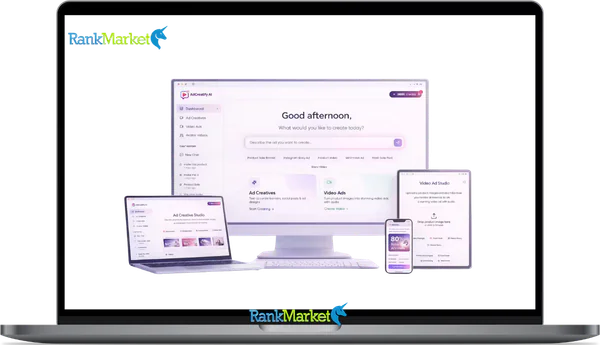
Buy Adcreatify AI + OTOs full account + Bonus
$27.00
Adcreatify AI is a platform that creates video and image ads automatically from a product link or description.
| Deliver | Adcreatify AI + OTOs |
|---|---|
| Access | Shared |
| Type | Ad creative generator |
| Plan | FE + OTOs |
| Details | GB Details |
In 2025, every marketer running paid ads faces the same pressure: produce more creatives, test them faster, and keep costs from eating the budget. That pressure is exactly why AI ad creation tools have seen a sharp rise in adoption across eCommerce, agencies, and performance marketing teams.
Adcreatify AI is an AI-powered ad creation platform that turns product URLs or descriptions into ready-to-launch video and image ads for Facebook, TikTok, Instagram, YouTube, and more. Built on over 10 years of experience in software, tools, and technology, it addresses one of the most resource-heavy tasks in paid advertising: creative production.
This guide is written for eCommerce sellers, performance marketers, agencies, small business owners, and content creators who want a clear, honest look at what Adcreatify AI actually does. You'll find a breakdown of its features, a direct comparison against traditional methods, real-world use cases, pricing context, pros and cons, and a step-by-step setup walkthrough. Users report up to 4x faster ad testing cycles and 2–3x lower cost-per-acquisition compared to manual production workflows, but let's look at the full picture first.
Let's start with a quick, plain-language answer to “What is Adcreatify AI?” before going deeper.
What Is Adcreatify AI? (Quick Answer)

Adcreatify AI is an ad creation platform that uses artificial intelligence to produce video and image ad creatives from a product URL or a written description. You don't need a video editor, a voiceover artist, or a motion graphics designer to get started. The system handles scriptwriting, visual assembly, AI voiceover, and platform formatting, all in under 60 seconds per batch.
The platform generates output for major advertising channels: Facebook feed ads, Instagram Reels, TikTok Shop demos, YouTube Shorts, Snapchat, and Pinterest. Each format is adjusted to match the native specs of that channel, aspect ratios, caption lengths, hook placement, and safe zones.
Here's what Adcreatify AI automates for you:
- Scriptwriting and ad copy generation from product information,
- AI voiceovers and avatar-based video delivery,
- Hook and CTA variations across multiple ad formats,
- Aspect ratio and duration optimization per platform,
- Batch creation of A/B testing variants
One thing worth clarifying: Adcreatify AI is not a general-purpose video editor like Adobe Premiere or DaVinci Resolve. It's also not an ad account management tool, media buying, bidding, and campaign setup still happen inside your ad platform. Think of it as the creative production engine that sits upstream of your ad account. Paste a TikTok Shop product link and walk away with 10 video ad variations in minutes. Now let's look at how each capability actually works.
Core Features and Capabilities of Adcreatify AI
The value Adcreatify AI delivers sits in five specific capability areas. Each one targets a different production bottleneck that marketers and creative teams deal with regularly. Understanding them individually helps you see where the platform fits, and where it doesn't.
Multi-Platform Optimization (TikTok, Facebook, Instagram, YouTube & More)
Ad creative doesn't transfer cleanly between platforms. A Facebook feed video has different framing requirements than a TikTok Shop demo or a YouTube Shorts clip. Adcreatify AI builds this knowledge into every output through native-format templates.
The platform supports ad creation for:
- TikTok: Shop product demos, UGC-style hooks, vertical 9:16 format,
- Facebook & Instagram: Feed ads, Reels, Stories, carousel-style image sequences,
- YouTube: Shorts, pre-roll bumpers, skippable in-stream formats,
- Snapchat and Pinterest: Platform-specific ratios and creative conventions
Each template accounts for safe zones, default durations, and caption placement norms. You're not manually resizing or reformatting, the system handles that for you.
AI Avatars, UGC Style, and Personalization
User-generated content (UGC) style ads consistently outperform polished brand videos in direct-response campaigns. The reason is trust, a real person speaking to camera feels less like an ad. Adcreatify AI replicates this format through a library of over 100 AI avatars with facial expressions, natural gestures, and lip-sync audio.
Available UGC-style templates include:
- “Customer talking about the product” format,
- Unboxing walkthrough,
- Reaction and testimonial video styles
Beyond the visual layer, the platform adjusts messaging based on audience type. Cold audiences get awareness-focused scripts. Retargeting audiences get urgency and social-proof angles. Lookalike audiences get aspiration-driven messaging. This segmentation at the creative level is where Adcreatify AI moves beyond a simple video generator.
Automated A/B Testing Variants
Testing is not optional in paid advertising, it's the method by which you find what works. The problem with manual creative production is that building enough variants to test properly takes days. Adcreatify AI generates multiple ad variations in a single batch by changing the elements most likely to affect performance.
Variable elements across your batch can include:
- Opening hooks (question, statement, bold claim),
- Call-to-action phrasing and placement,
- Offer framing (discount vs. scarcity vs. benefit-first),
- Background music and audio tone,
- On-screen text overlays and captions
Instead of manually producing 3 ads in a week, you can test 10 creatives in one day. That acceleration shortens the feedback loop between launch and learning.
Product-Focused Intelligence (NER, Benefit Extraction, Angles)
The output quality of any AI system depends on how well it understands its input. Adcreatify AI uses named entity recognition (NER) and benefit extraction to read a product page and identify what matters most to a buyer.
In plain terms, the system distinguishes between features (what the product has) and benefits (what the buyer gains). It extracts unique selling points and, where reviews are present, identifies social proof signals. From that foundation, it builds ad angles:
- Pain-point relief angle: “Tired of X? Here's how this fixes it.”,
- Aspiration angle: “Imagine achieving Y with Z.”,
- Comparison angle: “Unlike other products, this does W.”
This is why the input quality of your product page directly affects the output quality of your ads. A product page with clear benefits, customer language, and review snippets will produce stronger ad scripts than a sparse listing.
Analytics-Driven Iteration (If Available)
The production side of ad creation is only half the workflow. The other half is knowing which creatives perform, and feeding that signal back into the next round of production. Adcreatify AI includes functionality to track creative performance where platform integrations are active.
One important clarification: the primary source of ad performance data remains your ad platform, Meta Ads Manager, TikTok Ads Manager, or Google Ads. Adcreatify AI's analytics layer supplements that data rather than replacing it.
Pricing Plans and OTOs detailed
Front-End – Starter Plan ($27 one-time or $27/mo)
- Entry-level access with 200 AI credits for content creation
- Supports AI image generation and short video ads
- Compatible with all major platform sizes for publishing
- Includes commercial license for monetization
- Best for beginners testing AI content creation tools
OTO 1 – Creator Plan ($47/month)
- Includes more AI credits and faster content generation
- Higher-quality outputs with priority rendering
- Access to advanced styles and enhanced creative options
- Ideal for creators who need better performance and output quality
OTO 2 – Pro Plan ($97/month)
- Unlocks even more credits with ultra-fast generation speed
- Includes premium templates and analytics dashboard
- Comes with priority support for smoother workflow
- Best for serious marketers and high-volume users
OTO 3 – Agency Plan ($197/month)
- Maximum credits with full client and team management features
- Includes commercial rights and white-glove support
- Designed for agencies handling multiple clients and projects
- Enables scalable AI service business setup
OTO 4 – Whitelabel / Done-For-You ($599/month)
- Launch your own branded AI platform with full customization
- Create sub-accounts, sell plans, and use your own domain
- Includes 1-on-1 setup support and full DFY system
- Pay only for generation usage while keeping full control
- Best for users building a SaaS-style AI business
Adcreatify AI vs. Traditional Ad Creation (and Other AI Tools)
Before committing to any tool, it helps to see the numbers side by side. The comparison below covers three scenarios: using Adcreatify AI, doing it manually with a creative team, and using a generic AI video tool not built for advertising.
Side-by-Side Comparison: Time, Cost, and Scale
|
Aspect |
Adcreatify AI |
Manual / Traditional |
Generic AI Video Tools |
|
Time to create 10 ads |
Under 5 minutes |
10–20 hours |
30–60 minutes |
|
Cost per 10 ads |
Low (subscription or credits) |
High (designer + editor fees) |
Medium (higher per-video cost) |
|
Variants generated |
10+ in one batch |
1–2 |
3–5 |
|
Platform optimization |
Native templates per channel |
Custom edits per platform |
Partial |
|
Languages / voices |
20+ |
Outsourced translation/VO |
Limited |
|
Expertise required |
Beginner-friendly |
High creative and video skill |
Medium (prompt skill needed) |
The numbers tell a clear story on speed and volume. An agency that previously produced 2 short ads per day can now generate 20 or more with Adcreatify AI, and push them into testing the same afternoon. The cost comparison is similarly direct: freelance video production for 10 polished ads can run several hundred to several thousand dollars. A subscription-based tool at a fixed monthly cost shifts that equation considerably.
That said, the comparison only holds where creative volume matters. For brand campaigns where storytelling depth is the priority, the calculus changes, which brings us to the next point.
When Manual Editing Still Makes Sense
Not every ad campaign fits the Adcreatify AI workflow. There are specific contexts where a human editor and a production crew produce better results.
- High-budget brand films where cinematic quality and detailed post-production are part of the brief,
Complex motion graphics that require custom animation or 3D design, - Niche storytelling with very specific casting, location, or visual direction,
- Luxury product categories where aspirational production value is the selling point itself
The practical solution for most teams is a hybrid workflow. Use Adcreatify AI to run first-round creative tests at scale. Identify the hooks, angles, and CTAs that perform best. Then re-invest production budget into shooting a refined version of only the top performers. This approach reduces the risk of spending heavily on creative that hasn't been validated by data.
How Adcreatify AI Compares to Other AI Ad Makers
The AI video tool market has grown significantly, but most tools in that space are built for general content creation, explainer videos, social media clips, presentations. Adcreatify AI is built with a performance marketing orientation from the ground up.
The key points of differentiation include:
- URL-only input: You don't need to write briefs or prompts, a product link is enough to start,
- A/B testing variant generation: Most general AI video tools produce one output, Adcreatify AI produces a testing batch,
- Ad-platform native templates: Each format is built around the specs and conventions of actual ad placements, not generic video frames,
- Avatar variety and UGC replication: Over 100 avatars with lip-sync, purpose-built for direct-response ad formats,
- Multi-language support: 20+ languages with native-sounding voiceovers, without external translation or recording
For a performance marketer or an eCommerce operator running paid traffic, those differences represent real operational advantages, not cosmetic ones.
Real-World Use Cases and Results with Adcreatify AI
Understanding features in the abstract is useful. Seeing them applied to actual business contexts is more useful. Here are four scenarios that show where Adcreatify AI delivers measurable results.
eCommerce and TikTok Shop Sellers
A seller with 50+ SKUs on TikTok Shop faces a specific challenge: each product needs its own creative, and creative fatigue sets in fast on TikTok. Adcreatify AI solves this by batch-creating product demo videos per SKU, each with platform-optimized hooks and multiple CTA variations.
- Sellers using this workflow report ROAS improvements in the 3–5x range once testing cycles are running continuously,
- Creative fatigue (the drop in ad performance as audiences become overexposed to the same creative) reduces when new variants are introduced weekly,
- The workflow: import product URL → select TikTok Shop template → generate 10 variants → push top performers to ad account
Facebook and Instagram Retargeting Campaigns
Retargeting audiences respond differently from cold traffic. A person who visited a product page but didn't buy needs a different message than someone who has never heard of the brand. Adcreatify AI generates segmented creatives for each retargeting layer.
- Cart abandonment reminders with urgency-based language,
- Social proof versions featuring review snippets and ratings,
- Time-limited offer framing for users deep in the consideration stage
Teams using urgency-based retargeting creatives generated through the platform report click-through rate (CTR) improvements of around 40% compared to generic static image ads used for the same audience.
Performance Marketing Agencies and Freelancers
For agencies managing 10 or more clients simultaneously, creative production is often the bottleneck that limits client capacity. Adcreatify AI lets non-designers on the account team run first-round creative tests without waiting on a design queue.
- Production time reduction: agencies report up to 90% less time spent on initial creative rounds,
- Strategists and media buyers spend more time on audience research and bid strategy,
- Each client account gets a dedicated testing batch each week, something that was previously possible only for top-tier budgets
Localized and Multilingual Campaigns
Expanding a product into a Spanish-speaking market, Portuguese-speaking market, or any non-English region traditionally requires translation, voiceover recording, and local creative adaptation. Adcreatify AI handles all three in one step.
- Select target language and regional voice from the platform's library,
- The script is translated and the voiceover is generated with native-sounding delivery,
- Consistent brand messaging is preserved across all language versions,
- Time-to-launch for a localized campaign drops from weeks to hours
Is Adcreatify AI Worth It? Pros, Cons, and Best-Fit Users
Every tool has a context where it excels and a context where it falls short. Here's an honest breakdown of both sides.
Key Advantages (Pros)
Adcreatify AI removes the production barriers that slow down creative testing in paid advertising. Here's where it delivers clear value:
- Time savings: What takes a creative team days takes the platform minutes. This is the primary, most consistent advantage,
- No video editing skills needed: Any marketer or business owner can produce ad-quality video without technical training,
- Native platform templates: Each output is formatted to the spec of its destination channel, reducing rejection rates and improving ad performance from day one,
- 20+ languages with lip-sync avatars: Multilingual campaigns become a realistic option for brands of any size,
- Batch A/B testing: You start every campaign with 10+ tested variants instead of one or two guesses,
- Lower cost per creative: Compared to freelance production rates, the subscription model produces a lower average cost per ad unit,
- Addresses creative fatigue: Fresh variants can be generated continuously, keeping campaigns from stagnating,
- Speed-to-learning: Faster creative production means faster data collection, which means faster optimization decisions,
- Content volume for new accounts: For ad accounts that lack creative inventory, this platform closes that gap immediately
Limitations and Possible Downsides (Cons)
No tool covers every use case, and understanding where Adcreatify AI falls short is just as important as knowing where it excels.
- Visual quality ceiling: AI-generated visuals, particularly avatar-based videos, may not match the production quality of a studio shoot. For categories where aesthetics carry significant weight, fashion, luxury goods, fine dining, this gap is noticeable,
- Learning curve in optimization: Mapping ad platform performance data back into better prompts and template choices takes practice. The tool produces output, the skill of reading performance and adjusting inputs still requires human judgment,
- Not a full ad platform: Adcreatify AI handles creative. Campaign setup, audience targeting, bid management, and funnel architecture remain in your ad platform,
- Generic output risk: If you apply the same template logic to every campaign without customizing angles, scripts, or audience signals, the creatives can feel formulaic. Guidance matters here,
- Review and compliance check required: The platform does not guarantee ad policy compliance. Every creative still needs a human review before launch
Who Should (and Shouldn't) Use Adcreatify AI?
The platform fits some business profiles closely and others less so. Here's a breakdown based on actual use patterns.
Ideal users:
- eCommerce brands running paid traffic on TikTok, Facebook, or Instagram that need a constant supply of fresh creatives,
- Performance marketers who test offers rapidly and need many variants to find a winning combination,
- Agencies managing multiple small-to-medium accounts where production speed directly affects client capacity,
- Solo operators and freelancers who lack design resources but need professional-quality ad output,
- Brands entering new language markets who want to localize without hiring translators and voice actors
Less-ideal users:
- Luxury brands whose visual identity depends on bespoke, high-production content where AI visuals would undercut the positioning,
- Teams with strict brand guidelines that leave little room for creative variation or AI-generated interpretation,
- B2B SaaS companies whose ad strategy relies on long-form demo content or live product walkthroughs rather than short-form creative,
- Businesses where the buying journey is long and relationship-driven, making high-volume creative testing less central to the strategy
If you fall into the first group, the platform is worth a serious look. If you fall into the second, a hybrid approach, using the tool selectively for specific campaign types, may be a better fit than full adoption.
Getting Started with Adcreatify AI: Setup and First Ad
Setting up your first campaign in Adcreatify AI doesn't require a technical background or a production team. Here's the four-step process, with practical notes at each stage.
Step 1: Create Your Account and Activate the Free Trial
Go to the Adcreatify AI website and create your account using your email. The onboarding process is short, account verification, a brief profile setup, and dashboard access. A free trial is available, typically without requiring a credit card upfront. Use the trial to run your first batch of creatives before committing to a subscription tier.
Step 2: Prepare Your Product Page or Offer
The quality of the output depends on the quality of the input. Before generating ads, make sure your product page or landing page includes these elements:
- Clear product photos or visual assets
- Benefit-focused descriptions (not just feature lists)
- Customer reviews or testimonials, if available
- Pricing, offers, and any urgency signals (limited stock, sale deadline)
A strong product page gives the AI more accurate material to extract benefits, angles, and script language from. A sparse or vague page will produce generic output.
Step 3: Generate Your First Batch of Ads
Paste your product URL into the platform's input field. From there, select your target platform (TikTok, Facebook, Instagram, etc.), choose a creative style (UGC avatar, lifestyle, product demo), and pick your language and voice. Generate at least 5 to 10 variations in the first batch. This gives you enough variants to run a proper A/B test from day one, rather than optimizing prematurely around one or two creatives.
Step 4: Review, Edit, and Export
Before downloading or pushing any creative to your ad account, run through a brief quality check:
- Does the script match your brand tone and factual claims?,
- Is the logo or brand name placed correctly?,
- Are the CTAs accurate for the offer you're running?,
- Does the ad comply with the policies of the destination platform?
Use the platform's editing layer to adjust any script lines, swap out CTAs, or change overlay text. Then export in the format required by your target platform. Most exports are ready to upload directly to Meta Ads Manager, TikTok Ads Manager, or Google Ads.
Common Questions About Adcreatify AI (FAQs)
Is Adcreatify AI beginner-friendly?
Yes, the platform is designed for users without a video production or design background. The input process, pasting a URL and selecting a template, requires no technical skill. Most new users produce their first ad batch within 15 minutes of account creation. Tutorial resources are available within the dashboard, covering both the basic workflow and more advanced use cases like audience-segmented scripting.
Does Adcreatify AI work for non-eCommerce businesses (B2B, local, info-products)?
It works for some non-eCommerce contexts, with varying results depending on business type. Local service businesses (plumbers, dentists, gyms) can use the platform for short video ads on Facebook or Instagram, particularly for promotional offers. Info-product creators can use it for top-of-funnel awareness ads. B2B companies with longer sales cycles will find the platform less central to their strategy, since short-form video ads are generally a smaller part of the B2B funnel, though they're not entirely absent from it either.
Can I use my own footage, images, or voiceovers?
Yes. Adcreatify AI allows you to upload your own visual assets, product images, existing video clips, brand footage, and combine them with AI-generated elements. You can also upload a custom voiceover instead of using an AI-generated one. This makes it possible to build creatives that blend original brand assets with AI-produced scripting, editing, and formatting.
How many ad variations should I test per campaign?
The answer depends on your budget and campaign size, but a practical starting range is 5 to 10 variations per campaign. Testing fewer than 5 gives you limited data to work from. Testing more than 20 at once can dilute your budget across too many variables, making it harder to reach statistical significance on any single creative. Start with 5–10 variations, identify the top 2–3 performers, and then use those winners as the basis for the next round of generation.
Will Adcreatify AI replace my designers or editors?
For routine ad creative production, short-form video ads, platform-specific image creatives, A/B test variants, the platform takes on a large portion of what designers and editors previously handled. However, it does not replace human judgment in areas like brand strategy, storytelling depth, creative direction, and quality review. The practical outcome in most teams is a shift in role rather than a reduction in headcount: designers focus on brand-level work and campaign strategy rather than repetitive ad production tasks.
Can Adcreatify AI guarantee better ROAS or lower CPA?
No platform can guarantee specific performance outcomes in paid advertising, and Adcreatify AI is no exception. What it does is give you more and better-structured creatives to test, which increases the probability of finding a winning combination faster. Better testing coverage → faster optimization → improved ROAS over time. The platform creates the conditions for better results, the actual outcomes still depend on your targeting, offer, landing page, and ad account structure.
Is Adcreatify AI compliant with ad policies on Facebook and TikTok?
The platform generates creatives within general advertising conventions, but final compliance responsibility stays with the advertiser. Facebook, TikTok, and other platforms review ads at the account level, and policy interpretation can vary. Before launching any creative, review it against the specific platform's ad policies, particularly for regulated categories like health claims, financial products, or age-restricted content. Adcreatify AI can be guided through template choices and script direction to minimize common policy triggers, but it does not serve as a policy compliance tool.
How is Adcreatify AI different from generic AI video generators?
Generic AI video generators are built for content creation broadly, marketing videos, presentations, explainer content, social media clips. They are not designed around the structure and goals of direct-response advertising. Adcreatify AI's differentiation lies in its performance marketing orientation: URL-based input instead of open-ended prompts, A/B testing variant generation as a core output, ad-platform native templates built around actual placement specs, UGC-style avatar formats designed to match organic-looking content, and multi-language voiceovers for campaign localization. If your primary goal is paid ad performance rather than general video production, that distinction matters significantly.
Some Questions Before Join US
Group buying, also known as collective buying, offers products and services at significantly reduced prices on the condition that a minimum number of buyers would make the purchase.
- First, we will list product Here as people request & Collect Money From other peoples.
- Sec, Once enough moneys from customer, we will buy products From Developer.
- Then, we deliver to all Joiners.
- You can join directly by Purchase at our site and Reach Support about that to confirm.
- You can join via our Community : https://bit.ly/RMKDiscord
- How to Buy
We have 2 Product Status
- Instant-Deliver : Avaible and Deliver within 24-48hs (not on Sat-Sun, Holiday)
- Group Buy/Pre-Order : Not avaible, Still collect more people to join, need to wait.
OTO mean that One-Time-Offer/Upsell/Upgrade of Product For limited time only
Cancelled mean that order is not pay/process within 24hs. Please reach us with Order ID to check.
You will get Products by Download via Email .Once you finish payment to us and get confirm. You will get download Links inside your Account
- SAAS : You will get Individual account via Mail or On your Order List
- Shared Tool : via our chrome (WIN/MAC/Linux)
- WP : We will active key for your site.
- Course/Book/GraphicKit : Download link will send via mail or On your Order List.
- ETA Time : Fast maybe 3-4 days or 1 Week , Always be 3-4 Weeks or some times as Member Request it can be up to 3 Months to Group Buy WIN.
- GB Fail : You will get refund or exchange other.
– If Products problem, Capture screenshot/Video to us. We will forward to developer to fix it.
– If impossible sloved, we will exchange to other product. With Annual Product, we will refund or exchange by subtract times that you used.
– If used product for 1 or few years then not work. we will try to contact developer to fix it. But if some bad Vendors keep money and run, we just can give you some discount for future orders.
Warranty Time :
- Monthly Product : 30 days
- Annual/One Time Product : 1 year.
Our Store Credit mean credit can use to redeem on Your orders. 25 Credit = 1$.
Earn by some way :
- Place Orders. Each 1$ spend you will earn 1$
- Exchange some not work/not-fullfill orders by your agreed.
- By Reffer Your Friends to buy at our store.
How to redeem
- At Checkout page have redeem button to use it. Maxium is 250/orders.
- If you need redeem more. Reach our Support
We support only via 2 channel :
- Email : [email protected]
- Messenger : m.me/rankmarkenet (Live chat on Site)
TIme : From 9AM - 6PM Monday - Friday (GTM+8).
All Order/Ticket on Sat-Sun/Holiday will be supported on next Monday.
WE ARE TRY TO WORK HARD AND SUPPORT ALL PEOPLE BUT WE CAN NOT MAKE ALL HAPPY 100%
Thanks For You are here and belive US for longtime.
While working,we meet someone like & we will not support :
– People buy 1 but want to exchange to 10 Products.
– People who steal our products then ask refund.
– People fake payment to get our products.
– People always ask refund,can not wait for waiting product. Dont Pay. Wasted our Time.
Best Regards
David Green – RankMarket
Related products


SAAS Tools

SAAS Tools

SAAS Tools

SAAS Tools




SAAS Tools