

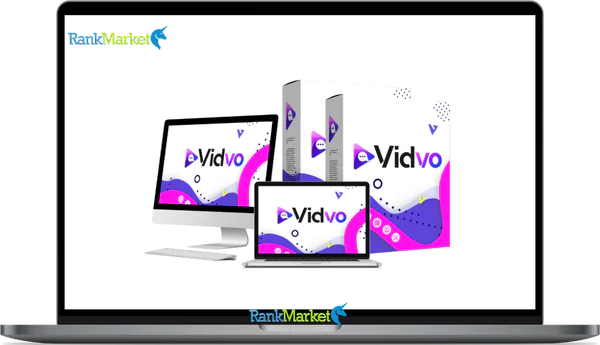
Buy Vidvo + OTOs full account + Bonus
$27.00
Vidvo is an AI-powered photo-to-video tool that turns a single portrait and script into a lifelike, professional talking video—no camera, mic, or editing skills required.
| Deliver | Vidvo + OTOs |
|---|---|
| Access | Individual |
| Type | AI Talking Videos |
| Plan | FE + OTOs |
| Details | GB Details |
Producing quality video often requires cameras, lighting, multiple retakes, editing software, and hours of work. Vidvo eliminates all of that. With just one photo, you'll have instantly vivid, lifelike, stunning-looking, easy-to-create, and usable video for professional or entertainment purposes without needing to shoot video, hold a phone, or stand in front of a camera. No technical skills required. No learning required. Just quick, practical videos that you can use immediately.
What is Vidvo?

Vidvo is an AI-powered photo-to-video conversion technology that transforms a single portrait into a professional, lifelike video with sound in only a few clicks. Powered by powerful human motion capture technology, it makes professional 3D speaker films with lifelike facial expressions and no weird lip movements.
Even for novices, it's really simple to use. You submit your photo, paste your script, and Vidvo's AI starts working, making a seamless spoken video without a camera, microphone, or editing skills. You can display the finished product to clients or post it online because it has a polished yet independent appearance. The easiest, most cost-effective way for anyone to make high-quality, professional videos.
Key features of Vidvo
- Image-to-video conversion technology with speech: Any still image can be transformed into a video with voice using Vidvo's image-to-video conversion technology. Artificial intelligence (AI) evaluates the structure of a person's face and develops realistic lip motions and expressions, so the final movie isn't rigid or robotic, but highly genuine and entertaining.
- Advanced lip synchronisation technology: Vidvo enables exact lip synchronisation for all spoken words. The mouth motions are synchronised sufficiently to maintain the authenticity of speech even in lengthy videos, regardless of the format.
- Natural facial expressions: Your video not only communicates but also conveys feelings. Vidvo adds subtle face expressions and micro-movements to generate a genuine feel for the character and hold the viewer's attention.
- Natural Body and Head Movement: Instead of a flat, unmoving face, Vidvo provides seamless head and body movements. The outcome is a more vibrant and lively video, closer to a genuine person.
- Create Videos from Text: Simply type the text you wish to include in your video. Vidvo automatically inserts speech, expressions, and movement, excellent for explanatory, review, or storytelling films without difficult modifications.
- Voice Posting & Audio Highlighting: You can record your voice from any MP3 file and produce videos with dialogue. Great for voiceovers, podcasts, audiobooks, or repurposing long-form content.
- Make Videos Using AI Prompts: With a single command line, you can annotate pictures, scenes, styles, or narratives. Vidvo will automatically replay the words, facial emotions, and movement after reading your instruction.
- Unlimited Video Length: Vidvo has no length limit, handling both short clips and full storylines. It maintains synchronisation, expressiveness, and movement, making it perfect for instruction, narrative, and more complex topics.
- Multilingual Video Support: You can produce videos with dialogue in any language by altering the text or audio. This allows you to reach a worldwide audience without hiring voice actors or translators.
- Works with All Image Types: Vidvo works with practically every image style, from genuine photos and figures to graphics, cartoons, and even animals. This flexibility gives you plenty of creative possibilities!
- Animation, Anime, and Character Friendly: Animating stylised figures like cartoons, anime, or illustrations is straightforward. Great for entertainment stuff, children's videos, memes, and creative storytelling.
- build your own copy: With Vidvo, you may build a virtual presenter or digital copy using simply a photo. Ideal for marketing, announcements, instructional videos, and brand communications without having to stand in front of the camera.
- Built-in image enhancing tools: You can modify photographs before producing animations to improve clarity and quality. This guarantees a crisper, more colourful, and more polished final video.
- Includes commercial license: You can use Vidvo films for both commercial and non-commercial purposes. You won't have to worry about usage limits or paying any “per video” fees.
How to use Vidvo
Step 1: Upload Photos
Upload any picture of a person or character to get started. The photo can be a portrait, half-body, or full-body photograph! Of course, a higher-quality photo will help Vidvo develop more natural face expressions and faster movements; but, this procedure works with nearly any type of photo.
Step 2: Add Text, Voice, or AI Prompts
Next, consider what content you want the video to convey. You can offer a script, an audio file, or even a basic AI prompt to introduce the scene or message. Vidvo will automatically modify lip movements, facial posture, and body movements based on the information you provide.
Step 3: Now it's time to create your spoken video
Click the create button and the AI will do the rest. In just seconds, you can see and listen to yourself or your friends say anything you want, and share it anywhere or use it to produce beautiful movies for your business and impress your clients.
Why you should use Vidvo?
- Make realistic speaker movies from a single image: Vidvo performs what the majority of other tools are unable to do: it can create a video that appears to be speaking from a single image. Instead of stiff animations, you'll encounter genuine lip sync, expressive faces, and smooth head and body movements, providing a natural and professional impression.
- Eliminate all technological barriers: You don't need to own a camera, microphones, editing software, or the ability to speak in front of a camera. Vidvo offers all that video recording, voiceovers, and editing do, but only upload and produce, eliminating all the time-consuming learning process!
- You save money with the all-in-one system since you can acquire voiceover services, animation tools, and video editing software on a single platform for a small one-time charge rather than paying monthly payments. This implies that whether you're a beginner or a professional, generating your movies is cost-effective.
- Ideal for content, marketing, and client work: And with the integrated commercial license, you may sell your movies for advertising, sales sites, or any other purpose! The only limitation is that you're not allowed to use it simply for personal use, which opens up the possibilities for monetisation and revenue-based services.
- Flexible and creative for numerous uses: Vidvo works with actual people, cartoons, anime characters, graphics, and even digital copies. You can create videos in many languages, convert audio to video, and create short and long content without constraints.
- Low risk, high practical value: Vidvo converts video creation into an input-output process: upload, type in text or talk, and produce a video. With smaller obstacles to entry, less cost, and creative freedom, not to mention a 30-day money-back guarantee, this is a practical, low-risk solution that gives strong practical value alongside your inspiration.
The Upgrade/OTO details
Front-End: Vidvo – $27
- Full access to the core photo-to-talking-video platform without monthly fees.
- Turn every snapshot into a lifelike talking video.
- Natural lip-sync with facial expressions and head motion.
- Text-to-video and audio-to-video capabilities.
- works with cartoons, illustrations, real images, and characters.
- making videos in multiple languages.
- integrated tools for improving images.
- Commercial licence included for business use.
- With a 30-day money-back guarantee, this is a low-risk way to start generating AI videos.
OTO 1: Vidvo Unlimited – Silver ($47) | Platinum ($147)
- Unlimited lifelike talking video creation.
- HD & 4K video rendering support.
- Unlimited languages, voices, prompts, and characters.
- No caps on video length or exporting.
- Full commercial licence with 100% profit rights.
- No monthly fees or ongoing expenditures.
- designed to scale advertisements, client work, and content.
- This is the most popular upgrade for serious creators and agencies.
OTO 2: Vidvo DFY Prompts – $47
- 100,000 done-for-you AI prompts.
- Covers advertising, scripts, storytelling, and marketing videos.
- operates in every industry and specialisation.
- Optimised for conversions and engagement.
- Vidvo's plug-and-play prompts.
- Saves hours of writing and testing.
- Ideal for beginners and agencies.
OTO 3: Vidvo Agency – Basic ($37) | Deluxe ($167)
- Create and sell Vidvo accounts to clients.
- Central agency dashboard to manage users.
- Unlimited customer accounts (Deluxe).
- Set your own pricing (monthly or one-time).
- Retain 100% of customer earnings.
- No software development or hosting required.
- Built-in scalability for agencies and freelancers.
OTO 4: Vidvo PageMate – $27
- Make webpages that load in just one second.
- 1,000+ ready-made website and funnel designs.
- integrated security and SEO optimisation.
- No coding or technical skills needed.
- Unlimited pages and funnels.
- Commercial licence included.
- No platform or hosting costs each month.
OTO 5: Vidvo DFY Templates – $37
- 60+ done-for-you company templates.
- Pre-written emails, funnels, and landing pages.
- templates for client acquisition and social media.
- Setup is simple and doesn't involve writing.
- created with marketing and revenue in mind.
- Commercial licence included.
- No monthly subscriptions.
OTO 6: Vidvo FireSale – $29
- 200 premium software tools included.
- Traffic, list-building, and video marketing apps.
- 160+ step-by-step training modules.
- Covers multiple internet business models.
- One-time payment with lifetime access.
- No recurring fees.
- Exceptional value for novices and marketers.
OTO 7: Vidvo Reseller – Starter ($97) | Master ($167)
- Resell Vidvo and all upgrades.
- Keep 100% of every sale.
- Done-for-you sales funnel and pages.
- Pre-built VSLs and marketing assets.
- No tech setup, hosting, or maintenance.
- Vidvo staff provides support and updates.
- Limited reseller licenses for higher value.
Advantages
- Create instant voiceover videos from photos: Vidvo helps you change a photo into a dynamic voiceover video instantaneously with only a few clicks, without any camera, recording, or setup.
- AI handles everything, so you don't need a camera, voice recorder, or any kind of video editing expertise to produce high-quality videos.
- produce faceless movies: The software enables you produce interesting voiceover videos without displaying your face or using your own voice, excellent for creators who want to preserve their privacy and marketers who don't want to reveal their faces.
- Hyper-realistic lip synchronisation and facial expressions: Unlike rigid or robotic appearances, videos feel natural, fluid, and lifelike thanks to sophisticated lip synchronisation technology and expressive facial characteristics.
- AI Text, Audio, and Prompt Support: Vidvo's instant tuning function allows you to use AI prompts in addition to importing scripts and uploading audio, providing a variety of content creation techniques for different workflows.
- Works with All Visual Styles: Vidvo works with genuine images, animated illustrations, and anime characters, from course creators to companies and entertainment artists.
- Make Multilingual Videos: By producing videos in many languages, you may reach a global audience without the need for voice actors or translators.
- Integrated Image Enhancement: Photos are better treated before animation for crisper, more visually pleasing outcomes in videos.
- Unlimited Video Length: You can make as many short or long films as you like without any restrictions, and you won't ever lose lip sync, motion, or expression.
- Includes commercial license: You can legally produce videos for any business and individual, are authorised to sell the videos you produce, and can create videos for clients straight in Sqribble in only minutes.
- 30-day money-back guarantee: You can try Vidvo risk-free, and at such a cheap price, you have absolutely nothing to lose!
Disadvantages
- Requires a stable internet connection: Vidvo operates on a cloud platform, therefore you need a solid internet connection to upload photographs, process movies, and retrieve the results.
- The quality of your input photographs determines the results. Although Vidvo works with most images, clearer, higher-resolution images will produce smoother animation and more realistic face expressions than low-quality or blurry images.
- Not a full-featured video editor: Vidvo focuses more on making dialogue videos than on detailed post-production editing. You will still require a different editor if you are working with high-quality timelines or other cinematic-level edits.
Who is it for?
- Content Creators & Influencers: Without recording yourself or utilising your own equipment, produce captivating conversational videos, reels, shorts, and social media material.
- Affiliate Marketers: Produce review and promotional videos more quickly without having to appear in front of a camera, and sell products with presenters that look more professional.
- For those who have empty YouTube channels or shorts, start and expand your channel using images, characters, or AI presenters that sound natural without you having to appear on screen.
- Digital Marketing & Growth Experts: Create advertising, explanatory videos, and promotional films rapidly without filming or understanding how to edit with templates.
- Business Owners & Entrepreneurs: Deliver announcements, updates, sales films, and brand messaging without stepping in front of a camera or employing an expensive film team.
- Coaches, Instructors & Consultants: Create course content, explain and give excellent courses and resources without live or recorded footage.
- Teachers and course designers should turn explanations and courses into captivating live video presentations that draw in more viewers than dull slides.
- Companies & Freelancers: Create films for clients in minutes to fast generate revenue and keep 100% of the revenue you generate with the included commercial license.
- E-commerce Store Owners: Produce product explanation videos, reviews, and UGC-style videos without hiring creators or recording your own stuff.
- Social Media Managers: Whether transferring daily uploads between devices or editing and using video clips at the gym, Video Transfer keeps up without taking up much of your time.
- Advertisers & Media Buyers: Experiment with innovative templates and material, making a variety of films in a fraction of the usual production time.
- Local Businesses & Service Providers: Produce short, easy-to-understand films to promote specials, promotions, and customer testimonials without the need for expensive film teams or state-of-the-art technology.
What You Get (Compared to Buying at RankMarket)
- Best price guaranteed and official access: When you order Vidvo from our website, you'll receive official access to the original software, ensuring all features, updates, and after-sales support will be available in the future.
- Exclusive Offers & Added Value: On this page, we also add some great offers, guides & resources that you can't find elsewhere or would have to pay a lot of money to get; they simply complement Vidvo.
- Reliable Support & Guidance: When you buy with us, you're not alone. You'll receive step-by-step support and guidance so you can start making videos as soon as possible.
- Risk-Free Purchase: So, gather everything up to buy Vidvo; the product is a 30-day money-back guarantee, so you can try everything without worry.
FAQs
- Can I use Vidvo without showing my face or recording my voice?
Yes. Vidvo is perfect for anonymous content. You don't need to appear in front of the camera or videotape yourself doing anything. - Can I use Vidvo for client work or commercial projects?
Yes. You can make videos for customers, commercials, promotions, and business use with Vidvo's commercial license. - Can I use Vidvo in languages other than English?
Yes. Vidvo is all you need if you want to make multilingual videos that will be viewed by people worldwide. - Are you allowed to create animations, characters, or illustrations?
Yes. Real images, cartoons, anime characters, sketches, and avatars can all be used with Vidvo. - Is it a monthly subscription?
No. There are no ongoing monthly fees; Vidvo is solely utilised for one-time payments. - What happens if I'm not satisfied with Vidvo?
You have a 30-day money-back guarantee. You can ask for a refund if you're not happy.
Conclusion
Vidvo is completely changing how we make videos. Now, in just minutes and with a single image, you can do things that previously required cameras, voice-over editing software, and technical skill. It eliminates the obstacles, costs, and complexities that keep most people from making video a regular part of their organization. If you appreciate the idea of more professional video production, face-less material, and the possibility to make money with minimal work, I'm certain that Vidvo is a worthwhile investment, especially when you order through our link on this page, you'll get the best price possible.
Some Questions Before Join US
Group buying, also known as collective buying, offers products and services at significantly reduced prices on the condition that a minimum number of buyers would make the purchase.
- First, we will list product Here as people request & Collect Money From other peoples.
- Sec, Once enough moneys from customer, we will buy products From Developer.
- Then, we deliver to all Joiners.
- You can join directly by Purchase at our site and Reach Support about that to confirm.
- You can join via our Community : https://bit.ly/RMKDiscord
- How to Buy
We have 2 Product Status
- Instant-Deliver : Avaible and Deliver within 24-48hs (not on Sat-Sun, Holiday)
- Group Buy/Pre-Order : Not avaible, Still collect more people to join, need to wait.
OTO mean that One-Time-Offer/Upsell/Upgrade of Product For limited time only
Cancelled mean that order is not pay/process within 24hs. Please reach us with Order ID to check.
You will get Products by Download via Email .Once you finish payment to us and get confirm. You will get download Links inside your Account
- SAAS : You will get Individual account via Mail or On your Order List
- Shared Tool : via our chrome (WIN/MAC/Linux)
- WP : We will active key for your site.
- Course/Book/GraphicKit : Download link will send via mail or On your Order List.
- ETA Time : Fast maybe 3-4 days or 1 Week , Always be 3-4 Weeks or some times as Member Request it can be up to 3 Months to Group Buy WIN.
- GB Fail : You will get refund or exchange other.
– If Products problem, Capture screenshot/Video to us. We will forward to developer to fix it.
– If impossible sloved, we will exchange to other product. With Annual Product, we will refund or exchange by subtract times that you used.
– If used product for 1 or few years then not work. we will try to contact developer to fix it. But if some bad Vendors keep money and run, we just can give you some discount for future orders.
Warranty Time :
- Monthly Product : 30 days
- Annual/One Time Product : 1 year.
Our Store Credit mean credit can use to redeem on Your orders. 25 Credit = 1$.
Earn by some way :
- Place Orders. Each 1$ spend you will earn 1$
- Exchange some not work/not-fullfill orders by your agreed.
- By Reffer Your Friends to buy at our store.
How to redeem
- At Checkout page have redeem button to use it. Maxium is 250/orders.
- If you need redeem more. Reach our Support
We support only via 2 channel :
- Email : [email protected]
- Messenger : m.me/rankmarkenet (Live chat on Site)
TIme : From 9AM - 6PM Monday - Friday (GTM+8).
All Order/Ticket on Sat-Sun/Holiday will be supported on next Monday.
WE ARE TRY TO WORK HARD AND SUPPORT ALL PEOPLE BUT WE CAN NOT MAKE ALL HAPPY 100%
Thanks For You are here and belive US for longtime.
While working,we meet someone like & we will not support :
– People buy 1 but want to exchange to 10 Products.
– People who steal our products then ask refund.
– People fake payment to get our products.
– People always ask refund,can not wait for waiting product. Dont Pay. Wasted our Time.
Best Regards
David Green – RankMarket
Related products

SAAS Tools



SAAS Tools

SAAS Tools
SAAS Tools