Buy String Art Studio + OTOs full account + Bonus
$17.00
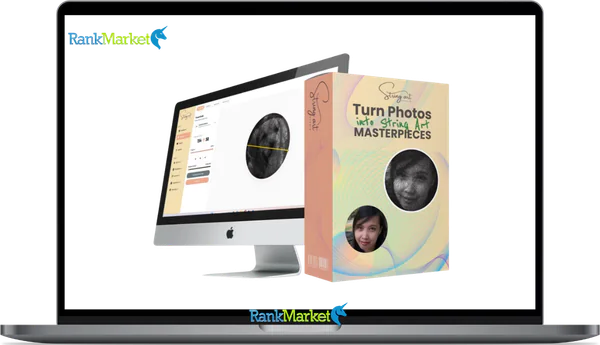
String Art Studio is an online software that automatically turns images into precise, professional string art patterns with clear nail placement and step-by-step threading instructions, making intricate designs easy even for beginners.
| Deliver | String Art Studio + OTOs |
|---|---|
| Access | Individual |
| Type | String Art Generator |
| Plan | FE + OTOs |
| Details | GB Details |
The art of knitting may seem simple at first glance, but anyone who's ever tried knows how quickly that simplicity can become frustrating. Planning, managing contrast, and intricate stitching can turn a fun idea into an unfinished project. That's why String Art Studio was created! This software eliminates the technical difficulties of the art of knitting. It transforms photos into accurate previewable knitting patterns with detailed knitting instructions, enabling even beginners to achieve professional results, while still meeting the needs of professional craftspeople and sellers.
What is String Art Studio?

String Art Studio is an online pattern-making software that allows you to create professional-quality string art patterns from images. The software takes care of all the technical details for you, saving you hours of time spent manually determining nail location, thread pathways, contrast levels, and shading. All you have to do is input your picture, let the computer produce a string artwork, and watch the finished product online. Additionally, the software offers clear guidance on the proper way to wrap the thread around each nail.
Even total novices may make complex string art portraits fit for wall hanging with String Art Studio's intuitive and automated process, which eliminates the need for creative ability or guesswork.
Key features of String Art Studio
- Unlimited String Art Pattern Creation: String Art Studio allows you to make an infinite amount of patterns, unlike programs that charge per pattern or limit you by the number of credits! This is important because sometimes you have to explore and make some changes to get a lot of contrast and detail.
- Virtual Knitting Image Preview in Real Time: You can view the final string artwork before you pick up your hammer or purchase any supplies. To guarantee visual authenticity, you can place the knitting image over the original picture and experiment with alternative color schemes.
- Player for an Interactive Step-by-Step Knitting Tutorial: You will be guided through each yarn connection step-by-step by the integrated knitting lesson player. You can save hours of frustration by sliding along step-by-step rather than trying to identify the next wrap, especially with some intricate images that have thousands of connections.
- Printable PDF designs: String Art Studio produces neat, easy-to-use, and functional PDF files. Project templates, threading instructions, nail placement tips, and board-friendly layouts that you can print out and use right away on your board are all included.
- A 5GB storage capacity cloud project library: Every project is safely kept in the cloud, allowing you to access your work from anywhere at any time. DesignCLUB is ideal if you sketch patterns on your computer and then use a tablet or other comparable tool in the workshop to cut them out.
- Included are commercial use rights, so you can market the artwork you produce with my templates. As a custom string art merchant, you may demonstrate that this is not just a pastime but also a business possibility by accepting orders, selling portraits, making goods on Etsy, and much more!
How to use String Art Studio
Step 1: Upload your image
Almost any kind of image can be used, including selfies, commemorative photos, logos, wedding photos, pet photos, and family photos. Images with strong contrast and clarity are ideal for this tool.
Step 2: Print and place nails
String Art Studio will produce a downloadable nail placement template in A4 or Letter format once all the necessary alterations have been made. Just print it off, adhere it to your board, and then nail it in accordance with the template's directions!
Step 3: Use the interactive threading guide
There is an interactive, step-by-step threading wizard rather than leaving the user to figure it out on their own. After directing you to the proper nail placement, it offers simple directions that even novices may follow to finish your artwork.
Why you should use String Art Studio?
- It eliminates the hardest part of string art: When working with string art, manually arranging pins, painting lines, and shading can be quite frustrating. All of this is handled by String Art Studio, allowing you to focus on creating rather than calculating.
- Before you begin, you may preview the outcome: Before you touch the tool, use a virtual knitted preview to see the image's sharpness, contrast, and backdrop color in real time. This gets rid of expensive errors and material waste.
- Make even the most intricate designs simpler: The knitting instructions will walk you through every step; there's no need to guess or study complicated illustrations. Even novices can learn how to draw a detailed portrait thanks to this.
- Unlimited design, no hidden costs: You can explore as much as you wish until the final product is ideal, and there are no usage or credit restrictions. This is particularly crucial for full-scale productions or commissioned projects.
- It's not only a pastime; it may also be a source of income: Commercialization is incorporated, so you may sell your completed string art. Check out your incredible creations or original ideas on Etsy or other regional marketplaces.
- Reduce frustration and save time: Step-by-step instructions that have been imagined beforehand replace hours of trial and error.
The Upgrade/OTO details
FE: String Art Studio – $17
- Make an infinite number of string art designs using pictures.
- Before construction, examine lifelike virtual weaving.
- Step-by-step interactive threading player
- Printable nail placing templates in PDF format
- Project saving combined with cloud-based access
- Included with the commercial rights for artwork sales
- No subscriptions or monthly costs
OTO 1: String Art Studio PRO Edition – $47
- Advanced board layout options and square
- sophisticated pin count and line intensity controls
- Adjusting contrast and brightness for crisper portraits
- Voice coaching and an improved step-by-step weaving instruction
- soothing background music during extended build sessions
- Cloud storage was increased from 5GB to 25GB.
- Designed for client projects and high-end portraiture
OTO 2: Mandala String Art Edition – $37
- Unlimited creation of mandala string art patterns
- Adaptable forms, symmetry, and multi-layered patterns
- Regulate string density, thickness, and spacing.
- Make in-demand ornamental and present-ready designs.
- Ideal for bundled collections and Etsy bundles
- Quick creation with preview controls in real time
- Perfect for items with scalable home décor
OTO 3: Quote Art String Designer – $37
- Make your own string art using a quotation, name, and date.
- System fonts and custom TTF/OTF uploads are supported.
- Accurate sizing and spacing to provide clear readability
- Before creating the final templates, a live preview
- Numbered PDF nail insertion instructions that are printable
- Ideal for gifts, nurseries, anniversaries, and weddings
- Designs with a lot of personalization that sell quickly
OTO 4: Geometry String Art Edition – $32
- Create contemporary geometric string art patterns.
- Use mathematical pin connections to create patterns.
- Change the multipliers, rotation, and pin count.
- Preview in real time with options for color and opacity
- Create ideas for opulent wall art and décor.
- Infinite variants of basic shapes
- Perfect for collections that are timeless and resistant to trends
OTO 5: Whitelabel Branding – $49
- Print-ready, branded PDF string art guides for export
- Include your brand's colors, logo, and unique headers.
- Put watermarks on your designs to brand and protect them.
- Offer downloadable digital string art patterns for sale.
- No actual manufacturing, packaging, or shipment is necessary.
- Make digital goods that are scalable for Etsy and retail outlets.
- Create a memorable string art brand quickly.
Advantages
- Beginner-friendly system: Even people with no prior knowledge can use String Art Studio. The methodical approach removes uncertainty and facilitates the successful completion of projects.
- Project waste can be avoided by using a real-time preview, which allows you to see how your string art will appear before you begin. This lessens the likelihood of errors, material waste, and rework.
- Interactive, step-by-step knitting instructions: The integrated threading tool eliminates guesswork and saves hundreds of vexing hours by indicating which pegs to connect next.
- Crafting is made simple with printable templates: It is simple to convert designs from your computer to a real skateboard without measuring and redrawing thanks to clear, user-friendly PDF templates.
- Unlimited pattern creation: This is a fantastic free tool for practicing image creation, and you can make as many designs as you like without worrying about copyright.
- Cloud Project Storage: You may see and modify your projects from anywhere, even your living room or garage, because they are saved online.
- Commercial Potential: You can use this technique to make wire art to sell, accept orders, and make goods for online retailers like Etsy, which would allow you to work from home legally.
- Ideal for Side Projects and Gifts: This tool is ideal for both personal projects and the development of paid goods for business owners, making it appropriate for both hobbyists and commercial endeavors.
Disadvantages
- Requires Patience and Time: Because wire art is so complex, it still calls for a steady hand and attention to detail, even with automation.
- The quality of the photograph affects the results: Make sure the photograph you select is of high quality because you won't obtain the same results with poor or underexposed photos.
Who is it for?
- Complete beginners: People who have never done string art before, want to experiment, and need a ton of reference resources to get started quickly without any technical or artistic skills.
- DIY and craft enthusiasts are artisans who like doing useful tasks but desire excellent outcomes without relying on guessing or extensive planning.
- Gift makers: People who want to manufacture sentimental, customized presents like memorial pieces, wedding paintings, pet portraits, or family mementos.
- Artists that wish to sell string art, accept orders, and produce personalized portraits more effectively and expertly are side hustlers and Etsy sellers.
- Traditional painters who appreciate accuracy and the use of planning tools but still wish to produce hand-painted pieces are the ones looking for digital assistance.
- Hobby workshops and art studios: Teachers or workshop designers seeking a methodical approach to leading a sizable group of people.
What You Get (Compared to Buying at RankMarket)
- You'll receive clear, easy-to-understand, and practical explanations: We don't just list features. Our reviews focus on the experience of using String Art Studio in a real-world crafting environment, so you can decide before you start.
- Includes step-by-step instructions: When you buy through our site, you won't have to guess. We provide detailed instructions on installation, print patterns, and how to use the knitting guide correctly.
- Best prices and deals available: We update prices as new deals are announced, and if you choose to buy through our links, we may receive a small portion of the revenue.
- Post-purchase support: And if you have questions about how to use the software or how to turn it into a side income stream, we've created content to guide you after checkout.
FAQs
- Do I need to know about string art?
No, String Art Studio is meant for novices and offers detailed tutorials from beginning to end. - What type of images yield the best results?
Sharp photographs, logos, portraits, and pets will all look great with images that have good contrast. You can test the outcomes before to deployment with the preview tool. - Am I allowed to sell the string art I make?
Yes. Included is a Standard Commercial License, which permits you to create up to 500 products using a print-on-demand platform such as Zazzle's Merch and sell up to 500 completed goods on your own website or store. - Am I allowed to create an unlimited number of string art samples?
No. Almost any string art design can be made for free and in any quantity. - What tools or materials do I need?
For a string art project, you will need supplies that you may already have, such as thread, nails, and tools to connect items. The design and planning will be done by the program. - Can I use my project on multiple devices?
Yes. You can access projects from any internet-connected device because they are stored in the cloud.
Conclusion
The challenge that keeps most individuals from finishing a string art project is removed by String Art Studio. By guiding you through the threading process step-by-step, automating pin placement, and previewing results, this software makes a difficult craft approachable and pleasurable. Additionally, it's a useful technique for creating and marketing superior string art, with unrestricted use and commercial rights included. String Art Studio is unquestionably a good choice to take into consideration if you want a more efficient route to expert results without having to try endlessly.
Some Questions Before Join US
Group buying, also known as collective buying, offers products and services at significantly reduced prices on the condition that a minimum number of buyers would make the purchase.
- First, we will list product Here as people request & Collect Money From other peoples.
- Sec, Once enough moneys from customer, we will buy products From Developer.
- Then, we deliver to all Joiners.
- You can join directly by Purchase at our site and Reach Support about that to confirm.
- You can join via our Community : https://bit.ly/RMKDiscord
- How to Buy
We have 2 Product Status
- Instant-Deliver : Avaible and Deliver within 24-48hs (not on Sat-Sun, Holiday)
- Group Buy/Pre-Order : Not avaible, Still collect more people to join, need to wait.
OTO mean that One-Time-Offer/Upsell/Upgrade of Product For limited time only
Cancelled mean that order is not pay/process within 24hs. Please reach us with Order ID to check.
You will get Products by Download via Email .Once you finish payment to us and get confirm. You will get download Links inside your Account
- SAAS : You will get Individual account via Mail or On your Order List
- Shared Tool : via our chrome (WIN/MAC/Linux)
- WP : We will active key for your site.
- Course/Book/GraphicKit : Download link will send via mail or On your Order List.
- ETA Time : Fast maybe 3-4 days or 1 Week , Always be 3-4 Weeks or some times as Member Request it can be up to 3 Months to Group Buy WIN.
- GB Fail : You will get refund or exchange other.
– If Products problem, Capture screenshot/Video to us. We will forward to developer to fix it.
– If impossible sloved, we will exchange to other product. With Annual Product, we will refund or exchange by subtract times that you used.
– If used product for 1 or few years then not work. we will try to contact developer to fix it. But if some bad Vendors keep money and run, we just can give you some discount for future orders.
Warranty Time :
- Monthly Product : 30 days
- Annual/One Time Product : 1 year.
Our Store Credit mean credit can use to redeem on Your orders. 25 Credit = 1$.
Earn by some way :
- Place Orders. Each 1$ spend you will earn 1$
- Exchange some not work/not-fullfill orders by your agreed.
- By Reffer Your Friends to buy at our store.
How to redeem
- At Checkout page have redeem button to use it. Maxium is 250/orders.
- If you need redeem more. Reach our Support
We support only via 2 channel :
- Email : [email protected]
- Messenger : m.me/rankmarkenet (Live chat on Site)
TIme : From 9AM - 6PM Monday - Friday (GTM+8).
All Order/Ticket on Sat-Sun/Holiday will be supported on next Monday.
WE ARE TRY TO WORK HARD AND SUPPORT ALL PEOPLE BUT WE CAN NOT MAKE ALL HAPPY 100%
Thanks For You are here and belive US for longtime.
While working,we meet someone like & we will not support :
– People buy 1 but want to exchange to 10 Products.
– People who steal our products then ask refund.
– People fake payment to get our products.
– People always ask refund,can not wait for waiting product. Dont Pay. Wasted our Time.
Best Regards
David Green – RankMarket
Related products




SAAS Tools

SAAS Tools


SAAS Tools