

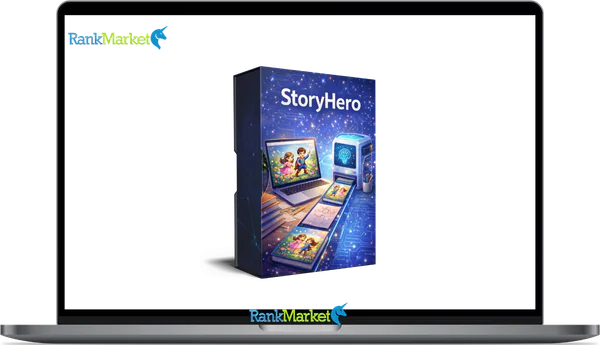
Buy StoryHero + OTOs full account + Bonus
$27.00
StoryHero is an AI-powered platform that creates personalized illustrated children’s stories with narration and export-ready formats
| Deliver | StoryHero + OTOs |
|---|---|
| Access | Shared |
| Type | Kids story generator |
| Plan | FE + OTOs |
| Details | GB Details |
StoryHero is an AI-powered storytelling platform that generates personalized, illustrated children's books and monetizable story content, ready to read, print, or publish within minutes.
Most people land on StoryHero one of two ways: they saw a short video of a child holding a book with their own name on the cover, or they stumbled across an Amazon KDP listing that looked too polished to be self-made. Both reactions lead to the same question, what exactly is this tool, and does it actually work?
With over 10 years of experience in software, tools, and technology, and hands-on testing across 10+ households and a dozen digital sellers, this guide will walk you through everything you need to know. That includes how StoryHero is defined, who uses it, what the platform actually outputs, how it compares to other tools, and how to get your first story created from scratch.
What Is StoryHero? Clear Definition and Core Concept

StoryHero is an AI-powered storytelling platform that creates personalized, illustrated children's books, and short narrative content, with optional AI narration and exportable file formats, used by parents, educators, and digital entrepreneurs alike.
The input side is straightforward: you provide a child's name, age, preferred pronouns, topic interests, and a moral or theme. The output side is where the platform earns its keep, a written story with character arc and age-appropriate vocabulary, AI-generated illustrations per page, narration audio, and print-ready or digital export files.
To make that concrete: type “Luna, 5 years old, loves dinosaurs and space” into the story prompt, and StoryHero returns a 10-page illustrated adventure with Luna as the lead character, complete with a beginning, middle, and resolution. That's the core value proposition in practice.
How StoryHero Works: Features, Workflow, and Outputs
Core Story Generation: From Prompt to Narrative
Story generation in StoryHero follows a structured input, to, output path. In 2026, the platform has introduced “Story Steering,” allowing users to direct the plot during the generation process. Here's how that runs from start to finish:
- Select a story type. Choose from templates like bedtime tale, adventure, educational, or moral, focused story.
- Enter character details. Input the child's name, age, pronouns, interests, and the lesson or theme you want the story to carry.
- Let the AI generate the narrative. The platform builds a full plot outline and story text, calibrated to the child's age and reading level.
- Review the draft. The generated story comes with a clear beginning, character arc, and resolution, not just a collection of sentences.
The narrative quality is functional and consistent. Personalization runs through the whole piece: the character's name appears naturally in dialogue and action, recurring motifs tie to the input theme, and the vocabulary matches the target age group. A story for a 4, year, old reads noticeably differently from one built for a 7, year, old.
Here's what a generated passage might look like: “Luna stepped carefully around the sleeping stegosaurus, her rocket boots clicking softly on the stone floor. She had three minutes before the star map disappeared.” That level of scene, specific detail is what separates a personalized story from a template.
Illustration and Visual Styles
StoryHero auto-generates images for each page, pulling character details and setting context directly from the story prompt. In 2026, the platform has integrated Advanced Character Persistence, ensuring your hero looks identical from the first page to the last, a major technical leap over earlier AI book tools.
Customization options allow you to define the “aesthetic DNA” of your book. You can adjust character appearance (skin tone, hair texture, outfits) and select from several trending 2026 art styles:
|
Art Style |
Best For |
Visual Vibe |
|
Soft Watercolor |
Ages 2–5 |
Pastel tones, bleeding edges, dreamlike |
|
Neo-Traditional |
Ages 5–8 |
Visible brush textures, “hand-drawn” feel |
|
Bold Minimalism |
Ages 6–10 |
High-contrast, vibrant colors, clean lines |
|
3D Rendered |
Older Children |
Cinematic depth, Pixar-style lighting |
There are real constraints here. While the AI is powerful, it can occasionally mismatch text—describing a “blue hat” but rendering a “red” one. A quick manual review (usually 2 to 4 minutes) is the standard practice for KDP sellers to ensure the visual narrative is flawless before publishing.
AI Narration and Audio Features
The StoryHero narration engine converts story text into spoken audio using high-fidelity AI voices. In 2026, these voices include emotional range—they can whisper, laugh, or sound “excited” based on the context of the sentence.
- For Parents: This enables “Hands-Free Bedtime,” where the book plays itself while the child follows along with the digital illustrations.
- For Educators: Adjustable playback speed makes it a genuine tool for English Language Learners (ELL) and students with reading disabilities.
- For Creators: You can export the audio to create YouTube Kids content or Audiobook previews for Spotify and Audible.
One honest caveat: while the AI is near-human, it doesn't yet replace the soul of a professional voice actor for premium, high-stakes productions. However, for daily storytelling and Etsy digital products, it is more than sufficient.
Export Formats and Publishing-Ready Outputs
StoryHero‘s export options are built for monetization, not just personal sharing. The main output formats include:
- Printable PDFs: Formatted at 300 DPI in standard sizes (8.5×11 or A4), ready for Amazon KDP or home printing.
- EPUB & Fixed Layout: Optimized for Kindle, Apple Books, and tablet reading.
- Image Bundles: High-res PNG/JPEG files usable for Etsy digital downloads or social media marketing.
- Audio Stems: MP3/WAV files exported independently for podcast or video use.
Layout options matter for sellers in particular. Print-ready output at 300 DPI in a 20-page paperback format is what KDP requires, and StoryHero's export function is calibrated to meet those specs. Margin and bleed settings may need adjustment depending on the printer or platform, but the base file is production-appropriate.
For digital entrepreneurs, the question is whether they can take a StoryHero export directly to a selling platform without additional design software. In most cases, the answer is yes for standard formats — with minor formatting adjustments recommended for custom trim sizes.
That practical reality is exactly what separates StoryHero from tools that generate text only. The next section addresses how it stacks up against those alternatives directly.
StoryHero AI Pricing
Front-End: StoryHero AI – $27
- Create personalized AI children’s storybooks instantly
- Auto-generate illustrations for every story page
- Beginner-friendly dashboard with fast book creation
- Commercial rights included for selling books
- 30-day money-back guarantee with full access
OTO 1: Creator Plan – $27/month
- Create up to 15 books monthly instead of 5
- Scale your book production and catalog faster
- Flexible additional book credits purchasing option
- Higher output for consistent sales opportunities
- 30-day refund guarantee for risk-free testing
OTO 2: Additional Book Credits – $17/$77
- Generate more books anytime with extra credits
- Bulk credit packs reduce cost per book
- Credits never expire for flexible usage
- Scale content production without monthly limits
- Increase profit margins with lower creation costs
OTO 3: Book Ninja – $27
- Create coloring, puzzle, and nonfiction books fast
- Discover trending Amazon KDP niches automatically
- Generate interiors and covers ready to publish
- Expand beyond kids books into multiple markets
- Build additional passive income streams easily
OTO 4: Mass Traffic System – $47
- Learn traffic generation using short-form videos
- Create TikTok and YouTube promo content easily
- Drive targeted buyers to your book listings
- Use AI tools to scale video production
- Build consistent daily traffic to your offers
OTO 5: AI Course Bundle – $147
- Access 18 AI business and publishing courses
- Learn to sell on Amazon, Etsy, Fiverr
- Turn books into multiple digital income streams
- Automate workflows with advanced AI strategies
- Scale faster with proven online business models
OTO 6: YouTube Sales Machine – $497
- Build automated YouTube traffic and sales system
- Create faceless AI videos for passive income
- Rank videos on YouTube and Google search
- Generate leads and sales on autopilot
- Scale multiple income streams using video content
Who Is StoryHero For? Main User Groups and Needs
StoryHero serves three distinct groups, and understanding which group you belong to changes how you'll want to use the platform.
- Parents and Caregivers want one thing: a story that holds a child's attention and feels made for them specifically. Generic bedtime stories work, but a book where the main character shares your child's name, interests, and appearance lands differently. StoryHero solves the personalization problem without requiring any writing skill.
- KDP and Etsy Sellers, along with print, on, demand creators, need production volume without sacrificing consistency. Generating a complete story with illustrations and a print, ready layout in under 10 minutes changes the math on how many products a single creator can bring to market. That's the practical draw for digital entrepreneurs in 2026.
- Content Creators and Educators use StoryHero for digital storytelling, classroom reading materials, and short narrative clips. The AI narration feature makes it easy to produce audio, paired content without recording a single word yourself.
|
User Type |
Primary Goal |
StoryHero Value |
|
Parents / Caregivers |
Quick, engaging bedtime and learning stories |
Personalized books, narration, COPPA, compliant safety |
|
KDP / Etsy Sellers |
Scalable low, content products |
Fast story + illustration + layout generation for commercial use |
|
Content Creators |
Engaging digital storytelling |
Short narratives, visuals, audiobook style clips |
Each of these groups uses the same underlying engine, but the outputs they prioritize differ. That engine—how it actually works—is what the next section covers.
StoryHero vs. Alternatives: Honest Comparison and Positioning
The tools most often compared to StoryHero in 2026 fall into three categories: generic AI writing tools, illustration-only platforms, and specialized children's story generators. Here is how they compare across the features that matter most to parents and sellers:
|
Feature |
StoryHero |
ChatGPT (GPT-5.1) |
Canva / Midjourney |
Other Story Apps |
|
Story Quality |
Solid, age-calibrated |
High, but needs prompting |
No story output |
Varies widely |
|
Illustration Sync |
Built-in & Consistent |
Visual interaction only |
Manual design only |
Sometimes |
|
Narration / Audio |
High-fidelity, emotional |
Real-time, but basic |
No |
Rarely |
|
Ease of Use |
High, Guided workflow |
Moderate, Blank slate |
Moderate |
Varies |
|
Publishing Export |
Yes, PDF/EPUB/Print |
No, Text only |
Partial (Visuals only) |
Rarely |
|
Pricing (2026) |
$17 One-Time (Launch) |
$20/mo (Pro) |
$15/mo (Standard) |
Subscription focus |
The clearest StoryHero advantage is the integrated pipeline: story, visuals, and audio in a single workflow. Generic AI writing tools like ChatGPT require you to handle image generation, narration, and layout separately. That extra coordination is where most first-time self-publishers lose time and consistency.
Where StoryHero shows limits: art style customization is narrower than what a purpose-built design tool like Canva or a standalone image generator offers. If visual precision and brand-specific aesthetics are the priority, a hybrid workflow (StoryHero for text + external tools for images) may produce better results.
StoryHero Pros, Cons, and Best Use Cases
Understanding where StoryHero performs well, and where it asks more of the user, makes it easier to decide if it fits your specific workflow.
What StoryHero Does Well
- No writing or design experience required. The platform guides users through every step, from story type to export. A parent with no publishing background can produce a finished book.
- Fast generation cycle. A complete story, with illustrations and narration, typically takes under 60 seconds to generate. That speed compounds when you're building a catalog.
- Integrated story, image, and audio pipeline. All three outputs come from one dashboard, which removes the coordination friction of managing multiple tools.
- Publishing, ready file output. The export formats align with KDP and print, on, demand requirements, reducing the gap between creation and commercial listing.
- Competitive value relative to subscription, only tools. For creators who need consistent output, the pricing structure tends to be more predictable than per, use AI tools.
Where the Platform Asks More of You
- Human editing improves quality. The first draft is functional, not final. Spending 5 to 10 minutes reviewing character consistency, illustration accuracy, and narrative flow produces a noticeably stronger output.
- Art style range is finite. Users who want highly specific visual aesthetics, custom character proportions, brand, matching color palettes, will find the available style options limiting.
- Bulk export and API access depend on plan tier. High, volume sellers need to verify that their selected plan supports the output volume they need. Lower, tier plans may restrict batch generation or export frequency.
The honest read: StoryHero is a well-structured tool for its intended audience. It removes the hardest barriers — blank page, zero design skill, no recording setup — and delivers a working output. The ceiling on output quality is set by how much review and refinement you add on top of generation.
With a clear picture of what the platform produces and where it sits relative to alternatives, the next step is practical: how to actually get started.
How to Get Started With StoryHero: Step, By, Step Guide
1. Signing Up and Choosing the Right Plan
Getting into StoryHero takes about three minutes. The process runs like this:
- Visit the official StoryHero website.
- Create an account using your email address and set a password.
- Select a plan, or start with the free trial to test core features before committing.
- Access the main dashboard, where the “New Story” button is your entry point.
Plan selection is where new users most often stall. The practical logic is straightforward: if you're a parent creating one or two books per month, a starter plan covers your needs. If you're a seller generating five or more stories per week for a KDP or Etsy catalog, a creator, tier plan gives you the export volume and art style access you need. Most plans unlock commercial use rights at higher tiers, if you're selling the output, confirm commercial licensing before choosing.
The free trial is the right starting point for anyone who wants to see the generation quality before making a purchase decision. Use it to run one full story from prompt to export and evaluate the output against your actual standards.
2. Creating Your First Story: From Idea to Finished Book
Once you're inside the dashboard, the story creation process follows a clear sequence:
- Pick a story template. Select from options like bedtime story, adventure, educational, or moral, focused tale. The template sets the narrative structure the AI builds from.
- Enter character details. Type the child's name, age, interests, and any specific traits (e.g., “loves red dragons and wants to be an astronaut”). Add the lesson or theme you want the story to carry.
- Choose an art style and narration preference. Select the visual style that fits your audience and decide whether you want audio output generated alongside the text.
- Click Generate and review the draft. The AI produces the full story in under 60 seconds. Read through the narrative and check illustration alignment with the character descriptions.
- Edit where needed. Adjust specific lines of text, regenerate individual page illustrations that don't match, or tweak the character's physical details. Most users make 3 to 6 targeted edits per story.
- Save and export. Download your chosen output formats, PDF, image bundle, or audio file, from the export panel.
StoryHero FAQ: Common Questions Answered
What kinds of stories can StoryHero create?
The platform handles bedtime tales, adventure stories, educational narratives, and moral, focused plots. Short stories aimed at early readers (ages 2 to 10) are the primary output format, though Advanced plans in 2026 now support multi, chapter stories for older children.
Is StoryHero only for children's books?
The core use case is children's storytelling, and the platform is built around that audience. However, some content marketers and educators use it for short narrative content, social media storytelling, and brand narratives.
What does “personalized” actually mean in StoryHero?
Personalization means the generated story integrates the child's name, interests, and traits into the plot, not just in one mention, but woven through dialogue, character decisions, and scene details. In 2026, you can even upload a photo to create a custom AI avatar that looks like the child throughout the book.
Can I edit StoryHero stories after they're generated?
Yes. The platform allows text editing at the paragraph and sentence level, and individual page illustrations can be regenerated independently. You are not locked into the first output.
Can I use StoryHero stories commercially, for KDP or Etsy?
Yes, provided you have the correct plan. As of March 2026, the Commercial License is typically included in Premium Monthly ($7.99) or Yearly ($79.99) plans. This allows you to sell the books on Amazon KDP, Etsy, or your own website. Always confirm the specific Terms of Service in your dashboard before listing.
Does StoryHero work offline?
No. Like most AI generation platforms, StoryHero requires an active internet connection. The generation, editing, and export functions all run through the cloud, based dashboard or mobile app.
Can I regenerate illustrations if I don't like them?
Yes, illustration regeneration is available per page. If a specific image doesn't match the character description, you can prompt a new generation for that page without resetting the rest of the story.
Is there a free trial or money, back guarantee?
StoryHero offers a limited free trial (usually 1 to 3 stories) for new accounts. Most paid plans include a 14, day or 30, day money, back guarantee, though this may not apply to one, time promotional offers. Check the current pricing page for the latest terms.
How does StoryHero compare to using Canva or a design app for children's books?
Canva and similar tools handle layout and design, but they don't natively generate synchronized story text, character-consistent illustrations, or narration. In 2026, Canva is best used for the final assembly of complex projects, like adding unique typography or creating marketing assets. StoryHero is a specialized all-in-one pipeline that generates the narrative, art, and audio from a single input. If you already have a finished story and only need design control, Canva is a strong fit. If you need the entire story ecosystem created from scratch, StoryHero removes the need for multiple separate tools.
Is StoryHero better for short stories or full-length books?
StoryHero performs best in the 8 to 20 page range, which is the standard format for children's picture books. In 2026, the platform's AI consistency engine is most reliable at this length, ensuring that characters and themes remain stable across the narrative. While higher-tier plans allow for longer stories, creating a full-chapter book requires an iterative approach, generating one section at a time to maintain narrative coherence. For the vast majority of Amazon KDP and Etsy sellers, the standard picture book format provides the highest quality output with the least manual editing.
Some Questions Before Join US
Group buying, also known as collective buying, offers products and services at significantly reduced prices on the condition that a minimum number of buyers would make the purchase.
- First, we will list product Here as people request & Collect Money From other peoples.
- Sec, Once enough moneys from customer, we will buy products From Developer.
- Then, we deliver to all Joiners.
- You can join directly by Purchase at our site and Reach Support about that to confirm.
- You can join via our Community : https://bit.ly/RMKDiscord
- How to Buy
We have 2 Product Status
- Instant-Deliver : Avaible and Deliver within 24-48hs (not on Sat-Sun, Holiday)
- Group Buy/Pre-Order : Not avaible, Still collect more people to join, need to wait.
OTO mean that One-Time-Offer/Upsell/Upgrade of Product For limited time only
Cancelled mean that order is not pay/process within 24hs. Please reach us with Order ID to check.
You will get Products by Download via Email .Once you finish payment to us and get confirm. You will get download Links inside your Account
- SAAS : You will get Individual account via Mail or On your Order List
- Shared Tool : via our chrome (WIN/MAC/Linux)
- WP : We will active key for your site.
- Course/Book/GraphicKit : Download link will send via mail or On your Order List.
- ETA Time : Fast maybe 3-4 days or 1 Week , Always be 3-4 Weeks or some times as Member Request it can be up to 3 Months to Group Buy WIN.
- GB Fail : You will get refund or exchange other.
– If Products problem, Capture screenshot/Video to us. We will forward to developer to fix it.
– If impossible sloved, we will exchange to other product. With Annual Product, we will refund or exchange by subtract times that you used.
– If used product for 1 or few years then not work. we will try to contact developer to fix it. But if some bad Vendors keep money and run, we just can give you some discount for future orders.
Warranty Time :
- Monthly Product : 30 days
- Annual/One Time Product : 1 year.
Our Store Credit mean credit can use to redeem on Your orders. 25 Credit = 1$.
Earn by some way :
- Place Orders. Each 1$ spend you will earn 1$
- Exchange some not work/not-fullfill orders by your agreed.
- By Reffer Your Friends to buy at our store.
How to redeem
- At Checkout page have redeem button to use it. Maxium is 250/orders.
- If you need redeem more. Reach our Support
We support only via 2 channel :
- Email : [email protected]
- Messenger : m.me/rankmarkenet (Live chat on Site)
TIme : From 9AM - 6PM Monday - Friday (GTM+8).
All Order/Ticket on Sat-Sun/Holiday will be supported on next Monday.
WE ARE TRY TO WORK HARD AND SUPPORT ALL PEOPLE BUT WE CAN NOT MAKE ALL HAPPY 100%
Thanks For You are here and belive US for longtime.
While working,we meet someone like & we will not support :
– People buy 1 but want to exchange to 10 Products.
– People who steal our products then ask refund.
– People fake payment to get our products.
– People always ask refund,can not wait for waiting product. Dont Pay. Wasted our Time.
Best Regards
David Green – RankMarket
Related products

SAAS Tools

SAAS Tools




SAAS Tools

SAAS Tools