


Get link Slidesgo account downloader
$5.00
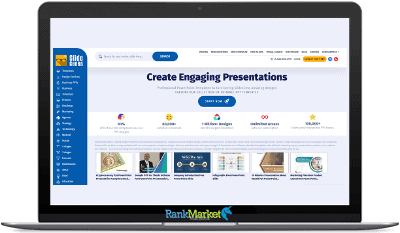
Slidesgo: Free Google Slides and PowerPoint templates to boost your presentations Get ready to wow your audience! Infinite possibilities to impress everyone with your presentations
| Deliver | Slidesgo |
|---|---|
| Access | Shared |
| Type | Premium Slide Library |
| Plan | Commercial |
| Details | GB Salespage |
Slidesgo - Overview
Creating professional presentations shouldn't be overly complicated, requiring expensive design, formatting, and software purchases. In this article, I'll delve into a review of Slidesgo, an online presentation creation tool designed specifically for students, teachers, professionals, and teams to create visually stunning slides with pre-made templates and AI-powered features in just minutes. With thousands of editable designs, intelligent automation, and full integration with Google Slides, PowerPoint, and Canva, it's the easiest way to make your presentations more professional, faster, and easier than ever before.
What is Slidesgo?

Slidesgo is a free website with a vast array of presentation templates to help you develop all the most important topics in your classrooms. Instead of a blank slide, users can choose from over 1,000 templates and easily create impressive slides without spending a lot of time and effort. Because the platform supports PowerPoint, Google Slides, and Canva, it's very versatile for students, teachers, professionals, and teams. Slidesgo offers many categories such as business, education, marketing, startups, and creative projects so users can find designs that suit their topic and audience.
In addition to templates, Slidesgo also provides AI-based tools in the form of an AI presentation builder, lesson plan builder, and quiz builder. These are very powerful, which is great because they help you automate part of the work and minimize your design needs. With a Premium subscription, users gain access to over 15,000 ad-free templates and resources; collaboration features built for teams and presentations without attribution.
Key features of Slidesgo
- Extensive template library: Each template is beautifully designed and created to present ideas without distractions by creating something new. Templates are supported by all platforms including PowerPoint, Google Slides, and Canva.
- AI presentation generator: The AI presentation generator creates entire page designs simply by entering a topic or brief description. Slidesgo's AI will automatically suggest ideas for layout, slide structure, and specific styles, like a virtual presentation assistant. This is great for anyone who just wants some quick slide ideas, or those who struggle with design.
- AI PDF to PPT converter: Slidesgo's free online service allows you to convert any PDF file into an editable PowerPoint presentation. This makes reusing old reports, research papers, or presentations very convenient instead of having to retype them from scratch. Preparation is done much faster, and content can be easily reused.
- Free Slideshow Maker: The free slideshow maker allows users to view a large number of free templates. It's perfect for students, teachers, or anyone who needs to create presentations quickly on a limited budget. Free users can still create beautiful slides and can always upgrade later if they need advanced features.
- Full Customization & Cross-Platform Compatibility: Each of these themes, like all other Slidesgo templates, is fully editable. Because the templates work smoothly in Google Slides, PowerPoint, and Canva, you can easily practice in one place and then transfer the final design to another without losing elements.
- Educational materials for teachers: Slidesgo offers a wide variety of templates specifically designed for educators. Other free resources for this book include PowerPoint slides, classroom activities, and worksheets that help teachers spend less time preparing lessons and more time interacting with students.
- AI Lesson Plan Maker: If you need to plan, the AI Lesson Plan Maker guides teachers in creating lesson plans by inputting the topic and grade level. This tool generates goals, activities, and learning outcomes so educators can save time planning while focusing on lesson quality.
- Infographic Templates: Slidesgo has a range of infographic templates that make presenting complex data and concepts easier. These templates are great for visual storytelling, helping you illustrate statistics, processes, and comparisons more clearly and engagingly.
- AI-powered quiz generator: This AI-powered quiz generator extracts questions from lessons, files, and reading materials to automatically create quizzes. Teachers and educators can create self-assessment quizzes for students to practice key areas of science.
- AI-powered warm-up activity generator: This AI-powered warm-up activity generator creates engaging warm-up activities for classes, meetings, and workshops. This feature is designed to create excitement and encourage engagement at the beginning of lessons.
- AI-powered end-of-lesson quiz generator: Use the AI-powered end-of-lesson quiz generator to quickly create short quizzes to assess students' understanding after each lesson. By inputting key concepts, teachers will receive pre-written questions to help quickly assess what students have actually learned.
Why you should use Slidesgo?
- Lots of templates for every use case: Slidesgo offers numerous templates for everything from education and business to marketing and creative projects. With both design and writing skills, no matter the topic or subject, you'll find the perfect style to suit your needs.
- Graphics are integrated into every template: Templates come with professionally designed images, icons, diagrams, charts, and visual elements to help you create better presentations.
- Easy customization without design skills: All templates are fully editable in Google Slides, PowerPoint, and Canva. You can easily change colors, fonts, layouts, and add your own images.
- Significant time savings: So you don't need to start from scratch with Slidesgo. Users can create professional presentations in much less time with pre-designed templates and AI-generated content.
- Efficient search and filtering system: Slidesgo templates can be searched by theme, style, color, or purpose, so you can find exactly what suits you without wasting time on tedious setup or complicated registration.
- Comprehensive Infographics and Maps: You'll find many infographic and map templates for these purposes on Slidesgo, making it easy to explain complex information or present data more clearly. A more visual presentation.
- Integrated Animations and Content Guides: Several pre-made animations and short topic introductions are included in many templates to provide visual movement and offer suggestions to users ready to write text.
The Upgrade/OTO details
Free Plan – $0
- Basic access for personal or trial use.
- Access to a limited selection of free presentation templates
- Compatible with Google Slides and PowerPoint
- Basic customization options (colors, text, layouts)
- Includes attribution requirement to Slidesgo
- Limited downloads per month
- Access to selected educational templates
- No premium assets or AI tools
- Ads displayed within the platform
Premium Individual – $2/month (billed yearly at $8/year)
- Unlimited creativity for solo users.
- Access to 15,000+ premium, ad-free templates and assets
- Up to 150 downloads per month (security limit)
- No attribution required on presentations
- Full access to AI tools (AI Presentation Maker, quizzes, lesson plans, etc.)
- Online editor access for faster customization
- Priority support and favorite templates list
- Slidesclass ready-to-use lessons in multiple languages
- FERPA & minor-safe data protection compliance
Premium Team – Custom Pricing
- Built for teams, schools, and organizations.
- All Premium Individual features included
- Team access with shared templates and assets
- Add, remove, or reassign users anytime
- Centralized license management
- No attribution required for any team member
- Priority support for team accounts
- Suitable for education institutions and businesses
Enterprise / Large Teams – Custom Quote
- For large organizations with advanced needs.
- Supports up to 1,000 users
- Custom licensing and usage terms
- Full access to all premium assets and AI tools
- Dedicated account management
- Advanced team and permission controls
- Custom compliance and data protection support
- Priority onboarding and technical assistance
- Tailored pricing based on organization size
Advantages
- Easy-to-use templates: Focusing on ease of use, the templates are easy to understand and edit even for users without graphic design experience. The intuitive layout allows you to focus on content rather than style.
- AI tools speed up the presentation creation process: Slide creation productivity has been significantly improved thanks to AI-powered tools such as AI Presentation Maker, Quiz Generator, and Lesson Plan Generator. These tools support the creative process, allowing you to generate ideas, write content, and design slides faster than doing it manually.
- Supported by the Freepik design ecosystem: As part of the larger Freepik ecosystem, Slidesgo boasts a massive database of high-quality images, icons, illustrations, and visual content. This raises the standard for how a presentation is designed.
- The free plan is for basic needs only: Slidesgo's free plan is quite good and offers many templates, so we recommend it for students, teachers, or users who only need basic presentations without advanced features.
- Advantages of Slidesgo: No more starting with a blank slide: intuitive templates and attractive structures help you elevate your presentation in minutes.
Disadvantages
- Limited downloads in the free plan: The free version limits the number of downloads and often requires attribution, which may not be suitable for professional or commercial purposes.
- Advanced features require a subscription: Advanced AI tools, ad-free templates and premium resources, group features: All are exclusive to the paid plan (which may not be flexible enough to attract the average user).
- Not all AI tools work perfectly: While useful, AI-generated slides, quizzes, or lesson plans may require manual adjustments to ensure information accuracy or to match the intended tone and relevance.
- The huge template library can be a bit overwhelming at first: With so many templates to choose from, users may not find the right one right away without spending extra time searching or adding filters.
Who is it for?
- Students and Learners: Slidesgo is perfect for students who need presentation templates or those who don't want to spend too much time on design and need a visually appealing interface. The ready-made templates and AI tools help students focus on content and research without needing professional slides.
- Teachers and Educators: Teachers benefit greatly from Slidesgo's lecture templates, infographics, AI-powered lesson plan creation tools, quiz creation tools, and end-of-lesson assessment tools. All of these save time and effort in lesson preparation, not to mention delivering more engaging, interactive, and visually structured lessons for students.
- Business Professionals and Enterprise Users: Slidesgo is a great option for professionals who frequently present reports, proposals, presentations, or internal reviews. Business-oriented templates and graphics help create clear, stable, and professional presentations in minutes with these customizable templates and infographics.
- Marketers and Content Creators: Now, with Slidesgo, marketers can quickly complete presentations, lead generation materials, webinars, or content sets. Powerful images, icons, and layouts help capture attention and convey marketing information with ease.
- Teams and Organizations: If you're a company and your teams are working on presentations simultaneously, Slidesgo is the perfect companion. Premium packages include shared access, brand consistency, and ad-free use, perfect for startups, agencies, and businesses.
- Non-Design Professionals Needing Quick Results: For those with little or no design experience, Slidesgo is a particularly useful tool. The available templates and AI functionality eliminate the complex learning process, making it easy for anyone to create stunning presentations in seconds.
What You Get (Compared to Buying at RankMarket)
- Private access to the best offers and official packages: When you purchase Slidesgo through our website, you'll have access to official subscription packages, verified plans, and the most up-to-date pricing. You don't need to worry about outdated, unofficial sources.
- Exclusive offers and added value: Purchases on our website often come with special offers, such as tutorials, usage tips, resource guides, or additional gifts that will help you enjoy your Slidesgo subscription even more!
- Step-by-step setup and usage support: We provide easy-to-understand instructions on how to activate your Slidesgo account, so we'll discuss advanced features and AI tools step-by-step, helpful if you're a beginner.
- Reliable recommendations and honest guidance: We base our reviews on actual usage and experience, not just slideshows, so you'll know which Slidesgo plan (if available) is right for you and won't overpay or choose the wrong one.
- Safer shopping experience: Purchasing through our website ensures a secure payment process, clear terms and conditions, and refund/support instructions, minimizing risks and confusion.
FAQs
- Is Slidesgo free?
Yes, Slidesgo has a free plan that gives you access to some templates. However, free users need to credit the source and have fewer downloads. The advanced packages remove the attribution requirement and give you access to AI resources and tools. - What other platforms can Slidesgo templates be used on?
Slidesgo templates are adaptable to all screen sizes and can be used on Google Slides, Microsoft PowerPoint, and even Canva. - Are Slidesgo available for teachers to use in the classroom?
Yes. Slidesgo is equipped with lesson templates, infographics, quizzes, and AI-powered lesson plan creation tools, so it's especially useful for educators. - Are Slidesgo templates fully customizable?
All templates are fully editable. You can customize colors, fonts, layouts, icons, images, charts, and even create animations in your own style. - Do I need design experience to use Slidesgo?
No! Slidesgo is designed for non-design professionals. Templates and AI tools handle the design structure so users can focus on the content. - Does Slidesgo support team collaboration?
Yes. If you need a package that fits your team, with shared access and consistent branding, the Premium package is the choice for you.
Conclusion
Slidesgo eliminates the main obstacles to creating great-quality presentations: time, effort, and design skills. Using powerful AI technology and thousands of professional design templates, Slidesgo allows anyone to create clear, engaging, and visually impressive slides in minutes. Whether you're a student, teacher, marketing professional, or business expert, Slidesgo provides a minimalist and practical slide set for easily presenting information. If you want a faster workflow, better visuals, and stress-free presentations, Slidesgo is the tool you should use and upgrade to.
| Time | 1 Month, 1 Year |
|---|
Some Questions Before Join US
Group buying, also known as collective buying, offers products and services at significantly reduced prices on the condition that a minimum number of buyers would make the purchase.
- First, we will list product Here as people request & Collect Money From other peoples.
- Sec, Once enough moneys from customer, we will buy products From Developer.
- Then, we deliver to all Joiners.
- You can join directly by Purchase at our site and Reach Support about that to confirm.
- You can join via our Community : https://bit.ly/RMKDiscord
- How to Buy
We have 2 Product Status
- Instant-Deliver : Avaible and Deliver within 24-48hs (not on Sat-Sun, Holiday)
- Group Buy/Pre-Order : Not avaible, Still collect more people to join, need to wait.
OTO mean that One-Time-Offer/Upsell/Upgrade of Product For limited time only
Cancelled mean that order is not pay/process within 24hs. Please reach us with Order ID to check.
You will get Products by Download via Email .Once you finish payment to us and get confirm. You will get download Links inside your Account
- SAAS : You will get Individual account via Mail or On your Order List
- Shared Tool : via our chrome (WIN/MAC/Linux)
- WP : We will active key for your site.
- Course/Book/GraphicKit : Download link will send via mail or On your Order List.
- ETA Time : Fast maybe 3-4 days or 1 Week , Always be 3-4 Weeks or some times as Member Request it can be up to 3 Months to Group Buy WIN.
- GB Fail : You will get refund or exchange other.
– If Products problem, Capture screenshot/Video to us. We will forward to developer to fix it.
– If impossible sloved, we will exchange to other product. With Annual Product, we will refund or exchange by subtract times that you used.
– If used product for 1 or few years then not work. we will try to contact developer to fix it. But if some bad Vendors keep money and run, we just can give you some discount for future orders.
Warranty Time :
- Monthly Product : 30 days
- Annual/One Time Product : 1 year.
Our Store Credit mean credit can use to redeem on Your orders. 25 Credit = 1$.
Earn by some way :
- Place Orders. Each 1$ spend you will earn 1$
- Exchange some not work/not-fullfill orders by your agreed.
- By Reffer Your Friends to buy at our store.
How to redeem
- At Checkout page have redeem button to use it. Maxium is 250/orders.
- If you need redeem more. Reach our Support
We support only via 2 channel :
- Email : [email protected]
- Messenger : m.me/rankmarkenet (Live chat on Site)
TIme : From 9AM - 6PM Monday - Friday (GTM+8).
All Order/Ticket on Sat-Sun/Holiday will be supported on next Monday.
WE ARE TRY TO WORK HARD AND SUPPORT ALL PEOPLE BUT WE CAN NOT MAKE ALL HAPPY 100%
Thanks For You are here and belive US for longtime.
While working,we meet someone like & we will not support :
– People buy 1 but want to exchange to 10 Products.
– People who steal our products then ask refund.
– People fake payment to get our products.
– People always ask refund,can not wait for waiting product. Dont Pay. Wasted our Time.
Best Regards
David Green – RankMarket
Related products

Resources
Resources
Resources
Resources