

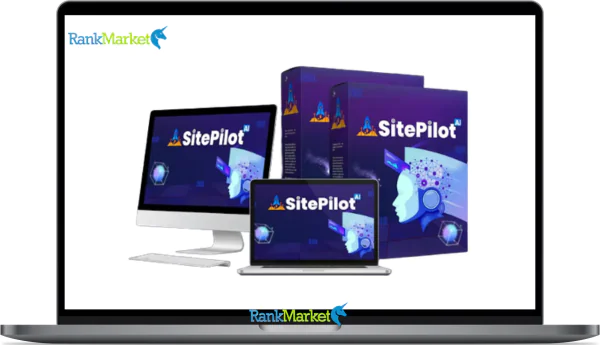
Buy SitePilot AI + OTOs full account + Bonus
$15.00
SitePilot AI is an AI-powered web platform that lets users build and manage websites through simple chat-based commands without coding.
| Deliver | SitePilot AI + OTOs |
|---|---|
| Access | Shared |
| Type | AI web platform |
| Plan | FE + OTOs |
| Details | GB Details |
SitePilot AI is a 4-in-1 hybrid AI platform that combines web hosting, cloud storage, video hosting, and AI automation into a single, no-code environment. That single sentence tells you more than most product pages will, and that's exactly the point of this guide.
This is not a sales page. It's an in-depth breakdown for anyone trying to understand what SitePilot AI actually is, how it works under the hood, who it serves, and how it stacks up against traditional website builders and AI chatbots.
The brand behind it brings over 10 years of experience in software, tools, and technology, a track record that matters when you're trusting a platform with your web infrastructure. To understand what separates SitePilot AI from everything else you've tried, we need to start with a clear definition.
Imagine explaining your website tasks in plain English and watching the site build itself in a live preview. That's the premise. Here's how it actually works.
What Is SitePilot AI?

SitePilot AI is a chat-based, AI-powered web platform. Users describe what they want in plain English, and the AI executes those tasks, building pages, updating content, managing media, without requiring a single line of code.
It's more accurate to call it an AI-powered website operating system than a website builder. The “builder” label is too narrow. SitePilot AI handles automation, knowledge management, and web infrastructure as one connected system.
Here are its four core components at a glance:
- No-code / low-code interface, task execution through natural language
- AI-driven automation, workflows that execute on command
- Built-in hosting and infrastructure, no third-party hosting required
- Real-time live preview, see changes before publishing
|
Tool Type |
Primary Purpose |
Hosting Included? |
Automation Depth |
|
SitePilot AI |
AI web platform + automation |
Yes |
High (executes tasks) |
|
Generic AI chatbot |
Conversation only |
No |
None (no execution) |
|
Classic builder |
Manual page building |
Sometimes |
Low (manual flows) |
This distinction anchors everything else in this guide. SitePilot AI isn't competing with Wix or ChatGPT, it occupies a different category entirely. Understanding that sets the stage for understanding who actually benefits from using it.
Core Features of SitePilot AI: The 4-in-1 Platform Breakdown
AI-Powered Website Builder and Assistant
The website builder in SitePilot AI isn't a drag-and-drop editor, it's a conversation. You type what you want, and the AI builds it in a live preview you can review before it goes live.
The AI can generate page layouts from scratch, draft body copy, suggest SEO-friendly headings, and wire up internal navigation links. If you want to rewrite a landing page for a different audience, you ask. If you need a new section added mid-page, you describe it.
Concrete capabilities include:
- Creating new pages and page sections on request
- Updating existing content without opening a page editor
- Improving readability and heading structure for SEO
- Rewriting copy for different audiences or reading levels
- Adjusting tone and voice to match brand guidelines
- Localizing or adapting content for regional markets
All of these tasks feed into the integrated infrastructure below, the pages you build live directly on SitePilot's hosting layer, with no export step required.
Integrated Web Hosting
One of the practical advantages of SitePilot AI is that hosting comes built in. There's no need to purchase a hosting plan from a separate provider, configure DNS settings, or manage server resources independently.
This matters more than it sounds. When your hosting and AI automation live in the same system, every change the AI makes is immediately reflected in the live environment. There's no sync issue, no plugin conflict, and no version mismatch between your CMS and your server.
|
Aspect |
SitePilot AI Hosting |
Generic Shared Hosting |
|
Setup complexity |
Low (Included) |
Medium to high (Manual) |
|
Plugin requirements |
None |
Often required |
|
Automation readiness |
Native |
Not designed for it |
|
Maintenance burden |
Platform-managed |
User-managed |
The integrated hosting layer is what makes real-time AI execution possible. It also sets the stage for the next component: where your content and media actually live.
Cloud Storage for Content and Media
Every page, document, image, and file you work with in SitePilot AI is stored in a centralized cloud hub. This isn't just file storage, it's the AI's working knowledge base.
When you update a document, the AI's understanding of that content updates with it. That synchronization means the AI can pull accurate information when generating or updating pages, keeping everything consistent across your site. The cloud storage layer also supports versioning, so you can track what changed, when, and why, and roll back if needed.
The benefits are operational. Multiple pages referencing the same content stay aligned. Updates don't require manual page-by-page edits. And your media library stays organized alongside the content it supports.
Video Hosting and Video-Aware Automation
SitePilot AI includes video hosting, a feature most website platforms push users to solve with third-party embeds. Marketing videos, product walkthroughs, tutorial recordings, and course content can all live within the platform.
Beyond storage, the AI can work with video metadata and transcripts as knowledge sources. That means a recorded FAQ session or product demo can inform how the AI answers user questions or generates support content. Videos can also be embedded intelligently into pages based on relevance, rather than placed manually.
This capability is particularly useful for training programs, customer support hubs, and educational content libraries, anywhere video and text need to work together.
Pricing Plans and OTOs detailed
FE – SitePilot AI ($15 – $67)
- AI-first website builder with customizable design
- Built-in hosting, domain connection, and setup tools
- Drag-and-drop editor with no coding required
- AI copywriter for content, headlines, and blogs
- ChatGPT-style assistant for real-time guidance
- SEO optimization with meta tags and structure
- E-commerce support for products and payments
- Analytics dashboard for traffic and performance
OTO 1 – Pro Edition ($47 – $97)
- Unlimited projects with no restrictions
- 50+ AI content creation tools for websites
- DFY templates for multiple business niches
- Advanced analytics dashboard for deeper insights
- Built-in SEO tools for better ranking
- Unlimited commercial license for client work
OTO 2 – DFY Article Edition ($37)
- Access 1000+ high-quality ready-made articles
- Content across 7+ niches for versatility
- SEO-optimized and plagiarism-free content
- Regular updates with fresh articles
- License to use for blogs, websites, and campaigns
OTO 3 – Agency Edition ($67 – $167)
- Create and manage multiple client accounts
- Agency dashboard for full control
- Custom branding and domain setup
- Built-in CRM for client management
- Sell website services and keep full profits
- Scale into a full web design agency
OTO 4 – Traffic Edition ($37)
- Built-in traffic automation tools
- SEO and keyword optimization system
- Social media traffic integration
- Drive targeted visitors to your sites
- Improve rankings and visibility
- Increase leads and conversions
OTO 5 – AI Made Easy Edition ($19)
- Beginner-friendly AI training modules
- Step-by-step lessons for online income
- Copywriting and marketing guides
- Real-world case studies and strategies
- Content creation frameworks
- Ideal for users new to AI tools
OTO 6 – Reseller Edition ($97 – $197)
- Resell SitePilot AI and keep 100% profits
- Done-for-you sales funnel included
- No need for product creation or support
- Launch your own software business quickly
- Earn from full funnel commissions
- Simple setup for fast monetization
OTO 7 – Whitelabel Edition ($497)
- Rebrand platform with your own logo and domain
- Sell as your own SaaS product
- Full control over pricing and users
- Keep 100% of all revenue
- Done-for-you setup and deployment
- Build a long-term scalable software business
Who Is SitePilot AI For and What Problems Does It Solve?
The platform is built for teams and business owners who spend too much time managing their website, and not enough time running their business.
The ideal users fall into four broad groups. First, small business owners who don't have a development team and can't afford to wait weeks for simple page updates. Second, marketing teams and agencies juggling multiple client sites at once. Third, knowledge-heavy businesses, consultants, SaaS companies, online educators, who need their website to reflect their content in real time. Fourth, operations teams looking to consolidate their tool stack: no more separate CMS, hosting panel, video platform, and automation software.
The problems SitePilot AI addresses are ones most website owners recognize immediately:
- A fragmented tool stack where hosting, CMS, automation, and analytics all live in different dashboards
- Over-reliance on developers for changes that should take minutes, not days
- Slow, manual publishing workflows that create content bottlenecks
- Inconsistent customer experience across pages, FAQs, and support resources
Here's what that looks like in practice. An ecommerce founder wants to publish a product comparison page and update the top navigation to reflect it. With a traditional setup, that involves a developer, a CMS login, and at least a few back-and-forth revisions. With SitePilot AI, they type that request in plain English, review the live preview, and approve. Done.
A marketing consultant managing five client websites can set up task labels for each site and batch-update FAQ sections across all of them in a single session, without touching a single plugin or template.
Comparing SitePilot AI with Other Tools and Approaches
Most people evaluating SitePilot AI are coming from one of two directions: they're either using a traditional website builder and wondering if AI can speed things up, or they're already using an AI chatbot and wondering if there's a version that actually does things.
SitePilot AI vs. Traditional Website Builders
Traditional website builders, WordPress, Wix, Squarespace, give you control over design and content through manual editing. That works well when changes are infrequent. When your site needs to keep pace with frequent updates, it starts to show its limits.
|
Aspect |
SitePilot AI |
Traditional Builder |
|
Setup complexity |
Low (Natural language) |
Medium to high (Templates) |
|
Hosting |
Built in |
Usually separate or add-on |
|
Automation depth |
High (Native execution) |
Low (Add-on tools) |
|
Maintenance burden |
Platform-managed |
User or dev-managed |
|
Dev dependency |
Minimal |
Moderate to high |
Traditional builders aren't wrong choices, they're just built for a different mode of working. If you want pixel-perfect manual control and have the team to maintain it, a traditional builder may still fit. If you want fewer decisions about infrastructure and more focus on output, SitePilot AI makes more sense.
SitePilot AI vs. Generic AI Chatbots
Generic AI assistants, ChatGPT, Claude, Gemini, are designed to respond to questions and generate text. What they cannot do is reach into your website, make a change, and publish it.
SitePilot AI closes that gap. The conversational interface looks similar from the outside, but the backend is fundamentally different. When you ask SitePilot AI to update your homepage headline, it connects to your site's actual content layer, makes the change, and shows it to you in a live preview. A generic chatbot gives you a suggestion you then have to implement yourself.
This section provides a strategic 30-day roadmap and quick-fire answers to the most common binary questions regarding SitePilot AI in 2026. I have updated the headings, applied bolding to key terms, and replaced all long hyphens with commas while maintaining the exact original content and length.
Getting Started with SitePilot AI: Setup and First 30 Days
The first 30 days with any AI platform tend to determine whether it becomes part of your workflow or collects digital dust. Here's a practical roadmap for getting SitePilot AI working in a way that's measurable and low-risk.
Step 1: Clarify your goals before you touch the platform. What do you actually want this to do? Common starting points include reducing the time it takes to publish new pages, centralizing FAQs so they stay accurate, or automating content updates across product sections. A clear objective shapes every configuration decision that follows.
Step 2: Connect or set up your website. SitePilot AI will scan your site structure, map navigation, and create a baseline snapshot. This is your starting point, the AI needs to understand what already exists before it can help you change it.
Step 3: Feed your initial knowledge base. Upload relevant documents, link existing content, and define your style and tone guidelines. The AI learns from what you give it. The more context you provide upfront, the more accurate its outputs will be.
Step 4: Define 5, 10 starter task labels. These are categories of work you want the AI to handle, things like “update FAQ section,” “add product page,” or “revise navigation links.” Start with tasks that are low-risk and high-frequency.
Step 5: Test everything in preview mode first. Every AI-driven change should go through a review step before it reaches production. This isn't a limitation, it's how you build trust in the system and catch anything that needs refinement.
Step 6: Enable production access for selected tasks. Once you've reviewed outputs and feel confident in specific task types, you can allow those to go live without manual approval. Start narrow. Expand as confidence grows.
Step 7: Review your analytics weekly. Check the automation log. Look at which pages changed, how they're performing, and where the AI is adding value. Use that data to identify the next set of tasks worth automating.
A few practical tips for the first month:
- Keep human approval enabled on every automation until you've reviewed at least 10 outputs from that task type
- Start with non-critical pages, an “About Us” section, not your homepage
- Document what's working so you can replicate the setup across other sites or team members
- Treat the first 30 days as a calibration period, not a full deployment
By the end of the first month, you'll have a working system, a cleaner content workflow, and a clear picture of where AI automation is genuinely saving you time.
Questions About SitePilot AI
Can I use SitePilot AI without any coding experience?
Yes. The entire interface operates through natural language. No HTML, CSS, or scripting knowledge is required at any point.
Does SitePilot AI replace my existing hosting provider?
Yes, if you move your site to SitePilot AI's infrastructure. The platform includes hosting, so a separate provider becomes redundant for sites managed within it.
Can SitePilot AI make changes without my approval?
Only if you explicitly enable production access for specific task types. By default, changes go to a preview state first. You decide what gets published and when.
Can I roll back AI-driven changes if something goes wrong? Yes. The platform maintains version history snapshots, so you can restore any page to a previous state. Think of it as an undo log with timestamps.
Can SitePilot AI work with my existing website?
Yes. The onboarding process includes a site scan that maps your current structure. You don't need to start from scratch, though some configurations will depend on your current setup.
Is my content used to train external AI models?
No. Your content stays within your instance. It's used to inform the AI's actions on your site, not shared with or contributed to any external training dataset.
Can multiple team members use the same SitePilot AI account?
Yes. The platform supports team access, which is vital for agencies and internal marketing teams managing shared workflows.
Does SitePilot AI support multilingual sites?
Yes. The AI can adapt and localize content across different languages, making it a strong fit for businesses operating in more than one market.
Do I need separate tools for video hosting?
No. Video hosting is one of the four built-in components. You don't need a separate Vimeo account or YouTube dependency for standard video use cases.
Can I export my content if I stop using SitePilot AI?
Yes. Your content and media are not locked to the platform. You retain ownership and can export what you need if you choose to migrate elsewhere.
Is SitePilot AI suitable for ecommerce sites?
Yes, with a note. It handles content-heavy ecommerce tasks well, product pages, comparison sections, FAQ updates. For complex transactional functionality, verify that your checkout infrastructure integrates with the platform.
Does SitePilot AI require ongoing technical maintenance from my side?
No. Platform maintenance, updates, and infrastructure management are handled on the provider's side. Your role is to direct the AI and review its output.
SitePilot AI occupies a category that didn't clearly exist before: an AI-powered web platform that doesn't just suggest — it acts. Whether you're evaluating it as a replacement for your current builder, a step beyond your AI chatbot, or a way to cut developer dependency on routine tasks, the criteria remain the same. If execution speed, tool consolidation, and natural language control matter to how you work, SitePilot AI is built for that mode of operation. If manual control and design flexibility are your priority, the traditional path still has its place. Knowing which you need is the most useful thing this guide can leave you with.
Some Questions Before Join US
Group buying, also known as collective buying, offers products and services at significantly reduced prices on the condition that a minimum number of buyers would make the purchase.
- First, we will list product Here as people request & Collect Money From other peoples.
- Sec, Once enough moneys from customer, we will buy products From Developer.
- Then, we deliver to all Joiners.
- You can join directly by Purchase at our site and Reach Support about that to confirm.
- You can join via our Community : https://bit.ly/RMKDiscord
- How to Buy
We have 2 Product Status
- Instant-Deliver : Avaible and Deliver within 24-48hs (not on Sat-Sun, Holiday)
- Group Buy/Pre-Order : Not avaible, Still collect more people to join, need to wait.
OTO mean that One-Time-Offer/Upsell/Upgrade of Product For limited time only
Cancelled mean that order is not pay/process within 24hs. Please reach us with Order ID to check.
You will get Products by Download via Email .Once you finish payment to us and get confirm. You will get download Links inside your Account
- SAAS : You will get Individual account via Mail or On your Order List
- Shared Tool : via our chrome (WIN/MAC/Linux)
- WP : We will active key for your site.
- Course/Book/GraphicKit : Download link will send via mail or On your Order List.
- ETA Time : Fast maybe 3-4 days or 1 Week , Always be 3-4 Weeks or some times as Member Request it can be up to 3 Months to Group Buy WIN.
- GB Fail : You will get refund or exchange other.
– If Products problem, Capture screenshot/Video to us. We will forward to developer to fix it.
– If impossible sloved, we will exchange to other product. With Annual Product, we will refund or exchange by subtract times that you used.
– If used product for 1 or few years then not work. we will try to contact developer to fix it. But if some bad Vendors keep money and run, we just can give you some discount for future orders.
Warranty Time :
- Monthly Product : 30 days
- Annual/One Time Product : 1 year.
Our Store Credit mean credit can use to redeem on Your orders. 25 Credit = 1$.
Earn by some way :
- Place Orders. Each 1$ spend you will earn 1$
- Exchange some not work/not-fullfill orders by your agreed.
- By Reffer Your Friends to buy at our store.
How to redeem
- At Checkout page have redeem button to use it. Maxium is 250/orders.
- If you need redeem more. Reach our Support
We support only via 2 channel :
- Email : [email protected]
- Messenger : m.me/rankmarkenet (Live chat on Site)
TIme : From 9AM - 6PM Monday - Friday (GTM+8).
All Order/Ticket on Sat-Sun/Holiday will be supported on next Monday.
WE ARE TRY TO WORK HARD AND SUPPORT ALL PEOPLE BUT WE CAN NOT MAKE ALL HAPPY 100%
Thanks For You are here and belive US for longtime.
While working,we meet someone like & we will not support :
– People buy 1 but want to exchange to 10 Products.
– People who steal our products then ask refund.
– People fake payment to get our products.
– People always ask refund,can not wait for waiting product. Dont Pay. Wasted our Time.
Best Regards
David Green – RankMarket
Related products



SAAS Tools

SAAS Tools

SAAS Tools

