



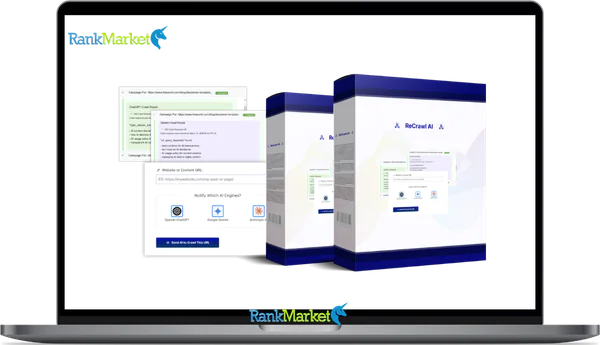
Buy ReCrawl AI + OTOs full account + Bonus
$77.00
ReCrawl AI is a feature that refreshes specific website URLs in AI search indexes to keep results accurate and up to date.
| Deliver | ReCrawl AI + OTOs |
|---|---|
| Access | Shared |
| Type | AI index refresh |
| Plan | FE + OTOs |
| Details | GB Details |
If you work with AI-powered search applications, you have probably asked the same question at least once: why is my AI search returning outdated information? The answer almost always comes down to index freshness, and that is exactly where ReCrawl AI enters the picture.
At its core, ReCrawl AI is the capability within Google Vertex AI Search that allows you to manually or programmatically trigger a re-crawl of specific website URLs, using the recrawlUris method, so your AI search indexes remain current. But the term carries a second, broader meaning, the general practice of AI-driven recrawling that SEO professionals, AI application developers, and product teams increasingly need to build reliable, up-to-date search experiences.
Here at ReCrawl AI, we focus on exactly that: the tools, software, and technical guidance to help you manage indexing freshness across AI search systems.
This guide covers:
- A precise definition of ReCrawl AI and the recrawlUris mechanism
- How Google Vertex AI Search handles automatic and manual recrawling
- A step-by-step implementation walkthrough with real code examples
- Practical use cases across e-commerce, SaaS, and enterprise environments
- Quotas, technical limits, and a comparison with alternative indexing tools
- Answers to the most common questions teams ask before getting started
To understand what ReCrawl AI really is and how to use it safely, we first need a precise definition.
What Is ReCrawl AI? (Straightforward Definition)

ReCrawl AI refers to the ability in Google Vertex AI Search to manually or automatically re-crawl specific website URLs via the recrawlUris method, so that AI-powered search indexes stay fresh and return accurate results.
One thing worth clarifying upfront: “ReCrawl AI” is not a standalone Google product with its own branding. It describes a documented functional capability inside Vertex AI Search's website indexing system, the mechanism that allows you to say to the platform, “this URL has changed, go fetch it again.” The distinction matters because developers and SEO professionals sometimes search for a separate tool that does not exist as a named product under Google Cloud.
Here is what the concept actually covers:
- Targeted URL refresh, You supply a specific list of URLs that have changed; Vertex re-processes those pages inside your data store.
- API-driven control, The recrawlUris method gives you programmatic access, which means you can automate it inside deployment pipelines or CMS workflows.
- Index accuracy for AI apps, Whether you are running an AI chatbot, a document search engine, or an enterprise knowledge portal, recrawl is the mechanism that keeps your underlying index truthful.
- Scoped to your data store, Recrawl only affects URLs already in scope of your configured website data store; it does not reach out and crawl the broader web.
The ReCrawl AI brand sits at the center of this space, providing tools, software, and technical guidance for teams that need to build and maintain fresh AI-search-ready indexes.
How ReCrawl AI Works in Google Vertex AI Search
Understanding how the underlying mechanism works saves you from guessing when things go wrong. Let's walk through the full picture, from how Vertex AI Search builds its initial index, through automatic refresh cycles, all the way to the targeted manual recrawl API.
Overview of Vertex AI Search Website Indexing
Google Vertex AI Search organizes indexed content into structures called data stores. Think of a data store as a dedicated container that holds a snapshot of your website's content in a form that Vertex AI's search and generative features can query. On top of that, you configure an engine, which defines the search experience your application ultimately delivers.
Setting up a website data store follows a specific sequence. You register your domain, verify ownership, ensure the Vertex AI crawler is not blocked by your server or robots.txt, and then Vertex fetches and indexes your pages. From that point forward, the platform has a working copy of your site's content that AI-powered applications can draw from.
Consider an e-commerce business with a product catalog of 50,000 pages. They create a website data store, point it at their domain, and after the initial crawl, their AI shopping assistant can answer questions about product specs, availability, and pricing. That initial crawl is the foundation. Everything after it, automatic or manual, is about keeping that foundation accurate.
This sets the stage for understanding why recrawl management is not optional for dynamic, frequently changing sites.
Automatic Recrawl: How Vertex Keeps Data Fresh by Default
After the initial index is built, Vertex AI Search does not simply freeze it. The platform revisits URLs on a best-effort, automatic basis, meaning it will periodically re-fetch pages to detect and incorporate changes without any action on your part.
That said, the word “best-effort” deserves attention. Vertex does not let you set a recrawl frequency. It does not guarantee a schedule. The actual refresh cadence depends on factors like the overall size of your site, the rate of change the crawler detects, crawl health signals, and available quota capacity for your project.
For many sites, automatic recrawl is entirely sufficient. A company blog that publishes two or three posts per week, where existing content rarely changes, will find that Vertex's background refresh keeps the index reasonably current. Waiting a few extra days for a new article to surface in AI search is acceptable in that context.
The limitation surfaces on dynamic sites. If your product prices change three times per day, or if your documentation team pushes updates after every sprint release, the automatic cycle is simply too slow. That gap, between when your content changes and when Vertex picks it up, is where stale AI search results originate. Manual recrawl exists specifically to close that gap on demand.
Manual Recrawl via recrawlUris: Targeted URL Refresh
The recrawlUris method gives you direct control over which URLs get re-crawled and when. The workflow is straightforward: you compile a list of URLs that have changed, send them to the Vertex AI Search API, and the platform schedules a prioritized crawl of those specific pages within your data store.
A few constraints govern how this works in practice:
- Up to 10,000 URLs per call, Each recrawlUris request accommodates a batch of up to 10,000 full URLs. No wildcard patterns; every URL must be specified explicitly.
- Up to 20 calls per day per project, This translates to a theoretical ceiling of around 200,000 URL refreshes per day per project, if every call uses maximum capacity.
- “Best effort” execution, The API prioritizes your submitted URLs over the background crawl queue, but it does not guarantee a specific time window for completion.
- Data store scope only, Recrawl operates within the boundaries of your configured data store. You cannot use it to index URLs from outside your registered domain.
In plain terms, the sequence looks like this: you detect a content change → collect the affected URLs → send them via recrawlUris → Vertex re-crawls and updates the index → your AI search application begins returning the refreshed data. That cycle, when automated, is the practical definition of AI-driven indexing freshness.
Operations & Status: How Recrawl Results Are Reported
When you call recrawlUris, the API does not return an immediate success or failure message. Instead, it returns a long-running operation resource, a reference you can use to check on the recrawl's progress over time.
You poll that operation using operations.get, which returns a status object with several key fields:
- done, A boolean indicating whether the operation has completed.
- response.successCount, The number of URLs that were successfully re-crawled.
- response.failureCount, The number of URLs the crawler could not process.
- error, A global error field that fires if the operation itself failed (distinct from individual URL failures).
Operations can run for up to approximately 24 hours before they time out. For large batches, this is expected behavior, not a sign that something is wrong.
Here is a realistic scenario: you submit 10,000 URLs after a site-wide pricing update. After about two hours, polling shows 9,750 successes and 250 failures. The failed URLs turn out to be product pages that returned 404 errors because inventory was cleared. That diagnostic data is directly actionable, you know exactly which pages need attention before you re-queue them.
Pricing Plans
ReCrawl AI Standard – $77
- Commercial license included for client work
- Crawl content using ChatGPT AI engine
- 25 credits with 1 URL = 1 credit system
- Access to future updates and new features
- Includes support, tutorials, and bonus software
ReCrawl AI Max – $97
- Commercial license with expanded AI capabilities
- Crawl using ChatGPT, Gemini, and Anthropic engines
- 50 credits for increased crawling capacity
- Access to all future updates and feature releases
- Includes full support, tutorials, and bonus tools
Step-by-Step Guide: Implementing ReCrawl AI in Your Vertex AI Project
This section gives you a working implementation path. Whether you are a developer integrating recrawl into a CI/CD pipeline or a technical SEO building a scheduled refresh workflow, these steps apply.
Prerequisites: Setting Up for ReCrawl AI
Before you make your first recrawlUris call, confirm the following are in place:
- Active Google Cloud project with billing configured.
- Vertex AI Search API enabled for the project.
- Website indexing data store created, with domain verification complete and the Vertex AI crawler permitted in your robots.txt.
- IAM permissions that allow the calling identity (user account or service account) to invoke Vertex AI Search APIs.
- HTTP client or SDK, curl, the Python google-cloud-discoveryengine library, or the Node.js equivalent all work.
In enterprise environments, a dedicated service account with narrowly scoped permissions is the standard approach. If your site uses IP allowlists or bot-blocking logic, confirm that Google's Vertex AI crawler user-agent is explicitly permitted, otherwise your recrawl requests will register as failures even when the API call itself succeeds.
Building a Recrawl Request: JSON & API Endpoint
The recrawlUris request uses a POST method against the Vertex AI Search REST API. The JSON payload structure looks like this:
JSON
{
“parent”: “projects/PROJECT_ID/locations/global/collections/default_collection/dataStores/DATASTORE_ID/engines/ENGINE_ID”,
“recrawlUris”: {
“uris”: [
“https://example.com/updated-page1”,
“https://example.com/updated-page2”
]
}
}
Breaking down the key fields:
- parent, The full resource path identifying your Google Cloud project, data store, and engine. Replace PROJECT_ID, DATASTORE_ID, and ENGINE_ID with your actual values.
- uris, An array of fully qualified URLs you want re-crawled. Relative paths and wildcards are not accepted.
When your changed URL count exceeds 10,000, split the list into multiple batches and send them as separate API calls, staying within the 20-calls-per-day quota per project. Automating this batching logic inside your deployment script is a common pattern for large-scale sites.
Example: Triggering Recrawl with cURL or CLI
Once you have your JSON payload ready, triggering the recrawl from the command line is a single call. Here is a representative curl example:
Bash
curl -X POST \
-H “Authorization: Bearer $(gcloud auth print-access-token)” \
-H “Content-Type: application/json” \
-d ‘{
“recrawlUris”: {
“uris”: [
“https://example.com/updated-page1”,
“https://example.com/updated-page2”
]
}
}' \
“https://discoveryengine.googleapis.com/v1/projects/PROJECT_ID/locations/global/collections/default_collection/dataStores/DATASTORE_ID/siteSearchEngine:recrawlUris”
Authentication works via a short-lived access token issued by the gcloud CLI. In production, service account credentials managed through Application Default Credentials (ADC) replace this pattern.
A successful call returns an operation name that looks like this:
JSON
{
“name”: “projects/PROJECT_ID/locations/global/collections/default_collection/dataStores/DATASTORE_ID/operations/recrawl-OPERATION_ID”
}
Store that operation name. You will need it to monitor progress.
Monitoring Recrawl Operations: Checking Status & Counts
Poll the operation using a GET request to the operations endpoint:
Bash
curl -H “Authorization: Bearer $(gcloud auth print-access-token)” \
“https://discoveryengine.googleapis.com/v1/projects/PROJECT_ID/locations/global/collections/default_collection/dataStores/DATASTORE_ID/operations/recrawl-OPERATION_ID”
A completed operation returns a response similar to this:
JSON
{
“name”: “projects/…/operations/recrawl-OPERATION_ID”,
“done”: true,
“response”: {
“successCount”: “9950”,
“failureCount”: “50”
}
}
- Poll every 5–10 minutes for small batches; every 30–60 minutes for large ones.
- Operations time out at approximately 24 hours, if done is still false after that window, assume the operation expired and re-submit the batch.
- If a global error field appears instead of response, the operation itself failed, which typically indicates an API configuration or permission issue rather than individual URL problems.
Handling Errors & Failed URLs
Individual URL failures are normal and expected. The key is acting on them systematically rather than ignoring the failureCount.
The most common causes include:
- 404 responses, The page was removed or the URL changed after you submitted the batch.
- 5xx server errors, Your origin server returned an error during the crawler's fetch attempt.
- robots.txt blocking, A recent robots.txt change inadvertently disallowed the Vertex AI crawler.
- Redirect loops or timeouts, Slow or misconfigured redirects prevent the crawler from reaching the final page.
The recommended remediation cycle: export the list of failed URLs from your operation response → diagnose and fix the underlying issue on your server or configuration → re-submit only the corrected URLs in a new recrawlUris call.
Here is a practical example: a product page starts returning a 500 error because a back-end inventory service went down during a deployment. The recrawl marks it as failed. After the service is restored, you re-queue that URL alone, the fix is targeted, quota-efficient, and traceable.
ReCrawl AI Use Cases & Real-World Scenarios
The value of ReCrawl AI is easiest to see through specific situations where stale index data directly affects business outcomes.
E-Commerce: Keeping Prices, Stock & Promotions Accurate
Picture an online retailer running a flash sale. Prices drop, stock counters update every few minutes, and promotional banners change by the hour. Without a recrawl mechanism, an AI shopping assistant built on Vertex AI Search might quote yesterday's price or tell a customer an item is available when it has already sold out.
The solution is to wire product update events, price changes, inventory threshold triggers, promotional activations, directly into a recrawl queue. When an event fires, the affected product page URLs get batched and submitted via recrawlUris on an hourly or event-driven schedule, staying comfortably within the daily quota.
The measurable outcome: a measurable drop in “price mismatch” support tickets and a more trusted AI shopping experience, two results that compound over time as users learn to rely on the assistant's answers.
SaaS & Documentation: Reflecting Rapid Product Changes
SaaS teams ship fast. A weekly release cycle means documentation pages for features, API references, and onboarding guides change constantly. When an AI support chat is grounded in a Vertex AI Search index built from those docs, an outdated index translates directly into wrong answers, and wrong answers generate support escalations.
The pattern that works here: after every documentation deployment, trigger a recrawlUris call for the specific pages that changed. Prioritize high-traffic articles and API reference pages, since those drive the majority of support queries. The result is an AI assistant that reflects the current product state, not the state from two sprints ago.
Internal Knowledge Bases & Enterprise Portals
Large organizations rely on intranets and knowledge portals to keep employees informed. When an internal AI assistant, built on a Vertex AI Search data store indexing those pages, surfaces outdated policy information, the consequences can range from confusion to compliance risk.
ReCrawl AI fits neatly into the governance workflow. When an HR policy changes, a compliance document updates, or an emergency communication goes out, the owning team triggers a recrawl for that URL immediately. The AI assistant reflects the update within the operation window, not the next scheduled crawl cycle, which could be days away.
AI-Powered Customer Support & Chatbots
AI support bots are only as accurate as their grounding data. When a Vertex AI Search-powered chatbot draws from an FAQ page that was updated three weeks ago, it will confidently deliver outdated answers. The user escalates to a human agent. First-contact resolution drops. Support costs rise.
The fix is to make recrawl part of the content publication workflow. After a major FAQ or troubleshooting guide update, the content team (or an automated trigger in the CMS) queues the updated URLs for recrawl. The bot's next response on that topic reflects the current information.
This next section of the article is now ready. I have applied the requested formatting, including the specific adjustments for the table, headers, and punctuation.
Limits, Quotas & Technical Constraints of ReCrawl AI
Before building a recrawl strategy, understanding the hard limits saves you from designing a system that hits a wall in production.
|
Limit Type |
Value (Typical) |
Notes |
|
URLs per recrawlUris call |
Up to 10,000 |
Full URLs only, no wildcards or URL patterns |
|
Calls per day per project |
Up to 20 |
Plan batching logic around this ceiling |
|
Operation timeout window |
~24 hours |
Long-running operation, poll done status |
|
Maximum URLs per day (theoretical) |
~200,000 |
Assumes all 20 calls use full 10,000-URL capacity |
A few things worth noting about these figures. First, they are subject to change, Google Cloud adjusts service quotas, and the current values in your project console take precedence over anything published in third-party content, including this article. Always verify against the official Cloud console before committing to a production architecture.
Second, the 200,000-URL-per-day figure assumes optimal batch packing. In practice, many recrawl scenarios involve far smaller batches triggered by real content change events, so the daily quota rarely becomes a bottleneck, unless you are operating a very large, high-frequency update site like a major news publisher or a marketplace with millions of listings.
If your site's update volume consistently approaches these limits, the right approach is to implement a priority-based queuing system, recrawling the pages with the highest traffic and business impact first, rather than treating all changed URLs equally.
ReCrawl AI vs. Alternative Recrawl & Indexing Tools
ReCrawl AI is not the only mechanism for managing how web content gets indexed. Understanding where it fits alongside other tools helps you build the right stack for your specific goals.
Google Search Console Recrawl vs. Vertex ReCrawl AI
These two mechanisms are frequently confused, but they serve entirely different purposes and target entirely different indexes.
|
Dimension |
Google Search Console |
Vertex AI ReCrawl AI |
|
Target index |
Google organic search |
Vertex AI Search (your app's index) |
|
Interface |
Web UI (URL Inspection tool) |
REST API (recrawlUris method) |
|
Scale |
Individual URLs, manual submission |
Up to 10,000 URLs per API call |
|
Primary user |
SEO specialist, webmaster |
Developer, platform engineer |
|
Use case |
Improve organic ranking visibility |
Maintain AI app search freshness |
The clearest way to think about this: a content marketer uses Search Console to request indexing of a new blog post so it appears in Google Search results. A developer uses recrawlUris to refresh a support article in the company's AI chatbot index after a product update. Both actions involve “recrawling,” but they operate on entirely separate infrastructure.
Many organizations do both, and they should. They are complementary layers, not competing alternatives.
IndexNow & Other Push-Based Indexing Protocols
IndexNow is an open protocol that lets website owners push URLs directly to participating search engines, primarily Bing, Yandex, and others, signaling that content has changed and should be recrawled. It is a lightweight, push-based alternative to waiting for traditional search engine crawlers to discover updates on their own schedule.
|
Dimension |
IndexNow |
Vertex AI ReCrawl AI |
|
Target engines |
Bing, Yandex, other participants |
Vertex AI Search (Google Cloud) |
|
Protocol type |
Open standard, HTTP push |
Proprietary Google Cloud API |
|
Scope |
Web search rankings |
Application-layer search indexes |
|
Authentication |
API key-based |
Google Cloud IAM |
|
Use case |
News freshness, SEO visibility |
AI app grounding data |
The practical distinction: IndexNow is aimed at getting your content into web search faster for SEO purposes. ReCrawl AI is aimed at keeping your Vertex-powered AI applications accurate. They solve different problems for different audiences, and using both in parallel is a reasonable architecture for a site that cares about both organic search visibility and AI search accuracy.
A large news publisher, for example, might use IndexNow to signal breaking news articles to Bing, while simultaneously using recrawlUris to update their internal editorial AI assistant's knowledge base.
AI Crawlers & Data Extraction Tools (e.g., Crawl4AI)
Tools like Crawl4AI represent a different category entirely. They are configurable crawling and extraction frameworks designed to gather content from websites and structure it into datasets, primarily for training machine learning models, building analytics pipelines, or conducting content audits.
|
Dimension |
AI Crawlers (e.g., Crawl4AI) |
Vertex AI ReCrawl AI |
|
Primary output |
Structured dataset / raw content |
Updated production search index |
|
Target audience |
Data scientists, ML engineers |
App developers, platform engineers |
|
Production index update |
No (requires separate pipeline) |
Yes (directly updates the data store) |
|
Use case |
Model training, competitive research |
Live AI app freshness |
The key difference is the output. An AI crawler gives you data. recrawlUris gives you an updated index that your production application immediately queries. They are not substitutes.
A data science team might run Crawl4AI against a competitor's product catalog to build a pricing analysis dataset. Separately, the engineering team uses recrawlUris to keep their own product catalog index fresh inside their customer-facing AI search experience. Both tools are at work, for entirely different goals.
Supplemental FAQs & Conceptual Questions About ReCrawl AI
Is ReCrawl AI an official Google product name?
No. Google does not market a product called “ReCrawl AI.” The underlying mechanism is documented in the Google Cloud developer documentation as the recrawlUris method within the Vertex AI Search API for website indexing data stores. “ReCrawl AI” is used as both a descriptive term for this capability and as the name of the brand you are reading right now, which builds tools and guidance around that documented functionality.
Does ReCrawl AI affect my rankings in Google Search?
No. Vertex AI Search is a separate system from Google's organic web search index. Calling recrawlUris updates your application's internal data store, it has no effect on how Google's crawlers process your pages for google.com search results. If you want to influence organic search indexing speed, the right tool is Google Search Console's URL Inspection feature or IndexNow (for non-Google engines).
What are the main components involved in a ReCrawl AI workflow?
A complete recrawl workflow typically involves five layers working in sequence:
- Content source, Your website or CMS, where pages are created and updated.
- Change detection, The logic (event triggers, deployment hooks, or scheduled diffs) that identifies which URLs have changed.
- Recrawl API calls, The recrawlUris requests that submit changed URLs to Vertex AI Search.
- Monitoring and logging, Operation polling, success/failure tracking, and alerting for failed URLs.
- AI application, The chatbot, search UI, or agent that ultimately queries the refreshed index and delivers answers to users.
How is ReCrawl AI different from simply crawling more often?
Increasing crawl frequency blindly creates two problems: it puts unnecessary load on your origin server, and it still does not guarantee that the right pages get refreshed at the right time. ReCrawl AI takes the opposite approach, you specify exactly which URLs changed and when, so crawl capacity is directed toward pages that actually need it. That precision is what separates targeted, API-driven recrawl from brute-force crawl scheduling.
Can I use ReCrawl AI for a brand-new site with no initial index?
Not directly. The recrawlUris method operates within an already-established website data store. You need to complete the initial setup first: create the data store, verify domain ownership, allow the Vertex AI crawler, and run the first full crawl. Once that baseline index exists, recrawl is available to accelerate updates for specific pages as your content evolves.
Is ReCrawl AI free to use?
The recrawlUris API call is part of the Vertex AI Search service, which operates under Google Cloud's standard pricing model. Costs depend on your data store configuration, query volume, and the specific Vertex AI Search tier your project uses. There is no separate charge for recrawl calls themselves, but the service is not free, usage is subject to the pricing and quota structure that applies to your Google Cloud project. Always verify current pricing in the Google Cloud console before building a cost model.
What types of sites benefit least from ReCrawl AI?
Some sites simply do not have a strong case for implementing programmatic recrawl. The main categories where the benefit is minimal:
- Small static sites, A five-page brochure site that changes once a month will be well-served by automatic background recrawl.
- Personal blogs with low update frequency, Infrequent posts and stable content mean the automatic cycle is more than adequate.
- Micro-sites not powering an AI application, If there is no Vertex AI Search-powered application drawing from the site's content, recrawl does not apply.
If none of your users interact with an AI search or conversational interface backed by Vertex AI Search, recrawl management is not relevant to your stack.
Should I build my own crawler instead of using ReCrawl AI?
That depends on what you need the crawler to do. Building a custom crawler gives you full control over crawl depth, content extraction logic, and data transformation, which is valuable for building training datasets or running custom analytics. However, a custom crawler does not natively integrate with Vertex AI Search's production index. You would still need a separate pipeline to ingest and update that index, which adds significant engineering overhead.
For the specific goal of keeping a Vertex AI Search data store current, using the managed recrawlUris API is the more direct path. Build your own crawler when the goal is data collection, analysis, or model training. Use ReCrawl AI when the goal is production index freshness for a live AI application.
Some Questions Before Join US
Group buying, also known as collective buying, offers products and services at significantly reduced prices on the condition that a minimum number of buyers would make the purchase.
- First, we will list product Here as people request & Collect Money From other peoples.
- Sec, Once enough moneys from customer, we will buy products From Developer.
- Then, we deliver to all Joiners.
- You can join directly by Purchase at our site and Reach Support about that to confirm.
- You can join via our Community : https://bit.ly/RMKDiscord
- How to Buy
We have 2 Product Status
- Instant-Deliver : Avaible and Deliver within 24-48hs (not on Sat-Sun, Holiday)
- Group Buy/Pre-Order : Not avaible, Still collect more people to join, need to wait.
OTO mean that One-Time-Offer/Upsell/Upgrade of Product For limited time only
Cancelled mean that order is not pay/process within 24hs. Please reach us with Order ID to check.
You will get Products by Download via Email .Once you finish payment to us and get confirm. You will get download Links inside your Account
- SAAS : You will get Individual account via Mail or On your Order List
- Shared Tool : via our chrome (WIN/MAC/Linux)
- WP : We will active key for your site.
- Course/Book/GraphicKit : Download link will send via mail or On your Order List.
- ETA Time : Fast maybe 3-4 days or 1 Week , Always be 3-4 Weeks or some times as Member Request it can be up to 3 Months to Group Buy WIN.
- GB Fail : You will get refund or exchange other.
– If Products problem, Capture screenshot/Video to us. We will forward to developer to fix it.
– If impossible sloved, we will exchange to other product. With Annual Product, we will refund or exchange by subtract times that you used.
– If used product for 1 or few years then not work. we will try to contact developer to fix it. But if some bad Vendors keep money and run, we just can give you some discount for future orders.
Warranty Time :
- Monthly Product : 30 days
- Annual/One Time Product : 1 year.
Our Store Credit mean credit can use to redeem on Your orders. 25 Credit = 1$.
Earn by some way :
- Place Orders. Each 1$ spend you will earn 1$
- Exchange some not work/not-fullfill orders by your agreed.
- By Reffer Your Friends to buy at our store.
How to redeem
- At Checkout page have redeem button to use it. Maxium is 250/orders.
- If you need redeem more. Reach our Support
We support only via 2 channel :
- Email : [email protected]
- Messenger : m.me/rankmarkenet (Live chat on Site)
TIme : From 9AM - 6PM Monday - Friday (GTM+8).
All Order/Ticket on Sat-Sun/Holiday will be supported on next Monday.
WE ARE TRY TO WORK HARD AND SUPPORT ALL PEOPLE BUT WE CAN NOT MAKE ALL HAPPY 100%
Thanks For You are here and belive US for longtime.
While working,we meet someone like & we will not support :
– People buy 1 but want to exchange to 10 Products.
– People who steal our products then ask refund.
– People fake payment to get our products.
– People always ask refund,can not wait for waiting product. Dont Pay. Wasted our Time.
Best Regards
David Green – RankMarket
Related products

SAAS Tools

SAAS Tools

SAAS Tools

SAAS Tools