


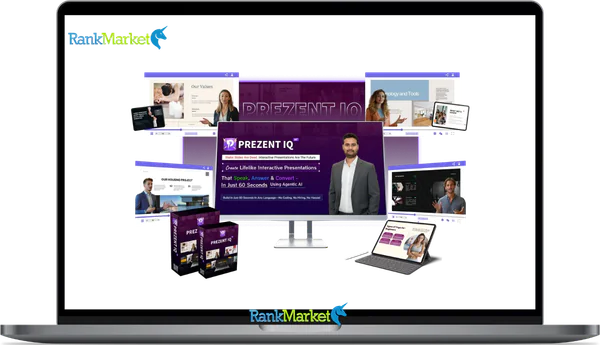
Buy Prezent IQ + OTOs full account + Bonus
$40.00
Prezent IQ is a browser-based platform that converts content into interactive AI-avatar presentations with voice narration and live chat.
| Deliver | Prezent IQ + OTOs |
|---|---|
| Access | Shared |
| Type | Video Tool -> AI Presentations Creator |
| Plan | FE + OTOs |
| Details | GB Details |
If you searched “Prezent IQ” and landed here, you probably want a straight answer: what exactly is this tool, what can it do, and is it worth your time and money?
Prezent IQ is a cloud, based AI presentation platform that converts text prompts, URLs, or PowerPoint files into interactive, talking presentations, the kind that can answer your viewers' questions, capture their contact details, and qualify them as leads, all without you being in the room. Think of it this way: instead of attaching a static PDF to an email, you send a link to a presentation that speaks, responds, and works 24/7.
This guide covers everything a marketer, sales professional, coach, consultant, agency, or freelancer needs to know before making a decision. That includes what Prezent IQ actually does, how each feature connects to a real business outcome, who gets the most from it, how the creation workflow looks step by step, and where the tool has real limitations. Pricing and specific features may shift over the course of 2026, so treat the numbers here as a reference point, always verify current terms on the official product page.
With over 10 years of experience in evaluating software, tools, and technology, the team behind Prezent IQ brings a track record that gives this platform a credible foundation. Whether that track record translates into tangible results for your specific situation is exactly what this guide will help you figure out.
First, let's define exactly what Prezent IQ is and what problem it was built to solve.
What Is Prezent IQ?

Prezent IQ is a browser, based AI presentation platform that turns your existing content, a web page URL, a written prompt, or an uploaded PowerPoint deck, into an interactive presentation driven by AI avatars, synthetic voice narration, and a live chat interface.
The core concept separates it from generic slide, building tools like Google Slides or Canva. Those tools produce static decks you have to present in person. Prezent IQ produces what you might call an AI sales agent: a shareable link where a photorealistic avatar delivers your message, answers visitor questions in real time, and records lead information, all without you needing to be present. A product manager at a SaaS company, for example, could paste their landing page URL into Prezent IQ and have a fully narrated, interactive product tour ready to share with prospects within minutes.
The platform comes with 2,000+ AI avatars, 1,500+ voices, and support for 150+ languages, making localization a practical option rather than a large production task. Real-time chat lets viewers ask questions mid-presentation and get answers drawn from the content you've loaded. Built-in CRM lead capture collects names, emails, and qualifying data. An analytics dashboard shows you exactly where viewers drop off or engage. A commercial license is included, which matters to agencies and freelancers who want to build and sell these presentations as a service.
No installation. No design background required. If you can write a prompt or paste a URL, you can produce a working AI-driven presentation.
To appreciate why this matters, it helps to look at what the traditional presentation process costs in time and what Prezent IQ replaces.
Core Features of Prezent IQ, And Why They Matter
1. 2000+ AI Avatars & 1500+ AI Voices
Prezent IQ gives you access to over 2,000 photorealistic avatars spanning different ages, professional styles, and demographic backgrounds. Paired with 1,500+ text, to, speech (TTS) voices across 150+ languages and regional accents, this means you can build a presentation that genuinely feels like a human is delivering it, without recording a single video.
Why this matters to your workflow: a global SaaS team can build one master deck and produce five language versions in an afternoon. Each version uses a culturally appropriate avatar and accent, giving prospects in different markets a localized experience instead of a translated subtitle scroll. The result is stronger attention retention and a presentation that doesn't feel foreign to the viewer. For solo operators and small teams, the avatar library eliminates the cost of hiring presenters or setting up a recording studio.
2. Real, Time AI Chatbot Inside Each Presentation
Each Prezent IQ presentation includes an embedded conversational AI layer. When a viewer watches and has a question, about pricing, integrations, delivery timelines, or anything else, they can ask it directly in the chat window. The AI pulls from the context of your loaded content and responds in real time.
This addresses one of the most persistent friction points in asynchronous sales: the viewer who watches a demo, gets curious about one specific detail, and then leaves because there's no one to answer them. The chat layer handles objection resolution, clarification, and even light qualification without scheduling a call.
3. Smart CRM Lead Capture & Qualification
Prezent IQ includes built, in lead forms that activate at set points in the presentation, at the start, mid, way through a key section, or at a call, to, action (CTA) slide. The form fields are configurable: name, email, company name, role, budget range, or custom questions.
The lead capture logic goes further than a passive form. You can set up qualification flows that segment leads based on their answers before the data ever reaches your CRM or email platform. This reduces the time your sales team spends on leads that don't match your buyer profile, and increases the data quality entering your pipeline.
4. AI Slide & Deck Generator (From Prompt, URL, or PPT)
The deck generation engine accepts three types of input, each useful in a different situation.
- Text Prompt: Works when you're building from scratch. Describe your goal, target audience, and the AI structures the slide sequence, drafts the script, and applies a theme.
- URL Import: Works when you already have a sales page, blog post, or landing page. The AI reads the content and identifies key messages.
- Uploaded PowerPoint/PDF: Works when you want to take an existing deck and add avatar narration, voice, and interactive chat on top of it.
The practical outcome is that a task that previously required a copywriter, a designer, and a recording session can now be completed by one person in under 30 minutes.
5. Engagement Analytics & Viewer Behavior Tracking
Prezent IQ tracks how individual viewers move through each presentation: which slides they watch, where they replay sections, how long they stay on each frame, whether they fill out the lead form, and at which point they leave.
This data tells you which part of your pitch is working and which part is losing the room. A pricing slide with a high drop, off rate is a signal to restructure or reframe that section. A viewer who replays the demo section three times is a warm lead worth a personal follow, up. The analytics layer converts viewer behavior into sales intelligence.
6. Branding Controls & Templates
Prezent IQ lets you upload your brand kit, logo, color palette, font choices, background images, and apply it across every presentation you build. Saved templates mean your team can work from a consistent starting point for recurring content types like product demos, onboarding decks, and webinar pitches.
The practical benefit is not just visual consistency, it's speed. A team member who joins next month can build a correctly branded deck without consulting a design document. For agencies managing multiple client accounts, separate brand kits keep each client's output distinct and professional.
7. Commercial Rights & White, Label Use
Prezent IQ includes a commercial license, which means you can create presentations for clients and charge for that service. This is the foundation of a service offering.
An agency can package “AI Presentation Services” as a line item on their retainer. A freelancer can position themselves as someone who turns client websites and brochures into interactive 24/7 sales tools. Potential vertical markets include real estate listing presentations, SaaS product demos, and course previews for online educators.
Price and OTOs detailed
Front-End: Prezent IQ ($37 one-time)
- AI-powered platform for creating presentations with avatars, slides, and visuals.
- Built-in CRM for capturing and managing leads from presentations.
- Commercial license included to create presentations for clients or businesses.
- Tools for generating AI slides, images, and interactive content.
- Lifetime access with a 30-day money-back guarantee and no monthly fees.
OTO 1: Prezent IQ Unlimited ($97)
- Remove all limits on AI presentations, workspaces, avatars, and voices.
- Generate unlimited slides, images, exports, chats, and QR codes.
- Capture up to 10,000 leads per month with expanded CRM capacity.
- Access support for 50+ languages for global presentations.
- Priority support and higher processing capacity for heavy users.
OTO 2: Prezent IQ Enterprise ($97)
- Create unlimited advanced presentations with custom AI agent goals.
- Central management hub for presentations, chats, and lead tracking.
- Integrated appointment booking, webinar tools, and surveys.
- Built-in analytics and sales boosters for higher conversion rates.
- Enterprise license to manage unlimited clients and projects.
OTO 3: Prezent IQ Automation ($97)
- Smart CRM automation with AI lead scoring and follow-up systems.
- Multi-channel inbox for managing customer conversations.
- Behavior-based triggers for automated marketing workflows.
- Integration with 2,000+ apps via automation platforms.
- Mobile access for managing leads and campaigns on the go.
OTO 4: Prezent IQ Agency ($77 for 100 Licenses / $97 Unlimited)
- White-label platform for creating AI presentation services for clients.
- Manage multiple client accounts and team members from one dashboard.
- Custom branding for dashboards and presentation portals.
- DFY agency kit including proposals, contracts, and sales scripts.
- Scalable system for selling AI presentation services.
OTO 5: Prezent IQ Done For You ($147)
- Expert team sets up and launches your AI presentation system.
- Custom AI avatar creation and voice cloning included.
- Full branding and configuration tailored to your business.
- CRM setup for capturing and managing leads automatically.
- Fast deployment with guided setup and support.
Who Is Prezent IQ For? (Use Cases & Return Scenarios)
1. Marketers & Demand Generation Teams
Marketers currently rely on static PDFs, live webinars, and landing page videos to move prospects through the funnel. Prezent IQ replaces or supplements all three with an always, on, interactive format that captures leads while delivering the message.
The most direct application is turning a product launch page into a guided, narrated presentation and linking it from paid ads or email campaigns. Visitors who land on a talking, interactive deck stay longer and submit more contact information than those who land on a text page. One user, reported case noted a 300% increase in leads from interactive decks compared to static PDF downloads, a result that reflects the engagement gap between a passive document and an experience that responds.
2. Sales Teams & SDRs
Sales development representatives (SDRs) send decks constantly. The challenge is that they have no visibility into what happens after the email is opened. A Prezent IQ link changes that. The analytics layer shows which slides the prospect watched, whether they re, engaged with the deck after forwarding it to a colleague, and what questions they asked the AI chat.
This turns a cold follow, up into a warm, data, backed conversation. “I saw you spent time on the integration slide, let me walk you through that in more detail” is a far stronger opening than “Just checking in.” High, intent viewers, those who replay sections or fill out the qualification form, surface as priority leads automatically, without requiring the SDR to guess.
3. Coaches, Consultants & Course Creators
Coaches and consultants spend a disproportionate amount of their time on 1:1 explanation calls, repeating the same discovery process for every new prospect. A Prezent IQ presentation built around a discovery or intake flow can replace or pre, screen that call, handling the common questions before the conversation starts.
A business coach, for example, could build a 5, slide “How We Work” presentation that explains their methodology, addresses typical objections, and ends with a calendar booking link embedded in the lead capture form. The presentation works while they're delivering a live session elsewhere. Course creators can use the format as a preview module, giving potential students an interactive sample lesson before purchase.
4. Agencies & Marketing Service Providers
For agencies, Prezent IQ opens a product line that didn't exist before: interactive AI presentation production. Client proposals, onboarding decks, quarterly reports, and ad campaign briefs can all be built as talking, branded presentations.
The white, label capability means the agency's name and the client's brand are front and center, Prezent IQ stays in the background. An agency charging even a modest flat fee per presentation project, with turnaround measured in hours rather than weeks, can generate recurring revenue with a low operational cost. Service pricing of $300 to $800 per presentation is common in the market; the tool cost becomes a small fraction of that.
5. Freelancers & Solo Creators
Freelancers can use Prezent IQ as the technical backbone of a positioning statement that's genuinely differentiated: “I'll turn your website or brochure into a 24/7 talking sales representative.” That's not a common offer in most local business markets, which creates a gap worth filling.
Real estate agents, restaurant owners, event organizers, and local service providers all have static content that sits on a website without doing active selling work. A freelancer who converts that content into an interactive presentation, with the client's logo, an AI avatar aligned to their brand tone, and a lead form at the end, delivers something measurable and repeatable. The upfront software cost is low relative to what the service can be priced at.
6. Internal Training, HR & L&D Teams
HR and Learning & Development (L&D) teams deal with a consistent challenge: getting employees to actually complete training modules and retain the information. A static PDF deck or a talking, head recorded video has limited engagement. A Prezent IQ presentation with embedded Q&A lets employees ask clarifying questions during the training itself, not three days later when they've already forgotten the context.
The analytics layer adds accountability. Managers can see which team members have completed onboarding modules, which slides they revisited, and where comprehension gaps might exist. This is particularly useful for compliance training, product update rollouts, and new hire onboarding across distributed teams.
How Prezent IQ Works Step, By, Step (From Prompt to Live Presentation)
A first, time user can realistically go from account access to a shareable link in under 10 minutes. Here's how the full process flows.
Step 1, Input Your Content (Prompt, URL, or PowerPoint)
Log into the Prezent IQ dashboard and choose your input method. If you're building from scratch, type a prompt that describes your goal and audience, for example, “Create a 6, slide pitch introducing a project management SaaS to operations directors at mid, sized companies.” The more specific the prompt, the tighter the output.
If you have existing content, paste the URL of a sales page or blog post and let the AI extract the key messaging. For existing slide assets, upload your PowerPoint or PDF file directly. The platform accepts standard formats and treats the uploaded content as the structural foundation for the AI narration and avatar layer.
Step 2, Let AI Generate the Structure & Slides
Once your input is submitted, the AI builds a slide sequence, outlining the key points, drafting the speaking text for each slide, and arranging the content in a logical order. This typically takes under two minutes.
The output is editable. If the first pass positions the product differently than you intended, or if a section runs too long, you can regenerate individual slides or edit the script text directly. Think of this step as getting a working draft, not a final product. Most users spend 5 to 10 minutes in this phase refining the AI, generated structure before moving to customization.
Step 3, Customize Avatar, Voice & Branding
With the slide structure in place, select the avatar that best fits your use case, a professional in business attire for B2B sales, or a more casual presenter for consumer, facing content. Choose the voice, language, and accent. If your audience is primarily Vietnamese, speaking, you select the corresponding language and voice profile.
Upload your brand kit: logo, primary and secondary colors, and any background imagery. Apply a saved template if you have one, or configure the brand elements manually. When this step is done, the presentation looks and sounds like it belongs to your organization, not to a generic AI tool.
Step 4, Turn On Chat, Lead Capture & CRM Integration
Activate the embedded chatbot by defining the scope of questions it should handle, typically anchored to the content of the presentation. This prevents the AI from drifting into topics outside your intended messaging.
Set up your lead capture form: decide which fields to collect (name, email, company, phone, budget, timeline), at what point in the presentation the form should appear, and what qualifying questions should gate the full content. Connect the form output to your CRM or email tool. This step requires no coding, most of the configuration is done through dropdowns and toggle switches in the platform interface.
Step 5, Publish, Share the Link & Track Results
Click publish. Prezent IQ generates a shareable URL and, if needed, an embed code for placing the presentation directly inside a landing page or email. Viewers access it through a standard browser on desktop or mobile, no login required on their end.
Open the analytics dashboard after your first wave of viewers has engaged. Look at slide, by, slide completion rates, total watch time, drop, off points, chat interactions, and lead form submissions. Use that data to identify one concrete change to the deck, whether it's rewriting the opening slide or moving the lead form to an earlier position.
Key Advantages (Where Prezent IQ Really Shines)
The strengths of Prezent IQ are grounded in specific workflow problems it removes, not in abstract claims.
- Speed from input to live presentation. A prompt, URL, or PowerPoint file becomes a narrated, interactive deck in under 30 minutes. This replaces a production cycle that typically runs two to five business days.
- Real interactivity, not passive video. The embedded chatbot gives viewers a way to engage mid, presentation and get answers without scheduling a call. This reduces the “I have a question but don't want to bother them” drop, off that kills lead conversion.
- Lead capture that qualifies, not just collects. The built, in forms capture structured data and can segment leads before they reach your pipeline. This produces better data quality and reduces time spent on unqualified follow, ups.
- 2,000+ avatars and 1,500+ voices across 150+ languages. The depth of the library makes localization achievable for small teams. A single campaign can produce five language versions without five separate recording sessions.
- Commercial license included. This is a non, trivial differentiator for agencies and freelancers. The ability to build and sell presentations as a service without additional licensing fees changes the economics of the tool.
- Browser, based access. No installation, no OS dependency. The platform works on modern browsers across desktop and laptop devices.
- Behavioral analytics. Viewer, level data on slide engagement, watch time, and chat history gives sales and marketing teams the kind of signal that used to require a live conversation to surface.
Drawbacks & Who Might Not Need It
- Prezent IQ depends on a stable internet connection for both creation and delivery. If your audience frequently operates in low, connectivity environments, or if your presentations need to run fully offline, this is a structural constraint that the platform doesn't address.
- Advanced customization, deep workflow automation, complex multi, step integrations, or highly specific white, label branding, may require higher, tier plan options or OTO (one, time offer) upgrades beyond the base access. Buyers should review exactly what's included at each level before assuming full feature parity.
- There's a learning curve for users who haven't worked with AI content tools before. The platform is simpler than building from scratch, but it still requires a session or two to get comfortable with the avatar selection, voice settings, and chatbot configuration. Teams expecting a completely zero, touch experience may need to adjust that expectation.
- Prezent IQ is also not a CRM, marketing automation platform, or project management tool. It integrates with those systems, but doesn't replace them. If your team already has a well, functioning content pipeline and a presentation process that works, the ROI from adding Prezent IQ depends on the volume of presentations you produce and the quality of leads you're currently generating from them.
One honest fitness test: if you present exclusively in live settings and never send decks for asynchronous viewing, the interactive and lead, capture features won't fire. The platform's value is in the moments when you're not present with the viewer. If those moments don't exist in your workflow, the return will be thin.
Is Prezent IQ Legit? Common Questions Answered
Is Prezent IQ a Legitimate AI Tool or Just Hype?
Yes, Prezent IQ is a real, cloud, based platform that launched in March 2026. It is developed by Dr. Amit Pareek and his team, who have a long standing track record in the digital marketing software space. It is not a “vaporware” product; it ships with a working admin dashboard, live AI avatars, and functional lead capture systems.
The vendor backs access with a 30, day money, back guarantee. While the platform uses “Agentic AI” technology to automate tasks, the actual commercial result depends on your strategy, the quality of your source content, and how you drive traffic to your presentation links. The tool is a functional infrastructure for asynchronous selling, not a “push, button” income generator.
Can I Import My Existing PowerPoint or PDF Slides?
Yes. Prezent IQ is specifically designed to bridge the gap between traditional and AI, powered presentations. You can upload your existing PowerPoint (.pptx) or PDF files directly. The AI then “reads” your slides to generate a corresponding narration script and assigns an AI avatar to present them.
One practical note: highly complex PowerPoint animations or proprietary fonts may not transfer with 100% visual fidelity. The platform prioritizes the content and interaction layer (the “talking” part) over replicating complex Microsoft Office transitions. It is best to treat your upload as a structural foundation that you can then polish inside the Prezent IQ editor.
Do Prezent IQ Presentations Work on Mobile Phones & Tablets?
Yes. Presentations are cloud, hosted and delivered via a standard URL or QR code. They are designed to be mobile, responsive, meaning your viewers on Android or iOS can watch the avatar, interact with the AI chat, and fill out lead forms without needing to download an app.
Because video rendering and chat interfaces can vary by device, we recommend a “Five, Minute Check” before launching a major campaign. Simply open your published link on a smartphone to ensure the CTA buttons and avatar placement look exactly how you intended for a mobile audience.
What Is the Refund Policy?
Prezent IQ currently offers a 30, day money, back guarantee. This allows you to test the avatar library, voice synthesis, and lead generation features risk, free.
To ensure a smooth process, always keep your purchase receipt from platforms like JVZoo or the official site. If the tool doesn't fit your workflow, contact their support team within the 30, day window. Be sure to check the final terms on the checkout page, as specific “bundle” or “discounted” offers may occasionally have unique terms.
What Kind of Support or Training Is Available?
The platform includes a step, by, step video training series accessible directly from the dashboard. This covers everything from URL, to, presentation conversion to setting up your CRM integrations.
For technical issues, the vendor provides a dedicated support desk (typically via email at [email protected] or through a ticketing portal). During the March 2026 launch phase, many users also receive a “Bonus Support” package that includes live chat or priority assistance, depending on the OTO (One, Time Offer) tier purchased.
Is My Data Safe in Prezent IQ?
Prezent IQ is a cloud, based SaaS, meaning your presentations and collected lead data are stored on the vendor’s secured servers. The platform is built with enterprise, grade security, including SSL encryption for data transmission and GDPR/CCPA compliant data handling policies.
If you are in a highly regulated industry like healthcare or finance, you can use the built, in CRM to track initial interest and then export that data to your primary, encrypted CRM (like HubSpot or Salesforce). Always review the privacy policy on the official site to ensure their storage protocols align with your organization's specific compliance requirements.
The central question was simple: is Prezent IQ right for you? The answer depends on one practical filter. Do you need to get a pitch or product explanation in front of people who aren't in the room with you, and do you want those people to be able to interact, get answers, and leave their contact details without you being involved in real time? If yes, Prezent IQ addresses that gap directly. For marketers, SDRs, coaches, agencies, and freelancers in 2026, this platform offers a structurally sound foundation to scale your digital presence.
Some Questions Before Join US
Group buying, also known as collective buying, offers products and services at significantly reduced prices on the condition that a minimum number of buyers would make the purchase.
- First, we will list product Here as people request & Collect Money From other peoples.
- Sec, Once enough moneys from customer, we will buy products From Developer.
- Then, we deliver to all Joiners.
- You can join directly by Purchase at our site and Reach Support about that to confirm.
- You can join via our Community : https://bit.ly/RMKDiscord
- How to Buy
We have 2 Product Status
- Instant-Deliver : Avaible and Deliver within 24-48hs (not on Sat-Sun, Holiday)
- Group Buy/Pre-Order : Not avaible, Still collect more people to join, need to wait.
OTO mean that One-Time-Offer/Upsell/Upgrade of Product For limited time only
Cancelled mean that order is not pay/process within 24hs. Please reach us with Order ID to check.
You will get Products by Download via Email .Once you finish payment to us and get confirm. You will get download Links inside your Account
- SAAS : You will get Individual account via Mail or On your Order List
- Shared Tool : via our chrome (WIN/MAC/Linux)
- WP : We will active key for your site.
- Course/Book/GraphicKit : Download link will send via mail or On your Order List.
- ETA Time : Fast maybe 3-4 days or 1 Week , Always be 3-4 Weeks or some times as Member Request it can be up to 3 Months to Group Buy WIN.
- GB Fail : You will get refund or exchange other.
– If Products problem, Capture screenshot/Video to us. We will forward to developer to fix it.
– If impossible sloved, we will exchange to other product. With Annual Product, we will refund or exchange by subtract times that you used.
– If used product for 1 or few years then not work. we will try to contact developer to fix it. But if some bad Vendors keep money and run, we just can give you some discount for future orders.
Warranty Time :
- Monthly Product : 30 days
- Annual/One Time Product : 1 year.
Our Store Credit mean credit can use to redeem on Your orders. 25 Credit = 1$.
Earn by some way :
- Place Orders. Each 1$ spend you will earn 1$
- Exchange some not work/not-fullfill orders by your agreed.
- By Reffer Your Friends to buy at our store.
How to redeem
- At Checkout page have redeem button to use it. Maxium is 250/orders.
- If you need redeem more. Reach our Support
We support only via 2 channel :
- Email : [email protected]
- Messenger : m.me/rankmarkenet (Live chat on Site)
TIme : From 9AM - 6PM Monday - Friday (GTM+8).
All Order/Ticket on Sat-Sun/Holiday will be supported on next Monday.
WE ARE TRY TO WORK HARD AND SUPPORT ALL PEOPLE BUT WE CAN NOT MAKE ALL HAPPY 100%
Thanks For You are here and belive US for longtime.
While working,we meet someone like & we will not support :
– People buy 1 but want to exchange to 10 Products.
– People who steal our products then ask refund.
– People fake payment to get our products.
– People always ask refund,can not wait for waiting product. Dont Pay. Wasted our Time.
Best Regards
David Green – RankMarket
Related products


SAAS Tools

SAAS Tools




SAAS Tools

SAAS Tools