

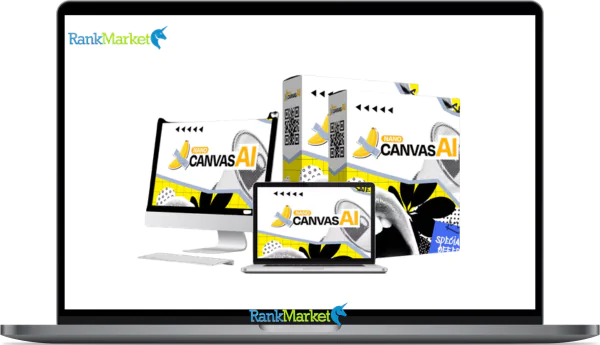
Buy NanoCanvas AI + OTOs full account + Bonus
$17.00
NanoCanvas AI is a cloud-based platform that generates and edits images using AI on an infinite canvas with no design skills required.
| Deliver | NanoCanvas AI + OTOs |
|---|---|
| Access | Shared |
| Type | AI image canvas |
| Plan | FE + OTOs |
| Details | GB Details |
AI image generation has moved well past the “just a novelty” stage. Today, it is a genuine production tool for creators, marketers, and side-hustlers who need original visuals on a tight schedule. NanoCanvas AI sits in that space as a cloud-based image generation and editing platform built around an infinite canvas, no software to install, no monthly bill piling up, and no design background required.
In this guide, you will learn exactly what NanoCanvas AI is, how its core engine works, which features matter most in day-to-day use, and how it stacks up against Midjourney, DALL·E, and Photoshop. If you are wondering whether NanoCanvas AI is worth your time and money, or just another overhyped tool, you will find a clear and grounded answer here. The structure runs from a plain-English definition, through a feature walkthrough and direct comparisons, all the way to setup guidance and a focused FAQ block.
In this guide, you will learn:
- What NanoCanvas AI is and who built it
- Which features are genuinely useful vs which are marketing language
- How it compares to the most common alternatives in 2025
- Exactly who should buy it, and who should not
- How to set up and run your first project
What Is NanoCanvas AI?

NanoCanvas AI is a cloud-based AI image generation and editing platform. It lets users create original images from text descriptions, modify existing images through natural language commands, and work across an infinite canvas that can be extended in any direction without size constraints.
The core interaction modes are text-to-image, image editing, sketch-to-image, and prompt-based transformations. Everything runs in a browser, no download, no GPU requirement on your end, no subscription lock-in under the launch pricing model. The tool positions itself between simple one-click generators and professional production software like Photoshop.
Think of it this way: type “cyberpunk city street at night, neon reflections on wet pavement, cinematic composition” and NanoCanvas AI builds that scene in roughly ten seconds. You can then zoom out and extend the scene further left or right, as though your canvas simply keeps going. That is the idea behind the infinite canvas concept.
Who uses it? The tool targets beginners who have never opened Photoshop, content creators producing social media graphics at volume, Etsy and print-on-demand sellers who need unique artwork, and small-business marketers who require original visuals without hiring a designer.
NanoCanvas AI at a Glance
|
Category |
Details |
|
Tool Type |
AI image generator and editor with infinite canvas |
|
Platform |
Cloud-based, browser-only (desktop, laptop, tablet) |
|
Core Functions |
Text-to-image, image editing, sketch-to-image, upscaling |
|
Canvas Model |
Infinite, pan, zoom, and extend scenes without fixed size |
|
Pricing Model |
One-time fee (launch model, no recurring monthly charge) |
|
Commercial Rights |
Yes, outputs can be used in client work and for-sale products |
|
Skill Level |
Beginner to intermediate; no design background needed |
|
Primary Uses |
Social posts, ad creatives, Etsy prints, logos, mockups |
That table covers the architecture of the product in one pass. The one-time pricing model is one of the most meaningful differentiators here, because most competitors, Midjourney, Adobe Firefly, DALL·E via ChatGPT, run on subscriptions or credit systems. For users who produce images in bursts rather than continuously, paying once carries real financial logic.
NanoCanvas AI is a strong fit if you:
- Want to create graphics regularly without learning Photoshop
- Sell or plan to sell digital art, printables, or print-on-demand products
- Run paid ads or organic content and need original visuals on short timelines
- Work as a freelancer providing concept art, mockups, or creative assets
Core Features of NanoCanvas AI (Deeper Than a Simple AI Art Generator)
A lot of AI image tools follow the same pattern: enter a prompt, receive an image, download it. NanoCanvas AI is built around a different logic, one where the workspace itself is flexible and the editing layer has real depth. Here is how each feature area actually functions.
Infinite Canvas: Create Without Size Limits
The infinite canvas is not just a label. In practical terms, it means the workspace has no fixed boundary. You can zoom out, pan across an open field of space, and generate new content in adjacent areas, effectively growing your scene outward rather than being locked into a 1:1 or 16:9 frame.
This changes the workflow for certain project types. Storyboard artists can generate sequential panels side by side and maintain visual continuity. Designers building a collage, a fantasy map, or a long-form illustration can extend sections without starting a new generation from scratch. The infinite canvas removes the “start over” penalty that most fixed-frame tools impose.
Consider this scenario: you are designing a full fantasy world map. Instead of generating separate images and stitching them together in another tool, you generate the first region, then extend east, then north, building the full composition inside one workspace.
Text-to-Image in Seconds (NanoBanana 2 Engine)
NanoCanvas AI runs on a proprietary diffusion-model architecture referred to as the NanoBanana 2 engine, a system designed around prompt fidelity and generation speed. The underlying structure draws from the same conceptual family as Google-adjacent diffusion architectures, though NanoCanvas packages it under its own model stack.
Generation time sits at approximately ten seconds per image. That is fast enough to run multiple variations in a short session, which matters when you are iterating on a visual style or testing different compositions for an ad creative.
Prompt flexibility spans a wide range. A minimal instruction like “cute dog illustration” produces a usable result. A detailed directive like “isometric 3D icon of a golden retriever wearing VR goggles, flat pastel color palette, clean white background” produces something much more precisely directed. The more specific the prompt, the closer the output matches a pre-visualized concept, which is a skill that develops quickly with practice.
Smart Editing Suite: Object Removal, Style Swaps & Infinite Zoom
Generating an image is only half the workflow. What NanoCanvas AI adds on top is an editing layer that operates through natural language rather than layer panels and selection masks. This distinction matters most for users who have never worked in Photoshop or Illustrator.
Key editing capabilities include:
- Inpainting and object removal: Select a region, describe what you want removed or replaced, and the AI fills the gap with contextually matched content.
- Style transformation: Convert a photorealistic scene into a cartoon, watercolor, or flat-design version through a text instruction.
- Infinite zoom and scene extension: Continue any edge of an existing image outward, maintaining style and lighting logic.
For example: upload a beach sunset photograph, then type “add a neon cyberpunk skyline in the background.” The tool blends the new element into the existing image without requiring manual masking or layer work.
This is not Photoshop-level precision. But for the majority of use cases, social graphics, ad backgrounds, product scene mockups, the output quality is commercially viable.
No-Skill Tools for Non-Designers
NanoCanvas AI is consciously built for users who do not think of themselves as designers. The interface includes drag-and-drop brush tools, pre-made style presets, and template libraries that cover common use cases like social media graphics, product labels, and thumbnail frames.
The onboarding experience includes AI-assisted prompt suggestions, so if you type “mountain landscape” and the result is too generic, the tool can suggest more specific variations to guide you toward a better output. Style presets operate as shorthand for complex prompt structures, which reduces the learning curve for new users significantly.
A practical entry point: choose a ready-made Instagram quote post template, swap the background using a simple text instruction, adjust the typography, and export. That full cycle can run in under ten minutes for someone opening the tool for the first time.
Commercial Rights & Monetization-Ready Outputs
This is a feature that separates NanoCanvas AI from several competitors in the consumer-AI art segment. Under the standard license, users receive commercial rights to the images they generate, meaning outputs can be sold, used in client deliverables, published in ads, and bundled into digital products.
Practical applications include:
- Print-on-demand products (wall art, T-shirts, phone cases, stickers)
- Client ad campaigns and content marketing assets
- Digital product bundles sold on Etsy or Gumroad
- Template packs and design kits
The standard commercial rights caveats apply. Avoid prompts that intentionally reproduce trademarked characters, specific brand logos, or recognizable likenesses of real individuals. The responsibility for legally clean output sits with the user, as it does across all AI generation platforms.
An Etsy seller, for instance, could generate 100 unique wall art prints across a weekend session and list them immediately, the commercial license makes that workflow viable from day one.
Cloud-Based, Device-Agnostic Workflow
NanoCanvas AI requires no installation. It runs in any modern browser, Chrome, Firefox, Edge, Safari, across Windows, macOS, and Chromebooks. Projects are saved to the cloud, so your workspace persists between sessions and across devices.
The practical limitation is connectivity. A stable internet connection is a hard requirement, there is no offline mode. The tool is also currently browser-only, with no native mobile application for iOS or Android. The UI functions on tablets in a browser context, but the experience is built for larger screens.
The workflow portability is a real advantage for distributed teams or freelancers who move between machines. Start a canvas on your work PC in the morning, continue on a home laptop in the evening, the project is exactly where you left it.
Pricing Plans and OTOs detailed
FE – NanoCanvas AI ($16.62)
- Full access to AI image creation and editing tools
- One-time payment with no recurring fees
- Create visuals without multiple software subscriptions
- Beginner-friendly interface for fast setup
- Cost-effective alternative to expensive design tools
- 30-day money-back guarantee for risk-free use
OTO 1 – NanoCanvas AI PRO ($83.17)
- Unlimited image and content creation with no limits
- AI copywriter for sales content and marketing
- Built-in video creator for multimedia content
- 4K rendering with priority processing speed
- Bitcoin payment integration for monetization
- Premium support and advanced performance features
OTO 2 – NanoCanvas AI Enterprise ($240.47)
- AI-powered store for selling products and services
- Built-in traffic tools and social media automation
- Auto-posting on platforms like Instagram and WhatsApp
- Private cloud storage with security and backups
- Team collaboration and outsourcing capabilities
- 1-on-1 support and advanced business training
OTO 3 – NanoCanvas AI DFY ($119.47)
- Fully done-for-you software business setup
- Pre-built funnels and monetization systems
- Ready-made templates, graphics, and sales materials
- Automated traffic and commission generation
- Keep 100% of profits from your sales
- No need to create products or manage delivery
OTO 4 – NanoCanvas AI Reseller License ($119.47)
- Sell NanoCanvas AI and keep 100% profits
- Access done-for-you sales pages and marketing assets
- Earn commissions across the full funnel
- No need to handle support or technical setup
- Launch your own software business quickly
- Focus on traffic while the team handles operations
OTO 5 – NanoCanvas AI IMX Bundle ($119.47)
- Access to a bundle of marketing tools and software
- Includes training programs and real case studies
- Tools for content creation, traffic, and product building
- Weekly updates with new products and features
- All-in-one system for long-term business growth
- Save money by avoiding multiple tool subscriptions
OTO 6 – NanoCanvas AI Whitelabel ($361.47)
- Rebrand the platform with your own logo and domain
- Sell as your own AI software product
- Keep 100% of all revenue and profits
- Done-for-you setup and deployment
- Access to ready-to-buy customers
- Build a scalable SaaS-style business under your brand
NanoCanvas AI vs Other AI Image Tools: Honest Comparison
How does NanoCanvas AI actually perform relative to the most-used alternatives in 2025? The table below organizes the key variables directly.
|
Tool |
Generation Speed |
Canvas Type |
2025 Pricing |
Editing Depth |
Commercial Rights |
Ease for Beginners |
|
NanoCanvas AI |
~10s/image |
Infinite canvas |
One-time launch fee |
Chat + basic editing |
Included |
Very accessible |
|
Midjourney |
~30s+ |
Fixed aspect ratios |
Monthly subscription |
Prompt-based only |
Limited — check TOS |
Moderate |
|
DALL·E (ChatGPT) |
~20s |
Fixed aspect ratios |
Credit-based / Plus |
Basic inpainting |
Allowed with limits |
Accessible |
|
Photoshop + AI |
Slower |
Layered, finite |
Monthly CC sub |
Professional-grade |
Yes (Adobe Stock) |
High learning curve |
The comparison reveals a clear pattern. NanoCanvas AI holds an edge in three areas: the infinite canvas workspace, the one-time cost structure, and the explicit commercial license that ships with standard access. For users who are not professional illustrators, those three factors resolve most of the practical objections that come with other tools.
Where NanoCanvas AI loses ground: it does not match the manual precision of Photoshop. If you need layer-by-layer control, exact color profiles for print production, or vector export formats, Photoshop remains the standard. NanoCanvas AI is not designed to compete in that space, and that honesty matters when you are choosing a tool.
Consider two scenarios. A non-designer who needs fifty ad creatives for a product launch this week will find NanoCanvas AI faster, cheaper, and operationally simpler than any subscription-based alternative. A professional illustrator working on a book cover with specific pantone requirements and hand-drawn detail layers will not replace Photoshop with NanoCanvas, nor should they try.
Who Should Use NanoCanvas AI (And Who Should Skip It)?
Knowing what a tool does is useful. Knowing whether it actually fits your workflow is more useful. Here is an honest breakdown.
NanoCanvas AI is built for:
- Content creators on YouTube, TikTok, and Instagram who produce thumbnail and background graphics at volume benefit directly from the generation speed and template library. The output quality for social-format visuals is consistently usable.
- Side-hustlers on Etsy and print-on-demand platforms are a natural primary audience. The commercial license, the infinite canvas for scene-building, and the speed of variation generation align precisely with how that business model operates.
- Small business owners and solo marketers without an in-house design team will find the tool fills the visual production gap at a fraction of agency or freelance rates.
- Freelancers offering concept art, mockup design, or creative asset packages can use NanoCanvas AI as a fast concepting layer, generating multiple directions quickly before committing to detailed production work.
NanoCanvas AI is not the right fit for:
- Professional illustrators and animators who depend on precise brush physics, custom pen pressure settings, vector support, or strict CMYK color management. The tool is not built for that level of manual craft.
- Large agencies already standardized on Adobe Creative Cloud or enterprise-level DAM systems. Integration complexity and workflow disruption outweigh the cost benefit at that scale.
- Users in areas with unreliable internet. The browser-only, cloud-dependent architecture makes the tool non-functional without a stable connection.
The honest read: NanoCanvas AI is a primary production tool for visual content at the entry-to-intermediate level. For high-complexity production work, it functions as a concepting aid alongside professional tools, not as a replacement.
Getting Started with NanoCanvas AI: Setup, First Project & Best Practices
The entry path is shorter than most tools in this category. Here is how to move from sign-up to a completed first asset.
- Purchase access through the official NanoCanvas AI website. Review the pricing tier options and confirm what is included in the commercial license.
- Log in to your dashboard and open a new infinite canvas project. The workspace opens to a blank, expandable field.
- Run a test text-to-image prompt. Start with something specific: “flat design illustration of a coffee shop interior, warm color palette, minimal style.” Observe how the engine interprets the instruction.
- Upload an image and test editing. Use background removal, a style transformation, or an inpainting prompt. This step shows you the editing layer's actual capability relative to your use case.
- Explore the template library (if included in your tier). Templates give you a shortcut for common output formats and help calibrate what the tool handles well.
- Export your first file and test it in its intended context, place it in a social post mockup, a product listing, or an ad creative brief. Real-world context reveals gaps faster than any in-tool preview.
Best practices that make a measurable difference:
- Be Specific: Write descriptive prompts that include style, mood, color palette, and composition. Vague prompts produce generic outputs. Specificity is the primary variable in output quality.
- Use Snapshots: Save canvas states before overwriting a direction you have been developing. The infinite canvas can sprawl, keeping named snapshots prevents you from losing a working direction mid-session.
- Build a Library: Build a prompt library. When a prompt produces a strong result consistently, record it. Repeatable outputs are the foundation of a scalable visual production workflow.
- Verify Compliance: Review the terms of service before selling outputs at scale. Commercial rights are included, but TOS language on restricted content categories should be read directly, not assumed.
NanoCanvas AI FAQs: Direct Answers to Popular Questions
What does “NanoCanvas AI” actually mean?
The name breaks down across three concepts. Nano references precision at a small scale, the idea of granular, responsive AI decisions in image synthesis. Canvas signals an open, expandable workspace rather than a fixed-frame interface. AI identifies the generative model architecture at the core of the system. Together, the name describes a precision-AI-powered workspace for image creation.
Is NanoCanvas AI free to use?
No, NanoCanvas AI operates on a paid access model. The standard structure at launch is a one-time fee, not a recurring subscription. You should confirm whether a free trial or demo version is currently available on the official site, as promotional access periods change. The one-time cost structure is one of the tool's primary differentiators relative to subscription-based competitors.
Do I own the images I create with NanoCanvas AI?
Under the standard commercial license, yes, you retain commercial rights to the images you generate. That means you can sell outputs as print-on-demand products, use them in client projects, publish them in ads, or bundle them into digital products. The standard caveats apply: do not use prompts designed to reproduce trademarked characters, brand logos, or recognizable likenesses of real individuals.
Can NanoCanvas AI replace tools like Photoshop completely?
For most non-designers, NanoCanvas AI can handle roughly 80% of day-to-day visual production tasks, creating social graphics, thumbnails, background scenes, and ad creatives. For professional use cases that require precise layer control, custom brush physics, CMYK color management, or vector output formats, Photoshop remains the production standard. NanoCanvas AI replaces Photoshop for a specific range of tasks, not across all use cases.
How is NanoCanvas AI different from other “AI art” apps?
Most consumer AI art tools follow a fixed-frame model: enter a prompt, receive one image, and download it. NanoCanvas AI builds a different architecture around three distinctions, the infinite canvas workspace, a one-time pricing model, and a commercial license that is explicitly included. The editing depth, such as inpainting and style swaps via natural language, also goes further than apps that only produce static single-image outputs.
Does NanoCanvas AI work on mobile phones and tablets?
The platform is browser-based, so it can load on mobile browsers, but the interface is built for larger screens. Tablets in landscape mode offer a more functional experience than phones. There is no native iOS or Android application as of 2026. If mobile access is a primary requirement in your workflow, this is a constraint worth weighing.
What styles can NanoCanvas AI generate?
The style range covers the major families used in commercial visual production: photorealistic scenes, cartoon and flat illustration, anime, watercolor, icon design, logo-style graphics, and product mockup compositions. Style direction is controlled through prompts and style preset shortcuts.
Is “NanoBanana 2” a real Google model?
Actually, Nano Banana 2 is a real state-of-the-art image model released by Google (officially known as Gemini 3 Flash Image). While NanoCanvas AI uses this engine to power its generations, the NanoBanana 2 model itself is a Google DeepMind product designed for high speed and precise instruction following. NanoCanvas AI packages this powerful engine into its specific “infinite canvas” interface for a more streamlined user experience.
Can I use NanoCanvas AI images in client projects?
Yes, under the standard commercial license. You can deliver NanoCanvas-generated images as part of client work, such as ad creatives, website visuals, and marketing collateral. From a professional practice standpoint, consider including an AI-origin disclosure in your client contracts. Some clients have specific requirements about AI-generated content in their brand guidelines.
How does NanoCanvas AI handle copyright and “lookalike” prompts?
NanoCanvas AI cannot autonomously guarantee that every output is legally clean. While the internal filters work against obvious violations, the responsibility for appropriate prompt use sits with the user. Prompts designed to reproduce specific trademarked characters or the recognizable style of a named living artist carry legal risk. The practical guidance is to describe the visual concept you want rather than referencing a protected original.
NanoCanvas AI brings a combination of features, infinite canvas workspace, text-to-image generation, natural language editing, and a one-time commercial license, that addresses the production needs of creators and marketers who are not professional designers. The tool has real constraints: no offline mode, no native mobile app, and limited manual precision relative to Photoshop. Understanding both sides of that picture is how you decide whether it belongs in your workflow. The next step is yours.
Some Questions Before Join US
Group buying, also known as collective buying, offers products and services at significantly reduced prices on the condition that a minimum number of buyers would make the purchase.
- First, we will list product Here as people request & Collect Money From other peoples.
- Sec, Once enough moneys from customer, we will buy products From Developer.
- Then, we deliver to all Joiners.
- You can join directly by Purchase at our site and Reach Support about that to confirm.
- You can join via our Community : https://bit.ly/RMKDiscord
- How to Buy
We have 2 Product Status
- Instant-Deliver : Avaible and Deliver within 24-48hs (not on Sat-Sun, Holiday)
- Group Buy/Pre-Order : Not avaible, Still collect more people to join, need to wait.
OTO mean that One-Time-Offer/Upsell/Upgrade of Product For limited time only
Cancelled mean that order is not pay/process within 24hs. Please reach us with Order ID to check.
You will get Products by Download via Email .Once you finish payment to us and get confirm. You will get download Links inside your Account
- SAAS : You will get Individual account via Mail or On your Order List
- Shared Tool : via our chrome (WIN/MAC/Linux)
- WP : We will active key for your site.
- Course/Book/GraphicKit : Download link will send via mail or On your Order List.
- ETA Time : Fast maybe 3-4 days or 1 Week , Always be 3-4 Weeks or some times as Member Request it can be up to 3 Months to Group Buy WIN.
- GB Fail : You will get refund or exchange other.
– If Products problem, Capture screenshot/Video to us. We will forward to developer to fix it.
– If impossible sloved, we will exchange to other product. With Annual Product, we will refund or exchange by subtract times that you used.
– If used product for 1 or few years then not work. we will try to contact developer to fix it. But if some bad Vendors keep money and run, we just can give you some discount for future orders.
Warranty Time :
- Monthly Product : 30 days
- Annual/One Time Product : 1 year.
Our Store Credit mean credit can use to redeem on Your orders. 25 Credit = 1$.
Earn by some way :
- Place Orders. Each 1$ spend you will earn 1$
- Exchange some not work/not-fullfill orders by your agreed.
- By Reffer Your Friends to buy at our store.
How to redeem
- At Checkout page have redeem button to use it. Maxium is 250/orders.
- If you need redeem more. Reach our Support
We support only via 2 channel :
- Email : [email protected]
- Messenger : m.me/rankmarkenet (Live chat on Site)
TIme : From 9AM - 6PM Monday - Friday (GTM+8).
All Order/Ticket on Sat-Sun/Holiday will be supported on next Monday.
WE ARE TRY TO WORK HARD AND SUPPORT ALL PEOPLE BUT WE CAN NOT MAKE ALL HAPPY 100%
Thanks For You are here and belive US for longtime.
While working,we meet someone like & we will not support :
– People buy 1 but want to exchange to 10 Products.
– People who steal our products then ask refund.
– People fake payment to get our products.
– People always ask refund,can not wait for waiting product. Dont Pay. Wasted our Time.
Best Regards
David Green – RankMarket
Related products

SAAS Tools
SAAS Tools

SAAS Tools

SAAS Tools


