


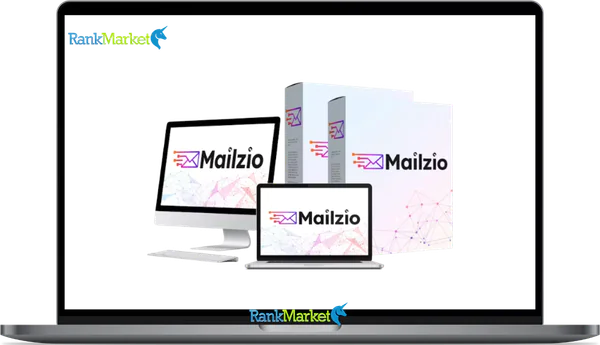
Mailzio - Overview
Mailzio is an AI-assisted email and multichannel marketing platform that combines autoresponder functionality, marketing automation, and light CRM features in a single cloud-based dashboard.
It is designed to help businesses send campaigns across email and additional channels including WhatsApp, SMS, and Telegram, all from one interface rather than juggling multiple separate tools. AI features are built into the core workflow, including an AI email writer, subject line generator, content cloning from URLs, and AI-assisted reply management.
Key facts about Mailzio at a glance:
- Cloud-based SaaS: nothing to install, accessible from any browser
- Combines email marketing, automation, CRM-style contact management, and multichannel messaging
- AI tools built into campaign creation and inbox management
- Positioned as a more affordable, AI-enhanced alternative to tools like Mailchimp and ActiveCampaign
- Suitable for solo marketers through to small agencies
This guide is a comprehensive, independent review covering features, how the platform works, pricing considerations, honest pros and cons, who it suits, and how it compares to alternatives.
Quick Verdict: Should You Consider Mailzio in 2026?
Mailzio is worth evaluating for the right type of user, and it is not the right fit for everyone. Here is the honest summary before diving into the details.
Who Mailzio is ideal for:
- Affiliate marketers who need reliable email automation and multichannel reach without paying per-subscriber pricing
- Course creators and info-product sellers who run nurture sequences and want AI writing support built into the tool
- Small businesses and local service providers who want email plus SMS or WhatsApp reminders from one platform
- Agencies managing multiple clients who want a centralized dashboard rather than separate accounts per client
Main benefits:
- AI writing tools reduce the time required to produce campaign content and subject line variations
- Multichannel campaigns (email, SMS, WhatsApp, Telegram) from a single workflow rather than separate platforms
- Generous sending limits relative to traditional per-subscriber or per-email pricing models
Main cautions:
- Newer platform compared to established ESPs, meaning the long-term track record is shorter
- Integration ecosystem may be narrower than Mailchimp or ActiveCampaign for teams with complex existing stacks
- Teams coming from simple newsletter-only tools will face a learning curve when configuring automation workflows
Concrete scenario: If you are sending weekly campaigns to 5,000 or more leads across email and WhatsApp, Mailzio can potentially replace two or three separate tools while adding AI writing capabilities to your workflow.
What Is Mailzio? Deep-Dive Explanation
Mailzio in Plain Language
In simple terms, Mailzio is a tool to send email newsletters, automated follow-up sequences, and messages on other channels like SMS and WhatsApp, all from one place, without installing any software.
The main building blocks of Mailzio:
- Email campaigns and autoresponder: Send one-off newsletters or set up automated sequences triggered by subscriber actions
- Automation workflows: Build multi-step journeys that move contacts through email, SMS, and WhatsApp sequences based on behavior
- CRM-style contact management: Store contact profiles with behavioral history, tags, custom fields, and pipeline stages
- Multichannel messaging: Reach subscribers via email, WhatsApp, SMS, Telegram, and potentially live chat from the same dashboard
- AI tools: Generate email copy, subject lines, content variations, and AI-assisted replies without leaving the platform
A simple example journey: A visitor downloads a lead magnet on your website. Mailzio captures their email, immediately sends a welcome email delivering the resource, waits three days, then sends an AI-generated follow-up email based on the lead magnet topic, followed by a WhatsApp message for subscribers who consented to messaging. All of this runs automatically after the initial setup.
Who Mailzio Is Best Suited For

- Bloggers and content creators: These users typically need a reliable newsletter tool, simple automation for new subscriber onboarding, and an easy way to segment subscribers by interest. Mailzio's AI writing tools reduce the friction of producing consistent email content for content-heavy publishing schedules.
- Info-product sellers and course creators: Building nurture sequences, promotional campaigns around launches, and follow-up sequences for purchasers are the core email marketing tasks for this group. Mailzio's automation builder and AI assistance address all of these without requiring advanced technical setup.
- Affiliate marketers: This group benefits from generous sending limits (avoiding the per-subscriber cost increases that make traditional ESPs expensive at scale), multichannel reach for higher engagement, and automation templates that support standard affiliate marketing workflows like broadcast campaigns, click-based segmentation, and follow-up sequences.
- Local businesses: A local gym can use Mailzio to send class schedule emails to their list on Monday, SMS reminders to registered attendees on Wednesday, and a WhatsApp broadcast for last-minute promotions on Friday, all managed in one tool rather than separate apps for each channel.
- Agencies and consultants: Managing multiple client accounts benefits significantly from a centralized platform, and Mailzio's agency and workspace features (where available) enable this without separate subscriptions per client.
Who Probably Should NOT Use Mailzio
- Large enterprises with advanced compliance requirements: Organizations that need SOC 2 certification, HIPAA compliance, strict regional data residency, or on-premise deployment options are better served by enterprise-grade ESPs with established compliance certifications
- Teams with deeply complex custom tech stacks: If your marketing operations require bespoke integrations with proprietary systems, Mailzio's integration ecosystem may not cover your requirements without significant custom API work
- Highly regulated industries at scale: Financial services firms, healthcare providers, and similar organizations with specific regulatory communication requirements need purpose-built compliance tools beyond what a general-purpose marketing platform provides
- Organizations already invested in enterprise CRM ecosystems: If your team is running Salesforce or HubSpot Enterprise as the center of your marketing operations, adding Mailzio as a separate layer creates complexity rather than simplifying it
Mailzio Features: Detailed Breakdown with Practical Use Cases
Email Marketing and Autoresponder Core
Email sending limits and what “unlimited” actually means
Mailzio markets generous or unlimited sending limits, which stands in contrast to the per-subscriber pricing model of traditional ESPs where costs escalate sharply as list sizes grow. In practice, “unlimited” in most SaaS contexts means there is no hard cap on subscribers or emails per month within your plan, but fair usage policies and SMTP infrastructure constraints apply. Very high-volume senders may encounter per-hour sending rate limits or require a bring-your-own SMTP setup for maximum deliverability.
The practical implication for cost: a traditional ESP charging per subscriber at the $50 to $150 per month range for a 10,000 to 50,000 subscriber list represents a significantly higher recurring cost than Mailzio's flat-rate or lifetime-deal pricing. This is one of Mailzio's clearest competitive advantages for growing lists.
Campaign types supported:
|
Campaign Type |
What It Does |
Best Use Case |
|
One-off broadcast |
Send to all or a segment at once |
Newsletter, promotion, announcement |
|
Drip sequence |
Timed emails after a trigger |
Onboarding, lead nurture |
|
Evergreen nurture |
Runs continuously for new subscribers |
Education, relationship building |
|
Event-based trigger |
Fires on specific actions |
Cart abandonment, purchase follow-up |
Lists, tags, and segmentation
Mailzio organizes contacts through lists, tags, and custom fields. Lists define broad audience groups (newsletter subscribers, course buyers, trial users). Tags add behavioral or interest-based layers to individual contacts without creating separate lists. Custom fields store additional data points relevant to your business (plan tier, location, referral source).
Segmentation allows you to filter contacts by combinations of behavior (opened email, clicked specific link), demographic data (location, device), and funnel stage (first-time lead, repeat buyer). A practical example segment: contacts who clicked your pricing page link within the last seven days but have not purchased, which is a high-intent group worth a targeted follow-up sequence.
Automation and Workflow Builder
Visual automation builder
Mailzio's automation builder allows you to configure multi-step workflows using a visual interface. Triggers that initiate a workflow include new subscription, link click, tag addition or removal, purchase event, inactivity over a defined period, and custom events via API.
Actions that can follow a trigger include sending an email, sending an SMS, sending a WhatsApp message, adding or removing a tag, moving a contact to a different list, advancing a CRM pipeline stage, notifying a team member, or introducing a time delay before the next step.
Example workflow: A visitor downloads a lead magnet (trigger: new subscription to “Lead Magnet List”). The workflow sends the lead magnet delivery email immediately, waits 24 hours, sends a value-add email, waits 48 more hours, tags the contact as “engaged” if they opened either email, then sends a soft-offer email. Non-openers receive a re-engagement email on day seven.
Pre-built automation templates
For users who prefer to start from a template rather than building from scratch, Mailzio provides pre-built automation recipes. Common templates include welcome series, product onboarding sequences, cart recovery flows, re-engagement campaigns, webinar reminder sequences, and product launch timelines.
A typical three-email welcome series template structure:
- Email 1: Deliver the promised lead magnet or content with a warm introduction
- Email 2 (2 to 3 days later): A brief story or case study building credibility and establishing the problem your product solves
- Email 3 (3 to 4 days later): A direct offer or invitation to take the next step
AI Capabilities in Mailzio
AI email writer and subject line generator
Mailzio's AI writing tool generates email body copy and subject line variations based on your input. You provide the campaign goal, the target audience, the offer or topic, and the desired tone, and the AI produces a draft you can refine and customize.
What the AI output provides:
- Multiple subject line variations with different emotional angles (curiosity, urgency, benefit-led)
- Email body structured with opening hook, body content, and CTA
- Alternative versions you can run as A/B test variants
Important caveats: AI-generated email copy requires human editing before sending. Brand voice consistency, accuracy of any specific claims or offers, and avoidance of spam-trigger phrases all need human review. The AI is a first-draft accelerator, not a finished-content generator.
AI email cloning from URLs
Mailzio includes a feature that analyzes a web page or email URL and generates a structurally similar email based on the content it finds. This is useful for quickly producing follow-up emails inspired by high-converting landing page structures or for adapting a successful email framework to a new campaign topic.
Ethical use note: The cloning feature should be used to generate structurally inspired, entirely original content, not to reproduce copyrighted material. Any output from this feature requires rewriting in your brand voice with your specific offer details, not publishing as-is.
AI assistant for replies and inbox management
Where available, Mailzio's AI reply assistant suggests responses to common inbound messages, auto-drafts responses to frequently asked questions, and helps categorize incoming emails by type (support inquiry, billing question, sales interest). All AI-suggested replies should be reviewed and approved by a human before sending, particularly for any message that involves specific commitments, refund decisions, or sensitive customer situations.
CRM and Contact Management
Contact profiles and activity timeline
Each contact in Mailzio has a profile storing identity information (email, phone, tags, list membership), behavioral data (emails opened, links clicked, pages visited if tracking is enabled, purchases recorded), notes added by team members, and custom fields configured for your business.
The activity timeline provides a chronological view of all recorded interactions with that contact across channels, giving support and sales team members the context they need without asking the contact to repeat themselves.
Example profile: Jane subscribed through the lead magnet form, opened the first three welcome emails, clicked the pricing page link twice, replied to a support email, and was manually tagged as “high intent” by a team member after reviewing her activity.
Pipelines and deals
Mailzio's CRM layer includes a lightweight pipeline feature for tracking contacts through defined sales stages. A typical agency pipeline might run: New Inquiry → Discovery Call Booked → Proposal Sent → Contract Signed → Client Onboarded.
Contacts can be moved through pipeline stages manually by team members or automatically via workflow rules (for example, advancing a contact from “Lead” to “Demo Scheduled” when they book a calendar appointment). This bridges Mailzio from a standard email marketing tool into a lightweight sales CRM for small teams.
Multichannel Communication
WhatsApp messaging
Mailzio connects to WhatsApp Business messaging, enabling you to send template messages and conversational messages to subscribers who have opted in for WhatsApp communication. Compliance with WhatsApp Business policies is mandatory, including explicit consent collection and use of approved message templates for outbound notifications.
Practical use case: A webinar host uses Mailzio to send a registration confirmation email immediately, an SMS reminder 24 hours before the event, and a WhatsApp message one hour before start time to maximize attendance rates.
SMS marketing
SMS through Mailzio provides access to high-open-rate direct messaging for time-sensitive communications. Billing for SMS is typically separate from email plan pricing and varies by region and volume. Character limits apply to individual SMS messages, with longer messages splitting into multiple segments at additional cost.
High-value SMS use cases: appointment reminders, flash sale alerts, OTP delivery, and event-day notifications for registrants.
Telegram, Slack, and live chat
Additional channel support covers Telegram broadcasts for community-style messaging, Slack notifications for internal team alerts on high-priority events (new high-value lead, large purchase, specific form submission), and in-site live chat where supported.
The value of these additional channels is the centralization benefit: managing a single platform for multiple communication types reduces context-switching for small teams handling both marketing and customer communication.
Unified inbox
Mailzio's unified inbox (where available) consolidates incoming messages from email, WhatsApp, SMS, and live chat into a single view. Team members can filter by channel, conversation status, or assigned owner, respond without switching between apps, and see the full contact profile alongside the conversation for relevant context.
Analytics and Reporting
Email performance metrics
Standard campaign metrics include delivery rate, open rate, click-through rate, bounce rate, unsubscribe rate, and spam complaint rate. Device and geographic breakdowns help identify audience behavior patterns. Reviewing these metrics after every campaign and tracking trends over rolling four-week periods provides actionable insight without overwhelming data volume.
Automation and funnel analytics
Workflow analytics show performance at each step of an automation sequence: how many contacts entered the workflow, what percentage completed each email, where drop-offs occur, and which steps generate the most downstream conversions. A workflow where open rates drop sharply from Email 1 (70 percent) to Email 3 (30 percent) indicates a subject line or relevance problem at Email 2 worth investigating.
Revenue attribution
Where Mailzio supports revenue tracking, it connects campaign sends and automation steps to recorded purchases, enabling you to see which specific sequences or broadcasts produce the most direct revenue. This data supports prioritization decisions about which automations to optimize and which campaigns to send more frequently.
Deliverability and Infrastructure
SMTP options: built-in versus bring your own
|
Option |
Setup Complexity |
Cost |
Control |
|
Mailzio native SMTP |
Low |
Included in plan |
Limited |
|
Amazon SES |
Medium |
Very low per email |
High |
|
SendGrid / Mailgun |
Medium |
Low to moderate |
High |
High-volume senders or those with specific deliverability requirements benefit from connecting a dedicated SMTP provider, giving them greater control over sending reputation, IP warming, and bounce handling.
Authentication setup (SPF, DKIM, DMARC)
Email authentication is essential for inbox placement. The required setup includes adding an SPF record to your domain DNS confirming Mailzio as an authorized sender, configuring a DKIM signing key provided by Mailzio in your domain settings, and optionally adding a DMARC record instructing receiving servers how to handle authentication failures. Mailzio provides documentation or setup wizards to guide non-technical users through this process.
Deliverability expectations
For any platform, deliverability depends significantly on list hygiene, sending frequency consistency, and subscriber engagement quality, not just the sending infrastructure. Newer platforms carry a higher initial uncertainty compared to ESPs with decade-long deliverability track records. Users migrating large lists to Mailzio should plan for an IP warming period (gradually increasing send volume) and monitor bounce rates and spam complaint rates closely in the first four to six weeks.
Pricing Plans and OTOs detailed
Front-End – Mailzio ($15.99 one-time)
- One-time payment with lifetime access
- AI-powered email marketing and automation platform
- Unlimited email sending included
- CRM, workflow automation, and multi-channel communication tools
- Supports Email, WhatsApp, SMS, Telegram, Slack, and more
- Commercial license included
- No expensive monthly autoresponder fees
- Built for marketers, freelancers, agencies, ecommerce sellers, and businesses
- Includes 30-day money-back guarantee
- Coupon code “MAILZ30” gives 30% off the entire funnel
OTO 1 – Mailzio Unlimited Edition ($47 – $97/$37 one-time)
- Removes all platform restrictions
- Unlimited AI email replies and campaigns
- Unlimited automations, contacts, and CRM pipelines
- Unlimited workflow executions and multi-channel messaging
- Faster AI processing and premium templates
- Advanced analytics and priority performance
- Commercial license included
- Future updates included
- Designed for agencies, marketers, freelancers, and growing businesses
OTO 2 – DFY Emails Pack ($27/$17 one-time)
- 10,000+ done-for-you email templates and campaigns
- Ready-made promotional, follow-up, and nurturing emails
- Built around proven sales copywriting frameworks
- Saves time on campaign creation
- Easy customization and fast deployment
- Great for beginners, agencies, and email marketers
- Works with Mailzio automation workflows
OTO 3 – PageMate ($27/$17 one-time)
- AI-powered website and funnel builder
- Create landing pages and sales funnels without coding
- 1000+ ready-made templates included
- Drag-and-drop page customization
- AI-powered optimization tools
- Mobile-responsive designs
- Fast-loading websites and funnels
- Commercial license included
- Built for affiliates, agencies, coaches, ecommerce, and local businesses
OTO 4 – TrafficPilot ($37/$27 one-time)
- AI-powered traffic generation system
- Automates organic social media traffic campaigns
- Drive visitors to websites, funnels, blogs, and affiliate offers
- Traffic automation and lead generation tools
- Helps reduce reliance on paid ads
- Supports affiliate marketing and lead building
- Designed for bloggers, affiliates, marketers, and business owners
OTO 5 – Profit Niche Sites ($27/$17 one-time)
- 50 done-for-you niche websites included
- Built for passive affiliate income generation
- Clone and deploy sites in a few clicks
- Automated traffic and monetization tools
- Multiple niche opportunities included
- Commercial license included
- Beginner-friendly passive income system
OTO 6 – Affiliate Empire ($16.98 one-time)
- 100+ done-for-you affiliate campaigns
- Prebuilt income streams and monetization systems
- Set-and-forget affiliate automation
- Traffic, leads, and commission-focused campaigns
- Beginner-friendly affiliate setup
- Includes training and monetization guidance
- Integrates with Mailzio automation tools
OTO 7 – Reseller License ($67 – $147/$97 one-time)
- Resell Mailzio and keep 100% commissions
- Done-for-you sales pages and marketing materials
- Hosting, payment processing, and support handled for you
- Sell front-end and upgrade offers
- Great for affiliates, agencies, freelancers, and beginners
- Launch a software business without creating a product
OTO 8 – White Label License ($247 – $497/$447 one-time)
- Fully rebrand Mailzio as your own software platform
- Use your own logo, branding, domain, and business identity
- Keep 100% of profits
- Hosting, setup, and technical configuration handled for you
- Includes payment integrations and sales materials
- Built for agencies, entrepreneurs, and SaaS business owners
- Includes launch guidance and scaling support
Hands-On: How Mailzio Actually Works
Getting Started and Onboarding
Account creation and basic setup:
- Sign up at the Mailzio platform with your email address
- Verify your account via confirmation email
- Set up sender details: your from-name, reply-to address, and company information
- Connect your sending domain and configure SMTP (either Mailzio native or external provider)
- Complete SPF and DKIM authentication for your domain
- Import your existing contacts or connect your website form
Importing contacts safely: Supported import formats include CSV and direct integrations. Before importing, clean your list by removing invalid addresses, honoring all previous unsubscribes, and excluding any contacts from purchased lists (which violate Mailzio's terms of service and harm deliverability). Map CSV columns to the correct Mailzio contact fields during import to preserve segmentation data.
Creating Your First Email Campaign
Using Mailzio's email builder: Choose between a drag-and-drop visual editor and a plain HTML editor based on your preference. Start from a template or blank canvas, arrange content blocks (text, image, button, divider), insert personalization tags (first name, custom field values), preview on both desktop and mobile, then send a test email before scheduling the campaign.
Leveraging AI for email drafts: Provide the AI with your campaign goal (promote a webinar, announce a product, share a resource), your target audience (email list segment), and your preferred tone (professional, conversational, urgent). Review the output for accuracy, adjust the language to match your brand voice, remove any phrases that may trigger spam filters, and shorten to an appropriate length for your audience before finalizing.
Building an Automation Workflow
Simple welcome series steps:
- Create a new automation and set the trigger (new subscriber added to a specific list or tagged with a specific label)
- Add an immediate action: send lead magnet delivery email
- Add a 48-hour delay
- Add story or value-focused Email 2 with goal of building connection
- Add a 72-hour delay
- Add soft offer Email 3 with a clear CTA
- Set a tag action (“welcome-series-complete”) to exit the subscriber from the workflow
Multichannel follow-up workflow: Set an email reminder for an upcoming webinar. Add a conditional branch: if the subscriber did not open the email within 24 hours, send an SMS reminder. Add a WhatsApp message one hour before the event start time to all registered attendees. This three-channel reminder approach significantly improves attendance rates compared to email-only reminder sequences.
Connecting to Your Website or Store
Opt-in forms and landing pages: Create an embedded form or popup within Mailzio's form builder, map form fields to contact profile fields, and embed the generated code on your website. Hosted landing pages eliminate the need for external landing page software for simple lead capture use cases.
E-commerce automation flows: For WooCommerce or Shopify integrations (where supported), common automation flows include a cart abandonment sequence (email at one hour, SMS reminder at 24 hours, final email at 48 hours), a post-purchase onboarding sequence delivering product tips and usage guidance, and a review request email at seven to fourteen days after delivery.
Pros, Cons, and Limitations of Mailzio
Major Advantages
- All-in-one multichannel plus email plus light CRM eliminates the need for three to four separate subscriptions for businesses that currently use separate tools for email, SMS, WhatsApp, and basic contact management
- AI writing tools genuinely reduce campaign production time for marketers who write their own email copy, providing usable first drafts and subject line variations in seconds
- Favorable pricing and sending limits relative to per-subscriber pricing models make Mailzio significantly more cost-effective for list sizes above 10,000 contacts
- Automation templates lower the barrier for non-technical users to deploy functioning nurture sequences without building from scratch
- Unified inbox (where available) reduces context-switching for small teams managing marketing and customer communication
- Multichannel automation in one workflow rather than coordinating separate tools for each channel simplifies operations for lean teams
- Agency-friendly structure with workspace or client account management reduces overhead for consultants and agencies managing multiple clients
Drawbacks and Limitations
- Newer platform with shorter track record than Mailchimp, ActiveCampaign, or ConvertKit, which carry a decade-plus of deliverability and reliability history
- Integration ecosystem may be narrower for teams with complex existing stacks or niche tools not yet directly supported
- Learning curve for complex automations is steeper than for basic newsletter-only tools, and users without prior experience with visual workflow builders may need time to become proficient
- Deliverability requires proper setup and list hygiene, and new users who skip authentication configuration or import cold lists will experience poorer results regardless of platform quality
- Advanced analytics and event tracking may be less granular than enterprise-grade ESPs for teams that rely heavily on detailed behavioral data for decision-making
Frequently Asked Questions About Mailzio
Is Mailzio Safe and Legitimate?
Yes. Mailzio is a real, functional marketing platform with genuine AI-powered features. Standard SaaS security practices including encrypted data transmission apply. As with any marketing platform that processes subscriber contact data, users are responsible for compliance with applicable privacy regulations including GDPR and CCPA in addition to whatever the platform provides. Check current security certifications and data processing agreements on the vendor's official documentation.
Does Mailzio Really Offer Unlimited Emails and Subscribers?
The “unlimited” marketing refers to the absence of hard per-subscriber or per-email caps on plan pricing, which distinguishes it from traditional ESPs that charge incrementally as lists grow. In practice, fair usage policies apply and very high-volume senders should clarify any per-hour sending rate limits and whether an external SMTP provider is required at their sending volumes. Verify exact plan limits on the current Mailzio pricing page.
Can Mailzio Replace Mailchimp or ActiveCampaign for My Business?
For small businesses, course creators, affiliate marketers, and agencies, Mailzio can realistically replace Mailchimp or ActiveCampaign if your primary needs are email campaigns, basic automation, multichannel messaging, and AI writing assistance. For large enterprises requiring advanced CRM integration, extensive third-party app connections, or enterprise compliance certifications, established platforms may remain the better fit. The replacement decision should be based on your specific integration requirements and the complexity of your existing automation architecture.
How Good Is Mailzio's Deliverability Compared to Established ESPs?
Deliverability performance for any platform depends significantly on sender behavior: list quality, authentication setup, sending consistency, and subscriber engagement rates. Mailzio provides the infrastructure required for good deliverability (SMTP options, authentication support, bounce management). New users migrating from an established ESP should plan an IP warming period and monitor deliverability metrics closely in the first few weeks. Domain authentication (SPF, DKIM, DMARC) must be correctly configured before high-volume sending begins.
Does Mailzio Support GDPR and CCPA Compliance?
Mailzio provides the technical features needed for compliance including consent tracking at opt-in, unsubscribe management, and data export or deletion capabilities. GDPR and CCPA compliance is a shared responsibility: the platform provides the tools, but users are responsible for implementing compliant opt-in language, honoring data subject requests, maintaining appropriate records, and ensuring their marketing practices meet applicable legal requirements. Consult the Mailzio data processing agreement and current privacy documentation for specifics.
What Happens If I Exceed My Plan Limits?
Plan behavior on exceeding limits depends on the specific plan tier. Typical patterns include soft limits that trigger an upgrade prompt, hard limits that pause sending until the account is upgraded, or overage billing at a per-unit rate. Verify the current overage policy for your specific plan tier on the Mailzio pricing page, as these details are subject to change between product versions.
Is There a Free Plan or Free Trial?
Free trial availability and free tier options change over time. Check the official Mailzio website for current trial terms. If a trial is available, use it to test the automation builder, verify that your specific integrations work, confirm that multichannel features are functional for your use case, and evaluate the AI writing output quality before committing to a paid plan.
What Is the Refund Policy and How Do I Request a Refund?
Refund policies and procedures are defined in Mailzio's current terms of service and may vary by plan type (monthly subscription, annual plan, or lifetime deal). For current refund terms and the process for requesting a refund within the eligible window, refer to the official Mailzio support documentation or contact their support team directly.
Does Mailzio Support Agencies and White-Labeling?
Agency and white-label features including sub-accounts for client management, custom branding options, and client reporting access vary by plan tier. Agencies evaluating Mailzio should specifically verify what workspace or sub-account features are available at their intended plan level, and whether the platform supports the specific client management workflow they need before committing.
Mailzio represents a genuinely competitive option in the 2026 email and multichannel marketing landscape for the right user profile. Its combination of AI writing tools, multichannel automation, CRM-light contact management, and favorable pricing makes it particularly well-suited for affiliate marketers, course creators, small businesses, and agencies who want to consolidate multiple tools into a single platform without the enterprise pricing of established competitors. Its limitations around integration depth, platform maturity, and enterprise compliance requirements are real and worth factoring into the evaluation for any organization with complex existing technology requirements. Use this guide as a complete reference for making that decision with confidence.
Some Questions Before Join US
Group buying, also known as collective buying, offers products and services at significantly reduced prices on the condition that a minimum number of buyers would make the purchase.
- First, we will list product Here as people request & Collect Money From other peoples.
- Sec, Once enough moneys from customer, we will buy products From Developer.
- Then, we deliver to all Joiners.
- You can join directly by Purchase at our site and Reach Support about that to confirm.
- You can join via our Community : https://bit.ly/RMKDiscord
- How to Buy
We have 2 Product Status
- Instant-Deliver : Avaible and Deliver within 24-48hs (not on Sat-Sun, Holiday)
- Group Buy/Pre-Order : Not avaible, Still collect more people to join, need to wait.
OTO mean that One-Time-Offer/Upsell/Upgrade of Product For limited time only
Cancelled mean that order is not pay/process within 24hs. Please reach us with Order ID to check.
You will get Products by Download via Email .Once you finish payment to us and get confirm. You will get download Links inside your Account
- SAAS : You will get Individual account via Mail or On your Order List
- Shared Tool : via our chrome (WIN/MAC/Linux)
- WP : We will active key for your site.
- Course/Book/GraphicKit : Download link will send via mail or On your Order List.
- ETA Time : Fast maybe 3-4 days or 1 Week , Always be 3-4 Weeks or some times as Member Request it can be up to 3 Months to Group Buy WIN.
- GB Fail : You will get refund or exchange other.
– If Products problem, Capture screenshot/Video to us. We will forward to developer to fix it.
– If impossible sloved, we will exchange to other product. With Annual Product, we will refund or exchange by subtract times that you used.
– If used product for 1 or few years then not work. we will try to contact developer to fix it. But if some bad Vendors keep money and run, we just can give you some discount for future orders.
Warranty Time :
- Monthly Product : 30 days
- Annual/One Time Product : 1 year.
Our Store Credit mean credit can use to redeem on Your orders. 25 Credit = 1$.
Earn by some way :
- Place Orders. Each 1$ spend you will earn 1$
- Exchange some not work/not-fullfill orders by your agreed.
- By Reffer Your Friends to buy at our store.
How to redeem
- At Checkout page have redeem button to use it. Maxium is 250/orders.
- If you need redeem more. Reach our Support
We support only via 2 channel :
- Email : [email protected]
- Messenger : m.me/rankmarkenet (Live chat on Site)
TIme : From 9AM - 6PM Monday - Friday (GTM+8).
All Order/Ticket on Sat-Sun/Holiday will be supported on next Monday.
WE ARE TRY TO WORK HARD AND SUPPORT ALL PEOPLE BUT WE CAN NOT MAKE ALL HAPPY 100%
Thanks For You are here and belive US for longtime.
While working,we meet someone like & we will not support :
– People buy 1 but want to exchange to 10 Products.
– People who steal our products then ask refund.
– People fake payment to get our products.
– People always ask refund,can not wait for waiting product. Dont Pay. Wasted our Time.
Best Regards
David Green – RankMarket
Related products


SAAS Tools





SAAS Tools