



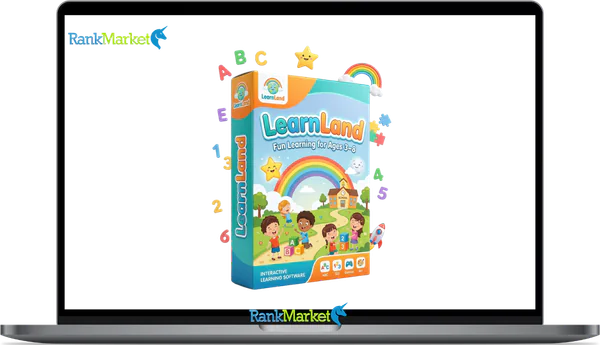
Buy LearnLand App + OTOs full account + Bonus
$17.00
LearnLand App is a suite of educational apps that teach kids various skills through age-specific, interactive learning experiences.
| Deliver | LearnLand App + OTOs |
|---|---|
| Access | Shared |
| Type | Kids learning platform |
| Plan | FE + OTOs |
| Details | GB Details |
LearnLand App is a suite of kid-friendly educational applications that turn math, coding, and world knowledge into interactive games for children aged 4, 10+.
Think of it less as a single app and more as a structured ecosystem, a family of focused learning tools, each built around a specific subject domain. Rather than cramming everything into one interface, LearnLand gives each subject its own dedicated space, which keeps the experience manageable for young learners.
Built by a team with over 10 years of experience in software, tools, and technology, the platform is designed with three principles at its core: safety, no advertisements, and genuine educational value. It runs on iOS and Android, making it accessible across the devices most families already own.
This guide is written for:
- Parents searching for a screen-time solution that actually teaches something.
- Teachers and educators looking for supplemental tools that work inside or outside the classroom.
- Homeschool families and caregivers who want structured, curriculum-aligned activities at home.
You'll find everything here: the full app list, core features, pricing, safety standards, comparisons with alternatives, and answers to the questions parents ask most. Everything is current for 2026.
To understand whether LearnLand is the right fit for your child, it helps to see exactly how it works, starting with what's inside.
LearnLand App Suite: All Available Apps & What They Teach

LearnLand is not one app. It's a collection of 20+ educational applications, each targeting a distinct skill set and age group. The logic behind this structure is straightforward: a child working on phonics doesn't need to navigate past coding modules to find what they need.
Below is a breakdown of the major app categories within the LearnLand ecosystem:
|
Category |
App Name |
Age Range |
Skills Covered |
Platforms |
|
Early Math |
Number Land: Math for Kids |
4, 8 |
Counting, addition, subtraction |
iOS, Android |
|
Coding & Logic |
Code Land: Kids Coding Games |
6, 10+ |
Sequencing, loops, problem-solving |
iOS, Android |
|
Science |
How It Works? |
6, 10+ |
Everyday science, mechanisms |
iOS, Android |
|
Geography |
World Land |
7, 11 |
Countries, maps, cultural awareness |
iOS, Android |
|
Creativity |
Create Land |
5, 9 |
Drawing, patterns, storytelling |
iOS, Android |
|
Literacy |
Letter Land |
4, 7 |
Letters, phonics, basic vocabulary |
iOS, Android |
|
STEM |
Science Lab Land |
7, 10+ |
Biology, physics experiments |
iOS, Android |
|
Social Skills |
Daily Life Land |
4, 8 |
Daily routines, social interaction |
iOS, Android |
A 5-year-old can build number sense with just 10 minutes on Number Land each morning. A classroom of second-graders can work through Code Land on shared tablets, each child progressing at their own pace, independently. The modular structure is what makes that kind of flexibility possible.
Beyond the individual apps, LearnLand shares a unified set of features designed around child safety, motivation, and measurable learning progress.
Core Features That Make LearnLand App Kid-Friendly & Effective
What separates a learning app from a game? Intentional design. Every feature within the LearnLand ecosystem exists for a reason, whether that's protecting young users, sustaining focus, or giving parents insight into what their child is actually learning.
- Ad-Free Experience. There are no advertisements anywhere in the LearnLand ecosystem. For parents, that's not a small detail: ads in children's apps disrupt sessions, introduce inappropriate content, and create unwanted impulse behavior. LearnLand removes that variable entirely.
- No In-App Purchases. The apps do not use urgency mechanics, countdown timers, or hidden paywalls to push spending. A child can play without ever encountering a purchase prompt, keeping the parent in full control of spending decisions.
- Age-Appropriate Content. Each app is structured around clear developmental stages. The language, visual complexity, and cognitive load all scale with the target age range. A 4-year-old using Letter Land won't encounter content calibrated for a 9-year-old.
- Adaptive Learning Paths. This is the most consequential feature. When a child answers correctly, the system increases task complexity. When they struggle, it revisits the concept from a different angle. In Number Land, a child mastering addition moves into place value, while a child needing reinforcement gets targeted practice.
- Session-Structured Play. Sessions fit within 10, 15 minute windows. This reflects child development research: young learners retain more from shorter, frequent exposures than from extended, passive sessions.
- Multi-Modal Feedback. Correct answers trigger visual animations and audio cues, while incorrect answers receive non-punishing correction. This mirroring of natural information processing helps with long-term retention.
- Navigation & Accessibility. Large touch targets, minimal text, and icon-based menus mean a 4-year-old can navigate independently. The interface doesn't assume literacy, it guides through visual cues.
- Rewards Without Over-Stimulation. Motivation mechanics are carefully calibrated. Badges and rewards acknowledge effort without triggering the dopamine-loop design that makes children resistant to stopping.
Pricing Plans and OTOs detailed
Front End: Bundle Access Offer – $17
- Access bundled platforms including BrainBlast Academy, EscapeIQ, or LearnLand
- Age-segmented funnel tailored for different learning stages
- High-converting VSL focused on parents and emotional triggers
- Interactive learning environments designed for engagement
- All-in-one entry point for educational content ecosystem
OTO 1: Expanded Access
- Unlock extended curriculum with more in-depth learning content
- Access bonus rooms for additional activities and resources
- Includes advanced AI-powered learning features
- Open additional subjects and learning categories
- Enhance overall learning experience with more content and tools
How to Download & Get Started With LearnLand App: Step-by-Step
Getting started with LearnLand takes under five minutes. The process is the same whether you're setting it up for a single child or creating a multi-profile household account.
For iOS (iPhone / iPad):
- Open the App Store and search for “LearnLand.”
- Verify the publisher name and icon to avoid imitations.
- Tap Get to download; no payment is required for free-tier apps.
- Create a parent account using your email address.
- Set up the child's profile (name, age, and language).
For Android (Google Play):
- Open the Google Play Store and search for “LearnLand.”
- Confirm authenticity via user ratings and developer name.
- Tap Install; free apps download immediately.
- Complete the registration and build your child’s profile.
Before your first session, remember:
- Connect to Wi-Fi for the initial download of offline content.
- Enable system-level parental controls (Screen Time or Family Link).
- Set a session limit in the parent dashboard to match your household boundaries.
LearnLand vs. Other Kids' Learning Apps: Comparisons & Alternatives
Parents evaluating learning apps face a crowded market. The comparison below focuses on factors that matter in practice: safety design, subject coverage, access model, and parent visibility.
|
Feature / Criteria |
LearnLand App Suite |
Math-Focused App |
Coding-Focused App |
All-in-One Platform |
|
Ad-free |
Yes |
Partially |
Yes |
Varies |
|
Subject Coverage |
Math, coding, STEM, literacy |
Math only |
Coding only |
Multiple |
|
Age Range |
4, 10+ |
6, 9 |
7, 12 |
3, 10 |
|
Access Model |
Pass + one-time options |
Subscription |
Subscription |
Subscription |
|
Offline Play |
Yes (most apps) |
Partial |
No |
Varies |
|
Parent Dashboard |
Yes |
Basic |
No |
Yes |
|
Adaptive Learning |
Yes |
Limited |
No |
Yes |
|
In-app Purchases |
None |
No |
Partial |
Varies |
The core distinction is structural. Single-subject apps do one thing well, but a family with two children working on different skills needs multiple subscriptions to cover the same ground LearnLand handles in one ecosystem.
All-in-one platforms attempt to cover everything but often do so by layering content into a single, complex interface. Young children can find that overwhelming. LearnLand's approach, separate, focused apps under one account, gives depth without cognitive overload.
For a parent managing math reinforcement and early coding exposure for two children aged 5, 8, the LearnLand Pass offers a more cost-efficient and educationally coherent solution than stitching together two or three separate subscriptions.
Frequently Asked Questions About LearnLand App
Is LearnLand safe for my child?
Yes. The apps are built with child safety as a foundational requirement, not an afterthought. There are no advertisements, no links to external websites, and no social or chat features that expose children to unknown users.
Does LearnLand show ads or contain in-app purchases?
No ads appear anywhere in the ecosystem. In-app purchases, where applicable, are gated behind a parent account. A child using the app independently cannot trigger a transaction. The free-tier apps are fully playable without spending.
What ages is LearnLand best suited for?
The ecosystem spans ages 4 through 10+, with different apps targeting specific developmental windows. Letter Land and Number Land are ideal for children aged 4, 7. Code Land and Science Lab Land are calibrated for ages 6, 10+. Most families find a relevant app for every stage within that range.
How much time should a child spend on LearnLand each day?
Sessions are structured to work within 10, 15 minutes. For most children aged 4, 8, one to two sessions per day—roughly 20, 30 minutes total—is a sustainable and productive rhythm. This aligns with pediatric screen-time guidance, which recommends limiting recreational use while allowing high-quality educational content.
What subjects does LearnLand cover?
The current ecosystem covers early mathematics, coding, literacy, world geography, STEM concepts, spatial reasoning, creativity, and social-emotional learning. This is a broader scope than most single-subject competitors.
Can multiple children share one subscription?
Yes. The LearnLand Pass supports multi-child profiles under a single parent account. Each profile maintains its own progress data, difficulty settings, and reward history, so siblings don't interfere with each other's learning paths.
Does LearnLand work without an internet connection?
Yes, many apps in the suite support offline play after the initial download. While features like progress syncing require connectivity, you can download content in advance over Wi-Fi for travel or areas with limited access.
What devices are compatible with LearnLand?
LearnLand apps run on iOS (iPhone and iPad) and Android smartphones and tablets. For the best experience on a tablet, check the minimum OS version requirements in the App Store or Google Play before downloading.
How do I reset my child's progress?
Progress can be reset from the parent dashboard under profile settings. This is useful when a child wants to replay content from the beginning. Resetting one profile does not affect others on the same account.
How do I cancel my subscription?
Subscriptions must be managed through the platform where they were purchased (Apple App Store or Google Play). LearnLand does not process cancellations directly. Access continues until the end of the current billing period.
How is LearnLand different from free math games online?
Most free online games are ad-supported and lack adaptive difficulty. LearnLand provides a structured learning system with measurable outcomes, multi-subject scope, and a safe environment that free games rarely match.
Can LearnLand replace a private tutor?
Not exactly. A tutor provides personalized emotional feedback that no app can replicate. LearnLand is a complement, providing consistent, structured practice to reinforce what a classroom teacher is already covering.
Is LearnLand suitable for children with learning differences?
The adaptive difficulty, multi-modal feedback, and short sessions make LearnLand a reasonable fit for many children. However, parents of children with ADHD, dyslexia, or dyscalculia should trial the free tier first to assess the specific fit.
Some Questions Before Join US
Group buying, also known as collective buying, offers products and services at significantly reduced prices on the condition that a minimum number of buyers would make the purchase.
- First, we will list product Here as people request & Collect Money From other peoples.
- Sec, Once enough moneys from customer, we will buy products From Developer.
- Then, we deliver to all Joiners.
- You can join directly by Purchase at our site and Reach Support about that to confirm.
- You can join via our Community : https://bit.ly/RMKDiscord
- How to Buy
We have 2 Product Status
- Instant-Deliver : Avaible and Deliver within 24-48hs (not on Sat-Sun, Holiday)
- Group Buy/Pre-Order : Not avaible, Still collect more people to join, need to wait.
OTO mean that One-Time-Offer/Upsell/Upgrade of Product For limited time only
Cancelled mean that order is not pay/process within 24hs. Please reach us with Order ID to check.
You will get Products by Download via Email .Once you finish payment to us and get confirm. You will get download Links inside your Account
- SAAS : You will get Individual account via Mail or On your Order List
- Shared Tool : via our chrome (WIN/MAC/Linux)
- WP : We will active key for your site.
- Course/Book/GraphicKit : Download link will send via mail or On your Order List.
- ETA Time : Fast maybe 3-4 days or 1 Week , Always be 3-4 Weeks or some times as Member Request it can be up to 3 Months to Group Buy WIN.
- GB Fail : You will get refund or exchange other.
– If Products problem, Capture screenshot/Video to us. We will forward to developer to fix it.
– If impossible sloved, we will exchange to other product. With Annual Product, we will refund or exchange by subtract times that you used.
– If used product for 1 or few years then not work. we will try to contact developer to fix it. But if some bad Vendors keep money and run, we just can give you some discount for future orders.
Warranty Time :
- Monthly Product : 30 days
- Annual/One Time Product : 1 year.
Our Store Credit mean credit can use to redeem on Your orders. 25 Credit = 1$.
Earn by some way :
- Place Orders. Each 1$ spend you will earn 1$
- Exchange some not work/not-fullfill orders by your agreed.
- By Reffer Your Friends to buy at our store.
How to redeem
- At Checkout page have redeem button to use it. Maxium is 250/orders.
- If you need redeem more. Reach our Support
We support only via 2 channel :
- Email : [email protected]
- Messenger : m.me/rankmarkenet (Live chat on Site)
TIme : From 9AM - 6PM Monday - Friday (GTM+8).
All Order/Ticket on Sat-Sun/Holiday will be supported on next Monday.
WE ARE TRY TO WORK HARD AND SUPPORT ALL PEOPLE BUT WE CAN NOT MAKE ALL HAPPY 100%
Thanks For You are here and belive US for longtime.
While working,we meet someone like & we will not support :
– People buy 1 but want to exchange to 10 Products.
– People who steal our products then ask refund.
– People fake payment to get our products.
– People always ask refund,can not wait for waiting product. Dont Pay. Wasted our Time.
Best Regards
David Green – RankMarket
Related products

SAAS Tools



SAAS Tools


SAAS Tools