


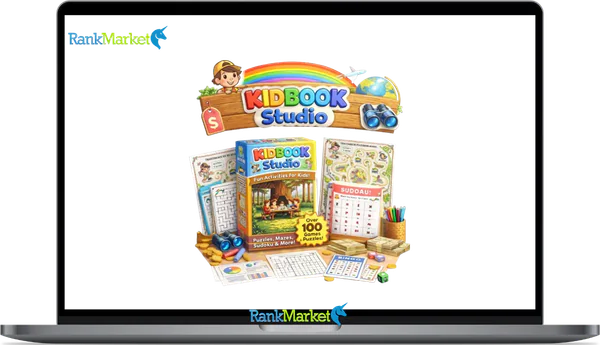
Buy Kidbook Studio + OTOs full account + Bonus
$17.00
Kidbook Studio is a cloud-based AI platform that creates children’s books, activities, and videos from simple text prompts, ready for print or publishing.
| Deliver | Kidbook Studio + OTOs |
|---|---|
| Access | Shared |
| Type | Kids content generator |
| Plan | FE + OTOs |
| Details | GB Details |
If you've been seeing “Kidbook Studio” surface in YouTube reviews, side-hustle forums, or teacher communities lately, you're not alone. The platform has built real traction in 2025, largely because it's promoted around one direct claim: create and sell kids' books in 60 seconds.
That claim deserves a closer look. This guide breaks down what Kidbook Studio actually is, what it can and cannot do, and whether it fits your specific situation. Here's what you'll find inside:
- What Kidbook Studio is and how it works
- Its real capabilities and known limits
- Pricing and monetization potential
- Who it genuinely serves, and who it doesn't
- Risks worth knowing: copyright, AI output quality, and platform policies
Let's start with the most direct question: what exactly is Kidbook Studio?
What Is Kidbook Studio? Clear Definition & Core Purpose

Kidbook Studio is a cloud-based AI platform that generates children's content, storybooks, activity books, puzzles, worksheets, coloring books, and short animated videos, directly from a text prompt. No design background, illustration ability, or writing training is required. Every output comes out either print-ready or upload-ready from the moment generation finishes.
The platform draws in a wide range of users:
- Parents, teachers, and homeschoolers who need personalized learning materials fast
- Content creators and digital product sellers active on Etsy and Amazon KDP
- Side-hustle operators building a children's content catalog at volume
What distinguishes it from a self-assembled workflow of ChatGPT + Midjourney + Canva is the “Studio” positioning, it's an all-in-one workspace. You go from a raw idea to a finished, exportable product inside a single platform, without coordinating three separate tools. Type “Dinosaur Adventure,” and Kidbook Studio returns a short storybook plus a themed puzzle pack, already formatted, illustrated, and laid out.
Core Features of Kidbook Studio (What It Can Actually Create)
The platform organizes its output into several content modules. Each targets a different use case, but all share the same core logic: give a prompt, receive a finished product.
|
Feature Module |
What It Generates |
Typical Age Range |
User Input Level |
|
AI Storybooks |
10,20 page illustrated narrative with text per scene |
Ages 3,10 |
Low (1 prompt) |
|
Activity & Puzzle Books |
60+ puzzle types: mazes, crosswords, word searches, sudoku, and more |
Ages 4,12 |
Low,Medium |
|
Worksheets & Printables |
Math, grammar, science, reading comprehension, time, shapes |
Grades K,6 |
Medium |
|
Coloring Books |
Thematic line-art pages, print-optimized |
Ages 3,10 |
Low |
|
Animated Kids' Videos |
Slideshow-style or animated stories with text overlays |
Ages 3,8 |
Low,Medium |
|
Bulk/Niche Generation |
Multiple projects at once for catalog building |
Any |
Medium |
Commercial rights apply to all generated outputs, meaning you can sell what you create. Platform-specific rules on Amazon KDP, Etsy, and Teachers Pay Teachers (TPT) still govern what you can list and how, more on that in the FAQ section below.
AI Storybooks and Picture Books
The storybook module generates a complete narrative structure: a plot outline, scene-by-scene text, and a matching illustration per page. You control tone (funny, educational, or bedtime-appropriate), age range (3,5 or 6,8, for example), and reading level, from short, repetitive sentences for early readers to brief chapter structures for older children.
A working sample prompt: “A bedtime story about a shy dragon learning to speak up in class (ages 5,7), warm tone, 12 pages.” The platform returns a formatted, illustrated book in under a minute. Without specific prompting, outputs tend toward familiar story patterns, which is a good reason to invest time in crafting your inputs rather than relying on vague themes.
Activity Books, Puzzles, and Educational Worksheets
The activity and worksheet module covers more than 20 content types: mazes (simple and complex), word searches, crosswords, sudoku at kids' difficulty levels, dot-to-dot, matching pairs, spot-the-difference, letter and number tracing, fill-in-the-blank sentences, grammar practice, addition and subtraction, clock and time exercises, shape and color recognition, counting objects, sequence ordering, coding and logic puzzles, reading comprehension passages, science fact worksheets, themed vocabulary lists, and quiz pages.
You set the grade level, difficulty, and page count. This module suits classroom distribution, homeschool curricula, and digital product sellers on TPT. A “Grade 3 Fraction Practice Workbook” can be auto-generated in minutes, though, as with any AI-produced academic material, a teacher should review it for accuracy and grade-level fit before use.
Coloring Books and Themed Printable Packs
The coloring book module generates line-art pages built for print, high-contrast outlines, clean white space, no fill. You choose the theme (dinosaurs, unicorns, space, ocean, farm animals), the detail level (simple for toddlers, more intricate for older kids), and the page count.
Seasonal and holiday packs are a distinct strength of this module: Christmas, Halloween, Easter, Ramadan, Diwali, and similar themes are all available. Outputs are already formatted for Amazon KDP low-content book publishing and Etsy printable bundles. A complete pack like “50 Cute Farm Animals Coloring Pages” or “ABC Coloring Book for Preschoolers” can be produced and exported in a single session.
Animated Kids' Videos and Read-Aloud Stories
The video module produces slideshow-style or lightly animated stories, incorporating visual scenes, on-screen text or captions, and optional background music or text overlays. Lengths typically fall between 1 and 5 minutes, with some project types extending to around 10 minutes.
|
Video Type |
Typical Length |
Primary Use Case |
|
Animated story |
2,5 minutes |
YouTube Kids channel, classroom display |
|
Read-aloud slideshow |
3,8 minutes |
Educational website, storytime content |
|
Short concept video |
1,2 minutes |
Social media clips, product preview |
Output is in HD resolution at standard widescreen aspect ratios (16:9). The core value here isn't cinematic production quality, it's the amount of time saved compared to assembling the same content manually in video editing software.
Pricing and OTOs detailed
FE – Kidbook Studio ($17)
- Create activity books quickly using basic mazes (A–Z, 0–9 in multiple shapes)
- Advanced AI illustrated mode for more creative and engaging designs
- Multiple puzzle types including Sudoku, Word Search, and Memory games
- Generate complete “Story Quest” maze books with full structure
- Includes front cover, story narrative, and back cover creation
- Beginner-friendly system for fast book production and publishing
OTO 1 – Pro Export Pack ($37)
- Unlimited puzzle and maze book exports with one click
- No download limits and Save/Load feature to protect your work
- High-quality 600 to 1200 DPI HD print-ready files
- Optimized for Amazon KDP, Etsy, and print-on-demand platforms
- Commercial license included for selling your creations
- Designed for scaling publishing and digital product businesses
OTO 2 – AI Unlimited ($47)
- 500 AI credits monthly for advanced illustrated content
- Priority generation for faster content creation
- Access to premium AI-generated maze and puzzle designs
- Ideal for high-volume publishing workflows
- Continuous stream of fresh and unique activity book content
- Supports scaling KDP, Etsy, and digital product businesses
OTO 3 – Agency License ($67)
- Add custom logo and full white-label branding
- Remove all Kidbook Studio branding from your products
- Access to exclusive premium themes and designs
- Sell puzzle and activity books directly to clients
- Build a recognizable brand in the digital publishing space
- Perfect for freelancers, agencies, and B2B services
Is Kidbook Studio Legit? Pros & Cons
Pros of Kidbook Studio (Backed by Real Use Cases)
- Speed and automation, Most projects move from prompt to download in under two minutes. A comparable workflow in Canva, sourcing illustrations, writing copy, building layouts, takes 8,10 hours. Including a review pass, Kidbook Studio brings that down to under an hour.
- Beginner accessibility, No design background, illustration ability, or writing training is required. The platform handles all three output layers simultaneously.
- Monetization,ready output formats, PDFs export at KDP,compliant trim sizes with print margins and bleed already configured. There's no reformatting step before upload.
- Niche template range, Holiday themes, school subjects, seasonal content, and curriculum,aligned topics, the breadth of prompts you can work from is wide. That breadth matters for Etsy and KDP sellers targeting specific micro,niches.
- Scalability, Bulk generation tools let you build a catalog across multiple topics in one session, a material advantage for anyone running a digital product business at volume.
The practical picture is straightforward. A content seller who previously spent a full weekend producing one Etsy product can now build five or six comparable items in the same window. That kind of output shift changes what's achievable for a solo operator with limited hours.
Cons and Limitations You Should Know Before Buying
- Template sameness, Without detailed prompting, outputs trend toward predictable structures. Two users who enter similar prompts, say, “jungle adventure story for kids,” may receive noticeably comparable results.
- Editing is non,optional, Teachers and parents will encounter inaccuracies in factual content and difficulty mismatches in puzzles. A puzzle labeled “Grade 2 easy” may still require reworking before classroom distribution.
- Design control is limited, Fine,grained layout adjustments, custom font pairing, precise image placement, brand elements, typically require exporting to Canva or a comparable design tool afterward.
- Platform policy exposure, Amazon KDP, Etsy, and TPT all carry policies around AI,generated content and minimum quality standards. What is currently accepted may face tighter restrictions over time. Anyone building a catalog around AI,produced content carries this risk.
- Prompting is a learned skill, The output gap between a vague prompt and a specific one is significant. New users commonly need several sessions before they can consistently produce output worth publishing.
Kidbook Studio is not a push,button passive income system. It's a production tool, one that accelerates a process that still demands your judgment, your quality review, and your own market awareness.
Who Is Kidbook Studio Best For (and Who Should Skip It)?
Teachers and Educators
- Teachers can produce differentiated worksheets, themed activity packs, and classroom,ready printables in minutes rather than hours.
- One firm condition applies: always review AI,generated educational content for factual accuracy before distributing it to students.
- The platform works as a production aid, not a curriculum authority.
Parents and Homeschoolers
- Parents can build personalized storybooks around a child's name, interests, or specific learning goals.
- Homeschoolers can generate a new themed pack each week, science worksheets this week, a history activity book the next, without hunting across multiple resource sites.
- A homeschool parent running a weekly content cycle would find the platform genuinely efficient.
Content Creators and YouTubers
- Animated read,aloud videos and short story content fit YouTube Kids channels and educational social media formats well.
- Kidbook Studio manages the production layer; the creator focuses on channel growth, thumbnails, upload strategy, and audience engagement.
E-commerce Sellers on Etsy, Amazon KDP, and TPT
- This is probably the platform's most natural commercial audience.
- Sellers building niches like “mindfulness coloring books for kids” or “Halloween activity bundles” can produce and list products at a pace that purely manual methods can't sustain.
- Success still depends on niche research, competitive analysis, and product quality, output volume alone is not a business strategy.
Who should look elsewhere: Professional illustrators requiring full creative control, authors pursuing literary picture books with original commissioned artwork, and anyone expecting genuinely hands,free passive income. Kidbook Studio produces volume at reasonable quality. It does not replace creative authorship.
Kidbook Studio vs Alternatives: How Does It Compare?
Before committing to any platform, it helps to understand where it sits relative to tools you may already use or have evaluated. Four options are worth placing side,by,side.
|
Criteria |
Kidbook Studio |
BookBolt |
Canva |
Midjourney + ChatGPT + Layout Tool |
|
Speed (idea to product) |
Under 2 minutes |
Slow (manual design) |
30 min,several hours |
Several hours to days |
|
Required skill level |
Low |
Low,Medium |
Low,Medium |
High |
|
Kids' content focus |
Yes (native) |
Partial (KDP focus) |
No (general purpose) |
No (requires custom setup) |
|
Output formats |
PDF, MP4, images |
|
PDF, PNG, PPTX |
Varies by tool combination |
|
Storybooks |
Yes |
No |
Manual only |
Yes (complex workflow) |
|
Activity books + puzzles |
Yes |
Partial (via partners) |
No |
No |
|
Coloring books |
Yes |
Partial |
Manual only |
Yes (complex workflow) |
|
Animated videos |
Yes |
No |
Limited |
Yes (complex workflow) |
|
KDP trim sizes supported |
Yes |
Yes |
Manual setup required |
Manual setup required |
|
Pricing model |
Subscription |
Subscription |
Free tier + Subscription |
Per,use + subscription |
|
Best for |
Beginners to intermediates, content sellers |
KDP sellers needing market analytics |
Designers who need visual precision |
Advanced users seeking custom quality |
Where Kidbook Studio Wins
The most direct advantage is task specificity. Kidbook Studio was designed for a single purpose: producing children's content formats at speed. Every module, storybooks, puzzles, coloring pages, animated videos, is purpose,built for that output. You don't spend time adapting a general,purpose tool to a narrow job.
For a seller constructing a catalog of 30 to 50 Etsy products, the time difference is concrete and meaningful. Building a custom 50,page dinosaur activity book manually in Canva takes a practiced designer roughly 4 to 6 hours. The equivalent project in Kidbook Studio takes under 10 minutes, including prompt refinement and a basic quality check. That's a reduction from roughly 5 hours to roughly 10 minutes (300 minutes down to 10).
The all,in,one structure also reduces coordination overhead. Managing one platform rather than cycling between ChatGPT, Midjourney, and Canva in sequence is a practical advantage, particularly for solo operators and small teams without dedicated design resources.
Where Alternatives Win
Canva is the stronger choice when design precision is the primary requirement. Pixel,level layout control, custom brand elements, proprietary typography choices, Canva's design environment handles all of that more capably than Kidbook Studio's internal editor. Many sellers actually use both in combination: Kidbook Studio for content generation, Canva for final branding and layout refinement.
BookBolt holds the advantage when the priority is KDP market intelligence rather than content production. Niche tracking, competitive product analysis, and listing optimization metadata are BookBolt's core strengths, areas Kidbook Studio doesn't address. A seller with an existing KDP catalog might find BookBolt more strategically valuable on the research side, while using Kidbook Studio to handle the content output itself.
The combination of Midjourney + ChatGPT + a layout tool gives the highest creative ceiling available. For truly original, distinctive artwork and deeply customized narrative work, a skilled user running a curated multi,tool workflow produces results that no single,platform AI tool currently matches. The trade,off is real: time investment, technical skill across multiple systems, and coordination cost are all significantly higher. For a creator building a prestige picture book, that trade,off is likely worth it. For someone producing 15 to 20 printable packs per month, it isn't.
The honest position: Kidbook Studio occupies a well,defined space. It's built for speed and breadth in children's content production, serving users who prioritize output volume and workflow simplicity over maximum creative control. If that describes your use case, the fit is clear. If it doesn't, one of the alternatives above will serve you better.
How to Use Kidbook Studio Step-by-Step (Beginner Walkthrough)
Here's a practical walkthrough for first,time users, built around a concrete example: creating a 30,page “Kindness Adventure” activity book for children aged 6,8.
- Log in and open a new project. From the dashboard, select “Activity Book” as your project type. The platform loads the relevant settings panel for that content format.
- Define your audience. Set the age range to 6,8 years and the difficulty level to Grade 1,2. Select your target language if the option is available.
- Write your prompt. A strong prompt specifies three things: the theme, the learning goal, and the content format. For this example: “Kindness Adventure activity book, Grade 1,2, 30 pages, mix of mazes, matching activities, and short reading comprehension passages about helping others.”
- Review the AI output. Once the book generates, scan through each page. Check that the difficulty is appropriate for the stated grade level. Flag any factual issues in text,heavy sections. This quality review pass takes roughly 5,10 minutes for a 30,page project.
- Edit within the platform. Regenerate any pages that miss the mark. Edit text directly where the platform permits. Swap out illustrations that don't align with the theme.
- Export in the correct format. For Etsy printables, export as a standard US Letter PDF (21.59 × 27.94 cm). For Amazon KDP, select the appropriate trim size, for example, 8.5″ × 8.5″ (21.59 × 21.59 cm) or 8″ × 10″ (20.32 × 25.4 cm). For video content, export as MP4.
Prompt,writing tips for kids' content specifically: Always name both the age range and the reading level, not just the topic. For story,based projects, state the moral or lesson you want the narrative to carry. For puzzles and worksheets, specify both difficulty and page count. The more parameters you define upfront, the less post,generation editing the output requires.
Quick-Answer Supplemental Q&A About Kidbook Studio (Semantic FAQ Section)
Is Kidbook Studio free to use?
Kidbook Studio typically offers a free trial or limited demo tier, letting you test the platform before a paid commitment. Free,tier access generally carries restrictions, watermarks on exported files, a project cap, or limited feature access. Full commercial use, including watermark,free print,ready PDF exports, requires a paid subscription plan. Check the platform's current pricing page for exact tier details, since plan structures do change.
Does Kidbook Studio work on Mac, Windows, and tablets?
Yes. The platform is entirely browser,based, so it operates on any device running a current web browser, Mac, Windows PC, iPad, or Android tablet. Nothing needs to be downloaded or installed. Performance on tablets can vary with browser version and connection quality, but core functions, prompt entry, content generation, and file download, work reliably across form factors.
What does “print-ready kids' book” mean in Kidbook Studio?
“Print,ready” means the exported PDF meets standard printing specifications: correct page dimensions (trim size), interior margins, bleed area, and image resolution. For Amazon KDP specifically, a compliant interior file must match a supported trim size, such as 8.5″ × 8.5″ (21.59 × 21.59 cm) or 6″ × 9″ (15.24 × 22.86 cm), with at least 0.125 inches (approximately 3.2 mm) of bleed on each side. Kidbook Studio generates files that align with these requirements automatically, so you can upload directly to KDP or route to a print,on,demand service without additional reformatting.
Which types of kids' content can Kidbook Studio generate automatically?
The platform covers five primary content categories: illustrated storybooks and picture books; activity and puzzle books (mazes, crosswords, word searches, sudoku, dot,to,dot, and more); educational worksheets (math, grammar, reading comprehension, science); coloring books with print,optimized line,art pages; and short animated or slideshow,style videos. Each category has its own dedicated settings panel, and all outputs initiate from a single text prompt.
Can I legally sell Kidbook Studio creations on Amazon KDP and Etsy?
Generally, yes. Kidbook Studio grants commercial usage rights to the content you generate on the platform. However, each selling platform carries its own policies. Amazon KDP has issued stricter guidelines around low,effort AI,generated content and enforces minimum quality standards for listings. Etsy monitors AI,assisted product listings as well. Selling AI,assisted content is currently permitted on both platforms, but you remain responsible for product quality, originality, and genuine value to buyers. Review each platform's current AI content policy before building a catalog intended for sale.
Is Kidbook Studio better than Canva for making kids' books?
For speed and volume, yes, Kidbook Studio generates a complete, formatted, illustrated book in under two minutes. Canva requires manual layout construction, separate illustration sourcing or creation, and original copy. For design precision and brand customization, Canva holds the advantage. Specific font pairing, exact element placement, and consistent brand identity across a product line are all more controllable inside Canva's design environment. In practice, many active sellers use both: generating content in Kidbook Studio and finalizing visual branding in Canva before export.
Is Kidbook Studio suitable for serious children's authors?
Not as a standalone solution. The platform targets activity books, simple storybooks, educational printables, and low,content publishing, not literary picture books requiring original commissioned illustration, a developed narrative voice, and editorial refinement. If your goal is a manuscript for traditional publishing or a prestige self,published picture book, Kidbook Studio's output won't meet that quality bar. For authors working in the low,content or educational publishing segment, it functions well as a production aid.
Does Kidbook Studio create completely unique content?
Each output is generated fresh from your specific prompt and is not a duplicate of any other file in the system, making it probabilistically unique. Absolute “one of one” uniqueness, however, is not guaranteed. Two users submitting similar prompts may receive structurally comparable results, because that's how large language models and AI image generators operate, it's a characteristic of the underlying technology, not a flaw unique to Kidbook Studio. For commercial publishing purposes, generated outputs are distinct enough to list as original products, provided you review, refine, and take ownership of the quality before publication.
How long does it take to learn Kidbook Studio as a beginner?
Most users reach comfort with basic functions, creating a project, entering a prompt, reviewing pages, and exporting, within one to two hours of first use. Consistently producing output that's genuinely worth publishing takes longer. Developing the prompt,writing skill to get high,quality, accurate results typically requires three to five deliberate testing sessions. Plan for a few days of experimentation before you commit to listing or distributing anything you've generated. The interface itself is approachable; the real learning curve is in prompt craft and quality judgment.
What is the difference between Kidbook Studio and generic AI tools like ChatGPT?
ChatGPT is a general,purpose language model. It can assist with story outlines or puzzle concepts, but it doesn't produce formatted, illustrated, print,ready files. Combining it with an image tool like Midjourney and then a layout tool like Canva can get you there, but that workflow demands proficiency across at least three separate platforms and meaningful time investment. Kidbook Studio collapses that entire production pipeline into one purpose,built tool. The trade,off is creative range: a skilled user coordinating ChatGPT + Midjourney + Canva retains far more granular control over every element. Kidbook Studio gives a first,time user a finished, exportable product in roughly two minutes.
Some Questions Before Join US
Group buying, also known as collective buying, offers products and services at significantly reduced prices on the condition that a minimum number of buyers would make the purchase.
- First, we will list product Here as people request & Collect Money From other peoples.
- Sec, Once enough moneys from customer, we will buy products From Developer.
- Then, we deliver to all Joiners.
- You can join directly by Purchase at our site and Reach Support about that to confirm.
- You can join via our Community : https://bit.ly/RMKDiscord
- How to Buy
We have 2 Product Status
- Instant-Deliver : Avaible and Deliver within 24-48hs (not on Sat-Sun, Holiday)
- Group Buy/Pre-Order : Not avaible, Still collect more people to join, need to wait.
OTO mean that One-Time-Offer/Upsell/Upgrade of Product For limited time only
Cancelled mean that order is not pay/process within 24hs. Please reach us with Order ID to check.
You will get Products by Download via Email .Once you finish payment to us and get confirm. You will get download Links inside your Account
- SAAS : You will get Individual account via Mail or On your Order List
- Shared Tool : via our chrome (WIN/MAC/Linux)
- WP : We will active key for your site.
- Course/Book/GraphicKit : Download link will send via mail or On your Order List.
- ETA Time : Fast maybe 3-4 days or 1 Week , Always be 3-4 Weeks or some times as Member Request it can be up to 3 Months to Group Buy WIN.
- GB Fail : You will get refund or exchange other.
– If Products problem, Capture screenshot/Video to us. We will forward to developer to fix it.
– If impossible sloved, we will exchange to other product. With Annual Product, we will refund or exchange by subtract times that you used.
– If used product for 1 or few years then not work. we will try to contact developer to fix it. But if some bad Vendors keep money and run, we just can give you some discount for future orders.
Warranty Time :
- Monthly Product : 30 days
- Annual/One Time Product : 1 year.
Our Store Credit mean credit can use to redeem on Your orders. 25 Credit = 1$.
Earn by some way :
- Place Orders. Each 1$ spend you will earn 1$
- Exchange some not work/not-fullfill orders by your agreed.
- By Reffer Your Friends to buy at our store.
How to redeem
- At Checkout page have redeem button to use it. Maxium is 250/orders.
- If you need redeem more. Reach our Support
We support only via 2 channel :
- Email : [email protected]
- Messenger : m.me/rankmarkenet (Live chat on Site)
TIme : From 9AM - 6PM Monday - Friday (GTM+8).
All Order/Ticket on Sat-Sun/Holiday will be supported on next Monday.
WE ARE TRY TO WORK HARD AND SUPPORT ALL PEOPLE BUT WE CAN NOT MAKE ALL HAPPY 100%
Thanks For You are here and belive US for longtime.
While working,we meet someone like & we will not support :
– People buy 1 but want to exchange to 10 Products.
– People who steal our products then ask refund.
– People fake payment to get our products.
– People always ask refund,can not wait for waiting product. Dont Pay. Wasted our Time.
Best Regards
David Green – RankMarket
Related products
SAAS Tools

SAAS Tools

SAAS Tools



SAAS Tools