

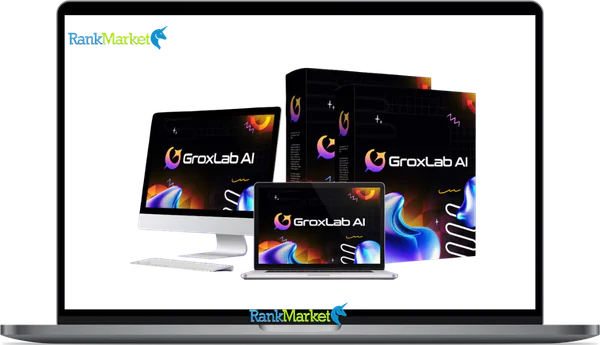
Buy GroxLab AI + OTOs full account + Bonus
$17.00
GroxLab AI is a dashboard that connects and manages Grok AI models to create text, images, and audio in one platform.
| Deliver | GroxLab AI + OTOs |
|---|---|
| Access | Shared |
| Type | AI content dashboard |
| Plan | FE + OTOs |
| Details | GB Details |
GroxLab AI + OTOs - Overview
If you landed here after seeing an ad promising “lifetime access to Grok models” or “ditch your ChatGPT subscription for good,” you are not alone. The search term “GroxLab AI” tends to surface across YouTube thumbnails, affiliate review pages, and marketing videos, often with claims that sound too tidy to be fully accurate. Before you take out your credit card or dismiss the tool outright, it helps to know exactly what you are dealing with.
GroxLab AI is a third-party AI workspace platform that bundles text generation, image creation, and voice synthesis into a single dashboard. It draws on Grok-family language models, the LLMs developed by xAI, but it is not an official xAI product. That distinction matters, and this guide explains why.
Here is what this article covers, in order:
- What GroxLab AI actually is and how it connects to xAI's Grok models
- The specific tools and content capabilities inside the platform
- Which user types get real value from it, and which ones probably will not
- A grounded breakdown of benefits alongside realistic limitations and risk factors
- How it compares to direct AI alternatives like ChatGPT and Midjourney
- A step-by-step onboarding path for your first session
- Common questions answered plainly, without hype
The goal here is neutral, grounded information, not a sales pitch. Let's start with the core definition of what GroxLab AI is and how it relates to Elon Musk's Grok models.
What Is GroxLab AI?

GroxLab AI is a cloud-based AI workspace sold primarily through “lifetime deal” marketing, giving users access to xAI's Grok language models and a set of creative tools, text generation, image synthesis, and voice output, through a single unified dashboard. Think of it as a layer sitting on top of the underlying AI models, packaging them into a structured interface with pre-built templates, project folders, and output controls.
The platform is built and marketed by a third-party vendor, not by xAI directly. It uses API access (or an equivalent model integration) to tap into Grok's large language model capabilities. This means GroxLab AI's continued functionality depends on that vendor relationship remaining active, a factor worth understanding before committing to any long-term purchase.
From a positioning standpoint, GroxLab AI presents itself as an all-in-one replacement for several separate subscriptions: a chatbot assistant, a copywriting tool, an AI image generator, and a voiceover platform. The pitch is straightforward, instead of paying monthly for three or four different SaaS tools, you pay once for a workspace that handles all of them. For a YouTube creator, for instance, GroxLab AI could theoretically handle the script, the thumbnail concept, and the voiceover narration in one place.
Understanding that relationship between the three layers, GroxLab AI as the workspace, Grok/xAI as the underlying language model engine, and the familiar tools it aims to replace (ChatGPT, Midjourney, and similar platforms), gives you a clear picture of where the platform sits. That picture shapes which features actually work, which carry limitations, and where the value proposition holds up under scrutiny. With that foundation established, the next step is understanding what the platform's tools actually do.
Key Features & Tools Inside GroxLab AI (What You Actually Get)
Unified AI Workspace & Templates
The core selling point of GroxLab AI is consolidation. Rather than switching between a writing tool, an image generator, and a voiceover platform, users work from a single dashboard. The interface typically includes a chat window, a template library, project folders, output history, and saved prompt collections.
The template library is where most users spend their early sessions. Pre-built templates give structured starting points for common content tasks, lowering the barrier for users who are not experienced prompt writers. Examples of template categories include:
- Blog post outline
- Product description
- Facebook and TikTok ad copy
- YouTube video script
- Email sequence
- SEO meta tags and title suggestions
- Short-form hooks for Reels or Shorts
Each template accepts variable inputs, topic, audience, product name, tone, and generates a draft output. This structure means even a non-technical user can produce first-draft content without writing a prompt from scratch. The workspace also saves previous outputs, so you can build a personal library of prompts that performed well for your niche.
Content Creation: Blogs, Scripts, Ads, Emails
Text generation sits at the center of what GroxLab AI does. The platform handles a range of written content formats, with the Grok language model powering the underlying generation. Users typically produce:
- Blog posts and long-form SEO articles
- YouTube and short-form video scripts
- Social media captions, hooks, and carousel copy
- Sales pages and product landing page copy
- Email newsletters and full nurture sequences
- Ad copy across Google, Facebook, and TikTok placements
The workflow follows a consistent pattern: select a template or open a blank prompt, input your variables (topic, target reader, tone, product details), generate the output, then edit it to match your brand voice and verify factual accuracy. That last step, editing and verification, is not optional. AI-generated drafts carry a real risk of producing plausible-sounding but inaccurate claims, a limitation that applies to every LLM-based tool, not just GroxLab AI.
A practical example: a creator building a review channel could prompt GroxLab AI with “Generate a 10-minute YouTube script about GroxLab AI, include an intro hook, three key feature sections, and a direct CTA.” The output gives a usable first draft in roughly 30 seconds. That draft still needs a human pass for accuracy, personal perspective, and on-brand language before it goes live.
Visual and Audio Content: Thumbnails, Creatives, and Voiceovers
The content pipeline in GroxLab AI extends beyond text. Image generation and voice synthesis tools connect directly to the writing workflow, letting users move from a completed script to a finished creative asset without switching platforms.
From the image side, users can generate YouTube thumbnails, Instagram and TikTok ad creatives, and social media visuals by submitting a descriptive prompt. Voice tools handle narration output, useful for explainer videos, podcast intro clips, or hands-free audio content. The connection between these layers creates a three-step micro-workflow:
- Step 1: Generate the script using a text template
- Step 2: Feed the script's topic and visual concept into the image tool to produce a thumbnail or social creative
- Step 3: Run the script through the voice tool to produce a narration-ready audio file
This pipeline does not replace professional creative production, but it removes several friction points from the ideation-to-draft stage. For solo creators and small agencies working on tight turnaround schedules, that time reduction has real operational value. With text, image, and voice tools covered, the next piece is how GroxLab AI handles multi-client or repeat-use workflows.
Automation, Projects & Team Workflows
GroxLab AI includes project organization features that matter most to freelancers and small agencies managing several clients at once. Users can create separate project folders, store client-specific prompts, and build reusable workflow templates, sometimes called “recipes“, for tasks that repeat weekly or monthly.
For an agency running content for five different brands, this structure means each client's voice guidelines, product details, and content formats can be stored inside a dedicated project space. A practical example: a project folder labeled “Client X – YouTube Channel” holds the script template, the thumbnail style prompts, the description formula, and the approved tone guidelines all in one place. Each week's content run pulls from that folder without starting from scratch.
The collaborative side, shared team access, multi-user permissions, varies depending on the vendor's plan structure and may be limited on entry-level options. Verify what the specific plan you are considering includes before assuming team features are available. With the feature set mapped out, the next question is who actually gets the most from this platform, and who should look elsewhere.
Pricing Plans and OTOs detailed
Front-End – GroxLab AI ($17 one-time)
- All-in-one AI platform combining multiple content and automation tools
- Create content, funnels, websites, and marketing assets in one dashboard
- Includes commercial license for client work and monetization
- No monthly fees, pay once for lifetime access to core features
- Beginner-friendly system with flexible use cases
- Includes a 30-day money-back guarantee for risk-free testing
OTO 1 – GroxLab AI Unlimited ($97 – $147 one-time)
- Removes all usage limits and unlocks full platform capacity
- Unlimited content generation, AI models, and workflows
- Faster processing speed and improved performance
- Ideal for scaling content production and client work
OTO 2 – GroxLab AI Done-For-You ($97 one-time)
- Access to ready-made templates, funnels, and content systems
- Generate complete assets with minimal input
- No need for planning, prompting, or structuring workflows
- Best for users who want fast, plug-and-play results
OTO 3 – GroxLab AI Creative Studio ($47 one-time)
- Adds multi-format content tools including image and voice generation
- Create visuals, voiceovers, and structured content in one place
- Eliminates the need for external creative tools
- Ideal for users who want more content flexibility
OTO 4 – GroxLab AI Agent ($67 one-time)
- Autonomous system that executes tasks based on your goals
- Handles multi-step workflows and parallel processes automatically
- Designed for full business and content automation
- Best for hands-free scaling
OTO 5 – Financial Freedom System ($47 one-time)
- Training and systems to monetize AI tools effectively
- Includes ready-made offers and business models
- Focuses on building consistent income streams
- Great for beginners entering AI-based businesses
OTO 6 – GroxLab AI Enterprise ($37 one-time)
- Unlocks enhanced performance and deeper system capabilities
- Faster processing and improved output quality
- Access to future updates and expanded features
- Ideal for users needing better speed and scalability
OTO 7 – AutoFlow Engine ($47 one-time)
- Automates workflows based on triggers and schedules
- Runs processes continuously without manual input
- Supports multi-task automation in the background
- Best for consistent, hands-free operations
OTO 8 – GroxLab AI Franchise ($76 one-time)
- Done-for-you affiliate system with ready-made funnels
- Keep 100% of front-end profits and earn commissions on OTOs
- No product creation, support, or tech setup required
- Includes sales pages, videos, and automated delivery
- Ideal for users who want a plug-and-play income model
OTO 9 – GroxLab AI Agency ($197 one-time)
- Create and manage client accounts from one dashboard
- Set your own pricing and offer recurring services
- Full control over client management and delivery
- Best for building a scalable AI service business
OTO 10 – GroxLab AI White Label ($297 one-time)
- Rebrand the platform with your own name, logo, and domain
- Launch your own AI software business without development
- Hosting, setup, and support handled by the team
- Keep 100% of profits while selling as your own product
Who Is GroxLab AI For? (And Who Should Probably Skip It)
Ideal Users & Use Cases
GroxLab AI serves a specific set of users well. The platform was built for the content production side of digital work, people who generate written, visual, and audio assets at a steady volume and want a single place to do it. The personas that tend to get the most out of it are:
YouTube & Video Content Creators
- Write scripts for long-form videos and Shorts
- Generate thumbnail concepts and descriptions
- Produce voiceover narration for video content
- Create end-card CTAs and video hooks
Affiliate Marketers & Info-Product Creators
- Write product review articles and comparison pages
- Draft VSL (video sales letter) scripts
- Build email sequences for product launches
- Generate ad copy for paid traffic campaigns
Freelance Copywriters and Digital Marketers
- Produce first drafts faster for client deliverables
- Vary ad copy angles across multiple ad sets
- Generate social media content calendars from a brief
Small Agencies Managing Multiple Brands
- Store per-client prompt libraries in project folders
- Generate initial ad creative concepts for review
- Produce bulk content drafts for editing teams
Solo Entrepreneurs Who Need “Do-Everything” AI
- Handle blog content, social copy, and email in one place
- Reduce the number of active SaaS subscriptions
- Speed up ideation without a full content team
A realistic scenario: a small agency uses GroxLab AI to draft the first round of ad concepts for five clients each week, then passes those drafts to a human editor for brand voice alignment and compliance review. That workflow reduces production time without removing human judgment from the final output.
When GroxLab AI Is Not a Good Fit
The platform has clear boundaries. For some users, the limitations outweigh the convenience. GroxLab AI is probably not the right tool if:
- Your organization requires enterprise-grade data governance. Companies needing SOC 2 compliance, data residency controls, or formal vendor security reviews should evaluate whether GroxLab AI's vendor meets those standards. Most direct enterprise contracts with OpenAI, Anthropic, or xAI carry clearer compliance documentation.
- You already have in-house AI infrastructure. Teams running proprietary prompting systems or direct API integrations with frontier models gain little from an additional SaaS layer on top.
- You expect publish-ready content with no human editing. No AI tool at the current state of the technology produces content that is accurate, brand-consistent, and compliance-safe without a human review pass. Anyone expecting zero editorial work will be disappointed.
- Your sector carries regulatory obligations. A licensed financial advisor should not publish AI-generated investment guidance without a compliance review. The same applies to medical content, legal advice, and any field where factual accuracy carries professional or legal consequences.
- You need deep plugin ecosystems or code-heavy workflows. Users who rely on code interpreters, custom GPT plugins, or complex API chaining will find direct platform access more useful than a workspace layer.
The core takeaway: GroxLab AI works best as a content drafting assistant for high-volume, non-regulated creative work. It is not a governance tool, a compliance system, or a substitute for expert judgment. With a clear picture of who it serves and who it does not, the next step is mapping the actual benefits against the realistic risks.
Benefits & Limitations of GroxLab AI (Honest Pros & Cons)
Key Benefits (From a User's Perspective)
The value of GroxLab AI depends heavily on the user's existing workflow. For the right user type, several concrete benefits make the platform worth considering.
|
Benefit |
Why It Matters |
|
One-time pricing model |
Replaces ongoing monthly subscription costs for users who produce content at high volume |
|
Centralized workspace |
Removes the friction of switching between separate writing, image, and voice tools |
|
Access to Grok-family reasoning models |
Provides access to xAI's LLM capabilities without requiring direct API setup knowledge |
|
Integrated image and voice generation |
Covers the full draft pipeline, text to visual to audio, in one session |
|
Time savings on ideation and first drafts |
Reduces the time from brief to first draft from hours to minutes |
|
Template-driven workflow |
Lowers the skill barrier for users who are not experienced prompt engineers |
|
Useful for non-native English writers |
Helps users who write primarily in English as a second language produce cleaner copy drafts |
|
Lifetime access potential ROI |
For heavy users, a one-time fee can outperform three or four monthly tool subscriptions over 12–18 months |
A simple framing on cost: if a user currently pays monthly for a writing assistant, an image generator, and a voiceover tool separately, the combined annual spend may substantially exceed the one-time GroxLab AI price. The math works in GroxLab AI's favor only if the user actually uses all three capability areas at meaningful volume, not just the text generation piece.
Realistic Limitations & Risks
Every AI platform at this stage of development carries constraints. GroxLab AI is no different. Users should factor these in before committing:
- Not an official xAI or Grok product. GroxLab AI is a third-party layer accessing xAI's models through an API or equivalent integration. The branding connection to “Grok” creates confusion, but the vendor relationship sits between the user and xAI, not directly with xAI.
- Dependence on vendor operations and API continuity. If the vendor changes its API access, modifies pricing structures, or discontinues service, the platform's functionality may change. “Lifetime” deals in the SaaS space carry this inherent risk across all vendors, not just GroxLab AI.
- AI hallucinations remain a real problem. The underlying LLM can produce confident-sounding but factually incorrect outputs. A model may invent statistics, cite non-existent sources, or describe product features that do not exist. Every output needs human verification before publication.
- Generic outputs from weak or overused prompts. Template-driven workflows can produce repetitive, interchangeable content if the input variables stay shallow. The quality of the output tracks closely with the specificity of the prompt.
- Learning curve despite templates. The platform reduces the technical threshold, but users unfamiliar with prompt refinement, output iteration, and brand voice guidance will still need time to get consistent results.
- Data privacy considerations. Users should review the vendor's privacy policy carefully before inputting proprietary client briefs, product roadmaps, or sensitive business information into the platform.
- Lifetime deal scope may shift over time. Platform updates, feature additions, and model access changes may alter what is included in the original purchase. Reading the fine print on future update rights matters here.
- Over-reliance risks brand voice erosion. Teams that push all content through AI generation without strong editorial oversight tend to produce content that sounds generic over time. The brand voice flattens when the human judgment layer gets removed from the process.
The governing principle: treat GroxLab AI as a capable drafting assistant, not as a fully autonomous publishing pipeline. That framing protects both content quality and operational risk. With the benefit-risk picture clear, the next question is how GroxLab AI stacks up against the direct alternatives users are already familiar with.
GroxLab AI vs. Alternatives (Grok, ChatGPT & Other AI Tools)
Comparing GroxLab AI to direct AI platforms requires looking at what actually differs across four dimensions: pricing model, tool breadth, workflow structure, and enterprise readiness.
- Pricing model. ChatGPT Plus, Claude Pro, and xAI's direct Grok access all operate on monthly subscriptions (typically around $20–$30/month). GroxLab AI's one-time deal structure appeals to users who want to remove recurring billing, but it comes with the vendor-dependency risks already noted.
- Tool breadth. ChatGPT and Claude operate primarily as single-interface chat assistants. GroxLab AI bundles text, image, and voice in one workspace. Midjourney focuses specifically on image generation. For users who need all three output types, GroxLab AI’s bundled structure removes the need to maintain separate accounts.
- Workflow structure. Direct platforms like ChatGPT offer open-ended prompting with no pre-packaged templates. This gives experienced users more control but requires stronger prompting skills. GroxLab AI’s template-driven approach suits users who want guided workflows without building their own prompt libraries from the ground up.
- Enterprise features and compliance. On this dimension, direct enterprise contracts with OpenAI, Anthropic, or xAI carry more formal guarantees around data handling, SLA agreements, and compliance documentation. GroxLab AI is not positioned as an enterprise compliance tool.
|
Dimension |
GroxLab AI |
ChatGPT Plus |
Direct Grok (xAI) |
|
Pricing |
One-time (lifetime deal) |
Monthly subscription |
Monthly subscription |
|
Text generation |
Yes |
Yes |
Yes |
|
Image generation |
Yes |
Yes (via DALL·E) |
Limited |
|
Voice output |
Yes |
Limited |
No |
|
Pre-built templates |
Yes |
No |
No |
|
Enterprise compliance |
Limited |
Available (Enterprise tier) |
Available (API tier) |
|
Official model source |
Third-party |
Direct |
Direct |
The most practical framing: if your current workflow involves opening ChatGPT to write content, then switching to a separate image tool for thumbnails, then using another platform for voice narration, GroxLab AI’s unified structure removes that context-switching friction. If you already use a direct enterprise setup or have a single-tool focus, the bundled approach adds less value. For users who decide the platform fits their needs, the next step is knowing how to get started without wasting the first few sessions.
Getting Started With GroxLab AI: From First Login to First Project
Step-by-Step: Your First 60 Minutes Inside GroxLab AI
The first session inside any new platform is where most users either find their footing or get lost. A structured approach makes the difference. Here is a practical sequence for the first 60 minutes:
Step 1: Create your account and secure the login.
Use a dedicated email and set a strong password. If two-factor authentication is available, activate it. Treat the account as you would any SaaS tool handling content you plan to publish.
Step 2: Explore the dashboard layout without clicking everything at once.
Identify the four primary sections: the chat interface, the template library, the image and voice tools, and the project folder system. Getting a spatial map of the interface before generating anything saves confusion later.
Step 3: Set up your first project folder.
Name it after a real content initiative, like “YouTube Channel Q3” or “Email Campaign – Product Launch.” This trains you to organize outputs by purpose from the first session, not as an afterthought.
Step 4: Run a plain prompt in the chat to understand how the model responds.
Ask something specific to your niche. Evaluate the response quality, the default output length, and how the model handles factual claims. This session gives you a baseline for what the Grok-backed generation actually produces.
Step 5: Use a template to generate your first structured output.
Pick a template that matches a real content need: a blog outline, a YouTube script, or an ad copy set. Fill in the variable fields with actual details from your current work, not generic placeholders. The specificity of the input directly shapes the usefulness of the output.
Step 6: Generate a matching image and test the voice tool.
If you created a YouTube script in Step 5, use that script's topic to generate a thumbnail concept. Then run a short section through the voice tool to hear the narration output. This gives you a hands-on read of the full pipeline in one session.
Step 7: Download your outputs and save the effective prompts.
Export what you generated. Paste the prompts that produced the strongest results into a dedicated document; your personal prompt library. This library becomes the most durable asset you build inside the platform over time.
Best Practices for Using GroxLab AI Without Losing Quality or Trust
The difference between AI-assisted content that performs and AI-generated content that hurts your brand sits almost entirely in how you handle the output after generation. These practices keep that gap tight:
- Always edit AI outputs before publishing. Check for factual accuracy, verify any statistics or claims against a trusted source, and rewrite sections that do not match your brand voice.
- Add your own examples, direct experience, and original context. Google's Helpful Content guidelines reward content that carries genuine first-hand knowledge. A generated draft alone does not carry that. Your editorial layer is what makes it useful.
- Do not publish content just because the AI made it fast to produce. Speed of generation is not a quality signal. The real cost of thin AI content is the reader trust and search visibility you lose over time.
- Use AI for drafts and structural variation, not for final factual statements. Run all high-stakes claims; health guidance, financial figures, legal information; through primary sources before including them in published content.
- Keep a style guide and apply it to every AI-assisted piece. Document your brand tone, preferred terminology, formatting standards, and audience assumptions. Share that guide with every team member who works on AI outputs.
- Customize every template prompt before generating. Templates give structure. Your custom variables, product context, and audience specifics give the output its relevance. A blank template filled with generic inputs produces generic results.
- Treat each AI generation as a first draft, not a final file. The editing pass is where the content earns its quality. Budget time for that pass in every production workflow that uses GroxLab AI.
- Track which prompt variations produce strong outputs. Not all approaches to the same template work equally well. Testing prompt wording, variable combinations, and output length settings builds practical knowledge that compounds over time.
With a clear sense of how to use the platform well, the remaining questions tend to be short, specific, and decision-oriented; the kind this supplemental section addresses directly.
Common Questions About GroxLab AI
Is GroxLab AI an Official xAI or Grok Product?
No. GroxLab AI is a third-party software platform that integrates xAI's Grok language models (currently utilizing Grok 4.20 Beta versions as of mid-2026) through an API connection. While the branding leverages the association with xAI and Elon Musk’s development work, the platform is maintained by an independent vendor. For official Grok access, including the latest Grok 5 features or direct xAI console tools like the new Voice Library, you must visit x.ai directly.
Does GroxLab AI Replace ChatGPT, Midjourney, or a Human Editor?
It can replace specific functions, but it does not eliminate the need for human oversight. GroxLab AI consolidates text, image, and voice generation, which can reduce the cost of maintaining three or four separate monthly subscriptions. However, it does not replace:
- Fact-checking: AI models in 2026 still hallucinate; always verify technical or financial claims.
- Brand Voice: AI-generated content often requires a human “flavor” pass to sound authentic.
- Compliance: Regulated industries (medical, legal, finance) require expert review that AI cannot provide.
- Advanced Tooling: Specialized platforms like Midjourney or Claude Opus may still lead in niche areas like artistic rendering or complex coding.
What Types of Content Can GroxLab AI Generate?
The platform is a “multi-functional laboratory” covering three main categories:
- Text: SEO-optimized articles, YouTube scripts, email sequences, VSL scripts, and ad copy.
- Images: High-resolution marketing assets, thumbnails, and social media graphics via the Visual Laboratory.
- Audio: Voiceover narration and character voices (utilizing Grok's recent speech-to-text and text-to-speech API capabilities).
A practical starting point: Use the Smart Content Engine for your high-volume drafting tasks and evaluate if the one-click generation meets your quality baseline.
Is AI-Generated Content From GroxLab AI Safe for SEO?
Google's 2026 guidelines continue to reward helpful, high-quality content regardless of its origin. However, “pure” AI content with no human review often fails to rank because it lacks E-E-A-T signals (Experience, Expertise, Authoritativeness, Trustworthiness).
GroxLab AI provides the structure and the speed, but for SEO safety, you must add your own original insights and first-hand experience. In 2026, AI Overviews preferentially cite sources that demonstrate genuine expertise over automated “thin” content.
How Does GroxLab AI Compare to Other “Lifetime Deal” Platforms?
In the 2026 AI market, GroxLab AI stands out for its Grok-family reasoning and its bundled workflow. When evaluating it against other lifetime deals (LTDs), consider:
- The Upsell Funnel: Many LTDs, including GroxLab AI, feature multiple OTOs (One-Time Offers). While the Front-End offer provides the core tools, the “Unlimited Edition” (OTO 1) and “Automation & Traffic” (OTO 3) are often cited by users as the most critical for scaling.
- Data Freshness: Unlike older models, Grok-integrated tools pull from real-time data via the X platform, giving you an edge in news-sensitive niches.
- Vendor Longevity: Lifetime access is only as good as the vendor's ability to maintain API agreements with xAI.
From the first question of “what is GroxLab AI?” to a working understanding of its limits, this guide covers the full decision path. Whether it fits your workflow comes down to one practical test: run it against a real content task in your niche, evaluate the output with an honest editor’s eye, and let the result guide the decision.
Some Questions Before Join US
Group buying, also known as collective buying, offers products and services at significantly reduced prices on the condition that a minimum number of buyers would make the purchase.
- First, we will list product Here as people request & Collect Money From other peoples.
- Sec, Once enough moneys from customer, we will buy products From Developer.
- Then, we deliver to all Joiners.
- You can join directly by Purchase at our site and Reach Support about that to confirm.
- You can join via our Community : https://bit.ly/RMKDiscord
- How to Buy
We have 2 Product Status
- Instant-Deliver : Avaible and Deliver within 24-48hs (not on Sat-Sun, Holiday)
- Group Buy/Pre-Order : Not avaible, Still collect more people to join, need to wait.
OTO mean that One-Time-Offer/Upsell/Upgrade of Product For limited time only
Cancelled mean that order is not pay/process within 24hs. Please reach us with Order ID to check.
You will get Products by Download via Email .Once you finish payment to us and get confirm. You will get download Links inside your Account
- SAAS : You will get Individual account via Mail or On your Order List
- Shared Tool : via our chrome (WIN/MAC/Linux)
- WP : We will active key for your site.
- Course/Book/GraphicKit : Download link will send via mail or On your Order List.
- ETA Time : Fast maybe 3-4 days or 1 Week , Always be 3-4 Weeks or some times as Member Request it can be up to 3 Months to Group Buy WIN.
- GB Fail : You will get refund or exchange other.
– If Products problem, Capture screenshot/Video to us. We will forward to developer to fix it.
– If impossible sloved, we will exchange to other product. With Annual Product, we will refund or exchange by subtract times that you used.
– If used product for 1 or few years then not work. we will try to contact developer to fix it. But if some bad Vendors keep money and run, we just can give you some discount for future orders.
Warranty Time :
- Monthly Product : 30 days
- Annual/One Time Product : 1 year.
Our Store Credit mean credit can use to redeem on Your orders. 25 Credit = 1$.
Earn by some way :
- Place Orders. Each 1$ spend you will earn 1$
- Exchange some not work/not-fullfill orders by your agreed.
- By Reffer Your Friends to buy at our store.
How to redeem
- At Checkout page have redeem button to use it. Maxium is 250/orders.
- If you need redeem more. Reach our Support
We support only via 2 channel :
- Email : [email protected]
- Messenger : m.me/rankmarkenet (Live chat on Site)
TIme : From 9AM - 6PM Monday - Friday (GTM+8).
All Order/Ticket on Sat-Sun/Holiday will be supported on next Monday.
WE ARE TRY TO WORK HARD AND SUPPORT ALL PEOPLE BUT WE CAN NOT MAKE ALL HAPPY 100%
Thanks For You are here and belive US for longtime.
While working,we meet someone like & we will not support :
– People buy 1 but want to exchange to 10 Products.
– People who steal our products then ask refund.
– People fake payment to get our products.
– People always ask refund,can not wait for waiting product. Dont Pay. Wasted our Time.
Best Regards
David Green – RankMarket
Related products


SAAS Tools

SAAS Tools


SAAS Tools