

Buy DrawFlow + OTOs full account + Bonus
$17.00
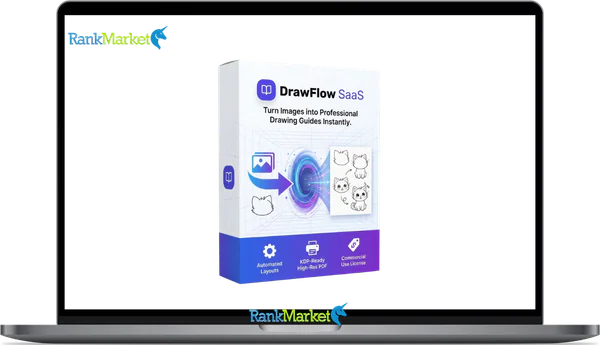
DrawFlow is a cloud-based visual workflow platform that helps you turn scattered ideas into clear, organized, step-by-step action systems in one centralized space.
| Deliver | DrawFlow + OTOs |
|---|---|
| Access | Shared |
| Type | Visual Workflow Builder |
| Plan | FE + OTOs |
| Details | GB Details |
If your ideas seem disjointed and your strategy is scattered across notes, documents, and spreadsheets, DrawFlow is designed to address that. It transforms complex thinking into a visual structure you can apply. Instead of having to guess how everything from sales funnels and content plans to business workflows connects, you can see it all at a glance on a simple drag-and-drop canvas. Whether they're an affiliate marketer creating offers, a course creator outlining modules, or a company planning systems for clients, DrawFlow makes it easy to establish connections and organize their thinking in minutes.
What is DrawFlow?

DrawFlow is a visual workflow software that runs on the cloud and helps users arrange their disorganized thoughts. DrawFlow allows you to map all of your notes, spreadsheets, and documents in one visual location rather than in a disorganized mess. where you may make connections, develop methodical procedures, and translate abstract ideas into action sequences that are simple to comprehend.
Before using DrawFlow to design your funnels, plan them out. Create a scalable content system and use it to explain business activities to your clients or team. For affiliate marketers, course developers, agency owners, independent contractors, and digital entrepreneurs looking for structure, clarity, and improved communication without being overloaded with tools, it also acts as a visual command center.
Key features of DrawFlow
- Easy-to-use Drag-and-Drop Interface: You can add blocks to DrawFlow's basic drag-and-drop visual structure, connect them, and see how your ideas interact right away. Everything is logically arranged, making it simple to quickly read complicated techniques.
- Workflow Templates That Are Ready to Use: Remarkably, it has a large number of pre-made templates for corporate procedures, sales funnels, product launches, and content preparation. You can use tried-and-true frameworks and modify them to fit your needs instead of starting from scratch.
- Cloud-Based Access: DrawFlow is a cloud-based platform that functions on any device and doesn't require any downloads or installations. All you have to do is log in using any browser to continue working.
- Design that encourages collaboration: You may share your workflow with clients, partners, or other team members. This guarantees that everyone is using the same visual scheme rather than becoming disoriented by dispersed messaging on several platforms.
How to use DrawFlow
Step 1: Log in to your Dashboard
All of your projects are available in one location when you access DrawFlow straight from your browser and into your workspace.
Step 2: Choose a Blank Canvas or Template
Start from scratch if you want complete customisation; if not, use a custom workflow template to expedite the setup procedure.
Step 3: Add Visual Buttons
Make graphic buttons that stand in for concepts, assignments, steps in a funnel, parts of material, or business procedures. Every button serves as a component of your system.
Step 4: Connect to Logical Flows
Real-world situations can be represented in terms of relationships, sequences, or dependencies by drawing lines between nodes, which turns a confusing collection of ideas into an understandable, straightforward path.
Step 5: Refine and Expand
Modify, restructure, and develop your system as the strategy progresses, keeping the process clear, feasible, and focused on your goals.
Why you should use DrawFlow?
- Construct systems from concepts: Use DrawFlow to turn unstructured shapes into workflows that can be carried out. The complete roadmap is in front of you, so you don't have to guess what comes next.
- Minimize mental clutter and overload: You will encounter obstacles if your activities, content strategies, and sales funnels are dispersed throughout your mind or on disparate platforms. Everything is consolidated into a single visual control center using DrawFlow.
- Think more strategically: Before spending time or money, knowing how each step relates to the others will help you think more logically, identify any holes in your plan, and strengthen your overall strategy.
- Build first, then launch: To ensure that your automation paths, customer workflows, course architectures, and sales funnels are well-planned, outline them before constructing them on other platforms.
- Save time and steer clear of expensive errors: Faulty sales funnels, careless launch campaigns, and inefficient systems are all eliminated by a clear, visual plan, which also guarantees quicker execution and protects your money.
- Develop with a purpose: The intricacy of your business increases as it expands. You can scale without chaos by using DrawFlow to help you manage your processes.
The Upgrade/OTO details
FE: DrawFlow Front-End – $17
- Access to core automation tools for graphic creation
- Standard ready-made templates across multiple categories
- Basic customization controls for layouts and elements
- Cloud-based dashboard with project saving
- Beginner-friendly training modules included
- For users who want to automate graphic creation without advanced customization or client scaling features.
OTO 1 – Pro Edition – $37
- Expanded premium template library with niche-specific designs
- Advanced customization controls for fonts, colors, and layouts
- High-resolution export options for professional use
- Faster rendering and priority processing
- Access to exclusive design elements and assets
- For users who want higher-quality output and greater creative flexibility.
OTO 2 – Commercial License – $57
- Full commercial rights to sell graphics to clients
- Permission to use designs in paid client projects
- No royalty fees on client work
- Ability to create unlimited graphics for resale
- Legal license documentation included
- This upgrade is essential if you plan to offer graphic services or sell digital design assets.
OTO 3 – Agency Upgrade – $97
- Multi-client account management dashboard
- Expanded project and storage limits
- Ability to create sub-accounts for team members
- Client collaboration and approval workflow tools
- Priority support for agency users
- For freelancers and marketing agencies handling multiple client projects simultaneously.
Advantages
- Extremely simple interface: DrawFlow's drag-and-drop interface lets you begin sketching your ideas right away; no prior knowledge is needed.
- Improves strategic thinking immediately: You may think more logically and spot gaps, bottlenecks, and lost opportunities more rapidly when you draw your ideas in a systematic order.
- There is no need for technical expertise or prior design or programming knowledge. You can build entire systems if you know how to drag and link blocks.
- Perfect for processes and sales funnels: Ideal for creating piecework systems, automation pathways, sales funnels, and detailed company procedures.
- Outstanding return on investment for entrepreneurs and marketers: It is a no-brainer investment that will benefit users who are focused on growth because a visual plan not only helps you avoid certain costly blunders or lost advertising dollars, but also poorly organized product launch campaigns.
Disadvantages
- More methodical than graphic design DrawFlow prioritizes clarity and reasoning over visual design. It is not intended for producing aesthetically beautiful images; rather, it is for system planning.
- Strong in-depth BSPs: DotcomWeavers (and Adalo) are better at scaling them to handle workflows the more complicated your business processes are, but if you want sophisticated visual effects or in-depth design, you'll have to wait for some future releases.
Who is it for?
- Affiliate marketers: Before starting campaigns, affiliate marketers should optimize commission paths and visualize sales channels.
- Content producers: To organize your topic clusters, publishing processes, and content repositories for long-term growth.
- Course designers: Before laying a foundation, it is important to have a clear plan for modules, lesson flows, and learner journeys.
- Businesses: To become more clear in their planning of client onboarding systems, customer sales channels, and service delivery processes.
- entrepreneurs: In order to prevent operational chaos as their businesses grow, entrepreneurs should design scalable business procedures.
What You Get (Compared to Buying at RankMarket)
- Additional bonuses: Where we find good templates, strategic guides, or workflow examples, helping you get started faster.
- Verified access: Receive risk-free payments and access to the right version of DrawFlow.
- Clear setup guide: From structuring the sales funnel, content system, and business processes.
- Up-to-date information: Pricing, features, and upgrade details are always up-to-date so you can make informed decisions.
- Risk-free purchase: Satisfaction guaranteed so you can confidently try it out.
FAQs
- Is DrawFlow beginner-friendly?
Yes. It doesn't have any technical or design limitations as the interface is very user-friendly. You can build entire workflows by dragging and connecting blocks. - Do I need to install anything?
No, you can use DrawFlow on any browser without downloading or installing anything because it is entirely cloud-based. - Can I use it to plan my sales funnel?
Of course. Sales funnels, automation systems, content systems, and product launch strategies may all be mapped out with this tool before they are built. - Can I collaborate with others?
Yes. You can share workflows with team members, partners, or clients so everyone is on the same page and focused on execution. - Is it a graphic design tool?
Not at all. DrawFlow prioritizes productivity and logic over design. It's not for show; it's for strategy.
Conclusion
DrawFlow is about clarity, organization, and execution, not just flashy graphics. By turning abstract ideas into visual systems, it facilitates strategic thinking, helps you avoid costly errors, and speeds up your progress toward outcomes. For those who desire scalable systems, more intelligent workflows, and clearer ideas without being bogged down by technical jargon, DrawFlow is a useful and potent answer.
Some Questions Before Join US
Group buying, also known as collective buying, offers products and services at significantly reduced prices on the condition that a minimum number of buyers would make the purchase.
- First, we will list product Here as people request & Collect Money From other peoples.
- Sec, Once enough moneys from customer, we will buy products From Developer.
- Then, we deliver to all Joiners.
- You can join directly by Purchase at our site and Reach Support about that to confirm.
- You can join via our Community : https://bit.ly/RMKDiscord
- How to Buy
We have 2 Product Status
- Instant-Deliver : Avaible and Deliver within 24-48hs (not on Sat-Sun, Holiday)
- Group Buy/Pre-Order : Not avaible, Still collect more people to join, need to wait.
OTO mean that One-Time-Offer/Upsell/Upgrade of Product For limited time only
Cancelled mean that order is not pay/process within 24hs. Please reach us with Order ID to check.
You will get Products by Download via Email .Once you finish payment to us and get confirm. You will get download Links inside your Account
- SAAS : You will get Individual account via Mail or On your Order List
- Shared Tool : via our chrome (WIN/MAC/Linux)
- WP : We will active key for your site.
- Course/Book/GraphicKit : Download link will send via mail or On your Order List.
- ETA Time : Fast maybe 3-4 days or 1 Week , Always be 3-4 Weeks or some times as Member Request it can be up to 3 Months to Group Buy WIN.
- GB Fail : You will get refund or exchange other.
– If Products problem, Capture screenshot/Video to us. We will forward to developer to fix it.
– If impossible sloved, we will exchange to other product. With Annual Product, we will refund or exchange by subtract times that you used.
– If used product for 1 or few years then not work. we will try to contact developer to fix it. But if some bad Vendors keep money and run, we just can give you some discount for future orders.
Warranty Time :
- Monthly Product : 30 days
- Annual/One Time Product : 1 year.
Our Store Credit mean credit can use to redeem on Your orders. 25 Credit = 1$.
Earn by some way :
- Place Orders. Each 1$ spend you will earn 1$
- Exchange some not work/not-fullfill orders by your agreed.
- By Reffer Your Friends to buy at our store.
How to redeem
- At Checkout page have redeem button to use it. Maxium is 250/orders.
- If you need redeem more. Reach our Support
We support only via 2 channel :
- Email : [email protected]
- Messenger : m.me/rankmarkenet (Live chat on Site)
TIme : From 9AM - 6PM Monday - Friday (GTM+8).
All Order/Ticket on Sat-Sun/Holiday will be supported on next Monday.
WE ARE TRY TO WORK HARD AND SUPPORT ALL PEOPLE BUT WE CAN NOT MAKE ALL HAPPY 100%
Thanks For You are here and belive US for longtime.
While working,we meet someone like & we will not support :
– People buy 1 but want to exchange to 10 Products.
– People who steal our products then ask refund.
– People fake payment to get our products.
– People always ask refund,can not wait for waiting product. Dont Pay. Wasted our Time.
Best Regards
David Green – RankMarket
Related products

SAAS Tools

SAAS Tools



SAAS Tools