
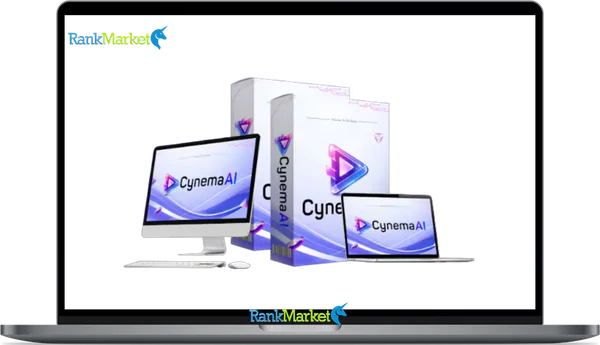
Buy Cynema AI + OTOs full account + Bonus
$17.00
Cynema AI is a cloud-based platform that creates cinematic 4K videos from text, images, or prompts using multiple AI engines.
| Deliver | Cynema AI + OTOs |
|---|---|
| Access | Shared |
| Type | AI video generator |
| Plan | FE + OTOs |
| Details | GB Details |
Cynema AI + OTOs - Overview
The AI video space in 2026 is crowded, fast-moving, and frankly confusing. Dozens of tools promise professional output, but most demand technical knowledge, expensive hardware, or a separate subscription for every engine you want to use. Cynema AI takes a different path, it bundles 50+ AI video engines into one cloud-based platform and turns your text, image, or sketch into a 4K cinematic video in under 60 seconds.
With over 10 years of experience building software and technology products, the team behind Cynema AI built this platform specifically for people who want results, not a learning curve.
What Is Cynema AI? (Simple Definition & Core Concept)

Cynema AI is a cloud-based multimodal AI platform that generates professional 4K cinematic videos from text prompts, images, sketches, or keywords in under 60 seconds using 50+ integrated AI engines, no editing skills required.
“Multimodal” simply means the system accepts multiple types of input. You can type a scene idea, upload a photo for reference, drop in a rough sketch, or even enter just a single keyword. Cynema AI interprets all of these and produces a structured, cinematic video output.
It is not a single AI model, and it is not a traditional timeline-based video editor. Think of it as the orchestration layer sitting above the most capable AI video models available, selecting the right engine for your task and automating every production step in between.
Core outputs Cynema AI delivers:
- 4K cinematic video clips
- Auto-generated scripts and scene breakdowns
- Auto voiceover and music soundtrack
- Commercial-use-ready video content
How Does Cynema AI Fit Into the AI Video Landscape in 2026?
Three distinct categories of AI video tools define the market right now. Understanding where each one sits helps you make a smarter decision.
The first category is single-model tools, direct access platforms like Sora, Kling, or Veo, where you work with one model at a time. These tools give you raw capability, but they also require you to understand each model's prompt logic, strengths, and limitations.
The second category is editing-first platforms, tools like Runway, which combine AI generation with a proper video timeline. These suit users who want post-generation control: precise cuts, multi-layer audio, and visual effects stacks.
The third category, where Cynema AI belongs, is aggregator and workflow simplification tools. These platforms pull multiple engines together behind a single interface and automate the production chain, from input to finished video, without asking the user to make technical choices along the way.
How Does Cynema AI Work? (Step-by-Step Workflow)
The workflow inside Cynema AI follows a clear six-stage sequence. Each stage is automated, but you retain enough control to guide the direction of the output.
Step 1, Input Your Idea
You can type a descriptive text prompt, upload an image or sketch as a visual reference, or simply enter a single keyword or short brief. The more descriptive your prompt, including style, subject, and intended duration, the more precisely the platform interprets your intent.
Step 2, AI Parsing and Intent Recognition
Cynema AI analyzes your input to identify the subject, visual style, motion type, and duration. It translates natural language into structured creative parameters.
Step 3, Engine Selection and Orchestration
Based on what your prompt requires, Cynema automatically routes the task across its pool of 50+ AI engines. Complex motion sequences may call on Sora 2. Photo-realistic product shots might lean on Kling 2.1. A filmic, color-rich narrative scene could draw from Veo 3.1.
Step 4, Auto Script and Scene Design
Cynema drafts a short working script and structures it into individual scenes or shots. You have the option to adjust scene length and story flow before rendering begins.
Step 5, Voiceover, Music, and Visual Effects
The platform selects and applies a voiceover in your preferred style, adds a matching music track, and layers in basic effects like camera movement, scene transitions, and color grading.
Step 6, Cloud Rendering and Export
Your video renders on Cynema's cloud infrastructure, so your local machine's hardware is irrelevant. Short clips typically complete in under 60 seconds. You export in 4K, with format presets for YouTube (16:9), TikTok (9:16), and social square (1:1).
|
Input Type |
Cynema Process |
Output |
|
Text prompt |
Parse, engine routing, scene build |
4K video with audio |
|
Image or sketch |
Visual extraction, animation |
Animated cinematic scene |
|
Keyword only |
Concept expansion, scripting, render |
Full short-form video |
Key Features of Cynema AI (Engines, Tools & Outputs)
Cynema AI's depth comes from two things: the breadth of engines it integrates and the degree to which it automates the steps between input and finished output. Below is a full breakdown of its core feature set for 2026.
|
Feature |
What It Does |
Main Benefit |
|
Multi-Engine Hub |
Routes tasks across 50+ AI video engines |
Access best-in-class models (Sora 2, Kling 3.0) |
|
Text-to-Video |
Converts written prompts into 4K cinematic clips |
Turn ideas into footage instantly |
|
Multimodal Input |
Animates static images, sketches, or videos |
Visual concepts to motion without filming |
|
Auto Scripting |
Writes a working script and breaks it into shots |
Eliminates writing time for short content |
|
Scene-Based Editing |
Adjusts content shot by shot after generation |
Control without a full timeline editor |
|
AI Voiceover |
Applies narration in multiple voice styles |
Finished narration without recording |
|
AI Sound Design |
Syncs soundtracks and native audio (Sfx) |
Broadcast-ready audio in one pass |
|
VFX & Camera Motion |
Adds pans, zooms, and FPV drone movements |
Cinematic feel without post-production |
|
Cloud Turbo-Render |
Processes 4K videos in under 60 seconds |
No local hardware requirements |
|
Commercial Rights |
Grants rights for ads and monetized content |
Full Commercial License included |
Multimodal Creative Flexibility
One of the more practical aspects of Cynema AI is how it handles combined inputs. You are not limited to one mode at a time. Uploading an image alongside a text description gives the engine a visual reference point, which produces output much closer to your intended aesthetic. Upload a rough storyboard frame, even a hand-drawn sketch, and Cynema can animate it into a structured cinematic shot using specialized engines like Pixverse AI.
“No-Editor” Simplicity
Traditional video editors operate on timelines, keyframes, and layer stacks. That model assumes technical knowledge. Cynema AI replaces that entire structure with a visual automation chain. You describe what you want, the platform assembles it. For users who have never opened a video editing application, this is the real differentiator.
Which AI Engines Does Cynema AI Use Under the Hood?
Cynema AI's engine lineup evolves as new models enter the market. As of early 2026, the platform orchestrates several high-performance systems to handle different creative demands.
|
Engine |
Primary Strengths in 2026 |
|
Sora 2 |
Complex narrative generation, gravity-defying physics, multi-subject motion |
|
Kling 3.0 |
Multi-shot consistency, subject stability across angles, realistic physics |
|
Veo 3.1 |
Native audio generation, lip-sync, Google's flagship cinematic rendering |
|
Wan 2.5 |
High-speed social production, vivid motion, adaptive lighting |
The platform analyzes your prompt and determines which engine, or combination of engines, best fits the task. When you need physically convincing motion, the system leans toward Sora-class capabilities. When your prompt calls for native audio and dialogue, Veo 3.1 takes precedence.
Pricing Plans and OTOs detailed
FE – Cynema AI ($16.95)
- Access to full multimodal AI video platform
- Create unlimited 4K cinematic videos
- Built-in video generation engine included
- Photo-to-video and script generation features
- All-in-one solution without monthly fees
- 30-day money-back guarantee included
OTO 1 – Unlimited ($47 – $167)
- Remove all platform limitations
- Unlimited 4K video creation and rendering
- Unlimited scripts, effects, and scene extensions
- Unlimited background music and assets
- Faster processing and priority performance
- Full commercial rights for scaling business
OTO 2 – DFY Setup ($97 – $297)
- Done-for-you account setup and configuration
- Niche selection and campaign preparation
- Optimized system for traffic and conversions
- Skip technical setup and save time
- Ready-to-run system from day one
- Ideal for beginners and busy users
OTO 3 – Automation Pro ($27 – $47)
- Automate content creation and workflows
- Run campaigns on full autopilot
- Generate traffic and sales 24/7
- Reduce manual work and effort
- Build passive income system
- Improve efficiency and consistency
OTO 4 – Swift Profits ($47 – $67)
- Accelerate results and earnings quickly
- Apply proven monetization strategies
- Get faster traction from campaigns
- Reduce time to first profit
- Boost confidence with early wins
- Designed for quick income generation
OTO 5 – Limitless Traffic ($67 – $167)
- Drive targeted traffic to your content
- Increase views, clicks, and engagement
- Boost conversions and lead generation
- Access built-in traffic sources
- Scale campaigns faster
- Improve overall visibility
OTO 6 – Agency License ($67 – $167)
- Create and manage unlimited client accounts
- Sell AI video services to clients
- Build recurring income streams
- Full control over pricing and services
- Commercial and agency rights included
- Scale into a service-based business
OTO 7 – Reseller License ($67 – $167)
- Sell Cynema AI and keep 100% profits
- Done-for-you sales funnels included
- No need to handle support or tech
- Launch your own software business
- Earn from entire funnel
- High-profit business opportunity
OTO 8 – 10X Edition ($27 – $47)
- Access 200+ additional income tools
- Build multiple income streams
- Diversify revenue sources easily
- Minimal setup required
- Expand beyond video creation
- Designed for long-term scaling
Real-User Pros & Cons of Cynema AI (E-E-A-T Synthesis)
Any honest evaluation in 2026 needs to put the real-world experience next to the marketing claims. Cynema AI has genuine strengths, but it also has clear boundaries.
Strengths
|
Pro |
Why It Matters |
|
Hyper-Fast Rendering |
Going from idea to 4K clip in 60 seconds is a real productivity gain. |
|
One-Click 4K |
High-definition rendering powered by Wan 2.5 and Kling 2.6 Pro. |
|
No “Monthly Trap” |
During the 2026 launch phase, access is a one-time fee (~$17, $27). |
|
Agency Ready |
The Agency Dashboard allows managing client accounts and reselling services. |
Limitations
|
Con |
Why It Matters |
|
OTO Funnel Structure |
Advanced features like Unlimited Rendering or DFY Templates are upsells. |
|
Limited Manual Mixing |
It is an automation tool, not a replacement for Adobe Premiere or Runway's manual timeline. |
|
Queue Sensitivity |
While fast, heavy server load can occasionally impact the Turbo-Render speed. |
A marketer who tested Cynema AI reported producing five distinct ad concept variants in a single afternoon, something that would have taken days in a traditional pipeline. The platform delivered on the speed promise in that scenario. However, for AI filmmakers requiring precise Motion Brush control or frame-level masking, specialized tools like Runway or Luma Dream Machine remain the professional standard. Cynema AI is designed for speed, scale, and accessibility for the non-technical creator.
Who Is Cynema AI Best For? (And Who Should Avoid It)
Cynema AI is not a tool for everyone, and the clearest way to evaluate it in 2026 is to match it against real production scenarios.
The platform works well for content creators who need YouTube shorts, TikTok clips, or faceless channel intros at speed. It also fits social media marketers and performance ad buyers who need to test multiple creative variations without commissioning an agency. Freelancers who offer video deliverables but lack deep editing skills will find it expands what they can offer clients, especially with the built-in Agency License.
There are also specific moments where Cynema AI fits particularly well. When you need to visualize a concept quickly, before committing to a full production, the platform is fast and low-cost enough to use as a cinematic scratchpad. High-volume creative testing, where you need ten variations of a 15-second ad, is another scenario where the speed advantage is real.
|
Use Case |
Fit |
Reason |
|
YouTube Shorts & TikTok |
High |
9:16 format support, Turbo-Render speed |
|
Social Media Ad Testing |
High |
Multiple variants, Full Commercial License |
|
Freelance Video Gigs |
High |
Agency dashboard included, high-perceived value |
|
Small Business Promos |
High |
No monthly fee, one-click 4K output |
|
Client Concept Drafts |
Medium |
Good for storyboards, final polish may need Premiere |
|
Feature Film/VFX |
Low |
No timeline control, no compositing or masking |
Cynema AI vs Other AI Video Tools (Runway, Sora 2, Kling 3.0)
The question most potential users arrive at is a practical one: why not just use Sora 2 or Kling 3.0 directly? In 2026, the answer comes down to orchestration versus manual control.
|
Tool |
Engine Access |
Pricing Model |
Best For |
|
Cynema AI |
50+ Integrated Engines (Sora 2, Veo 3.1, Wan 2.5) |
One-time payment (~$17) |
Beginners, Marketers, Agency Scaling |
|
Kling 3.0 |
Single Model (Kuaishou) |
Subscription / Credits |
Multi-shot storyboarding, 60fps realism |
|
Sora 2 |
Single Model (OpenAI) |
$200/mo Pro Tier |
Physics simulation, “Cameo” face-mapping |
|
Veo 3.1 |
Single Model (Google) |
High Cost per Credit |
Enterprise users, Spatial Audio needs |
Reading the trade-offs
Cynema AI's clearest advantage is access breadth at a flat cost. You are not paying per model, per month. It routes your prompt to the best available engine automatically (e.g., using Wan 2.5 for fast motion or Kling 2.1 for realism). The limitation is that you cannot step inside the engine's “brain”, there is no keyframe control or motion brush like you would find in Runway.
For many practitioners, the tools are not competing, they are sequential. Cynema AI generates the 4K draft or the viral hook. A traditional editor, or a tool like Autodesk Maya 2026, provides the final technical polish if required for high-end cinema.
Frequently Asked Questions About Cynema AI
Is Cynema AI really a one-time payment tool?
Yes. During the current 2026 launch phase, Cynema AI is available for a one-time fee (typically around $16.95 to $27). This is a rare model in a market where compute-heavy tools like Sora 2 often cost $200 per month. Note that advanced “Unlimited” features or Agency Dashboards are often positioned as One-Time Offers (OTOs) during checkout.
Can I use Cynema AI videos commercially on YouTube and TikTok?
Yes. Your purchase includes a Full Commercial License. This grants you 100% ownership of the 4K cinematic videos you create. You can use them for monetized YouTube channels, paid TikTok ads, or even sell them to clients as a service.
Do I need a powerful GPU or a high-end PC?
No. Cynema AI is 100% cloud-based. All the heavy lifting, the 4K rendering and AI orchestration, happens on their Turbo-Render server clusters. If you can open a web browser on a Mac, Windows, or even a tablet, you can produce professional-grade video.
What types of videos can Cynema AI generate best?
Cynema AI produces its strongest output in the following formats:
- Short cinematic scenes (10, 30 seconds)
- Product promo and reveal videos
- YouTube and social media intros
- Ad creative concepts and hooks
- Concept visualization clips for pitches or approvals
Where it is weaker: long-form narrative videos, multi-character dialogue scenes, and anything requiring precise frame control or deep continuity across extended footage.
How is Cynema AI different from tools like Runway or direct Sora access?
Cynema AI functions as an aggregator, it sits above multiple AI video engines and routes your task to the right one automatically. Runway is an editing platform with timeline control and its own AI generation tools; it gives you more manual control at the cost of a steeper learning curve and a subscription fee. Direct Sora or Kling access gives you raw model capability, but requires you to manage those accounts separately and understand each model's specific prompting behavior. Cynema AI trades granular control for speed, simplicity, and multi-engine access under one payment.
Does Cynema AI require a powerful computer or GPU?
No. Cynema AI renders all video in the cloud, on its own server infrastructure. Your local machine only needs to run a browser and a stable internet connection. There is no GPU requirement, no software installation, and no local rendering. This makes the platform accessible on standard laptops and mid-range hardware, provided your connection speed is sufficient to stream and download 4K output files.
What video resolutions and aspect ratios does Cynema AI support?
Based on current platform information, Cynema AI supports:
- 4K (3840×2160) and 1080p resolution
- 16:9, standard widescreen, YouTube
- 9:16, vertical, TikTok and Instagram Reels
- 1:1, square, social media feed
Check the platform's current specification page for any updates to supported formats, as output options may expand over time.
Is there a limit to how many videos I can create with Cynema AI?
Cynema AI's marketing highlights “unlimited” video creation access under its one-time plan. In practice, most cloud-based platforms with unlimited claims operate within fair-use boundaries, meaning heavy commercial use or automated bulk generation at scale may be subject to queue management or usage policies. Before relying on the platform for high-volume production, read the current terms of service carefully to understand any caps, rate limits, or restrictions that apply.
Is Cynema AI suitable for complete beginners with zero editing experience?
Yes, and this is one of the clearest strengths of the platform. The workflow does not assume any prior knowledge of video editing, prompting, or AI tools. A first-time user can go from a text idea to a finished 4K clip in their first session. That said, there is a short learning curve around prompt writing. The more descriptive and specific your input, the better the output. Spending a little time understanding how to frame prompts, style, tone, subject, duration, will noticeably improve your results from day one.
Can professionals or studios use Cynema AI in their pipeline?
Yes, with a clear understanding of where it fits. Professionals can use Cynema AI effectively for concept visualization, pre-production ideation, client draft presentations, and fast creative prototyping. It is not a replacement for a full post-production pipeline. Studios that need frame-accurate compositing, multi-layer color grading workflows, or advanced VFX will still need dedicated tools for those stages. Cynema AI is most useful in the early phases, generating raw material and concepts, rather than in the finishing or delivery stages of a professional project.
Cynema AI represents a specific answer to a specific problem: getting from a video idea to finished footage, fast, without technical barriers. Within that scope, it delivers a genuine and accessible path. Understanding where those boundaries sit is what separates a good purchase decision from a frustrated one.
Some Questions Before Join US
Group buying, also known as collective buying, offers products and services at significantly reduced prices on the condition that a minimum number of buyers would make the purchase.
- First, we will list product Here as people request & Collect Money From other peoples.
- Sec, Once enough moneys from customer, we will buy products From Developer.
- Then, we deliver to all Joiners.
- You can join directly by Purchase at our site and Reach Support about that to confirm.
- You can join via our Community : https://bit.ly/RMKDiscord
- How to Buy
We have 2 Product Status
- Instant-Deliver : Avaible and Deliver within 24-48hs (not on Sat-Sun, Holiday)
- Group Buy/Pre-Order : Not avaible, Still collect more people to join, need to wait.
OTO mean that One-Time-Offer/Upsell/Upgrade of Product For limited time only
Cancelled mean that order is not pay/process within 24hs. Please reach us with Order ID to check.
You will get Products by Download via Email .Once you finish payment to us and get confirm. You will get download Links inside your Account
- SAAS : You will get Individual account via Mail or On your Order List
- Shared Tool : via our chrome (WIN/MAC/Linux)
- WP : We will active key for your site.
- Course/Book/GraphicKit : Download link will send via mail or On your Order List.
- ETA Time : Fast maybe 3-4 days or 1 Week , Always be 3-4 Weeks or some times as Member Request it can be up to 3 Months to Group Buy WIN.
- GB Fail : You will get refund or exchange other.
– If Products problem, Capture screenshot/Video to us. We will forward to developer to fix it.
– If impossible sloved, we will exchange to other product. With Annual Product, we will refund or exchange by subtract times that you used.
– If used product for 1 or few years then not work. we will try to contact developer to fix it. But if some bad Vendors keep money and run, we just can give you some discount for future orders.
Warranty Time :
- Monthly Product : 30 days
- Annual/One Time Product : 1 year.
Our Store Credit mean credit can use to redeem on Your orders. 25 Credit = 1$.
Earn by some way :
- Place Orders. Each 1$ spend you will earn 1$
- Exchange some not work/not-fullfill orders by your agreed.
- By Reffer Your Friends to buy at our store.
How to redeem
- At Checkout page have redeem button to use it. Maxium is 250/orders.
- If you need redeem more. Reach our Support
We support only via 2 channel :
- Email : [email protected]
- Messenger : m.me/rankmarkenet (Live chat on Site)
TIme : From 9AM - 6PM Monday - Friday (GTM+8).
All Order/Ticket on Sat-Sun/Holiday will be supported on next Monday.
WE ARE TRY TO WORK HARD AND SUPPORT ALL PEOPLE BUT WE CAN NOT MAKE ALL HAPPY 100%
Thanks For You are here and belive US for longtime.
While working,we meet someone like & we will not support :
– People buy 1 but want to exchange to 10 Products.
– People who steal our products then ask refund.
– People fake payment to get our products.
– People always ask refund,can not wait for waiting product. Dont Pay. Wasted our Time.
Best Regards
David Green – RankMarket
Related products

SAAS Tools

SAAS Tools

SAAS Tools

SAAS Tools

SAAS Tools