

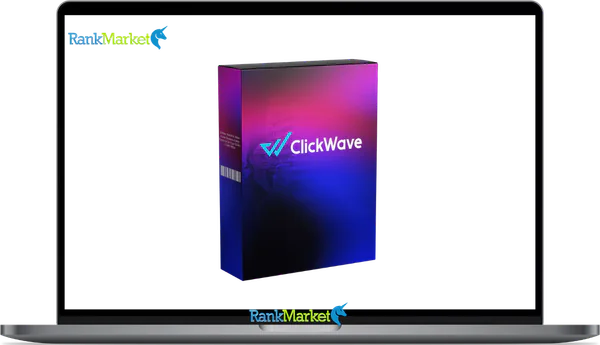
Buy ClickWave + OTOs full account + Bonus
$17.00
ClickWave is a cloud-based AI tool that creates and auto-posts faceless short videos from trending content ideas to drive traffic on autopilot.
| Deliver | ClickWave + OTOs |
|---|---|
| Access | Shared |
| Type | AI video automation |
| Plan | FE + OTOs |
| Details | GB Details |
Short-form video is no longer optional in digital marketing, it has become a primary traffic channel. ClickWave is a cloud-based AI tool that creates and auto-posts faceless short videos for TikTok, YouTube Shorts, and Instagram Reels to drive traffic and sales, primarily used by beginners, side hustlers, and affiliate marketers.
If you searched “ClickWave,” you likely had one of two things in mind: the AI faceless video software (which is the main focus of this guide), or one of the few unrelated brands that share the same name. We'll acknowledge that briefly, but this article is specifically about the video automation tool.
Between 2024 and 2026, short-form video platforms have seen record engagement. TikTok surpassed 1.5 billion monthly active users, and YouTube Shorts now reports over 70 billion daily views. That scale of reach, combined with AI tools that lower the production barrier, explains why platforms like ClickWave are gaining serious traction.
This is not a sales page. At ClickWave, backed by more than 10 years of experience reviewing software, tools, and technology, we cover what this product actually is, how it works step by step, what it costs, its real pros and cons, and whether it is worth your money. First, let's answer the core question clearly: what exactly is ClickWave, and what does it do?
What Is ClickWave? (Clear Definition for 2026)

ClickWave is a cloud-based AI software that helps you automatically discover trending content ideas, generate faceless short videos, and auto-post them to platforms like TikTok, YouTube Shorts, and Instagram Reels, all to drive traffic to your links without showing your face, recording your voice, or editing footage manually.
At its core, the tool operates on a simple premise: identify what is already getting attention online, convert that into a short video using AI-generated voiceovers, stock visuals, and auto-captions, then publish it across multiple accounts on autopilot. Everything runs in a browser, there is nothing to install.
It is worth being direct about what ClickWave is not. It is not a professional video editor like Adobe Premiere or Final Cut Pro. It is not an influencer relationship management platform. And it is certainly not a guaranteed income system, a distinction we will return to throughout this guide.
The four core functions ClickWave delivers are:
- Finding viral topics and content hooks across trending niches
- Turning those ideas into faceless videos with AI narration and visuals
- Auto-posting or scheduling content across multiple social accounts
- Directing viewer clicks toward offers, websites, or sales funnels
The typical buyer falls into one of a few categories: someone new to affiliate marketing, a side hustler with limited time for manual production, or a small business owner who wants a straightforward way to promote a service. Because “ClickWave” is also used by other tools and agencies, let's quickly clarify which ClickWave this guide is about, and move forward with the one built around AI short-form automation.
Is ClickWave Worth It? Value, ROI
The question of value is always relative. For someone spending 3, 4 hours a week manually editing short videos in CapCut or Premiere, a tool that compresses that workflow into minutes shifts the entire cost-benefit equation considerably.
Monthly AI video subscriptions from competitors like InVideo or Pictory typically run between $20 and $50 per month, that is $240 to $600 per year. If ClickWave is priced as a one-time purchase, the break-even point arrives within the first one to three months, assuming consistent use.
Here is a realistic scenario worth considering: if ClickWave allows you to produce 90 videos in a month that would have otherwise taken 30 hours of manual work, what is that time worth to you? For someone billing $30/hour in freelance work, that is $900 in reclaimed time, compared to a sub-$100 entry price. The math is straightforward, but only if you actually use the tool.
The value equation is favorable for the right user. But ClickWave is a vehicle, not a destination. That leads into an honest analysis of what you actually get, and what you don't.
ClickWave Pros & Cons (Honest, E-E-A-T Friendly Review)
No tool is universally good or universally bad. ClickWave occupies a specific position in the market, and understanding where it excels and where it falls short will save you both time and money.
The Genuine Strengths
- True faceless creation. You do not need a camera, a microphone, or even a face. The entire video, script, narration, visuals, captions, is assembled by the AI. For creators who experience camera anxiety or simply prefer anonymity, this removes the single biggest barrier to short-form content production.
- AI-powered content research. Rather than spending hours on TrendTok or YouTube Trending, ClickWave surfaces topic ideas and hooks directly within the dashboard. This alone can reclaim several hours per week that would otherwise go to manual research and ideation.
- Speed from idea to publish. The workflow compresses what traditionally takes 2, 3 hours into a process that runs in minutes. For someone managing multiple niche accounts simultaneously, that speed multiplier is meaningful.
- Beginner-friendly interface. The learning curve is measured in hours, not weeks. Most users report being able to produce their first video within the same session they signed up, no prior editing experience required.
- One-time fee structure. If you are already paying for three or four monthly SaaS subscriptions, a one-time pricing model is financially practical, especially for solo operators monitoring overhead closely.
The Real Limitations
- No traffic guarantee. Automation handles production. It does not guarantee that any algorithm will distribute your content broadly. Platform reach depends on consistency, niche selection, hook quality, and timing, none of which ClickWave controls.
- Algorithm dependency. Results are tied entirely to TikTok's, YouTube's, and Instagram's distribution logic. Policy changes on those platforms affect your output's reach directly, and that risk exists entirely outside ClickWave's control.
- Template saturation risk. If thousands of users generate videos from the same AI templates, the visual and tonal similarity becomes detectable to audiences, and to platform algorithms. Script personalization is essential, not optional.
- Upsell structure adds up. The front-end price is attractive, but ClickWave typically offers multiple upsells (OTOs). The full-feature experience often requires purchasing beyond the entry-level offer, pushing total cost well above the initial figure.
Pricing Plans and OTOs detailed
FE – ClickWave Commercial ($17 – $27)
- Access to all core campaign creation features
- Create a limited number of marketing campaigns
- Use built-in primary templates
- Beginner-friendly and easy to get started
- Suitable for small businesses and solo users
- One-time payment with no recurring fees
OTO 1 – ClickWave Unlimited ($37 – $47)
- Remove all limits on campaign creation
- Host unlimited pages without restrictions
- Drive unlimited traffic to your offers
- Scale across multiple niches or projects
- Ideal for agencies and advanced users
- Full freedom to grow without limitations
OTO 2 – ClickWave Automation ($27 – $37)
- Automate marketing campaigns
- Schedule campaigns in advance
- AI-driven triggers based on user behavior
- Reduce manual work and save time
- Run campaigns 24/7 on autopilot
- Improve efficiency and consistency
OTO 3 – ClickWave DFY ($97 – $197)
- Done-for-you funnels ready to use
- Pre-designed high-converting templates
- Niche-specific setups (Real Estate, Ecom, Health, etc.)
- Skip setup and launch faster
- Optimized for conversions from day one
- Perfect for beginners or fast scaling
OTO 4 – ClickWave Agency License ($67 – $97)
- Create and manage client sub-accounts
- Offer ClickWave as a service to clients
- Build recurring income streams
- Manage multiple campaigns in one dashboard
- Full commercial rights included
- Turn the tool into an agency business
Is ClickWave Legit or a Scam? Credibility, Risks & Red Flags
This is one of the most searched questions around any product in the make-money-online (MMO) space, and it deserves a direct answer. There is an important distinction to make upfront: a tool being fraudulent is fundamentally different from a tool being over-hyped by affiliates. ClickWave, based on 2026 market data, falls into the second category, not the first.
Credibility signals worth noting:
- The product is sold through established platforms like WarriorPlus or JVZoo, which maintain refund policies and buyer protections.
- Working dashboards are delivered to buyers, users receive access to functional software, not a broken link.
- Live demos and vendor support exist within the launch ecosystem.
Risk factors to consider honestly:
The marketing language around ClickWave, and nearly every product in its category, leans heavily on aspirational framing. Phrases like “push-button profits” or “automated income on autopilot” are standard in the MMO niche. Treat those as marketing, not evidence of guaranteed outcomes.
|
Aspect |
What's Claimed |
Reality / Risk |
|
Payment handling |
Processed through known platforms |
Standard refund and receipt process applies |
|
Software delivery |
Users receive a working dashboard |
Features may evolve or differ slightly over time |
|
Earnings promises |
Marketed as fast and automated |
Results depend on niche, effort, and platforms |
|
Refund policy |
Money-back guarantee offered |
Policies vary, verify terms before purchasing |
|
Compliance |
Presented as safe for TikTok |
Users must review platform AI content policies |
The bottom line: ClickWave is a real software product that delivers what it broadly promises, AI-assisted faceless video creation and multi-platform scheduling. The risk is not fraud. The risk is misaligned expectations. Users who pair it with genuine niche research, a tested offer, and disciplined consistency tend to see results within 60 to 90 days.
Who Is ClickWave Best For? (And Who Should Skip It)
Understanding fit matters more than understanding features. Here is a practical breakdown of who will get genuine value from ClickWave, and who will likely regret the purchase.
- Beginner affiliate marketers are arguably the primary audience. Someone promoting digital products on platforms like ClickBank or Digistore24 can use ClickWave to generate short-form review videos, top-five lists, or problem-aware content that funnels viewers toward an affiliate link. The automation manages volume, the affiliate manages offer selection and niche targeting.
- Side hustlers with limited time benefit from the compressed production workflow. If your available window for content creation is one hour in the evening after a full workday, a tool that converts a concept into a published video in under 30 minutes fundamentally changes what is achievable each week.
- Local business owners wanting simple promotional content, a bakery, a gym, a real estate agent, can use ClickWave to produce tip-based or service showcase videos without hiring a videographer or full-time social media manager. The financial investment is low, the content output is consistent.
- Creators experiencing camera fatigue often search for a production approach that does not require them on screen every day. Faceless channels in niches like motivation, personal finance, historical facts, or productivity perform well in ClickWave's core output format.
- Agency owners testing short-form packages for clients can use ClickWave to prototype a content strategy before committing to a full production workflow. It is a practical, low-cost method to demonstrate what consistent short-form posting looks like for a client account before pricing a longer engagement.
Who should skip ClickWave:
- Professional video editors with refined production standards will find the AI output too constrained. The tool is designed for speed and accessibility, not cinematic quality or detailed post-production control.
- Creators whose audience growth depends on personal presence, coaches, educators, or thought leaders building a recognizable face and voice, will find faceless automation works against their core brand strategy.
- Anyone expecting the software to generate income without strategic input should recalibrate expectations before purchasing. ClickWave is a content production tool. The marketing, the offer structure, the niche research, and the posting consistency all remain the user's responsibility.
ClickWave vs Other AI Video Tools (Pictory, InVideo, and More)
The AI video space is crowded. ClickWave's positioning is specific: it targets faceless short-form content with automation and traffic generation as its primary outcomes. Understanding how it compares to the alternatives leads to a smarter purchase decision.
|
Tool |
Faceless Focus |
Auto-Posting |
Pricing Model |
Best For |
|
ClickWave |
Yes (core) |
Yes |
One-time + OTOs |
Affiliate marketing |
|
Pictory |
Partial |
No |
Monthly Sub |
Blog to video |
|
InVideo AI |
Yes |
Manual only |
Monthly Sub |
Template ads |
|
HeyGen |
AI avatars |
No |
Monthly Sub |
Explainer videos |
|
Canva Video |
No |
No |
Freemium |
General editing |
|
CapCut |
No |
No |
Free / Desktop |
Manual trends |
Where ClickWave holds a clear advantage: the combination of content discovery, AI video generation, and direct auto-posting in a single workflow is uncommon at a one-time price point. Competitors like Pictory or InVideo focus on creation but leave scheduling to third-party tools, which adds both cost and workflow complexity.
Where competitors outperform ClickWave: Pictory excels at turning long-form written content into structured video summaries. HeyGen produces significantly more realistic AI avatars for corporate training or explainer content. InVideo offers more granular design control for branded advertising campaigns.
ClickWave Alternatives If It's Not the Right Fit
Not every tool suits every person, and that is a completely reasonable outcome. Here are the main alternatives grouped by practical need.
Free and Budget Options
Canva combined with manual posting to TikTok or Instagram forms a fully functional content system for creators who are comfortable with design and don't require posting automation. CapCut on mobile provides strong short-form editing capability, transitions, auto-captions, trending audio effects, at no cost.
Advanced AI Creation
HeyGen and Synthesia are the leading options when your content requires a convincing AI avatar, a digital presenter with realistic lip-sync and human-like delivery. These tools are used primarily for corporate training content, product explainers, and B2B material where a branded “presenter” carries genuine credibility.
Agency and Team Workflows
Veed.io, Descript, and Adobe Express each serve teams that need collaborative editing, transcript-based video production, or brand-consistent output at scale. Descript deserves specific mention for its transcript-driven editing model, it allows non-technical teams to edit video the same way they would edit a written document.
Other Short-Form Automation Launches
The WarriorPlus and JVZoo ecosystems regularly launch AI short-form tools in the same product category as ClickWave. If pricing or feature depth is a concern, monitoring those platforms often surfaces comparable tools. The associated risk is product longevity, newer launches often lack the support infrastructure of more established software.
How to Use ClickWave Effectively: Best Practices & Strategy
The most frequent mistake new users make is treating ClickWave as a set-and-forget system. Pressing “generate” with a clear strategy behind it produces results.
- Define your niche and offer before opening the software. Know precisely what you are promoting and who specifically needs it.
- Use AI-generated hooks as raw material, not finished copy. Read each hook out loud. If it doesn't sound like a real person, rewrite it.
- Test multiple content angles before committing. Three frameworks worth running in parallel: pain-based hooks, desire-based hooks, and curiosity-based hooks.
- Prioritize consistent frequency over high volume. Two to three shorts per day per account is a widely cited sustainable rhythm for new channels.
- Let the data guide your decisions. TikTok Creator Analytics and YouTube Studio both surface watch time, retention curves, and click-through rates.
- Add occasional non-AI elements to break template patterns. A single original image or a brief screen recording differentiates your content.
- Review platform policies before scaling. Each platform maintains its own stance on automated posting, repetitive AI-generated content, and scheduling tools.
- Optimize the destination, not only the video. Your bio link and landing page carry as much weight as the video itself.
- Repurpose content that earns attention. A video that gains traction on TikTok can be re-uploaded to YouTube Shorts with minor visual adjustments.
- Give the process a 60-day evaluation window. Short-form content performance compounds over time. The algorithm rewards accounts that post with discipline.
Mini Campaign Blueprint:
- Week 1–2: Produce and publish four distinct hook angles. Post each format a minimum of five times. Do not optimize yet, just collect performance data.
- Week 3–4: Identify the top two performing angles by watch time and engagement rate. Double output on those formats.
- Month 2 onward: Systematize the winning formula into a repeatable production cycle. Begin tracking click-through rates to your offer.
Supplemental Q&A: Common Questions About ClickWave
What does “ClickWave” actually mean?
The name combines “click”, representing traffic and audience action, with “wave,” suggesting reach and momentum across social platforms. In practical terms, it functions as a brand name for an AI-powered faceless video creation and distribution tool aimed at content marketers and affiliate promoters.
Is ClickWave an AI tool, a company, or both?
ClickWave is primarily a software product built on AI functionality. The company behind it operates within the internet marketing space, typically distributing through affiliate-friendly platforms like WarriorPlus or JVZoo.
What is a “faceless video” in the context of ClickWave?
A faceless video is short-form content produced without the creator appearing on camera at any point. It typically uses AI narration or text-to-speech audio, stock footage or image slideshows, and auto-generated captions.
What is “AI short-form automation”?
AI short-form automation refers to using artificial intelligence to manage the research, scripting, video assembly, and publishing of short videos, typically 15 to 60 seconds in length, with minimal human input at each stage.
Does ClickWave work on Mac and Windows?
Yes. Because ClickWave is cloud-based and runs entirely in a browser, it functions on any operating system, including Mac, Windows, and Linux.
Does ClickWave work on mobile devices or tablets?
It is accessible via mobile browser, though the dashboard is built for desktop use. Desktop use is recommended for the complete workflow experience.
Can ClickWave guarantee that my videos will go viral?
No. No software can guarantee organic reach. Platform algorithms distribute content based on engagement signals, account age, and niche saturation.
What types of niches work best with ClickWave?
Niches with broad appeal and evergreen demand generate the most consistent short-form traffic. High-performing categories include health and wellness, personal finance, motivation, DIY, and local services promotion.
What kinds of videos can ClickWave create?
The tool is well-suited for educational tip videos, listicle-format content (“5 ways to…”), motivational quotes, product review summaries, and niche fact compilations.
Can ClickWave be used for client work and agencies?
Yes. Agency owners and freelancers can use ClickWave to manage content production across multiple client accounts, particularly for small businesses that lack the budget for a dedicated content team.
How is ClickWave different from hiring a video editor?
A freelance video editor brings creative judgment and custom execution, typically costing $25 to $150 per video. ClickWave trades creative depth for speed and volume, making it the more cost-efficient path for high-volume traffic.
How does ClickWave compare to Pictory, InVideo, and Canva?
Pictory converts written content into summaries. InVideo AI offers design flexibility but lacks a built-in scheduler. Canva provides templates without AI content discovery. ClickWave is the only option that combines research, creation, and auto-posting in one interface.
Should I use ClickWave or stick to manual content creation?
That depends on your goals. Manual creation builds stronger audience connections but has a high time cost. ClickWave generates volume and consistency quickly. A practical middle ground is using ClickWave for the majority of your output while adding periodic manual content to sustain authenticity.
Some Questions Before Join US
Group buying, also known as collective buying, offers products and services at significantly reduced prices on the condition that a minimum number of buyers would make the purchase.
- First, we will list product Here as people request & Collect Money From other peoples.
- Sec, Once enough moneys from customer, we will buy products From Developer.
- Then, we deliver to all Joiners.
- You can join directly by Purchase at our site and Reach Support about that to confirm.
- You can join via our Community : https://bit.ly/RMKDiscord
- How to Buy
We have 2 Product Status
- Instant-Deliver : Avaible and Deliver within 24-48hs (not on Sat-Sun, Holiday)
- Group Buy/Pre-Order : Not avaible, Still collect more people to join, need to wait.
OTO mean that One-Time-Offer/Upsell/Upgrade of Product For limited time only
Cancelled mean that order is not pay/process within 24hs. Please reach us with Order ID to check.
You will get Products by Download via Email .Once you finish payment to us and get confirm. You will get download Links inside your Account
- SAAS : You will get Individual account via Mail or On your Order List
- Shared Tool : via our chrome (WIN/MAC/Linux)
- WP : We will active key for your site.
- Course/Book/GraphicKit : Download link will send via mail or On your Order List.
- ETA Time : Fast maybe 3-4 days or 1 Week , Always be 3-4 Weeks or some times as Member Request it can be up to 3 Months to Group Buy WIN.
- GB Fail : You will get refund or exchange other.
– If Products problem, Capture screenshot/Video to us. We will forward to developer to fix it.
– If impossible sloved, we will exchange to other product. With Annual Product, we will refund or exchange by subtract times that you used.
– If used product for 1 or few years then not work. we will try to contact developer to fix it. But if some bad Vendors keep money and run, we just can give you some discount for future orders.
Warranty Time :
- Monthly Product : 30 days
- Annual/One Time Product : 1 year.
Our Store Credit mean credit can use to redeem on Your orders. 25 Credit = 1$.
Earn by some way :
- Place Orders. Each 1$ spend you will earn 1$
- Exchange some not work/not-fullfill orders by your agreed.
- By Reffer Your Friends to buy at our store.
How to redeem
- At Checkout page have redeem button to use it. Maxium is 250/orders.
- If you need redeem more. Reach our Support
We support only via 2 channel :
- Email : [email protected]
- Messenger : m.me/rankmarkenet (Live chat on Site)
TIme : From 9AM - 6PM Monday - Friday (GTM+8).
All Order/Ticket on Sat-Sun/Holiday will be supported on next Monday.
WE ARE TRY TO WORK HARD AND SUPPORT ALL PEOPLE BUT WE CAN NOT MAKE ALL HAPPY 100%
Thanks For You are here and belive US for longtime.
While working,we meet someone like & we will not support :
– People buy 1 but want to exchange to 10 Products.
– People who steal our products then ask refund.
– People fake payment to get our products.
– People always ask refund,can not wait for waiting product. Dont Pay. Wasted our Time.
Best Regards
David Green – RankMarket
Related products

SAAS Tools

SAAS Tools

SAAS Tools

SAAS Tools

SAAS Tools


SAAS Tools