


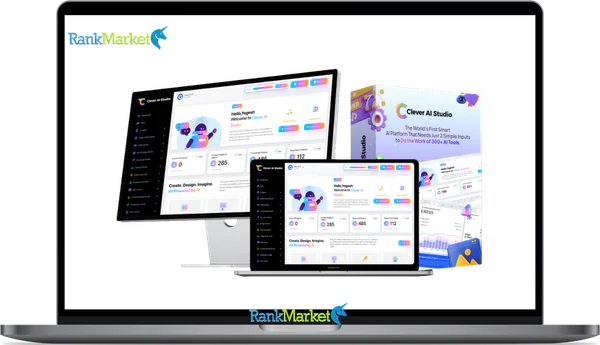
Buy Clever Ai Studio + OTOs full account + Bonus
$37.00
Clever AI Studio is a platform that builds and manages AI agents and automated workflows without requiring server setup or complex integrations.
| Deliver | Clever Ai Studio + OTOs |
|---|---|
| Access | Individual |
| Type | AI agent platform |
| Plan | FE + OTOs |
| Details | GB Details |
Clever Ai Studio + OTOs - Overview
If you searched “Clever AI Studio” and landed here wondering whether this is a Google product, a generic term for smart AI tools, or something else entirely, you're not alone. The name causes some confusion, and this guide clears that up from the start.
This page covers Clever AI Studio, the software, tools, and technology platform built by a team with over 10 years of hands, on experience in software engineering and AI deployment. It is not affiliated with Google AI Studio or any model, provider playground.
Here is what this guide answers:
- What Clever AI Studio is and how it functions architecturally
- Which user types it is built for, from marketers to engineering teams
- What its core feature set looks like in practice
- How to go from sign, up to a deployed AI agent, step by step
- How it compares to alternatives, and where each option fits best
- Honest trade, offs and a set of targeted answers to common questions
What Is Clever AI Studio?

Clever AI Studio is a unified platform for building, deploying, and managing AI agents and automated workflows, without needing to operate your own server infrastructure or juggle multiple model provider APIs at once.
Think of it this way: instead of wiring together a language model API, a deployment pipeline, a logging system, and a governance layer yourself, Clever AI Studio puts all of that under one roof. A marketing team can configure a campaign assistant without writing code. A developer can integrate a working AI endpoint into their product the same afternoon. The platform spans the full operational arc, from the first prompt to a production, ready deployment.
It is not a simple chatbot builder confined to one provider. It is not a bare, metal LLM API wrapper either. Clever AI Studio sits at the intersection of no, code agent building, AI orchestration, serverless hosting, and monitoring, making it usable for both non, technical operators and engineering, minded teams who want speed without sacrificing control.
Key Features of Clever AI Studio
The platform's feature set is organized around what teams actually need to do: build an agent, connect it to data and tools, choose the right AI model, ship it reliably, and track what's happening over time. Here is how each capability works in practice.
No, Code and Low, Code AI Agent Builder
The visual builder lets you configure an agent's full behavior, system instructions, input/output formats, logic branching, and tool calls, without opening a terminal. You can start from an existing template or build from a blank configuration. For developers who want more precision, custom function injection and API hooks are available at the same layer. As a practical example: a sales team can build a lead qualification chatbot in under an hour by chaining a prompt, a CRM connector, and a scoring rule, no engineering handoff needed.
Integrations, Data Sources, and Connectors
An agent is only as useful as the data it can access. Clever AI Studio connects to CRM systems, helpdesk platforms, document storage, databases, and external APIs through pre, built connectors and webhook configurations. You can attach a knowledge base so the support bot draws answers from your actual documentation rather than generating responses from general training data. Access is configurable at the scope level, read, only where appropriate, scoped credentials where security requires it.
Multi, Model AI and Provider Flexibility
Not every task needs the same model. Clever AI Studio lets you select the AI backend that matches your performance and cost requirements, and change it later without touching the business logic you've already built. A common pattern: prototype with a lighter, lower, cost model, validate the behavior, then switch to a more capable one for production. That kind of model portability protects your investment in workflow configuration as the AI provider landscape keeps shifting.
Serverless Deployment, Scaling, and Reliability
Deploying an agent on Clever AI Studio doesn't require managing containers, configuring autoscaling rules, or provisioning cloud resources. The platform handles that layer. Your agent publishes as an API endpoint, an embeddable web widget, or an internal tool interface, depending on where your users are. A support bot handling thousands of requests per day runs without any DevOps engineer touching Kubernetes or virtual machines. Reliability and uptime monitoring are built into the same environment.
Monitoring, Analytics, and Optimization Tools
Once an agent is live, the platform surfaces request volume, token usage, latency, error rates, and cost summaries in a single dashboard. That visibility does more than satisfy reporting requirements, it tells you where to act. If you notice a spike in error rates after a recent integration change, you can drill into the request logs, identify the misconfigured input, and fix it within minutes. Prompt iteration and model switching decisions are informed by actual usage data, not guesswork.
Understanding the feature set is half the picture. The next section shows what it looks like to actually set up a project and deploy your first agent.
Pricing Plans and OTOs detailed
Front End: Clever AI Studio – $37
- AI marketing agent platform with 300+ built-in marketing skills
- Create content, videos, and graphics for campaigns in one place
- Generate complete marketing campaigns with automation support
- Commercial rights included to sell services or client work
- Training provided for beginners to get started quickly
OTO 1: Clever AI Studio Max
- Unlimited AI agent deployments for scaling multiple campaigns
- Faster processing speeds with priority rendering access
- Advanced campaign automation for hands-free workflows
- Extended limits for content and asset generation
- Premium templates and creative assets included
OTO 2: Clever AI Studio Unlimited
- Unlimited content creation across all formats and platforms
- Run unlimited campaigns without any restrictions
- Manage unlimited projects for scaling business operations
- No usage caps or limitations on system performance
- Ideal for high-volume marketers and agencies
OTO 3: Clever AI Studio VSL Creator
- Create AI-powered video sales letters for marketing campaigns
- Generate scripts, voiceovers, and full videos automatically
- Designed for high-converting affiliate and product promotions
- Produce professional sales videos without editing skills
- Boost conversions with ready-to-use VSL frameworks
OTO 4: Clever AI Studio Job Finder
- Automatically find high-paying freelance and marketing gigs
- Access real job opportunities across multiple platforms
- Built-in client acquisition tools for faster outreach
- Simplify the process of landing your first clients
- Ideal for beginners starting service-based income
OTO 5: AI Logo Suite
- Generate professional logos using AI-powered design tools
- Create full branding kits for businesses and clients
- Access design assets for commercial and client use
- Offer logo and branding services
- Scale a design-based income stream quickly
OTO 6: Viral Influencer AI
- Generate viral content ideas for social media growth
- Build influencer-style campaigns across platforms
- Automate posting and engagement workflows
- Use AI strategies focused on traffic and visibility
- Grow audience and reach faster with optimized content
Who Is Clever AI Studio Designed For?
Clever AI Studio is built for teams that want to ship AI into real workflows without starting from scratch every time. The platform is structured to serve four distinct user groups, each with different goals but overlapping needs.
- Developers and engineering teams want abstraction. They need a platform that handles infrastructure, model routing, and deployment, so they can focus on the business logic, not the plumbing. Clever AI Studio gives them API access, custom function hooks, and the ability to swap underlying models without rewriting their integration.
- Marketers, sales, and operations teams need results without requiring engineering support for every change. A no, code workflow builder lets them configure AI agents, content generators, lead qualification bots, or onboarding assistants, and iterate on them independently.
- Founders and product managers are typically validating ideas. They need to prototype an AI feature fast and show it to stakeholders before committing to a full build. A product manager can ship a proof, of, concept AI feature in a week instead of a quarter using pre, built blueprints and configurable agents.
- IT and enterprise decision, makers care about governance, data security, audit trails, and vendor flexibility. Clever AI Studio addresses this with centralized monitoring, role, based access, and the ability to switch or layer AI providers without changing the underlying deployment architecture.
Each persona gets a different entry point into the platform, but all of them work within the same environment, which makes shared ownership and cross, functional collaboration practical rather than aspirational.
Step, by, Step: How to Get Started with Clever AI Studio
Getting from a fresh account to a working deployment takes less time than most people expect. The process follows a straightforward arc: set up your workspace, explore what's already built, configure your agent, test it thoroughly, and ship it. Here is each step in detail.
Step 1: Sign Up and Set Up Your Workspace
Account creation supports standard email sign, up and OAuth, based authentication. Once inside, you name your workspace and configure basic settings. If you're working with a team, the workspace becomes the shared environment where agents, integrations, and usage data live together. A practical naming tip: use something descriptive like “Marketing AI” if you plan to share access with a specific team. A free, tier or trial period is available, the pricing section of the platform details current limits.
Step 2: Explore Templates and Pre, Built Blueprints
Before building anything from scratch, browse the template gallery. Clever AI Studio includes pre, built starting points for common agent types: customer support bots, FAQ assistants, content summarizers, lead qualification flows, and internal copilots. You can preview any template before selecting it, then duplicate it into your workspace as an editable copy. A faster path to your first result: start from a “Customer Support Bot” template, adjust the tone and knowledge base, and you have something deployable within the hour.
Step 3: Build or Customize Your First Agent
Configuration covers five key areas: the use case definition, system prompt/instructions, input and output schema, AI model selection, and optional integrations. For an FAQ assistant specifically, that means writing a system message that scopes the agent's knowledge domain, defining the question input format, setting the reponse output structure, selecting the model, and attaching the relevant knowledge base. Each element has a test preview so you can validate behavior inline before going further.
Step 4: Test, Iterate, and Approve
The built, in playground lets you run test queries against your agent before exposing it to any real users. A reliable test pass covers at least 5 to 10 representative user queries, including edge cases and out, of, scope requests. Run your agent through questions it should answer well, questions it should decline, and ambiguous cases where you need consistent behavior. Adjust the system prompt, swap the model, or tighten the output format until responses are stable across the full test set.
Step 5: Deploy and Integrate with Your Channels
Deployment options include a website embed via iframe or script tag, a direct API endpoint for custom front, ends, and internal tool access for teams working inside company dashboards. If you're shipping a public, facing assistant, the embed route takes minutes. If you're connecting the agent to an internal Slack workspace or a product dashboard, the API endpoint gives you the control you need. Copy the embed snippet or API key, paste it into your target environment, and the agent is live.
From here, ongoing performance tracking and team, level governance bring you back to the monitoring and collaboration features covered earlier, which connect directly to how Clever AI Studio stacks up against alternatives.
Clever AI Studio vs Other AI Platforms
Where does Clever AI Studio sit relative to what else is available? The answer depends on what you're trying to accomplish. Four categories of alternatives come up most often in this comparison.
|
Criteria |
Clever AI Studio |
Model Provider Playground |
Dev Framework / SDK |
Simple Chatbot Builder |
|
Target Users |
Makers, teams, enterprises |
Developers & researchers |
Engineers |
Non, tech marketers |
|
No, Code Builder |
Yes |
Limited / none |
No |
Yes (basic) |
|
Deployment |
Built, in, serverless |
Not full product hosting |
DIY infra |
Limited channels |
|
Model Flexibility |
Yes (Multi, model) |
Provider, specific |
Yes (Code, heavy) |
Often tied to one |
|
Monitoring |
Integrated |
Basic logs |
Custom build |
Minimal |
Reading this table: if you're an individual researcher who wants to test a specific model's output, a provider playground, such as tools similar in scope to Google AI Studio, gives you direct, low, friction access to that model. That is the right tool for that job.
If you're an engineering team building a production application and want complete control over every layer, a developer framework or SDK gives you that flexibility, though it requires you to assemble and maintain the surrounding infrastructure yourself.
Simple chatbot builders work well for single-purpose use cases, but most lock you into one AI backend and offer limited deployment options once your needs grow.
Clever AI Studio fits best when you need a team to build, deploy, and manage AI agents in a shared environment — with both visual configuration for non-technical users and programmatic extensibility for developers. That combination is what distinguishes it from the alternatives at each end of the spectrum.
Strengths, Limitations, and Ideal Fit
No platform suits every situation. Here is a direct assessment of where Clever AI Studio performs well, where it involves trade, offs, and who it actually serves best in 2026.
|
Aspect |
Strength Example |
Limitation Trade, Off |
|
Ease of use |
Build and configure agents visually |
Power users may want more raw code control |
|
Infrastructure |
No servers to manage |
Bound by platform's runtime choices |
|
Governance |
Centralized monitoring and team sharing |
Requires org, level buy, in to centralize tooling |
Where Clever AI Studio performs well:
The platform reduces the time between “we want an AI feature” and “the AI feature is live.” Teams that previously waited weeks for engineering bandwidth can now build and iterate on agents themselves. The unified environment, covering build, deploy, and monitor in one place, removes coordination costs that come from stitching together separate tools. Organizations that want to scale AI usage across multiple teams benefit from having a shared governance layer rather than a collection of ad, hoc scripts.
Where trade, offs exist:
If your use case is a single, static prompt and you only ever need one model, Clever AI Studio adds abstraction you won't use. The overhead of a full platform doesn't justify itself for a one, off experiment. There is also a learning curve as you move into more layered workflows, branching logic, multi, step agent chains, and custom integrations take time to configure correctly. Teams with highly specialized, low, level machine learning requirements may find the platform's abstraction layer too restrictive for their needs.
- Best fit: Teams that want to scale AI usage across functions, organizations that prefer governance and shared infrastructure over individual scripts, and product teams that need to ship AI features without waiting on engineering cycles.
- Not ideal for: Solo hobbyists experimenting with a single provider's model, or teams building products that require bare, metal interaction with model APIs at every layer.
Key Questions About Clever AI Studio
Is Clever AI Studio the same as Google AI Studio?
No. These are separate products with no affiliation. Google AI Studio is a model, provider tool built by Google for experimenting with Gemini models. Clever AI Studio is a platform developed by a software and technology company with over 10 years of domain experience, focused on building and deploying AI agents and automated workflows for teams and organizations. The naming similarity causes genuine search confusion, but the products serve different purposes entirely.
Is Clever AI Studio a no, code tool, a developer platform, or both?
Both, by design. The visual agent builder and template library give non, technical users a complete path from idea to deployment. At the same time, developers can access API endpoints, inject custom functions, and work with the platform programmatically. The two access modes operate within the same environment, so a marketer building an agent and a developer extending it can work on the same project without switching platforms.
Do I need coding skills to use Clever AI Studio?
No. The no, code configuration layer covers the full workflow: defining agent behavior, connecting data sources, selecting a model, and publishing the deployment. Coding becomes relevant when you need custom logic beyond what the visual builder provides, for example, writing a custom function that calls an internal API with non, standard authentication. Most teams start without code and add it only when a specific integration requires it.
Can I use my own data safely with Clever AI Studio?
Yes, with controls. Knowledge base integrations use scoped access credentials, and you can configure connectors with read, only permissions where write access isn't needed. For organizations with stricter data handling requirements, reviewing the platform's data processing terms before connecting sensitive sources is standard practice, as it would be with any cloud, hosted software.
Can Clever AI Studio replace hiring ML engineers?
For certain tasks, yes. Building, configuring, and maintaining a set of AI agents for operational workflows, content generation, support automation, internal query, answering, doesn't require machine learning expertise when the platform handles model access and deployment. For organizations building custom models, fine, tuning their own LLMs, or working on research, grade applications, specialist ML engineering remains relevant. Clever AI Studio shortens the distance between business need and production deployment, but it doesn't cover every tier of AI work.
What types of projects are best built with Clever AI Studio?
Projects where the AI behavior is defined by prompts, instructions, and connected data, rather than custom, trained model weights, fit the platform well. Support automation, internal knowledge assistants, content pipeline agents, lead qualification flows, and data summarization tools are all strong matches. Projects that require highly domain, specific model architectures or sub, millisecond inference at scale may need a different infrastructure approach.
When should I use Clever AI Studio vs building directly on an LLM API?
Build directly on an LLM API when you need full control over every request parameter, you're building a product where the AI interaction model is itself a core differentiator, or your team has the engineering capacity to build and maintain the surrounding infrastructure. Use Clever AI Studio when you want to move faster, need non, technical team members to participate in building and iterating on AI workflows, or want monitoring and governance included rather than built separately.
Is Clever AI Studio better for small startups or enterprises?
Both can use it productively, but for different reasons. Startups benefit from the speed of getting AI features into their product without a dedicated AI infrastru`cture team. Enterprises benefit from the governance features, centralized visibility, role, based permissions, and the ability to standardize how AI tools are deployed across departments rather than letting individual teams accumulate disconnected scripts and shadow tooling.
What runs through every section of this guide is the same underlying idea: building “clever” AI into real workflows doesn't require assembling the entire stack yourself. Clever AI Studio, with over a decade of software and technology expertise behind it, gives teams a grounded, production, ready path from first prompt to
Some Questions Before Join US
Group buying, also known as collective buying, offers products and services at significantly reduced prices on the condition that a minimum number of buyers would make the purchase.
- First, we will list product Here as people request & Collect Money From other peoples.
- Sec, Once enough moneys from customer, we will buy products From Developer.
- Then, we deliver to all Joiners.
- You can join directly by Purchase at our site and Reach Support about that to confirm.
- You can join via our Community : https://bit.ly/RMKDiscord
- How to Buy
We have 2 Product Status
- Instant-Deliver : Avaible and Deliver within 24-48hs (not on Sat-Sun, Holiday)
- Group Buy/Pre-Order : Not avaible, Still collect more people to join, need to wait.
OTO mean that One-Time-Offer/Upsell/Upgrade of Product For limited time only
Cancelled mean that order is not pay/process within 24hs. Please reach us with Order ID to check.
You will get Products by Download via Email .Once you finish payment to us and get confirm. You will get download Links inside your Account
- SAAS : You will get Individual account via Mail or On your Order List
- Shared Tool : via our chrome (WIN/MAC/Linux)
- WP : We will active key for your site.
- Course/Book/GraphicKit : Download link will send via mail or On your Order List.
- ETA Time : Fast maybe 3-4 days or 1 Week , Always be 3-4 Weeks or some times as Member Request it can be up to 3 Months to Group Buy WIN.
- GB Fail : You will get refund or exchange other.
– If Products problem, Capture screenshot/Video to us. We will forward to developer to fix it.
– If impossible sloved, we will exchange to other product. With Annual Product, we will refund or exchange by subtract times that you used.
– If used product for 1 or few years then not work. we will try to contact developer to fix it. But if some bad Vendors keep money and run, we just can give you some discount for future orders.
Warranty Time :
- Monthly Product : 30 days
- Annual/One Time Product : 1 year.
Our Store Credit mean credit can use to redeem on Your orders. 25 Credit = 1$.
Earn by some way :
- Place Orders. Each 1$ spend you will earn 1$
- Exchange some not work/not-fullfill orders by your agreed.
- By Reffer Your Friends to buy at our store.
How to redeem
- At Checkout page have redeem button to use it. Maxium is 250/orders.
- If you need redeem more. Reach our Support
We support only via 2 channel :
- Email : [email protected]
- Messenger : m.me/rankmarkenet (Live chat on Site)
TIme : From 9AM - 6PM Monday - Friday (GTM+8).
All Order/Ticket on Sat-Sun/Holiday will be supported on next Monday.
WE ARE TRY TO WORK HARD AND SUPPORT ALL PEOPLE BUT WE CAN NOT MAKE ALL HAPPY 100%
Thanks For You are here and belive US for longtime.
While working,we meet someone like & we will not support :
– People buy 1 but want to exchange to 10 Products.
– People who steal our products then ask refund.
– People fake payment to get our products.
– People always ask refund,can not wait for waiting product. Dont Pay. Wasted our Time.
Best Regards
David Green – RankMarket
Related products

SAAS Tools

SAAS Tools

SAAS Tools

SAAS Tools

SAAS Tools

SAAS Tools


SAAS Tools