

Buy Arcadia + OTOs full account + Bonus
$16.00
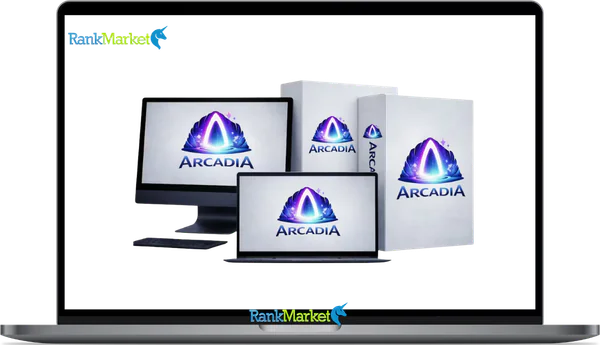
Arcadia is a cloud-based AI game development platform that creates complete video games from simple plain-English ideas without requiring coding or design skills.
| Deliver | Arcadia + OTOs |
|---|---|
| Access | Shared |
| Type | AI Game Creator |
| Plan | FE + OTOs |
| Details | GB Details |
If you've ever wanted to create your own video game but thought programming was too difficult, programmers were too expensive, or the software was too complex, Arcadia advertises itself as the shortcut. Arcadia is a tool that uses artificial intelligence (AI) to turn your ideas into playable games without you having to learn programming languages or hire freelancers. But is it really worth it? Here are the most frequently asked questions, answered in detail.
What is Arcadia?

Arcadia is a cloud-based AI-powered game development platform that promises to build complete video games for you simply by inputting your ideas in plain English. This software promises to do all the labor-intensive work automatically, saving you money on developer fees and months of learning programming, design, and 3D modeling.
The basic concept is straightforward: after logging in, you instruct the AI about the type of game you like to play, and it will create the gameplay, environment, and plot. If its assertions are true, Arcadia seeks to develop 3D games on a par with Grand Theft Auto V, Fortnite, or Call of Duty, not just modest, straightforward ventures.
Key features of Arcadia
- AI Game Development Tool (No Need for Programming): Game engines, development frameworks, and programming languages are not necessary. Simply explain your game concept, and Arcadia will build the framework for you, you don't even need to write code. For non-tech entrepreneurs like affiliate marketers, independent contractors, businesses, and content producers, this is a big lure.
- Make Any Game You Want: There isn't a template that restricts your options. You may make action board games, racing games, sports games, arcade games, adventure games, FPS shooters, and fantasy role-playing games, according to Arcadia. Because of this adaptability, you can concentrate on a wide variety of genres rather than just one.
- Console-Level 3D Game Production: Arcadia's most audacious promise is that, instead of only making basic 2D games, it can produce next-generation 3D games with amateur-level polish. In contrast to most novice game design tools, this will provide you a dynamic 3D environment to explore and a gameplay structure.
- Publishing to more than 400 platforms with a single click: According to Arcadia, you can publish straight to popular retailers including the Xbox Store, Microsoft Store, Nintendo eShop, Steam, Apple Arcade, PlayStation Store, and Epic Games Store, as well as services like Netflix Games and NVIDIA Shield. This would greatly streamline the frequently difficult publishing process with the right assistance.
- Options for in-app purchases or advertisements, selling your game for $20 to $70 per game, or getting in-app currency or skins (usually online) with DLC and season passes are all examples of built-in monetization strategies. This provides you with a variety of ways to make money online from your game.
- Included is a commercial license, which allows you to market the games you make with Arcadia. Additionally, you can collaborate with nearby corporate clients or provide game development services on websites like Fiverr, Upwork, and Freelancer.
- Customer Service: Arcadia gives you a support email address to provide with your game releases, per the sales page. If this is the case, it will help beginners with one of their main challenges: managing technical problems alone.
- Detailed Instructions Contains: The program's tutorials and advice will walk you through the process of making and releasing a game. Additionally, even if you have never created a game before, you won't be completely alone.
How to use Arcadia
Step 1: Log in to the platform
Open the cloud control panel in your web browser. No sophisticated technical tools or development software need to be installed.
Step 2: Describe your game idea
Give a thorough explanation of your concept. For instance, you can designate the game's scenario and environment, the genre and subgenre, the characters or character classes that are available, and any gameplay elements you choose to include.
Step 3: Let the AI automatically create the game
Arcadia will use your description to build the game's fundamental framework, including the setting and essential gameplay components.
Step 4: Customize and adjust
The fact that editing the output is prohibited is another crucial element. Before completing, modify the components to fit your artistic idea.
Step 5: Publish and launch
Once complete, you can publish and distribute the game directly to supported app stores on the platform
Why you should use Arcadia?
- Convert Concepts into Playable Prototypes Fast: The quickness is more important than the immediate outcomes like AAA studios. You can acquire momentum, construct the game structure, and avoid giving up too soon.
- Prevent programming burnout by explaining what the player performs, how rewards are granted, and how difficulty is changed rather than “thinking like a programmer.” Progress can come organically for non-developers thanks to this creativity-focused methodology.
- Ideal for independent game creation and idea testing: While it is impossible to produce a flawless GTA clone in a single click, Arcadia is a great tool for arcade games, racing games, simple shooters, mobile-friendly loops, and independent game-style concepts. It excels at quick experiments.
- promotes improvement rather than overanalysis: When choosing a tool, resource library, or engine, this is where most people pause. You may spend more time constructing and less time studying because Arcadia streamlines those options into a single method.
- Perfection is less significant than momentum: Momentum is the key to real success. You can rapidly iterate, improving what works and getting rid of what doesn't, rather than taking weeks to develop a technological foundation. That speed could mean the difference between a concept in your head and a project that turns out to be a real success.
The Upgrade/OTO details
Arcadia Front-End (FE) – $15.74 / $10.90
- AI-powered game creation from simple plain-English instructions
- Ability to create games in multiple genres (FPS, racing, arcade, RPG, etc.)
- Cloud-based access (works on PC, Mac, tablets, no installation required)
- Commercial license included so you can legally sell your games
- Step-by-step training to help beginners get started fast
OTO 1: Arcadia PRO Upgrade – $74.70 / $41.70
- True Unlimited game creation and client projects with no caps
- Built-in subscription model for recurring monthly income
- Automated in-game purchases and premium upgrades
- Priority rendering and faster publishing processing
- Advanced PRO analytics dashboard for performance tracking
- This upgrade shifts Arcadia from a basic tool into a SaaS-style income system.
OTO 2: Arcadia Enterprise Upgrade – $217.70 / $107.70
- 20 done-for-you deluxe games created inside your account
- Built-in automated traffic and lead generation system
- Advanced monetization tools (subscriptions, upgrades, timed access)
- Private cloud storage with auto-backup protection
- 1-on-1 personal support with collaboration access license
- This version removes setup, creation, and traffic obstacles.
OTO 3: Arcadia DFY Upgrade – $107.70 / $52.70
- DFY focuses purely on affiliate monetization.
- 5 pre-selected best-selling affiliate offers integrated
- Done-for-you affiliate campaigns and funnels
- Copy-and-paste email swipes included
- Ready-made reviews and promotional content
- 100% commission rights across the funnel
- This turns your game traffic into a plug-and-play affiliate income stream.
OTO 4: Reseller / Agency License – $184.70 / $74.70
- Perfect for marketers who want to sell the software itself.
- Keep 100% commissions across the entire funnel
- Access to professionally designed sales pages and videos
- Done-for-you email swipes and marketing materials
- No product creation or technical setup required
- Vendor handles support and product delivery
- You focus on traffic — they handle everything else.
OTO 5: IMX Bundle Upgrade – $107.70
- Access to multiple proven marketing software tools
- All upgrades of included products unlocked
- Weekly access to new launches and releases
- Training, case studies, and advanced strategies included
- Future products added at no extra cost
- It transforms Arcadia into a complete online business toolkit.
OTO 6: Whitelabel License Upgrade – $327.70 / $217.70
- Full whitelabel rights to rebrand as your own software
- Add your logo, brand name, and custom domain
- Keep 100% of profits with no commissions
- Launch your own SaaS-style software business
- No need to hire developers or build from scratch
Advantages
- User-friendly interface: Arcadia is really easy to use and doesn't require any prior game development knowledge. One of the more abstract methods for dealing with complex development is this procedure.
- The best assessment instrument for rapidly understanding concepts: In addition to offering a plethora of ideas to inspire your imagination, Arcadia lets you experiment with gameplay concepts without having to spend weeks learning the fundamentals.
- Possibility of making money in your field: Making and selling games creates a new revenue stream for people searching for new sources of income in mass-market goods or MMO games. This revenue stream can also be obtained through traditional affiliate marketing or freelance models.
- Avoid large external costs: You can save hundreds or thousands of dollars by adding extra funds to pay for development initiatives on platforms like Fiverr or Upwork for basic items.
- Have faith and use grace on the cloud: Cloud design eliminates the need for installation. Arcadia is also quite useful and adaptable, operating on iPads, Macs, and PCs.
- Take pleasure in finishing the project: Complex procedures are typically difficult for novices to master. In order to prevent unsuccessful licensing, it is essential to facilitate project completion.
- includes e-commerce: You can make your own money by selling project adapters.
- 30-day money-back or satisfaction guarantee: By allowing you to test the system before completely committing, the money-back policy reduces risk.
Disadvantages
- Forum posting could need permission. If posting via Arcadia is allowed, the standard distribution rules will be adhered to.
Who is it for?
- Beginner: Perfect for anyone who wish to make games without having to learn complicated tools and programming.
- Non-technical Entrepreneur: Ideal for freelancers, marketing experts, and businesses wishing to provide games or services without having to learn every aspect of development.
- Independent Developer and Idea Tester: Excellent for quick development of action, arcade, and, of course, basic 3D game concepts.
- Independent Professional: Making use of electronic devices. You can discover a new source of revenue that is distinct from conventional company practices.
- Provider of Freelance Referral Services: It provides clients who are not familiar with development tools with basic game building services.
What You Get (Compared to Buying at RankMarket)
- Exclusive Offer: We've added resources to help you create better game ideas, fine-tune AI suggestions for better results.
- Learn basic monetization strategies: Get ready for launch with an organized action plan.
- Continuous Support: If you have questions about setup or strategy, we'll guide you to avoid common beginner mistakes.
- Risk-Free Advantage: You also benefit from a 30-day money-back guarantee. This way, you receive the rewards and support we offer, while your purchase remains protected.
FAQs
- Do I need to be a programmer to use Arcadia?
Arcadia is designed for non-technical consumers, thus no. Simply tell it what you want to create, and it will take care of the content production and formatting. - Can I publish my game to major platforms?
According to Arcadia, it publishes for large markets. Platforms may nevertheless demand a formal clearance process and compliance checks before publishing your game, even though no licensing is necessary. - Can I sell the games I create?
Yes. And since we don't hold any trademark rights, you also have the right to sell your game and keep 100% of the revenue generated. - Is this software suitable for beginners?
Yes. The interface is designed simply, making it very suitable for those who have never created a game before. - What types of games can I create?
Whatever you want, you may make arcade, racing, shooting, action, and adventure games. Your imagination and ideas will determine how flexible you are.
Conclusion
AAA studios are a better option than Arcadia. However, it's a fantastic short cut for novices who want to enter the game production industry quickly, easily, and affordably. Given the 30-day guarantee and the modest launch prices and accompanying commercial rights, the risk is negligible. In 2023, this might be the easiest place to start if you're keen to make your concepts into playable games without needing a lot of low-level programming.
Some Questions Before Join US
Group buying, also known as collective buying, offers products and services at significantly reduced prices on the condition that a minimum number of buyers would make the purchase.
- First, we will list product Here as people request & Collect Money From other peoples.
- Sec, Once enough moneys from customer, we will buy products From Developer.
- Then, we deliver to all Joiners.
- You can join directly by Purchase at our site and Reach Support about that to confirm.
- You can join via our Community : https://bit.ly/RMKDiscord
- How to Buy
We have 2 Product Status
- Instant-Deliver : Avaible and Deliver within 24-48hs (not on Sat-Sun, Holiday)
- Group Buy/Pre-Order : Not avaible, Still collect more people to join, need to wait.
OTO mean that One-Time-Offer/Upsell/Upgrade of Product For limited time only
Cancelled mean that order is not pay/process within 24hs. Please reach us with Order ID to check.
You will get Products by Download via Email .Once you finish payment to us and get confirm. You will get download Links inside your Account
- SAAS : You will get Individual account via Mail or On your Order List
- Shared Tool : via our chrome (WIN/MAC/Linux)
- WP : We will active key for your site.
- Course/Book/GraphicKit : Download link will send via mail or On your Order List.
- ETA Time : Fast maybe 3-4 days or 1 Week , Always be 3-4 Weeks or some times as Member Request it can be up to 3 Months to Group Buy WIN.
- GB Fail : You will get refund or exchange other.
– If Products problem, Capture screenshot/Video to us. We will forward to developer to fix it.
– If impossible sloved, we will exchange to other product. With Annual Product, we will refund or exchange by subtract times that you used.
– If used product for 1 or few years then not work. we will try to contact developer to fix it. But if some bad Vendors keep money and run, we just can give you some discount for future orders.
Warranty Time :
- Monthly Product : 30 days
- Annual/One Time Product : 1 year.
Our Store Credit mean credit can use to redeem on Your orders. 25 Credit = 1$.
Earn by some way :
- Place Orders. Each 1$ spend you will earn 1$
- Exchange some not work/not-fullfill orders by your agreed.
- By Reffer Your Friends to buy at our store.
How to redeem
- At Checkout page have redeem button to use it. Maxium is 250/orders.
- If you need redeem more. Reach our Support
We support only via 2 channel :
- Email : [email protected]
- Messenger : m.me/rankmarkenet (Live chat on Site)
TIme : From 9AM - 6PM Monday - Friday (GTM+8).
All Order/Ticket on Sat-Sun/Holiday will be supported on next Monday.
WE ARE TRY TO WORK HARD AND SUPPORT ALL PEOPLE BUT WE CAN NOT MAKE ALL HAPPY 100%
Thanks For You are here and belive US for longtime.
While working,we meet someone like & we will not support :
– People buy 1 but want to exchange to 10 Products.
– People who steal our products then ask refund.
– People fake payment to get our products.
– People always ask refund,can not wait for waiting product. Dont Pay. Wasted our Time.
Best Regards
David Green – RankMarket
Related products

SAAS Tools

SAAS Tools


SAAS Tools

SAAS Tools

SAAS Tools