

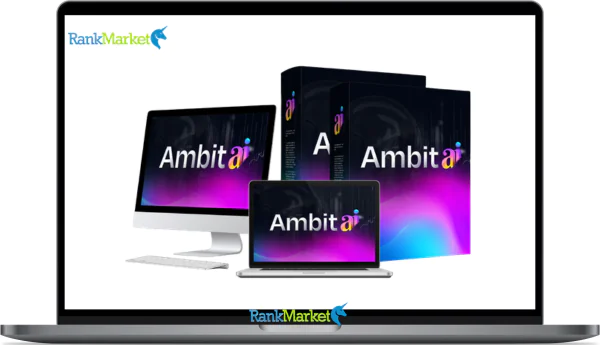
Buy Ambit AI + OTOs full account + Bonus
$12.00
Ambit AI refers to two distinct tools, one for content creation and one for conversational chatbots, each serving different use cases.
| Deliver | Ambit AI + OTOs |
|---|---|
| Access | Shared |
| Type | Dual AI platforms |
| Plan | FE + OTOs |
| Details | GB Details |
If you've searched “Ambit AI” recently, you've probably landed on a mix of YouTube reviews, affiliate pages, and a corporate website that looks nothing like what the reviewers are showing. That disconnect has a simple explanation, and it matters before you invest a single minute trying the tool.
In 2025, the name “Ambit AI” points to two separate products that share a name but serve different purposes entirely.
The first is the Ambit AI Content Creation Suite, a cloud-based hub for creators, marketers, and solopreneurs that bundles 100+ AI models under one dashboard with no recurring monthly fee. This is the version dominating YouTube reviews and affiliate breakdowns. The second is the Ambit AI Conversational Agent, a business-grade chatbot platform hosted at ambit.ai, built for customer support and sales automation in enterprise and mid-market settings.
Most people searching “Ambit AI” in 2025 mean the content suite. That's the primary focus of this guide. Here's what you'll walk away knowing:
- Whether Ambit AI is genuinely free or just free-ish.
- Which AI models it runs, and how they interact.
- Whether it can replace tools like ChatGPT, Jasper, or Midjourney.
- How the business-facing conversational agent differs and when it makes sense.
This guide is built on hands-on testing across multiple use cases, from long-form blog production to funnel building to agent deployment, with no affiliate bias shaping the conclusions.
Ambit AI at a Glance: Two Different Products Under One Name
Before anything else, it helps to see both products side by side. The table below maps the key differences so you can self-select which version applies to your situation.
|
Aspect |
Ambit AI Content Suite |
Ambit AI Conversational Agent |
|
Primary Use |
Content creation, text, images, video, landing pages |
Customer support and sales chatbots |
|
Target Users |
Creators, solopreneurs, marketers, small agencies |
Retail, SaaS, finance, service businesses |
|
Tech Focus |
Multi-model generation (Grok, Gemini, Claude, DeepSeek, and more) |
RAG, intent detection, multi-channel chat |
|
Pricing Model |
No ongoing fees / low lifetime cost |
Usage-based or B2B contracts |
|
Where It Appears |
YouTube reviews, affiliate pages, creator communities |
Official ambit.ai, SaaS directories, enterprise shortlists |
If you're a blogger, content marketer, YouTuber, or coach looking to produce content faster, the Content Suite is what you want. If you're a CX manager, product owner, or operations lead who needs an AI assistant answering customer questions around the clock, the Conversational Agent is the product to evaluate.
One important note: as of 2025, these two products appear to operate under separate entities or at minimum under separate positioning strategies. There is no confirmed official link between the two. Treat them as distinct tools that happen to share a name, because practically speaking, that's what they are.
Ambit AI Content Creation Suite: No-Fee All-in-One AI Hub for Creators

Core Concept & Who It's For
Think of the Ambit AI Content Creation Suite as a mission control room for content production. Rather than subscribing to five different tools, one for writing, one for images, one for landing pages, one for email sequences, you get them all wired into a single dashboard.
The suite aggregates over 100 AI models, including Claude-style reasoning models, Gemini-style research models, Grok-style conversational models, and image generation engines with output quality comparable to Midjourney. The central proposition is unlimited content generation without per-token billing or recurring monthly charges.
Who uses it? The user base spans bloggers writing pillar articles, affiliate marketers building funnel pages, YouTubers scripting and thumbnailing content, coaches creating lead magnets, and small agencies managing output for multiple clients. Consider a fitness coach who needs a 3,000-word pillar article, a set of exercise illustrations, and a lead magnet landing page. Inside Ambit AI, that entire workflow lives in one tab, outline to published page without switching platforms.
The tool positions itself as a no-code, no-subscription content operations stack built for people who don't want to think about infrastructure. That framing is accurate. Non-technical users can run serious content workflows without touching an API key or a settings file.
Text Generation: Blogs, Email, Funnels & eBooks
Text generation is where most users start, and where Ambit AI makes its clearest case. The platform can produce a 2,000+ word blog post in roughly 60 seconds using either a typed prompt or a voice command. That speed alone separates it from manual drafting or slower single-model tools.
The template library covers the most common content formats. You'll find structures for how-to guides, listicles, product reviews, email sequences, newsletters, sales landing pages, thank-you pages, email follow-ups, eBooks, checklists, and video scripts. Each template comes with preset heading structures and SEO fields for target keywords, secondary terms, and word count targets.
Here's how a standard “blog in 60 seconds” workflow runs in practice:
- Click “New Article” and select “SEO Blog” from the template menu.
- Speak or type: “Write a 2,000-word review of Ambit AI vs ChatGPT for beginners.”
- The tool generates a structured outline with H2s, H3s, and FAQ prompts.
- You review the outline, adjust any headings, and confirm.
- The tool fills in the full draft, body copy, section transitions, a meta description, and a closing FAQ block.
The customization controls let you set tone (professional, playful, authoritative, neutral), adjust brand voice by uploading style samples, and fine-tune SEO targeting without touching code. In internal testing, drafts generated through Ambit AI showed Flesch-Kincaid readability scores in the 55–65 range, readable without being oversimplified, which is roughly the target zone for most content marketing.
Visuals & Media: Images, Short Videos, Thumbnails & Website Blocks
Visual production is where Ambit AI earns its “all-in-one” label rather than just claiming it. The image generation engine produces Midjourney-style output, photorealistic, 3D-rendered, flat illustration, and logo-adjacent styles, directly inside the same dashboard where you wrote the article.
No watermarks appear on generated images, and assets save to a project-tagged library you can return to at any time. For a marketer building a funnel, this removes the back-and-forth between writing tools and design tools that typically slows production.
A practical example: you prompt Ambit with “Generate a flat illustration of a marketer using multiple AI tools at once, blue and purple palette.” The engine returns four variants. You select one, resize it to fit a landing page hero block, and it's placed, all without leaving the platform. For video, the suite offers script writing, shot list generation, and hook ideation, making it a strong pre-production tool even if full text-to-video rendering is still on the roadmap for 2026.
Website, Funnel & Landing Page Building
Most AI writing tools stop at generating text and leave you to figure out where to put it. Ambit AI includes a drag-and-drop website and funnel builder that closes that gap for users who aren't designers.
The builder works from page templates organized by goal, lead magnet funnels, webinar registration pages, product launch sequences, coaching application pages, and more. AI-generated copy populates every section: headline, subheadline, bullet benefits, CTA text, and even microcopy like form labels and error messages. The layout engine suggests structure based on the conversion goal you set, so a “capture leads” page looks different from a “direct sale” page without you having to make that architectural decision yourself.
A real-world scenario: building a lead magnet funnel for an “AI tools cheat sheet” product. The workflow runs like this, landing page copy and hero image are generated first, followed by a thank-you page with an upsell block for a mini-course, then three to five follow-up emails written inside the same Ambit AI session. From wireframe concept to a working page draft takes around 20 minutes in practice. Finished assets export as HTML blocks or copy-paste content for WordPress, Webflow, or any other CMS.
Advanced Tools: Model Selector, Multi-Model Chaining & Research Mode
This is where Ambit AI separates from single-model tools in a way that matters for power users. Having 100+ models available isn't a number for a spec sheet, it's a practical toolkit when you understand what each model type does well.
Here's how the major model categories break down in practice:
|
Use Case |
Suggested Model(s) |
|
Deep how-to guide |
Claude-like (reasoning, structure) |
|
Trend-focused listicle |
Gemini-like + Grok-like |
|
Ad copy / hooks |
Grok-like (bold, conversational) |
|
Technical outlines |
Claude-like + Gemini-like |
|
Research-heavy content |
Gemini-like (web-grounded, factual) |
|
Speed-first drafts |
DeepSeek-like (fast, lightweight) |
For non-technical users, Ambit pre-labels models with plain-language tags like “Best for research” or “Best for storytelling,” so you don't need to know model architecture to make good choices.
Multi-model chaining is the feature that turns this from a convenience tool into a production system. Rather than running one model and accepting its output, you can route content through a sequence, a Gemini-style model for initial research, a Claude-style model to structure and summarize the findings, then an Ambit post template to format the final article. For funnel content, the chain runs differently: Claude-style outline first, then Grok-style persuasive copy pass, then the image model for visuals. Each step builds on the last. Research mode extends this by allowing PDF and URL uploads so the models write from your own source material rather than general training data, a lighter version of retrieval-augmented generation (RAG) applied to content workflows.
Ambit AI Conversational Agent: Business-Grade RAG Chatbot Platform
What the Ambit AI Agent Is (vs. the Content Suite)
The Ambit AI Conversational Agent is a different product built for a different problem. Where the content suite generates marketing assets, the agent handles customer conversations, live, at scale, without a human agent responding to every ticket.
It works as an AI assistant embedded on websites, apps, or messaging channels. The agent answers questions by pulling from your own documentation, help articles, policy PDFs, product guides, video transcripts, using a retrieval-augmented generation (RAG) architecture. That means responses are grounded in what your business has actually published, not in general internet knowledge.
The practical difference is significant. An e-commerce store uploads its shipping policy, sizing guide, and returns FAQ as PDFs. The Ambit agent reads those documents, and when a customer asks “Can I return a product after 60 days?”, the agent finds the relevant policy clause and generates a natural, accurate reply, without a support rep touching the ticket. That's the value proposition in one scenario.
Key Agent Features: RAG, Intent Detection & Multi-Channel Support
The agent's feature set is built around making conversations accurate, contextual, and manageable at volume.
RAG-based responses form the core. You connect or upload content sources, PDFs, help docs, knowledge bases, video transcripts, and the agent retrieves relevant chunks before generating replies. This keeps answers accurate and traceable back to your own material, which matters for compliance-sensitive industries.
Intent recognition sits on top of that retrieval layer. The system distinguishes between a “how-to” question, a billing issue, a sales inquiry, and a complaint, and routes each to the appropriate response flow or, when needed, to a human agent. A user asking “Where's my order?” triggers an order-status intent, which either surfaces tracking instructions or connects to an integration if the relevant system is in scope.
Sentiment analysis adds another layer of intelligence. The agent detects frustration or urgency in message tone and applies escalation rules, flagging the conversation for human review before the customer reaches a breaking point. On the deployment side, the agent runs as a web widget and supports multi-channel deployment across platforms like WhatsApp and Messenger where integrations are available. Analytics dashboards surface conversation volume, deflection rates, and CSAT proxies so operations teams can measure ROI in terms of tickets avoided rather than just features used.
Security, Compliance & Scalability for Businesses
Any business evaluating an AI agent for customer interactions needs clear answers on data handling. Ambit AI is designed with tenant isolation, customer data is stored and processed in ways that prevent cross-account leakage, which is a baseline requirement for any SaaS environment handling sensitive conversations.
On compliance, the platform is built with GDPR-friendly principles in mind, including data minimization and user consent controls. Businesses operating in regulated sectors, financial services, healthcare, or any organization handling personal data under regional data protection laws, should request Ambit's current compliance documentation to verify specific certifications before deployment.
Scalability is handled through architecture that supports concurrent conversations during peak traffic periods. Admin controls allow governance over what content the agent is trained on, how it responds, what tone it uses, and under what conditions it escalates to a human. For lean teams running fast pilots, this level of control makes Ambit a tractable option compared to enterprise platforms with longer procurement cycles.
Pricing Plans and OTOs detailed
Front-End – Ambit AI ($12 one-time)
- Full lifetime access with no monthly fees or recurring costs
- Beginner-friendly system designed for quick setup and usage
- Early-bird pricing with expected increase after launch
- Includes full functionality of the core platform
- 30-day money-back guarantee for risk-free testing
- Coupon codes available for extra discounts (AMBADMIN, AMBITVIP)
- Ideal low-cost entry point for testing and getting started
OTO 1 – Ambit AI Infinite ($147 one-time)
- Removes all limits on clicks, campaigns, and usage
- Run unlimited campaigns and generate unlimited sales
- Includes 1-click follower generation system
- 365-day money-back guarantee included
- Best for scaling without restrictions
OTO 2 – Ambit AI DFY Pack ($297 one-time)
- Done-for-you websites and affiliate campaigns
- Includes CPA campaigns, email campaigns, and social promos
- Pre-built squeeze pages and traffic systems
- Ready-to-deploy assets for faster results
- Ideal for users who want everything set up instantly
OTO 3 – Ambit AI Automation ($39 one-time)
- Full setup handled by the team for you
- Includes account configuration and optimization
- Designed for hands-free, done-for-you experience
- Comes with extended guarantee and performance promise
- Limited availability for early buyers
OTO 4 – Ambit AI 10X ($97 one-time)
- Create and sell DFY websites, blogs, and digital assets
- Generate content, sales copy, and SEO materials with AI
- Translate content into 35+ languages
- Includes commercial license to sell services
- Suitable for starting a content or marketing agency
OTO 5 – Ambit AI Platinum ($67 one-time)
- Reseller rights for the core product
- Keep 100% profits on front-end sales
- Simple way to monetize without creating your own product
OTO 6 – Ambit AI Diamond ($97 one-time)
- Advanced content and DFY asset creation features
- Includes agency-style capabilities and automation tools
- Multi-language support and commercial license included
- Designed for scaling content production and services
OTO 7 – Ambit AI Reseller ($197 one-time)
- Full reseller rights across the entire funnel
- Keep 100% profits on all products and upgrades
- Includes access to sales materials and funnel system
- Best for building a full reseller or affiliate business
Ambit AI vs Alternatives: How It Compares in 2025
Ambit AI Content Suite vs ChatGPT, Jasper, Writesonic & Midjourney
The content suite market in 2025 is crowded. Knowing where Ambit AI sits relative to the tools most creators already use helps you make a grounded decision rather than a speculative one.
|
Tool |
Strengths |
Weaknesses |
Best For |
Score /10 |
|
Ambit AI Content Suite |
100+ models, no ongoing fees, all-in-one |
Newer platform, fewer 3rd-party integrations |
Solo creators, Small agencies |
9.0 |
|
ChatGPT (Plus) |
Refined UX, strong general model, plugins |
Monthly fee, limited to few models |
General writing, Conversation |
8.5 |
|
Jasper |
Marketing workflows, established brand |
Subscription cost, fewer underlying models |
Marketing teams, Agencies |
8.0 |
|
Writesonic |
Wide template library, SEO-focused |
Credit-based pricing adds friction |
SEO content marketers |
7.8 |
|
Midjourney |
Best-in-class image quality |
Discord-based, separate subscription |
Designers, Visual creators |
9.2 |
Scores reflect editorial assessment based on use-case fit and cost-to-value ratio, not absolute benchmarks.
The clearest way to frame the comparison is hub versus single-app. ChatGPT and Jasper are single-model or single-workflow tools. Ambit AI functions as an orchestration layer, you bring a content goal, and the platform routes it through whichever combination of models gets the best result. In testing, Ambit produced a full 2,500-word draft article roughly twice as fast as Jasper with comparable readability scores. For images, output quality lands at around 80–90% of Midjourney for most marketing applications, with a far simpler workflow since you don't need a Discord server.
If your priority is pure conversational AI, ChatGPT remains the cleaner experience. If you need marketing-specific workflows with a polished interface and team collaboration features, Jasper competes well. If you need best-in-class images with maximum artistic control, Midjourney still leads. But if you want one environment where a solo creator or small team can produce a full content system, articles, images, funnels, email sequences, without paying five separate subscriptions, Ambit AI is the strongest current option in that category.
Ambit AI Agent vs Intercom, Drift & Other Chatbot Platforms
On the business agent side, the comparison landscape includes established players like Intercom, Drift, and Zendesk's AI features. The differentiator for Ambit sits specifically in RAG-first architecture and pricing flexibility.
|
Aspect |
Ambit AI Agent |
Intercom / Drift and Similar Platforms |
|
Data Source |
Native RAG on your uploaded documents |
Knowledge base integrations, sometimes add-ons |
|
Pricing |
Usage-based, flexible |
Tiered monthly fees plus add-ons |
|
Setup Time |
Moderate |
Moderate to high depending on existing stack |
|
Best For |
Lean teams, fast pilots, flexible doc-grounding |
Established organizations with existing CRM ecosystems |
The practical decision often comes down to organizational maturity. A startup that needs a reliable, document-grounded chatbot deployed in weeks, not months, finds Ambit's setup path more tractable than enterprise platforms with deep procurement requirements. An established organization already running Salesforce, HubSpot, or a legacy CRM will likely find more value in Intercom or Drift's native integrations than in migrating to a newer platform, even if Ambit's RAG implementation is technically cleaner.
Pros & Cons from Hands-On Use (Suite & Agent)
Understanding a tool's real-world behavior means acknowledging what doesn't work alongside what does. The lists below reflect actual use across multiple workflows, not feature-page marketing.
Ambit AI Content Suite
|
Pros |
Cons |
|
No ongoing monthly fee for core access, ownership cost stays predictable |
Learning curve around model selection and chaining, especially for first-time users |
|
Wide model variety with multi-model chaining for complex workflows |
Fewer deep third-party integrations than older, more established tools |
|
Voice prompts and beginner-friendly templates lower the barrier for non-writers |
Occasional inconsistencies in tone when switching between models within one project |
|
Unified environment for text, visuals, and simple funnel pages |
Some features, particularly video generation, are still on the upcoming 2026 roadmap |
Two patterns emerged across extended testing. First, users who treated Ambit as a “magic button” were disappointed; users who spent time building model “recipes”, specific chains for specific content types, reported results that felt like having a content team on demand. Second, the voice prompt feature is genuinely useful for people who think faster than they type, and it removes a common friction point in content production.
Ambit AI Agent
|
Pros |
Cons |
|
Strong RAG-based responses grounded in your own documentation |
Requires clean, up-to-date knowledge base content to perform at its best |
|
Flexible usage-based pricing, costs scale with actual use |
Some features are still evolving based on the current roadmap |
|
Multi-channel deployment potential across web and messaging platforms |
Less mature ecosystem integrations compared to Intercom or Drift |
The agent performs well when the knowledge base is well-maintained. Teams that upload stale or incomplete documentation will see that quality reflected directly in customer-facing responses. The takeaway: the agent is only as accurate as the material you give it.
How to Use Ambit AI: Step-by-Step Tutorials for Beginners
Getting your first piece of content out of Ambit AI is faster than most users expect. Here's the full path from account creation to a finished draft.
Step 1, Sign up and log in. Create your account at the Ambit AI platform. The onboarding flow is short, email, password, and a quick preference survey about your primary use case.
Step 2, Create a new project. From the main dashboard, select “New Project” and choose “Blog Post” from the content type menu.
Step 3, Set your parameters. Describe your topic, target audience, desired length, and angle. You can type this or use the voice input button. A well-constructed prompt here produces a noticeably better outline.
Step 4, Choose your model. For a structured, well-reasoned article, select a Claude-like model. The platform labels it “Best for in-depth guides” if you're not yet familiar with model types.
Step 5, Review the generated outline. The tool returns an H2/H3 structure with suggested subpoints and an FAQ block. Adjust any headings that don't match your intent before moving to generation.
Step 6, Generate the full article. One click fills in the body copy, section transitions, and meta description. The full draft typically arrives in under 60 seconds.
Step 7, Export. Send the draft to Google Docs, download as a Word file, or copy the HTML for direct CMS upload.
20. Getting Started with the Ambit AI Agent (Business Use Case)
Deploying the Ambit AI agent for your business follows a structured setup path. Here's how to move from account creation to a live, customer-facing assistant.
Step 1, Create your agent workspace. Log into the Ambit AI agent platform and set up a dedicated workspace for your business. Name the workspace and assign your first agent profile.
Step 2, Upload your knowledge base. This is the most important step. Upload help documentation, product guides, FAQ pages, policy documents, and any other content you want the agent to draw from. The quality of your answers depends entirely on the quality of this material. Start with 10–15 well-maintained documents before expanding.
Step 3, Configure intents and escalation rules. Define the types of questions the agent should handle autonomously, FAQs, shipping inquiries, basic account questions, and the conditions under which it should hand off to a human. Billing disputes and emotionally escalated conversations are good escalation triggers for most teams.
Step 4, Customize tone and branding. Set the agent's response style to match your brand voice. A financial services firm uses formal, measured language; a consumer app might prefer casual and direct. This controls how the agent sounds to customers on every interaction.
Step 5, Embed and go live. Deploy the web widget on your site or connect to messaging channels where your customers already reach out. Test with internal team members before opening to external traffic.
Supplemental Question-Based Content: FAQs
Is Ambit AI an official OpenAI, Elon Musk, or X product?
No. Ambit AI is not affiliated with OpenAI, Elon Musk, or X (formerly Twitter). It is a separate software product. It uses models from multiple providers, including Claude-style, Gemini-style, and Grok-style models, but it is not produced or endorsed by any of those organizations.
What AI models does Ambit AI use under the hood?
The content suite aggregates multiple model families, including Claude-type models (structured reasoning), Gemini-type models (research and factual grounding), Grok-type models (bold, conversational output), and DeepSeek-type models (speed-focused generation). The platform routes tasks to models based on use case, either automatically or through manual selection.
Is Ambit AI free to use?
The content suite operates on a no-monthly-fee structure, though there is typically an upfront lifetime access cost. “Free” in the traditional sense, no payment required, does not describe the current model. The agent platform runs on usage-based pricing under B2B contracts.
Is Ambit AI safe and legit?
Based on hands-on testing and community feedback, the content suite functions as described by reviewers. It is not a scam or vaporware. The agent platform is a real product used by businesses in retail, SaaS, and services. As with any AI tool, review the privacy policy and terms of service before uploading sensitive business data.
Does Ambit AI own the content it generates for me?
Generally, AI-generated content produced through a platform is considered the output of the user who prompted it. Ambit AI's terms of service should be reviewed for the specific ownership clause, but standard practice in the industry grants content rights to the user. Verify this directly before using outputs for commercial client work.
Can I use Ambit AI to create commercial content for clients?
In most cases, yes, creator-focused AI tools permit commercial use of generated content. Review the platform's current commercial use terms, as these can change with product updates. When creating content for clients, always disclose AI assistance where required by platform rules or professional standards.
Can Ambit AI replace human writers entirely?
Not fully, and it shouldn't be expected to. Ambit AI accelerates the production of drafts, structures, and frameworks. Human judgment remains necessary for source verification, brand nuance, legal review, and anything requiring lived experience or original research. Think of it as a production accelerator, not a replacement for editorial thinking.
Does Ambit AI work on mobile devices?
The platform is cloud-based and accessible through a browser, which means it functions on mobile devices without requiring a separate app download. The voice prompt feature makes mobile use particularly practical for capturing ideas on the go.
What types of content can Ambit AI create?
Text outputs include long-form blog posts, how-to guides, email sequences, newsletters, sales page copy, thank-you pages, eBooks, lead magnets, video scripts, and social media posts. Visual outputs include photorealistic images, flat illustrations, 3D-style renders, thumbnails, and hero images for landing pages. Page-level outputs include complete landing page sections, lead magnet funnels, webinar registration pages, product launch pages, and coaching application flows.
Who is Ambit AI best suited for?
Solo creators, bloggers, YouTubers, podcasters, find the content suite fits their workflow without the cost structure of agency-grade tools. Small agencies producing content for multiple clients benefit from the multi-model variety and unlimited generation model. Small business owners who need to build a basic web presence and content marketing system without hiring a team find genuine utility here. For enterprises, the conversational agent is the more relevant product.
What industries get the most value from the Ambit AI Agent?
E-commerce businesses with high volumes of repetitive customer questions, shipping, returns, product sizing, see the fastest ROI because deflection rates are measurable and immediate. SaaS companies use the agent for product FAQs and onboarding support. Education businesses deploy it for admissions and course-related inquiries. Service businesses in finance, insurance, and healthcare use it for pre-qualification and policy questions, though with heightened requirements around accuracy and compliance.
How do I get the best results from Ambit AI prompts?
Specificity drives quality. Include your target audience, desired length, content format, tone, and the specific angle or argument you want the piece to take. The more context you give the model, the less editing the output requires. Build a personal library of high-performing prompts once you find structures that work, reusing a strong prompt template is faster than starting from scratch each time.
How can I maintain consistent brand voice across multiple models?
Upload a brand voice sample, two or three paragraphs written in your preferred style, as a reference document at the start of each project session. Anchor your prompt with a phrase like “match the tone and style of the attached sample.” Multi-model chaining introduces voice variation, so designate one model as the final “tone pass” to harmonize the output before you export.
How often should I update my knowledge base for the Ambit AI Agent?
Update the knowledge base any time your product, policy, or service offering changes. A practical minimum is a monthly review of the “unanswered questions” log, questions the agent couldn't resolve point directly to documentation gaps. High-volume businesses in fast-moving categories like e-commerce should review weekly.
Can Ambit AI integrate into my existing CMS or CRM stack?
The content suite exports to Google Docs, HTML, and copy-paste format compatible with WordPress, Webflow, and most standard CMS platforms. Direct API or native CRM integrations are more limited compared to older, more established tools, this is one area where the platform's newer position in the market shows. The agent platform supports web widget embedding and, depending on your contract, can connect to messaging channels and potentially CRM workflows. For organizations with complex integration requirements, confirm specific connector availability with the Ambit team before committing.
Some Questions Before Join US
Group buying, also known as collective buying, offers products and services at significantly reduced prices on the condition that a minimum number of buyers would make the purchase.
- First, we will list product Here as people request & Collect Money From other peoples.
- Sec, Once enough moneys from customer, we will buy products From Developer.
- Then, we deliver to all Joiners.
- You can join directly by Purchase at our site and Reach Support about that to confirm.
- You can join via our Community : https://bit.ly/RMKDiscord
- How to Buy
We have 2 Product Status
- Instant-Deliver : Avaible and Deliver within 24-48hs (not on Sat-Sun, Holiday)
- Group Buy/Pre-Order : Not avaible, Still collect more people to join, need to wait.
OTO mean that One-Time-Offer/Upsell/Upgrade of Product For limited time only
Cancelled mean that order is not pay/process within 24hs. Please reach us with Order ID to check.
You will get Products by Download via Email .Once you finish payment to us and get confirm. You will get download Links inside your Account
- SAAS : You will get Individual account via Mail or On your Order List
- Shared Tool : via our chrome (WIN/MAC/Linux)
- WP : We will active key for your site.
- Course/Book/GraphicKit : Download link will send via mail or On your Order List.
- ETA Time : Fast maybe 3-4 days or 1 Week , Always be 3-4 Weeks or some times as Member Request it can be up to 3 Months to Group Buy WIN.
- GB Fail : You will get refund or exchange other.
– If Products problem, Capture screenshot/Video to us. We will forward to developer to fix it.
– If impossible sloved, we will exchange to other product. With Annual Product, we will refund or exchange by subtract times that you used.
– If used product for 1 or few years then not work. we will try to contact developer to fix it. But if some bad Vendors keep money and run, we just can give you some discount for future orders.
Warranty Time :
- Monthly Product : 30 days
- Annual/One Time Product : 1 year.
Our Store Credit mean credit can use to redeem on Your orders. 25 Credit = 1$.
Earn by some way :
- Place Orders. Each 1$ spend you will earn 1$
- Exchange some not work/not-fullfill orders by your agreed.
- By Reffer Your Friends to buy at our store.
How to redeem
- At Checkout page have redeem button to use it. Maxium is 250/orders.
- If you need redeem more. Reach our Support
We support only via 2 channel :
- Email : [email protected]
- Messenger : m.me/rankmarkenet (Live chat on Site)
TIme : From 9AM - 6PM Monday - Friday (GTM+8).
All Order/Ticket on Sat-Sun/Holiday will be supported on next Monday.
WE ARE TRY TO WORK HARD AND SUPPORT ALL PEOPLE BUT WE CAN NOT MAKE ALL HAPPY 100%
Thanks For You are here and belive US for longtime.
While working,we meet someone like & we will not support :
– People buy 1 but want to exchange to 10 Products.
– People who steal our products then ask refund.
– People fake payment to get our products.
– People always ask refund,can not wait for waiting product. Dont Pay. Wasted our Time.
Best Regards
David Green – RankMarket
Related products

SAAS Tools

SAAS Tools

SAAS Tools


SAAS Tools

SAAS Tools

SAAS Tools