

Buy AI Professor + OTOs full account + Bonus
$15.00
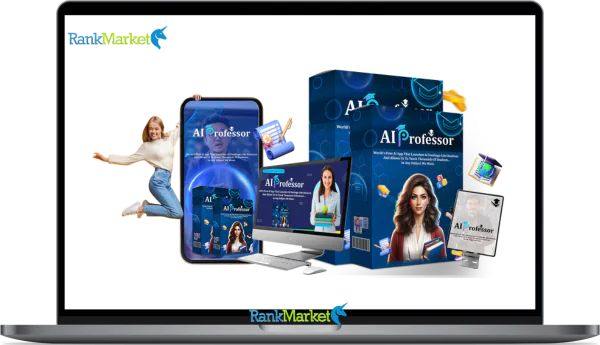
AI Professor is an AI-powered learning platform that turns complex topics into simple, step-by-step instructional videos, making it easy for anyone to learn, teach, or train without technical skills.
| Deliver | AI Professor |
|---|---|
| Access | Individual |
| Type | AI Video Learning Platform |
| Plan | FE + OTO1 |
| Details | GB Details |
Producing educational or explanatory videos is currently one of the best methods for building trust, credibility, or online engagement. However, traditional video production methods often face challenges such as having to stand in front of the camera, write clear lesson plans, record multiple lessons, or gather all possible resources.
AI Professor is introduced as a solution to these problems. It targets users who want to transform basic subjects into a systematic course, effectively delivered with human-like AI professors without any recording equipment or setup. In this review, we will explain in detail how AI Professor works, along with its key features, target audience, and usability in creating educational video content.
What is AI Professor

AI Professor is an instructional platform that employs artificial intelligence to instruct and mentor anyone, even people with no prior technological experience, on how to successfully learn and use AI tools. AI Professor functions as an online tutorial, going over everything in straightforward language and step-by-step instructions, in contrast to other systems that overwhelm users with too much information in PDF format or boring theories and complicated dashboards.
The AI Professor app's capacity to produce educational video lectures instantaneously is its special feature. Because it speaks, explains, and delivers any subject in video format, the app can be regarded as a flexible teacher. Instructors can use this technology to produce excellent video lectures without having to be in the actual video. Because it enables them to offer their subjects in video format without any technological difficulties, this tool will be helpful to both marketers and instructors.
To put it briefly, AI Professor makes difficult ideas understandable through educational films that are conveniently accessible to learners. This software solves typical challenges that can be readily handled with automated video training that is appropriate for everyone, regardless of the goal is self-learning AI, educating others, training staff, or creating instructional items for sale.
Key features of AI Professor
- AI Teacher Model: Using realistic AI models of instructors that speak and look like actual teachers, AI Professor lets you make educational movies. This method uses live presentations to deliver high-quality instructional content without the need to self-record or appear in front of a camera.
- Topic-Based Lecture Video Creator: You can select subjects and keywords that an AI professor will convert into instructive movies, saving you the trouble of writing out what you want to cover in class. AI Professor will take care of making instructional videos and outlining how ideas relate to one another.
- Lecture-Style Script and Explanation Creator: Its primary objective is educational presentation, in contrast to other AI-powered video creation programs. In order to improve comprehension and viewer engagement, AI generates organized educational scripts that include definitions, summaries, examples, and thorough explanations.
- Various Teaching Styles and Voice Options: There are a variety of voices, tones, and teaching styles available, including calm, professional, friendly, and dynamic. This allows you the freedom to select the type of information based on the duration of your video, be it an instructional video or a brief social media video.
- Q&A Function: By producing videos to address often asked questions or clarify complex ideas, AI Professor facilitates the production of more instructional videos. This makes it simple to produce more “student Q&A” or Q&A films.
- Customizable instructor Templates: To get you started right away, the software includes pre-made AI instructor avatars. To fit your field and level of expertise, you can, however, also modify the presenting style, tone, and degree of explanation.
- Versatile Content Publishing: AI Professor has a wide range of uses, including online course modules, internal company training, new employee tutorials, YouTube, Shorts, TikTok, or Instagram Reels instructions, and customer films for businesses or agencies.
- This program is pitched as a business resource rather than only a creative solution, making it ready for commercial and client use. It can be used to make instructional videos for your customers, offer educational content as a paid service, or even be a component of production or training companies.
How to use AI Professor
Step 1: Choose a Learning Topic or Concept
This is a must for all tutorial designs. Enter your educational topic, keyword, or concept to get started. Subjects can be as broad as email marketing fundamentals or as specialized as creating an e-commerce welcome email sequence. The lesson will be easier to understand if the educational topic, keyword, or concept is made clearer.
Step 2: Create a Teaching Script
For your selected topic, AI Professor will automatically create a structured course. To fit your audience, you can adjust the presenting style, tone, and instruction level (beginning, intermediate, or advanced). Writing a script is no longer necessary thanks to this procedure.
Step 3: Choose an AI Teacher and Save the Video
After selecting an AI teacher avatar and voiceover that sound human, you will produce your final instructional film. After it's finished, you can download the finished video to post to courses, internal training sessions, Instagram Reels, YouTube, and TikTok.
Why you should use AI Professor
- Record lectures without appearing in front of the camera: AI Professor enables you to record lectures without having to stand in front of the camera. This allows you to produce videos that look professional and like lectures. This is particularly helpful if you're attempting to produce material quickly, don't have a professional video setup, or are uncomfortable in front of the camera. When you work with AI Professor, your presentation and course delivery will be handled by lifelike teachers.
- Instantly turn basic subjects into well-structured lessons: AI Professor takes a topic or keyword and creates a comprehensive explanatory response that is comparable to what a teacher may use in a lesson, eliminating the need to outline lesson content, write scripts, and amend explanations. Instead of being a generic computer output, it is designed to think like a teacher and organize material as definitions, examples, and step-by-step analysis as though it were a genuine class.
- Specifically created for educational purposes, AI Professor prioritizes understanding, coherence, and clarity, whereas the majority of AI videos tend to concentrate on visual or entertaining elements. The purpose of the content is to improve viewers' conceptual understanding. This includes social media training workshops and tutorials on instructional content.
- Easily scalable instructional content: Lessons, short films, and additional videos with answers can be easily replicated once the system is configured. Because of this, AI Professor is a well-liked solution for video producers who wish to effortlessly distribute content on websites like YouTube, TikTok, Reels, or within a course on a regular basis.
- Reuse content to fit the platform and audience: AI Professor allows you to select the presentation style, tone, and degree of detail so you may use the subject for internal training, longer video presentations for teachers, and brief social media posts. You get the ideal opportunity to apply the idea more than once because of this.
- Support for “Q&A” and Follow-up: By enabling the quick creation of instructional and Q&A videos, it also promotes ongoing learning. Easily respond to often requested questions, provide clarification on unclear concepts, or develop original learning exercises to improve learning outcomes and engagement.
- Beneficial for client projects and monetization: AI Professor is a tool for generating income in addition to creating content. It can be used to create training materials, customer tutorial videos, course modules, or online training systems, which you can then market as a product or service.
- Reduced learning curve in comparison to traditional video production: AI tools handle the scriptwriting, structuring, and design, so novice creators can use this tool to create high-quality instructional content without requiring extensive software knowledge, teaching expertise, or video editing knowledge.
The Upgrade/OTO details
Front-End (FE): AI Professor – $14.99
- During the special launch time, entry-level access to the AI Professor platform is available.
- features human-like AI teacher avatars and topic-to-video instruction generation driven by AI.
- enables the production of lesson-style, explainer, onboarding, and instructional films without the need for filming.
- facilitates the creation of faceless content for training materials, courses, reels, shorts, and YouTube.
- Designed for novices, no prior knowledge of technology or video editing is necessary.
- launch-time one-time payment without a monthly subscription.
- supported by a money-back guarantee of 30 days.
OTO 1: AI Professor Agency – $97/$127
- allows service providers and independent contractors to use it at the agency level.
- enables the production of instructional movies for several clients with a single account.
- intended for the sale of instructional, training, and explainer video services.
- Perfect for organizations who provide educational material bundles, SOPs, or onboarding.
OTO 2: AI Professor Automation – $25/$29
- accelerates the creation of content by adding process automation.
- minimizes the number of manual steps involved in creating videos and lectures.
- Ideal for those who manage several projects or create content on a regular basis.
OTO 3: AI Professor DFY – $57/$67
- offers templates, setup help, or done-for-you content.
- helps users launch more quickly without having to start from scratch.
- Perfect for novices seeking pre-made content structures.
OTO 4: AI Professor Franchise – $62/$97
- develops AI Professor into a model with a business focus.
- geared toward people who wish to develop a more extensive brand for education or content.
- provides greater monetization options and control.
OTO 5: AI Professor Traffic – $47/$67
- includes materials aimed at increasing visibility and traffic.
- aids users in obtaining interaction, leads, or views for their instructional videos.
- Ideal for creators and marketers who wish to expand their audiences more quickly.
OTO 6: AI Professor Unlimited – $25/$39
- eliminates the front-end version's usage restrictions.
- facilitates the production of large numbers of videos in various sectors.
- Perfect for schools, agencies, and content producers who create videos in bulk.
OTO 7: AI Professor Whitelabel – $247/$297
- Allows you to rebrand AI Professor as your own platform.
- Sell or resell access under your own brand name.
- Designed for advanced users building a software or training business.
Advantages
- Make educational films without filming: AI Professor removes the need for many reshoots, investing in recording equipment, or appearing in front of a camera. For people who prefer faceless content and wish to produce content more quickly, you can make fully AI-powered tutorial videos.
- Quick workflow: From concept to completed video, everything is streamlined. Production time and complexity are greatly decreased by using a single procedure rather than creating screenplays, filming, and editing individually.
- Teaching-focused structure, not generic avatar output: AI Professor can explain concepts like a teacher, employing definitions, step-by-step logic, and a structured presentation for easier learning. Most avatar tools, on the other hand, just read text.
- Suitable for training, education, and faceless informative videos: This platform is well suited to use cases where clarity is more crucial than eye-catching graphics, such as instructional YouTube channels, training for new hires, standard operating procedure (SOP) training, and explanatory video material.
- Strong revenue potential for agencies and independent contractors: AI Professor can be marketed as a service for training modules, tutorials for new hires, explanatory videos, or brief instructive videos without requiring additional effort because the output is ready for the client.
- Aids in maintaining content consistency across several domains: You don't need to constantly rebuild your workflow because you can rapidly experiment with various themes, angles, and domains in a fraction of the time. Because of this, it is particularly beneficial for marketers and artists that value consistency and quantity.
Disadvantages
- Human review is still necessary for accuracy: As with other AI-powered instructional materials, you should go over the script to make sure it is accurate, particularly in technical, legal, and medical domains.
- Certain voices or avatars may sound or feel artificial intelligence (AI)-like: Depending on your choice, the presenter may sound a little robotic in certain contexts. Although it can be helpful to adjust the speed and tone, it cannot fully replace a live instructor.
- The sales funnel emphasizes add-ons: If you don't know what you actually need, the numerous upgrades that may be made to this product can easily result in overspending.
- AI Professor is not meant to replace professional video editing software; instead, it focuses on teaching clarity rather than cinematic effects, intricate animation, or sophisticated editing.
Who is it for?
- Educational channel producers who don't have to appear in front of the camera: This product is ideal for people who frequently produce instructional content without having to handle intricate production setups or stand in front of a camera.
- Course designers who wish to produce lessons more quickly: Ideal for creating brief, condensed modules or courses without sacrificing organization or clarity.
- Tutorial or pre-training videos for coaches and consultants: Helps cut down on repetitious explanations by converting commonly explained subjects into reusable training movies for customers or students.
- Businesses or independent contractors offering instructional or training materials: Enables you to expand professional instructional videos in a way that boosts revenue without hiring more employees or investing more time in editing.
- Small firms create internal training programs and standard operating procedures (SOPs) to help staff understand workflows, tools, and processes in a consistent and repeatable manner.
- Marketers utilize education to establish credibility: Encourages content tactics that prioritize value-driven marketing, trust, and explanation over straight sales.
What You Get (Compared to Buying at RankMarket)
- Special Offer for More Use: When you purchase AI Professor software through this website, you will receive more than the basic software package. When you purchase this package, you will also receive additional materials to help you use the software effectively, such as lesson ideas, and many other resources.
- Step-by-Step Guides for Beginners & Setup Advice: We don't assume you have any technical knowledge. Our guides will help you, starting from scratch, achieve your goals from idea to published instructional video without confusion or trial and error.
- Practical Applications, Not Just Advertising: Instead of just a series of sales messages, our examples will be: Faceless Videos, Customer Explanation Videos, User Guide Videos for New Customers, Training Videos. These videos help you understand the true role of AI Professor in your workflow.
- Access support and information immediately: By purchasing through our website, you will gain access to tips and strategies that we will continue to develop in the future. This will help you continue to improve after your initial purchase.
FAQs
- Do I need video editing skills to use AI Professor?
No. Everyone should read AI Professor. All you have to do is pick a subject, make a lesson, pick AI Professor, and export the video. Both shooting and video editing software are not necessary. - Can I use AI Professor for commercial purposes or for my clients?
Yes. AI Professor prides itself on being a business-friendly product. You can create educational content and tutorial videos to sell to clients based on the license you subscribe to. - What types of videos can I create with AI Professor software?
The program can be used to produce instructional films, training videos, tutorial videos, explanatory videos, short educational videos for social media, and standard operating procedure (SOP) movies for businesses. - What will the video look like with a robotic/natural voice?
Though certain voices may sound a little “AI” depending on how your computer is set up, the teacher's voice is meant to be clear and simple to comprehend. A more realistic sensation can be produced by varying the speech style, tone, and speed. - Does AI Professor replace professional video editing software?
No. Professional video creation is not its intended use. The AI professor wants to improve teaching abilities in terms of speed and clarity, not expert video creation. - Is there a money-back guarantee?
Yes. AI Professor also has a money-back guarantee, allowing you to try the site risk-free to determine if it suits your needs.
Conclusion
Instead than being viewed as a standard video editor, AI Professor should be viewed as a tool to assist in the production of instructional videos. The benefit of AI Professor is its capacity to streamline the process of turning an idea into an educational film that is simple to comprehend, as opposed to marketing or presentation material. AI Professor is a good choice for producing instructional videos, training videos, courses, or social media tutorials without requiring user appearance. Don't think twice; purchase it from our website right now to get the finest deals and committed assistance.
Some Questions Before Join US
Group buying, also known as collective buying, offers products and services at significantly reduced prices on the condition that a minimum number of buyers would make the purchase.
- First, we will list product Here as people request & Collect Money From other peoples.
- Sec, Once enough moneys from customer, we will buy products From Developer.
- Then, we deliver to all Joiners.
- You can join directly by Purchase at our site and Reach Support about that to confirm.
- You can join via our Community : https://bit.ly/RMKDiscord
- How to Buy
We have 2 Product Status
- Instant-Deliver : Avaible and Deliver within 24-48hs (not on Sat-Sun, Holiday)
- Group Buy/Pre-Order : Not avaible, Still collect more people to join, need to wait.
OTO mean that One-Time-Offer/Upsell/Upgrade of Product For limited time only
Cancelled mean that order is not pay/process within 24hs. Please reach us with Order ID to check.
You will get Products by Download via Email .Once you finish payment to us and get confirm. You will get download Links inside your Account
- SAAS : You will get Individual account via Mail or On your Order List
- Shared Tool : via our chrome (WIN/MAC/Linux)
- WP : We will active key for your site.
- Course/Book/GraphicKit : Download link will send via mail or On your Order List.
- ETA Time : Fast maybe 3-4 days or 1 Week , Always be 3-4 Weeks or some times as Member Request it can be up to 3 Months to Group Buy WIN.
- GB Fail : You will get refund or exchange other.
– If Products problem, Capture screenshot/Video to us. We will forward to developer to fix it.
– If impossible sloved, we will exchange to other product. With Annual Product, we will refund or exchange by subtract times that you used.
– If used product for 1 or few years then not work. we will try to contact developer to fix it. But if some bad Vendors keep money and run, we just can give you some discount for future orders.
Warranty Time :
- Monthly Product : 30 days
- Annual/One Time Product : 1 year.
Our Store Credit mean credit can use to redeem on Your orders. 25 Credit = 1$.
Earn by some way :
- Place Orders. Each 1$ spend you will earn 1$
- Exchange some not work/not-fullfill orders by your agreed.
- By Reffer Your Friends to buy at our store.
How to redeem
- At Checkout page have redeem button to use it. Maxium is 250/orders.
- If you need redeem more. Reach our Support
We support only via 2 channel :
- Email : [email protected]
- Messenger : m.me/rankmarkenet (Live chat on Site)
TIme : From 9AM - 6PM Monday - Friday (GTM+8).
All Order/Ticket on Sat-Sun/Holiday will be supported on next Monday.
WE ARE TRY TO WORK HARD AND SUPPORT ALL PEOPLE BUT WE CAN NOT MAKE ALL HAPPY 100%
Thanks For You are here and belive US for longtime.
While working,we meet someone like & we will not support :
– People buy 1 but want to exchange to 10 Products.
– People who steal our products then ask refund.
– People fake payment to get our products.
– People always ask refund,can not wait for waiting product. Dont Pay. Wasted our Time.
Best Regards
David Green – RankMarket
Related products


SAAS Tools



SAAS Tools