


Buy AI Image Magic + OTOs full account + Bonus
$19.00
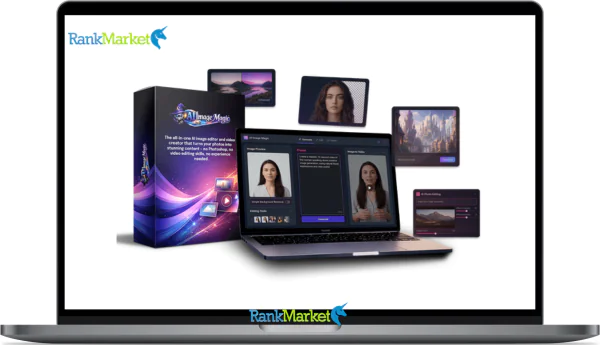
AI Image Magic is an AI-powered platform that turns text or voice prompts into professional images and short videos with built-in editing tools.
| Deliver | AI Image Magic + OTOs |
|---|---|
| Access | Shared |
| Type | AI image generator |
| Plan | FE + OTOs |
| Details | GB Details |
Type a short phrase, “a cyberpunk city at night” or “a vintage poster of an astronaut cat”, and within seconds, you get a publication-ready visual. That is what AI Image Magic does. As a concept, it refers to the wave of AI-powered tools that generate, edit, and animate images or videos from text and voice input. As a brand, AI Image Magic is a platform built by a team with over 10 years of experience in software, tools, and technology.
This guide covers everything: a clear definition, how the underlying technology works, a breakdown of features, honest pros and cons, step-by-step tutorials, and side-by-side comparisons with competing tools. Whether you are a beginner, a marketer, a content creator, a small business owner, or a developer, there is something practical here for you. The 2025 context matters too, modern diffusion models and vision-language architectures like CLIP have made image generation faster, more precise, and ethically more complex than ever before. First, let's clarify exactly what AI Image Magic is and what it can do.
What Exactly Is AI Image Magic?

AI Image Magic is an AI-powered visual platform that converts text or voice descriptions into professional-grade images and short videos, no design background required. Think of it as having a skilled visual artist on call, one that responds to plain language instead of design briefs.
At its core, the platform does three things: it generates images from text prompts (text-to-image), it edits existing images through tools like erasure, object replacement, and background removal, and it animates static images into short video clips (image-to-video). Each of these functions runs on generative AI models trained on large visual datasets, using architectures similar to diffusion models and vision-language alignment systems.
The experience is intentionally approachable. A marketer can produce a product mockup in under a minute. A creator can build a YouTube thumbnail without opening a design application. A small business owner can generate a social post graphic during a lunch break. The output quality, speed, and editing depth are what separate AI Image Magic from a basic image generator.
Top Features of AI Image Magic
Text-to-Image with 100+ Styles & 16K Resolution
AI Image Magic supports over 100 visual styles, covering realism, anime, painterly textures, line art, pixel art, 3D render aesthetics, and more. Each style is selectable via dropdowns, tags, or presets, no prompt syntax knowledge needed to access them.
Resolution support extends up to 16K, with aspect ratios spanning square (1:1), portrait (4:5, 9:16), landscape (16:9), and ultra-wide formats. That flexibility covers everything from a mobile story to a billboard-sized print. The trade-off is real: higher resolutions draw more credits and take longer to generate, so matching resolution to the intended output keeps usage efficient.
|
Style Category |
Ideal Use Case |
Example Prompt |
|
Realism / Photographic |
Product shots, portraits, ad creatives |
“Studio product photo of a leather wallet on marble, soft lighting” |
|
Anime / Illustrated |
Stickers, thumbnails, character art |
“Chibi cat astronaut floating in space, pastel tones, thick outlines” |
|
Vintage / Retro Print |
Posters, brand identity, event graphics |
“1960s travel poster of Tokyo neon streets, bold typography, grainy texture” |
|
Cinematic / Film |
YouTube thumbnails, trailers, social ads |
“Person at a holographic desk, dramatic contrast, 16:9 frame” |
|
Minimalist / Flat |
App onboarding, UI mockups, infographics |
“Flat illustration of a person meditating at sunrise, muted palette” |
Magic Editor Suite: Eraser, Background Remover, Object Replacer & 4× Upscaler
Once an image is generated, the Magic Editor suite handles the refinement layer. The eraser tool, built on inpainting technology, removes objects and fills the space with contextually appropriate content. The background remover isolates the subject cleanly, which is standard workflow for product photography and digital ads.
The object replacer lets you swap items using a text prompt. Point to a lamp in a room scene, type “replace with a minimalist pendant light,” and the model rebuilds that area. The 4× upscaler increases resolution without visible quality loss, making it practical to export at print-grade dimensions from a standard generation. A common use case: a street photograph with a crowd in the background, erase the crowd, keep the product, export at print size. What used to require a skilled retoucher now takes two clicks.
Image-to-Video: Animate Any Static Image into 5–30s Clips
The image-to-video feature converts any still image into a short animated clip, between 5 and 30 seconds in length. This is not a slideshow effect, the AI interprets the scene structure and applies motion that feels physically coherent.
The workflow follows four steps:
- Upload an existing image or select one generated in AI Image Magic.
- Write a motion prompt, for example, “slow camera pan from left to right, subtle particle effects drifting upward.”
- Choose a duration (5, 10, 15, 20, or 30 seconds) and the target aspect ratio.
- Generate, preview, and export.
Typical outputs include social media ads, story teasers, and YouTube intro sequences. A static product shot, say, a pair of headphones on a dark surface, can become a 10-second rotating product reveal with a soft glow effect. That kind of asset previously required motion graphics software and a specialist to operate it.
Batch Generation, Voice-to-Image, Collaboration & API
Beyond single-image creation, AI Image Magic includes several features that shift it from a personal tool to a team-scale production system.
Batch generation lets users produce 10 or more image variants at once from a single prompt structure, while maintaining style consistency across the set, useful for campaign families where every asset needs to feel visually related. Voice-to-image allows users to dictate prompts through a microphone, which speeds up ideation for people who think faster in speech than in typing.
The collaboration layer supports multiple team members working within the same project space, commenting on drafts, editing shared canvases, and tracking version history. For a marketing team, that means a copywriter, a designer, and a media buyer can all engage with the same visual asset at different stages without email threads or file confusion. The API gives developers access to the same generation and editing capabilities programmatically, so AI Image Magic's output can feed directly into apps, websites, or automated workflows.
Following the content marketing layout standards, here is the next section of your guide. I have updated the headings, applied bolding to key terms, and replaced long hyphens with commas while maintaining the original content and length.
Pricing plans and OTOs detailed
FE: AI Image Magic – $19
- 150 AI credits for images and videos creation
- AI text-to-image generation with editing tools
- Convert images into videos using WAN & Grok models
- Supports 16:9 and 9:16 video formats
- Full platform access with prompt-based creation
OTO 1: Monthly Credits – $47/month
- Monthly AI credits for continuous content creation
- Suitable for daily creators and heavy users
- Scalable usage for images and video generation
- Flexible workflow for consistent posting
- Designed for long-term content production needs
OTO 2: Mike Thomas Training – $97
- Learn effective prompt engineering techniques
- Improve consistency and output quality
- Avoid common AI content creation mistakes
- Optimize credit usage for better efficiency
- Step-by-step training for long-term success
Key Use Cases & Who AI Image Magic Is For
The range of people who benefit from this tool is wider than you might expect. Here is how different groups apply it in practice.
- Creators and influencers use AI Image Magic to produce Instagram posts, Reels covers, TikTok thumbnails, and YouTube channel art at a pace that manual design cannot match. The consistency across styles keeps visual branding intact.
- Marketers and businesses generate ad creatives, landing page hero images, email banners, and product shot variations for A/B testing, all without waiting on a design queue. A single campaign brief can yield dozens of visual variants within an afternoon.
- E-commerce owners rely on the tool for product mockups, lifestyle scene creation, background removal, and seasonal campaign assets. The turnaround time for a full catalog refresh drops from weeks to days.
- Developers and startups connect to the AI Image Magic API to auto-generate visual assets inside apps, prototype interface layouts, and populate internal dashboards with generated imagery.
- Hobbyists and artists build concept art, fan art, storyboards, and print-ready posters, treating the tool as a co-creator rather than a replacement.
Consider a practical example: a small Etsy shop owner with no design budget used AI Image Magic to build a complete seasonal catalog, product mockups, lifestyle backgrounds, banner images, across a single weekend. The cost was a fraction of one design hour. That kind of output shift is what makes this category of tool significant.
Pros & Cons of AI Image Magic (Based on Real User Patterns)
No tool is ideal for every situation. The table below reflects patterns observed across typical user types, from first-time users to high-volume marketing teams.
|
Pros |
Cons |
|
Interface designed for non-designers |
Credit system limits output for high-volume users |
|
Average generation time under 10 seconds |
Prompts occasionally produce off-target results |
|
Full editor plus image-to-video in one platform |
Web-only, no native mobile application currently |
|
100+ styles with resolution up to 16K |
Complex, multi-element prompts have a learning curve |
|
Commercial usage rights included |
Full API benefit requires developer resources |
|
Free daily credits available for testing |
Style output quality varies across categories |
|
Batch generation and team collaboration tools |
No offline or local installation option |
The beginner experience is well-considered. The interface removes most technical barriers, and free daily credits give new users a no-risk path to evaluate output quality before committing to a paid plan. The credit model, however, creates a ceiling for power users, those producing dozens of high-resolution assets daily will hit limits quickly and need to calculate cost-per-output carefully. Prompt misalignment is an honest limitation of any generative AI system; the model interprets language probabilistically, not literally. Advanced prompting techniques, covered in the tutorial section, reduce this gap significantly.
Step-by-Step Tutorial: How to Use AI Image Magic (No Design Skills Needed)
Step 1: Sign Up, Verify Your Account & Claim Free Credits
Getting started takes under three minutes. Visit the AI Image Magic website and click Sign Up. Enter your email address or use a social login option, then confirm your account through the verification email. Once inside, the onboarding flow may prompt you to select your primary use case, creator, marketer, developer, or hobbyist, which helps the platform surface relevant templates and style presets. After onboarding, your free daily credits appear in the dashboard. Take a moment to set a strong password and enable two-factor authentication if the option is available; these are baseline account security practices worth forming early.
Step 2: Craft Your First Text or Voice Prompt (5 Plug-and-Play Examples)
A well-constructed prompt follows a simple structure: subject, visual style, lighting or mood, camera angle or framing, and any output specification like aspect ratio or quality level. The more context you give the model, the narrower the output range, and the closer the result is to what you actually want.
Here are five ready-to-use prompts across different content needs:
- “Product photo of a modern wireless headset on a clean white background, soft studio lighting, 4K, ultra-realistic.”
- “Vintage travel poster of a neon Tokyo street at night, bold typography, grainy texture, 1960s print style.”
- “Cute chibi-style astronaut cat floating in space, pastel colors, thick outlines, designed for a sticker.”
- “Cinematic YouTube thumbnail of a person working at a futuristic holographic desk, high contrast, dramatic lighting, 16:9.”
- “Minimalist flat illustration of a person meditating on a mountain peak at sunrise, muted color palette, for mobile app onboarding.”
If using the voice-to-image feature, speak at a measured pace and enunciate style descriptors clearly. The transcription is editable before you submit, so a quick review step keeps the prompt accurate.
Step 3: Edit, Refine & Upscale Your Images
After the image generates, resist the urge to regenerate from scratch if something is slightly off. The Magic Editor suite handles most corrections faster than a full re-prompt. A typical first-edit flow looks like this: crop or reframe the composition, use the eraser to remove any unwanted element, adjust or replace the background, apply a style tweak if the tone needs shifting, and then run the 4× upscaler before final export.
Three editing principles that experienced users follow: make one change at a time so you can isolate what improved, use the object replacer before the background tool (foreground anchors the scene), and upscale last, upscaling early adds processing overhead without any benefit to the editing steps that follow.
Step 4: Turn Images into Short Videos
Animating a finished image into a short video clip adds motion context that static images cannot convey, especially valuable for social media ads and product reveals. The process is straightforward:
- Select the image you want to animate from your project library.
- Open the Animate tab or the image-to-video panel.
- Write a motion prompt, for example, “gentle zoom in toward the center, soft light bloom, particle dust drifting left.”
- Choose the clip duration (5, 30 seconds) and the output aspect ratio (16:9 for YouTube, 9:16 for Stories or Reels).
- Generate, preview, and export in MP4 or WebM format.
For the astronaut cat sticker image from Step 2, a 10-second zoom-in animation with star particles drifting across the frame turns a static design into a shareable motion graphic, no video editing software required.
Step 5: Pro Prompting Techniques (Negative Prompts, Style Weights & Seeds)
Once you understand basic prompting, three techniques raise output precision considerably.
Negative prompts tell the model what to exclude. Adding “no text, no watermark, no blur, no extra limbs” to a prompt removes common generation artifacts before they appear. Think of it as a filter applied at the generation stage rather than a fix applied afterward.
Style weights, where the platform supports weighted syntax, let you control how strongly a particular aesthetic influences the output. For example, specifying “in the style of vintage lithography, weighted 0.7, with modern flat color, weighted 0.3” blends the two directions rather than forcing the model to choose one. The exact syntax varies by platform version.
Seeds give you reproducibility. When a generation lands close to what you want, save its seed number. Re-using that seed with a modified prompt produces a result in the same visual neighborhood, useful when you need variants of a near-perfect output rather than entirely fresh generations. A before-and-after comparison makes this concrete: “a woman in a coffee shop, natural light” produces a broad range of results; adding “negative: blurry, overexposed, distorted face, seed 4829” narrows that range to a consistent, controlled output each time.
AI Image Magic vs. Other AI Image & Video Tools
High-Level Comparison Table: AI Image Magic vs. DALL·E, Midjourney & Stable Diffusion
Understanding where AI Image Magic fits in the broader landscape of AI image generators starts with a direct comparison against the three most widely used alternatives.
|
Feature |
AI Image Magic |
DALL·E 3 |
Midjourney |
Stable Diffusion |
|
Access method |
Web application |
Web app, API |
Discord bot |
Various UIs, local |
|
Ease of use |
Very high |
High |
Medium |
Low to medium |
|
Editing tools |
Full Magic Editor suite |
Inpainting |
Remix, variations |
Varies by interface |
|
Image-to-video |
Built-in |
Limited or none |
None (as of 2025) |
Requires external tools |
|
Pricing model |
Credits, subscriptions |
Tokens, subscription |
Subscription tiers |
Open-source, fees |
|
Best suited for |
Beginners, marketers |
General-purpose use |
Artists, designers |
Developers, tinkerers |
AI Image Magic holds a clear advantage in three areas: all-in-one workflow (generate, edit, and animate without switching platforms), ease of access for non-technical users, and built-in image-to-video capability. DALL·E 3 covers general use competently and integrates well with OpenAI's API ecosystem. Midjourney produces visuals with a distinct aesthetic that many artists prefer, but its Discord-based interface adds friction for users unfamiliar with that environment. Stable Diffusion offers the most flexibility and cost efficiency for developers willing to manage infrastructure, but the setup overhead disqualifies it for non-technical users. If your priority is getting from idea to production-ready visual in the shortest path, AI Image Magic has the most integrated workflow of the four.
AI Image Magic vs. Design Suites (Canva, Adobe Firefly, Runway, etc.)
The comparison changes when AI Image Magic is placed against tools that combine design layout features with AI generation capabilities.
|
Feature |
AI Image Magic |
Canva Magic |
Adobe Firefly |
Runway |
|
Primary function |
AI image, video gen |
Design, layout assist |
Gen inside Creative Cloud |
AI video gen, editing |
|
Resolution |
Up to 16K |
Platform-dependent |
High, tied to Adobe |
Varies by plan |
|
Editing depth |
Full AI-native editor |
Template, drag-and-drop |
Deep Photoshop integration |
Advanced video tools |
|
Image-to-video |
Built-in, standalone |
Limited |
Limited |
Core feature |
|
Collaboration |
Available |
Strong |
Strong (via CC Teams) |
Available |
|
Pricing |
Credits, subscriptions |
Free tier, Pro plans |
Included in CC, standalone |
Credits, subscriptions |
|
Best for |
Generation-first |
Layout, branding |
Existing Adobe users |
Video workflows |
The distinction matters for choosing the right tool. Canva Magic Studio suits users who need to place AI-generated images inside structured layouts, social media templates, presentations, branded documents. Adobe Firefly is the logical choice for teams already inside the Creative Cloud ecosystem; the integration with Photoshop and Illustrator is seamless, but the value proposition depends on an existing Adobe subscription. Runway specializes in video, it goes deeper on motion, timeline control, and multi-clip editing than AI Image Magic's animation feature.
Where AI Image Magic stands apart is in the generation-first use case: when the primary need is to produce original visuals and short video clips quickly, without managing a design canvas or a video timeline. A marketer who needs 20 product ad variants by end of day benefits more from AI Image Magic's batch generation and Magic Editor than from Canva's template system. A videographer editing a 3-minute brand film is better served by Runway.
Frequently Asked Questions About AI Image Magic
What does AI Image Magic actually do?
The platform performs three primary functions: text-to-image generation, image editing (erasing objects, replacing backgrounds, upscaling), and image-to-video animation. It handles the full visual production chain without requiring design software.
What kind of AI does AI Image Magic use?
The platform is built on diffusion model architecture, the same class of generative AI that powers tools like Stable Diffusion and DALL·E. Vision-language alignment methods similar to CLIP enable the model to interpret text prompts and map them to visual outputs accurately.
Is AI Image Magic an app, website, or plugin?
It operates as a web application, accessible through a browser on desktop. While several mobile-first apps with similar names exist on the App Store and Google Play as of 2026, the core professional platform is primarily web-based for high-resolution processing.
What's the difference between AI Image Magic and generic AI image generators?
Most generic generators stop at image creation. AI Image Magic combines generation, a full editing suite, and image-to-video animation in one environment, along with batch generation, voice-to-image input, team collaboration, and an API for developers.
Is AI Image Magic free to use?
Yes, partially. The platform offers free daily credits that reset each day, giving new users access to generation and basic editing features without a paid plan. Higher usage volumes and advanced features like 16K export require a subscription.
Can I use AI Image Magic commercially?
Yes. Commercial usage rights are included for paid tiers, meaning images and videos generated on the platform can be used in business contexts, ads, products, client deliverables, without additional licensing fees. Free tier users should verify current attribution requirements.
Can AI Image Magic generate videos?
Yes. The image-to-video feature converts static images into animated clips between 5 and 30 seconds in length, exportable in formats like MP4 or WebM.
Does AI Image Magic work on mobile browsers?
Yes, the web application loads on mobile browsers. Performance varies by device and connection speed, but core generation and editing functions remain accessible.
Does AI Image Magic store my images and prompts?
Yes. Generated images and prompts are stored in your account library for retrieval and editing. For privacy-conscious users, most professional tiers in 2026 now include a “Private Mode” to prevent your inputs from being used for future model training.
Some Questions Before Join US
Group buying, also known as collective buying, offers products and services at significantly reduced prices on the condition that a minimum number of buyers would make the purchase.
- First, we will list product Here as people request & Collect Money From other peoples.
- Sec, Once enough moneys from customer, we will buy products From Developer.
- Then, we deliver to all Joiners.
- You can join directly by Purchase at our site and Reach Support about that to confirm.
- You can join via our Community : https://bit.ly/RMKDiscord
- How to Buy
We have 2 Product Status
- Instant-Deliver : Avaible and Deliver within 24-48hs (not on Sat-Sun, Holiday)
- Group Buy/Pre-Order : Not avaible, Still collect more people to join, need to wait.
OTO mean that One-Time-Offer/Upsell/Upgrade of Product For limited time only
Cancelled mean that order is not pay/process within 24hs. Please reach us with Order ID to check.
You will get Products by Download via Email .Once you finish payment to us and get confirm. You will get download Links inside your Account
- SAAS : You will get Individual account via Mail or On your Order List
- Shared Tool : via our chrome (WIN/MAC/Linux)
- WP : We will active key for your site.
- Course/Book/GraphicKit : Download link will send via mail or On your Order List.
- ETA Time : Fast maybe 3-4 days or 1 Week , Always be 3-4 Weeks or some times as Member Request it can be up to 3 Months to Group Buy WIN.
- GB Fail : You will get refund or exchange other.
– If Products problem, Capture screenshot/Video to us. We will forward to developer to fix it.
– If impossible sloved, we will exchange to other product. With Annual Product, we will refund or exchange by subtract times that you used.
– If used product for 1 or few years then not work. we will try to contact developer to fix it. But if some bad Vendors keep money and run, we just can give you some discount for future orders.
Warranty Time :
- Monthly Product : 30 days
- Annual/One Time Product : 1 year.
Our Store Credit mean credit can use to redeem on Your orders. 25 Credit = 1$.
Earn by some way :
- Place Orders. Each 1$ spend you will earn 1$
- Exchange some not work/not-fullfill orders by your agreed.
- By Reffer Your Friends to buy at our store.
How to redeem
- At Checkout page have redeem button to use it. Maxium is 250/orders.
- If you need redeem more. Reach our Support
We support only via 2 channel :
- Email : [email protected]
- Messenger : m.me/rankmarkenet (Live chat on Site)
TIme : From 9AM - 6PM Monday - Friday (GTM+8).
All Order/Ticket on Sat-Sun/Holiday will be supported on next Monday.
WE ARE TRY TO WORK HARD AND SUPPORT ALL PEOPLE BUT WE CAN NOT MAKE ALL HAPPY 100%
Thanks For You are here and belive US for longtime.
While working,we meet someone like & we will not support :
– People buy 1 but want to exchange to 10 Products.
– People who steal our products then ask refund.
– People fake payment to get our products.
– People always ask refund,can not wait for waiting product. Dont Pay. Wasted our Time.
Best Regards
David Green – RankMarket
Related products


SAAS Tools



SAAS Tools

